If your grant calendar lives in a pile of emails, sticky notes and a half-finished list, you are not alone. Most small nonprofits start tracking grants that way, and most of them eventually miss a deadline or lose track of a restricted award. A simple grant tracking spreadsheet fixes that. This guide walks you through what to track, how to set up a pipeline that forecasts your income, and how to manage awards once the money arrives. You can also grab our free grant tracking spreadsheet template and follow along.
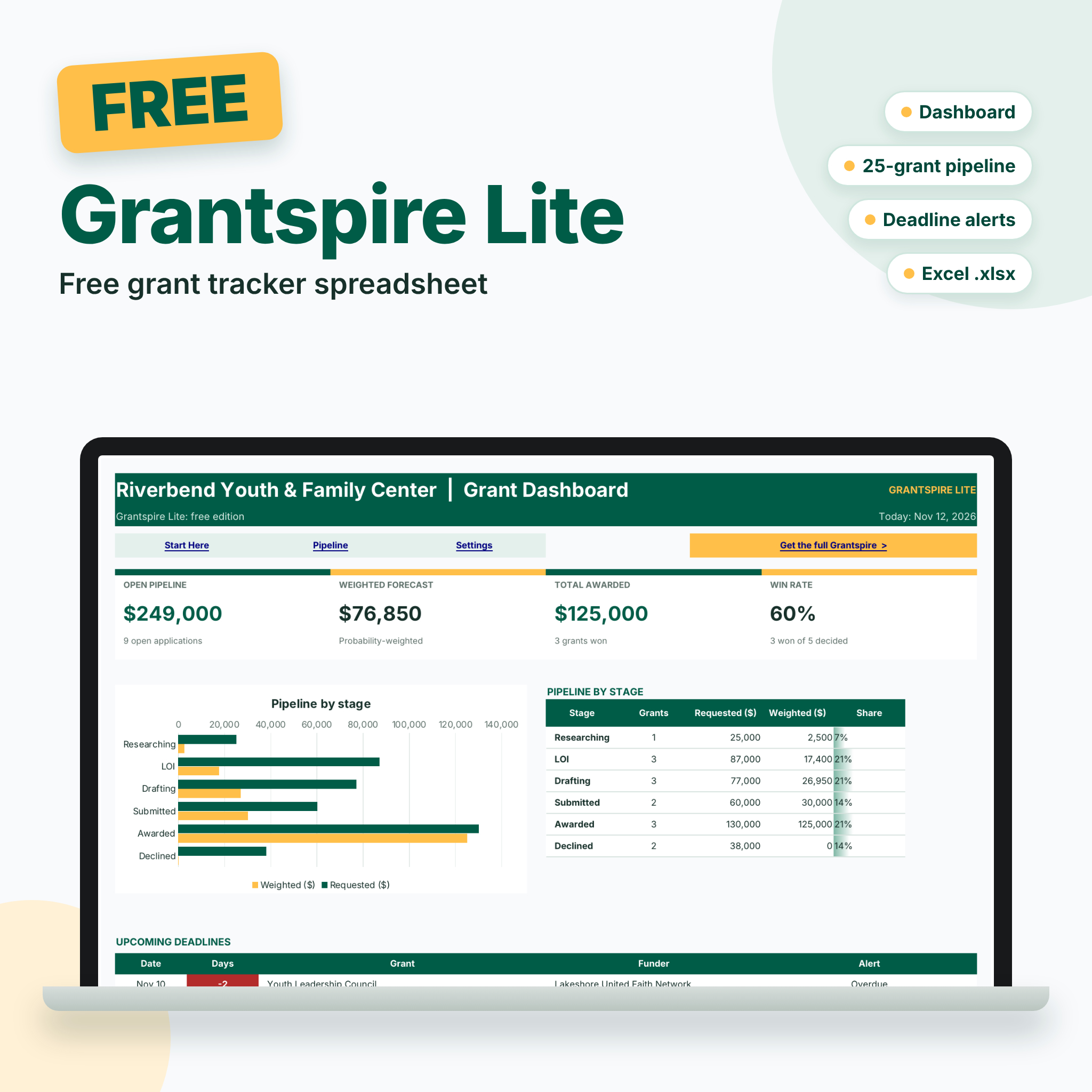
Download the free Grantspire Lite grant tracker. Downloading needs a free Taskdale account, and free downloads are limited to 3 per day.
Why every nonprofit needs a grant tracker
Grant seeking is a long game with many moving parts. A single application can involve a letter of inquiry, a full proposal, a budget, a stack of attachments, a decision months later and, if you win, a year of spending rules and reports. Multiply that by ten or twenty funders and the details get away from you fast.
A grant tracker gives you three things a to-do list can’t:
- One source of truth. Every funder, deadline and dollar amount lives in one place your whole team can check.
- A realistic income forecast. Instead of hoping, you can see what your pipeline is likely to bring in.
- Accountability after the award. Funders expect you to spend restricted money as promised and report on time. A tracker keeps you honest and audit-ready.
What to include in a grant tracking spreadsheet
You can start small, but these are the columns that matter most. If you only track a few, track the first six.
The essentials
- Grant or program name so you know which project the money is for.
- Funder and funder type (private foundation, family foundation, community foundation, corporate, government).
- Stage: where the application stands today.
- Amount requested and amount awarded.
- Key dates: LOI due, application due, date submitted, expected decision and actual decision date.
- Owner: the person responsible for the next step.
The columns that make it powerful
- Win probability and a weighted amount for forecasting.
- Next deadline and days left, calculated automatically.
- Alert: a simple status such as Overdue, Due within 7 days or On track.
- Fund restriction: restricted or unrestricted.
- Grant period start and end for awarded grants.
Step 1: Build a pipeline with clear stages
The single most useful habit in grant management is giving every opportunity a stage. A simple six-stage pipeline works for most organizations:
- Researching: checking fit and eligibility.
- LOI: writing or waiting on a letter of inquiry.
- Drafting: writing the full proposal.
- Submitted: waiting for a decision.
- Awarded: funded.
- Declined: not funded this time.
Move each grant forward the same day something changes. When stages are current, every total and chart built on top of them stays accurate.
Step 2: Forecast with a probability-weighted pipeline
A list of every grant you have applied for overstates your income, because you won’t win them all. A weighted pipeline fixes that by multiplying each request by the chance you will win it.
Here is how the math works. Say you assign these default probabilities: Researching 10%, LOI 20%, Drafting 35%, Submitted 50%. A $40,000 request in Drafting counts as $14,000 in your weighted forecast. A $50,000 request that has been submitted counts as $25,000. Add the weighted amounts for every open grant and you have a realistic number to share with your board and use in budgeting.
Adjust the percentages to fit your own history, and override them for individual grants when you know more. If a program officer invited your proposal, you might raise that grant to 70%.
Step 3: Never miss a deadline
Deadlines are where grant seekers lose the most money. Build your tracker so it calculates the next deadline for each grant: the LOI date until the letter is sent, then the application date. Subtract today’s date to get days left, and add a color rule: red for overdue, yellow for the next seven days, and a softer highlight for anything due in the next 30 days.
Two more tips: put reporting deadlines in the same list as application deadlines so nothing falls through the cracks, and review your upcoming deadlines every Monday.
Step 4: Keep a document checklist for each application
Most funders ask for the same core attachments: a cover letter, project narrative, project budget and budget justification, your IRS determination letter, board list, recent financial statements or Form 990, an annual report, an organizational budget, a logic model, an evaluation plan, letters of support and key staff bios. A checklist with a status for each item (Done, In progress, Needed or N/A) and a % complete score shows you at a glance which proposals are at risk.
Step 5: Manage the award and restricted funds
Winning the grant is the start of a new job. For each award, record the approved line-item budget, then log every expense against a grant and a budget line. Compare budget with actual spending by line item so you catch overspending early.
Also compare % spent with % of the grant period that has passed. If you are halfway through the year and have spent only 20% of the award, you may need to speed up the program or talk to your funder. If you have spent 80%, you may run out early. Keep restricted and unrestricted totals separate so you always know how much restricted money is left.
Step 6: Measure your win rate
Your win rate tells you where your writing time pays off. The standard formula is:
Win rate = awarded applications / (awarded + declined applications)
Leave pending applications out until a decision comes in. Then break the win rate down by funder type and program area. You may find that family foundations fund you far more often than corporate programs, which is valuable when you plan next year’s calendar.
Free vs. full: which grant tracker do you need?
The free Grantspire Lite covers the core pipeline. The full Grantspire Grant Tracker adds everything you need from prospect research through final reports.
| Feature | Grantspire Lite (free) | Grantspire (full) |
|---|---|---|
| Dashboard | 4 KPI tiles, 1 chart | 6 KPI tiles, 4 charts |
| Grant pipeline | 25 grants | 300 grants |
| Weighted forecast and days-left alerts | Yes | Yes |
| Funder prospect database | No | 200 funders |
| Deadline calendar (LOIs, applications, reports) | No | Yes |
| Document checklist per application | No | Yes |
| Award budgets vs. actual spending | No | Yes |
| Restricted funds and spending pace | No | Yes |
| Expense log with compliance checks | No | 1,500 rows |
| Reporting deadlines and win-rate analysis | No | Yes |
| DOCX user guide | No | Yes |
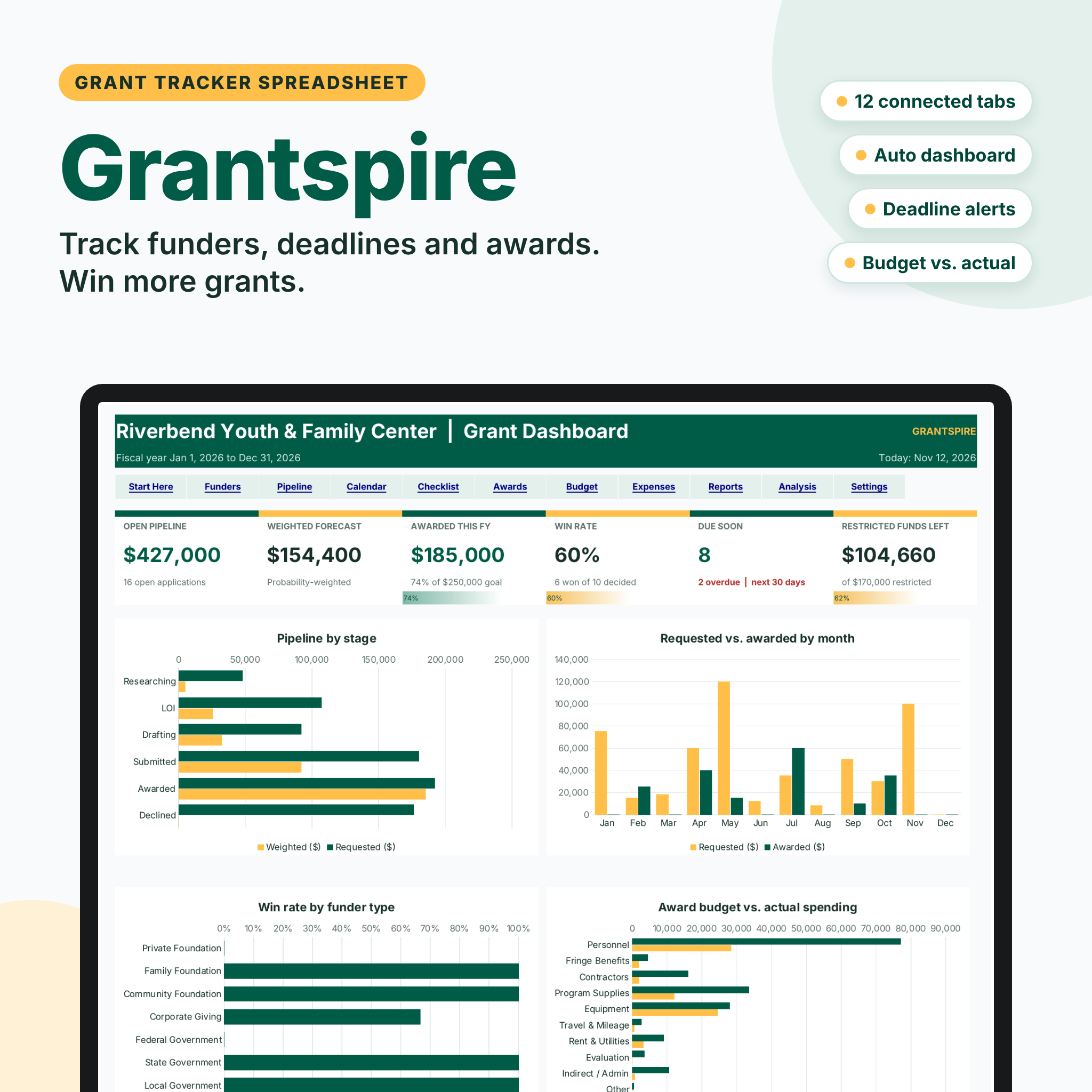
If you manage more than a handful of grants, or you have restricted awards to report on, the full Grantspire grant tracker spreadsheet will save you hours every month. It is an Excel-format .xlsx for Microsoft Excel, tested in LibreOffice Calc, and built with standard functions that also work when you open it in Google Sheets.
Tips for keeping your grant tracker useful
- Update weekly. Set a 15-minute Monday slot to update stages, dates and expenses.
- Record decision dates. They place awards in the right fiscal year and show how long funders take to decide.
- Log reports at award time. Ask each funder for its reporting schedule and enter every due date on day one.
- Write down why you lost. A one-line note on declined grants helps next year’s proposal.
- Keep a backup. Save a dated copy each quarter.
Frequently asked questions
Is the free grant tracking spreadsheet really free?
Yes. Grantspire Lite is free to download with a free Taskdale account. Free downloads are limited to 3 per day.
Can I use the grant tracker in Google Sheets?
Yes. Upload the .xlsx file to Google Drive and open it with Google Sheets. The template uses standard functions with no macros.
What is a weighted grant forecast?
It is the amount requested multiplied by the probability of winning, added up across open applications. It gives a more realistic income estimate than the total requested.
How do I track restricted grant funds?
Record each award’s approved budget by line item, log every expense against a grant and line item, and total restricted and unrestricted funds separately. The full Grantspire tracker does this for you and flags spending outside the grant period.
Does the free version include a deadline calendar?
The free version shows days left, alerts and your next deadlines on its dashboard. The month-view deadline calendar, reporting deadlines and document checklists are part of the full version.
Ready to get organized? Download the free Grantspire Lite today, and upgrade to the full Grantspire Grant Tracker when you are ready to manage every grant from first prospect to final report.