If you have several student loans, a mix of federal and private, each with its own rate, servicer and due date, it is easy to lose sight of the big picture. A free student loan payoff spreadsheet fixes that. It puts every loan on one screen, shows when you will be debt-free at your current payments, and lets you test what an extra $50 or a tax refund would really do.
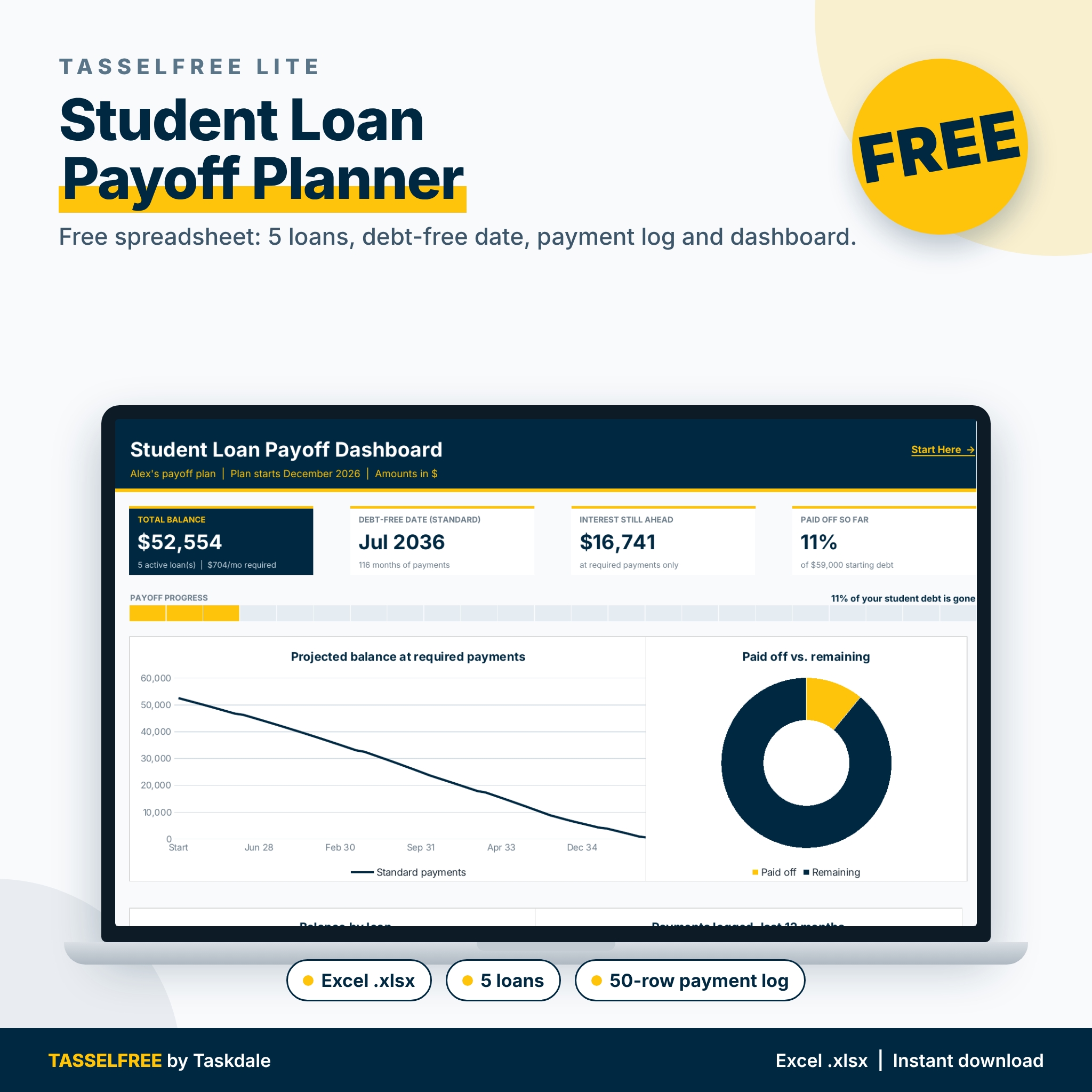
This guide walks you through building a payoff plan step by step: what to track, how the Avalanche and Snowball methods work, how to use extra payments and lump sums, and which mistakes to avoid. You can follow along with our free template, the Tasselfree Student Loan Payoff Planner Lite.
Why use a spreadsheet for student loan payoff?
Your servicer’s website shows one loan group at a time. If you also have a private loan from a bank or credit union, that lives on a different site with a different login. A spreadsheet gives you:
- One view of everything. Total balance, total monthly payment and your weighted average interest rate in one place.
- A real debt-free date. Not a guess, but a month-by-month calculation based on your balances, rates and payments.
- Honest what-ifs. You can see how much interest an extra payment saves before you commit to it.
- Motivation. Watching a progress bar move and a balance line fall is a powerful reason to keep going.
Step 1: Gather the right numbers for each loan
Before you type anything, log in to your servicer accounts and studentaid.gov (for federal loans) and collect these details for every loan:
- Loan nickname you will recognize, such as “Grad PLUS 2022.”
- Federal or private. This matters later if you ever consider refinancing.
- Current balance from your latest statement.
- Interest rate for that specific loan, not an average.
- Required monthly payment, exactly as your servicer bills it.
- Original amount (optional), which lets you track the percent you have paid off.
One important note: federal repayment plans and their rules change often. Rather than trying to calculate what your plan “should” charge, a good spreadsheet asks you to enter the payment your servicer actually bills you. Always verify plan details with your servicer or studentaid.gov.
Step 2: Find your baseline debt-free date
Your baseline is what happens if you only ever pay the required amounts. For each loan, the spreadsheet adds one month of interest, subtracts your payment, and repeats until the balance hits zero. The month the last loan reaches zero is your baseline debt-free date, and the interest added along the way is your baseline total interest.
This number is your benchmark. Every strategy you try afterward is measured against it, so you can see exactly how many months and how many dollars you are saving.
Watch for payments that do not cover interest
If a loan’s required payment is smaller than one month of interest, the balance grows instead of shrinking. A well-built template flags this immediately so you can call your servicer and understand why. The free Lite version includes this check on every loan row.
Step 3: Choose a payoff strategy
Once your required payments are covered, any extra money should go to one loan at a time. Which loan goes first is your strategy.
The Avalanche method
Avalanche sends extra money to the loan with the highest interest rate first. When that loan is gone, its payment rolls to the next-highest rate. Mathematically, Avalanche usually costs the least total interest, because you remove the most expensive debt first.
The Snowball method
Snowball targets the smallest balance first. You usually pay off your first loan sooner, which gives you an early win and frees up a payment to roll forward. Many people find that quick progress keeps them motivated.
A custom order
Sometimes life beats math. You might want to clear a private loan that a parent cosigned, or a variable-rate loan that could get more expensive. A custom priority order lets you decide.
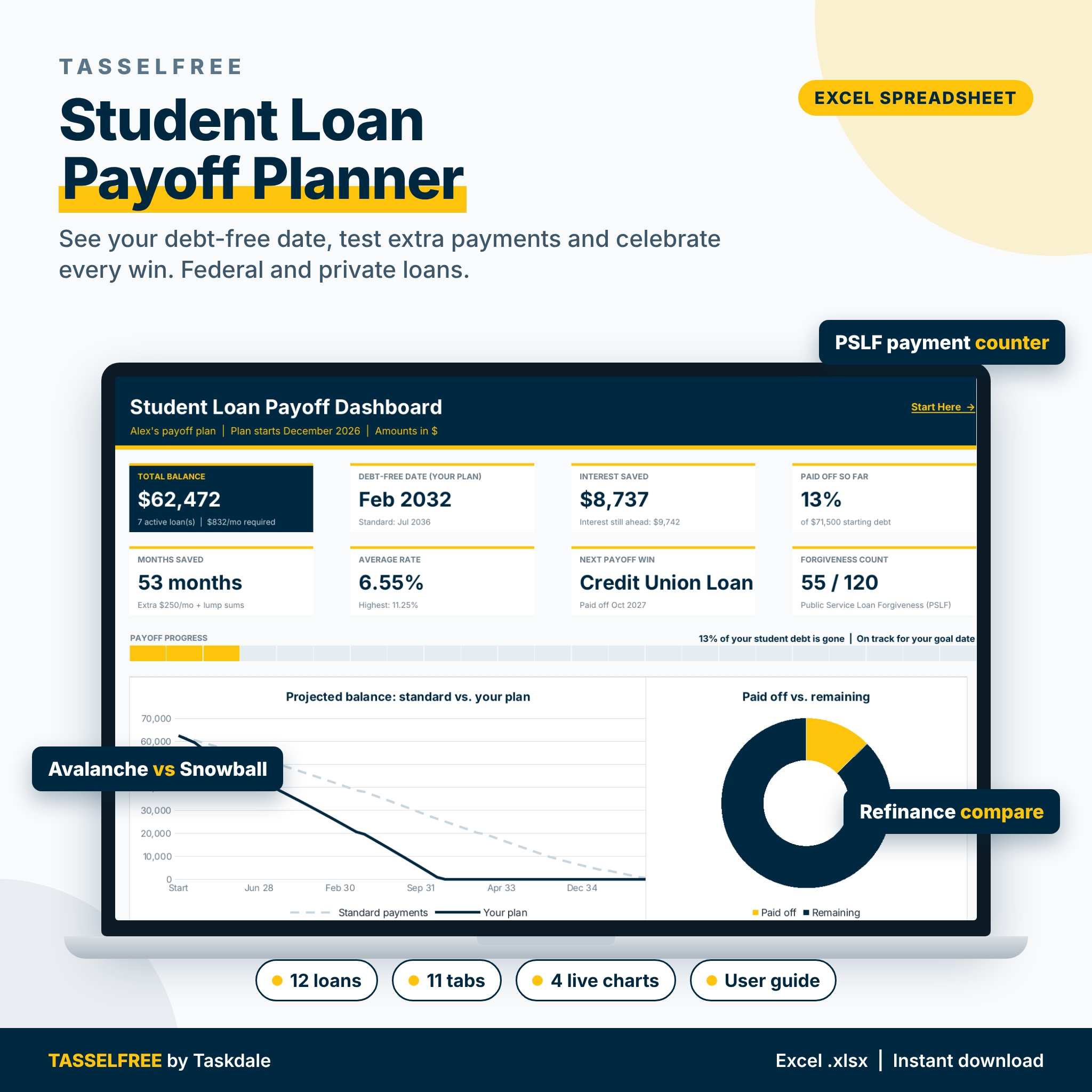
The best way to choose is to compare all of them with your own numbers. The full Tasselfree Student Loan Payoff Planner runs Standard, Avalanche, Snowball and your Custom order side by side with the same budget, then tells you in plain words how much less interest Avalanche costs and how many months sooner Snowball clears its first loan.
Step 4: Add extra payments and lump sums
Extra money is what turns a 10-year timeline into a much shorter one. There are two kinds:
- Monthly extra: a fixed amount on top of all required payments, every month.
- Lump sums: one-time payments such as a tax refund, a work bonus or a cash gift.
Plan your lump sums before the money arrives. When you write “April: tax refund to the highest-rate loan” into your spreadsheet, that money already has a job and is less likely to disappear into everyday spending.
Rolling payments forward
When a loan is paid off, keep paying its amount and send it to the next loan on your list. This “roll-forward” effect is what makes both Avalanche and Snowball accelerate over time. If you stop paying that amount instead, your timeline stretches back out. A good planner lets you switch roll-forward on or off so you can see the difference.
Tell your servicer where the extra goes
Extra payments only help if they reach principal on the right loan. Ask your servicer how to direct extra money to a specific loan and to principal, and ask them not to treat it as paying your next bill early.
Step 5: Log payments and track progress
A plan is only half the job. Logging each payment, with the date, loan, amount and confirmation number, builds a record you can check against your statements. It also feeds charts that show your progress month by month, which is a big help on the days when the balance feels like it barely moves.
The Lite template includes a 50-row payment log, a progress bar and a dashboard with charts for projected balance, paid off vs. remaining, balance by loan and payments over the last 12 months.
Step 6: Plan for refinancing and forgiveness carefully
Two big decisions deserve their own tools:
- Refinancing: a lower rate can save money, but the total cost depends on the term and fees. And refinancing a federal loan into a private loan is permanent. It gives up federal protections such as income-driven repayment, forgiveness programs like PSLF, federal deferment and forbearance options. Compare offers on total cost, and check studentaid.gov first.
- Forgiveness programs: if you work in public service, keep your own log of qualifying months, employers and employment certification forms. Treat it as a personal record only; your servicer and studentaid.gov decide what counts.
The full Tasselfree planner includes a refinance comparison for up to three offers with an automatic federal-protection warning, plus a qualifying-payment counter with an employment certification log.
Free vs. full: which template do you need?
| Feature | Free Lite | Full planner |
|---|---|---|
| Loans tracked | 5 | 12 |
| Payment log rows | 50 | 600 |
| Standard debt-free date and interest | Yes | Yes |
| Dashboard with charts | 4 KPI tiles, 4 charts | 8 KPI tiles, 4 charts |
| Extra monthly payments and 24 lump sums | No | Yes |
| Avalanche vs. Snowball vs. Custom order | No | Yes |
| What-if ladder and single-loan calculator | No | Yes |
| 360-month payoff schedule | No | Yes |
| Refinance comparison with federal warning | No | Yes |
| PSLF / forgiveness payment counter | No | Yes |
| Milestone celebration tracker | No | Yes |
| DOCX user guide | No | Yes |
Start free: Download the free Tasselfree Student Loan Payoff Planner Lite. Downloading requires a free Taskdale account, and free downloads are limited to 3 per day.
Ready for the full plan? Get the full Tasselfree Student Loan Payoff Planner for strategy comparisons, extra-payment scenarios, refinancing, forgiveness tracking and milestone celebrations.
Common mistakes to avoid
- Using an average rate for everything. Strategy only works when each loan has its own rate.
- Forgetting to update balances. Refresh balances from your statements every few months.
- Setting an extra amount you cannot keep. A steady $75 beats a $300 plan you abandon in month three.
- Ignoring the fine print on refinancing. Compare total cost and protections, not just the monthly payment.
- Not celebrating. Paying off student loans can take years. Plan small rewards at 10%, 25%, 50% and for every loan you finish.
Frequently asked questions
Is the free student loan payoff spreadsheet really free?
Yes. The Lite version is free to download with a free Taskdale account. Free downloads are limited to 3 per day.
Does it work in Google Sheets?
The templates are Excel-format .xlsx files for Microsoft Excel, tested in LibreOffice Calc and built with standard functions that also work when you open them in Google Sheets.
Will it calculate my income-driven repayment amount?
No. Federal plan rules change often, so you enter the required payment your servicer bills you. Always verify with your servicer or studentaid.gov. The planner is an estimating tool, not financial advice.
Should I use Avalanche or Snowball?
Avalanche usually saves more interest, while Snowball often delivers a quicker first win. The full planner compares both with your real numbers so you can pick with confidence.
Can I track federal and private loans together?
Yes. Each loan is labeled federal or private, and both versions show them on one dashboard.