If your phone feels loud every time you pick it up, a free pastel phone wallpaper is the fastest fix. Soft gradients give your eyes somewhere to rest, and they make app icons and widgets look tidy almost by accident. Download three calm pastel designs below, then use the ideas in this guide to build a full pastel home screen.
Download 3 free pastel wallpapers
The free set has three designs from the Mellowmist collection: Soft Gradient in peach, Pastel Sphere in lavender and Frosted Glass in lavender. Every file comes in iPhone (1290 x 2796) and Android (1440 x 3200) sizes.
Free Pastel Phone Wallpapers (3 Gradient Designs, iPhone + Android)
3 calm pastel wallpapers from the Mellowmist pack (Soft Gradient Peach, Pastel Sphere Lavender and Frosted Glass Lavender), each in iPhone 1290 x 2796 and Android 1440 x 3200 PNG, plus a quick guide to the full 24-design pack.
Want everything unlocked?
The free file is a sample. The full version has every page, tab and feature, plus the user guide.
See the full versionWhy pastel wallpapers feel so calm
Pastels are colors mixed with a lot of white. They have low saturation and high lightness, which means:
- They don’t compete with the content on top of them, such as the clock, notifications and icons.
- Neighboring colors blend softly, so gradients look smooth instead of striped.
- They work at any time of day, unlike neon or very dark wallpapers.
There is also a practical side. A calm background makes it easier to spot a new notification or find an app, because nothing else on the screen is fighting for your attention.
Pastel color pairings that always work
Each Mellowmist colorway is built from three or four tones that sit well together. Use these if you want to match widgets or icons to your wallpaper.
| Colorway | Main tones | Mood |
|---|---|---|
| Lavender | #CDC6E4, #F8D5E5, #B6E0F6 | Cool, quiet, dreamy |
| Peach | #FEB192, #FDEFD6, #FDBDC8 | Warm, sunny, cheerful |
| Sea Glass | #B6E0F6, #C8EBDD, #CDC6E4 | Fresh, airy, clean |
| Lemon | #FFE9A0, #FFD0DF, #C8EBDD | Bright, playful, light |
For text and icon glyphs on pastel, go darker than you think. A deep grape purple (#4A388E) reads well on every colorway.
The banding problem (and how we fixed it)
Have you ever set a gradient wallpaper and noticed visible stripes across it? That is called banding. Phone screens show 256 steps per color channel, and a soft gradient across a tall screen can run out of steps, so you see bands instead of a smooth blend.
The fix is a very fine grain, almost invisible, that breaks up the edges between steps. Every Mellowmist file includes it. You won’t notice the grain, but you will notice that the gradient looks smooth.
How to set your pastel wallpaper
iPhone
- Tap the ZIP in the Files app to unzip it.
- Open a file from the iPhone folder, tap Share and then Save Image.
- In Photos, tap Share, then Use as Wallpaper, then Add.
- Choose Set as Wallpaper Pair, or Customize Home Screen to choose a different design behind your apps.
Android
- Extract the ZIP with your Files app.
- Open the Android version in Gallery or Photos.
- Tap the three-dot menu and choose Set as wallpaper.
- Pick Home screen, Lock screen, or both.
Get the full Mellowmist pack
TASKDALE PICK
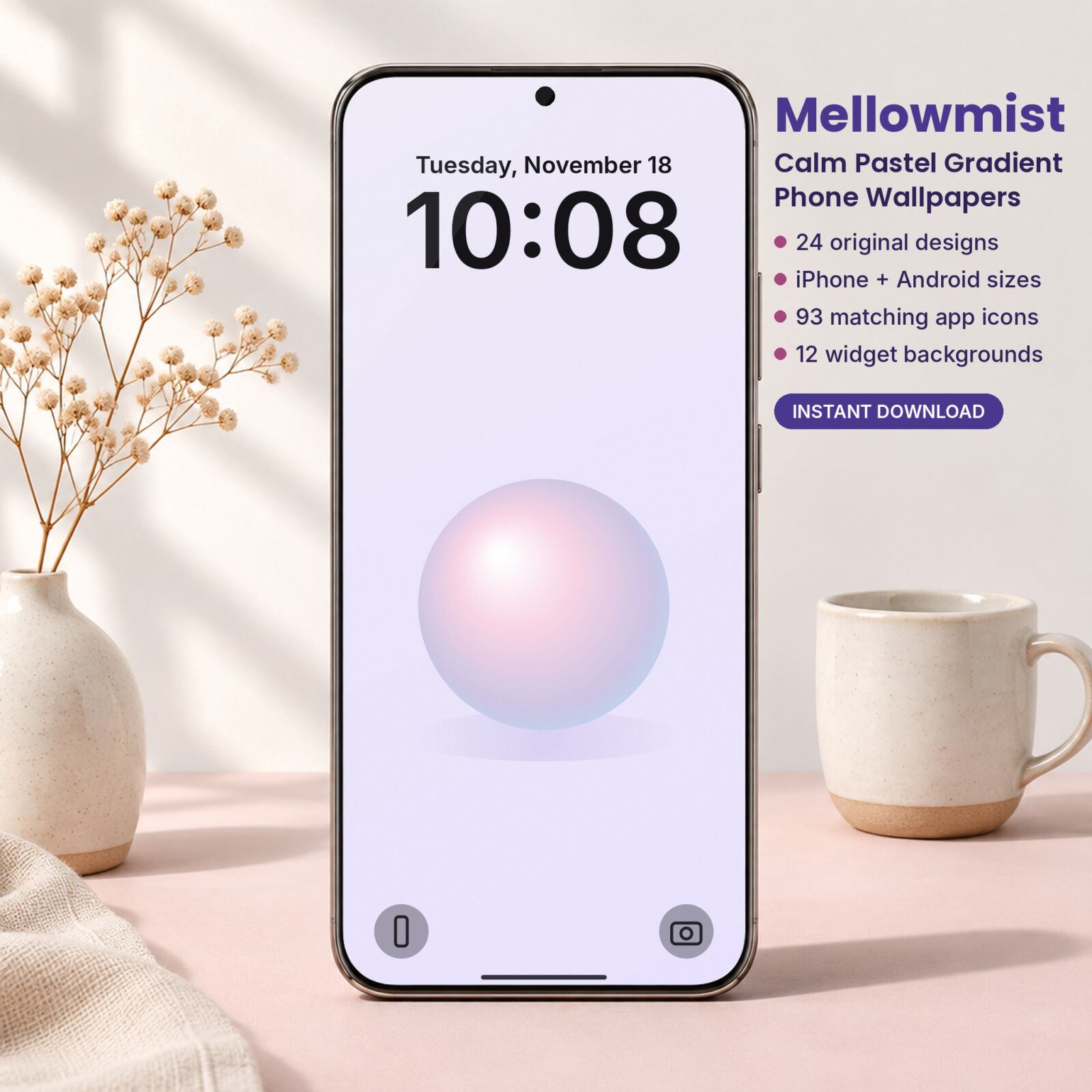
Mellowmist: Calm Pastel Gradient Phone Wallpapers
Everything you need for a calm pastel phone: wallpapers, matching icons and widget backgrounds in one download.
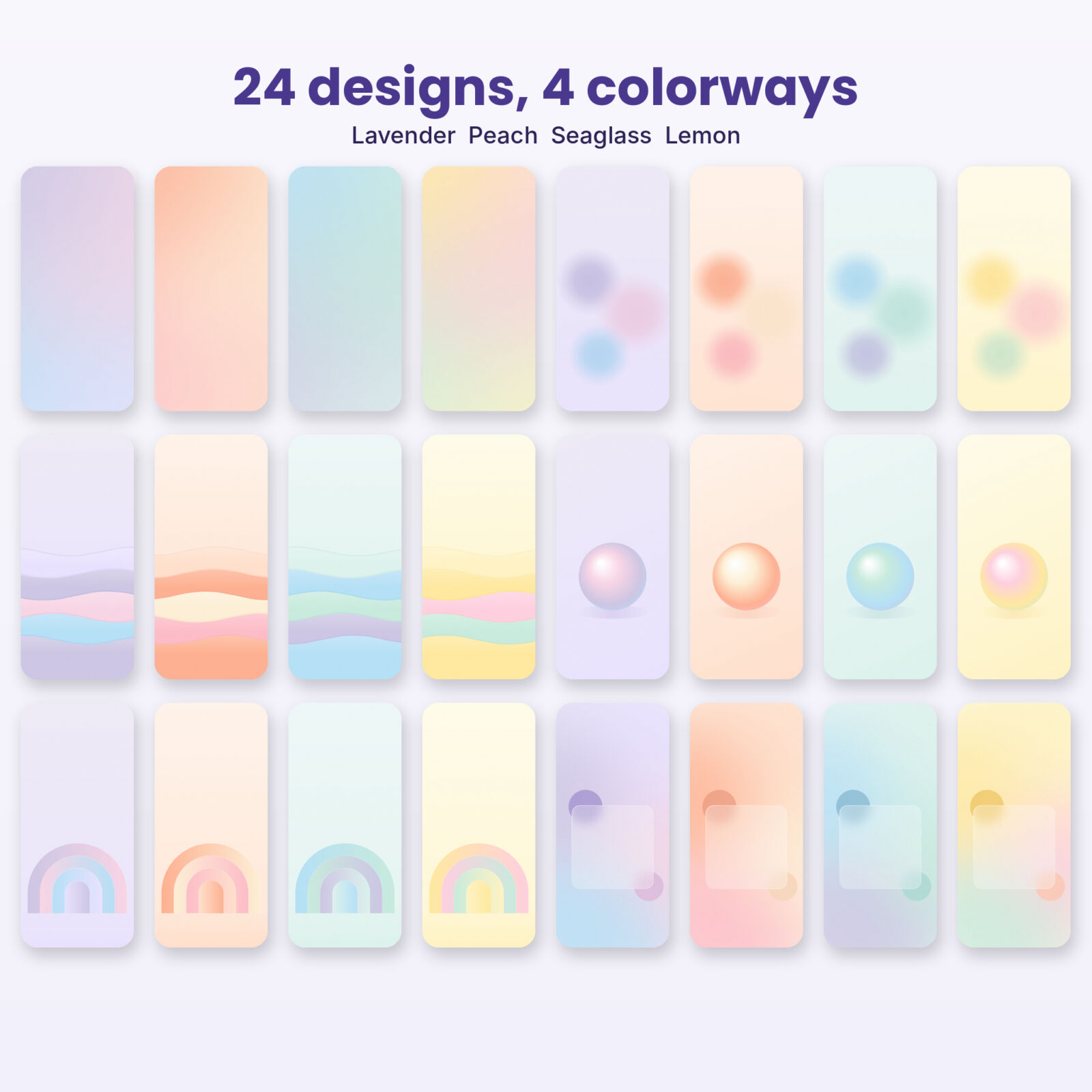
- 24 pastel wallpapers in 4 colorways
- 6 motifs: soft gradient, glow orbs, layered waves, pastel sphere, ribbon arches, frosted glass
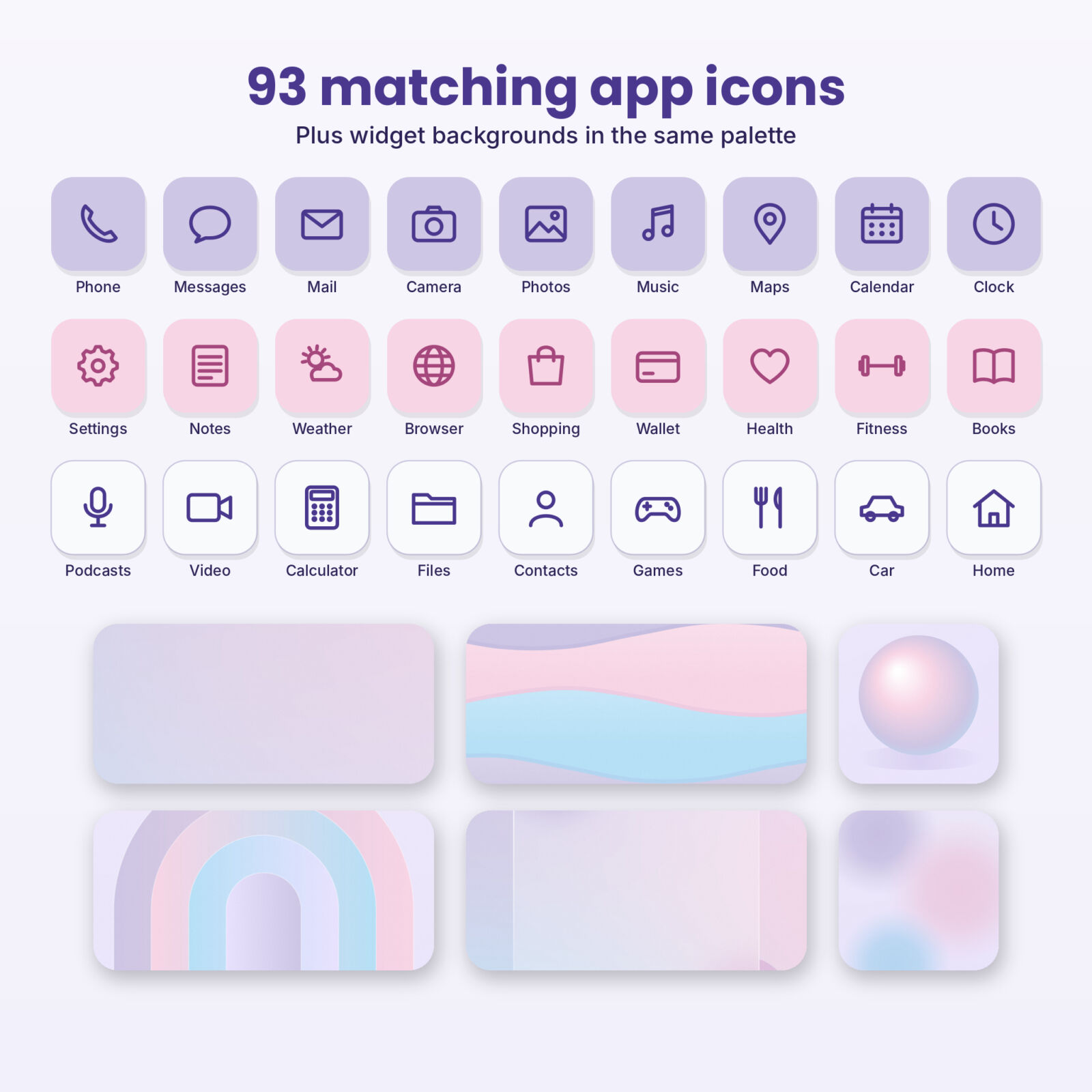
- 93 pastel app icons in lavender, blush and cloud white
- 12 widget backgrounds
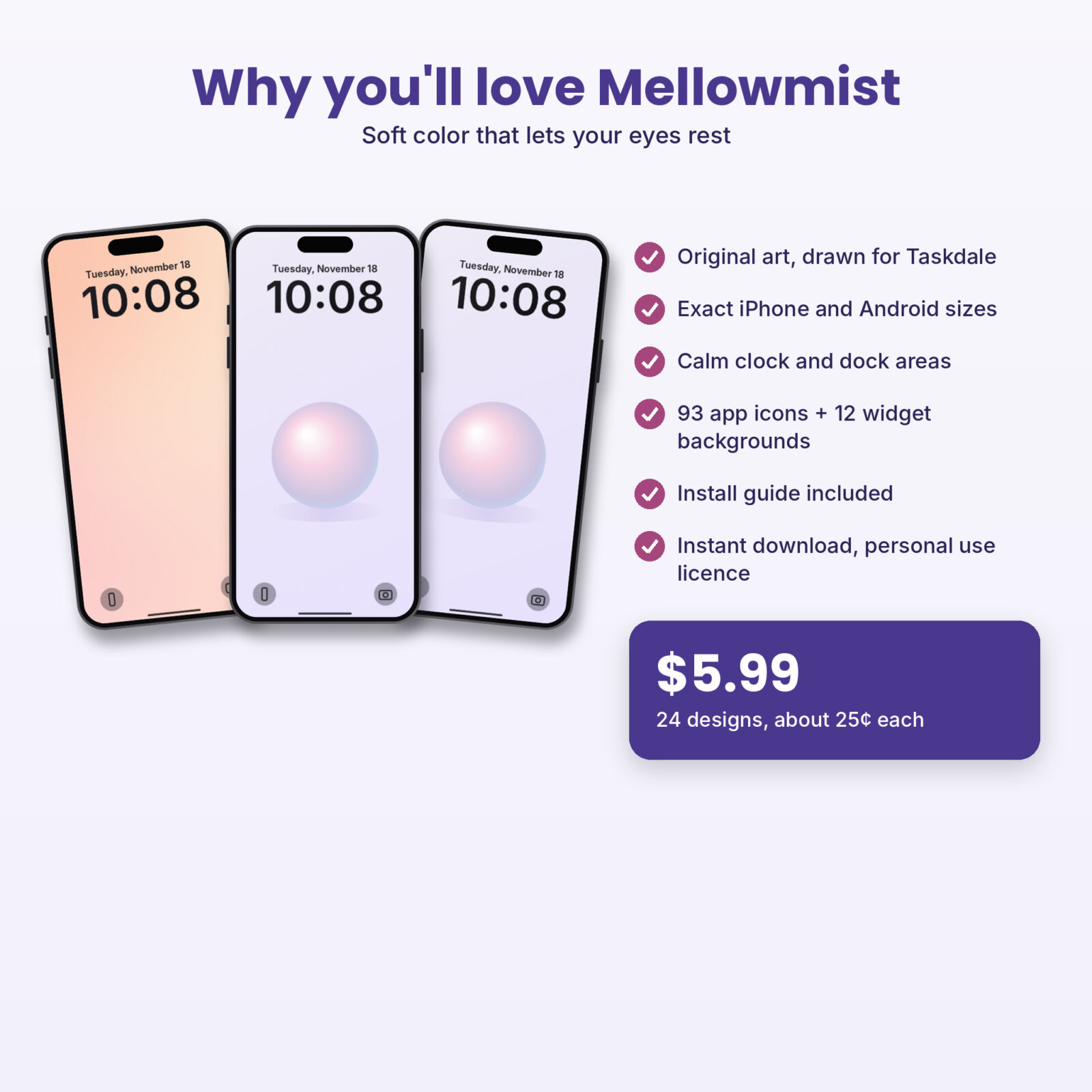
- iPhone + Android sizes, contact sheet and DOCX guide
One-time purchase, instant download
Free sample vs. full pack
| What you get | Free sample | Full pack |
|---|---|---|
| Wallpaper designs | 3 | 24 |
| iPhone + Android sizes | Yes | Yes |
| Colorways | 1 or 2 | 4 |
| Matching app icons | No | 93 |
| Widget backgrounds | No | 12 |
| Contact sheet + DOCX guide | Quick card only | Yes |
4 pastel home screen ideas
1. Lavender study setup
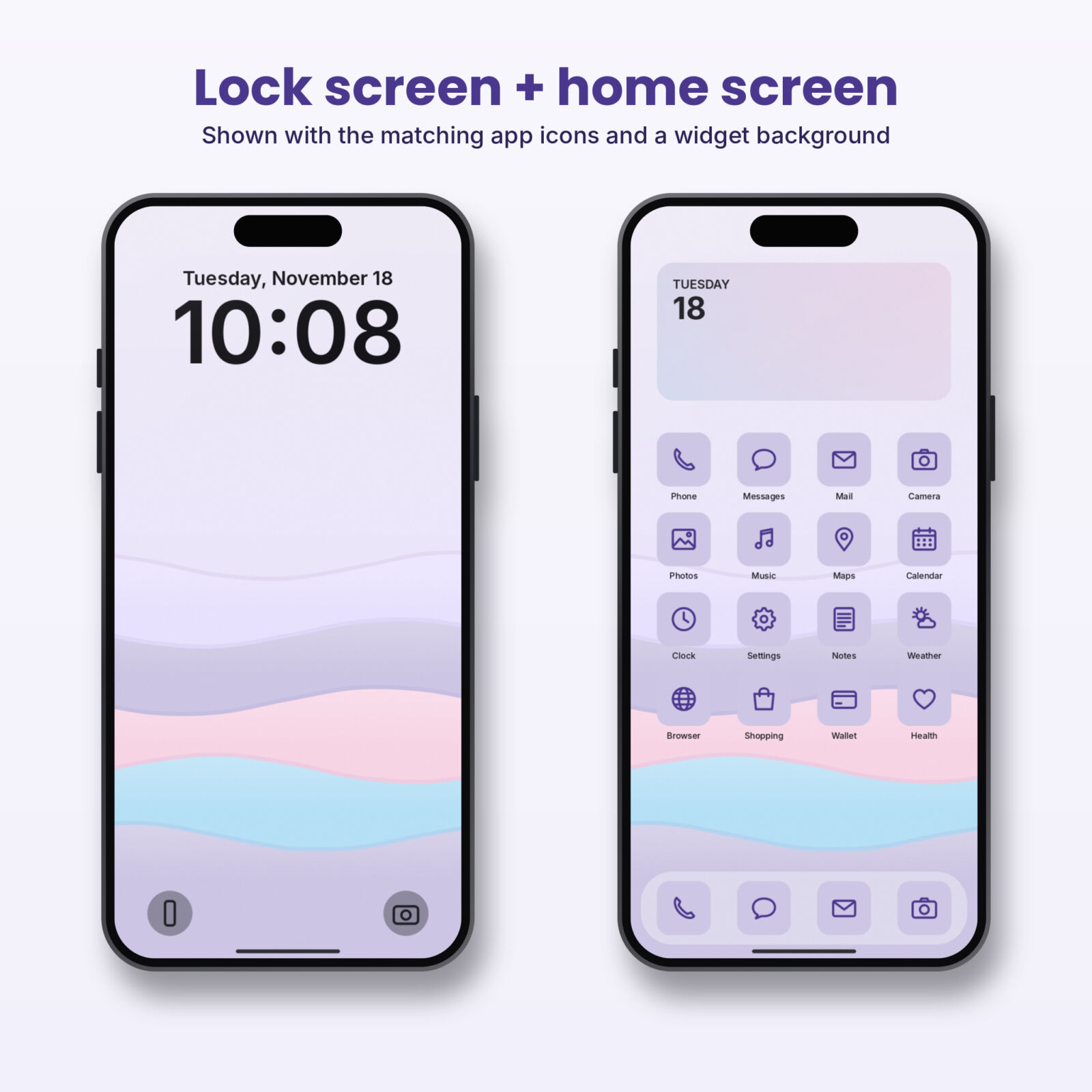
Lock screen: Pastel Sphere Lavender. Home screen: Soft Gradient Lavender with the Lavender icon set. Put a calendar widget on a wide lavender background at the top. Calm enough to keep on your desk while you work.
2. Peach weekend
Lock screen: Layered Waves Peach. Home screen: Glow Orbs Peach with Blush icons. Warm and friendly without being loud.
3. Sea glass summer
Lock screen: Ribbon Arches Sea Glass. Home screen: Frosted Glass Sea Glass with Cloud white icons. It feels like a beach morning.
4. Lemon pick-me-up
Lock screen: Pastel Sphere Lemon. Home screen: Soft Gradient Lemon. The brightest pastel set, good for gray winter days.
Tips for a clean pastel phone
- Keep one icon style per screen. Mixing lavender and blush icons on one page breaks the calm.
- Use the frosted glass design behind widgets. The glass panel sits where a large widget would go, so it looks intentional.
- Change your clock color. On iPhone, press and hold the lock screen, tap Customize, then tap the clock to set a deep purple or white that matches.
- Switch colorways with the seasons. Peach in spring, Sea Glass in summer, Lavender in fall, Lemon in winter.
- Turn off extra effects. Perspective zoom and heavy blur can make soft gradients look muddy.
Which file should I use on my phone?
Every Mellowmist design comes in two versions, one in an iPhone folder and one in an Android folder. Both folders hold the same designs. The only difference is the shape of the file, so pick the one closest to your screen.
| Your phone | Folder to use | Why |
|---|---|---|
| iPhone 12 and newer, including Plus and Pro Max | iPhone | Made at 1290 x 2796 (Plus and Pro Max size), so it fits every recent iPhone |
| iPhone SE or older iPhone 8 style models | iPhone | The phone trims a little from the top and bottom; the art in the middle stays whole |
| Samsung Galaxy S and A series, Pixel, Motorola, OnePlus | Android | Made at 1440 x 3200, which matches most tall Android screens |
| Foldables (cover screen) | Android | Tall and narrow, so the Android file fits best |
| Tablets | Either | Works, but the sides will be cropped because the files are phone shaped |
If you are not sure, try the iPhone file first on an iPhone and the Android file first on anything else. You can always switch in a few seconds.
How color affects the way your phone feels
You don’t need color theory to pick a wallpaper, but a few basics help explain why pastels are so easy to live with.
Lightness matters more than hue
A bright red and a pale pink are the same hue. What changes is how much white is mixed in. Pastels sit at the light end, which is why even a pastel orange feels gentle. That high lightness is also why dark text and icons read so well on top of them.
Cool pastels feel quieter
Lavender, powder blue and sea glass greens lean cool. They tend to feel calm and spacious, which suits study, reading and evening use. Peach, blush and lemon lean warm and feel friendlier and more awake.
Soft edges relax the eye
Hard edges pull your attention. Gradients and blurred shapes have no hard edges, so your eye slides over them instead of stopping. That is the secret behind most “calm” wallpapers, and it is why every Mellowmist design avoids sharp lines.
Widget ideas for a pastel setup
- Frosted glass behind a big widget. The glass panel in the Frosted Glass design sits right where a large widget would go, so the widget looks like part of the art.
- Wide gradient strips. The wide widget backgrounds in the full pack work as a soft banner across the top of your home screen. Add a photo widget, set the image, and you have a pastel header.
- One color per page. First page lavender, second page peach. Swiping between them feels like turning pages in a notebook.
- Dark text widgets. If your widget app lets you choose text color, use a deep purple or charcoal instead of white. It reads much better on pastels.
Pastel wallpaper mistakes to avoid
- White icon labels on very light wallpapers. If labels disappear, pick a slightly deeper colorway such as Lavender or Sea Glass for your home screen.
- Too many saturated icons. Bright red and blue app icons clash with pastels. Matching icons fix that in one go.
- Low resolution images. Soft gradients show compression blocks easily. Use full-size PNG files like the ones in this download.
Pastel wallpapers through the year
Pastels are often seen as a spring look, but each colorway has a season where it shines. Lavender suits fall evenings and early dark, Peach brings warmth to cold mornings, Sea Glass keeps summer days feeling fresh, and Lemon brightens the gray weeks of late winter. Switching colorways four times a year keeps your phone feeling new without changing its calm character.
More pastel and calm picks from Taskdale
| Product | What it is | Link |
|---|---|---|
| Bloomdrop Spring Digital Planner Stickers | 251 pre-cropped floral and spring PNG stickers | View on Taskdale |
| Oatline Boho Neutral Digital Planner Stickers | 323 pre-cropped neutral PNG stickers for digital planners | View on Taskdale |
| Shelvery Digital Reading Journal | Hyperlinked GoodNotes book tracker with 132 stickers | View on Taskdale |
| Dunewren Boho Phone Wallpapers | 36 neutral boho designs + 93 icons + 12 widgets | View on Taskdale |
| Inkglow AMOLED Dark Wallpapers | 40 true black designs + 93 glow icons + 12 widgets | View on Taskdale |
Download your free pastel wallpapers
Get the three free designs below. If they make your phone feel calmer, the full Mellowmist pack adds 21 more designs and 93 matching icons.
FAQ
Are the pastel wallpapers free to use?
Yes. The three-design sample is free for personal use on your own devices.
Why do some gradient wallpapers look striped?
That is banding, caused by too few color steps across a large area. A fine grain fixes it, which is why every Mellowmist file has one.
Which colorway is best for dark mode?
Lavender and Sea Glass have the coolest tones and sit best next to dark mode menus. Peach and Lemon look best in light mode.
Will these fit my phone?
The iPhone files are 1290 x 2796 px and the Android files are 1440 x 3200 px, so they fit current phones without cropping.
Can I use them on a tablet?
Yes, but they are tall phone formats, so the sides will be cropped.
Do I need an app to set these?
No. Your phone’s own wallpaper settings are all you need. Custom icons on iPhone use the free Shortcuts app.
Can I use the free wallpapers as a lock screen and home screen pair?
Yes. Soft Gradient Peach works well behind your apps with Pastel Sphere Lavender on the lock screen, or keep one design on both screens.
How do I find the wallpapers after downloading?
On iPhone, look in the Files app under Downloads. On Android, open Files and check the Downloads folder, then extract the ZIP.