
Spring Digital Planner Stickers That Cover March to May
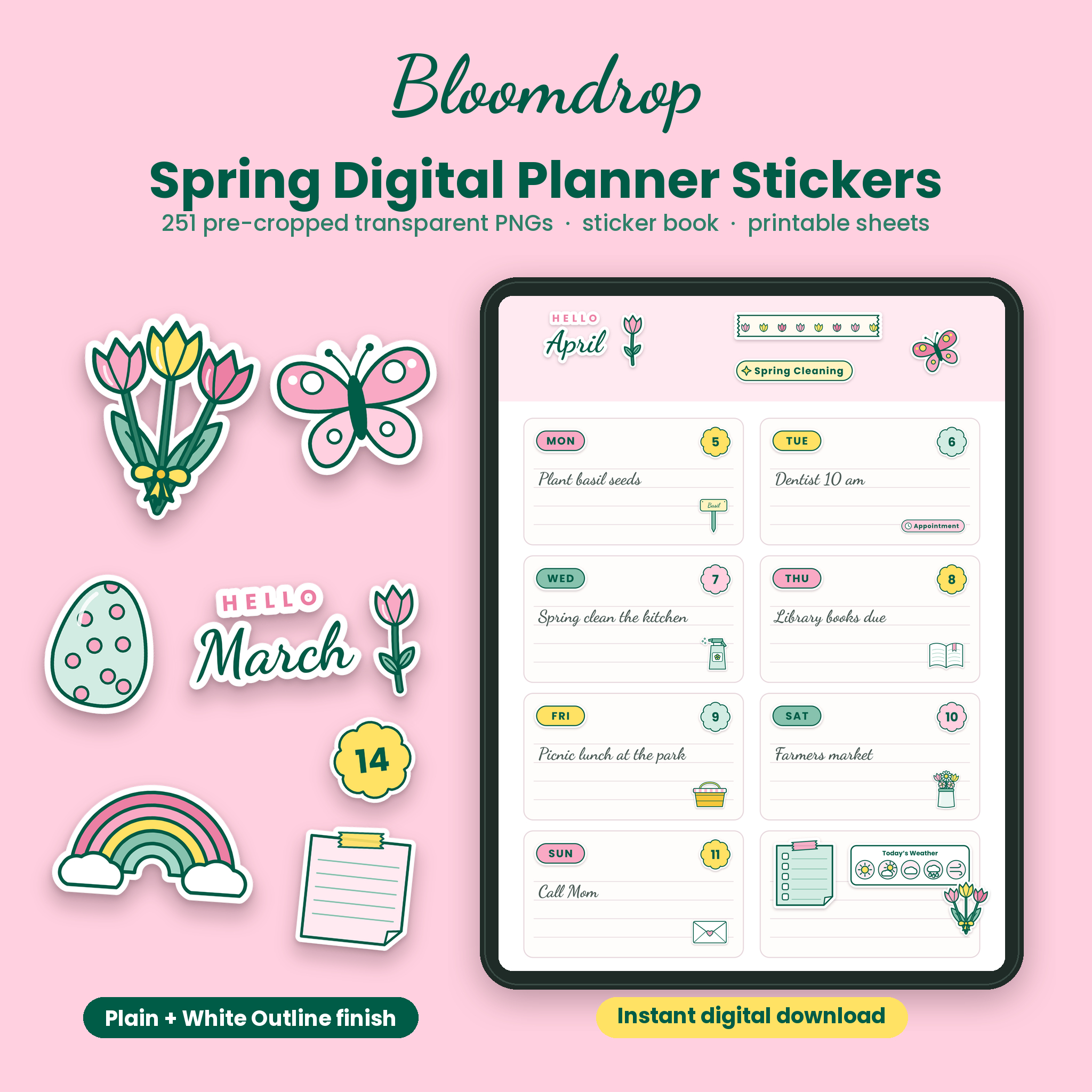
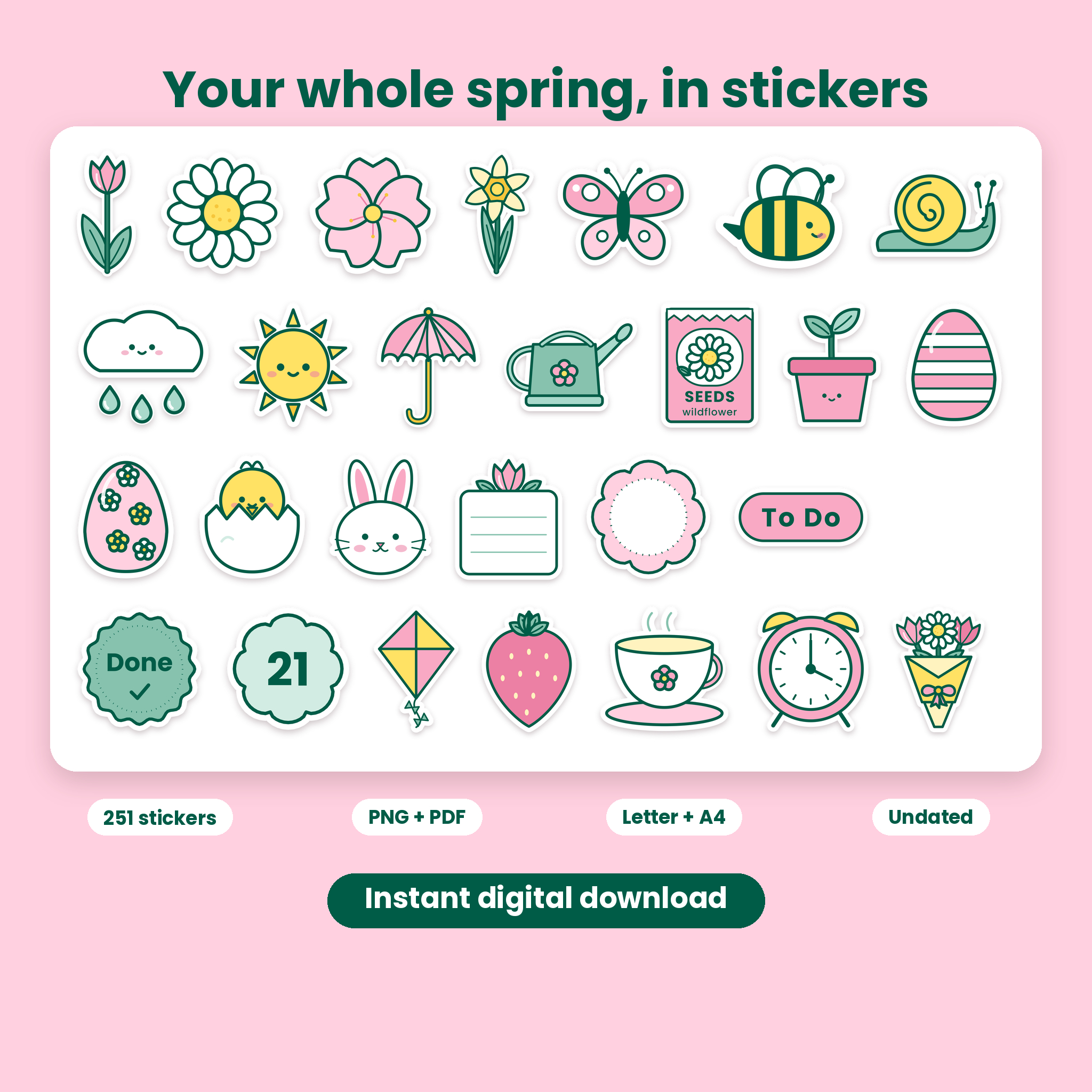
Bloomdrop is a set of 251 spring digital planner stickers drawn in one soft, cohesive style: pale pink, forest green and butter yellow with clean outlines. Every sticker is its own pre-cropped PNG with a transparent background, so it sits on your page without a white box and without any trimming. Use them to decorate weekly spreads, mark appointments, track the garden, plan Easter and give each spring month a proper opening page.
All of the artwork was drawn for this pack. Nothing is dated, so the same stickers work this spring and every spring after.
What You Get
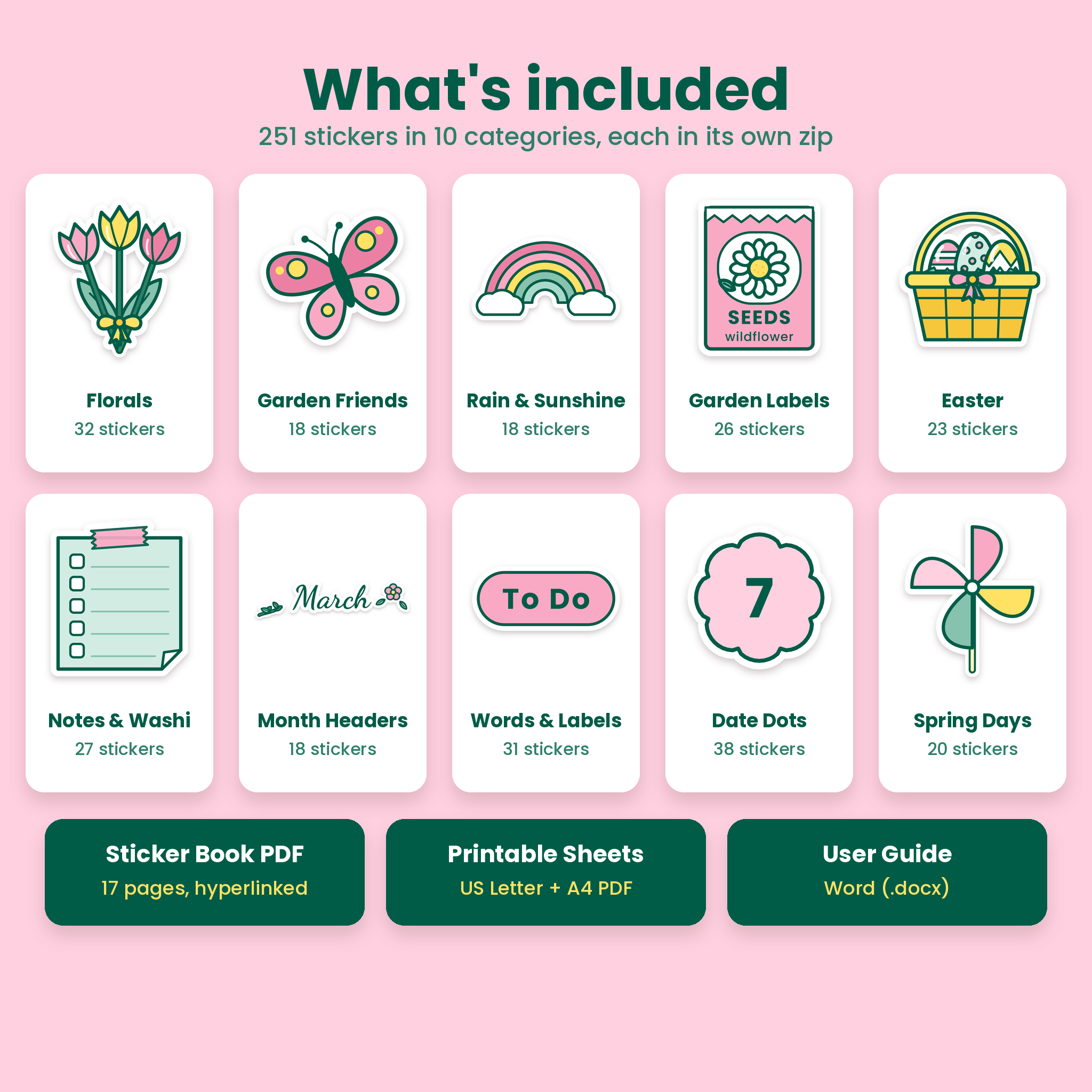
- 251 transparent PNG stickers in 10 category zip files
- Two finishes for every sticker: Plain (clean edges) and White Outline (a white die-cut border with a soft shadow)
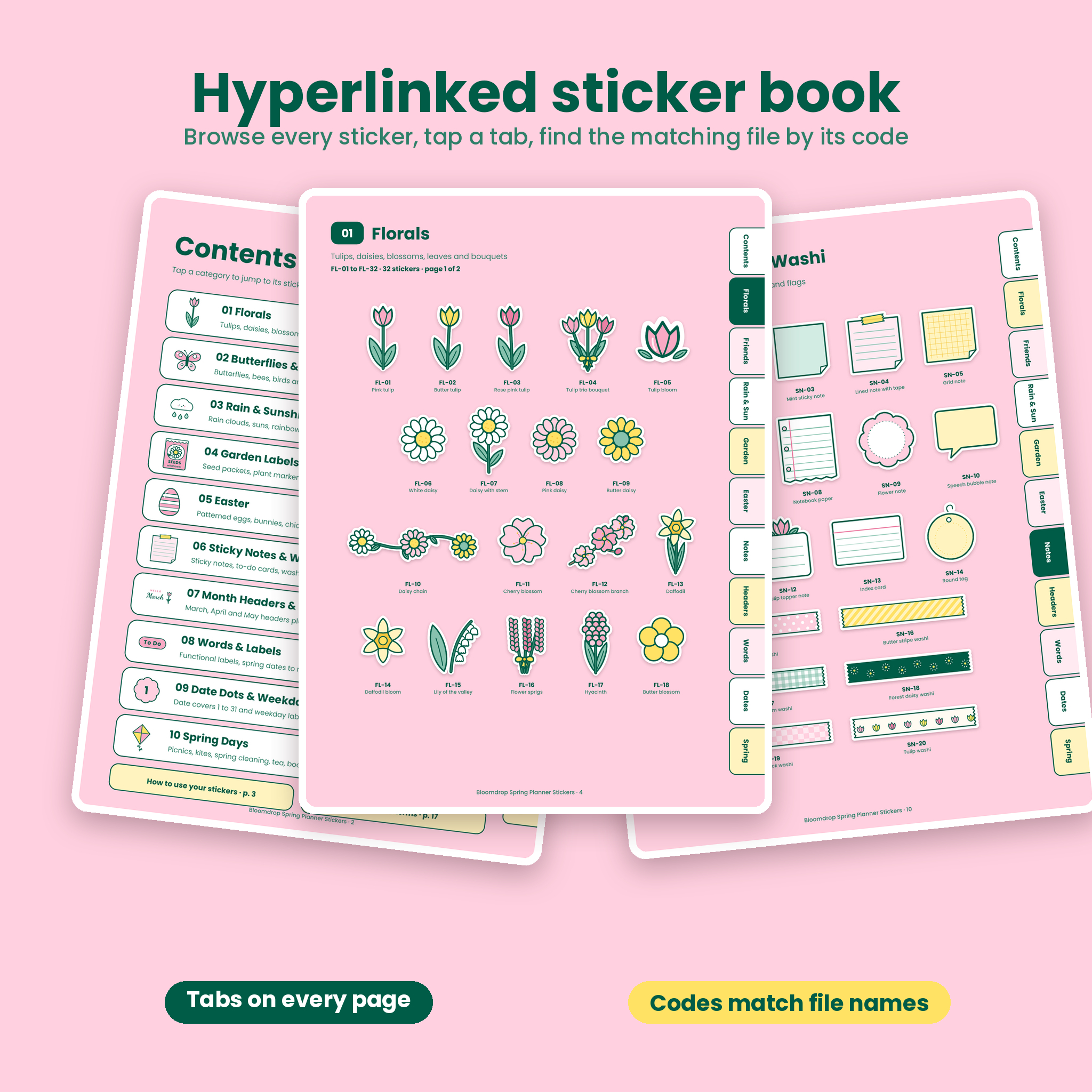
- Sticker book PDF: 17 hyperlinked pages that show every sticker with its code, with side tabs that jump between categories
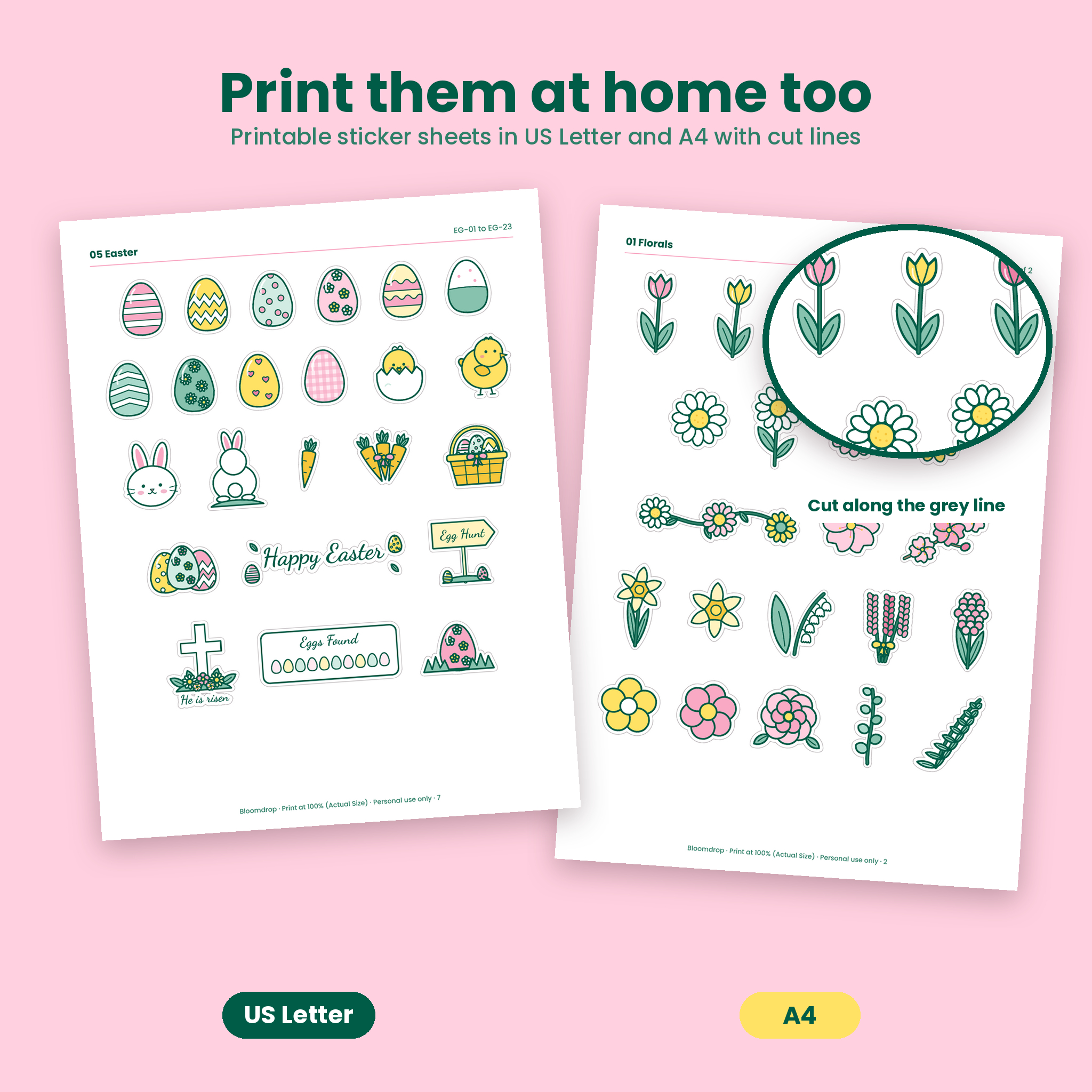
- Printable sticker sheets: 13 pages in US Letter and 13 pages in A4, with a thin gray cut line around each sticker
- User guide in Word format with setup steps, tips, troubleshooting and the license
The 10 Sticker Categories
- Florals (32): tulips, daisies, cherry blossom, daffodils, lily of the valley, bouquets, a wreath frame, a floral corner and dividers
- Butterflies and Garden Friends (18): butterflies, bees, a ladybug, snail, caterpillar, birds, dragonfly, beehive and frog
- Rain and Sunshine (18): rain clouds, smiling suns, rainbows, umbrellas, rain boots and a weather tracker card
- Garden Labels and Tools (26): seed packets, nine plant markers, Sow, Water, Harvest and Weed tags, watering cans and tools
- Easter (23): ten patterned eggs, chicks, bunnies, a basket, Happy Easter lettering, an egg hunt sign and an egg count tracker
- Sticky Notes and Washi (27): sticky notes, a to-do card, notebook paper, eight washi strips, paper clips and page flags
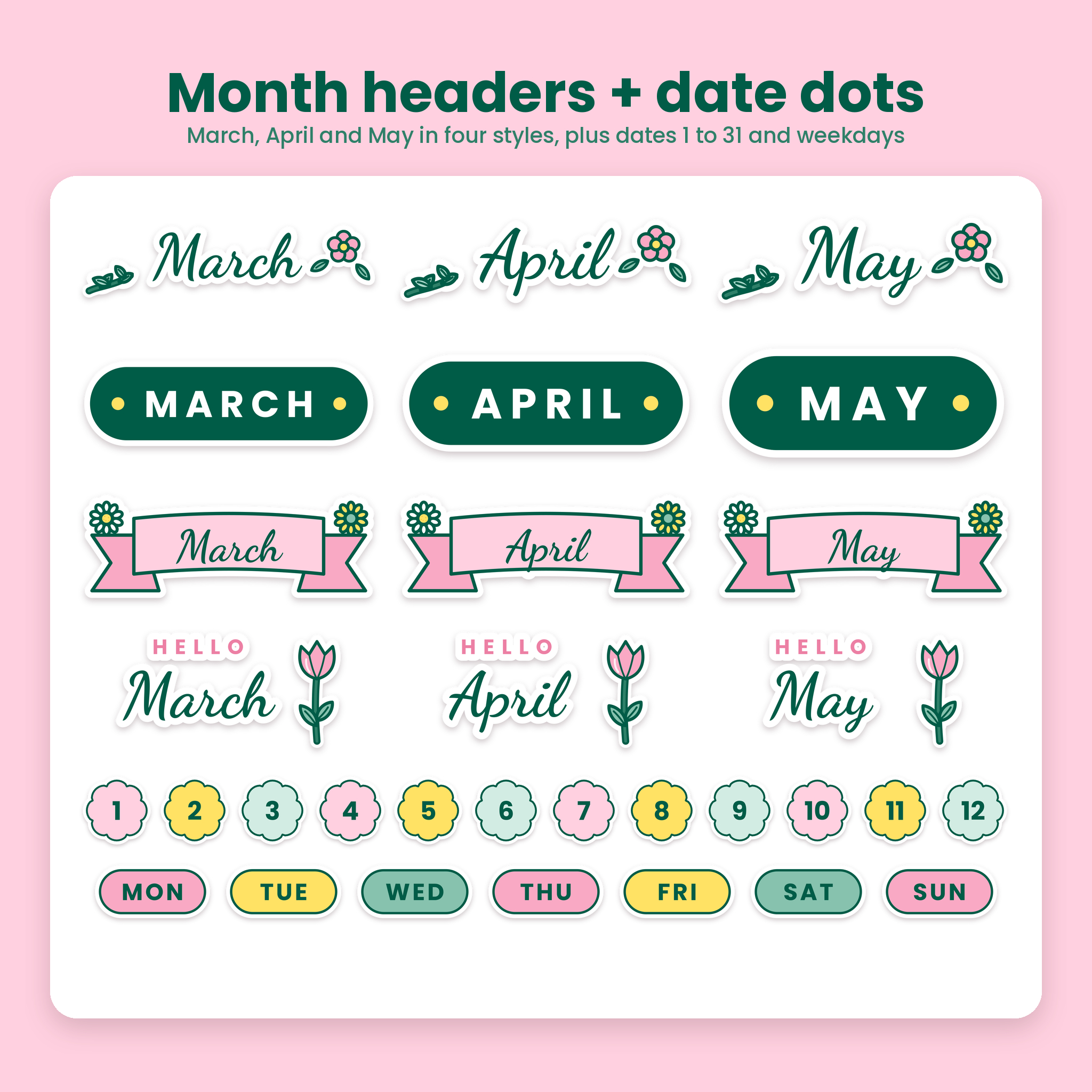
- Month Headers and Banners (18): March, April and May in script, block, ribbon and Hello styles, plus This Week, Weekend, Monthly Goals and Notes banners
- Words and Labels (31): To Do, Goals, Payday, Birthday, Appointment, Spring Forward, Earth Day, Mother’s Day, short phrases and blank labels
- Date Dots and Weekdays (38): date covers 1 to 31 and MON to SUN labels for undated planners
- Spring Days (20): kite, pinwheel, picnic basket, lemonade, tea, spring cleaning, graduation cap and more
Why These Spring Planner Stickers Are Easy to Use
Many sticker sets arrive as one big sheet that you have to crop by hand, or as JPGs that leave a white square on your page. Bloomdrop avoids both. Each sticker is already cut out, saved as a PNG with real transparency and sized at 600 px or more on its long side, and most are 800 px or larger. That keeps edges crisp when you zoom in on a tablet.
The sticker codes save time too. Browse the sticker book, spot the egg you want (EG-04), then pick the file that starts with the same code. No scrolling through hundreds of thumbnails.
Plain or White Outline
Both finishes use the same file names. Plain stickers sit neatly in tight layouts. White Outline stickers look like real die-cut stickers and stand out on dark or busy pages. Mix them or pick one per spread.
How It Works
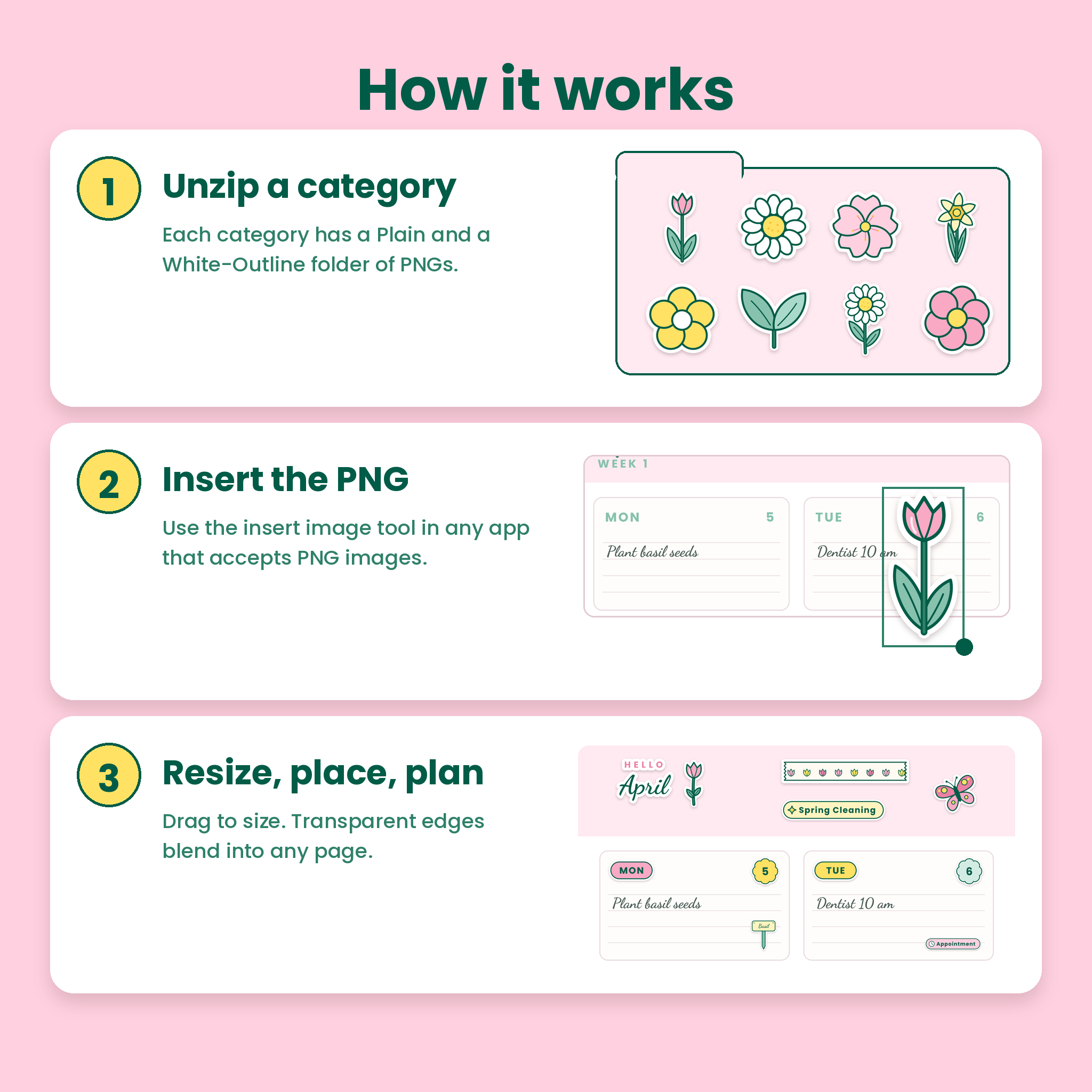
- Step 1: Download the zip files and unzip a category (tap the zip in the Files app on iPad, choose Extract on Android or Windows, double-click on a Mac).
- Step 2: Open your planner app and use its insert image or photo tool to add a PNG. These files can be imported into note-taking apps that accept images, for example GoodNotes and Notability.
- Step 3: Resize, rotate and place the sticker. The transparent background blends into any page.
Prefer paper? Print the sheets at 100% (Actual Size) on full-sheet sticker paper and cut along the gray line.
Who It Is For
- Digital planners who want a cohesive spring theme instead of mismatched freebies
- Paper planners and bullet journalers who like to print and cut their own stickers
- Home gardeners tracking sowing, watering and harvest days
- Busy parents planning Easter, spring break, school events and Mother’s Day
- Anyone using an undated planner who needs date dots and weekday labels
Ideas for Using Your Stickers
Open April with a Hello April header and a floral corner. Put a date dot and a weekday label at the top of each day box. Add a plant marker on the day you sow basil, an appointment label for the dentist and a picnic basket on the weekend. Use the egg count tracker on Easter Sunday, and keep a sticky note sticker for a running grocery list.
File Formats and Requirements
- PNG images with transparent backgrounds (zipped by category)
- PDF sticker book (810 x 1080 pt, tablet friendly) and printable PDFs in US Letter and A4
- DOCX user guide for Microsoft Word
- You need an app that can insert PNG images to use the stickers digitally, and a PDF reader to view the sticker book. To print, any home printer works.
This is a digital download. No physical item is shipped. Your files are available right after checkout.
Spring Digital Planner Stickers FAQ
Are the stickers pre-cropped?
Yes. Every sticker is its own PNG file, already cut out with a transparent background.
Will they work in GoodNotes or Notability?
The PNGs can be imported into note-taking apps that accept images, for example GoodNotes and Notability, using the insert image or photo tool.
Are they dated?
No. Month headers use month names only and the date dots run from 1 to 31, so you can reuse them every year.
Can I print them?
Yes. The printable sheets come in US Letter and A4 with cut lines. Print at 100% on sticker paper.
What size are the PNG files?
Every sticker is at least 600 px on its long side. Most are 800 px or larger, and wide stickers such as washi strips go past 1,800 px.
Can I use them for my business?
You can use them in your own planner and your own business planning. Reselling, sharing or including the files in products you sell or give away is not allowed.
Can I change the colors?
The stickers are flat PNG images, so colors are fixed. The palette was chosen so every sticker works together on one page.
Reviews
There are no reviews yet.