
Sleighbell Showdown is a Christmas trivia game you can host in minutes, with a PowerPoint version and a browser game that does the scorekeeping for you. Teams pick a category and a point value, you read the question, and the board fills up with winners until the Final Round decides who takes the title. It works for a family Christmas party, a class party, an office get-together or a holiday video call.
You get three full question packs, so the same download covers the kids’ table, the whole family and the grown-up party on New Year’s Eve. Every question, answer, category and point value can be changed.
What makes this Christmas trivia game different
Most trivia game templates are a PowerPoint board and nothing else. You still need a pen and paper to keep score, and you have to remember which tiles are gone. Sleighbell Showdown includes a browser game that handles all of that.
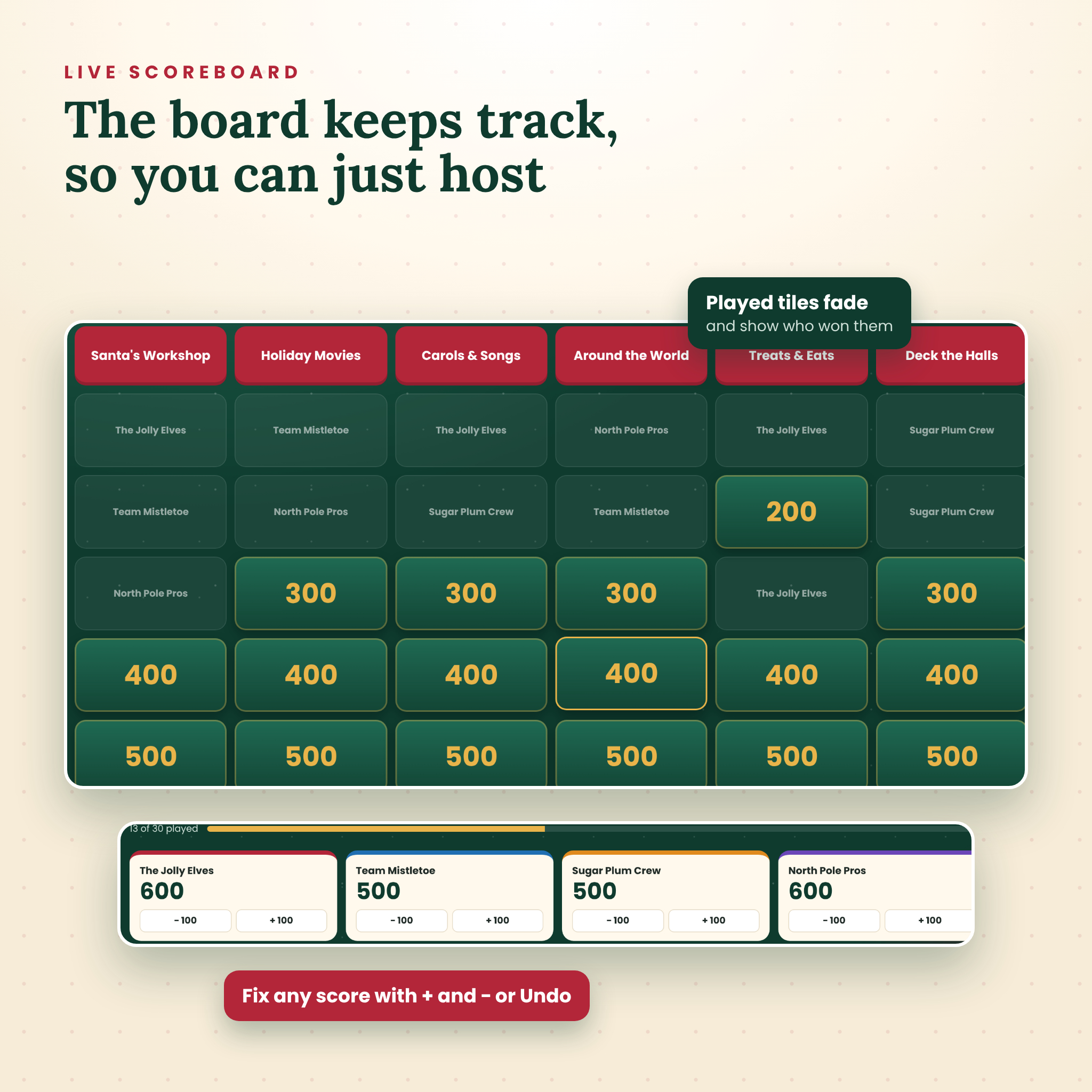
- Played tiles fade and show the name of the team that won them.
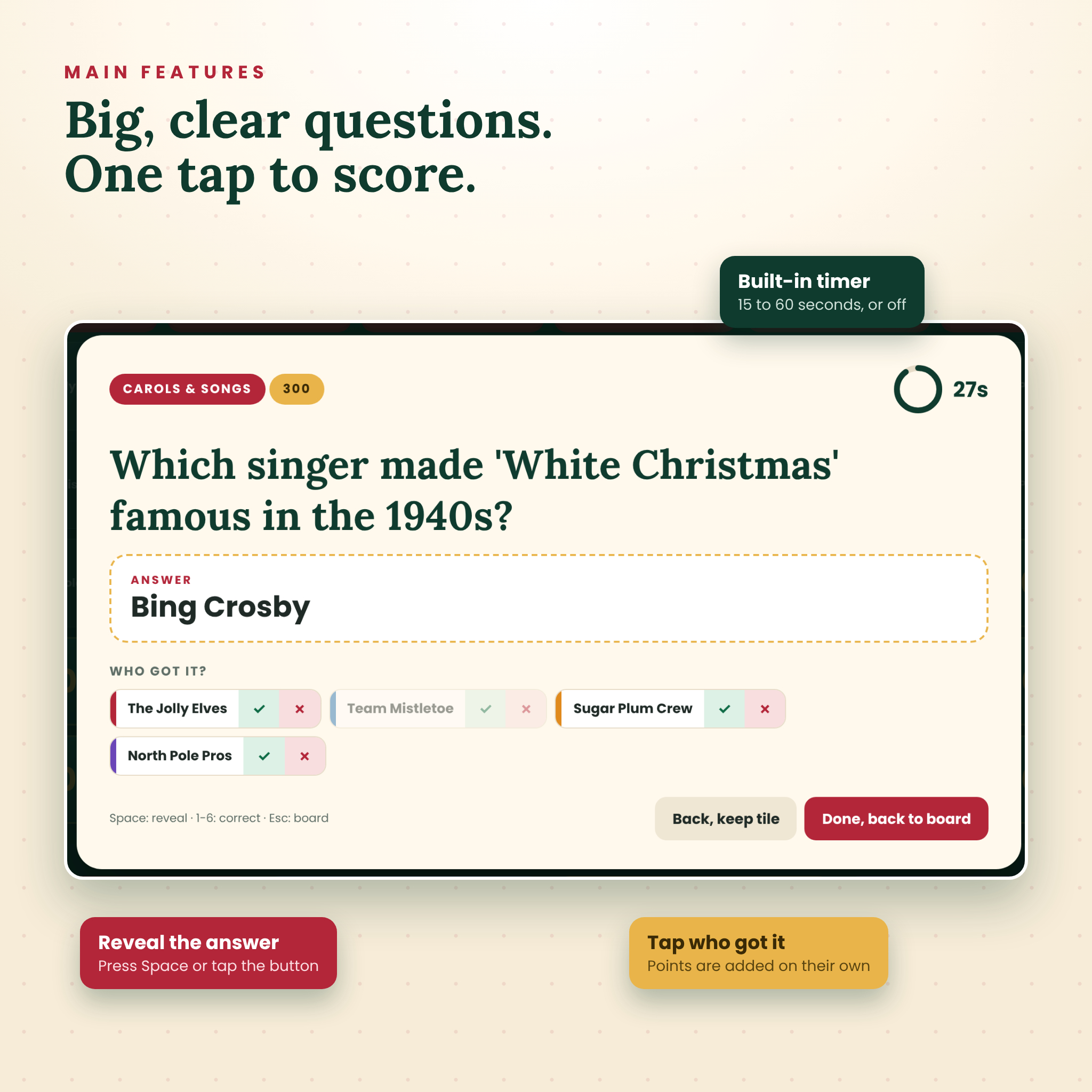
- Scores add up on their own. Tap a check mark next to the team that got it right.
- A built-in timer of 15, 30, 45 or 60 seconds, or switch it off.
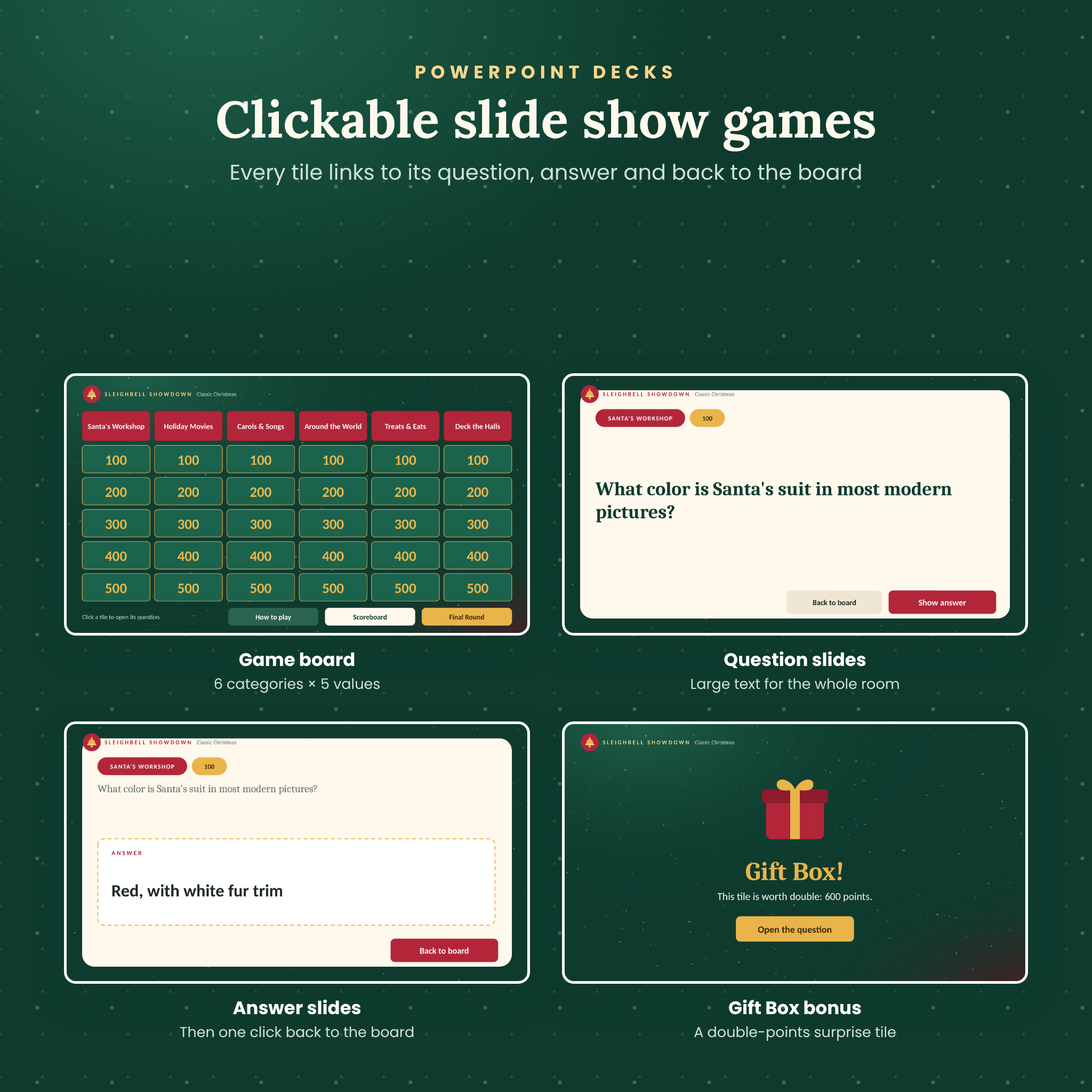
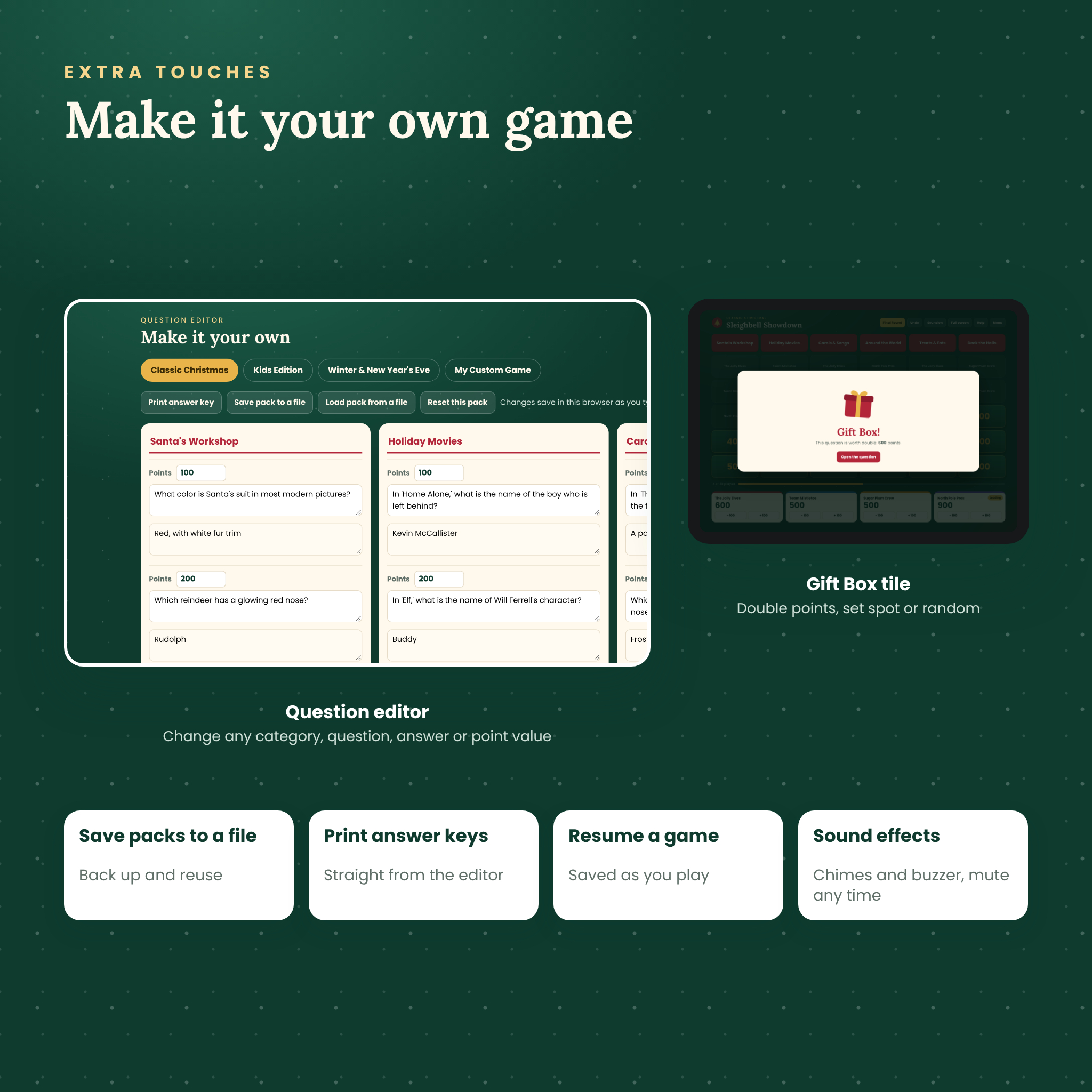
- A Gift Box tile on every board hides double points. Keep it in a set spot or let it land somewhere random each game.
- A Final Round with bets. Type in each team’s bet and the game caps it at that team’s score, adds or takes the points away, and shows the final standings.
- Undo and + / − buttons for any score mix-up.
- Your game is saved as you play, so a refresh or a closed tab won’t wipe the scores.
What’s included
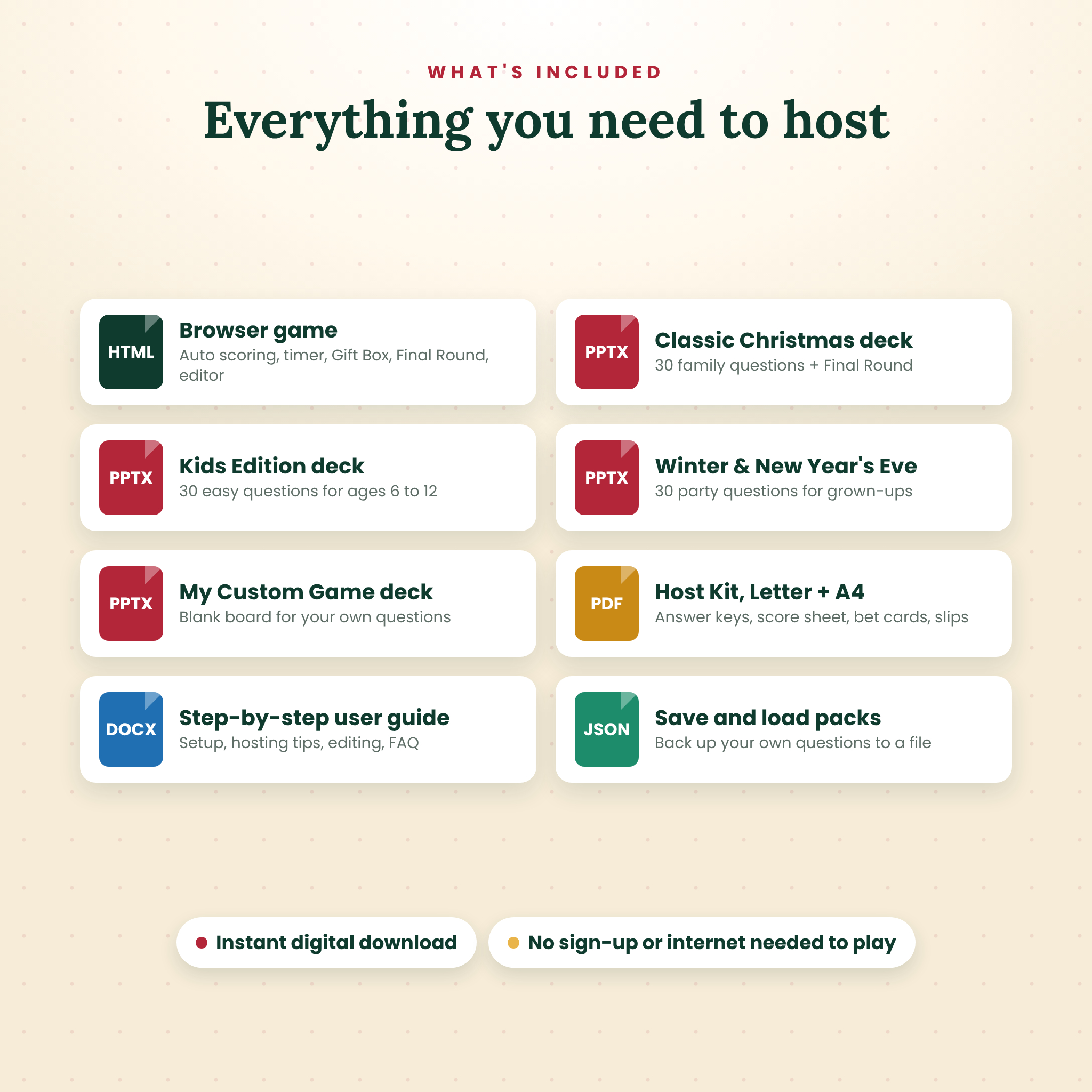
- Sleighbell Showdown browser game (one HTML file). Opens in your web browser and plays offline.
- Classic Christmas PowerPoint: 30 family questions + Final Round (69 slides).
- Kids Edition PowerPoint: 30 easy questions for ages 6 to 12 + Final Round.
- Winter & New Year’s Eve PowerPoint: 30 questions for adult parties and office events + Final Round.
- My Custom Game PowerPoint: a blank, linked board ready for your own questions.
- Printable Host Kit in US Letter and A4 (8 pages): answer keys with a tick box for every tile, a blank answer key, a score sheet for 6 teams, Final Round bet cards and team answer slips.
- User guide (Word document) with setup steps, hosting tips, troubleshooting and FAQ.
The three question packs
Classic Christmas
Santa’s Workshop, Holiday Movies, Carols & Songs, Around the World, Treats & Eats and Deck the Halls. Easy 100-point questions that anyone can get, up to 500-point questions that will stump the know-it-all uncle.
Kids Edition
North Pole Pals, Snowy Science, Cartoon Christmas, Count It Up, Gifts & Wrapping and Winter Animals. Simple wording, quick math and fun facts for elementary-age players.
Winter & New Year’s Eve
Ring in the New Year, Winter Wonderland, Holiday Hits, Party Food & Drink, Traditions and a Winter Word Scramble. Good for the office party, a friends’ night in, or the countdown to midnight.
How it works
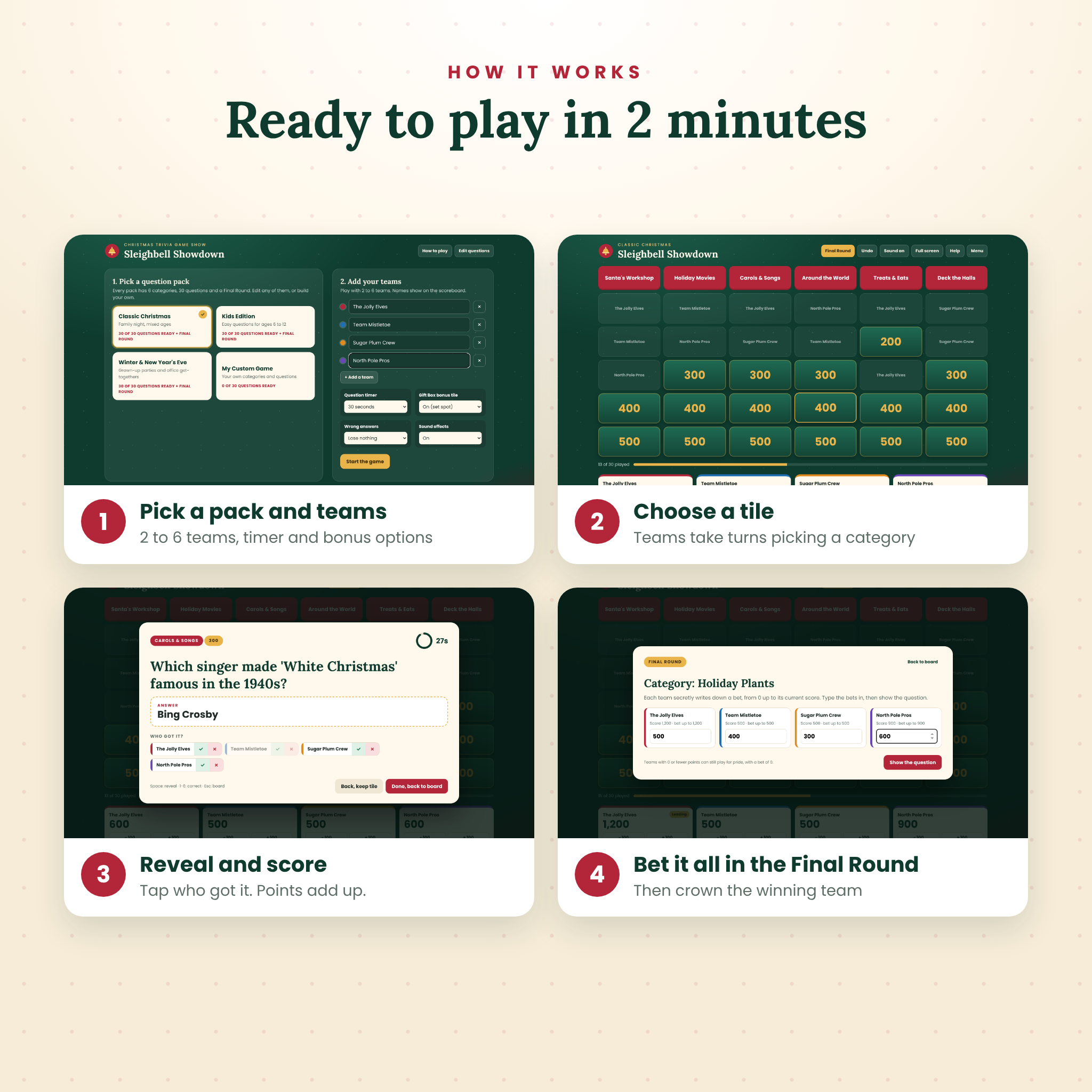
- Unzip the download and double-click the game file. It opens in your browser.
- Pick a pack, type in 2 to 6 team names and choose your timer and bonus settings.
- Put it on the TV or share your screen on Zoom, Teams or Google Meet.
- Teams pick tiles. You read the question, press Reveal answer and tap who got it.
- When the board is clear, run the Final Round and crown the winner.
Prefer slides? Open any of the PowerPoint decks and start the slide show. Every tile links to its question, every question links to its answer, and every answer links back to the board. Print the answer key from the Host Kit and tick off tiles as you go.
Make your own trivia game
The built-in editor lets you change any category name, question, answer or point value, and it saves as you type. Fill in the My Custom Game board for a birthday, a baby shower, a classroom review or a quiz all about your family. You can save a pack to a small file as a backup, load it on another computer and print an answer key straight from the editor. In the PowerPoint decks, click into any text box in Normal view and type.
Real ways people use it
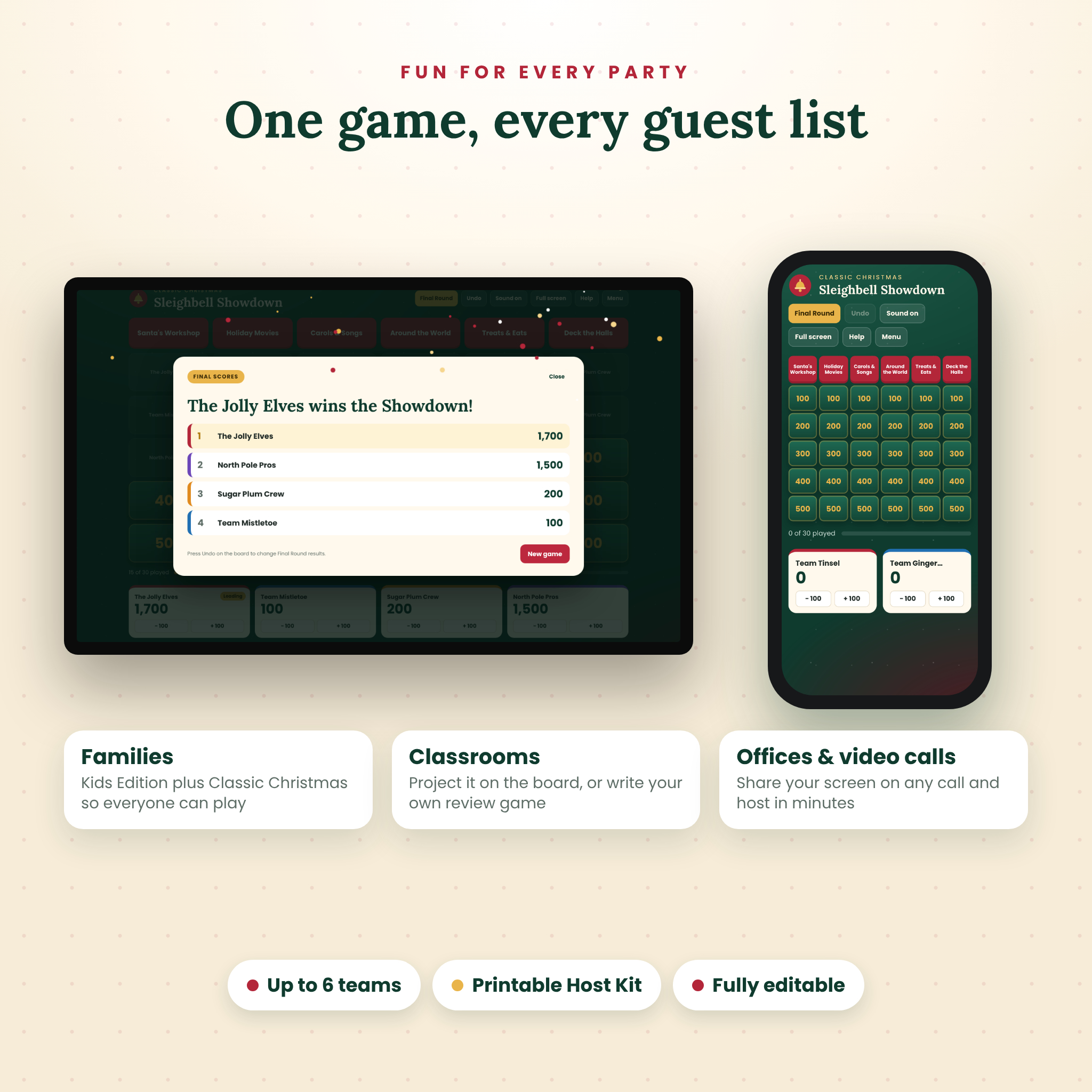
- After Christmas dinner, with grandparents on one team and the cousins on another.
- The last school day before winter break, projected on the classroom board.
- A remote team’s holiday call, with each department as a team.
- A youth group or church Christmas party.
- A New Year’s Eve party game that fills the hour before midnight.
File formats and requirements
- Browser game: HTML file. Needs a current web browser. Tested in a Chromium browser (the engine behind Google Chrome and Microsoft Edge) on laptop, tablet and phone screen sizes. No internet, account or install needed.
- PowerPoint decks: .pptx, 16:9 widescreen, made for Microsoft PowerPoint. Uses Calibri and Cambria fonts.
- Host Kit: PDF in US Letter and A4.
- User guide: .docx.
This is a digital download. You will get one ZIP file right after purchase. Nothing is shipped.
Frequently asked questions
Do I need PowerPoint to play?
No. The browser game runs on its own in your web browser. PowerPoint is only needed for the .pptx decks.
Can I play this Christmas trivia game on Zoom or Teams?
Yes. Share your screen with the game open. Players call out answers or type them in the chat.
How many players can join?
Up to 6 teams, and each team can be any size. It works for 4 people or a room of 40.
Is it good for kids?
Yes. The Kids Edition pack is written for ages 6 to 12, and the Classic pack starts with easy questions at 100 points.
Can I change the questions?
Yes, every one of them. Use the editor in the browser game, or type over the text in PowerPoint.
How long does a game take?
About 45 to 60 minutes for a full board and Final Round. A shorter timer speeds it up.
Do the PowerPoint tiles disappear after they’re played?
No, PowerPoint tiles stay on the board. Use the tick boxes on the printed answer key, or run the browser game, which fades played tiles for you.
License
Personal-use license. Use it at home, in your own classroom, at your workplace, church or community event, in person or online. Please don’t resell, share or upload the files.
Reviews
There are no reviews yet.