A social media content calendar template is the difference between posting when you remember and posting with a plan. If you run a small business, you already know the feeling: it’s 4 PM, you haven’t posted in a week, and you’re staring at an empty caption box. This guide shows you how to build a simple content calendar that actually holds up in a busy week, and you can download our free social media content calendar template for Excel and Google Sheets below.

Download the free social media content calendar template
The free sample comes from Postgrove, our small business social media planner. It’s a working spreadsheet, not a printable. Enter your email and it lands in your downloads.

Free Social Media Content Calendar Template (Excel + Google Sheets)
Postgrove free sample: a 40-post planner with the caption builder, 12 small business caption templates, 4 hashtag sets, length checks and due-date alerts. Works in Excel and Google Sheets.
Want everything unlocked?
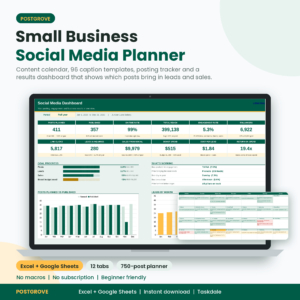
The free file is a sample. The full version has every page, tab and feature, plus the user guide.
See the full versionWhat’s in the free template
- A 40-post planner with date, time, platform, format, content pillar, topic, status and due-date alerts
- A caption builder: pick a template, a hashtag set and a call to action, and a ready-to-post caption appears in one cell
- 12 caption templates written for small businesses (two for each content pillar)
- 4 hashtag sets you can edit or replace
- A caption length check for each platform, so nothing gets cut off
- A Settings tab for your business name, city, link, product, offer and currency
How to build a social media content calendar in 6 steps
1. Pick two or three platforms, not seven
Most small businesses do better posting well on two platforms than poorly on six. Choose where your customers already spend time. A cafe or salon might pick Instagram and a business profile on maps search. A contractor might pick Facebook and the business profile. Write down a weekly target for each one, for example 3 posts on Instagram and 1 on your business profile. A target you can hit beats an ambitious one you’ll drop by March.
2. Choose your content pillars
Content pillars are the four to six themes you rotate through. They keep your feed from turning into one long ad. A mix that works for most small businesses:
- Promote: products, services, offers and launches
- Educate: tips, how-tos, myths and FAQs
- Behind the Scenes: your team, your process, your workspace
- Social Proof: reviews, customer spotlights and results
- Community: questions, polls, local love and events
- Brand Story: why you started, your values, your milestones
Give each pillar a target share. Something like 20% promotion and 80% everything else is a good starting point. People follow you for the useful and human posts, then buy because of the promotional ones.
3. Give each weekday a theme
Theme days take a decision off your plate every single day. Monday is a tip. Tuesday is behind the scenes. Wednesday is a product. Thursday is a review. Saturday is a question for your followers. When you sit down to plan, you aren’t asking “what should I post?” but “which tip this Monday?” That’s a much easier question.
4. Add key dates before anything else
Open your calendar and drop in the dates that matter to your customers: Valentine’s Day, Mother’s Day, back to school, Black Friday, Small Business Saturday, the holidays and your own anniversary. Then work backward. Gift-related dates need posts two to four weeks ahead. Quick reminders like holiday hours need about a week.
5. Batch your captions
Writing one caption a day is slow. Writing ten in one sitting is fast, because you stay in the same headspace. Block out an hour every week or two. Use caption templates as a starting point, swap in your product and offer, and finish with one clear call to action: book, order, visit, comment or save.
In the free template, captions use placeholders like {business}, {city}, {product} and {offer}. Fill in your details once on the Settings tab and every caption updates on its own.
6. Track the results that pay the bills
Likes feel good, but they don’t pay rent. Track at least reach, engagements and the number of leads each post brings in: a DM asking for prices, a booking, a call or a quote request. After a month you’ll see which platform, day and type of post actually brings you customers. Then do more of that.
Free template vs the full Postgrove planner
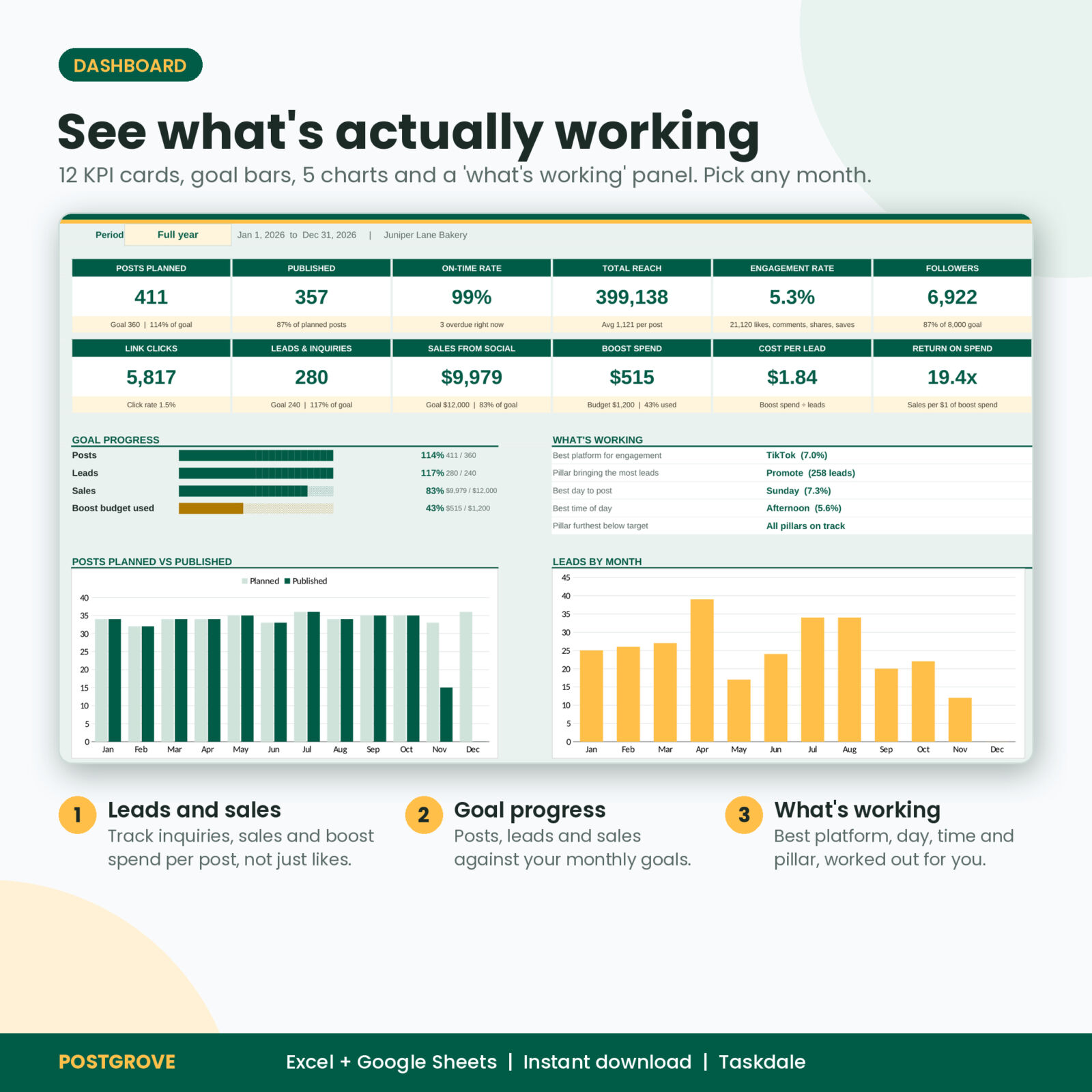
The free sample covers planning and captions. The full Postgrove planner adds the tracking and the dashboard that show you what’s working.
| Feature | Free sample | Full Postgrove planner |
|---|---|---|
| Post planner rows | 40 | 750 |
| Caption templates | 12 | 96 across 6 pillars |
| Hashtag sets | 4 | 12 plus room for 28 more |
| Caption builder and length check | Yes | Yes |
| Month calendar view | No | Yes, colored by status with theme days |
| Results tracking (reach, clicks, leads, sales, boost spend) | No | Yes |
| Dashboard with KPI cards and charts | No | 12 KPI cards, 5 charts, top 5 posts |
| Best platform, day and time of day | No | Yes |
| 22 auto-dated holidays and campaign results | No | Yes |
| Weekly posting tracker with streaks | No | Yes |
| Audience growth and ideas bank | No | Yes |
| User guide | No | 12-page guide |
Common content calendar mistakes
- Planning too far ahead in detail. Plan themes for the quarter, but write captions only one or two weeks out. Things change.
- Only posting offers. If every post asks for a sale, people tune out. Check your pillar mix every month.
- Skipping the review. Ten minutes at the end of each month telling you what worked is worth more than another post.
- Copying the same caption everywhere. Each platform has its own length limit and style. A quick length check saves you from cut-off captions.
- Not deciding what a lead is. Pick a simple rule and stick with it so your numbers mean something.
How to use the template in Google Sheets
Upload the file to Google Drive, then right-click it and choose Open with Google Sheets. Everything works there, including the dropdowns and the caption builder. Formula cells are locked without a password, so you won’t overwrite them by accident.

Ready to plan your next month?
Get the free social media content calendar template and plan your next 40 posts today.
Want the calendar view, 96 captions and a dashboard that shows which posts bring in leads and sales? See the full Postgrove planner.
FAQ
How often should a small business post on social media?
Two to four times a week per platform is a realistic target for most owners. Consistency matters more than volume, so pick a number you can keep up for months.
Is the template really free?
Yes. Enter your email to download it. It’s a cut-down sample of the full Postgrove planner.
Does it work in Excel and Google Sheets?
Yes. It’s an .xlsx file with no macros. Open it in Excel or upload it to Google Drive and open it with Google Sheets.
Can I change the platforms and pillars?
Yes. Edit the lists on the Settings tab and the dropdowns update.