Best Holiday Planner: How to Choose the Right One
Holiday planning splits into two jobs: trips and Christmas. The best holiday planner is the one built for yours. For travel, Postcard Travel Planner and Lilac Compass suit group trips, and Atlas & Blush suits tablet users. For Christmas, Sugarplum & Pine and Cranberry Lane cover the whole season.
Key facts at a glance
- A travel planner holds bookings, itinerary, packing and trip budget, while a Christmas planner holds gifts, cards, menus and seasonal spending.
- Spreadsheets (Excel and Google Sheets) do the sums for you, while printable and fillable PDFs give you pages to write on or type into.
- Undated planners can be reused every year, while the 2026 editions are dated for one season.
- Group trips are best served by planners with a built-in expense splitter.
- Tinseltide, the Christmas planner app, runs in your browser, needs no account and works offline.

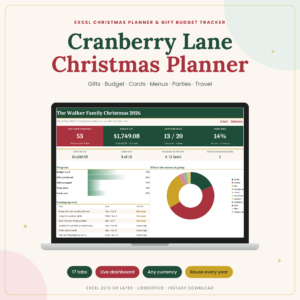 Christmas Planner Spreadsheet for Excel | Cranberry Lane Holiday Planner with Gift Tracker, Budget, Card List, Menu, Guest List & Travel
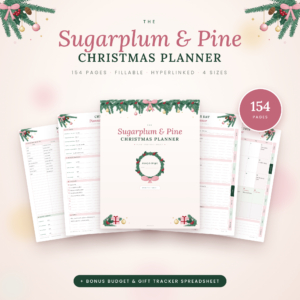 Christmas Planner Printable & Fillable PDF | Sugarplum & Pine 154-Page Hyperlinked Holiday Planner with Gift List, Christmas Budget Tracker, Meal Planner & Bonus Spreadsheet | US Letter, A4, A5 & Happy Planner Classic
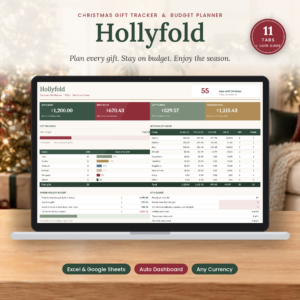 Christmas Gift Tracker Spreadsheet for Excel & Google Sheets | Hollyfold Holiday Gift Budget Planner with Dashboard, Shopping List & Card List
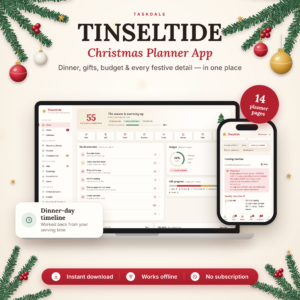 Christmas Planner App | Tinseltide Christmas Dinner Planner, Cooking Timeline, Turkey Calculator, Gift Tracker, Budget & Auto Shopping List
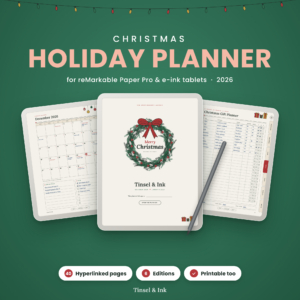 Christmas Holiday Planner 2026 for reMarkable Paper Pro | Tinsel & Ink Hyperlinked Gift, Menu & Budget Planner | Color, Grayscale & Printable
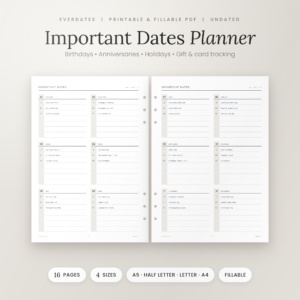 EverDates Important Dates Planner | Birthday & Anniversary Tracker | Printable & Fillable Undated Planner Inserts | A5, Half Letter, Letter, A4
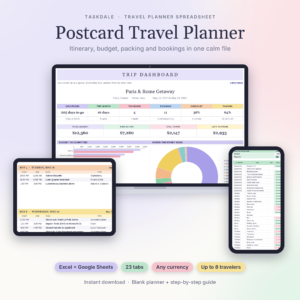 Postcard Travel Planner | Travel Planner Spreadsheet for Excel & Google Sheets with Itinerary, Travel Budget, Packing List & Expense Splitter
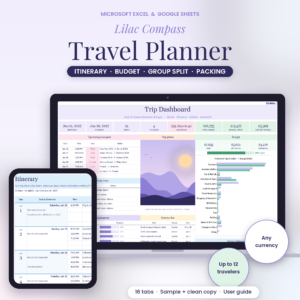 Lilac Compass Travel Planner | Travel Planner Spreadsheet for Excel & Google Sheets with Itinerary, Travel Budget, Packing List & Group Expense Split
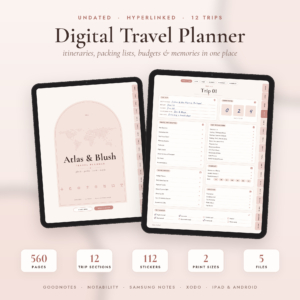
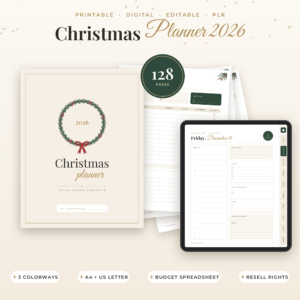
Table of Contents Toggle
- What should you look for in the best holiday planner?
- How do the holiday planners on this page compare?
- Which holiday planner suits which person?
- How do you get the most from a holiday planner?
- What mistakes should you avoid when choosing a holiday planner?
- What affects the price of a holiday planner?
- Which holiday planner should you choose?
- Common questions
"Holiday" can mean a week in the sun or the weeks around Christmas, and a planner built for one will frustrate you if you need the other. That's why this page covers both. Browse all 11 options below once you know which job you're hiring a planner to do.
What should you look for in the best holiday planner?
The best holiday planner matches your type of holiday, your preferred format and the number of people involved. Five factors decide most of it, and each is easy to check before you buy.
Trip planner or Christmas planner
A trip planner organises flights, stays, days out, packing and spending, while a Christmas planner organises gifts, cards, food, guests and the seasonal budget. Choose by the problem you're solving. If you keep forgetting what you've already bought for whom, you need a gift tracker. If you keep losing booking references, you need an itinerary.
Some products stretch across both. The Cranberry Lane spreadsheet includes a travel tab alongside gifts and menus, and Sugarplum & Pine does the same in print form. They are Christmas planners first, so don't expect a full trip itinerary from them.
Format: spreadsheet, printable, tablet or browser
The format decides how you'll actually use the planner day to day. A spreadsheet calculates totals and raises alerts. A printable PDF suits people who like pen on paper, though many are fillable on screen too. A tablet planner such as Atlas & Blush or Tinsel & Ink lets you tap between linked pages. A browser app like Tinseltide needs nothing installed.
Be honest about your habits. A beautiful tablet planner is wasted if you never take the tablet out of the drawer.
Dated or undated
An undated planner has no fixed year, so you can start whenever you like and reuse it. A dated one is set to a season. Sugarplum & Pine runs from November 2026 to January 2027, and Tinsel & Ink has dated 2026 calendars. Atlas & Blush and EverDates are undated.
If you want something you'll reopen every year, undated or spreadsheet-based is the safer pick. Hollyfold's gift tracker is described as reusable every year.
Budget and group tools
A holiday planner earns its keep when it tracks money. For trips, look for budget against spending in any currency and a group expense splitter. Postcard, Lilac Compass and Atlas & Blush all include a splitter, and Lilac Compass spells out the settle-up steps.
For Christmas, look for a budget per person and alerts for duplicate or repeat gifts. Cranberry Lane and Hollyfold both flag these.
Setup effort and guidance
A planner with a user guide gets you started faster than one that leaves you guessing. Wanderloft, Lilac Compass, Postcard, Hollyfold, Tinsel & Ink and Atlas & Blush each come with a user guide of some kind, and Lilac Compass adds a filled sample so you can see how it behaves before you type anything in.
How do the holiday planners on this page compare?
The planners differ mainly in format and in whether they cover travel, Christmas or important dates. This table shows the differences that matter when you're choosing.
Which holiday planner suits which person?
Each planner suits a different habit, and the match is clearer than the table suggests. Start with the group that sounds most like you.
You're planning a trip with other people. Postcard Travel Planner holds up to eight travellers in its packing list and warns you when two plans overlap. Lilac Compass adds a passport check and a 60-day itinerary. Both are spreadsheets, so the sums happen automatically.
You want to plan a trip on paper or a tablet. Wanderloft gives you a page per day and five packing lists in a fillable PDF. Atlas & Blush gives each of up to 12 trips its own 43-page section, which suits frequent travellers who use an iPad or Android tablet.
You host Christmas dinner. Tinseltide is built around the meal: guests, RSVPs, dietary checks, a seating plan, a cooking timeline that works back from serving time and a turkey calculator. It runs in a browser, so a kitchen tablet is enough.
You want everything about Christmas in one place. Sugarplum & Pine offers the widest page count and several sizes, including A5 and Happy Planner Classic. Cranberry Lane is the choice if you'd rather have an Excel workbook that calculates for you.
Your main worry is gifts and money. Hollyfold concentrates on recipients, gift history, thank-you notes and per-person budgets. It's the narrowest of the Christmas options, which makes it the quickest to learn.
You use a reMarkable. Tinsel & Ink is made for the reMarkable Paper Pro and e-ink tablets, with colour and grayscale editions and left- or right-hand layouts.
You forget birthdays more than you forget trips. EverDates tracks birthdays, anniversaries and card addresses all year, and works alongside any of the others.
You have young children. Christmas Planner 2026 includes kids' activities and three colourways. It also carries resell rights, so read its licence terms if you only want it for personal use.
How do you get the most from a holiday planner?
A holiday planner works best when you fill in the fixed facts first and the flexible ones later. This routine suits most of the products here.
- Open the user guide or sample, where one is included, and spend ten minutes seeing how the planner is meant to flow.
- Enter fixed items first: flight times, hotel dates, guest lists or the date you're hosting.
- Set a budget before you add anything else, in the currency you'll actually spend.
- Add each booking or gift once and let the planner sort it, rather than copying details into several places.
- Review once a week, checking alerts, overlaps and what's left to spend.
- Save a clean copy afterwards. Spreadsheets and undated planners can be reused next time.
What mistakes should you avoid when choosing a holiday planner?
The commonest mistake is buying a planner for the wrong kind of holiday. A Christmas planner won't give you a day-by-day itinerary, and a travel planner won't track stocking stuffers.
A few others catch people out:
- Picking a format you won't open. If you never use a tablet for planning, a hyperlinked tablet file will go unused.
- Ignoring the page size. Check that the paper size matches your printer and binder. Sizes vary from A5 and Half Letter to A4 and US Letter.
- Choosing a dated planner for long-term use. A 2026 edition is finished once the season is over.
- Skipping the group tools. On a shared trip, working out who owes what by hand causes more arguments than the itinerary ever will.
- Overbuying. A 154-page planner is wasted if you only need a gift list and budget.
What affects the price of a holiday planner?
Price depends mainly on scope, format and licence terms. Broader planners with many pages or tabs generally cost more than single-purpose trackers, so a focused gift tracker usually costs less up front than a whole-season planner.
Format matters too. A bundle that includes a printable, a hyperlinked tablet version and a spreadsheet gives you more to use than a single file. Extras such as sticker sets, user guides, several size options and commercial resell rights can raise the cost as well. Check the live product cards for current prices.
Which holiday planner should you choose?
Choose by the job first and the format second. If you're planning a trip, pick Postcard or Lilac Compass for a group, Wanderloft for paper and Atlas & Blush for a tablet. If you're planning Christmas, pick Tinseltide for hosting, Sugarplum & Pine or Cranberry Lane for the whole season and Hollyfold for gifts and money.
A simple rule: if the thing that goes wrong for you is money, choose a spreadsheet. If it's forgetting things, choose a checklist-heavy printable. If it's dates, add EverDates.
Common questions
Can I use a holiday planner spreadsheet on both Excel and Google Sheets? Postcard, Lilac Compass and Hollyfold are all listed for both Excel and Google Sheets. Cranberry Lane is listed for Excel only, so check the format before you buy if you work mainly in Google Sheets.
Does the Christmas planner app need an account or internet connection? Tinseltide opens in your browser with no account and no subscription, and it works offline. That makes it convenient for a kitchen tablet, where the connection may be patchy.
Will an undated planner work in any year? Yes. An undated planner has no fixed year, so you can start whenever you like. Atlas & Blush and EverDates are both undated, which means you can reuse them for future trips or birthdays.
How many trips can one travel planner hold? Atlas & Blush holds up to 12 trips, each with its own 43-page section. Wanderloft is laid out for a single trip, and the spreadsheet planners keep one trip in each file, so you can save a clean copy for the next one.
Can I sell or share a planner that carries resell rights? Only Christmas Planner 11 mentions editable PLR templates and resell rights. Terms vary, so read its licence before reselling anything. For personal planning, you don't need to use that part at all.