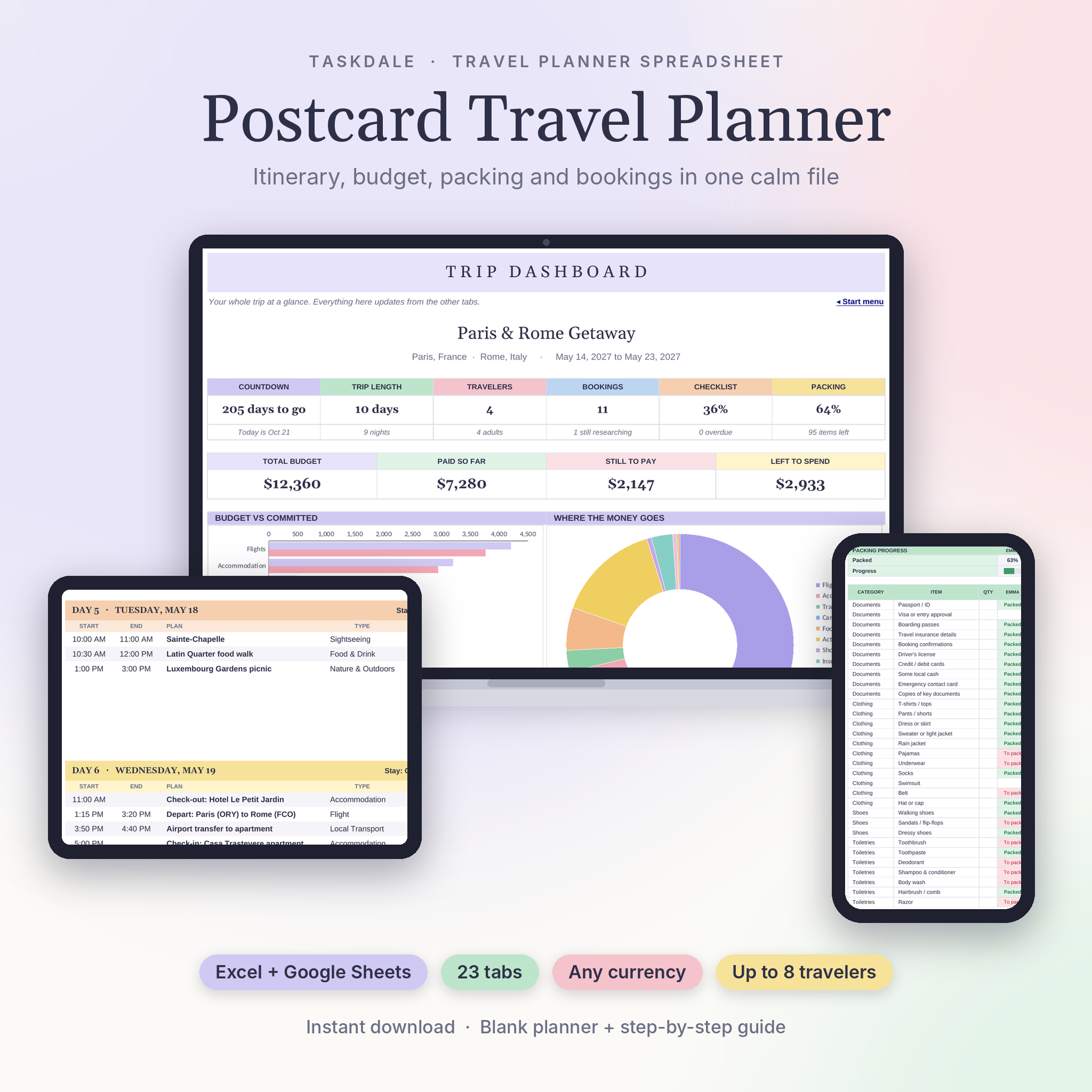


The Postcard Travel Planner is a travel planner spreadsheet for Excel and Google Sheets that keeps your whole trip in one place. You add a flight, a hotel or a museum visit once. The planner drops it into the right day, sorts it by time, adds the cost to your budget and shows it on a month calendar.
It has 23 tabs, but it doesn’t feel crowded. Soft pastel colors, big readable tiles and a Start menu with links to every tab keep things calm. White cells are for typing. Gray cells do the math.
What this travel planner spreadsheet does for you
- Builds your itinerary. Every booked plan lands on its day in time order, up to 60 days and 8 plans a day.
- Spots double bookings. If a 10:00 museum visit overlaps a 10:30 food tour, both get a red clash warning.
- Shows where you sleep. Each day lists tonight’s stay, pulled from your hotel or rental booking.
- Tracks the money. Budget per category against what’s paid and what’s still to pay, with a left-to-spend tile.
- Handles any currency. Log a dinner in euros and it converts to your home currency with the rate you set.
- Splits group costs. Equal, personal or custom shares, then a who-pays-whom table to settle up.
Who it’s for
Families, couples and friend groups of up to 8 travelers. It suits a city break, a two-week road trip, a honeymoon or a multi-country trip with several currencies. You don’t need spreadsheet skills. If you can pick from a dropdown, you can use it.
What’s included
- Postcard Travel Planner (.xlsx), a blank copy ready for your trip
- A 19-page user guide (.docx) with a quick start, a tab-by-tab walkthrough, troubleshooting and FAQ
All 23 tabs
Plan: Start menu, Setup, Trip Dashboard, Sightseeing & Activities, Research & Reservations, Points vs Cash, Know Before You Go, Documents & Contacts.
Organize: Smart Itinerary, Day View, Daily Plan, Bookings Calendar, Pre-Trip Checklist, Packing List with shopping list.
Money: Travel Budget, Expense Tracker, Currency Converter, Split Expenses, Vacation Savings.
Memories & dreams: Travel Journal, Trip Reviews, Travel Bucket List, Places Visited.
Features in more detail
Trip dashboard
A countdown, trip length, travelers, confirmed bookings, checklist and packing progress, four budget tiles, a budget vs committed chart and a spending donut. A Coming Up Next list shows your next 8 plans. A heads-up panel turns pink for overdue tasks, passports to renew, time clashes, free-cancellation deadlines inside 7 days and missing exchange rates.
Bookings and activities
Keep researching options separate from confirmed ones. Researching items stay out of the itinerary, Booked items count as still to pay and Paid items count as paid. Add a free-cancellation date and you get a reminder in the last week.
Day View and Daily Plan
Pick a date and see that day on one printable page: where you sleep, the base city, your morning to evening notes, what you spent and a schedule with confirmation numbers.
Packing list for every traveler
Over 80 starter items in 11 categories, with a column for each traveler and a progress bar for each person. Flag an item Need to buy and it moves to the shopping list.
Checklist with real due dates
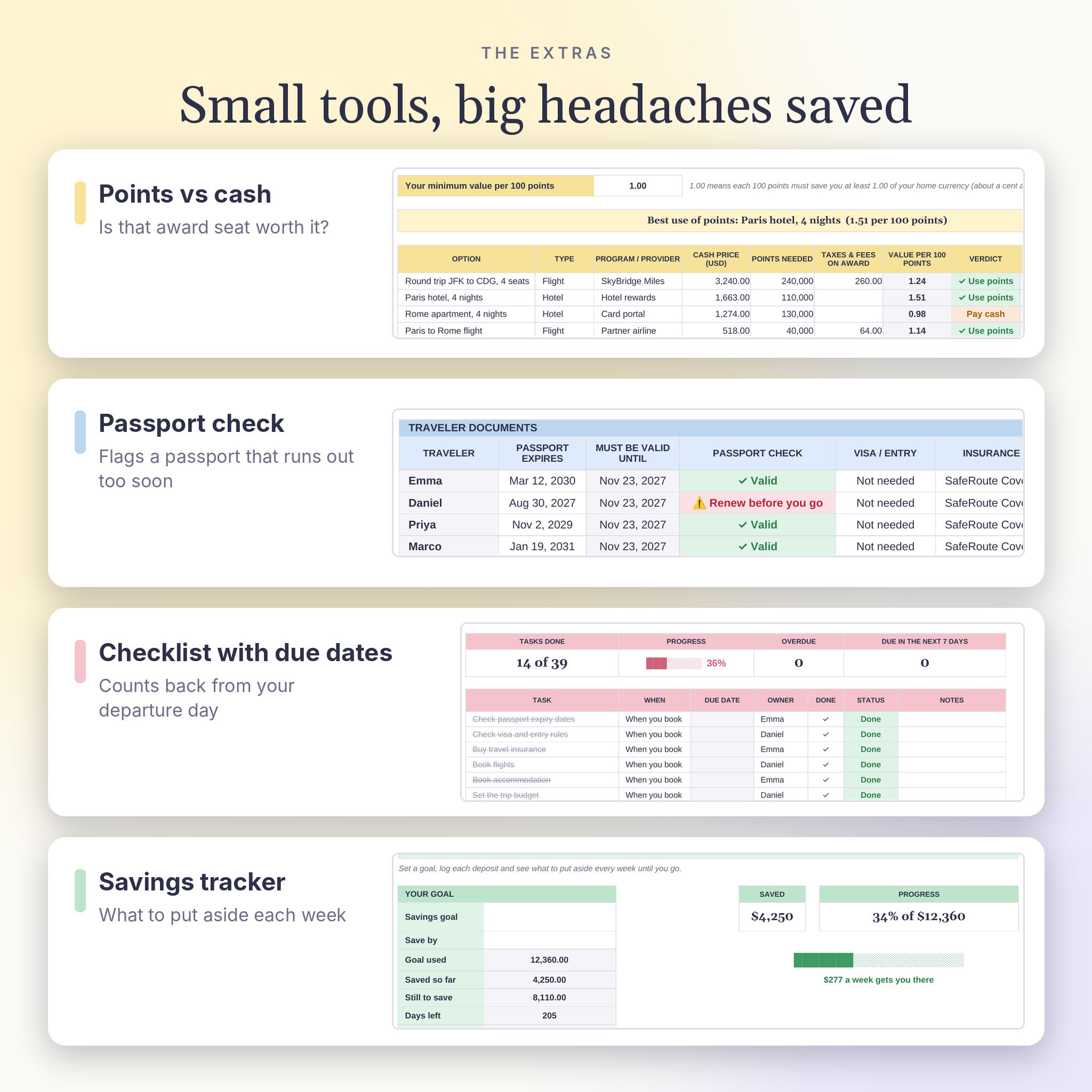
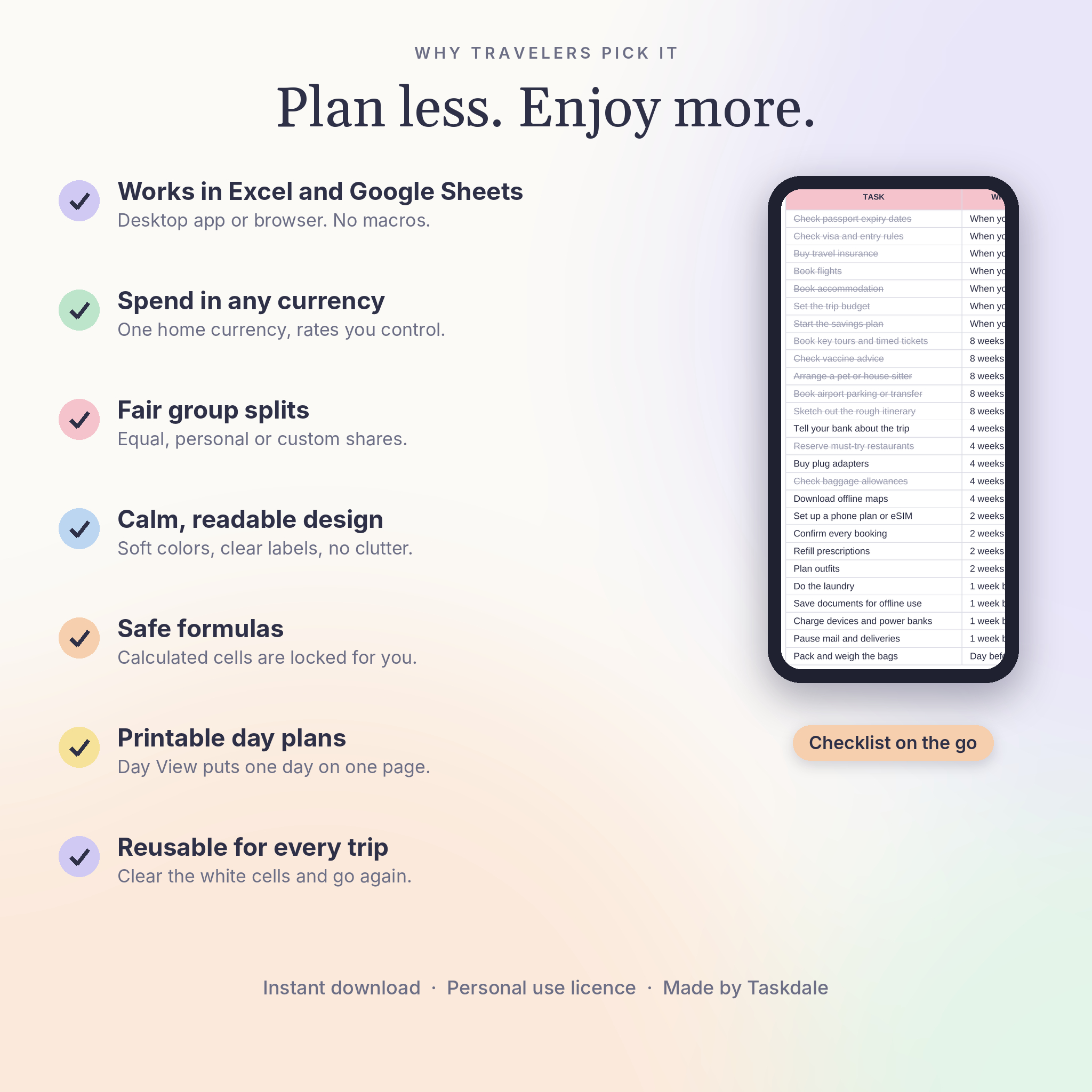
39 starter tasks grouped from “When you book” to “After trip”. Due dates count back from your departure, so they move when your dates change.
Extras people end up loving
A passport check that warns you when a passport expires too soon after your return. A points vs cash calculator that tells you if an award booking is worth it. A savings tracker that works out the weekly amount to put aside. A bucket list, a journal and a countries-visited tracker by continent.
How it works
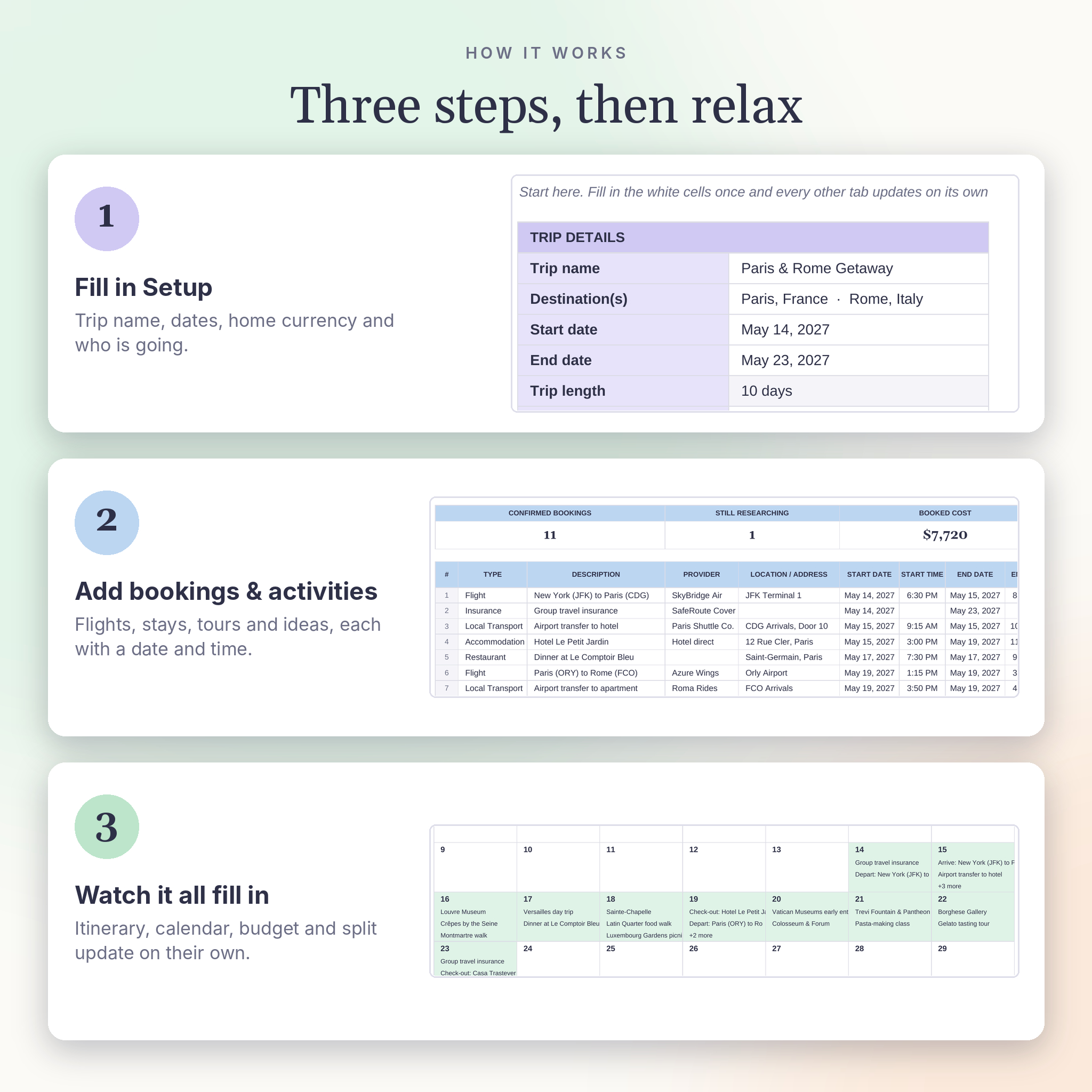
- Open Setup. Add the trip name, dates, home currency and travelers.
- Add bookings and activities with a date and a start time.
- Set a budget for each category.
- Watch the itinerary, calendar, budget and dashboard fill in.
- While you travel, log expenses, tick the checklist and pack.
Real ways people use it
- A family of four planning ten days in Paris and Rome with two hotels and a dozen timed tickets.
- Friends sharing a beach house who need to know who owes whom at the end.
- A couple saving for a honeymoon and comparing miles against cash fares.
- A solo traveler on a long trip through several countries and currencies.
File format and software
- Format: .xlsx spreadsheet plus a .docx user guide
- Works in Microsoft Excel 2019, 2021, Microsoft 365 and Excel for the web
- Works in Google Sheets: upload the file to Google Drive and choose File, then Save as Google Sheets
- No macros, no add-ins and no apps to install
- Exchange rates are typed in by you, so the file works the same everywhere, offline too
Customize it
Rename the 12 budget categories, 12 booking types and 8 payment methods. Choose Sunday or Monday as the first day of the week. Change the currency code and symbol at any time and every total follows. Formula cells are locked without a password, so you can still change colors, fonts and column widths.
Digital download
This is an instant digital download. No physical item is shipped. You’ll get your files straight after checkout and a link in your order email.
FAQ
Does this travel planner work in Google Sheets?
Yes. Upload it to Google Drive and save it as a Google Sheet. All tabs, formulas and dropdowns come across.
Do I need Excel?
No. Google Sheets is free. Excel 2019 or newer works too.
Can several people edit it?
Yes. Share the Google Sheets copy, or put the Excel file on OneDrive, so everyone can add plans and expenses.
Does it convert currencies automatically?
It converts every amount for you using the rates you type on the Currency tab. It doesn’t pull live rates, which keeps it working offline and in both apps.
How many travelers and days does it handle?
Up to 8 travelers and 60 itinerary days, with room for 300 expenses, 60 bookings and 60 activities.
Can I use it on my phone?
Yes, through the Google Sheets or Excel app. It’s easiest to set up on a computer.
Can I reuse it for my next trip?
Yes. Keep a copy, clear the white cells and start again.
Licence
For personal use only. You may share your filled-in copy with the people traveling with you. Please don’t resell, share or redistribute the template or guide. © Taskdale.
Reviews
There are no reviews yet.