If you want the best printable invoice, pick a template that calculates totals for you and prints cleanly on Letter or A4. For freelancers and small businesses, the three options here are Excel-based, with print-ready or PDF output. The right one depends on whether you need payment tracking or a matching set of forms.
At a glance
- A printable invoice is a billing document you can send as a PDF or print on paper, with your details, line items, tax and due date.
- All three products on this page work in any currency and come in US Letter and A4 sizes.
- PaidPath Client & Invoice Hub is the only one that links clients, payments, expenses and a calendar in one workbook.
- Both Ledgerline kits pair an Excel invoice maker with editable Word forms and blank printable PDFs.
- Browse all 3 options below to compare them side by side.
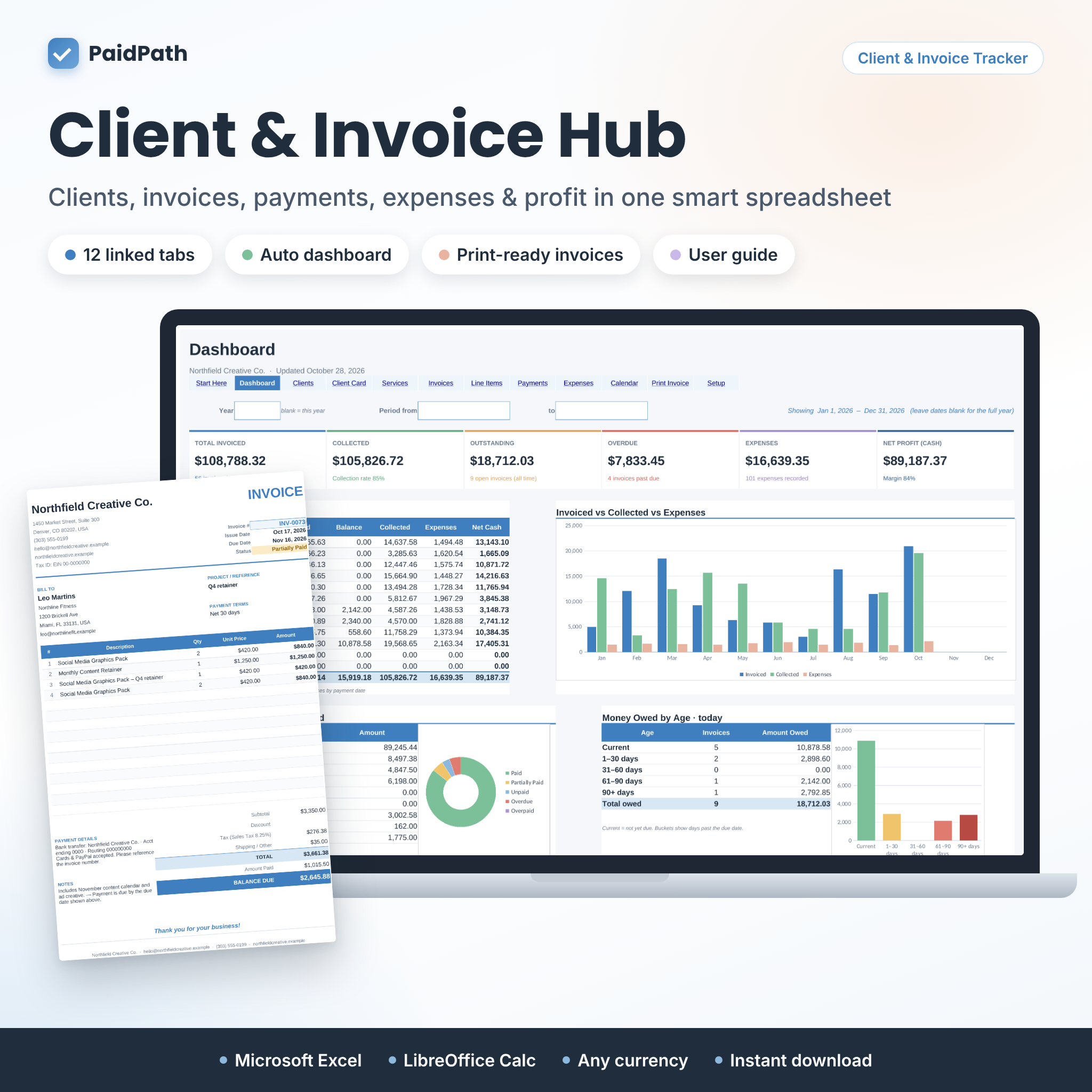 Client Tracker & Invoice Tracker Spreadsheet for Excel | PaidPath Client & Invoice Hub | Payment Tracker, Business Dashboard, Printable Invoice & Expense Log
Table of Contents Toggle
- What makes a printable invoice template good?
- How do the printable invoice templates compare?
- Who suits which printable invoice?
- How do you use a printable invoice template?
- What mistakes should you avoid?
- What affects the price?
- Which printable invoice should you choose?
- Common questions
Choosing an invoice template can feel more complicated than it should. There are spreadsheets, Word files and PDFs, and each promises to save time. This guide explains what actually separates them, so you can pick one and get on with being paid.
What makes a printable invoice template good?
A good printable invoice template does the arithmetic for you, prints without cropping, and leaves a clear record of what has been paid. Appearance matters least. Accuracy and paper size matter most.
Automatic calculations
An invoice that adds up by itself removes the most common source of errors. Both Ledgerline kits use an Excel workbook that fills in subtotal, tax and balance due once you choose a client and items. The Ledgerline Business Forms Kit also works out due dates. PaidPath handles unlimited line items and up to 3 taxes, which helps if you charge more than one rate.
Paper size and print layout
A printable invoice template is only useful if it fits your paper. US Letter and A4 differ slightly in height and width, and a layout built for one can clip at the edge of the other. All three products here supply both sizes, so you can print the same document wherever you work.
Tracking what has been paid
Tracking is the difference between a form and a system. An invoice tracker is a log that records each invoice and whether it is paid, part-paid or overdue. PaidPath updates invoice status, client balance and dashboard whenever you log a payment. The two Ledgerline kits include a log and a dashboard showing what is paid and overdue.
Partial payments and ageing
Some clients pay in instalments. PaidPath supports partial payments and shows money owed by age, meaning how long each balance has been outstanding. The Ledgerline Invoice, Quote & Receipt Template Kit offers client statements with ageing too. If you chase late payers, this is the feature to look for.
Editable files and branding
Editable Word files let you change wording, add a logo and adjust payment terms. The Ledgerline kits include Word templates for this. The Ledgerline Invoice, Quote & Receipt Template Kit offers printable PDFs in black or taupe, which is useful if you print on a plain office printer and want a softer look.
Matching documents
Many jobs start with a quote and end with a receipt. The Ledgerline Business Forms Kit gives you five forms in one look: invoice, job estimate, quote, sales receipt and purchase order. PaidPath covers invoices, quotes and client statements. Choose by which documents you genuinely send.
How do the printable invoice templates compare?
The three templates differ mainly in how much tracking they offer and how many forms they include. The table sets out what the supplied product details say.
| Product | Main format | Documents covered | Tracking and reporting | Page sizes |
|---|---|---|---|---|
| Client Tracker & Invoice Tracker Spreadsheet for Excel | PaidPath Client & Invoice Hub | Payment Tracker, Business Dashboard, Printable Invoice & Expense Log | Excel workbook, 12 tabs, no macros | Invoices, quotes, client statements | Dashboard, Client Card, calendar, expense log, money owed by age | Letter and A4 |
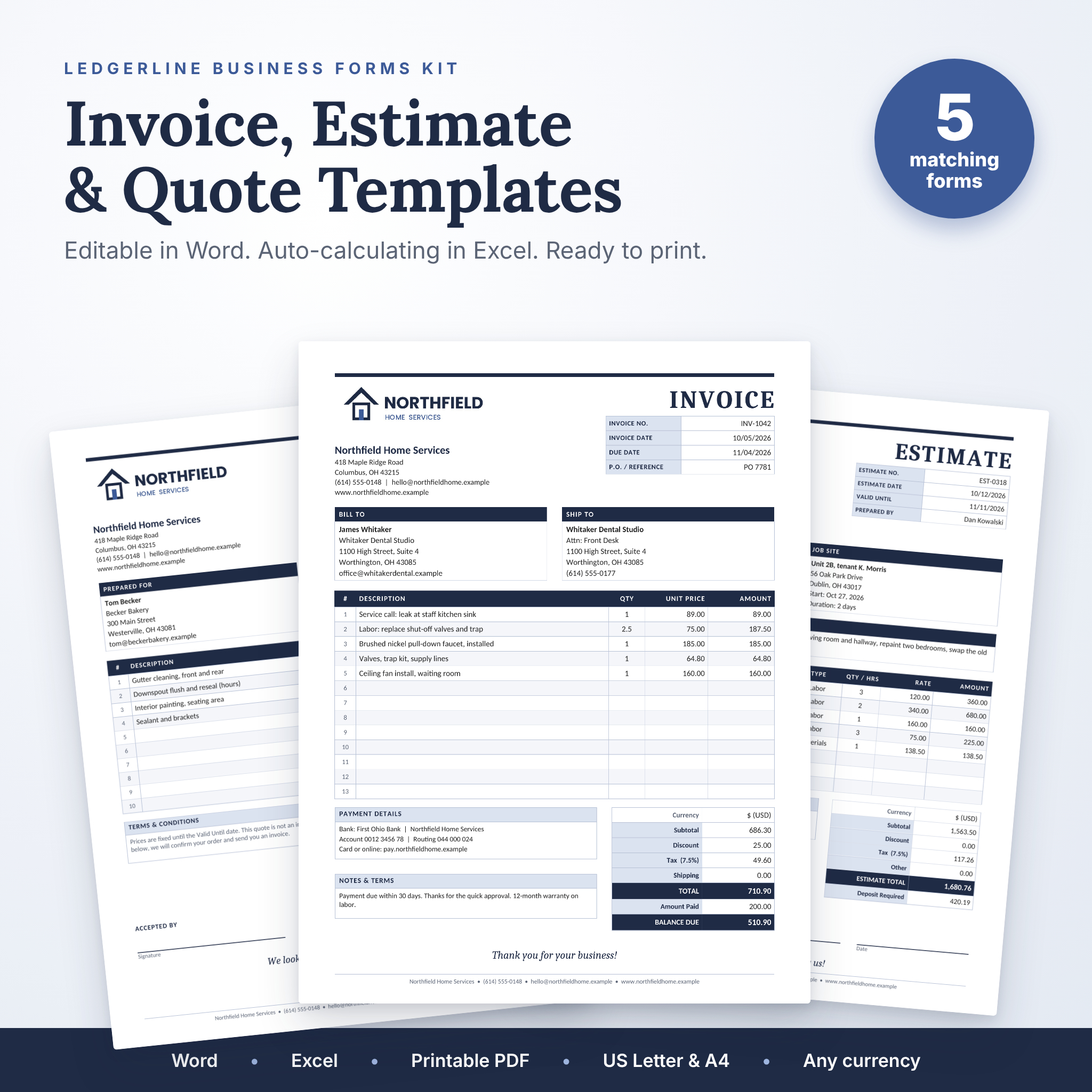 Ledgerline Business Forms Kit | Editable Invoice, Estimate & Quote Templates for Word and Excel with Receipt, Purchase Order & Printable PDF | Word, Excel Invoice Maker and blank PDFs | Invoice, job estimate, quote, sales receipt, purchase order | Invoice tracker and dashboard | Letter and A4 |
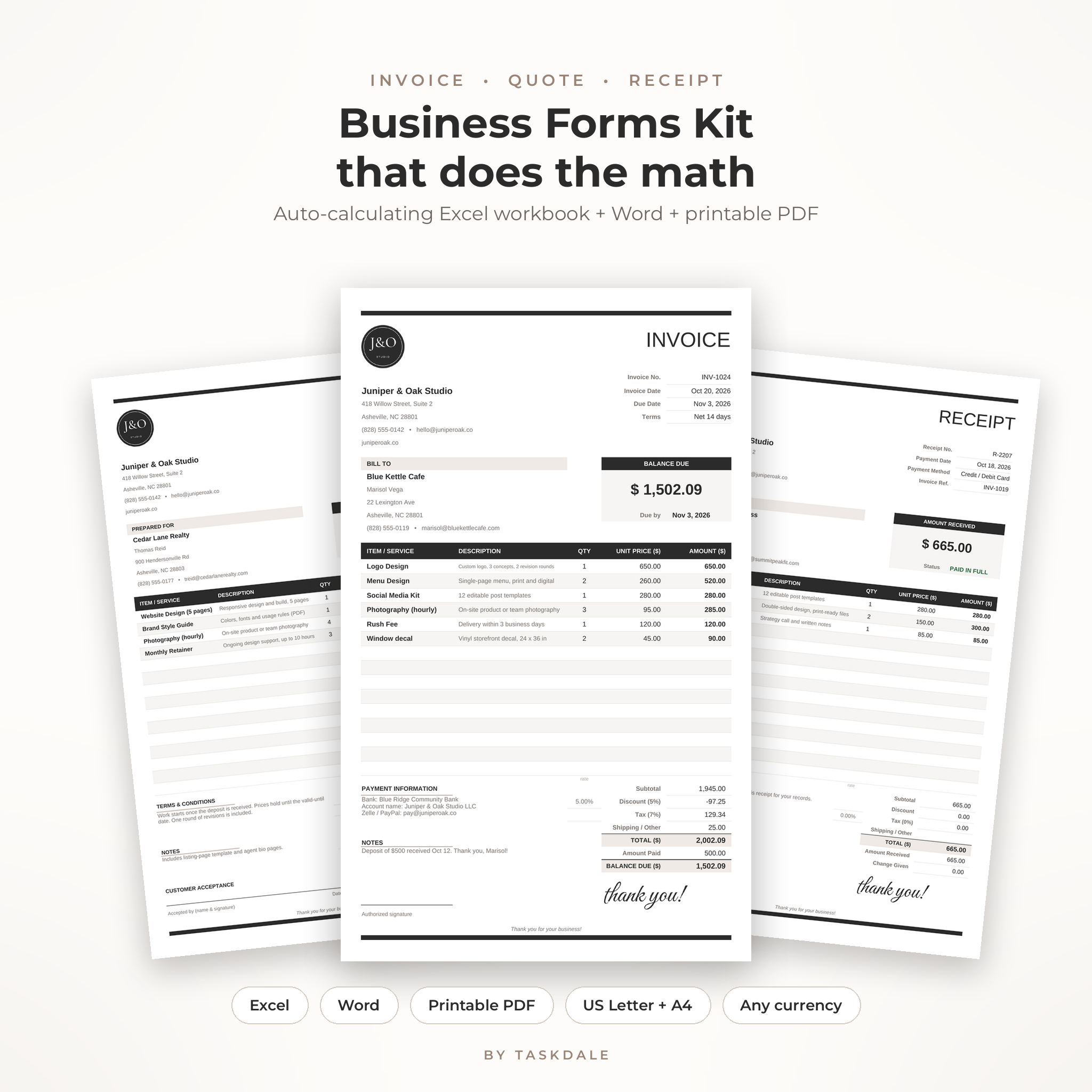 Ledgerline Invoice, Quote & Receipt Template Kit | Auto-Calculating Excel Invoice Template, Editable Word Forms & Printable PDF for Small Business | Excel workbook, Word and PDF | Invoice, quote, receipt | Built-in log, client statements with ageing, paid and overdue dashboard | Letter and A4 |
Who suits which printable invoice?
Each template suits a different working style, and the choice usually comes down to how many clients you have and how much paperwork surrounds each job.
PaidPath Client & Invoice Hub suits anyone who wants one place for clients, invoices, payments and expenses. Log a payment once and the invoice status, client balance, calendar and dashboard update on their own. It includes a 21-page illustrated user guide, which helps if spreadsheets are not your strength. It has no macros, so it avoids the security warnings some workbooks trigger.
Ledgerline Business Forms Kit suits tradespeople and service businesses that send a full paper trail. If a job runs from estimate to quote to invoice to receipt, with a purchase order for supplies, having five forms in one look keeps things tidy. Dollars are the default currency, though it works in any.
Ledgerline Invoice, Quote & Receipt Template Kit suits small businesses that want auto-calculation and a simple overdue cheque without a large workbook. It also adds discounts to the maths, which the other two do not state. The black or taupe PDFs are a plus if you print often.
How do you use a printable invoice template?
Using a printable invoice template takes a few minutes once your details are set up. Follow these steps for any of the three.
- Download the files and open the Excel workbook or Word template.
- Enter your business name, address and payment details once, and add a logo if you wish.
- Add the client, then choose or type the items and quantities.
- Cheque the tax rate and currency, then confirm the due date.
- Save a PDF copy and print it on Letter or A4, matching the template's page size.
- Record the invoice in the log or tracker so that payments can be matched later.
Keep a consistent number sequence for your invoices. A simple running count makes it easy to find any invoice later.
What mistakes should you avoid with printable invoices?
The most frequent mistakes are printing on the wrong paper size, leaving out the due date and failing to record payments. Each is easy to prevent.
- Wrong paper size. Print settings that do not match the template can clip the totals. Choose Letter or A4 to match the file.
- No due date. Without one, clients have no deadline. The Ledgerline Business Forms Kit works out due dates for you.
- Editing formulas by accident. Calculated cells in an Excel workbook should stay untouched. Type only in the input areas.
- Skipping the log. An invoice you never record is one you cannot chase. Use the tracker every time.
- Using one tax rate for everything. If you charge different rates, use a template that handles them. PaidPath supports 3 taxes.
- Mixing currencies. Set the currency before you create the first invoice, not halfway through the year.
What affects the price of a printable invoice template?
The price of a printable invoice template depends mainly on how much it does beyond the form itself. Live prices appear on the product cards, so we compare only in words here.
A single invoice form costs less than a workbook that tracks clients, payments and expenses. PaidPath offers the broadest toolset, with 12 tabs, a calendar and a user guide, so you would expect it to sit at the higher end. The Ledgerline kits bundle several forms and an invoice maker, which can be better value if you need the extra documents.
Other factors are the number of file types supplied, such as Word, Excel and PDF, and whether support material like a user guide is included. All three are instant digital downloads or one-off files, so there is no postage to consider, though cheque the product page for specifics.
Which printable invoice should you choose?
Choose PaidPath if you want payments, clients and expenses tracked together. Choose the Ledgerline Business Forms Kit if you send estimates, quotes, receipts and purchase orders as well as invoices. Choose the Ledgerline Invoice, Quote & Receipt Template Kit if you want automatic maths, a log and client statements without extra paperwork.
A simple rule helps. If you chase payments often, take the option with ageing and a dashboard. If you mostly need tidy documents, take the kit with the most forms.
Common questions
Can I edit a printable invoice before printing?
Yes. The Ledgerline kits include editable Word templates, and all three products use Excel workbooks. Change your details, items and wording on screen first, then print or save as a PDF. Keep the calculated cells untouched so totals stay correct.
Do these templates work outside the United States?
Yes. All three support any currency, and each comes in US Letter and A4 sizes. The Ledgerline kits use $ by default, but you can change it. Set your currency before creating the first invoice to avoid mixed records.
Do I need special software?
You need Excel for the workbooks and Word for the editable forms. PaidPath uses no macros, so it avoids the security prompts some spreadsheets trigger. The blank PDFs in the Ledgerline kits open in any PDF reader.
Can I track partial payments?
PaidPath supports partial payments and updates the invoice status and client balance when you log each one. The Ledgerline Invoice, Quote & Receipt Template Kit offers a log and client statements with ageing. If you take instalments, start with PaidPath.
Is a spreadsheet better than a Word invoice?
A spreadsheet suits you if you want totals, tax and balances calculated automatically. A Word invoice suits you if you prefer to type everything freely. Both Ledgerline kits supply both formats, so you can try each and keep the one you prefer.