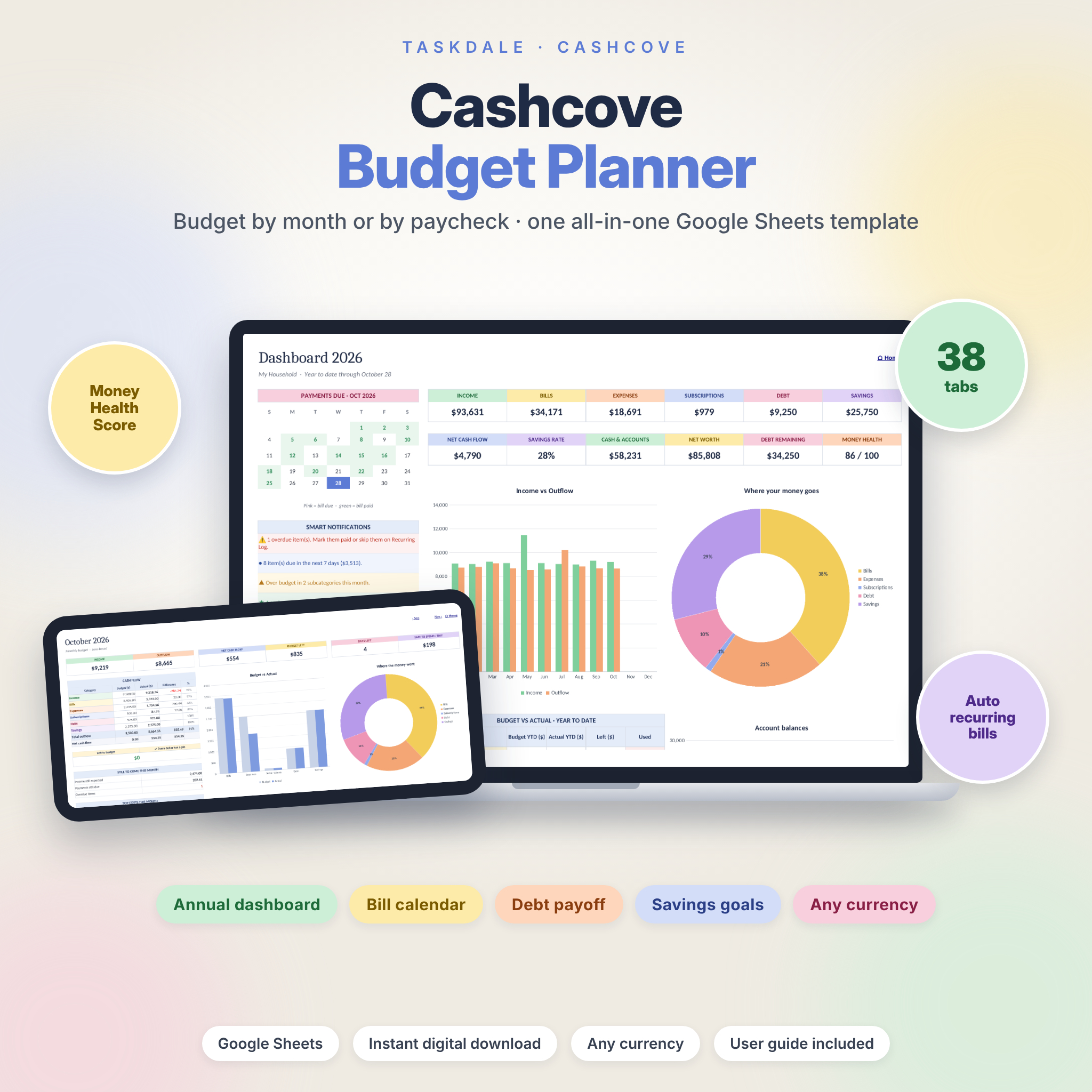


Cashcove is an all-in-one budget planner spreadsheet for Google Sheets that lets you budget by month or by paycheck, track every bill and subscription, pay off debt faster and grow your savings, all in one place. Set up your accounts, categories and budgets once, enter repeating bills and paychecks a single time, and log everyday spending as it happens. The dashboards, bill calendar, savings goals, debt payoff plan and net worth tracker update automatically.
Why this budget planner is different
Most budget templates make you copy the same numbers into twelve tabs and retype every bill every month. Cashcove does that work for you:
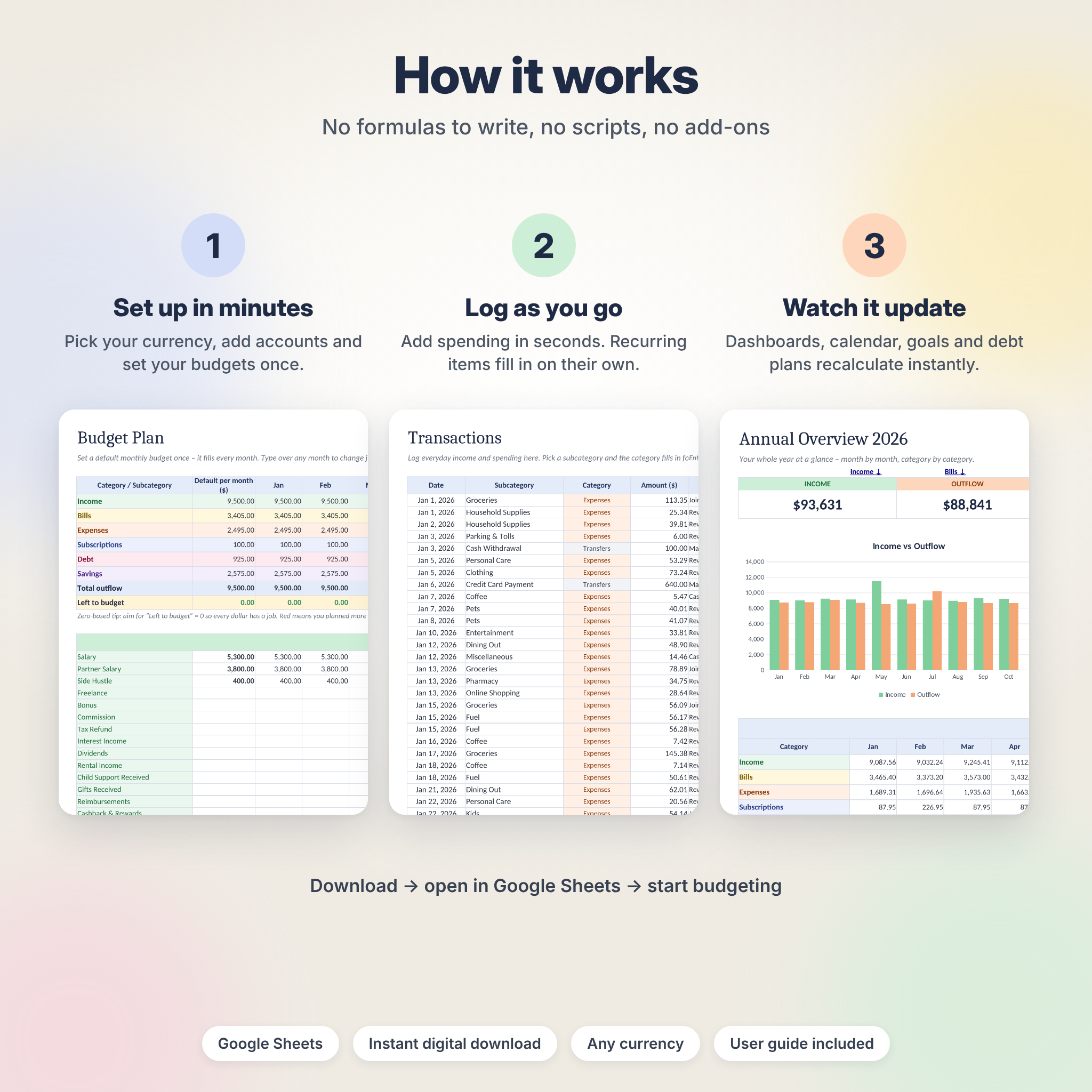
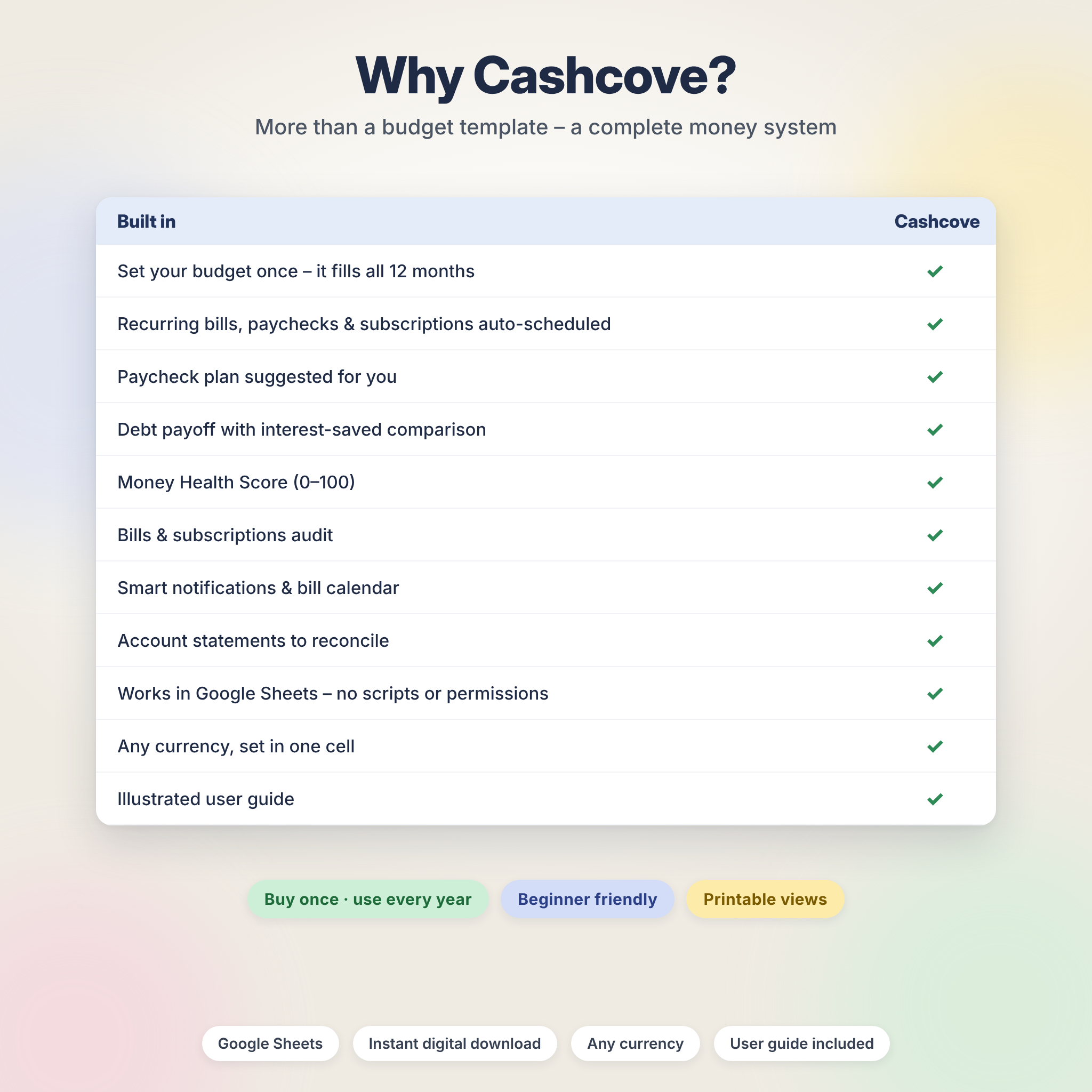
- Set your budget once: a default monthly amount fills all 12 months, and you can change any single month.
- Enter recurring items once: paychecks, rent, utilities, subscriptions, debt payments and savings are scheduled for the whole year and marked paid on their due date.
- Budget by paycheck: pick any pay period and the plan is suggested for you – the bills due in that period plus your monthly budget prorated for everything else.
- No scripts, add-ons or permissions to approve: everything runs on standard spreadsheet formulas.
Who it is for
- Anyone who wants to see exactly where their money goes each month
- People paid weekly, biweekly or twice a month who prefer a paycheck budget
- Couples and families who share costs and want to know who spends what
- Anyone paying off credit cards and loans, or building an emergency fund and sinking funds
- Beginners – no formulas to write, with a step-by-step user guide included
Features of the budget spreadsheet
Budgeting
- 12 monthly budget sheets with income, outflow, net cash flow, budget left, days left and a “safe to spend per day” figure
- Six category tables per month: Income, Bills, Expenses, Subscriptions, Debt and Savings, with budget vs actual and % used
- Zero-based budgeting (“left to budget”) or carry-over budgeting that rolls unspent money into next month
- Paycheck budget for weekly, biweekly, semi-monthly or any custom period
- Annual Budget Plan with a yearly summary of every category
Tracking
- Transaction log for 1,500 entries with dropdowns, automatic categories and helpful checks
- Recurring Setup for 40 schedules (weekly to yearly) that creates up to 2,000 occurrences automatically
- Adjust a single occurrence – mark it paid, unpaid or skipped, or change the amount for bills that vary
- Smart Calendar showing every bill and paycheck on its day, with paid items crossed out and overdue items in red
- Month View that lists everything in a month in date order, with filters
Dashboards
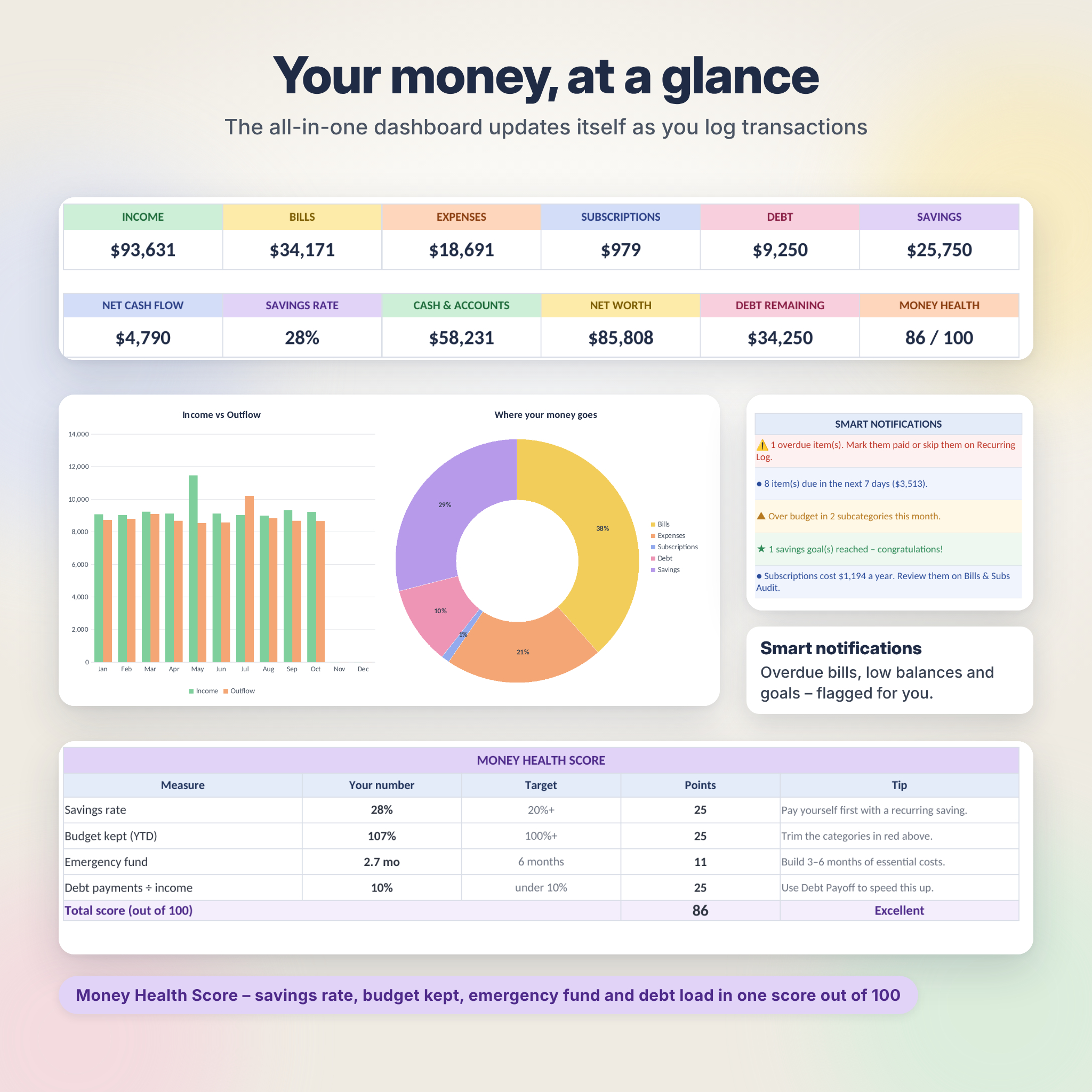
- All-in-one Dashboard with year-to-date totals, savings rate, account balances, net worth, a bill calendar, smart notifications and a due-soon list
- Money Health Score from 0 to 100 based on savings rate, budget kept, emergency fund and debt load
- Annual Overview by month and by subcategory
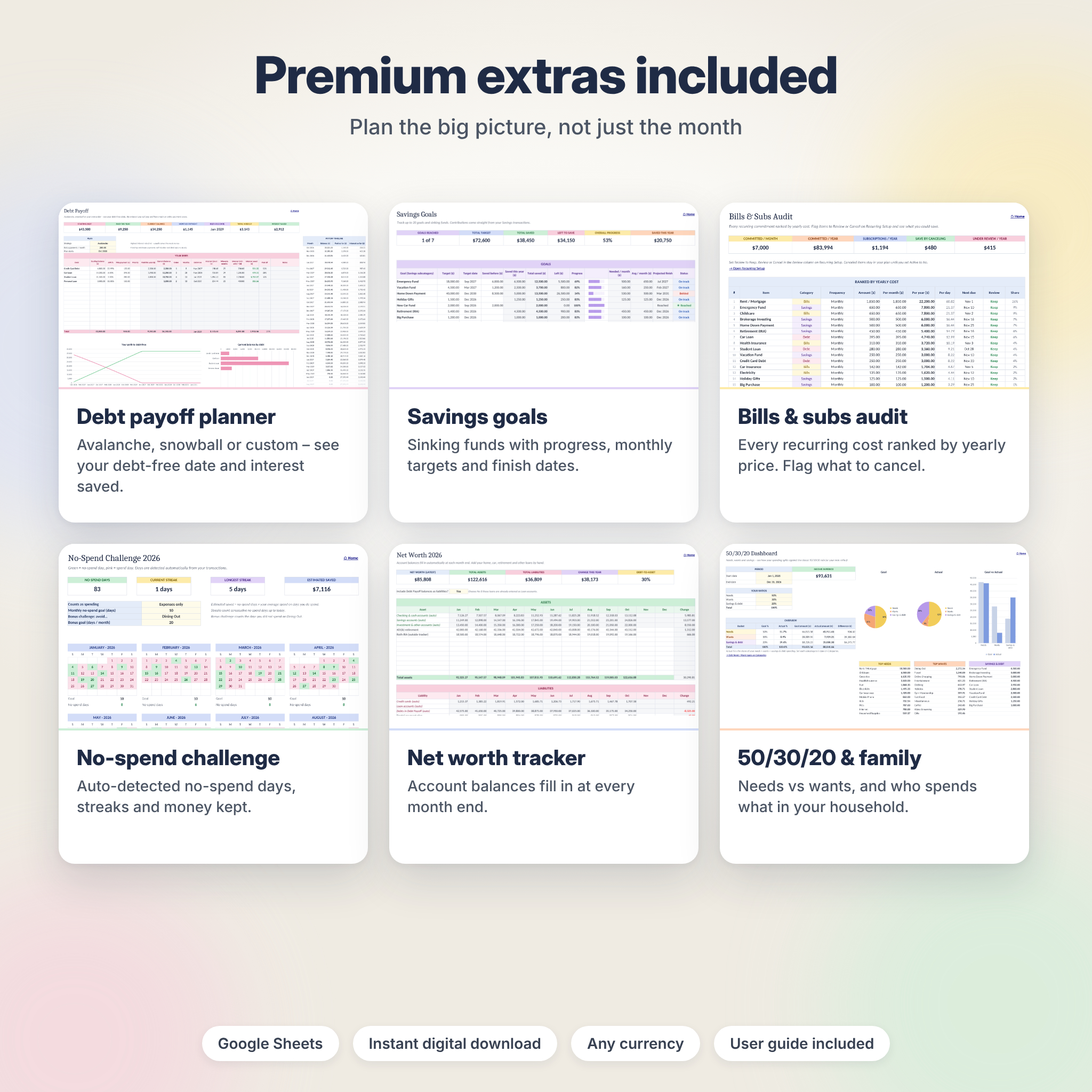
- 50/30/20 dashboard with your own ratios
- Compare any two months, total any custom date range, and see spending by household member
Money and goals
- Account tracker for up to 30 bank accounts, credit cards and cash wallets, with projected balances and low-balance alerts
- Account statement with running balance to reconcile against your bank
- Savings goals and sinking funds tracker for 20 goals, with monthly targets, projected finish dates and an emergency fund check
- Debt payoff calculator for 15 debts using the avalanche, snowball or a custom order, showing your debt-free date and interest saved
- Investment forecast for up to 10 accounts over as long as 50 years
- Net worth tracker that fills in your account balances at every month end
Habits and sharing
- Bills & Subscriptions Audit that ranks every recurring cost by yearly price and totals what you could save
- No-spend challenge with 12 calendars, streaks and a bonus challenge
- Impulse purchase control log
- Settle Up for shared expenses that shows who owes whom
What is included
- Cashcove Budget Planner (.xlsx) with 38 connected tabs and starter categories, ready for your numbers
- Illustrated user guide (.docx) covering setup, every feature, customizing, troubleshooting and FAQs
How it works
- Download the files right after purchase.
- Open in Google Sheets: upload the .xlsx to Google Drive, open it and choose File › Save as Google Sheets.
- Set up in about 10 minutes: currency, budget year, accounts, categories and budgets.
- Add your recurring bills and paychecks once, then log everyday spending as it happens.
- Watch it update: monthly budgets, dashboards, calendar, goals and debt plan recalculate instantly.
File formats and software requirements
- Format: .xlsx spreadsheet plus .docx user guide
- Works in Google Sheets (free with a Google account) – tested
- Also opens in LibreOffice Calc 7 or newer – tested
- Tested in the Google Chrome browser on a computer
Customize it to your life
Use any currency – type a symbol or code once and every money value follows it. Rename, add or remove subcategories and every dropdown, budget and dashboard updates. Choose a Sunday or Monday week start, zero-based or carry-over budgeting, and start tracking any time of year. Every sheet has a print area for tidy printable views.
Real ways people use it
- A family plans the year in January, then checks the dashboard every Sunday
- A biweekly earner plans each paycheck so rent and bills are covered before payday
- A couple splits groceries and dinners and settles up at the end of the month
- Someone with three credit cards compares avalanche and snowball and picks a debt-free date
- A saver builds an emergency fund and holiday, vacation and car sinking funds
- Anyone reviewing subscriptions finds forgotten charges with the audit
Digital download information
This is an instant digital download. No physical item will be shipped. You will receive your download links on the order confirmation page and by email. License: personal use only. You may not resell, share or distribute the files. This planner is an organizing tool and does not provide financial advice.
Frequently asked questions
Does this budget planner work in Google Sheets?
Yes. Upload the .xlsx to Google Drive and save it as a Google Sheet. It was built and tested for Google Sheets.
Do I need to pay for any software?
No. Google Sheets and LibreOffice Calc are both free.
Can I budget by paycheck instead of by month?
Yes. The Paycheck tab works for weekly, biweekly, semi-monthly or any custom pay period, and the monthly sheets are always there too.
Can I start in the middle of the year?
Yes. Set a tracking start date and enter your balances as of that date.
Does it work with my currency?
Yes. Enter any currency symbol or code once in Settings.
Does it connect to my bank?
No. You enter your own transactions, so your financial data stays private in your own file.
Can I use it again next year?
Yes. Make a copy, change the year and your starting balances, and your categories, budgets and recurring bills carry over.
Reviews
There are no reviews yet.