
A Sunday School Planner That Keeps Every Child Known, Safe and Celebrated
Teaching Sunday school is more than a lesson. You also need to know who is allergic to what, who may pick each child up, which helper is coming next week and who has not been in class for a month. The Flocklet Sunday school planner puts all of it in one clean, undated file. Type into it in free Adobe Acrobat Reader on a tablet or laptop, or print the pages you need and write by hand.
Flocklet is built for real classrooms. Type a child’s name once and it appears on every page that needs it. Attendance, verse counts, lesson minutes and the supply budget add themselves up. The pages print only Bible references, never translation text, so the planner works with whichever Bible your church uses.
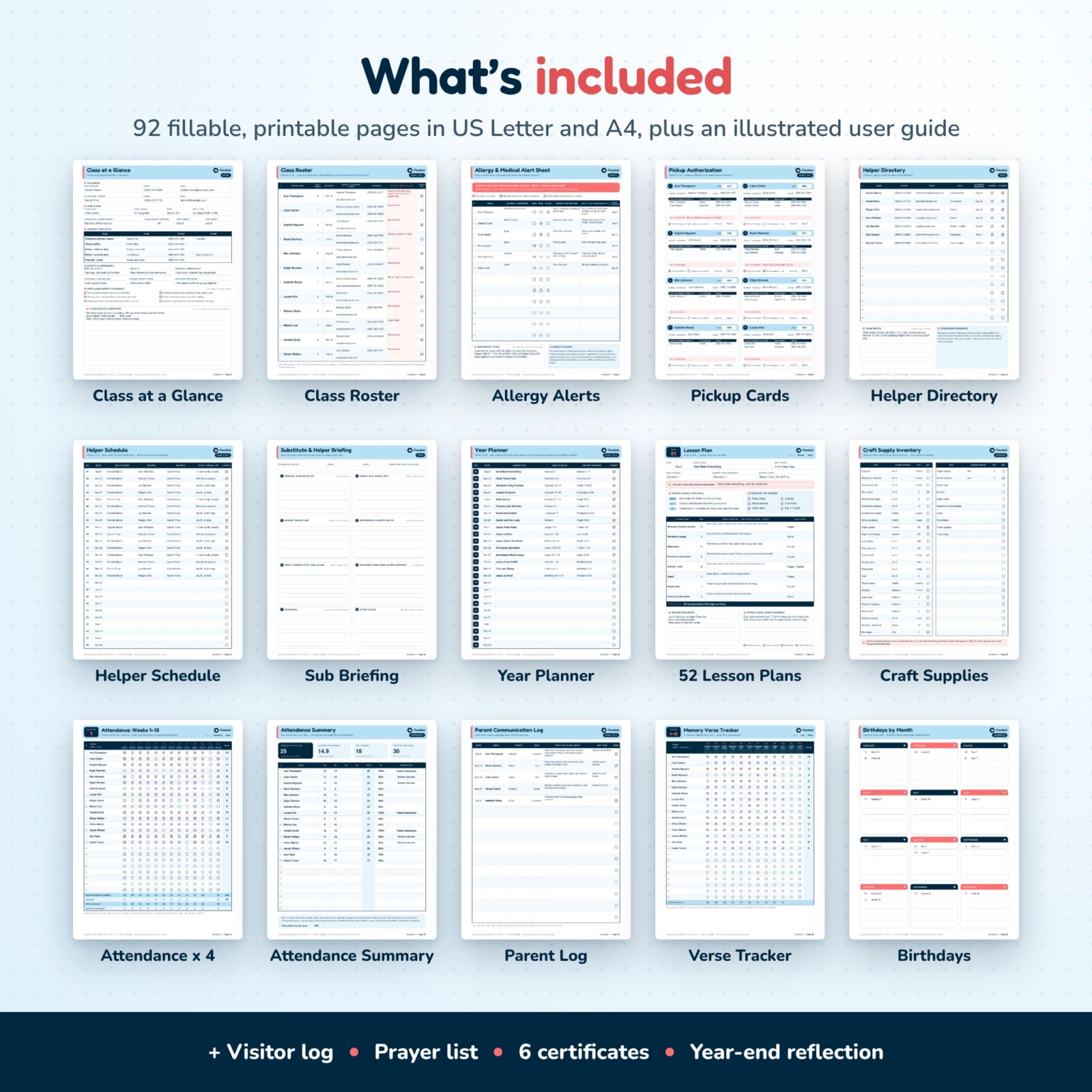
What Is Included in This Sunday School Teacher Planner
- Class at a Glance: teachers, room, day and time, class length, church contacts, first aid, AED and exit locations, and a safety checklist.
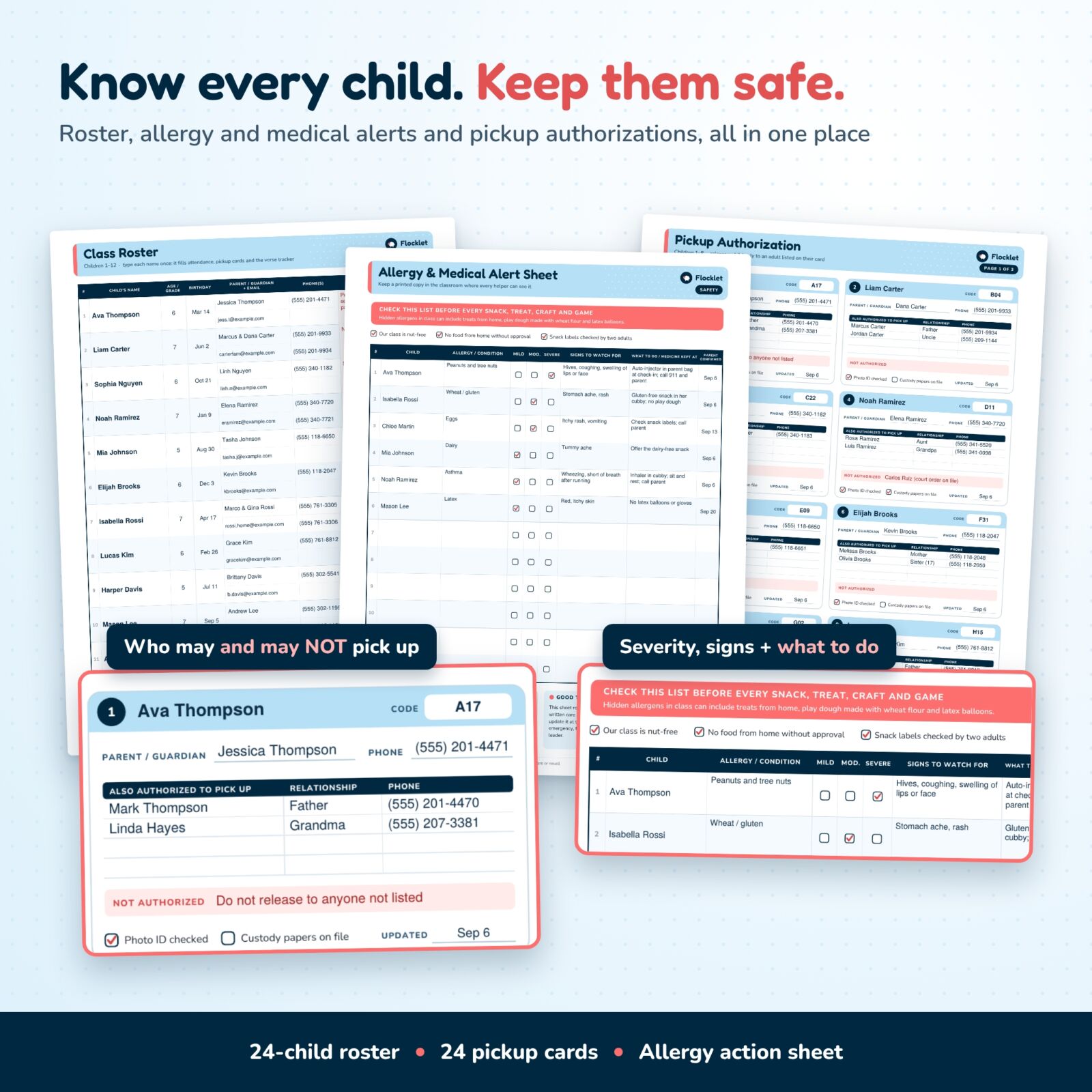
- Class roster (24 children): age, birthday, parents, email, two phone numbers, a highlighted allergy and medical alert column and photo permission.
- Allergy and medical alert sheet: allergy or condition, mild / moderate / severe, signs to watch for, what to do, where medicine is kept, parent confirmed date and an emergency plan.
- 24 pickup authorization cards: parent or guardian, four more authorized adults with relationship and phone, a red NOT authorized line, check-in code, photo ID and custody paper boxes.
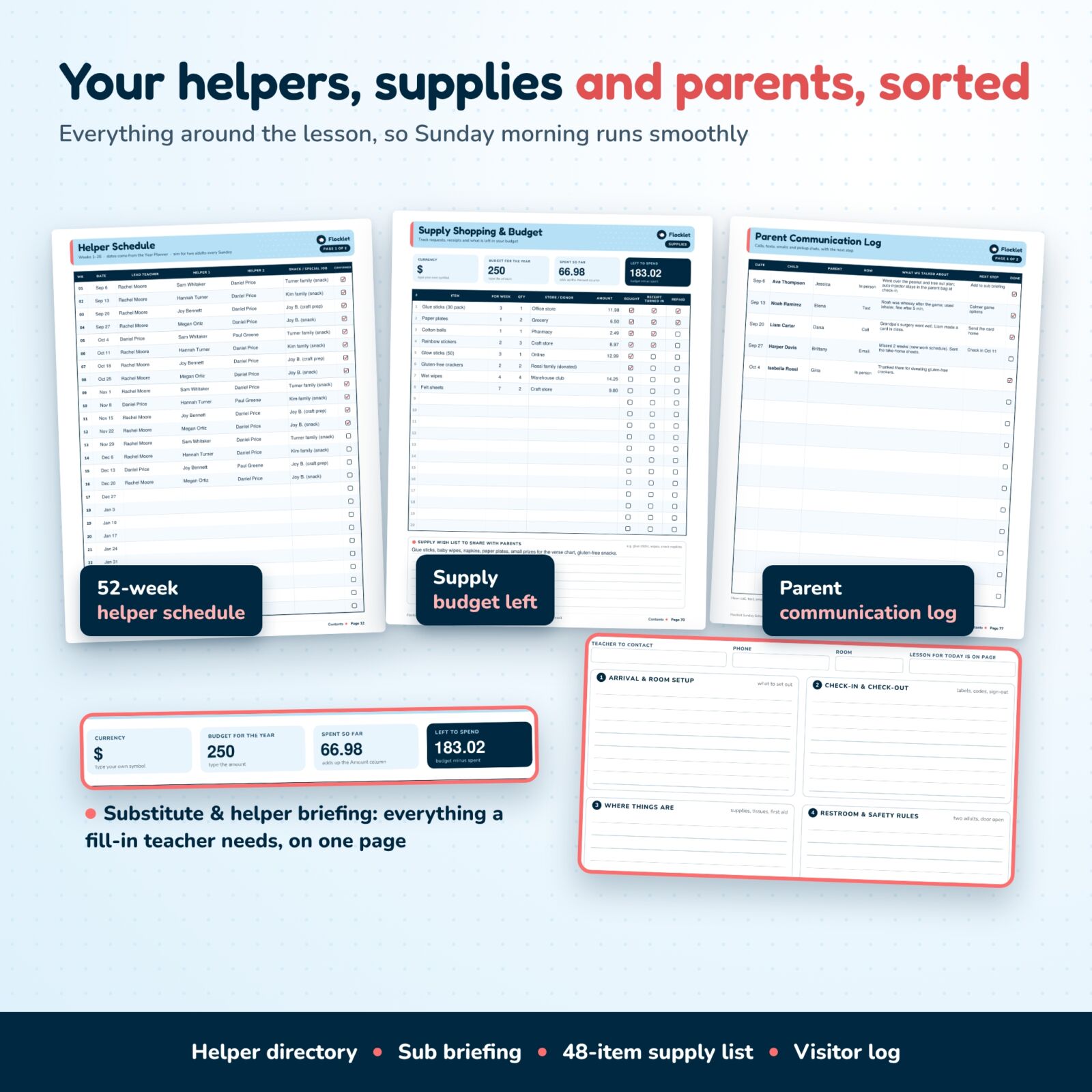
- Helper directory, 52-week helper schedule and substitute briefing: screening dates, a rotation with two helpers and a snack job each week, and a one-page briefing for anyone who covers your class.
- Year planner: 52 weeks of dates, lesson titles, Bible passages and memory verse references, each linked to its lesson page.
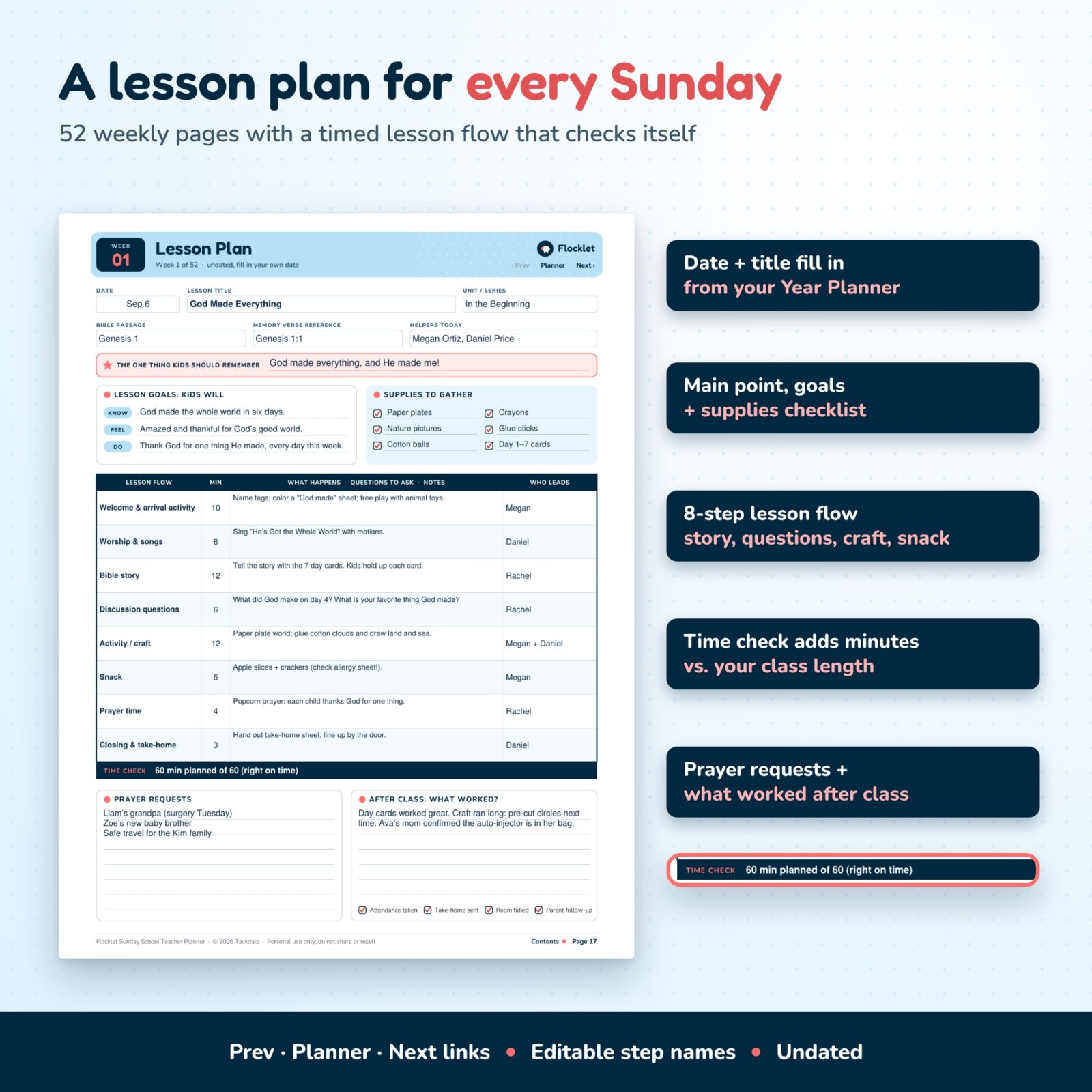
- 52 weekly lesson plans: the one thing kids should remember, know / feel / do goals, a supplies checklist, an 8-step lesson flow with minutes and who leads, a time check against your class length, prayer requests and after-class notes.
- Craft supply inventory and budget: 48 supply rows (34 common items pre-filled and editable), a shopping list with receipts and repayment, budget left to spend and a parent wish list.
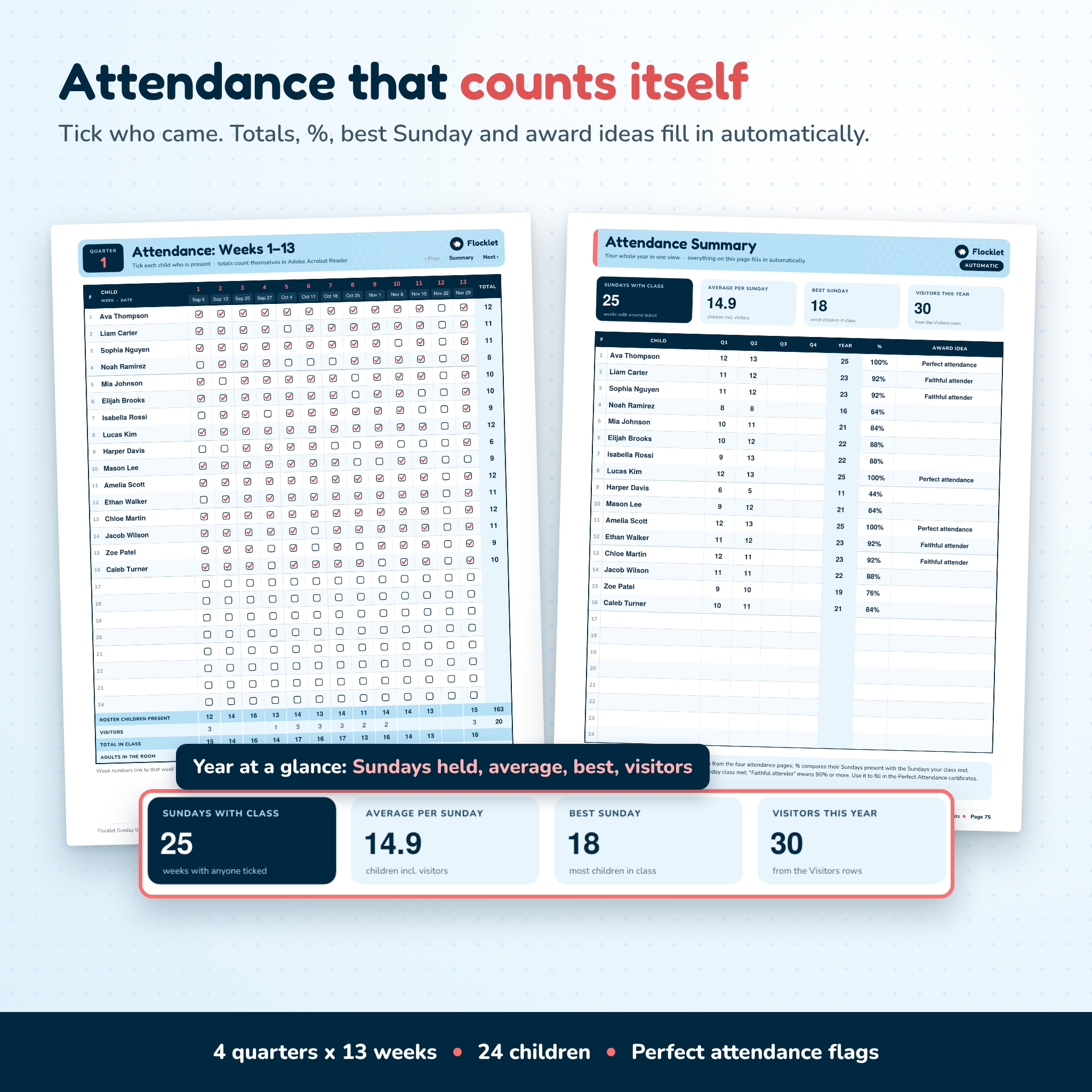
- 52-week attendance tracker: four quarter pages with 24 children x 13 weeks, visitors, total in class and adults in the room.
- Attendance summary: Sundays with class, average per Sunday, best Sunday, visitors, and each child’s quarter totals, year total, percentage and an award idea.
- Visitor and new family log, parent communication log, class prayer list and birthdays by month.
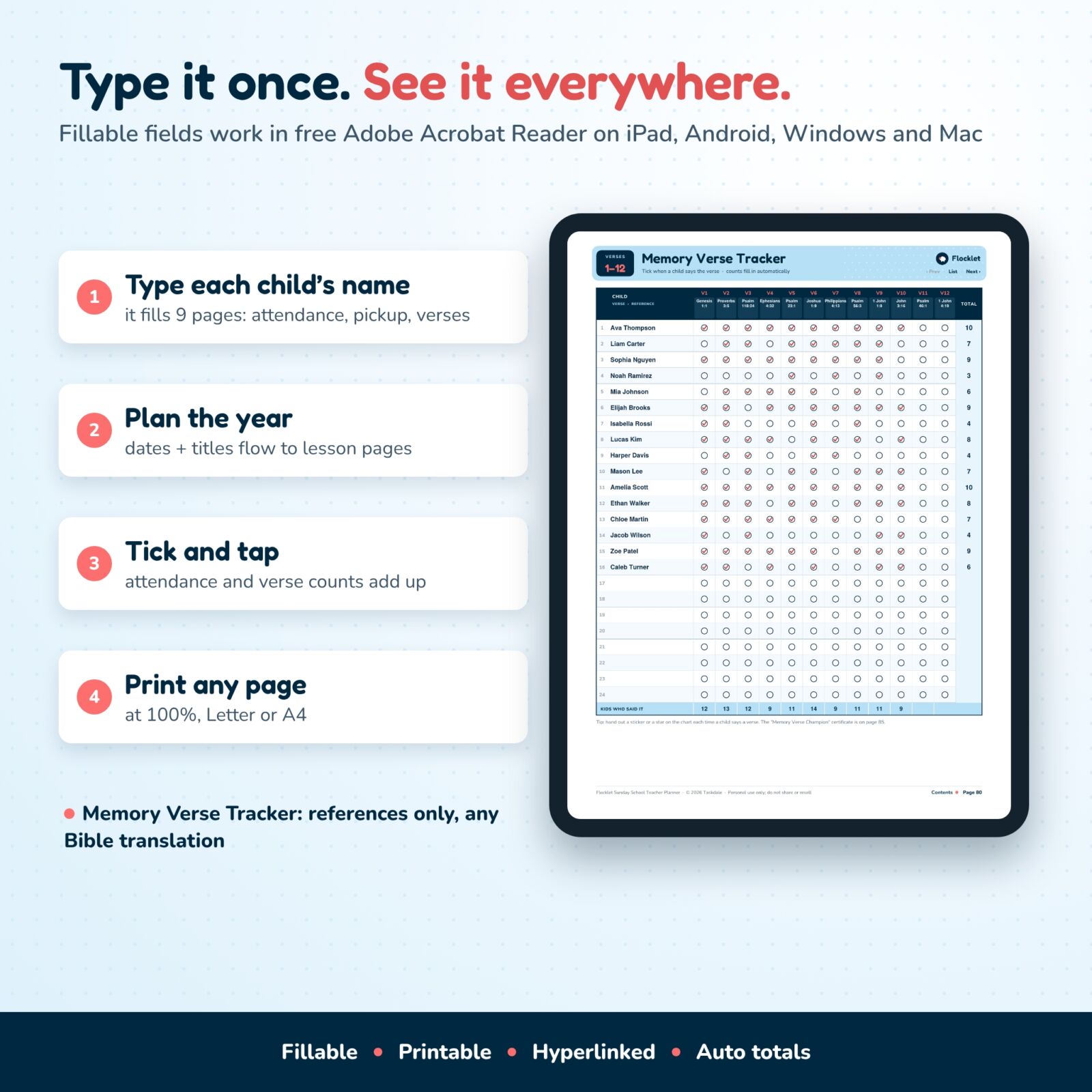
- Memory verse list and tracker: 24 verse references with themes and six teaching ideas, plus a tracker for 24 children with automatic counts.
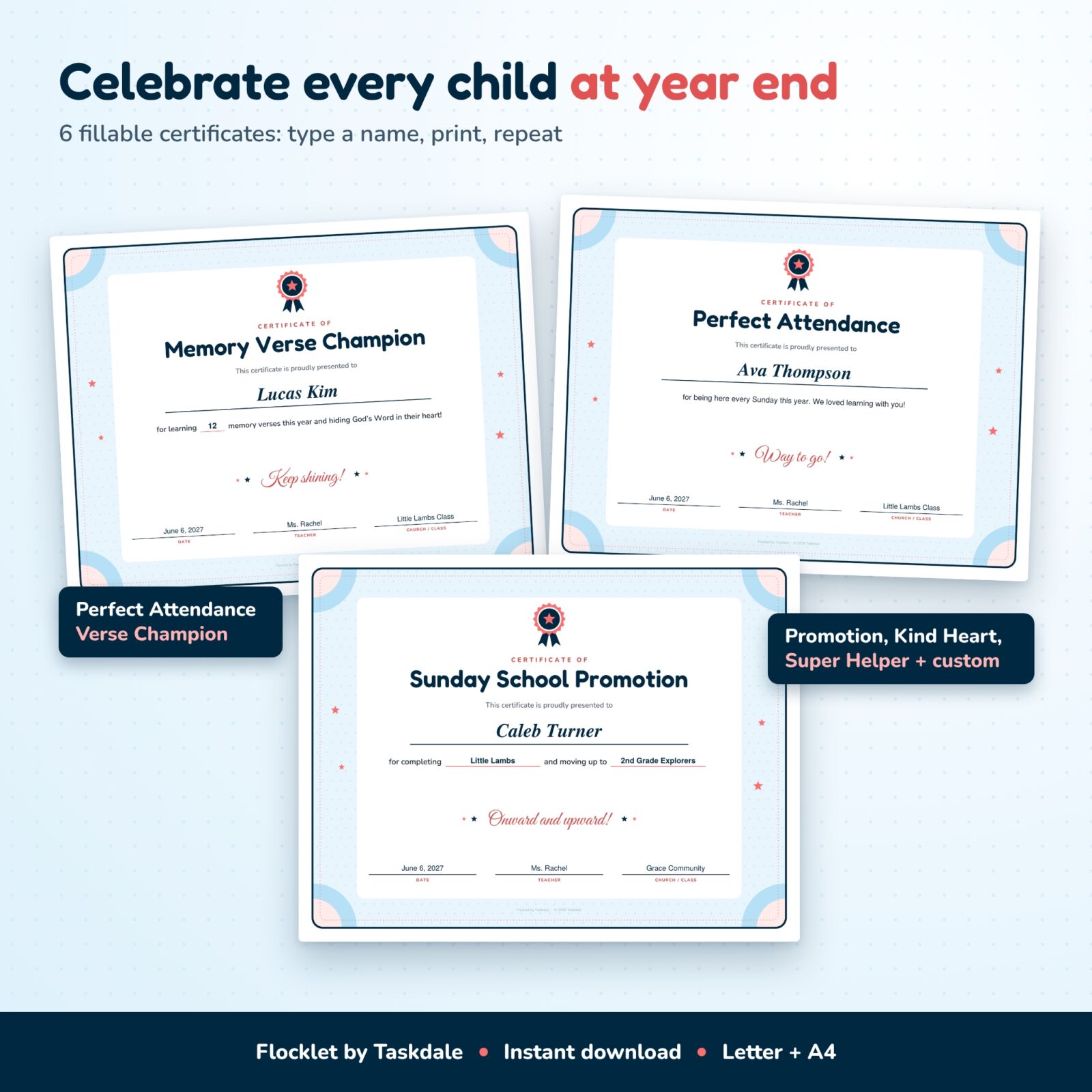
- 6 end-of-year certificates (landscape): Perfect Attendance, Memory Verse Champion, Sunday School Promotion, Kind Heart Award, Super Helper Award and a custom award with your own title.
- Year-end reflection and notes pages.
- Illustrated user guide (Word document) with setup steps, tips, troubleshooting and FAQ.
Why Teachers Choose Flocklet
- Type once, see it everywhere: each child’s name fills nine pages, and Year Planner dates and titles flow into lesson plans, attendance and the helper schedule.
- Automatic totals: about 530 built-in calculations count attendance, percentages, best Sunday, verse totals, lesson minutes and the budget in Adobe Acrobat Reader.
- Safety first: allergy alerts, pickup authorizations, helper screening dates and emergency locations sit right next to your lessons.
- Clickable navigation: contents, a 52-lesson jump grid, bookmarks and Prev / Next links on every lesson and attendance page.
How It Works
- Download the PDF in US Letter or A4 and open it in free Adobe Acrobat Reader (Windows, Mac, iPad or Android), or print it.
- Fill in Class at a Glance, then type each child into the roster with parents, phones and allergy alerts.
- Complete the allergy sheet and pickup cards, then add your helpers and the 52-week rotation.
- Type dates and lesson titles in the Year Planner. Plan each lesson on its weekly page and watch the time check.
- Tick attendance each Sunday. At the end of the year, use the summary and verse tracker to fill in the certificates.
Who This Sunday School Planner Is For
- Sunday school and children’s church teachers, from preschool to preteens
- Children’s ministry leaders who want every class to keep the same records
- Co-teachers and helpers who share one class
- Midweek club, Bible club and small church teachers who see the same children each week
Real Ways to Use It
- Bring a tablet to class and tick attendance while you greet each child at the door.
- Print the allergy sheet for the classroom wall and check it before snack and craft time.
- Print the substitute briefing and that week’s lesson plan when you are away.
- Send the helper schedule to your team at the start of each quarter.
- Print the Perfect Attendance and Memory Verse Champion certificates on cardstock for promotion Sunday.
File Formats and Requirements
- 2 fillable PDF files: US Letter (8.5 x 11 in) and A4 (210 x 297 mm), 92 pages each; certificates are landscape
- User guide in Word (.docx) format
- Fill in with free Adobe Acrobat Reader for automatic totals; Apple Preview, browsers and most PDF apps can fill the boxes but may not calculate totals
- Prints on any home or office printer at 100% / Actual size
- Undated, so you can start any Sunday of any year
Customization
Church contact roles, lesson flow steps, supply names, certificate reasons and the custom certificate title are all editable. Type your own currency symbol on the budget page. Write verses in any Bible translation, since only references are printed.
Digital Download
This is an instant digital download; nothing is shipped. You get the two PDF files and the user guide right after purchase. License: personal use only (or use within your own class or ministry). You may not resell, share or redistribute the files.
Sunday School Planner FAQ
Is this Sunday school planner dated?
No. Every page is undated, so you can start any Sunday and reuse a fresh copy every year.
Can I type into it on an iPad?
Yes. Open it in free Adobe Acrobat Reader on iPad to type, tick boxes and get automatic totals. You can also write on it with a stylus in a PDF note app.
How many children does it hold?
The roster, attendance, pickup cards and memory verse tracker each hold 24 children. Print a second copy for a larger class.
Does it include Bible verses?
It prints references only, such as “Psalm 23:1”, with no copyrighted translation text, so you can teach from any Bible version.
Will the totals work in every app?
The automatic totals need an app that runs PDF scripts, such as Adobe Acrobat Reader. In other apps the boxes still fill in and you can type totals yourself.
Can I print the certificates more than once?
Yes. Type a child’s name, print, then type the next name. Print as many as your class needs.
Can other teachers at my church use my copy?
The license covers your own class. Other teachers or classes need their own copy.
Reviews
There are no reviews yet.