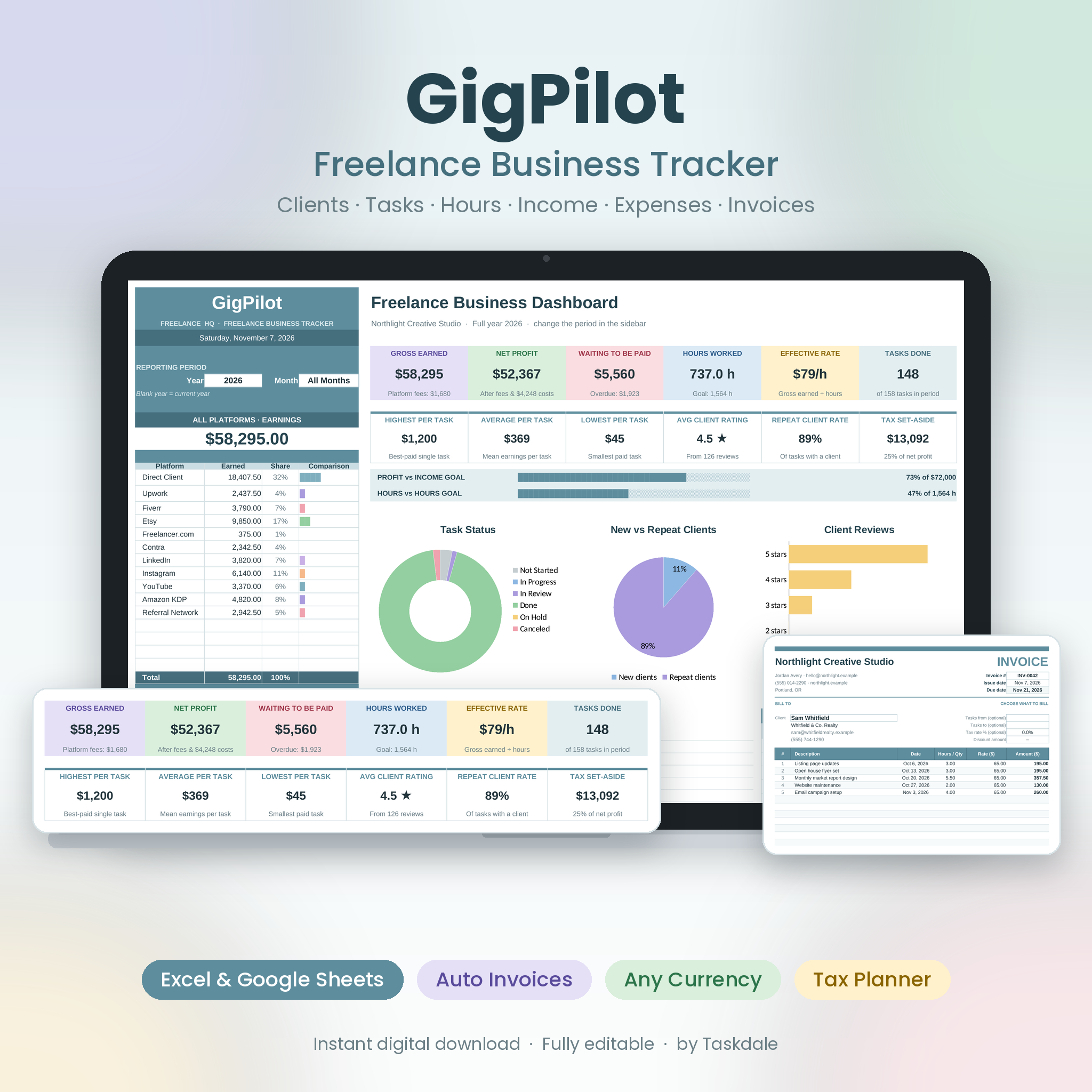


The GigPilot freelancer tracker spreadsheet is an all-in-one freelance business dashboard for Excel and Google Sheets. Log your tasks once and GigPilot works out your hours, earnings, platform fees, client history, unpaid invoices, expenses, profit and tax set-aside, then shows everything on one calm, colorful dashboard you can filter by year and month. It even builds your invoices for you.
Whether you juggle Upwork, Fiverr, Etsy and direct clients or run a one-person studio, GigPilot replaces the scattered notes, half-finished spreadsheets and guesswork with clear numbers you can trust.
Why freelancers choose this freelance business tracker
- See the whole picture in seconds: gross earned, net profit, money waiting to be paid, hours worked, effective hourly rate and tasks done, all on one page.
- Stop chasing late payments: every task gets an automatic payment alert (Paid, Upcoming, Due soon, Overdue), and the dashboard totals what you’re owed.
- Know your real hourly rate: platform fees and expenses are deducted automatically, and the Rate Calculator shows the minimum you should charge.
- Invoice in one click: pick a client and their unpaid tasks drop into a clean, printable invoice.
- Be ready for tax time: expenses are flagged tax-deductible, receipts are tracked and a quarterly tax planner suggests what to set aside.
Features
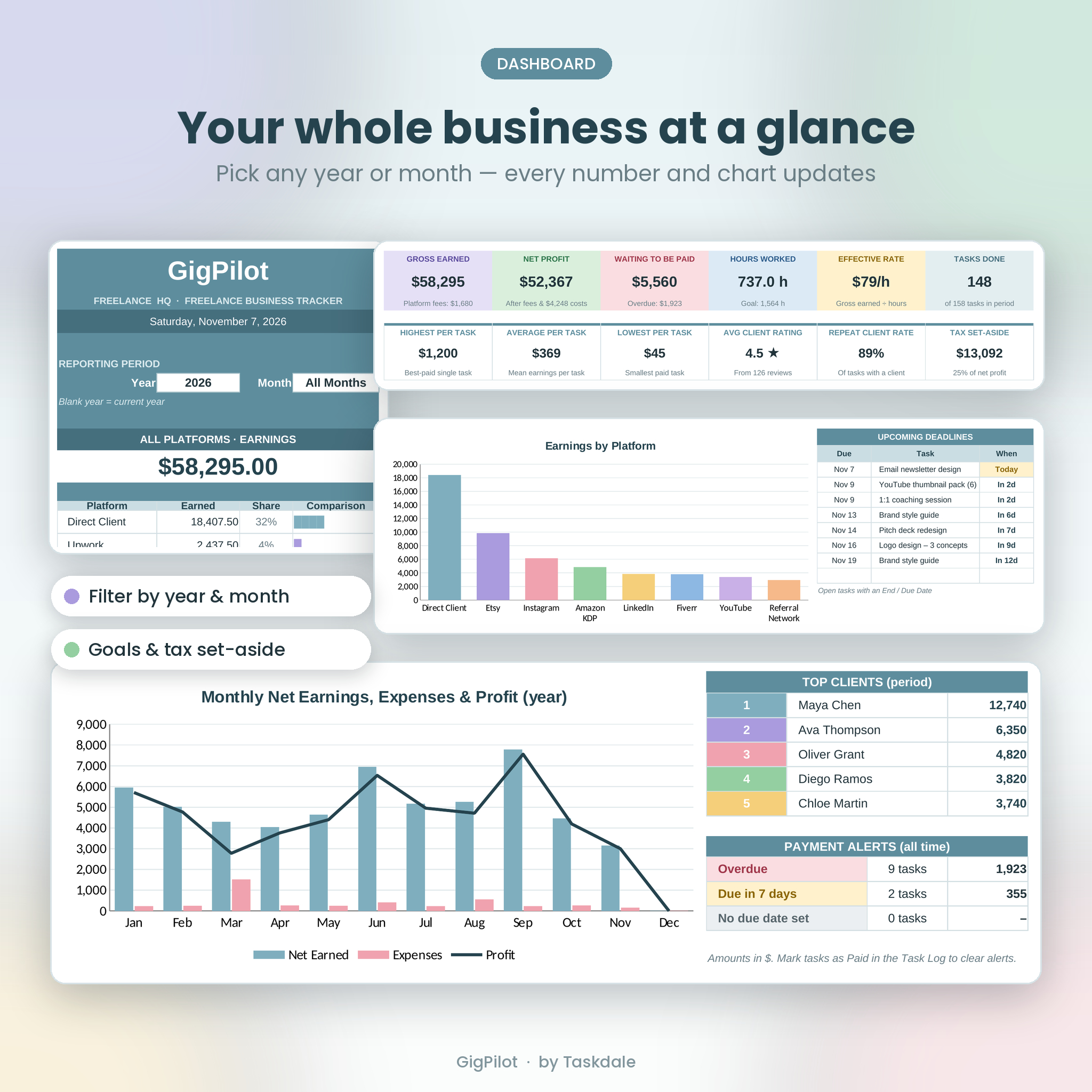
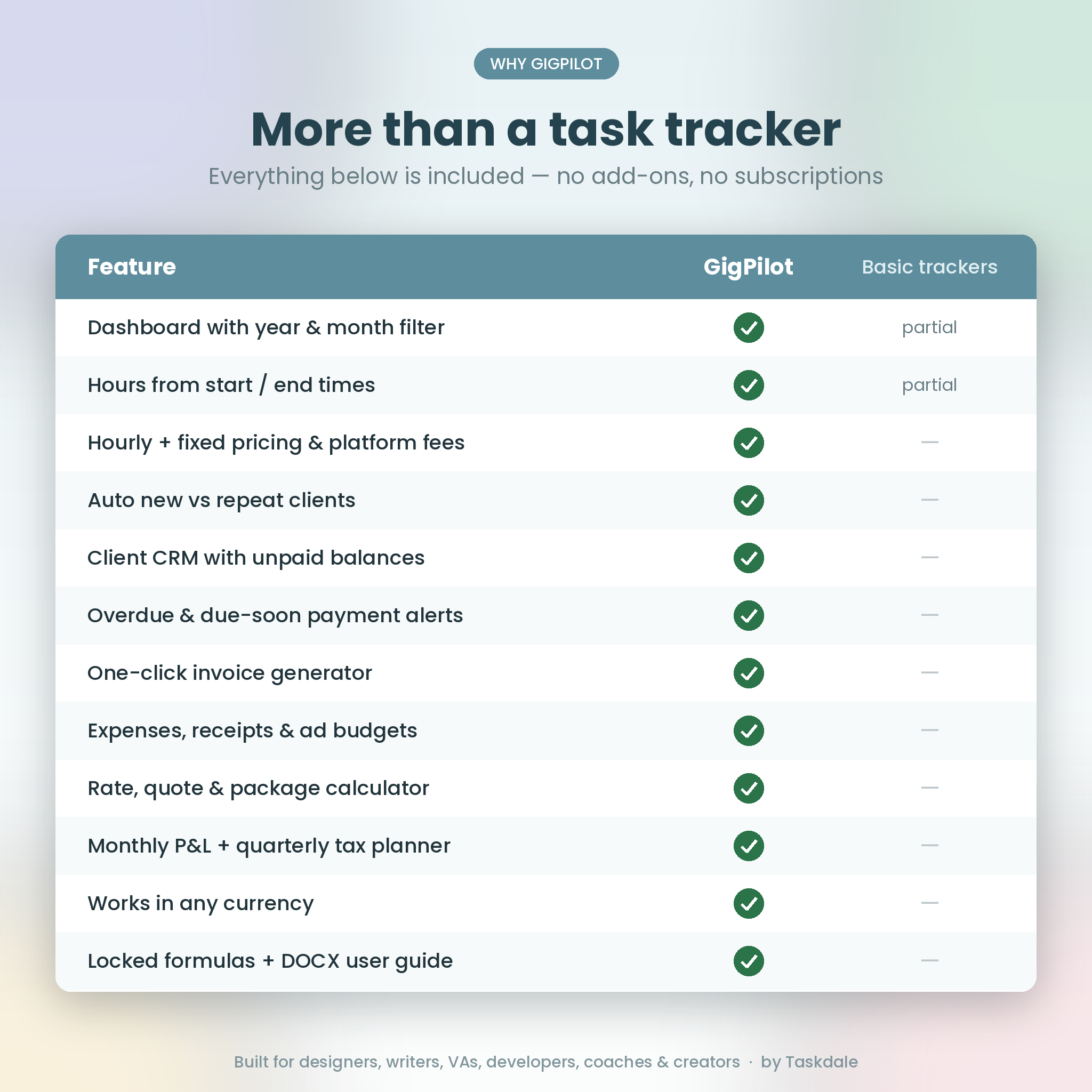
Dashboard with year and month filter
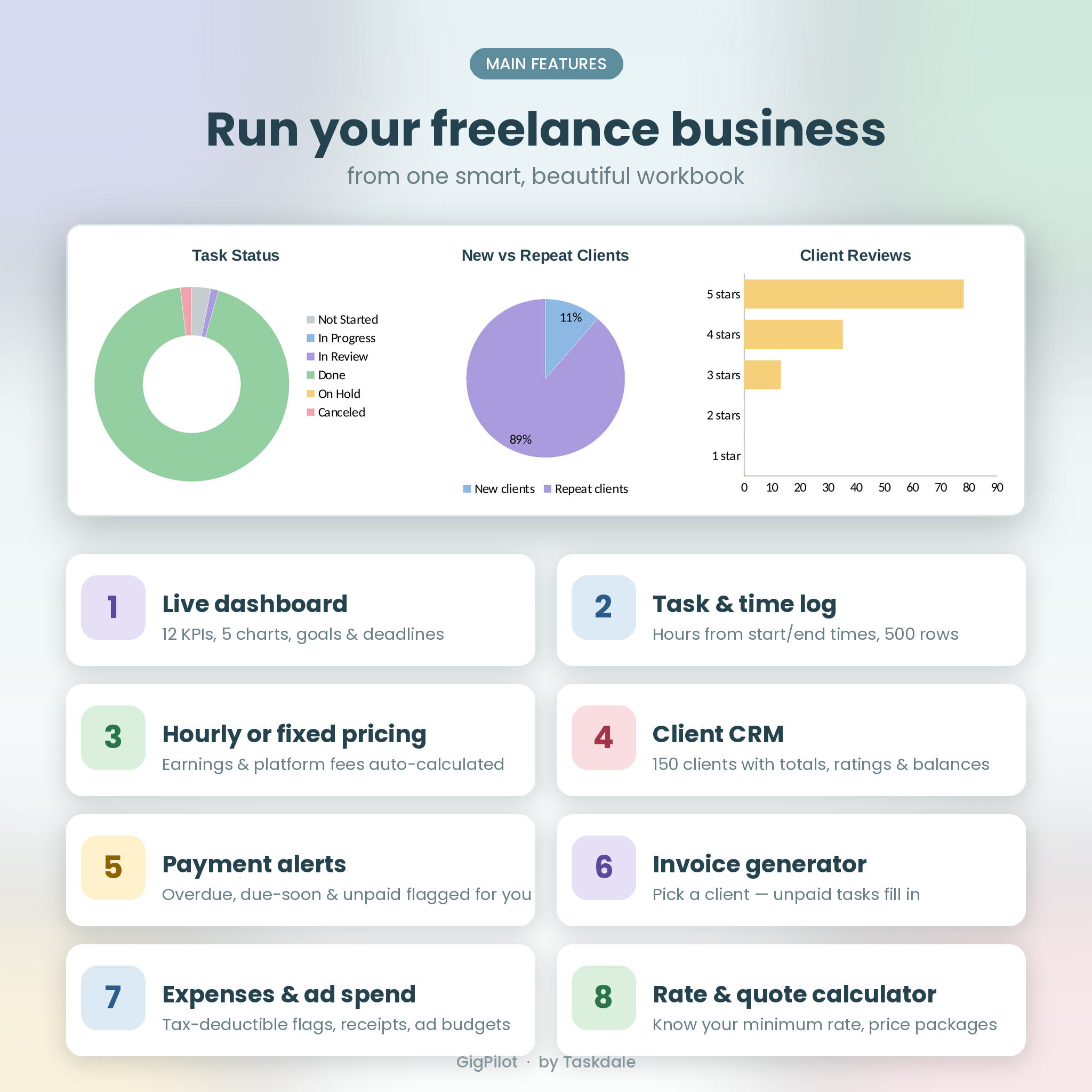
Choose any year and month (or the full year) and every figure updates: 12 KPI cards, income and hours goal bars, task status, new vs repeat clients, client reviews, earnings by platform, a 12-month earnings, expenses and profit chart, your next 8 deadlines, top 5 clients and payment alerts. A sidebar shows earnings and ad spend for every platform.
Task and time log (500 rows)
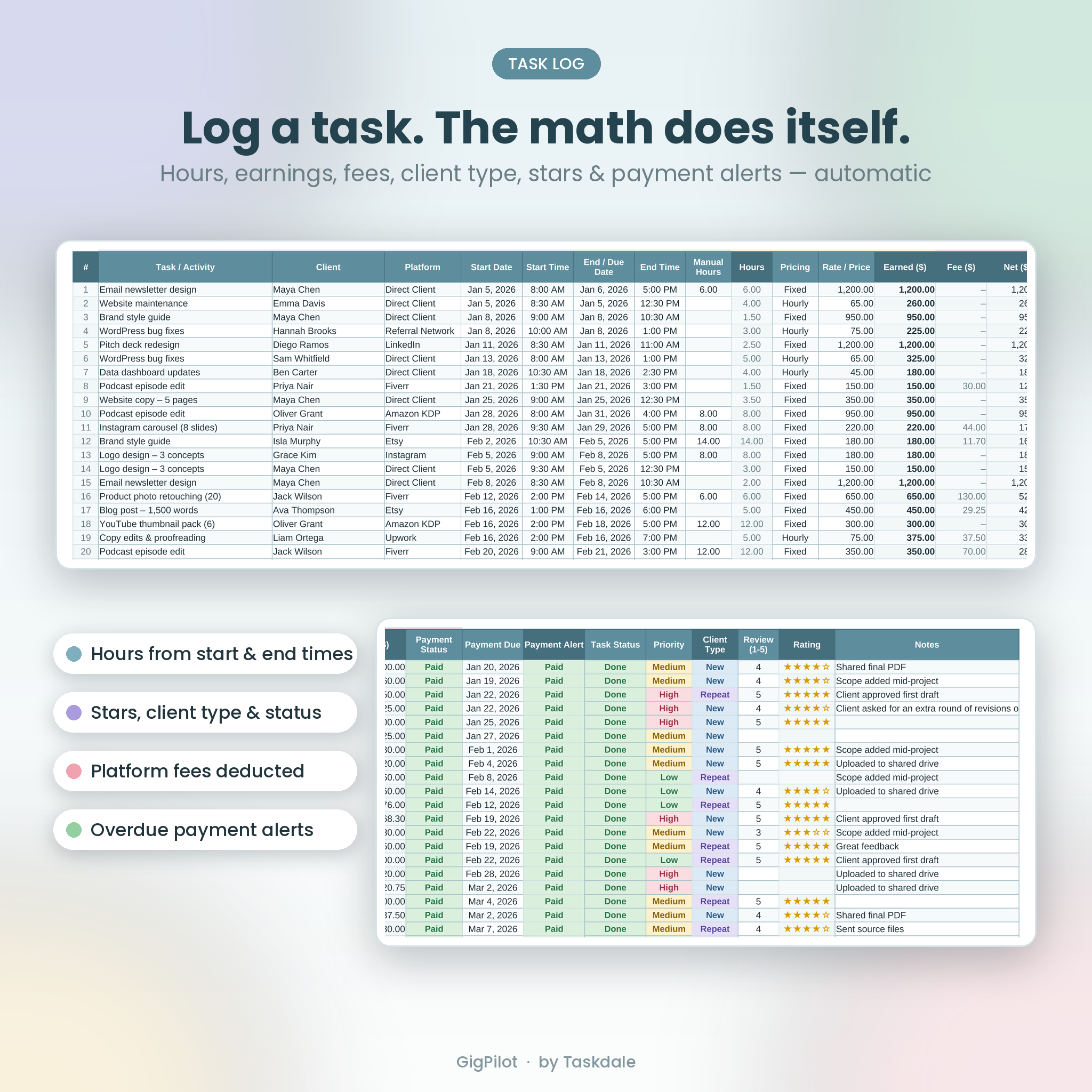
- Hours calculate from start and end dates and times, including overnight work, with a Manual Hours override for multi-day jobs
- Hourly or fixed pricing, with a default hourly rate when you leave the rate blank
- Platform fees deducted automatically to show your net
- Payment status, due date and color-coded payment alerts
- Automatic New or Repeat client tagging, 1–5 star ratings, priority, task status and notes
Client CRM (150 clients)
Store contact details, source and status (Lead, Active, VIP, On Hold, Past). GigPilot adds first and last task date, task count, hours, gross earned, unpaid balance, average rating and effective hourly rate per client.
Platforms and ad spend tracker
Set each platform’s fee %, see its share of your earnings, and track ad budgets, ad spend and net earned per unit of ad spend.
Expense tracker (400 rows)
Categories you can rename, a tax-deductible flag, a receipt check with a missing-receipts counter, and platform tagging for advertising costs.
Monthly report and quarterly tax planner
A 12-month profit and loss view with tasks, hours, gross, fees, net, expenses, ad spend, profit, tax set-aside, effective rate, margin and goal progress, plus expenses by category and a quarterly set-aside table with typical US estimated-tax due dates.
Invoice generator
Choose a client and up to 15 unpaid tasks fill in automatically. Add a date range, tax rate, discount and extra items, then print or save as PDF. Your business details and payment instructions come from Settings.
Rate calculator
Work out your minimum and recommended hourly rate from your income target, expenses, tax rate, time off and billable hours. Build project quotes with a revision buffer, rush fee, discount and platform fee, and price Good · Better · Best packages.
What’s included
- GigPilot Freelance Business Tracker (.xlsx), a blank, ready-to-use workbook with 10 connected tabs: Start Here, Dashboard, Task Log, Clients, Platforms, Expenses, Monthly Report, Invoice, Rate Calculator and Settings
- Illustrated user guide (.docx) with setup steps, how-to for every tab, customization, troubleshooting and FAQs
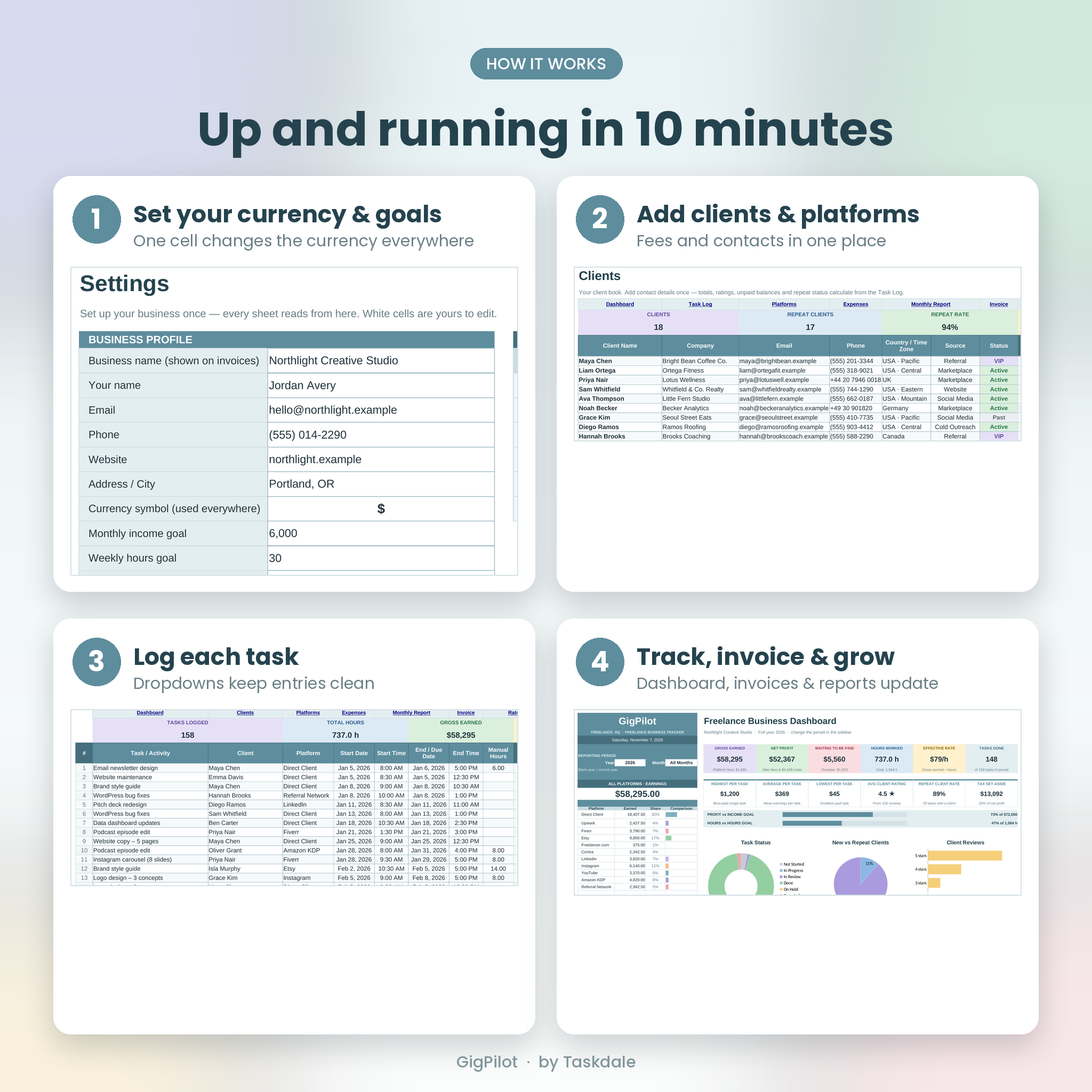
How it works
- Download your two files right after purchase.
- Open the .xlsx in Excel, or upload it to Google Drive and open it with Google Sheets.
- On Settings, add your business name, currency symbol, goals and default rate.
- Add your platforms and clients, then log your tasks and expenses.
- Pick a year and month on the Dashboard and watch everything update.
File formats and software requirements
- File format: .xlsx (workbook) and .docx (user guide), delivered as two instant downloads
- Microsoft Excel 2019, Excel 2021 or Microsoft 365 for Windows or Mac
- Google Sheets (free with a Google account): formulas, dropdowns, colors and charts all work
- Not compatible with Excel 2016 or older, Apple Numbers or Excel Starter
Customization
Change the currency once in Settings and every card, header and invoice total follows, with $ as the default. Rename platforms, expense categories, client sources and statuses. Formula cells are locked to protect them, with no password, so you can unprotect any sheet to change colors, layouts or formulas.
Digital download
This is a digital product. No physical item will be shipped. Your files are available to download right after payment. The license covers personal use by the purchaser, including running your own freelance business; it does not allow resale, sharing or redistribution.
Perfect for
- Graphic designers and illustrators tracking client projects, revisions and fees
- Writers, editors and copywriters billing by the hour or by the piece
- Virtual assistants managing several clients each week
- Developers and web designers juggling retainers and one-off builds
- Coaches and consultants logging sessions and payments
- Etsy, Fiverr and Upwork sellers comparing platforms and ad spend
- Content creators tracking brand deals, edits and deliverables
FAQ
Does this freelancer tracker work in Google Sheets?
Yes. Upload the .xlsx to Google Drive and open it with Google Sheets. Formulas, dropdowns, colors and charts all work.
Does it work on Mac?
Yes, in Excel 2019 or newer for Mac, Microsoft 365 or Google Sheets.
Can I use my own currency?
Yes. Pick a symbol (or type your own) in Settings and the whole workbook updates. $ is the default.
How many tasks, clients and expenses can I track?
500 tasks, 150 clients and 400 expenses per file. The guide shows how to add rows, and many freelancers start a fresh copy each year.
Can I create invoices with it?
Yes. Choose a client on the Invoice tab and their unpaid tasks fill in automatically, ready to print or save as PDF.
Is it a subscription?
No. It’s a one-time digital download with no monthly fees.
Is this tax software?
No. It’s a tracker and planning tool. The tax set-aside is a savings guide, not tax advice.

Reviews
There are no reviews yet.