

Hearthvault is a home inventory spreadsheet for Excel that keeps a full record of what you own. You list your belongings once, room by room. The workbook then works out what each item is worth today, warns you before warranties end, checks your total against your insurance contents limit and builds a claim list for you if something is lost, stolen or damaged. It also tracks moving boxes, so you know what is inside every box on moving day.
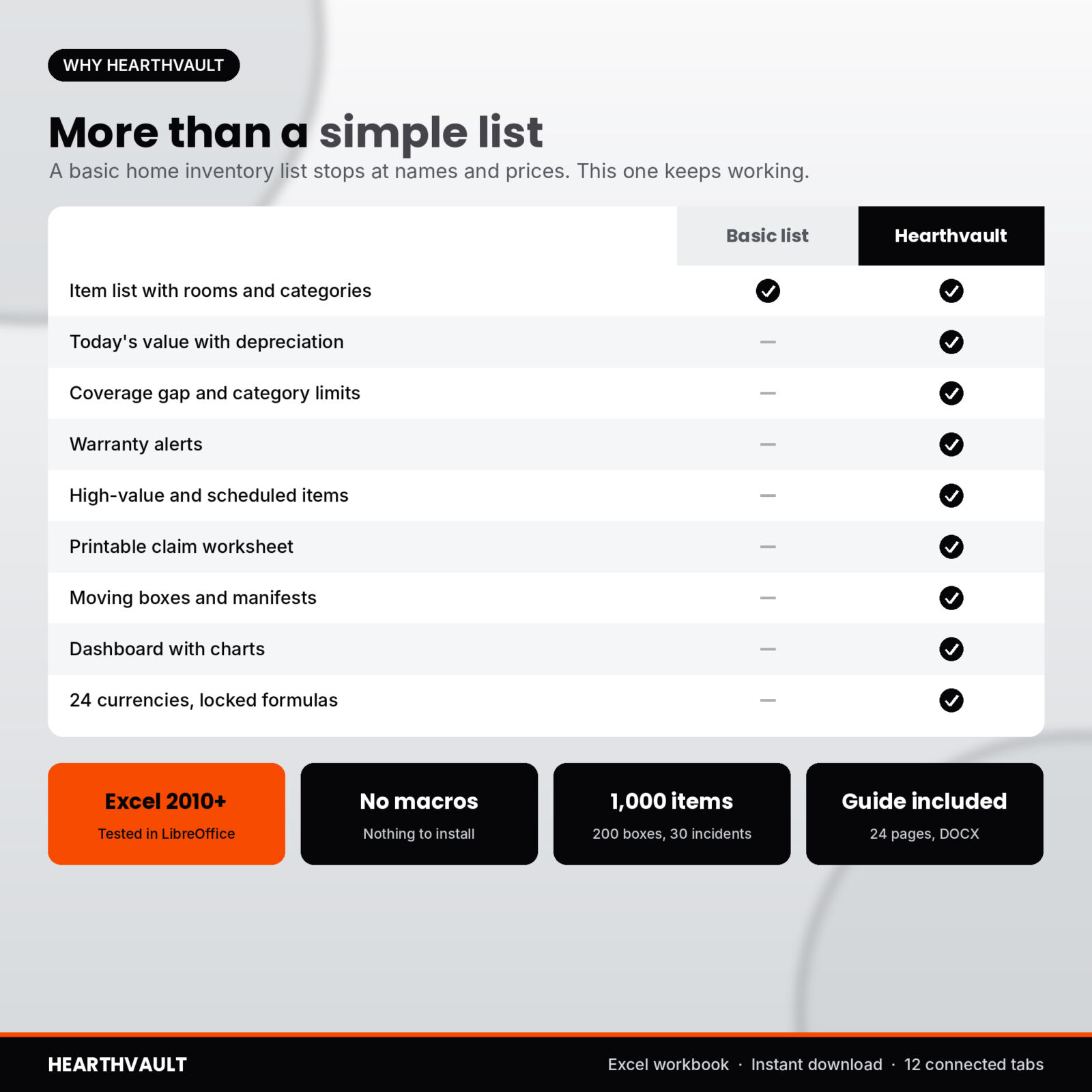
Most home inventory templates stop at a list of names and prices. That helps, but it does not tell you whether your policy still covers what you own. Hearthvault does the math for you and shows the answer in one sentence.
What this home inventory spreadsheet does
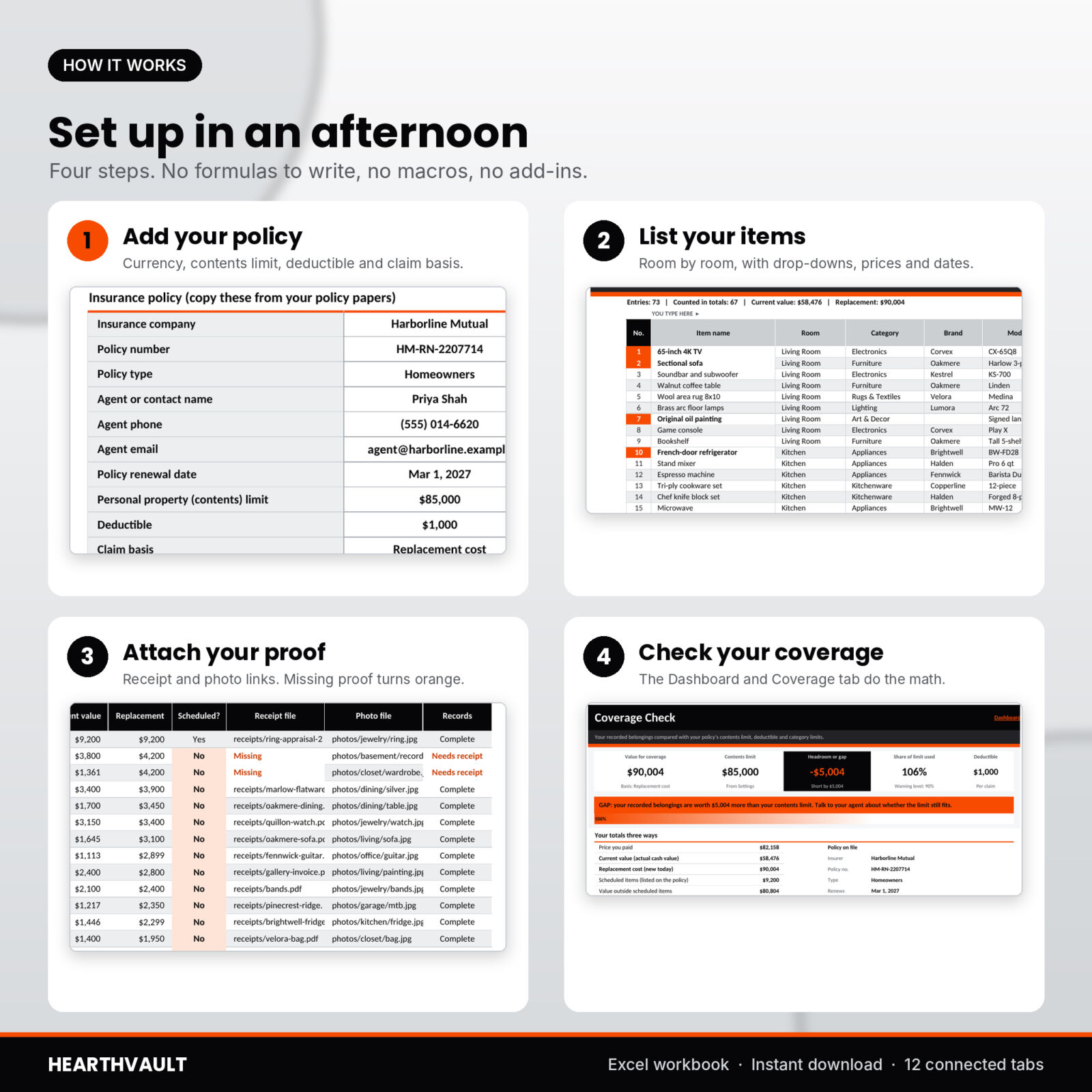
- Item register for up to 1,000 items. Room, category, brand, model, serial number, quantity, purchase date, price paid, condition, replacement cost, warranty end date, receipt file, photo file and where the paper receipt is kept.
- Today’s value, worked out for you. Pick Depreciate, Hold value or My value per item. Depreciation uses a useful life and a floor value for each category, which you can change.
- Coverage gap check. Enter your contents limit, deductible and claim basis (replacement cost or actual cash value). The Coverage tab shows your headroom or gap, the share of your limit you use, and a category check for special limits such as jewelry or silverware.
- Warranty alerts. Every warranty sorted by end date, with items inside your alert window (60 days by default) flagged in orange.
- High-value list. Everything above your threshold, biggest first, with scheduled status and whether the receipt and photo are on file.
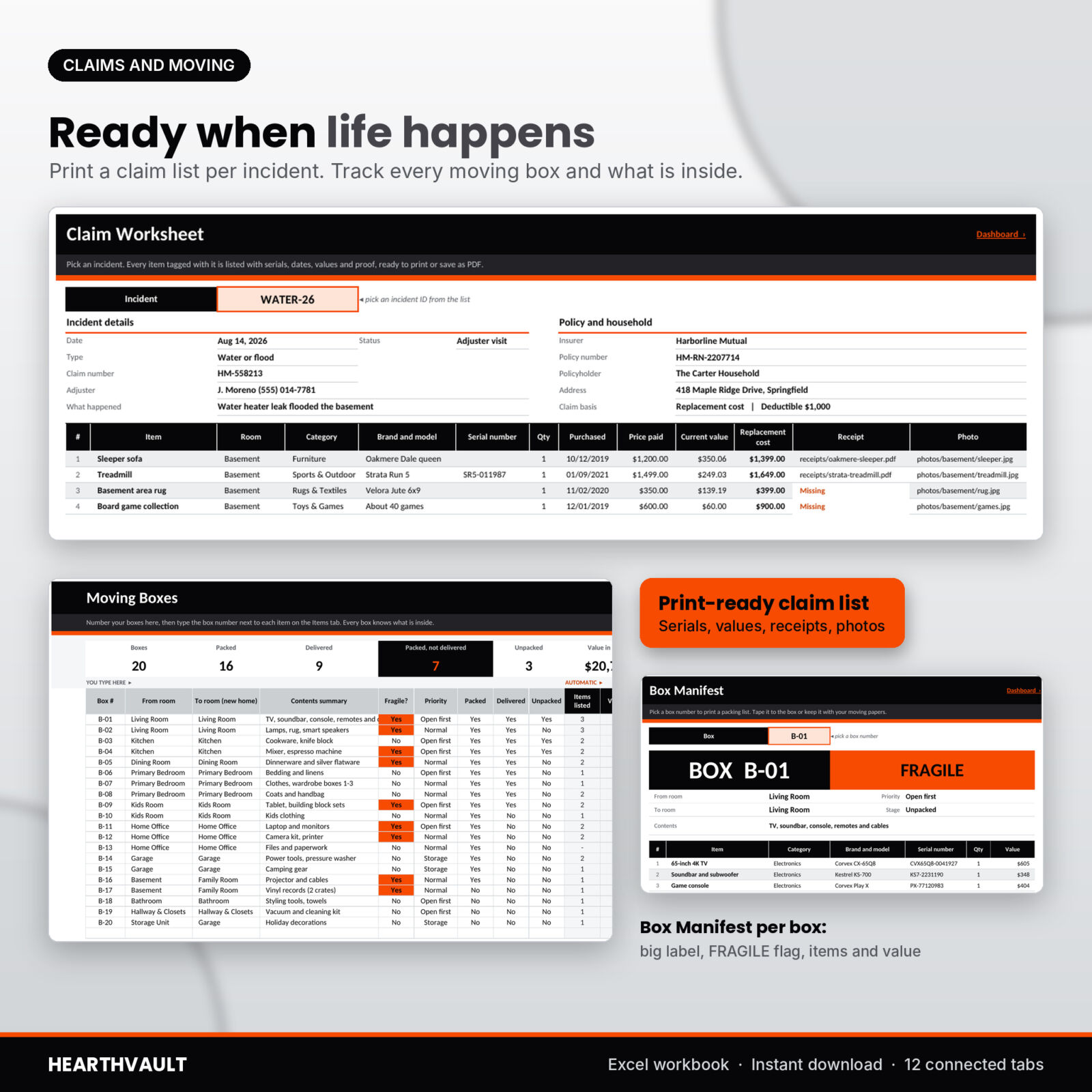
- Claims Log and printable Claim Worksheet. Log each incident, tag the affected items, then pick the incident to print a full claim list with serials, values, receipts and photos, plus an estimate after your deductible.
- Moving box tracker. Number up to 200 boxes, mark them packed, delivered and unpacked, and see the value inside each box. The Box Manifest prints a packing list with a big box label and a FRAGILE flag.
- Room-by-room summary with item counts, price paid, today’s value, replacement cost and missing records per room.
The dashboard
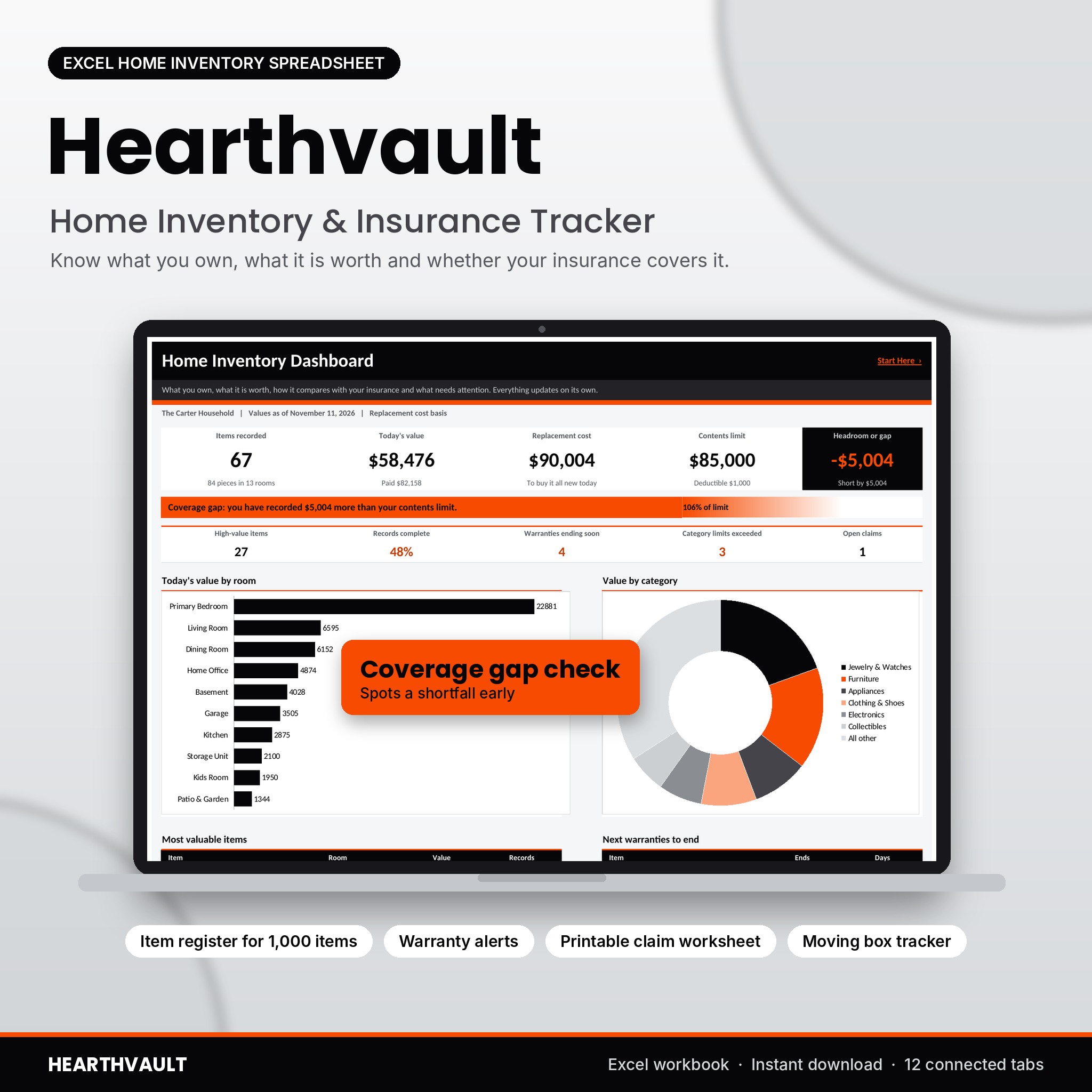
Five headline cards show items recorded, today’s value, replacement cost, your contents limit and your headroom or gap. A coverage banner turns orange the moment your recorded value passes your limit. Below that you get value by room and by category, your eight most valuable items, the next eight warranties to end, a proof-of-ownership chart and moving progress. It all updates as you type.
Who it is for
- Homeowners and renters who want proof of what they own before they need it.
- Anyone reviewing contents cover at renewal.
- Families getting ready to move.
- People downsizing, settling an estate or keeping a record for a storage unit.
Real situations where it helps
After a burst pipe
Tag the damaged items with an incident ID such as WATER-26. The Claim Worksheet lists them with purchase dates, serials, today’s value and replacement cost, ready to send to your adjuster.
At policy renewal
Open the Coverage tab. In the sample household, $90,004 of belongings sit under an $85,000 limit, so the banner shows a $5,004 gap and three category limits exceeded. That is a useful conversation to have with your agent.
On moving day
Mark boxes as they come off the truck. The Packed, not delivered card shows any box still missing, and the manifest tells you what was in it.
What is included
- Hearthvault-Home-Inventory.xlsx: 12 tabs (Start Here, Dashboard, Items, Rooms, Coverage, High-Value, Warranties, Claims Log, Claim Worksheet, Moving Boxes, Box Manifest, Settings), blank and ready for your home with room and category lists filled in.
- Hearthvault-User-Guide.docx: a 24-page guide covering setup, every tab, how values are worked out, tips, troubleshooting and FAQs.
File format and software
Excel workbook (.xlsx). Built for Microsoft Excel 2010 or newer and tested in LibreOffice Calc. No macros, add-ins or internet connection needed. Formula cells are locked without a password, input cells stay open, and drop-downs come from your own lists. It has not been tested in Google Sheets or Apple Numbers.
Make it yours
Pick one of 24 currency symbols and every money cell switches. Rename rooms and categories, set your own useful life and floor values, change the high-value threshold and the warranty alert window. Print tabs are set to US Letter, and you can switch to A4 in your print settings.
Digital download
This is a digital product. You get instant access to the workbook and the user guide after purchase. Nothing is shipped. Personal license for one household: please do not resell, share or give away the files.
Hearthvault is a record-keeping tool, not insurance advice. Your policy and your insurer decide what is covered and paid.
FAQ
Does this home inventory template work on a Mac?
It is built for Microsoft Excel 2010 or newer and was tested in LibreOffice Calc, which runs on Mac. It has not been tested in Apple Numbers.
Does it work in Google Sheets?
It was not tested in Google Sheets, so we do not promise it. Excel or LibreOffice is recommended.
How many items can I list?
Up to 1,000 item rows, 200 moving boxes and 30 incidents. A set of matching items counts as one row.
Can I store photos in the spreadsheet?
The workbook stores the file name or link for each receipt and photo, which keeps the file small. Keep the images in a cloud folder.
What is the difference between replacement cost and actual cash value?
Replacement cost is what a new item costs today. Actual cash value is that cost minus wear and age. Pick the one your policy uses on the Settings tab.
Can I use my own currency?
Yes. Choose from 24 currency symbols on Settings. The default is $.
Will it tell me how much insurance to buy?
No. It shows how your recorded value compares with the limit you enter, so you can discuss it with your agent.
Reviews
There are no reviews yet.