A youth sports team manager spreadsheet that does the busywork for you
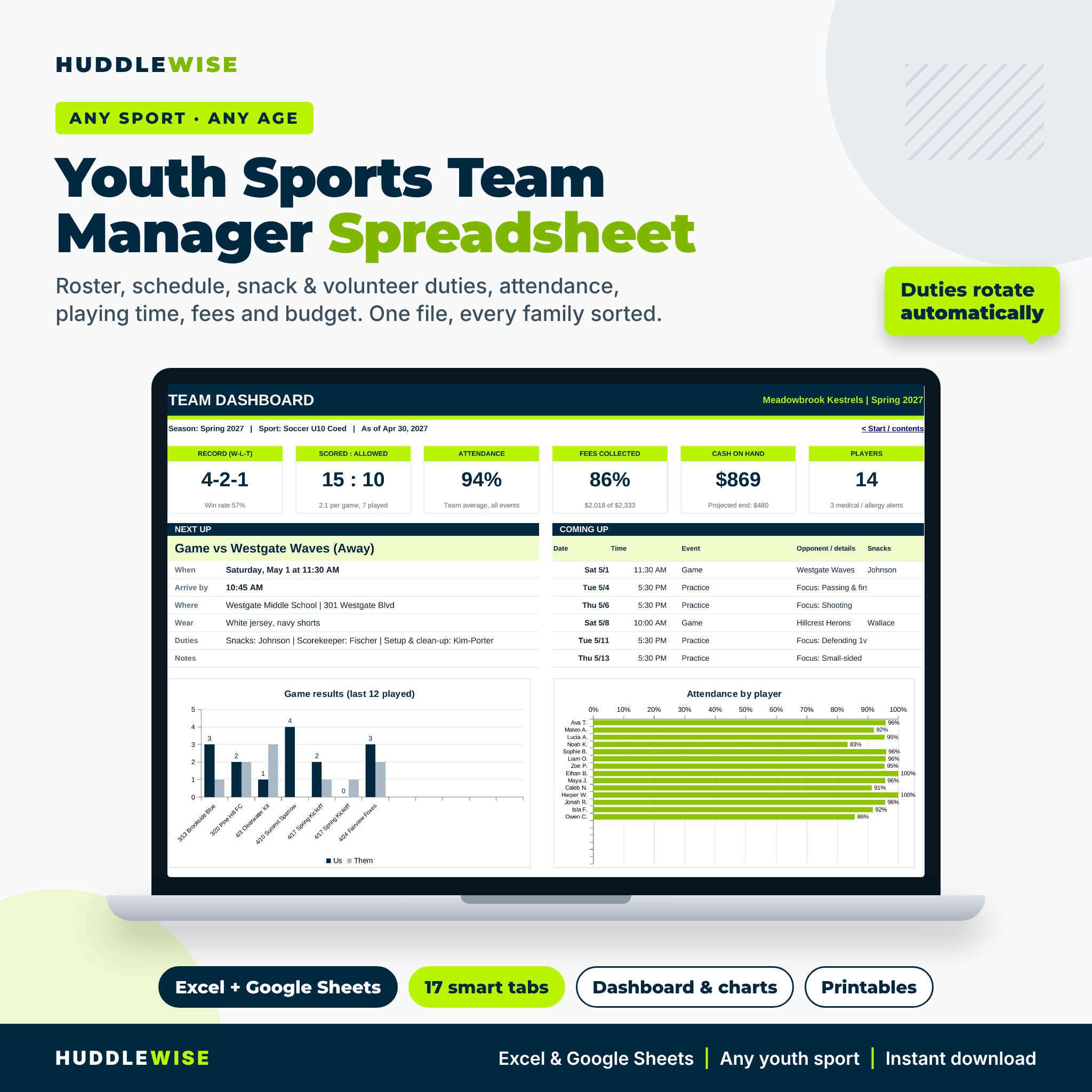
Huddlewise is a youth sports team manager spreadsheet for team parents, volunteer coaches and team treasurers. Type in your players, families and dates once, and the workbook rotates snack and volunteer duties, works out arrival times and uniforms, keeps attendance percentages, tracks fair playing time, shows who still owes fees and reports where the team money went. Everything lands on one dashboard you can check in ten seconds before practice.
It works for any sport. Choose soccer, baseball, softball, basketball, volleyball, football, flag football, ice hockey, lacrosse, rugby, field hockey or water polo and the position list fills itself in. Pick Other for anything else.
Who it is for
- Team managers and team parents who juggle snacks, volunteers and a phone full of parent contacts
- Volunteer coaches who want every child to get fair minutes and a quick plan for game day
- Treasurers who collect fees, pay referees and need a clear team balance
- Rec, school, club and travel teams of any age
Main benefits
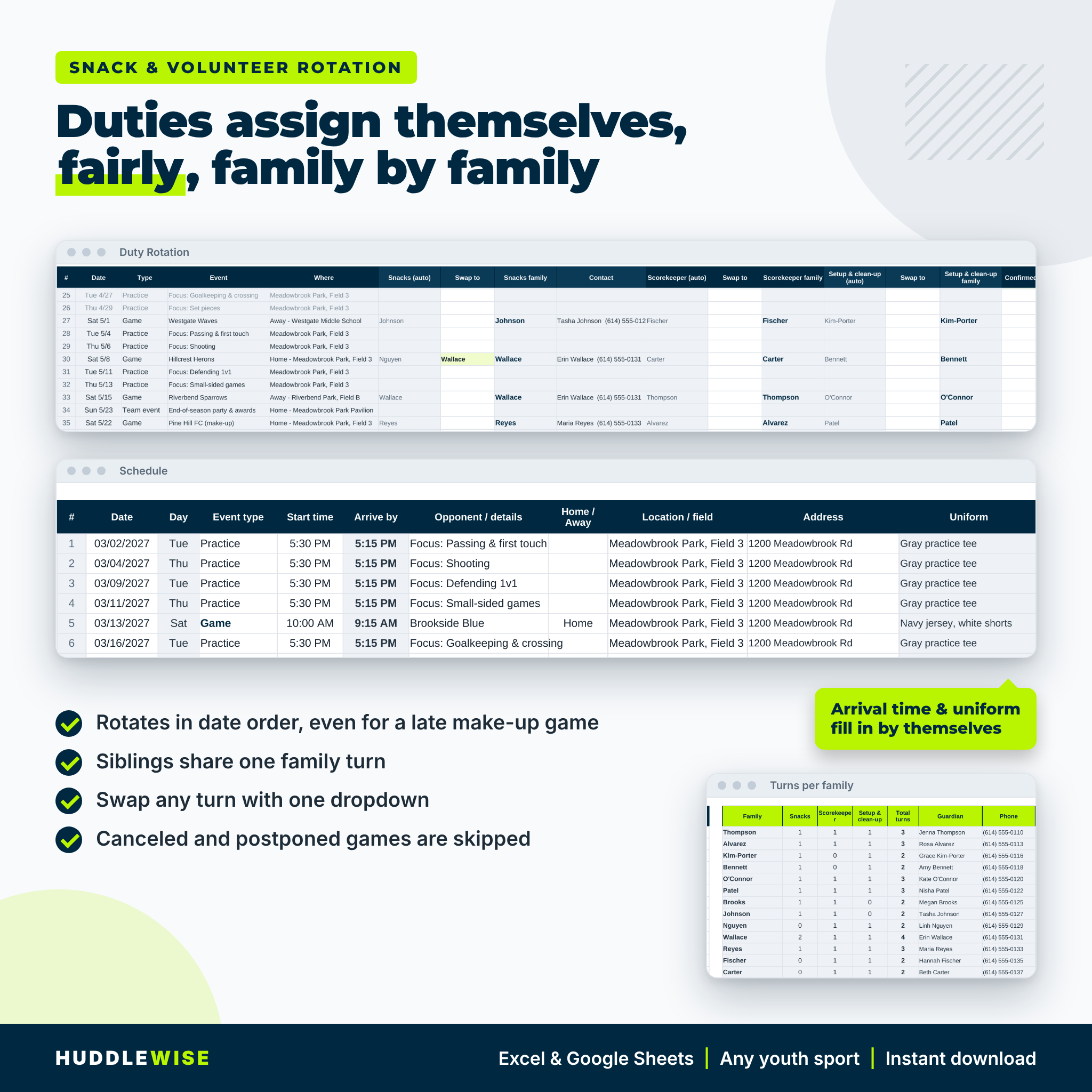
- No more snack chaos. Families are assigned in date order, siblings share one turn, canceled games are skipped and any turn can be swapped with one dropdown.
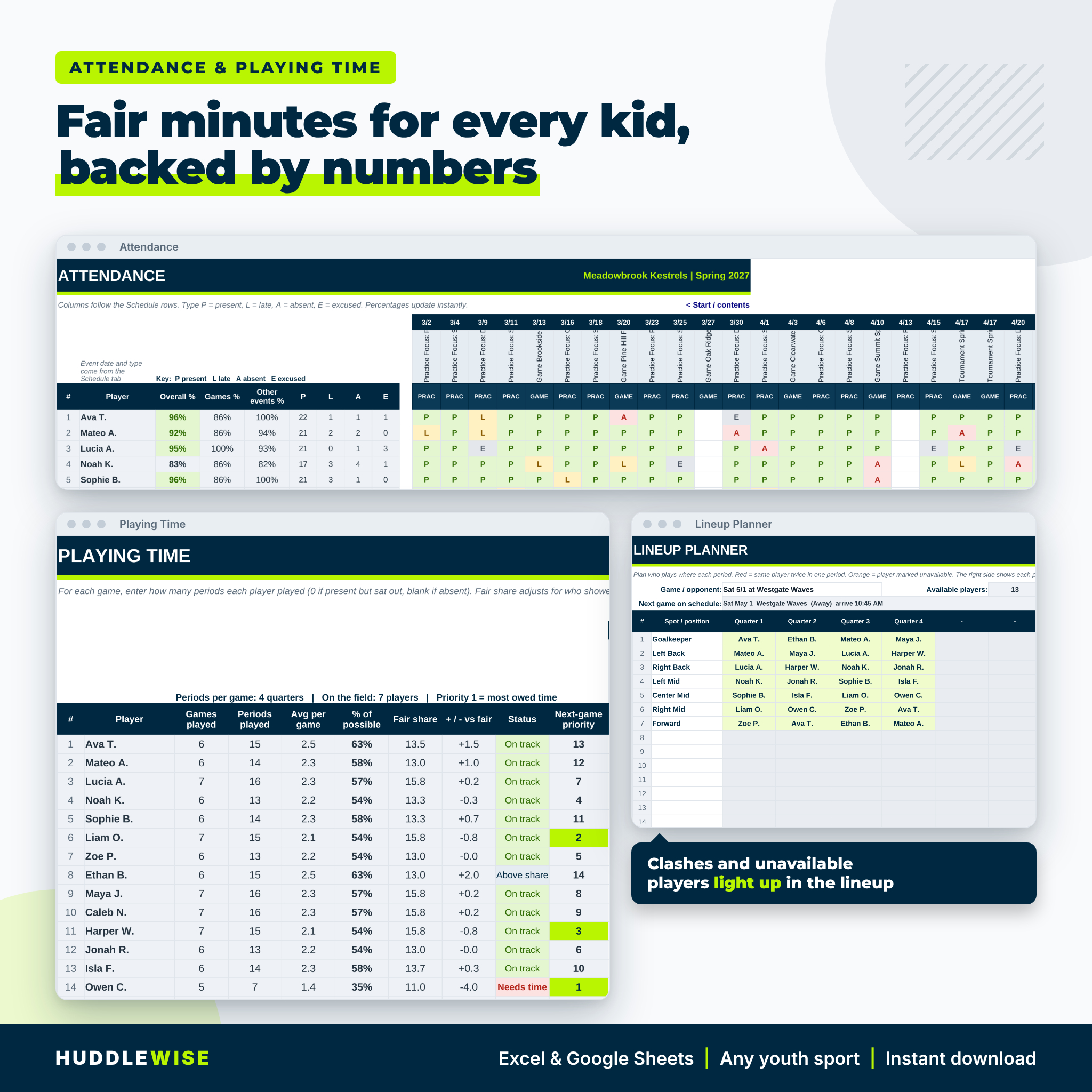
- Fair playing time you can show. Fair share takes into account who was at each game, and a priority number tells you who is owed time next.
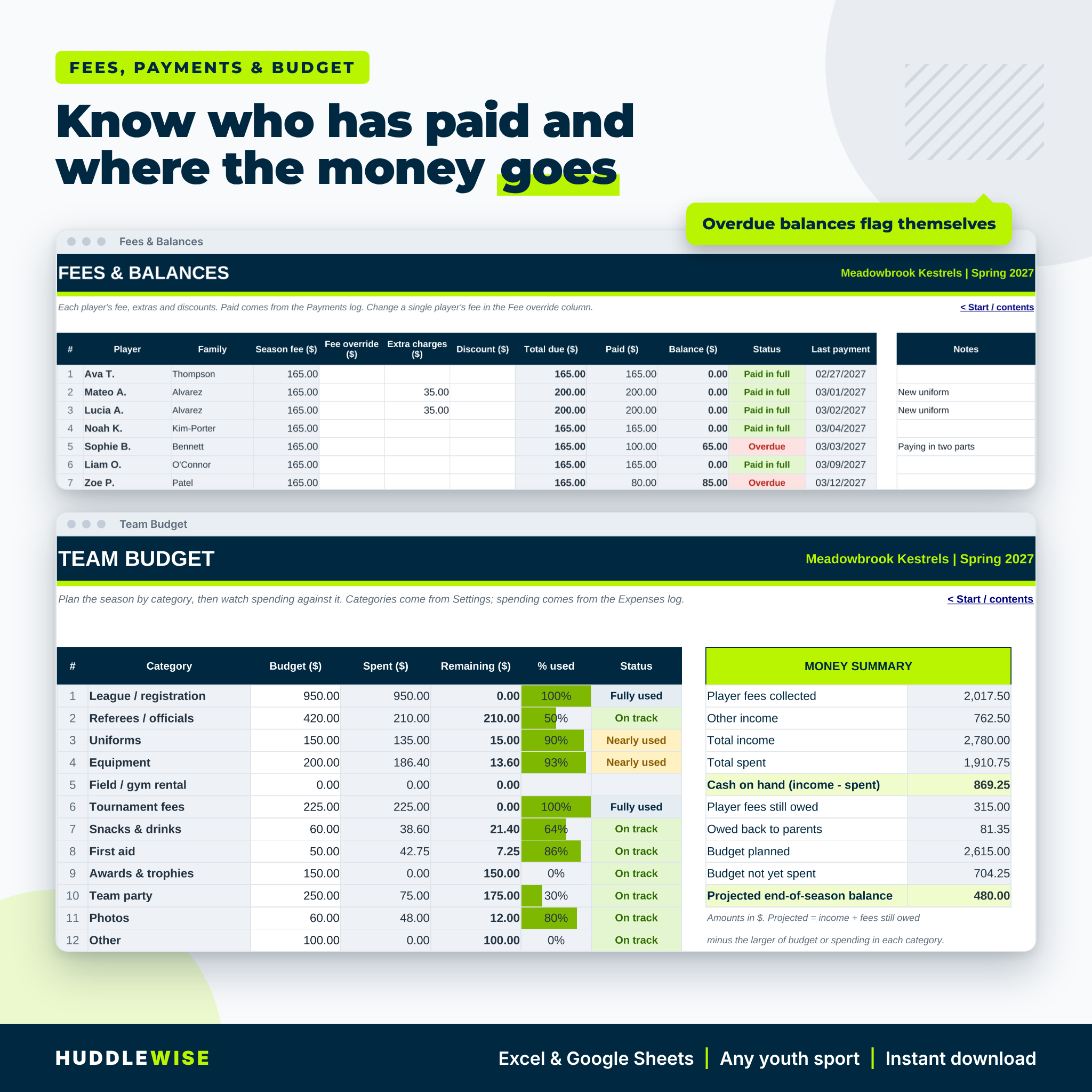
- Fees without awkward chasing. Balances, Partial and Overdue status update the moment you log a payment.
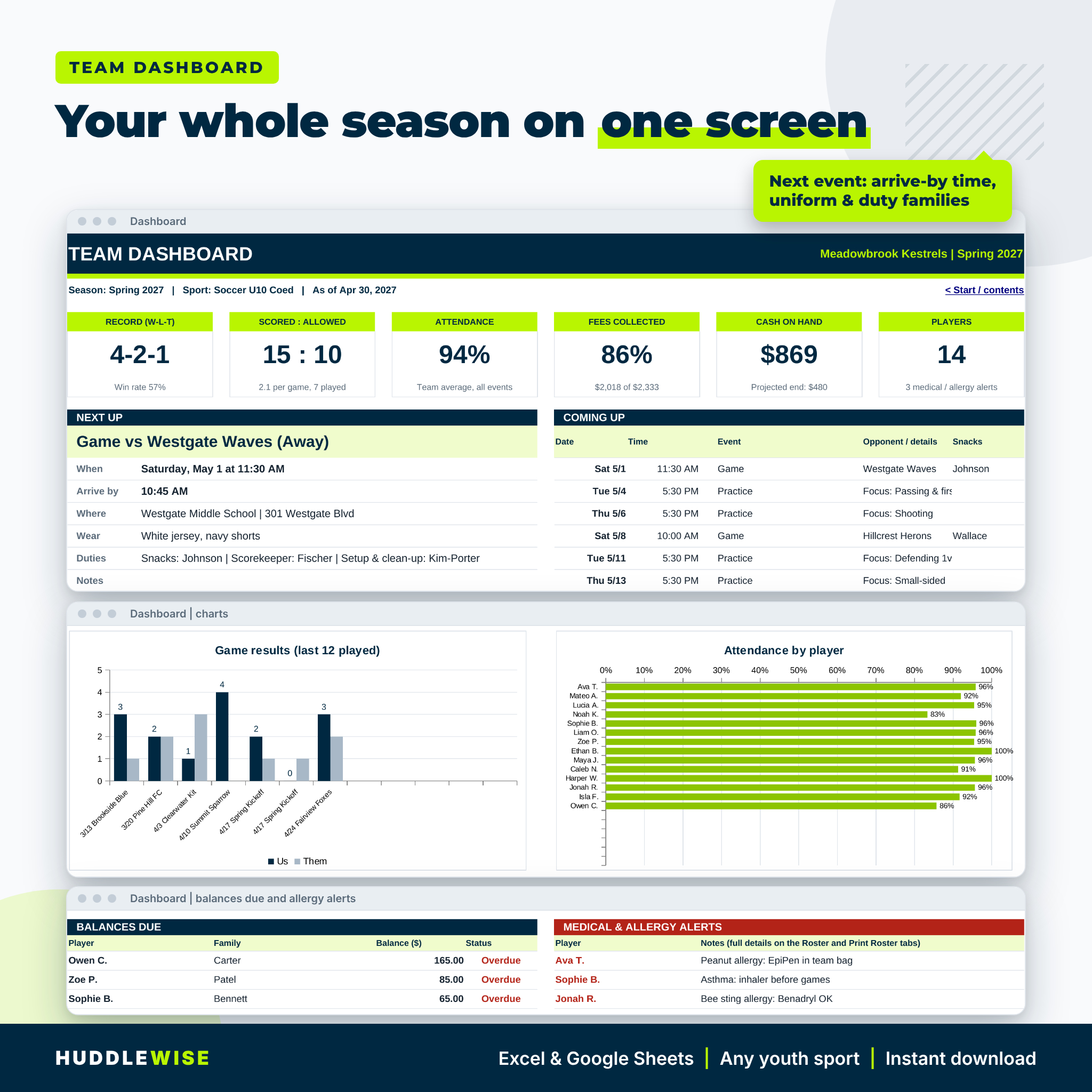
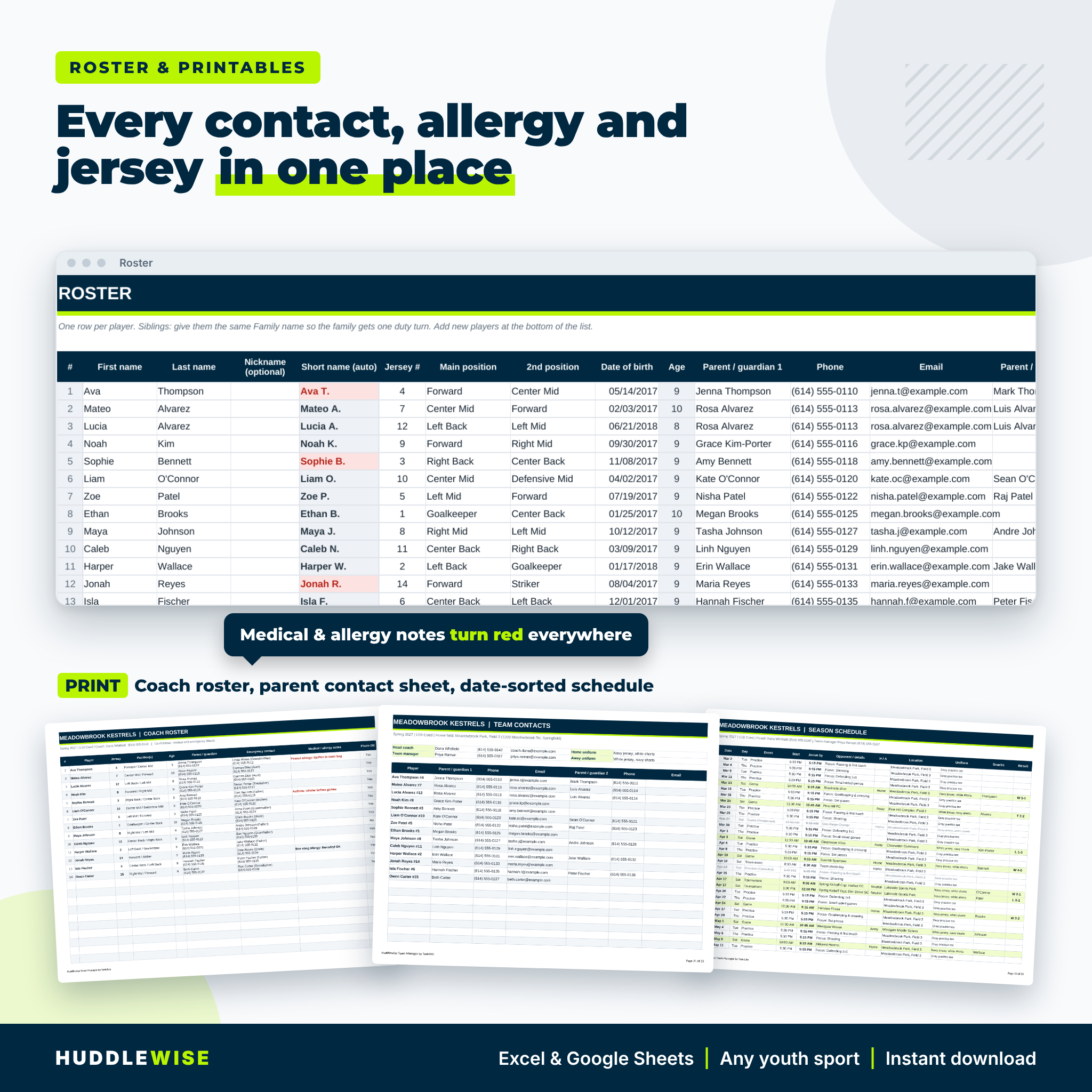
- Safety information at hand. Allergy and medical notes turn red on the roster, appear on the dashboard and print on the coach roster.
- No app or subscription. Families do not need logins. You keep the file and share printouts or PDFs.
Features of the team manager spreadsheet
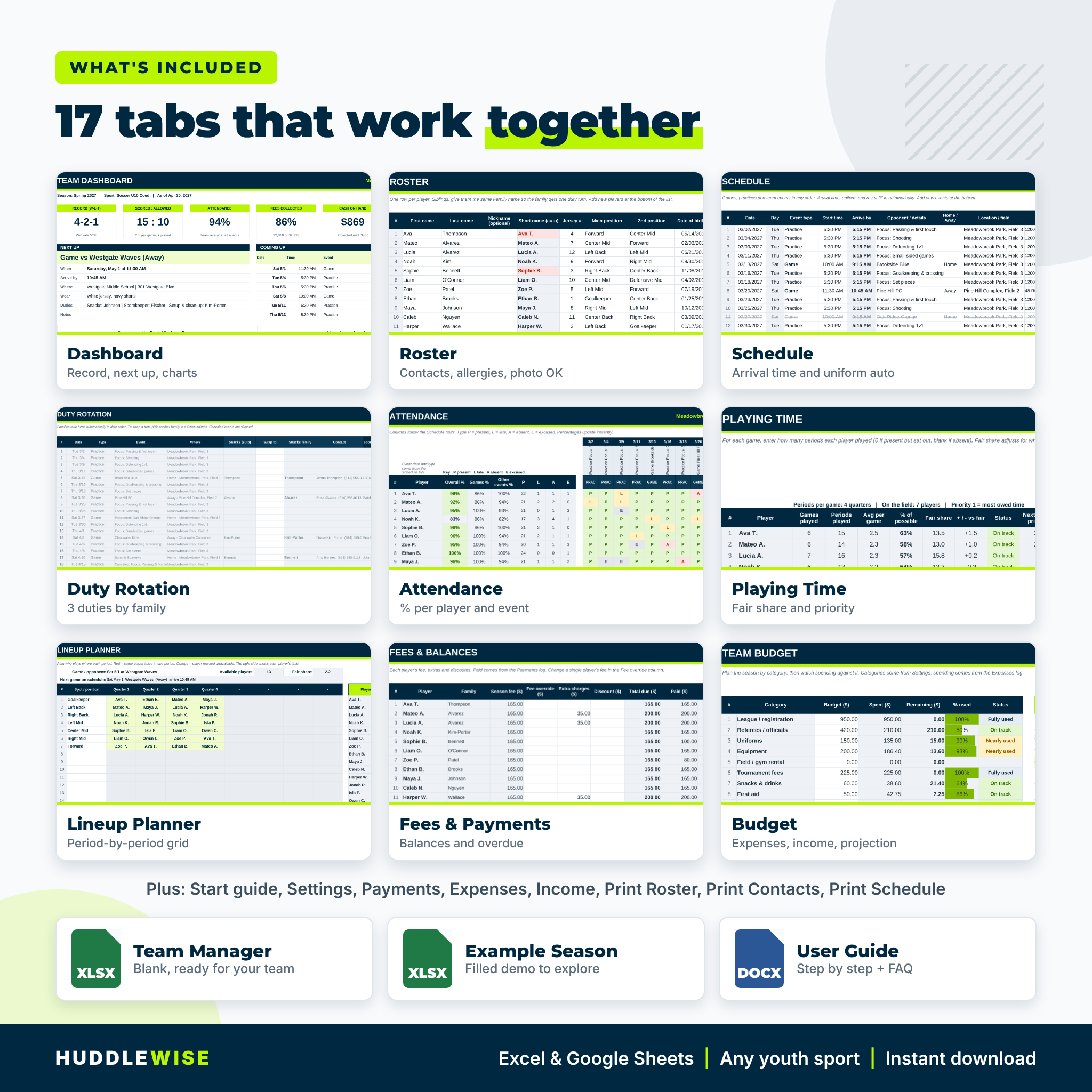
Roster and contacts
Up to 30 players with jersey number, two positions, date of birth and automatic age, two parents or guardians, emergency contact, medical and allergy notes, photo release and family name. Duplicate jersey numbers and duplicate short names are flagged.
Season schedule
Up to 75 games, practices, tournaments and team events in any order. Day, arrive-by time, uniform (home, away or practice wear) and the W/L/T result fill in automatically. Canceled and postponed events are struck through.
Snack and volunteer duty rotation
Three duties you name yourself, such as Snacks, Scorekeeper and Setup & clean-up, rotate through the families. A turns-per-family table with guardian phone numbers keeps it fair.
Attendance tracker
Present, late, absent or excused for every event, with overall, games-only and practice percentages per player plus turnout per event. You choose whether excused absences count.
Playing time and lineup planner
Enter periods played per game (quarters, halves, innings or sets). See games played, % of possible time, fair share, status and next-game priority. The lineup planner maps every position for every period and lights up clashes and unavailable players.
Fees, payments, expenses and budget
Set one season fee, then override, add extra charges or apply discounts per player. Log payments, expenses and sponsor or fundraiser income. The budget tab compares plan to spending by category and projects your end-of-season balance.
Dashboard and printables
Record and win rate, points scored and allowed, attendance, fees collected, cash on hand, next event with duty families, the next six events, four charts, balances due and allergy alerts. Print tabs give you a coach roster, a parent contact sheet and a date-sorted season schedule.
What is included
- Huddlewise Team Manager workbook (.xlsx), blank and ready for your team, 17 tabs
- Example Season workbook (.xlsx) filled with a fictional team so you can see every feature working
- Designed user guide (.docx) with screenshots, troubleshooting and FAQ
How it works
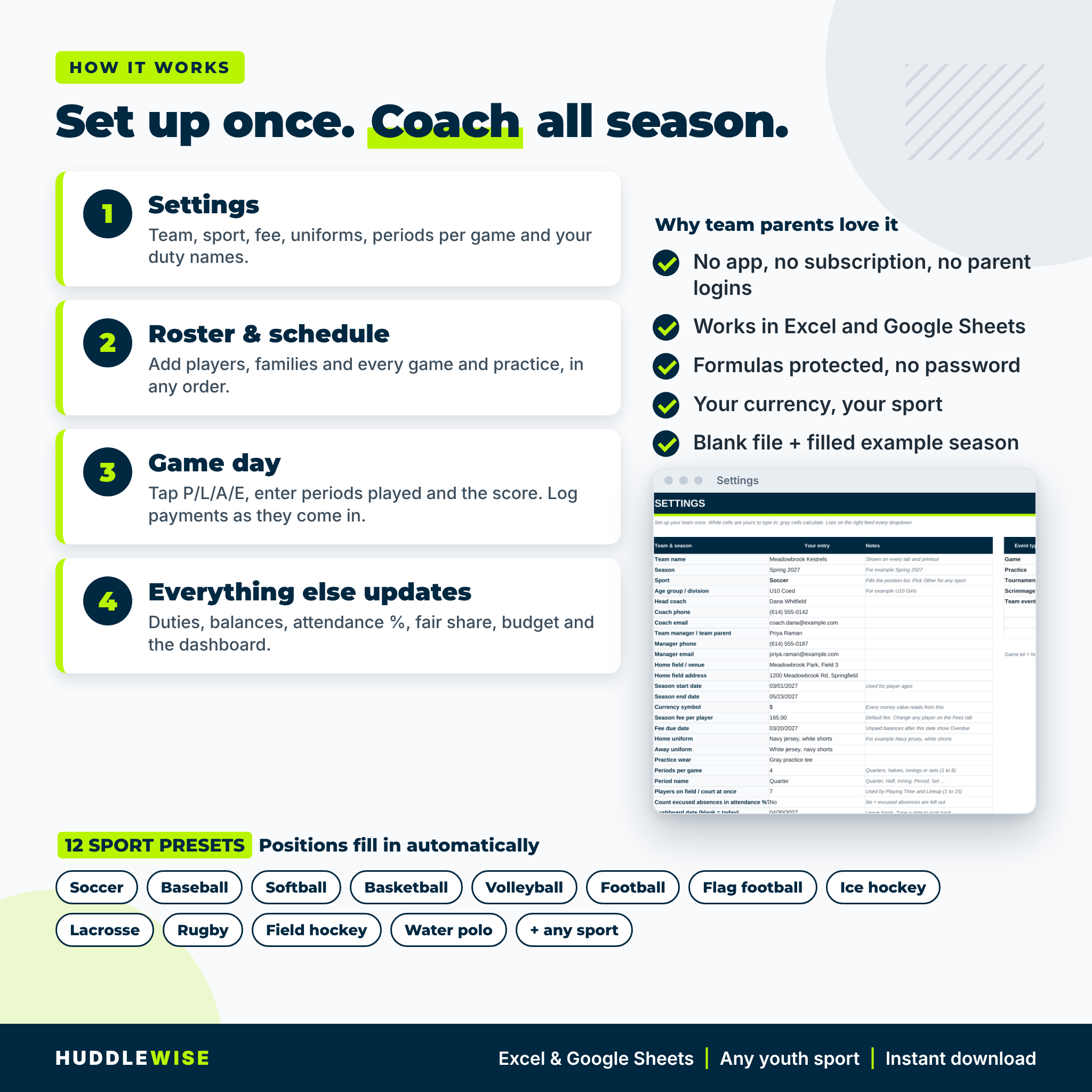
- Fill in Settings: team, sport, currency, fee, uniforms, periods per game and duty names.
- Add the roster and the schedule.
- On game day, mark attendance, enter periods played and the score, and log payments as they arrive.
- Everything else updates: duties, balances, percentages, fair share, budget and the dashboard.
File formats and software requirements
Two .xlsx workbooks and one .docx guide. Works in Microsoft Excel 2016 or newer, Excel for Microsoft 365 and Excel for Mac, and in Google Sheets (File > Import). No macros, scripts or add-ins. The guide opens in Word, Google Docs or any word processor.
Customization
Rename duties, event types, payment methods and expense categories; type your own positions; set any currency symbol. Formulas look things up by position, so renaming never breaks a total. Sheets are protected without a password so formulas stay safe, and you can unprotect them in one click to change the design.
Digital download
This is a digital product. You download the files right after purchase; nothing is shipped. Personal use only (or use within your own team or club). You may not resell, share or redistribute the files.
Real situations where it helps
- A U8 soccer team parent publishes the full snack schedule before the first game and never answers “whose turn is it?” again.
- A baseball coach checks innings played after a tournament weekend and starts the players most owed time.
- A volleyball club treasurer sends three families a friendly reminder because their balances show Overdue.
- A basketball manager prints the coach roster with allergy notes for the assistant coach running an away game.
FAQ
Does this team manager spreadsheet work in Google Sheets?
Yes. Import the .xlsx file into Google Sheets. Formulas, dropdowns, colors and charts carry over.
Which sports does it support?
Any team sport. Twelve sports have position presets, and Other lets you type your own.
How does the snack schedule decide whose turn it is?
Families take turns in date order. Siblings share one family turn, canceled events are skipped, and you can swap any turn.
How many players and games does it hold?
30 players, 75 schedule events, 40 games of playing time, 200 payments, 200 expenses and 60 income entries.
Can I use a currency other than dollars?
Yes. Change the currency symbol once on Settings and every money label follows.
Do I need any special software or macros?
No. It uses standard formulas only, with no macros or add-ins.
Can I reuse it next season?
Yes. Save a copy, clear the season entries and keep your settings and families.
Reviews
There are no reviews yet.