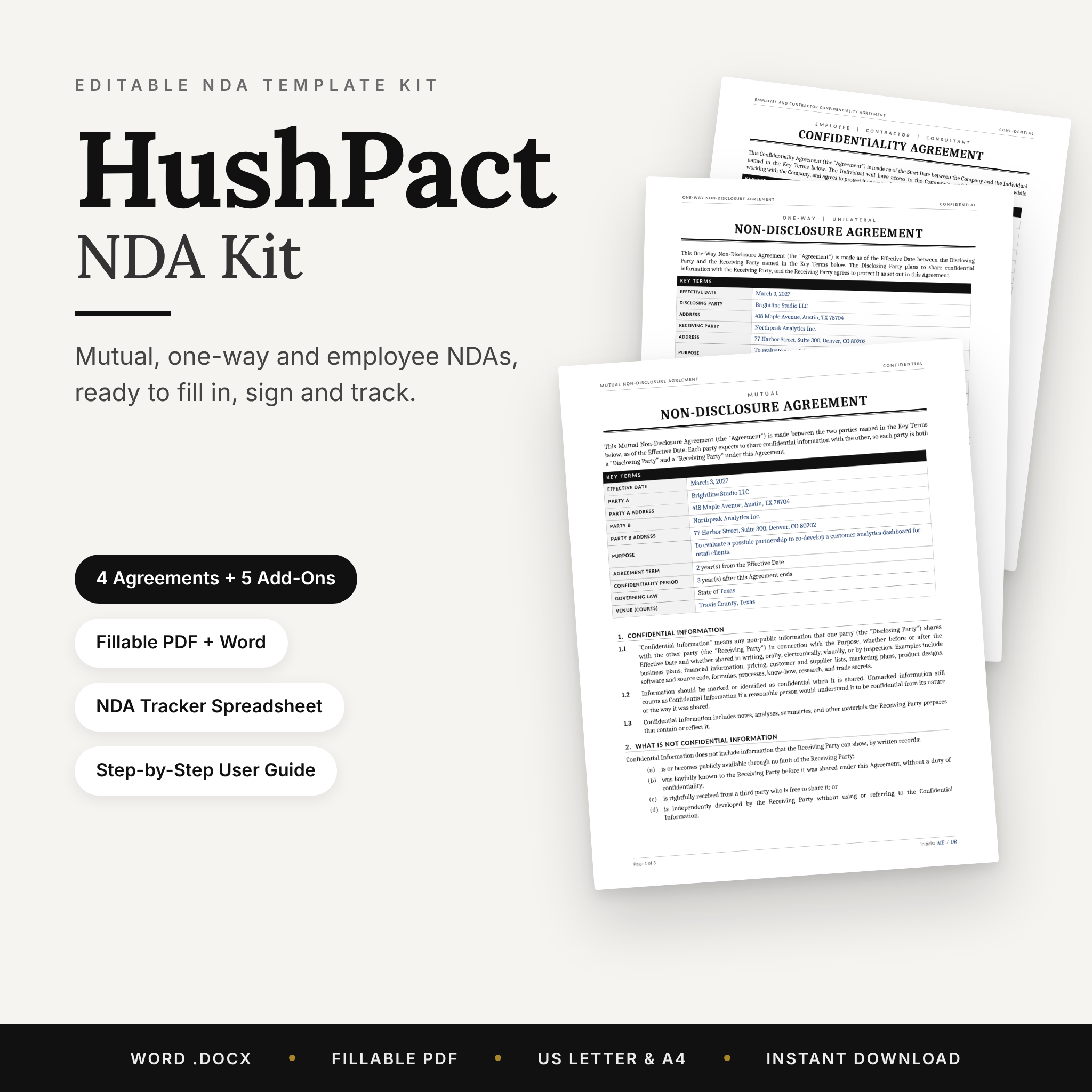
Sharing an idea, a client list, or your numbers with someone new? Get it in writing first. The HushPact NDA Kit is an editable NDA template bundle with four non-disclosure and confidentiality agreements, fillable PDF versions, and the follow-up paperwork most templates forget. Fill it in tonight, send it tomorrow, and keep track of it for as long as it matters.
Every agreement is written in plain English, so the other side can read it in a few minutes and sign without a week of back and forth.
What This NDA Template Bundle Does
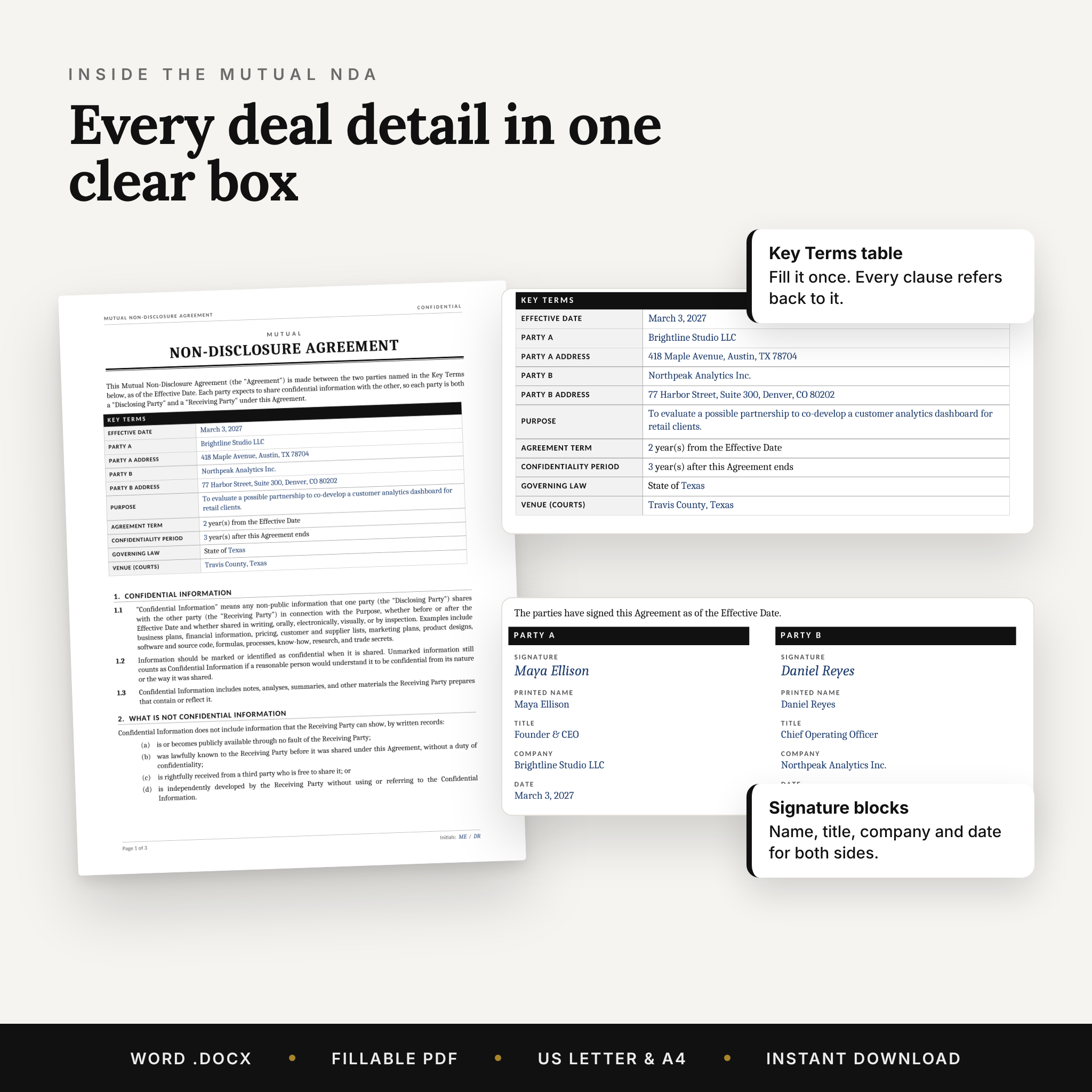
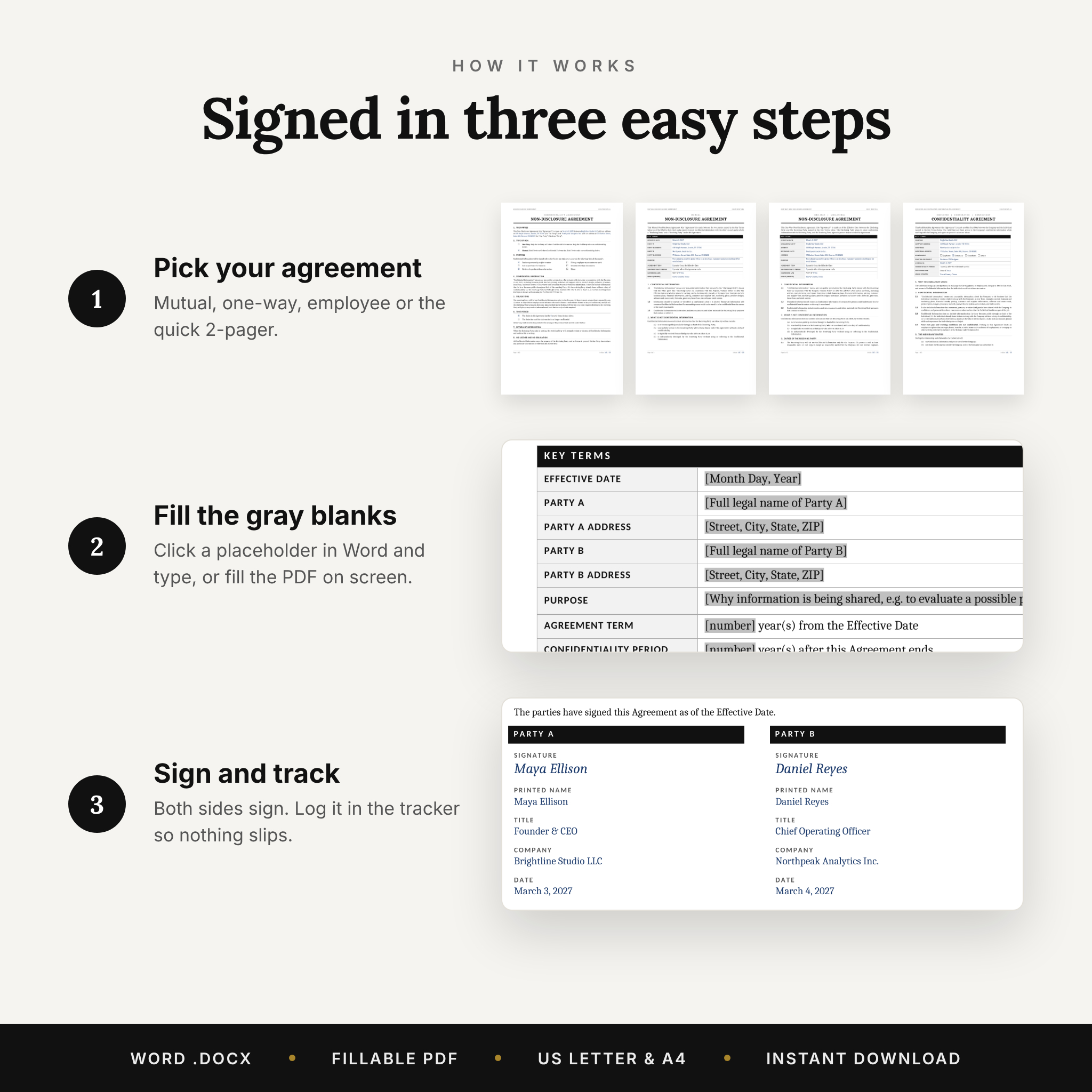
Pick the agreement that fits your situation, fill in the Key Terms box at the top, replace the gray placeholders, and sign. That’s it. Names, dates, the purpose of sharing, the time periods, and the governing state all sit in one clear table, and the clauses below refer back to it. No hunting through pages to find the blanks.
The fillable PDFs go a step further. Type a party name once and every matching blank fills itself in, including the signature block. Initials typed on page one show up on every page.
Who It’s For
- Freelancers and consultants sharing samples, pricing, or client details
- Startup founders talking to investors, partners, or early hires
- Small business owners bringing on contractors, interns, or suppliers
- Inventors and makers showing a product before launch
- Anyone who wants a solid confidentiality agreement template without paying for a custom draft
What’s Included
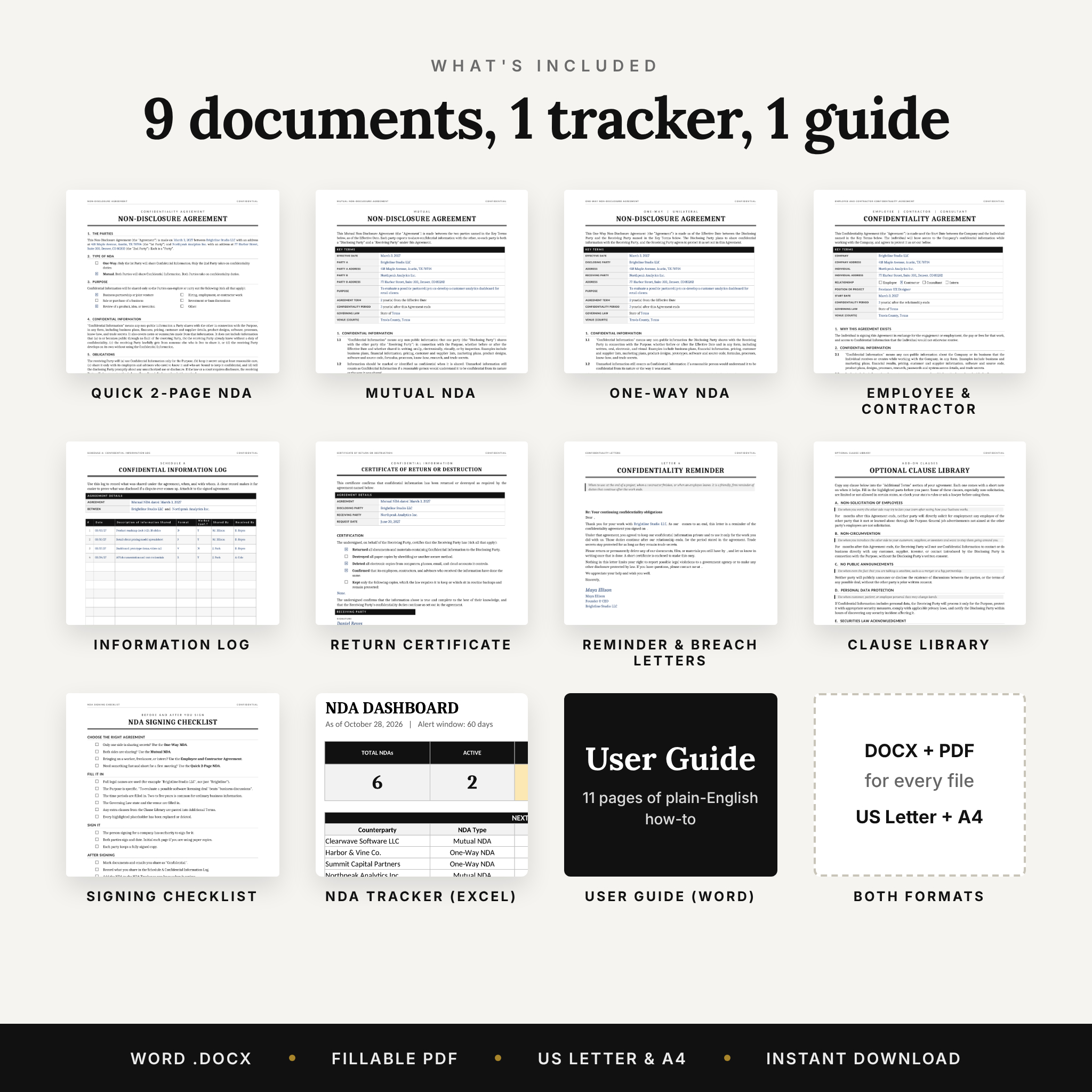
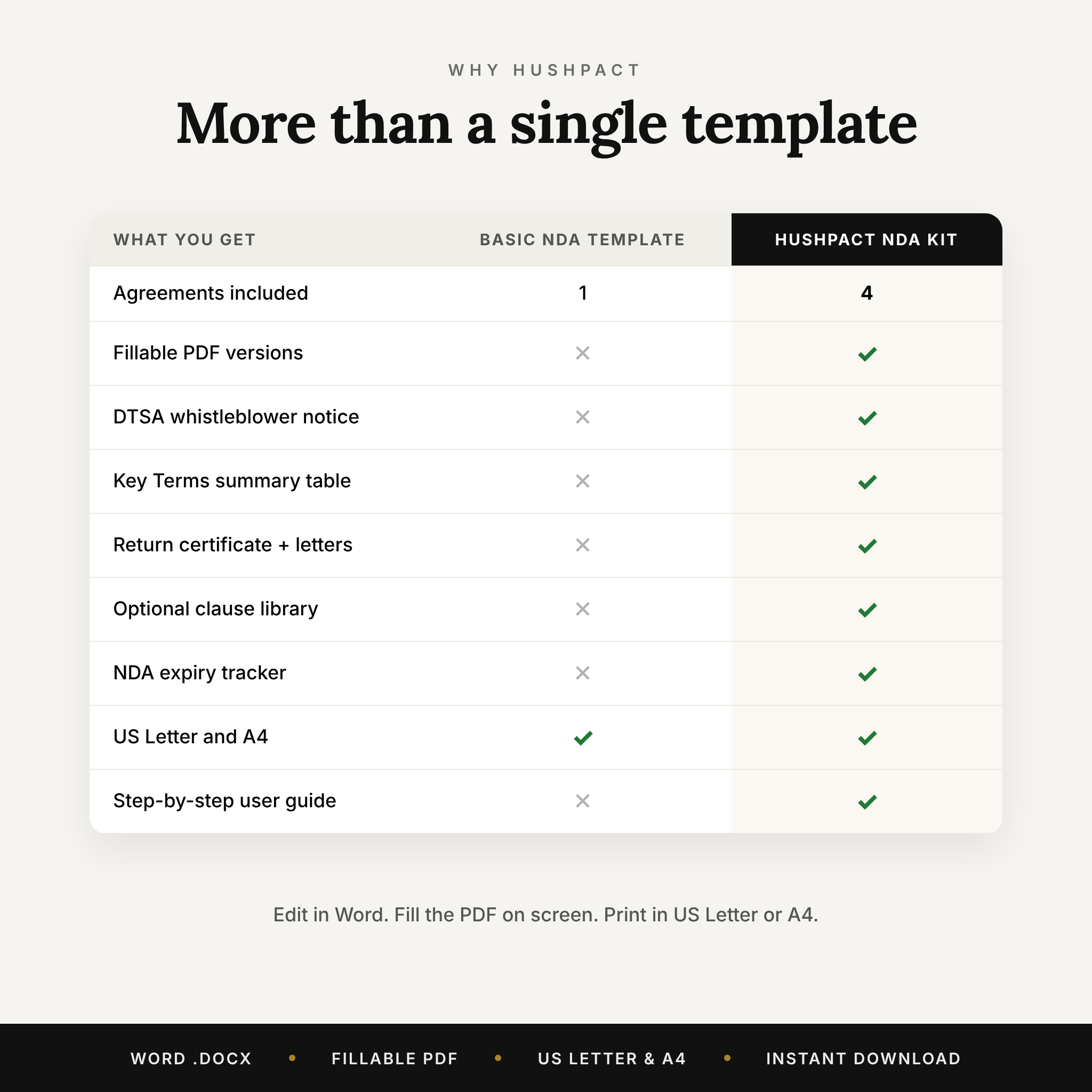
Four agreements
- Mutual NDA (3 pages): both sides share and both promise to protect what they receive
- One-Way NDA (3 pages): you share, the other side keeps quiet
- Employee and Contractor Confidentiality Agreement (3 pages): tick boxes for employee, contractor, consultant, or intern
- Quick 2-Page NDA: tick one-way or mutual, tick the purpose, done
Five add-ons
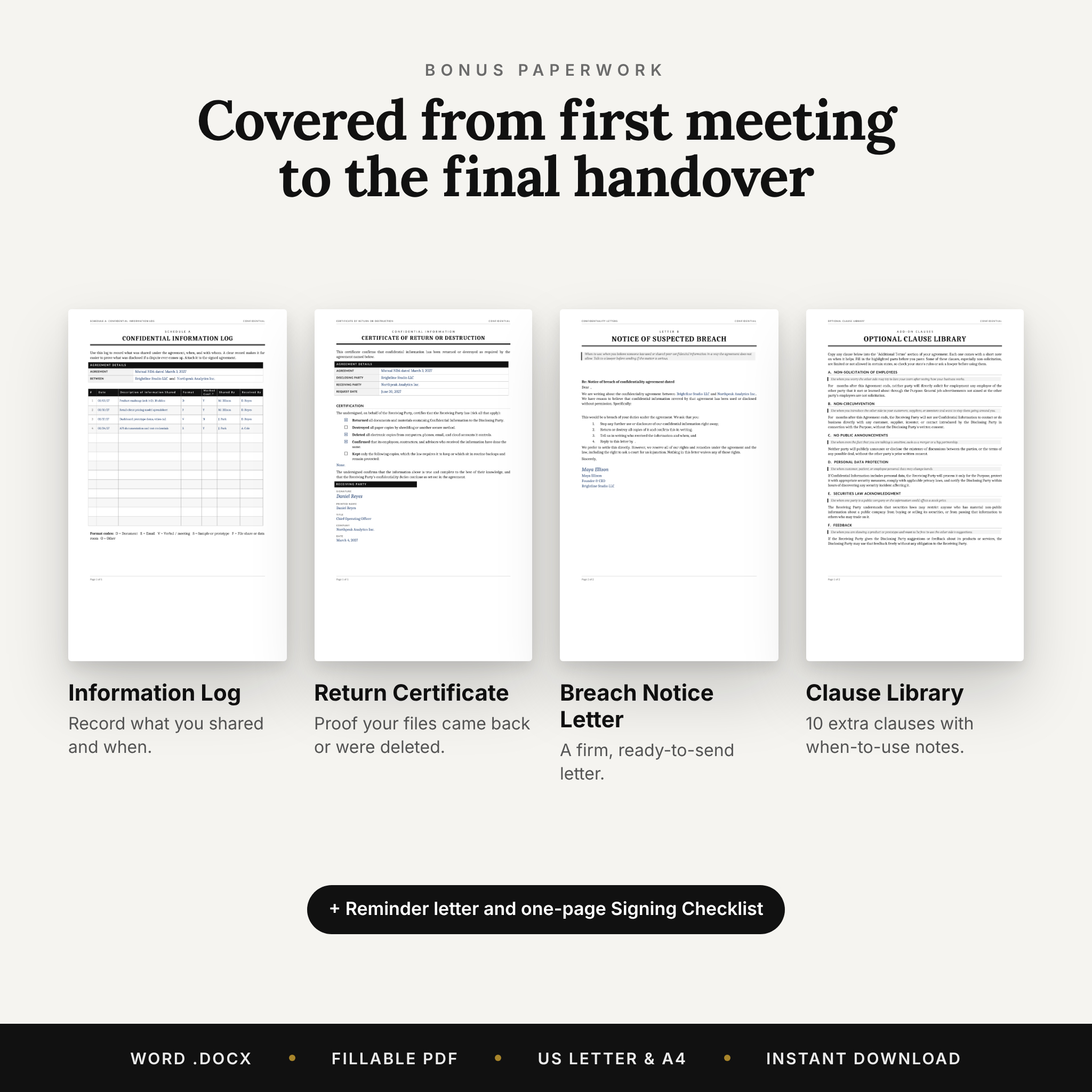
- Schedule A: Confidential Information Log to record what you shared, when, and with whom
- Certificate of Return or Destruction for the end of the project
- Confidentiality Reminder letter and Notice of Suspected Breach letter
- Optional Clause Library with 10 extra clauses, such as non-solicitation, non-circumvention, and mediation, each with a note on when to use it
- NDA Signing Checklist for before and after you sign
Bonus tools
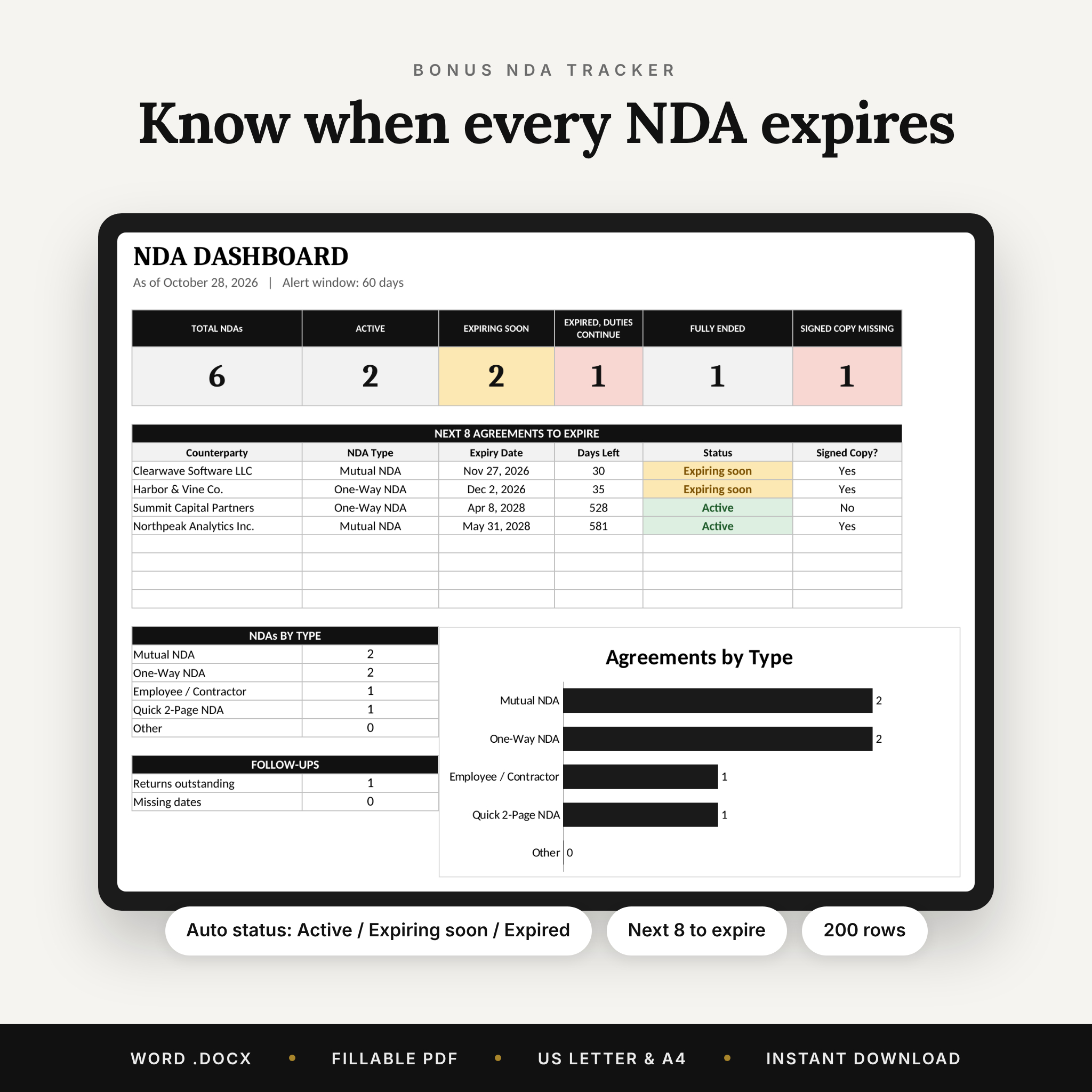
- NDA Tracker spreadsheet (.xlsx) with room for 200 agreements, automatic expiry dates, status labels, and a dashboard
- 11-page user guide (.docx) that walks you through every file
Features That Make a Difference
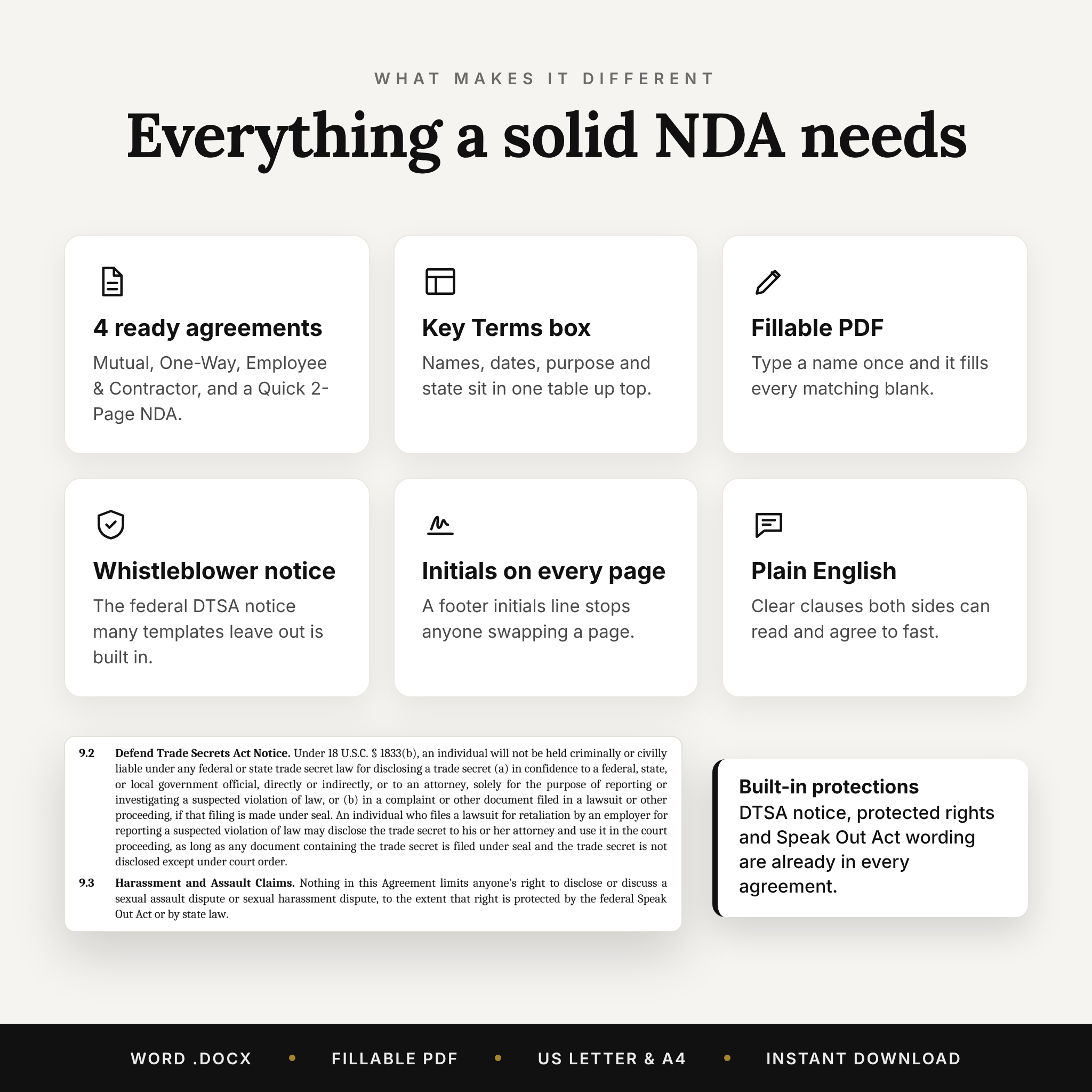
- Whistleblower notice built in. Each agreement includes the federal Defend Trade Secrets Act notice. Leave it out of an agreement with an employee or contractor and you can lose the right to double damages and attorney fees under that law. Plenty of templates skip it.
- Protected rights wording. Clear carve-outs for reporting to government agencies and for Speak Out Act claims, so the agreement doesn’t overreach.
- Trade secrets stay protected. Ordinary information is covered for the period you choose. Trade secrets stay covered for as long as they remain secret.
- Initials on every page. A footer initials line on each agreement stops anyone swapping a page later.
- Clean monochrome design. Black and white layout that prints sharply on any home printer and looks professional on screen.
How the NDA Tracker Works
Log each agreement once: who it’s with, the type, the start date, and the term in months. The tracker works out the expiry date and the date the confidentiality duty ends. Each row shows Active, Expiring soon, Expired (duties continue), or Fully ended. You set the alert window, which is 60 days by default. The dashboard counts everything, lists the next eight agreements to expire, flags missing signed copies, and charts your NDAs by type. Formula cells are locked without a password so a stray click can’t break them.
File Formats and Software
- Word (.docx): Microsoft Word 2010 or later on Windows or Mac. Also opens in LibreOffice Writer.
- Fillable PDF: Adobe Acrobat Reader (free) or a desktop browser such as Chrome, Edge, or Firefox. You can also print and fill it in by hand.
- Excel (.xlsx): Microsoft Excel 2010 or later, or LibreOffice Calc.
- Paper sizes: every agreement and add-on comes in US Letter and A4.
Customizing Your Agreement
The documents use Word’s built-in Heading styles, so you can change the font or spacing across a whole agreement in one step. Add your logo to the header, rename the parties with Find and Replace, or paste an extra clause from the Clause Library into the Additional Terms section. All placeholders are gray and in brackets, so they’re easy to spot and easy to clear.
Digital Download
This is a digital product. Nothing ships. After checkout you’ll get two ZIP files (US Letter and A4), the NDA Tracker, and the user guide straight away. Each ZIP holds the Word files, the fillable PDFs, the tracker, and the guide.
Real Situations Where You’d Use It
- Pitching an app idea to a developer before showing your mockups
- Talking to a buyer about selling your business and sharing the books
- Hiring a freelance designer who will see your client list
- Showing a product sample to a retailer or manufacturer
- Exploring a joint venture where both sides share pricing
- An employee or contractor finishing up and handing back company files
NDA Template FAQ
Is an NDA template legally binding?
Yes, when both parties sign it and the terms are reasonable. These templates include the clauses courts in the US expect to see. This kit isn’t legal advice, so for a high-value deal have a lawyer review your final version.
What’s the difference between a mutual and a one-way NDA?
A mutual NDA protects both sides because both are sharing. A one-way NDA protects only the side doing the sharing. If you’re unsure, the mutual version is the safer pick.
Can I use it for employees and independent contractors?
Yes. The Employee and Contractor Confidentiality Agreement has tick boxes for employee, contractor, consultant, and intern, and it keeps an employee’s right to discuss their own pay.
Can we sign electronically?
Yes. Every agreement allows electronic signatures, scanned copies, and signing in counterparts.
Can I fill it in without Microsoft Word?
Yes. Use the fillable PDF in Adobe Acrobat Reader or a desktop browser, or print it and write by hand.
How long should an NDA last?
Two to five years is common for everyday business information. You choose the period, and trade secrets stay protected for as long as they remain secret.
Does it work outside the United States?
The wording is written for US law and comes in A4 as well. If you’re outside the US, have a local lawyer check it before use.
License
For your own personal or business use, as many times as you need. Please don’t resell, share, or upload the files as templates for others. HushPact templates are general forms, not legal advice. Created by Taskdale.
Reviews
There are no reviews yet.