Jobwright: the contractor estimate and job tracker app that shows the profit on every job
Jobwright is a contractor estimate app and job manager that runs in your web browser from one downloaded file. Add a job when the phone rings, price it with labor and materials, print the estimate for a signature, bill the deposit, then the final invoice. Log material receipts, crew hours and miles as you go, and Jobwright works out what the job really made you.
It was built for handymen and small contractors who are tired of juggling a spreadsheet for quotes, a notebook for receipts and a separate invoicing service with a monthly fee. Everything stays on your own device, and the app works offline after download.
Who this contractor job and estimate app is for
- Handymen and handywomen quoting repairs, installs and odd jobs.
- Remodelers, painters, tile setters, carpenters, fence and deck builders.
- Property maintenance crews turning over rental units for a property manager.
- Small trade businesses with one truck and a helper or two.
- Anyone who wants contractor invoices and job costing without paying for field-service software.
Features of the Jobwright contractor estimate app
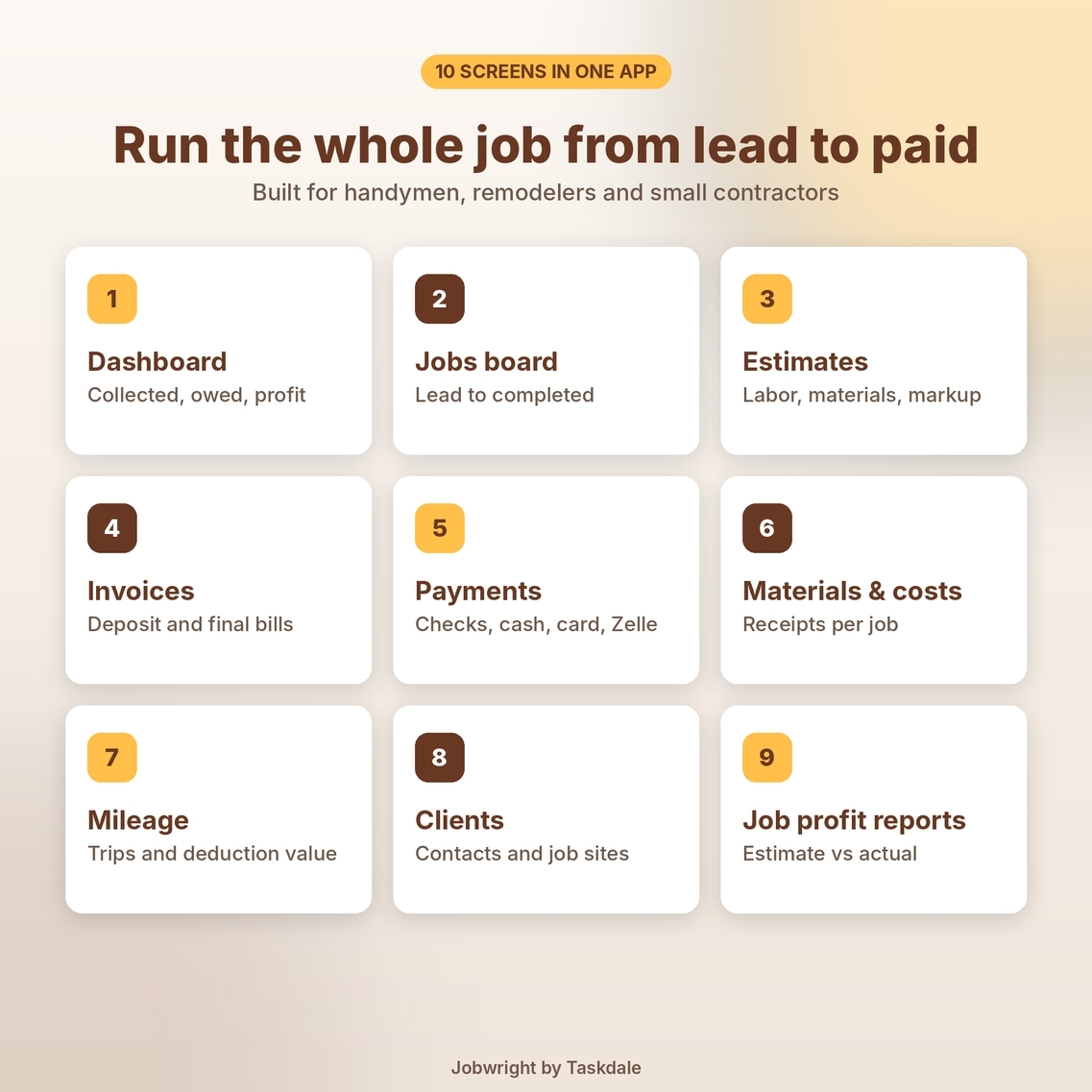
Dashboard
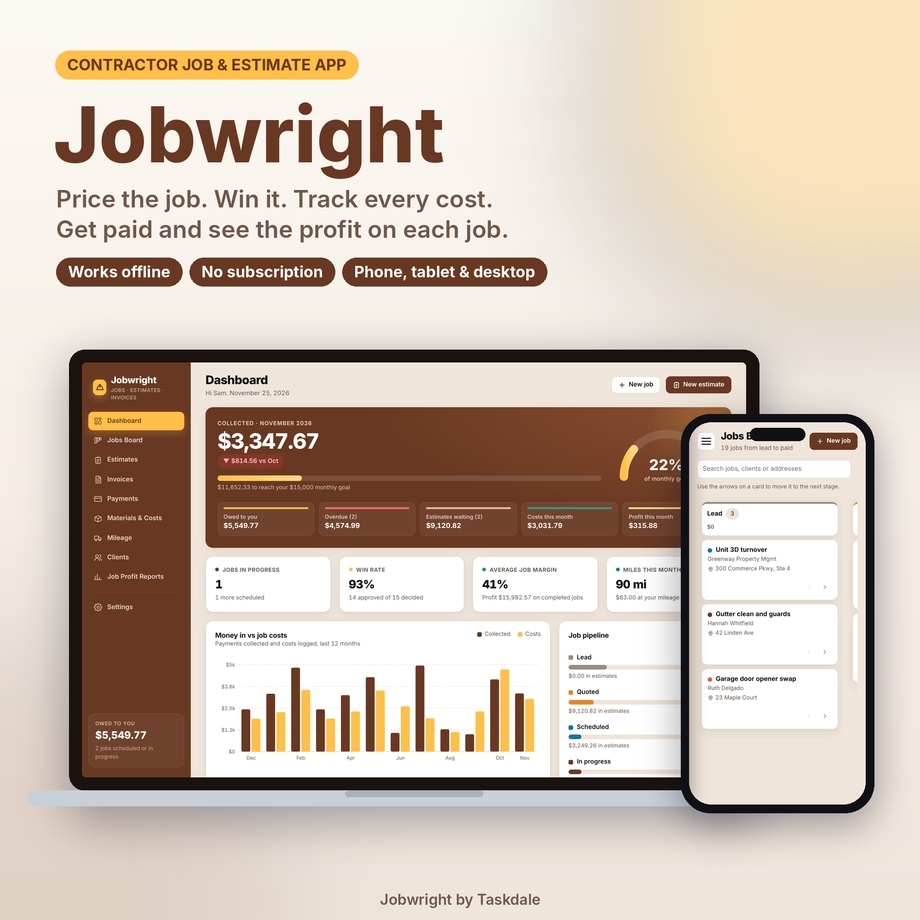
A coffee-brown banner shows money collected this month against last month and your monthly goal. Tiles show what customers owe you, what is overdue, estimates waiting on a yes, costs this month and profit this month. Below that: jobs in progress, your estimate win rate, average job margin, miles driven, a 12-month money in vs costs chart, the job pipeline, profit per job bars, the schedule and the invoices to chase.
Jobs board
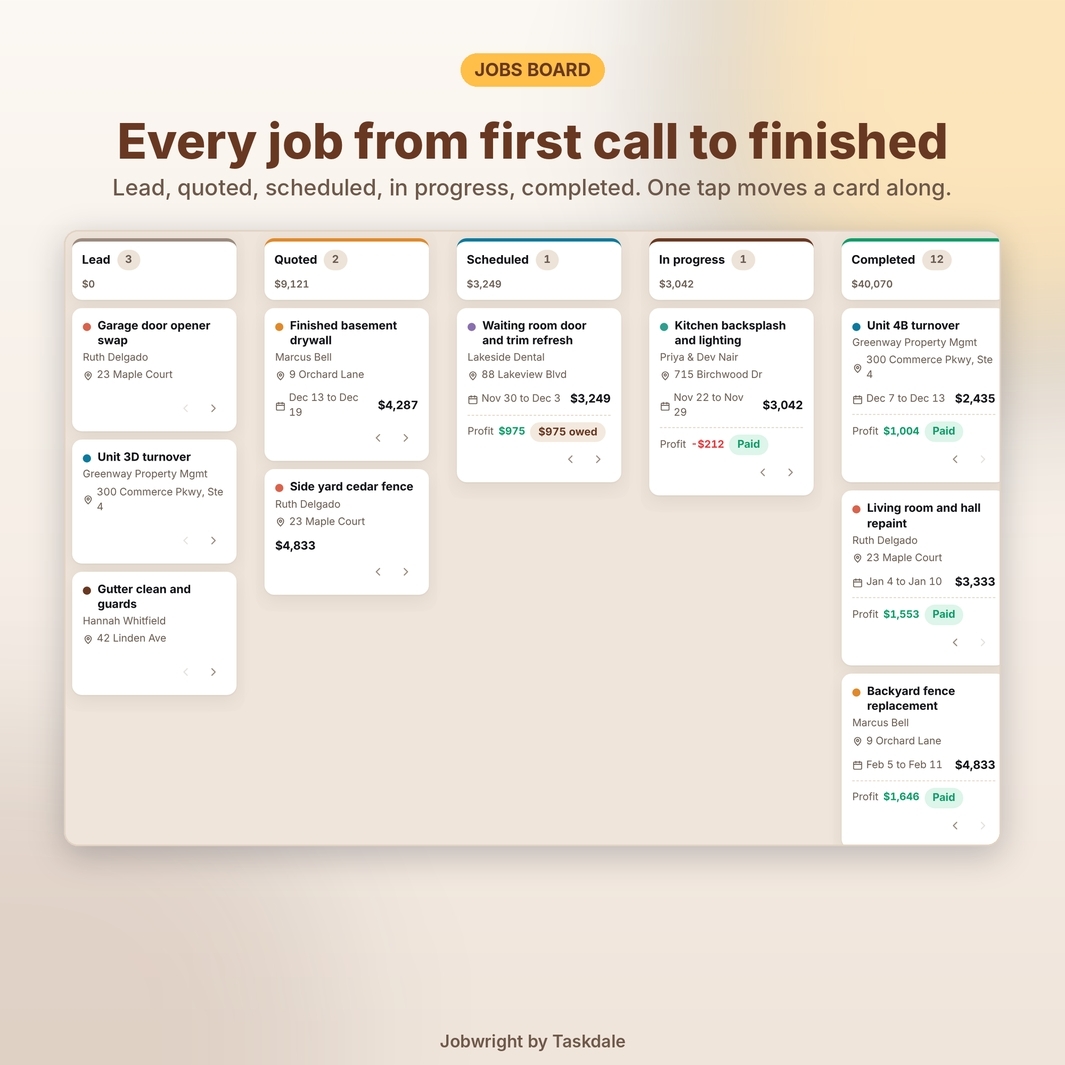
Every job is a card in five columns: Lead, Quoted, Scheduled, In progress and Completed. Arrows move a card along. Each card shows the client, job site address, dates, estimate value, profit and whether the customer has paid. Search by name, client or street.
Estimates with labor, materials and markup
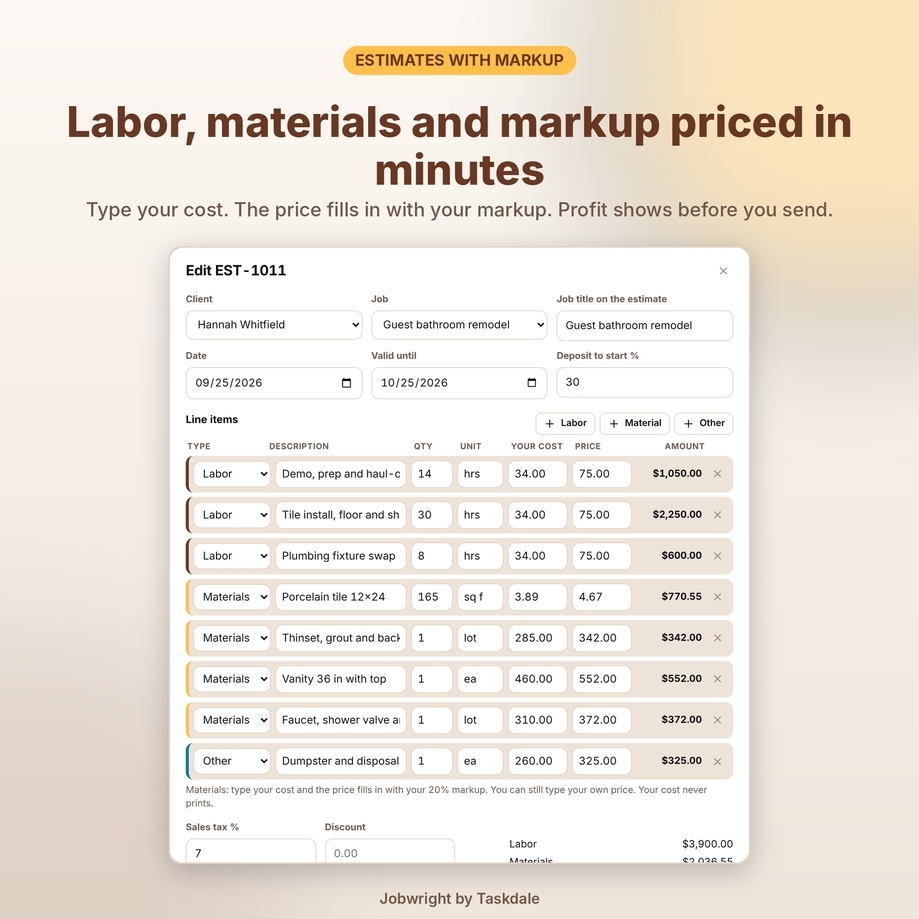
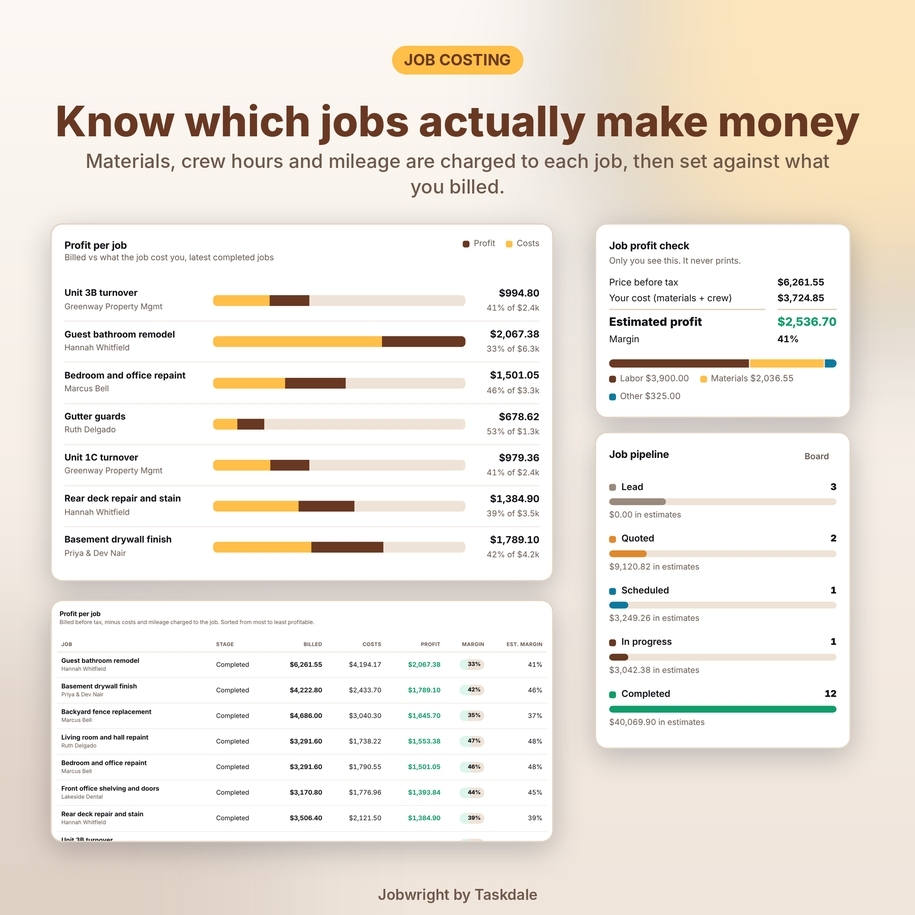
Add labor lines at your hourly rate, material lines at your cost (the price fills in with your markup, 20% by default) and other lines for permits, dumpsters or subs. Units include hours, each, square feet, linear feet, gallons and sheets. Set sales tax on everything or on materials only, add a discount and a deposit %. A private box shows your cost, profit and margin while you type, and it never prints.
Printable contractor estimates and invoices
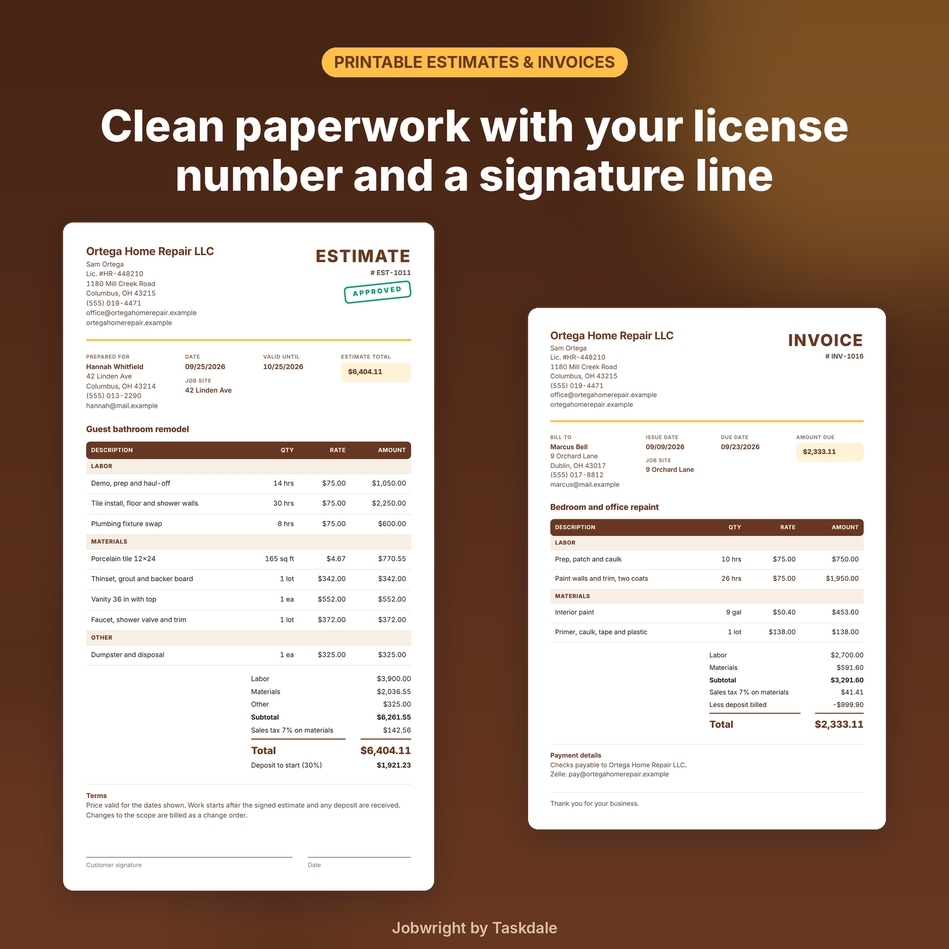
Estimates print with your business name, license number, job site, lines grouped under Labor, Materials and Other, the deposit due, your terms and signature and date lines. Save as PDF from the print dialog and text or email it to the customer.
Deposit and final invoices
On an approved estimate, one click bills the deposit and another builds the final invoice with every line copied and the deposit taken off. Status updates by itself: Draft, Sent, Part paid, Paid or Overdue.
Payments
Record checks, cash, card, bank transfer or Zelle and Venmo, with a check number. See payments by year and method, deposits collected and a chart of how customers pay you.
Materials and costs tracker
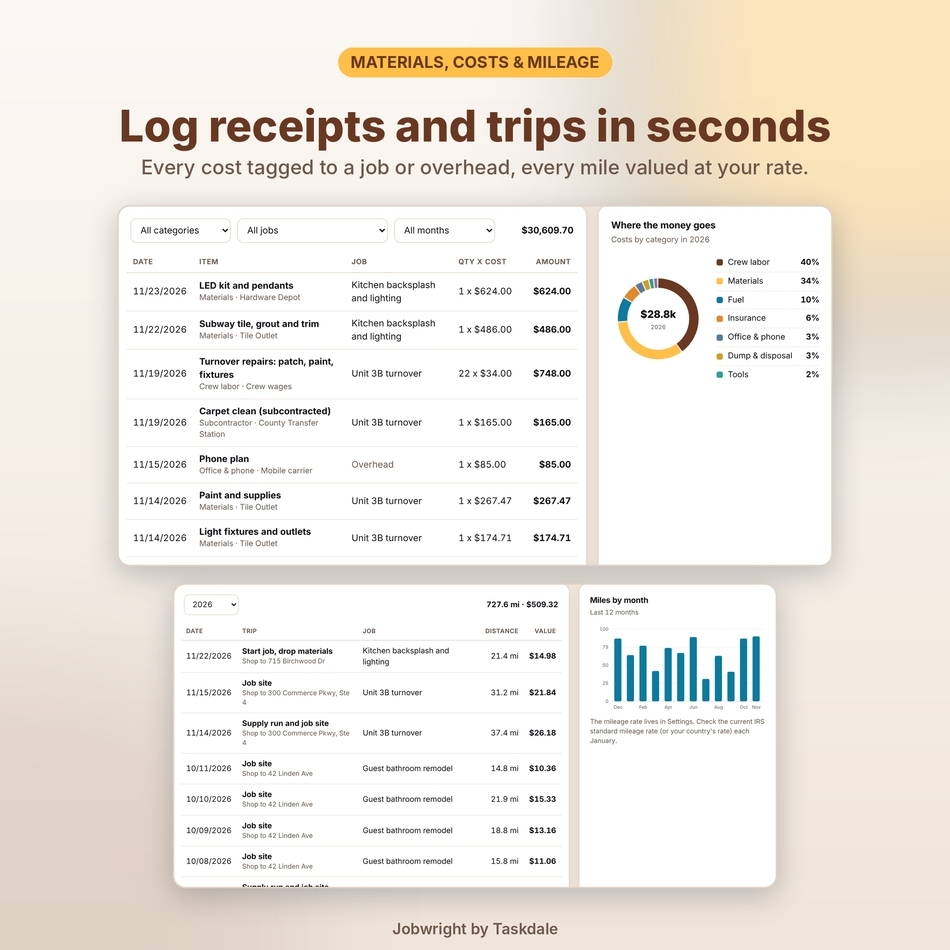
Log receipts, crew wages, subcontractors, equipment rental, dump fees and overhead like insurance and fuel. Each cost links to a job or counts as overhead, with editable categories and a donut of where the money goes.
Mileage log
Log trips with one tick for round trips. Miles link to jobs and are valued at your mileage rate, in miles or kilometers.
Job profit reports
A table ranks every job from most to least profitable: billed before tax, costs and mileage, profit, margin and the margin you estimated. Month-by-month figures, costs by category and best clients sit below. Export to CSV or print.
What is included
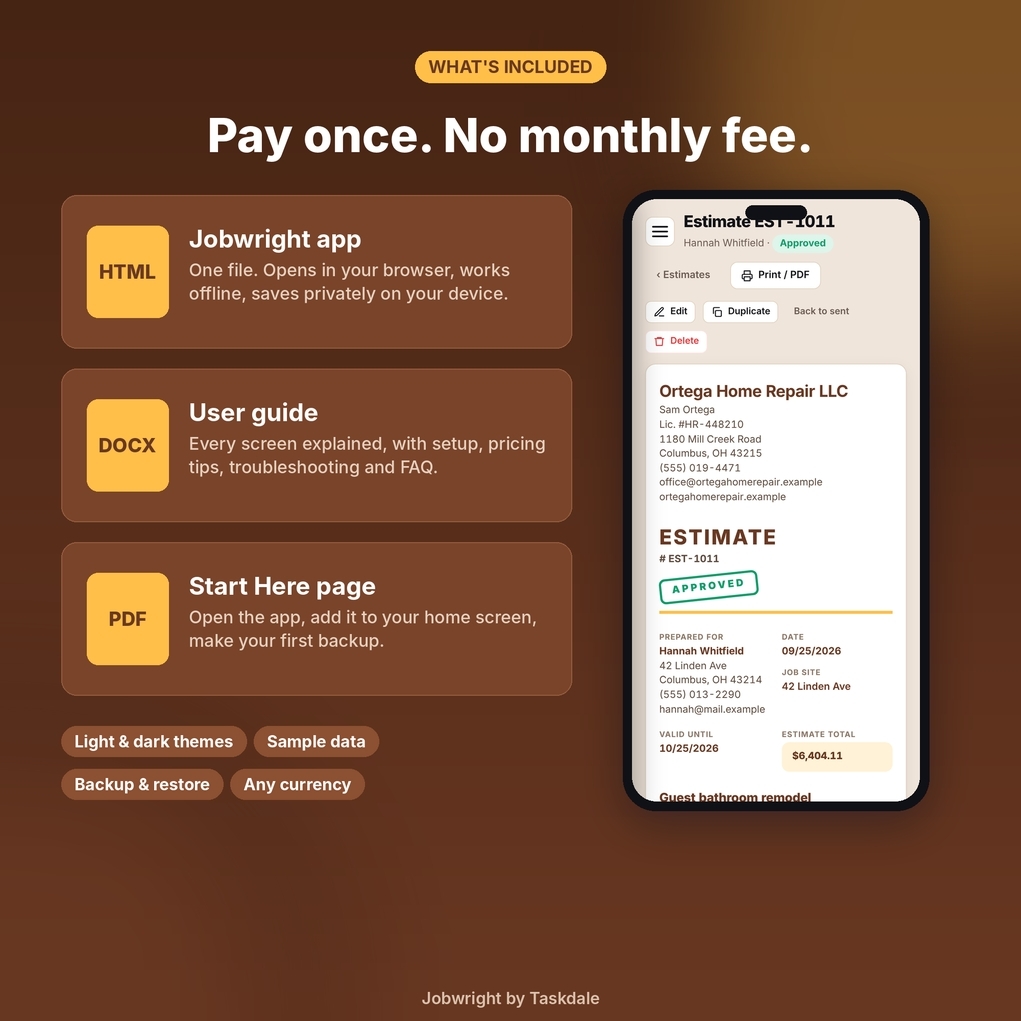
- Jobwright contractor job and estimate app (one HTML file, about 185 KB)
- User guide (DOCX, 17 sections with screenshots, tips, troubleshooting and FAQ)
- Start Here quick-start page (PDF)
- All three files in one ZIP, plus the app and guide as separate downloads
How it works
- Download and unzip the files after checkout.
- Double-click the HTML file. It opens in your browser.
- Add your business name, currency, labor rate and materials markup. Or explore a full year of sample jobs first.
- Add a client and a job, build your first estimate, print it and mark it approved when the customer says yes.
File format and software requirements
Format: a single offline HTML app plus DOCX and PDF documents. You need a current web browser. We tested Jobwright in Google Chrome and Microsoft Edge at desktop, tablet and phone screen sizes. It uses only standard web features, so other modern browsers should run it too. No internet connection, account or extra software is needed after download.
On Android, open the file in Chrome and add it to your home screen. On iPhone and iPad, Apple’s Files preview cannot run web apps, so open the file in a browser or an HTML viewer app; the guide explains how. Data is saved in the browser on each device, and Export and Import backup move it between devices. Jobwright does not send email or texts: save the estimate as a PDF and attach it yourself.
Customization
Choose your currency from the list or type any symbol, shown before or after amounts. Set your labor rate and labor cost, markup, tax name and rate, deposit %, mileage rate and unit, estimate and invoice prefixes and numbers, how long estimates stay valid, payment terms, estimate terms, payment details, cost categories, a monthly goal and light or dark mode.
Digital download
This is a digital product. Nothing is shipped. Your files are ready right after checkout, with unlimited downloads from your account. Personal use license: use it for your own contracting business on your own devices. No resale, sharing or redistribution.
Real ways contractors use this job tracker
- A handyman prices a guest bath at 52 labor hours plus tile and fixtures, sees a 33% margin before sending, and bills a 30% deposit the day it is signed.
- A painter logs three supply runs and 22 crew hours on a repaint, then finds the job made $1,500 instead of the $1,900 he guessed.
- A turnover crew checks the reports in January and raises its unit turnover price after spotting the lowest margin on the list.
FAQ
Is this a contractor estimate template or an app?
It is an app: estimates, jobs, invoices, payments, costs and mileage are all connected, so numbers flow from one to the next without retyping.
Is there a monthly fee?
No. You pay once, keep the app and create as many jobs, estimates and invoices as you like.
Can I send estimates and invoices as PDF?
Yes. Click Print / PDF and choose Save as PDF, then attach it to an email or text.
Does it handle deposits?
Yes. Set a deposit % on the estimate, bill it in one click, and the final invoice subtracts it.
Can I charge sales tax on materials only?
Yes. Tick one box in Settings or on any estimate.
Does it work on my phone at the job site?
Yes, the layout adapts to phones and tablets. On Android use Chrome. On iPhone or iPad, open the file in a browser or HTML viewer app, because the Files preview cannot run it.
Can I use my own currency?
Yes. One currency setting controls every amount, with $ as the default.

Reviews
There are no reviews yet.