Football Squares Spreadsheet That Does the Work for You
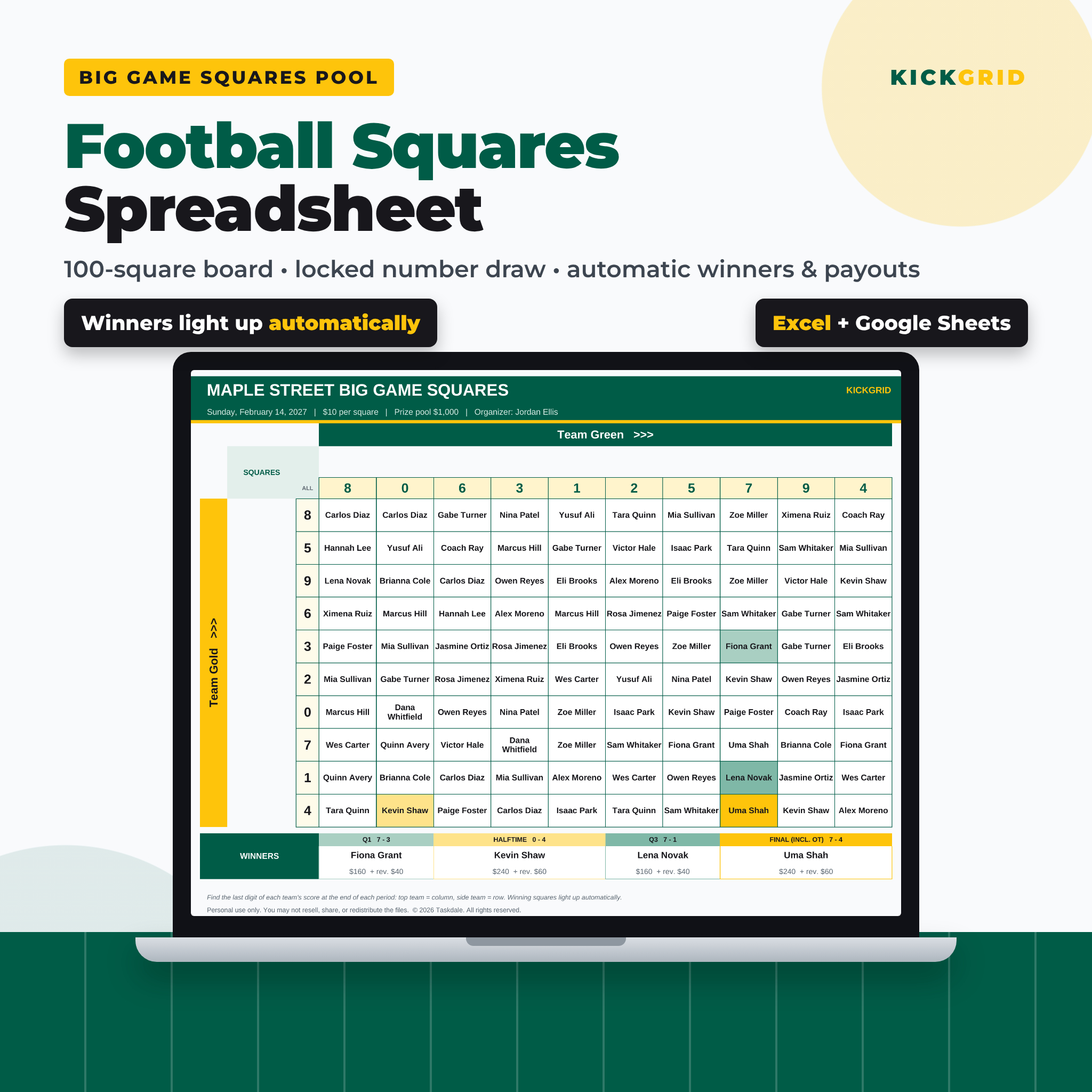
Kickgrid is a football squares spreadsheet for hosts who want a fun, fair pool without the pens, paper and math. Set up the pool once, let people claim squares, draw the numbers, and type the score after each quarter. The spreadsheet finds every winner, works out every payout and shows who still owes money. It opens in Microsoft Excel and Google Sheets and uses no macros.
Most free squares templates are a blank grid. Others use random formulas that reshuffle the numbers every time someone types. Kickgrid fixes both problems with a locked number draw and fully automatic winners and payouts.
Who It Is For
- Party hosts running a squares pool for the big game in February
- Office pool organizers who need a clean record of who paid and who won
- Schools, teams, booster clubs and charities running a football squares fundraiser (with an optional host or charity share)
- Families and friends who just want the board to light up when someone wins
Main Benefits
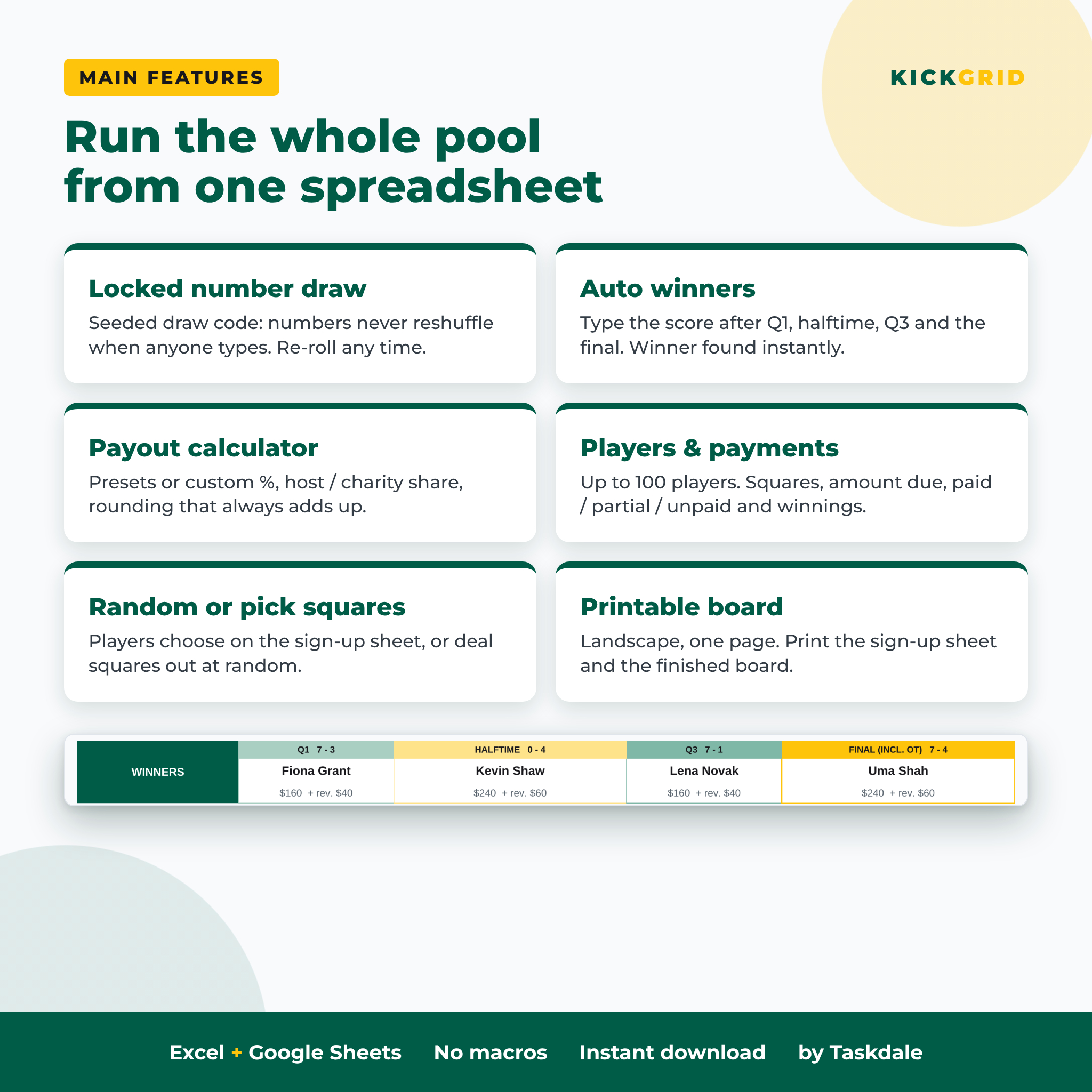
- Numbers that never reshuffle. The 0-9 numbers come from a draw code. Same code, same numbers, on every device. Re-roll by changing the code.
- No math on game day. Type the score and the winner, prize, reverse bonus and rollovers appear instantly.
- Money that adds up. Rounding goes to the final period, so payouts always equal the prize pool.
- Everyone stays informed. Print the board or share the dashboard on the TV.
Features of This Squares Pool Template
Board and draw
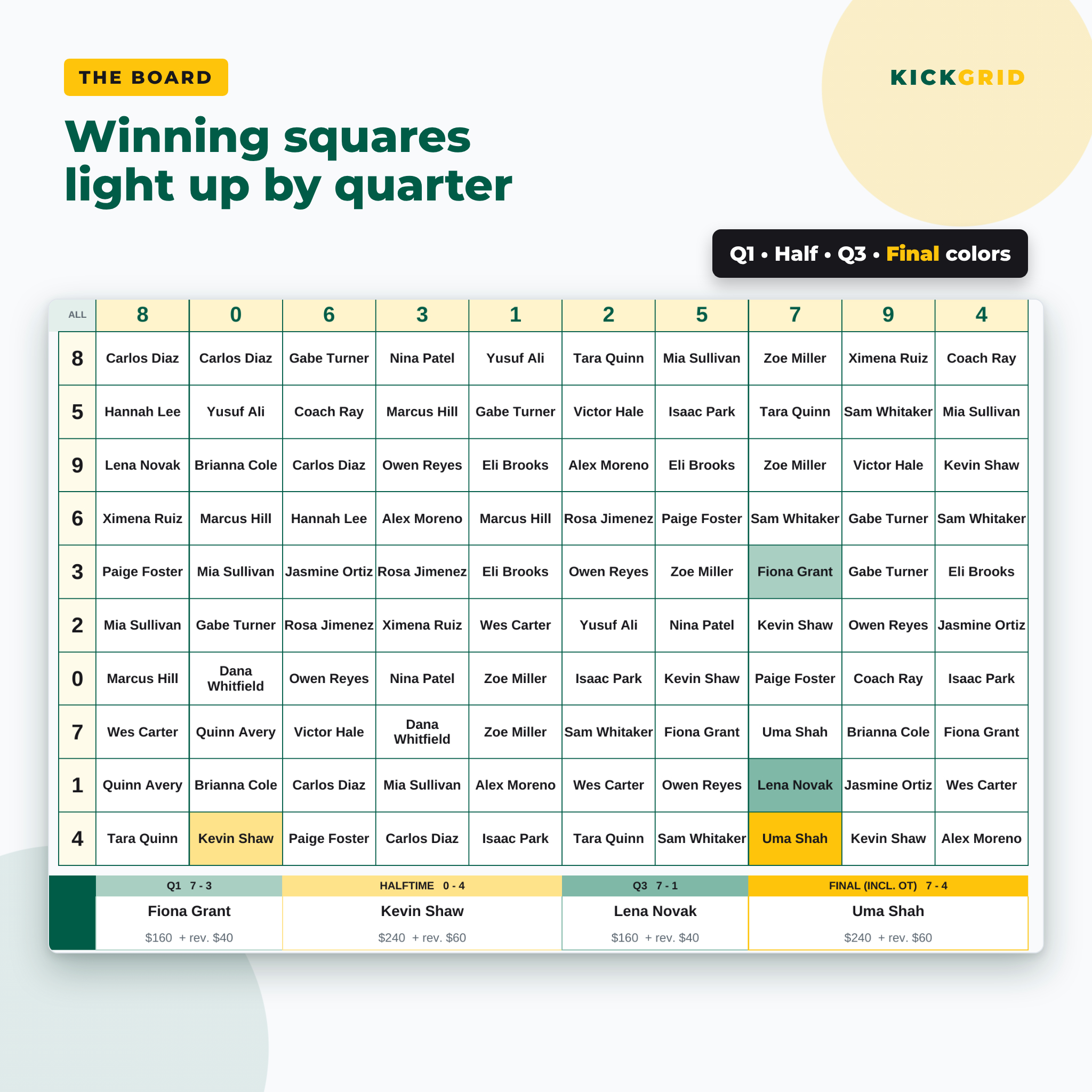
- Classic 10 x 10 squares grid with team names across the top and down the side
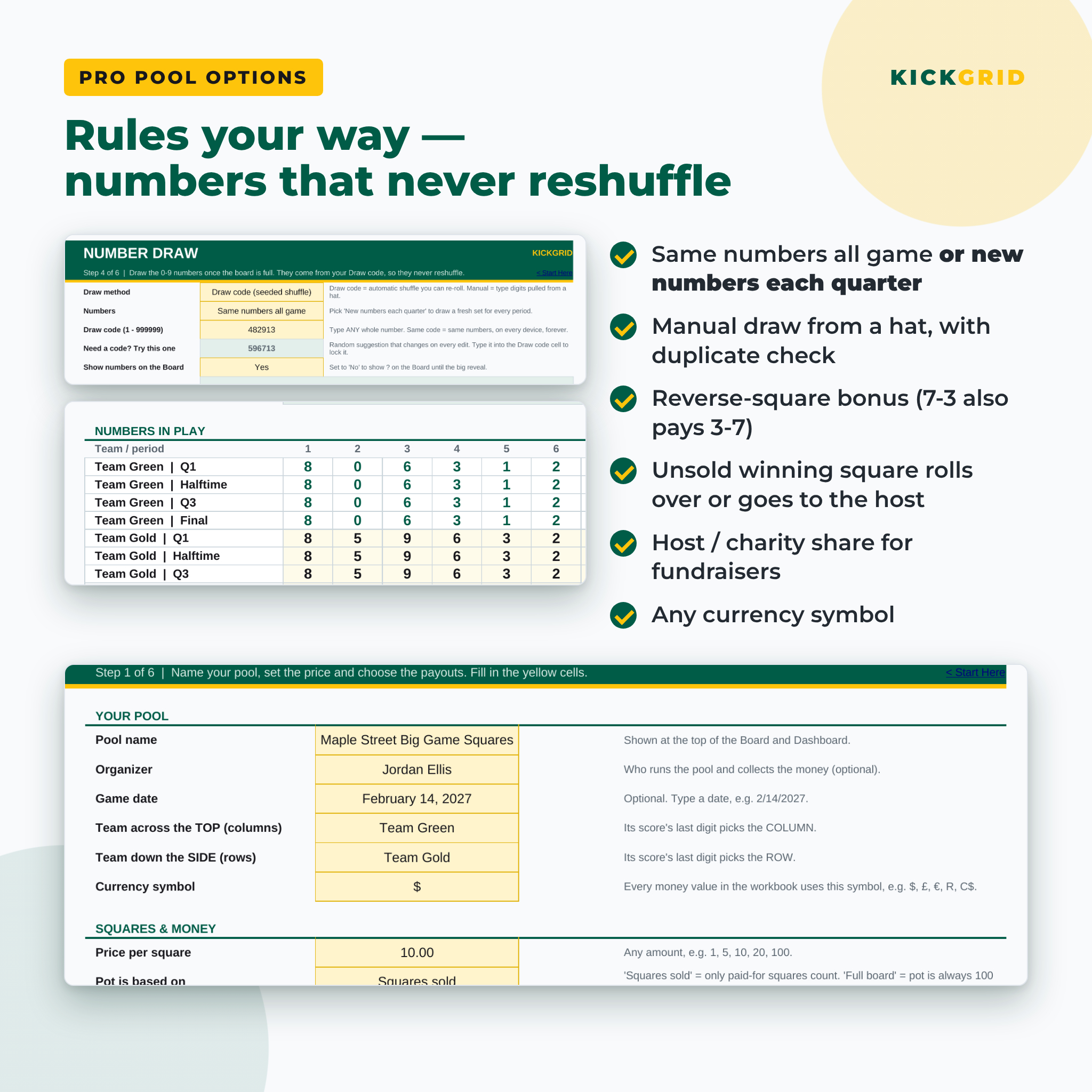
- Seeded number draw (no RAND), or manual entry for numbers pulled from a hat, with a duplicate-digit check
- Same numbers all game, or new numbers each quarter
- Hide the numbers on the board until the big reveal
- Winning squares light up in a different color for each period
Players and payments
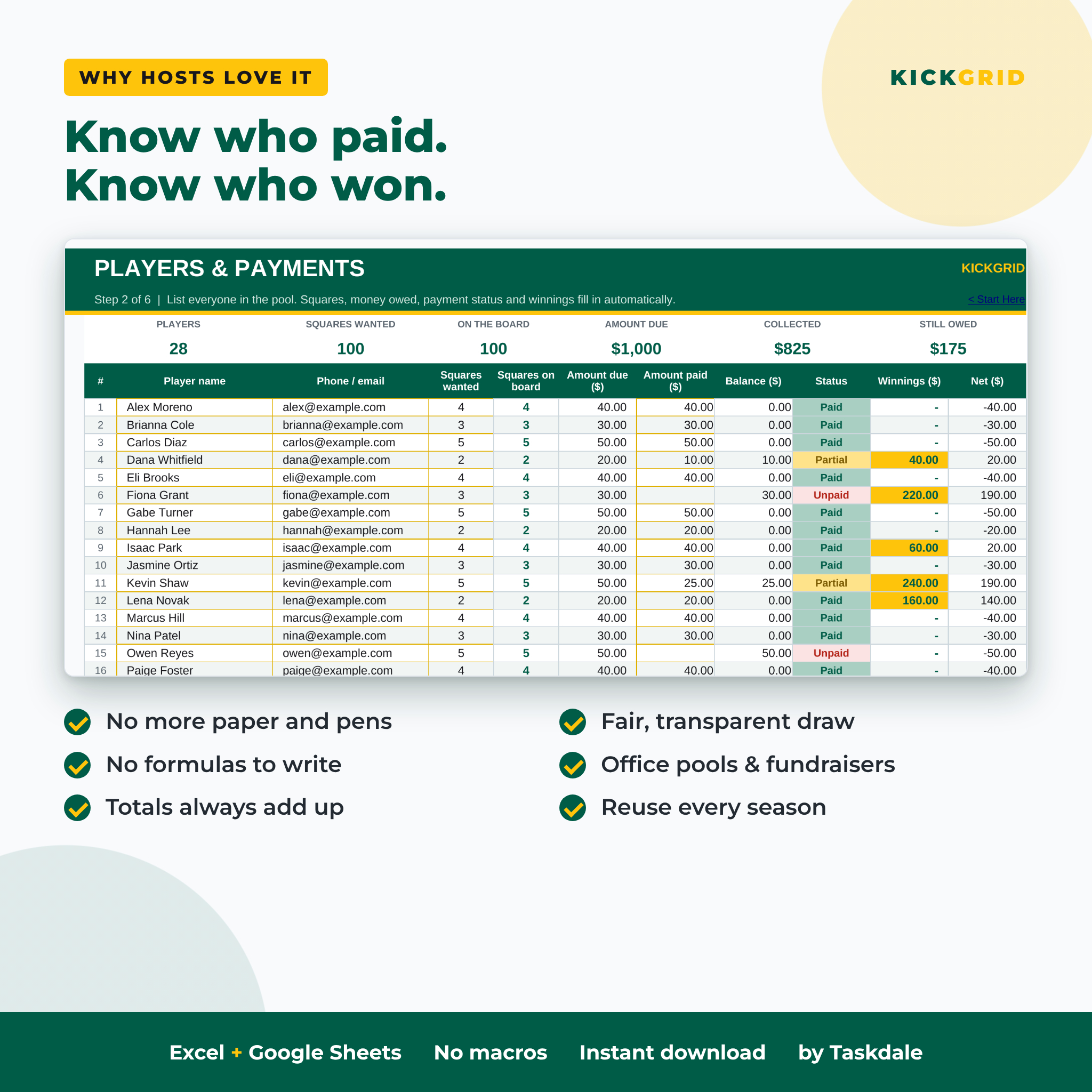
- Roster for up to 100 players with contact, squares wanted and amount paid
- Automatic squares count, amount due, balance and Paid / Partial / Unpaid status
- Winnings and net result per player
- Players pick their squares on a printable sign-up sheet, or squares are dealt out at random
Payout calculator
- Any price per square and any currency symbol
- Payout presets (20/30/20/30, even 25s, final-heavy, halftime and final) or your own percentages
- Optional host or charity share for fundraisers
- Pot based on squares sold or on the full board
- Unsold winning square rolls over to the next period or goes to the host
- Optional reverse-square bonus (a 7-3 score also pays the 3-7 square)
Game-day dashboard
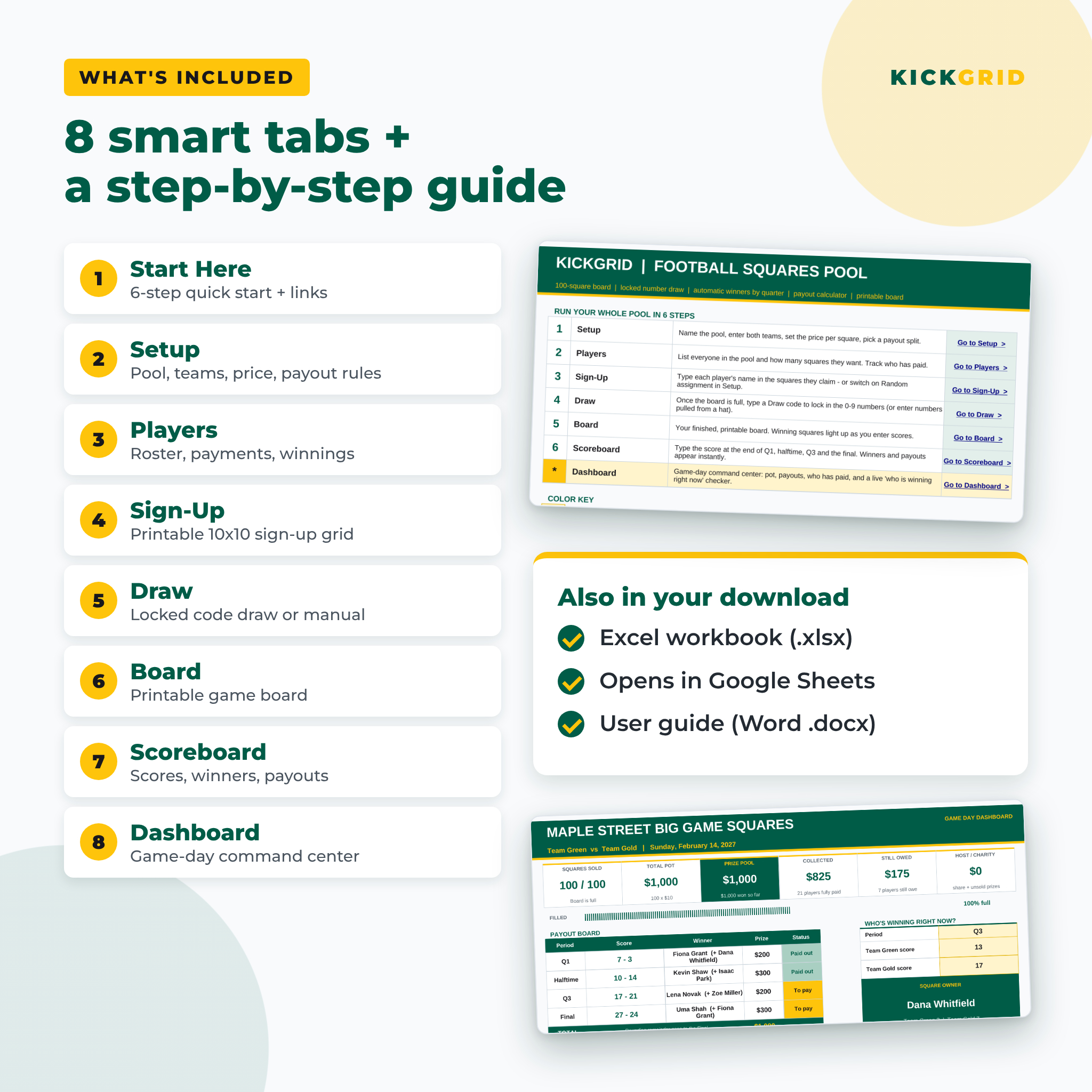
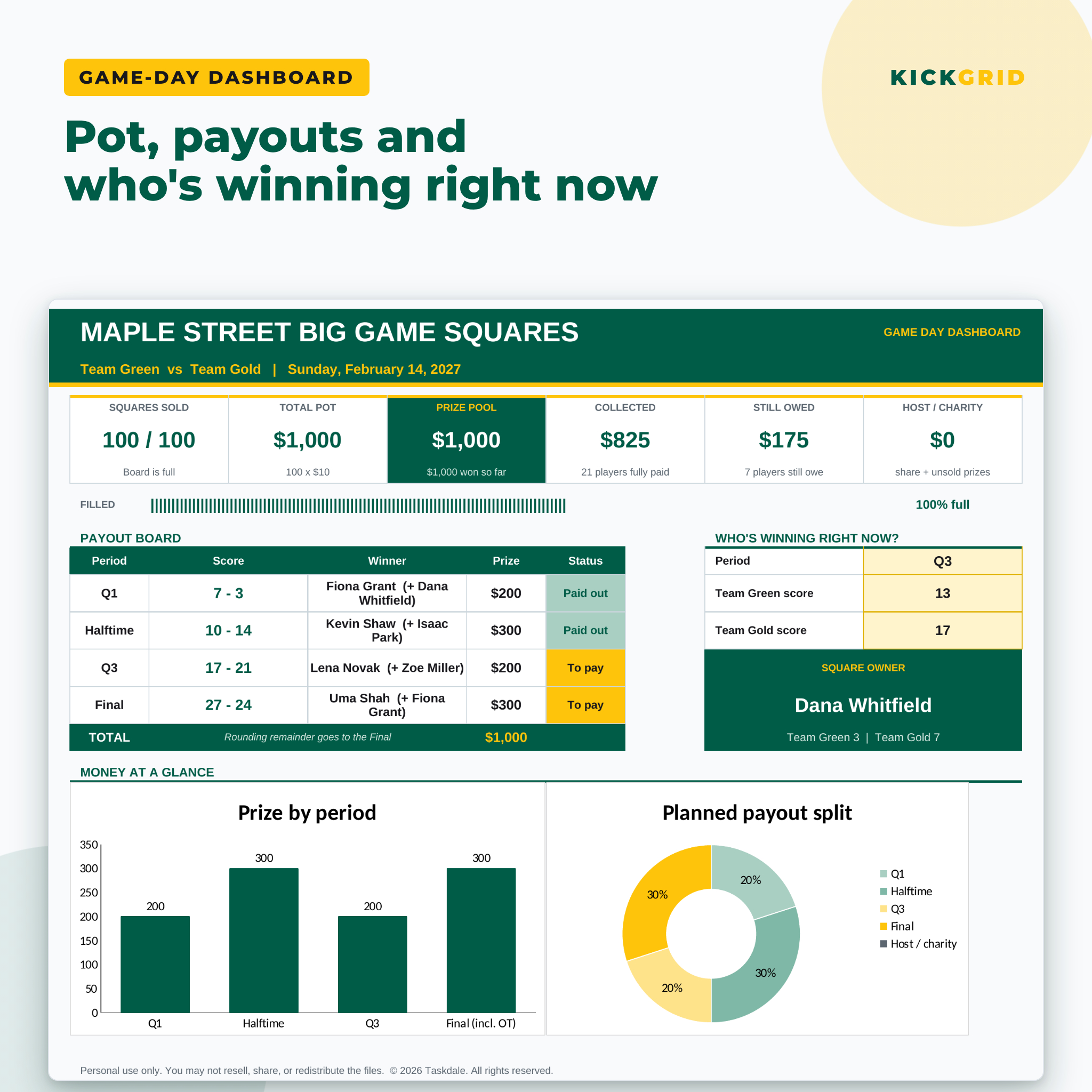
- Squares sold, total pot, prize pool, collected, still owed and host share
- Payout board with statuses and two charts
- “Who’s winning right now?” checker: type the live score and see who holds the square
What Is Included
- Kickgrid Football Squares Pool workbook (.xlsx) with 8 tabs: Start Here, Setup, Players, Sign-Up, Draw, Board, Scoreboard and Dashboard
- Kickgrid User Guide (.docx): setup, every feature, printing, Google Sheets steps, troubleshooting and FAQ
How It Works
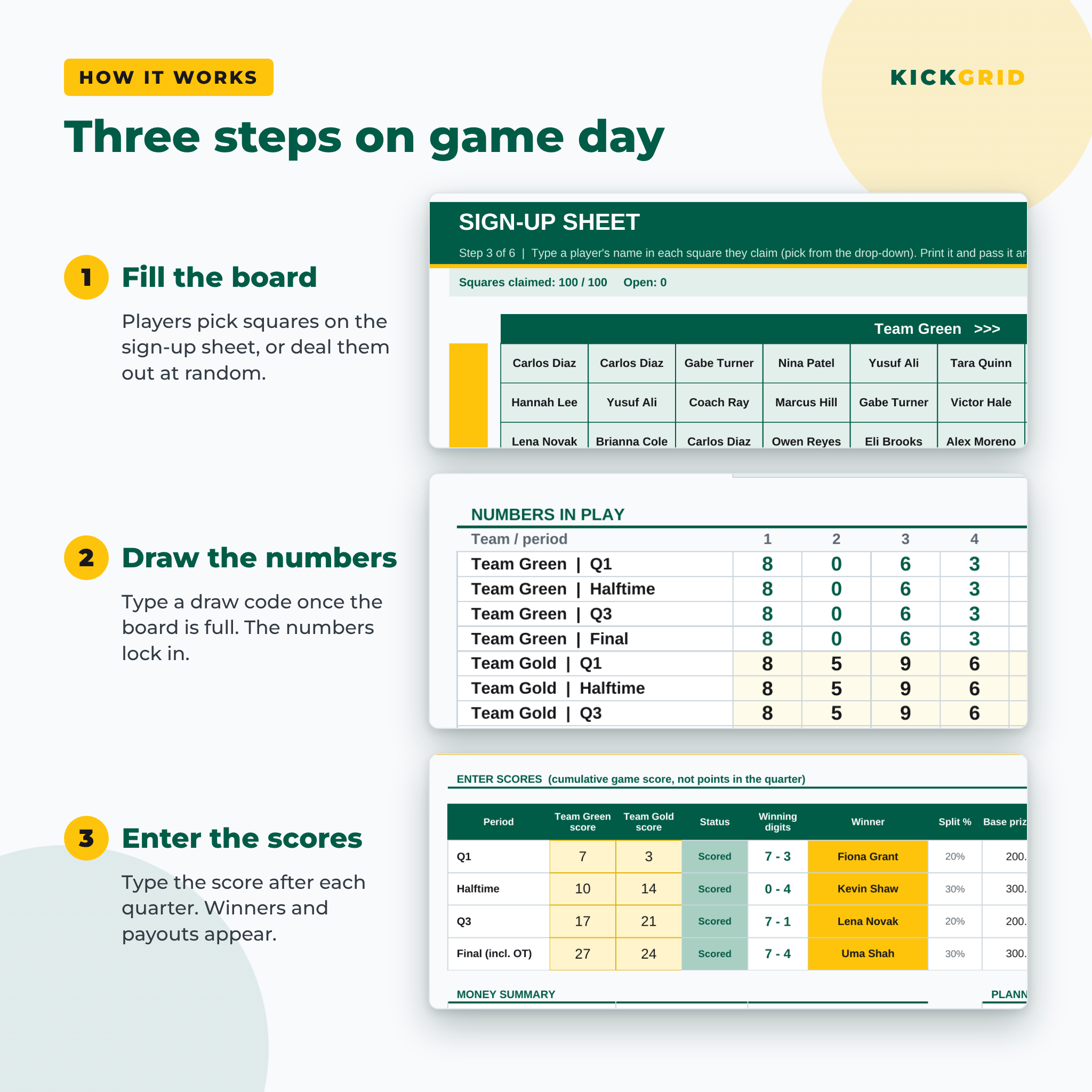
- Enter the pool name, teams, price per square and payout split on the Setup tab.
- List your players, then fill the board on the Sign-Up sheet or switch on random assignment.
- When the board is full, type any draw code. The numbers appear and stay locked.
- Print the board or share it on screen.
- After each quarter, type the score. Winners and payouts calculate automatically.
File Format and Software Requirements
One Excel workbook (.xlsx) and one Word guide (.docx). The workbook works in Microsoft Excel 2016, 2019, 2021 and Microsoft 365 (Windows and Mac) and in Google Sheets (free Google account). It does not use macros, add-ons or internet connections. Input cells are yellow, and calculated cells are protected without a password, so you can’t break a formula by accident.
Customization
Change the pool name, team names, currency symbol, price, payout split and pool rules from one Setup tab and every sheet updates. Sheets can be unprotected (no password) if you want to change colors or fonts. Save a copy for every game or season.
Digital Download
This is an instant digital download. No physical item is shipped. After purchase you can download the files from your order confirmation and your account. Personal use only (or use within your own business). You may not resell, share or redistribute the files.
Ways to Use Your Squares Pool Spreadsheet
- A neighborhood or family big-game party with a $5 or $10 board
- An office pool where the organizer needs a clear payment record
- A youth team or PTA football squares fundraiser that keeps a 20% charity share
- Playoff games, college bowl games or any football game during the season
FAQ
Does this football squares template work in Google Sheets?
Yes. Upload the .xlsx file to Google Drive and open it with Google Sheets. All formulas, drop-downs and colors work.
Will the numbers change when people type in the sheet?
No. The numbers come from your draw code, not from RAND(). They only change if you change the code.
How are winners decided?
The last digit of each team’s score at the end of each period picks the column and row. Kickgrid finds the square and the winner for you.
What happens if nobody bought the winning square?
You choose: roll the prize over to the next period, or give it to the host or charity.
Can one person buy more than one square?
Yes. Add their name to as many squares as they bought; the Players tab counts them and works out what they owe.
Can I print the board?
Yes. The sign-up sheet and the game board are set up to print on one landscape page.
Is this a betting site?
No. It is a spreadsheet for organizing friendly pools and fundraisers. Please follow the laws where you live.
Kickgrid is an independent product and is not affiliated with or endorsed by any professional football league or team.
Reviews
There are no reviews yet.