Kinfold: the nonprofit organizer app for clubs, volunteers and small charities
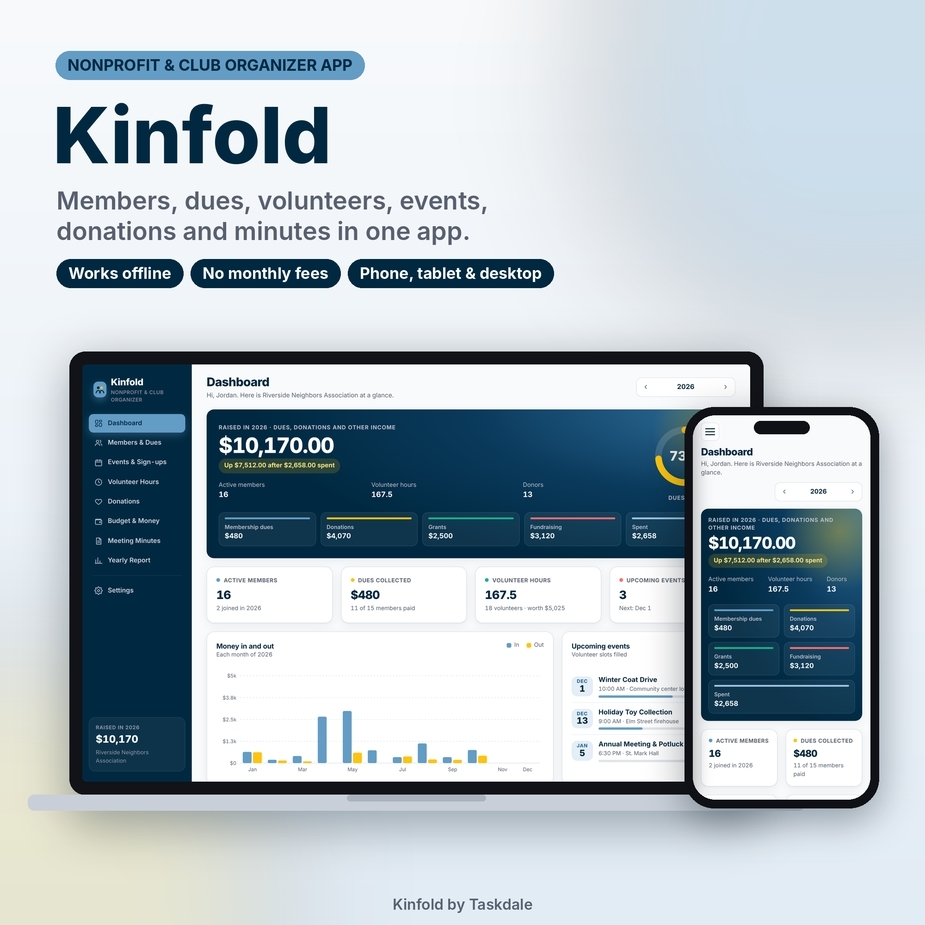
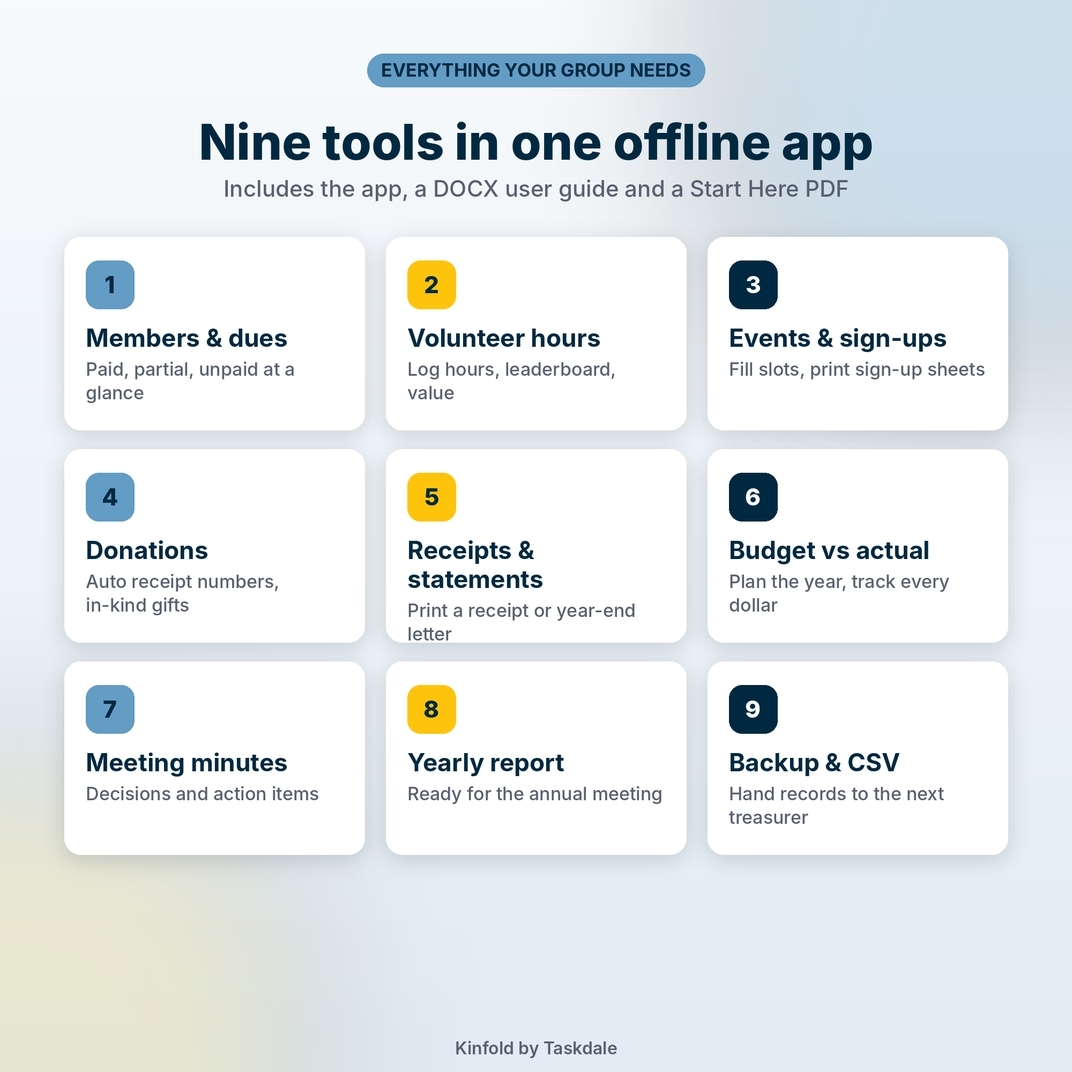
Kinfold is a nonprofit organizer app for the people who keep small groups running: the treasurer with a shoebox of checks, the secretary with three notebooks of minutes, the volunteer coordinator texting twenty people about Saturday. It runs in your web browser from one downloaded file. Members and dues, volunteer hours, events and sign-ups, donations and receipts, the budget, meeting minutes and a yearly report all live in one place.
There is no account, no monthly fee and no charge per member. Your records stay on your own device and the app works offline after download.
Who this club and nonprofit organizer is for
- Neighborhood associations, garden clubs, PTAs and PTOs, booster clubs and hobby clubs.
- Small nonprofits and community groups with a volunteer board and no office staff.
- Volunteer coordinators who need to fill shifts and count hours for grant reports.
- Treasurers who want dues, donations and spending in one tidy record they can hand to the next officer.
Features of the Kinfold nonprofit organizer app
A dashboard that shows your whole year
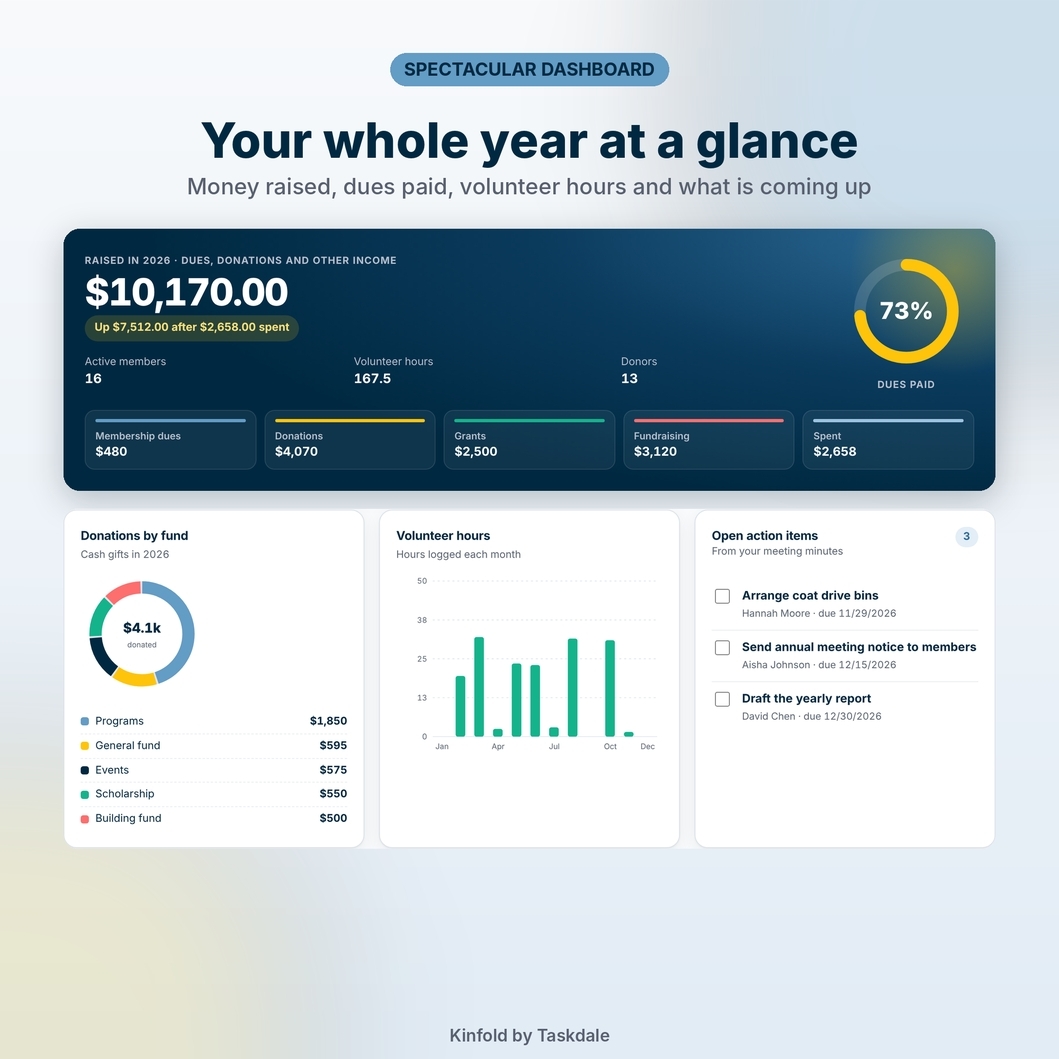
The hero card shows how much your group raised this year from dues, donations, grants and fundraisers, and whether you are ahead after spending. A yellow ring shows the share of members who have paid dues. Below it: active members, volunteer hours, upcoming events with slots filled, a money in and out chart for every month, donations by fund, open action items, dues still to collect and your top volunteers.
Membership dues tracker
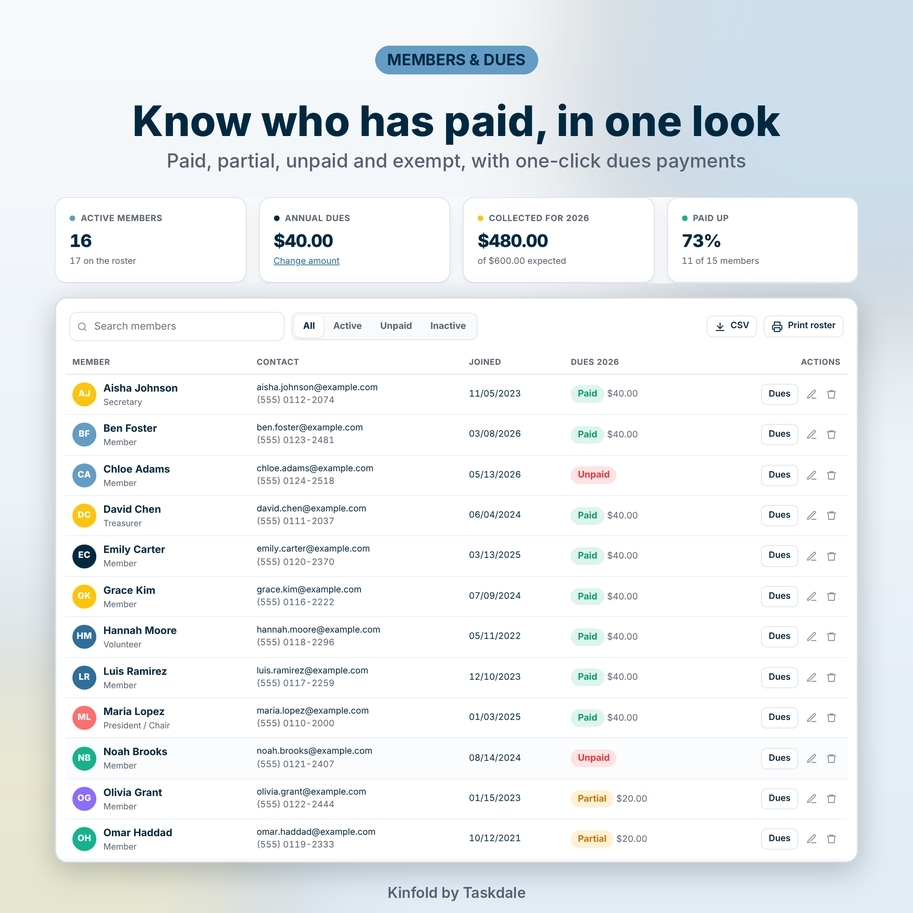
Keep a roster with roles, contact details, join dates and notes. Set your annual dues once, then click Dues on any member to record a payment. Kinfold fills in the amount still owed and marks each person Paid, Partial, Unpaid or Exempt for honorary and lifetime members. Filter to unpaid members, print the roster or export it to CSV for your email tool.
Event sign-ups with volunteer slots
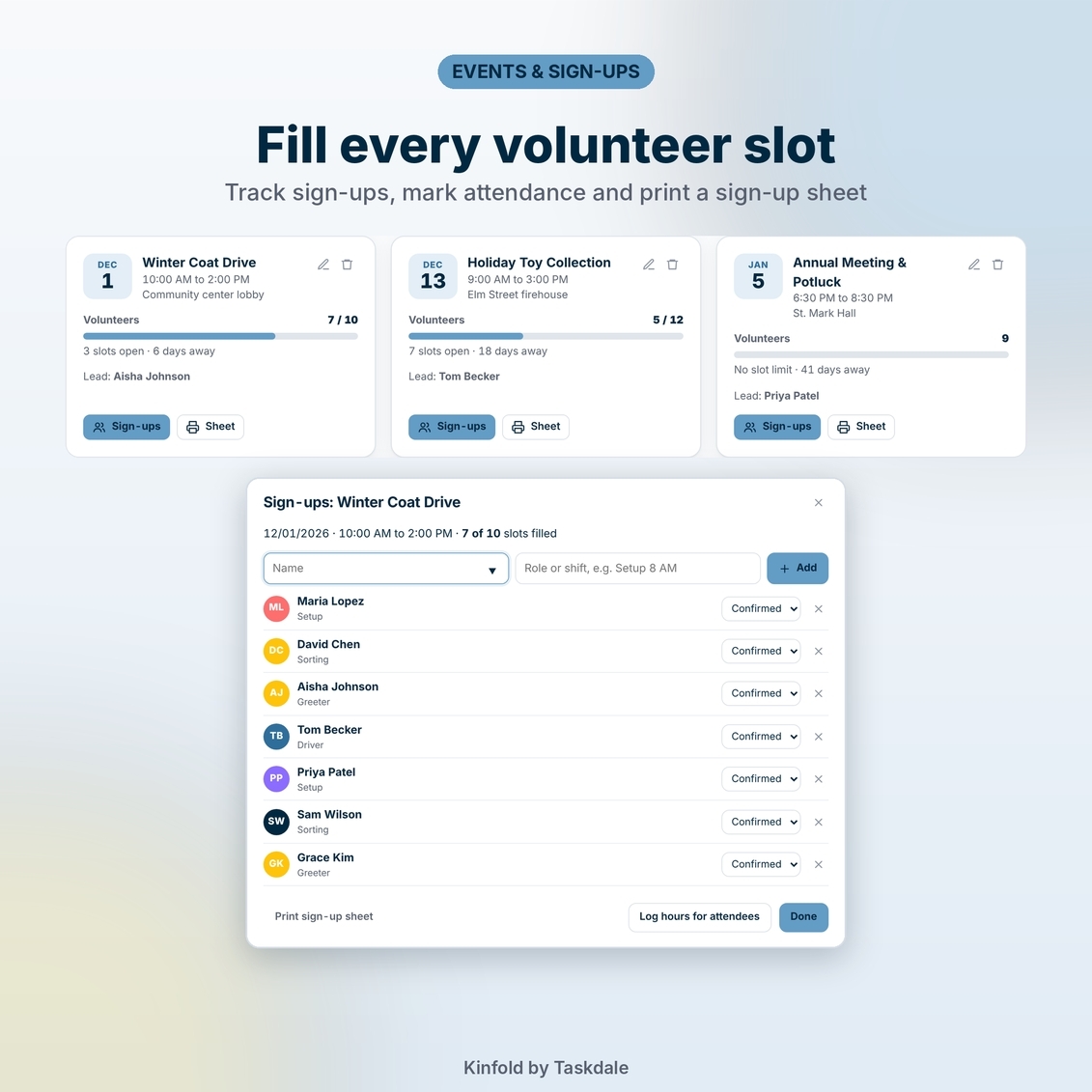
Add an event with its date, times, location, lead and number of volunteer slots. A bar fills as people sign up. Mark each person Confirmed, Attended, No-show or Cancelled, and print a sign-up sheet with blank lines for the clipboard at the door. After the event, log the same hours for every attendee in one step.
Volunteer hours tracker
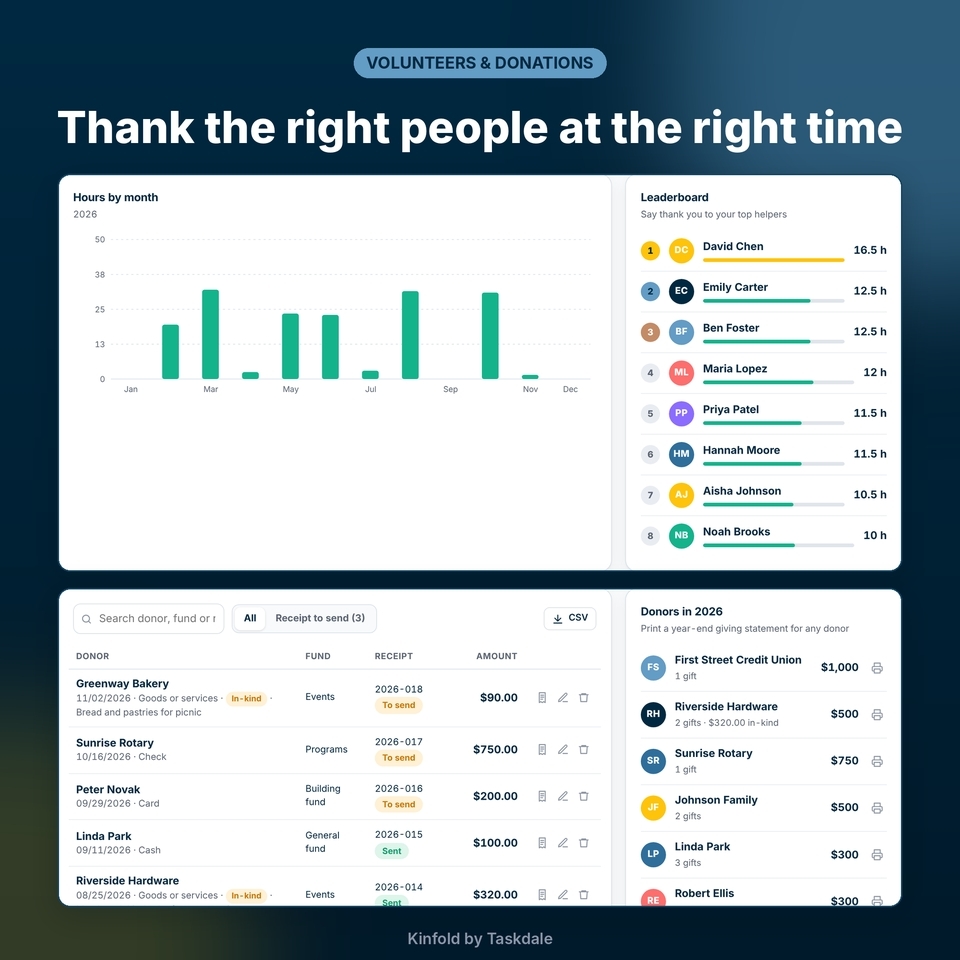
Log hours for members and non-members, linked to an event or to ongoing work like the newsletter or bookkeeping. See total hours, number of volunteers, hours by month and a leaderboard. Add a value per volunteer hour and Kinfold shows what your volunteers gave in money terms, a number grant applications often ask for.
Donation tracker with receipts and year-end statements
Record each gift with donor, fund, method and date. Receipt numbers fill in on their own, such as 2026-014. Track in-kind gifts separately from cash, filter to receipts you still need to send, print a receipt with your organization name, address and tax ID, and print a year-end giving statement for any donor. Kinfold keeps records only. It is not tax or legal advice, so check what your receipts must say with a tax professional.
Budget vs actual
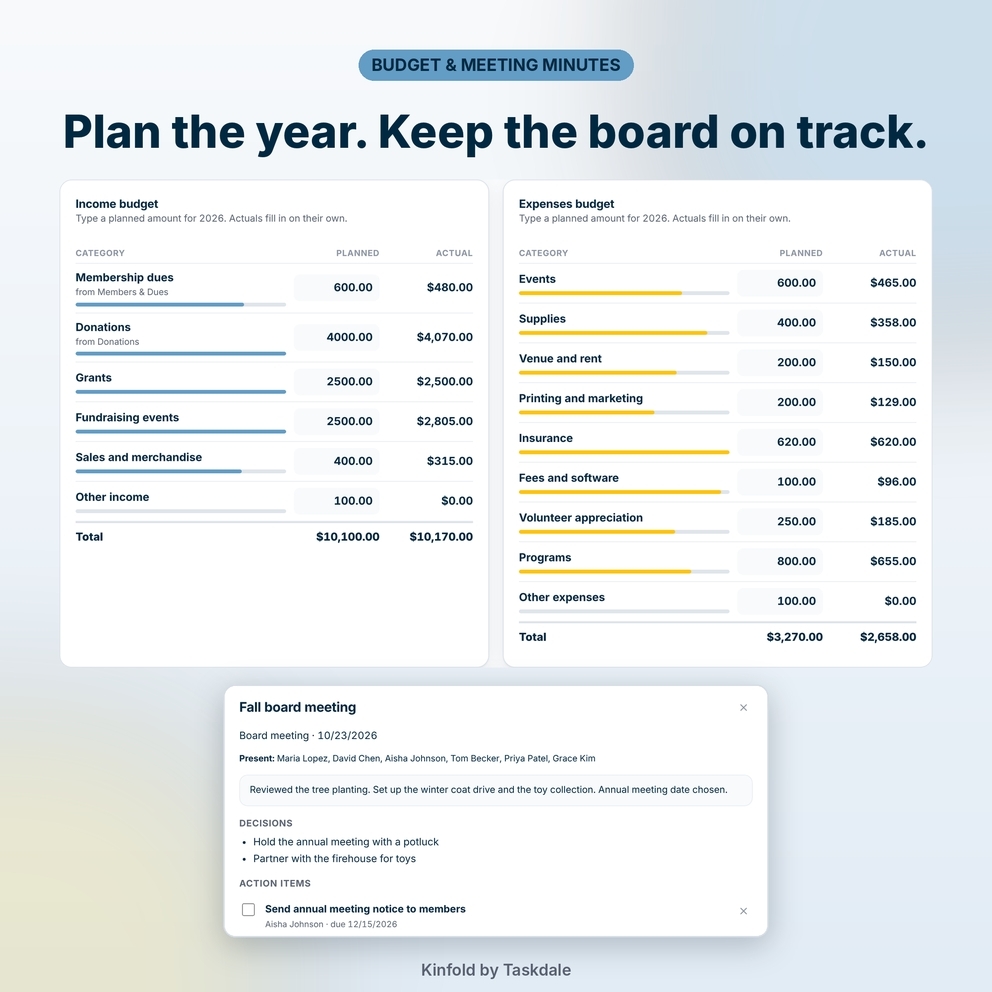
Plan income and expenses for the year by category. Actuals fill in on their own from dues, donations and the income and expense entries you add. Bars turn red when spending passes the plan. Link takings and costs to an event to see whether the plant sale really paid off.
Meeting minutes with action items
Record who was present, discussion notes, decisions and the next meeting date. Add action items with an owner and due date, tick them off from the meeting, the minutes screen or the dashboard, and spot overdue ones in red. Print minutes with an approval line.
Yearly report for the annual meeting
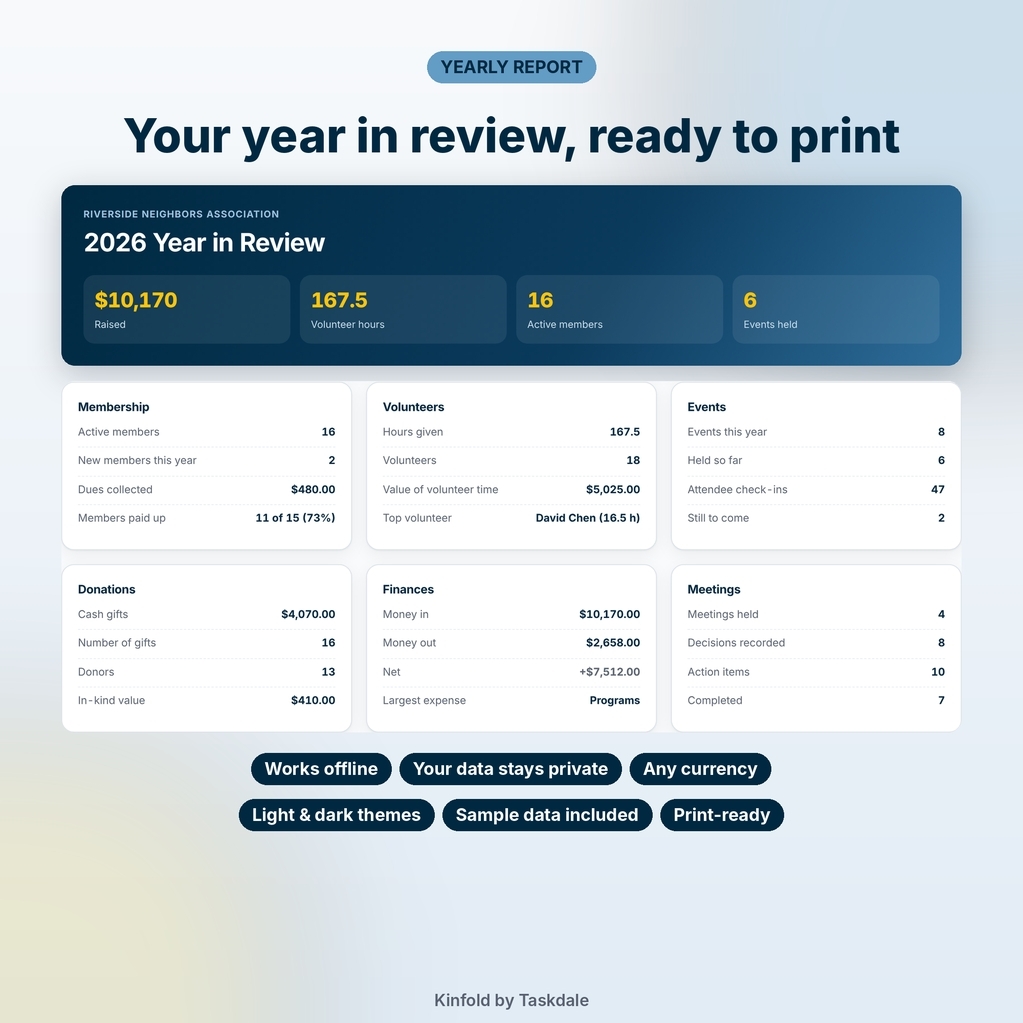
One printable page sums up the year: money raised, volunteer hours, active members, events held, then membership, volunteer, event, donation, finance and meeting totals, two donut charts for where money came from and went, a thank-you list of top volunteers and every event of the year.
What is included
- Kinfold-Nonprofit-Club-Organizer.html: the app, one offline file.
- Kinfold User Guide (DOCX): 13 pages covering setup, every screen, tips, troubleshooting and FAQ.
- Start Here PDF: a one-page quick start with home screen steps.
You get a ZIP with all three files. The app and the guide are also available as separate downloads.
How the club management app works
- Unzip the download and double-click the HTML file. It opens in your browser.
- Type your organization name, currency and annual dues on the welcome screen.
- Add members, your next event and any donations. Record dues as they come in.
- Check the dashboard before each board meeting and print the yearly report for the annual meeting.
Want a tour first? Load the sample data: a neighborhood association with 17 members, nine events, 18 donations, a full budget and four sets of minutes.
File format and software requirements
Kinfold is a single HTML file with everything built in. It needs no internet connection, no install and no account. We tested it in Google Chrome and Microsoft Edge at desktop, tablet and phone sizes. It uses standard web features, so other current browsers should work too.
On iPhone and iPad, the Files app preview cannot run web apps. Open the file in a browser or an HTML viewer app that opens local files. On Android, open it in Chrome and add it to your home screen. Each browser keeps its own data, and Export backup moves everything to another device.
Customization
Choose your currency from the list or type any symbol, before or after the amount, with $ as the default. Every amount in the app follows that one setting. Set your dues amount, the value of a volunteer hour, the receipt message, your address and tax ID, and switch between light and dark themes. Reports run by calendar year, with arrows to look back at earlier years.
Digital download information
This is a digital product. Nothing is shipped. Your files are ready to download right after purchase, with unlimited downloads. Personal use license: use it to run your own club, group or nonprofit. Please do not resell or share the files.
Real ways groups use this volunteer and membership tracker
- A garden club treasurer checking who still owes dues before the spring meeting.
- A PTO filling 12 volunteer slots for a book fair and printing the sign-up sheet.
- A food pantry counting volunteer hours and their value for a community grant.
- A neighborhood association printing year-end giving statements for 30 donors in January.
- A new board secretary importing last year’s backup and picking up open action items.
FAQ
Does it work offline?
Yes. After download, everything runs in your browser with no internet.
Is our member and donor data safe?
Your records never leave your device. There is no server, account or cloud sync.
Can more than one board member use it?
Each copy keeps its own data. One person usually keeps the records and shares printed reports or a backup file. Handing over is one export and one import.
Does it print donation receipts?
Yes, single receipts and year-end statements per donor. It is not tax or legal advice, so confirm the wording you need with a tax professional.
Can I use it on my phone?
Yes. The layout fits phones, tablets and desktops. See the iPhone note above.
Is there a monthly fee?
No. You buy it once and keep it, with no per-member charges.
Can I use a currency other than dollars?
Yes. Pick one in Settings or type any symbol.
Reviews
There are no reviews yet.