

Turn what you know into a workbook people actually use
Most ebook templates give you pretty pages and nothing for your readers to do. This one is different. The Linen template mixes elegant lesson pages with real fill-in worksheets, so your readers stop skimming and start doing the work. That is what makes a guide feel worth paying for.
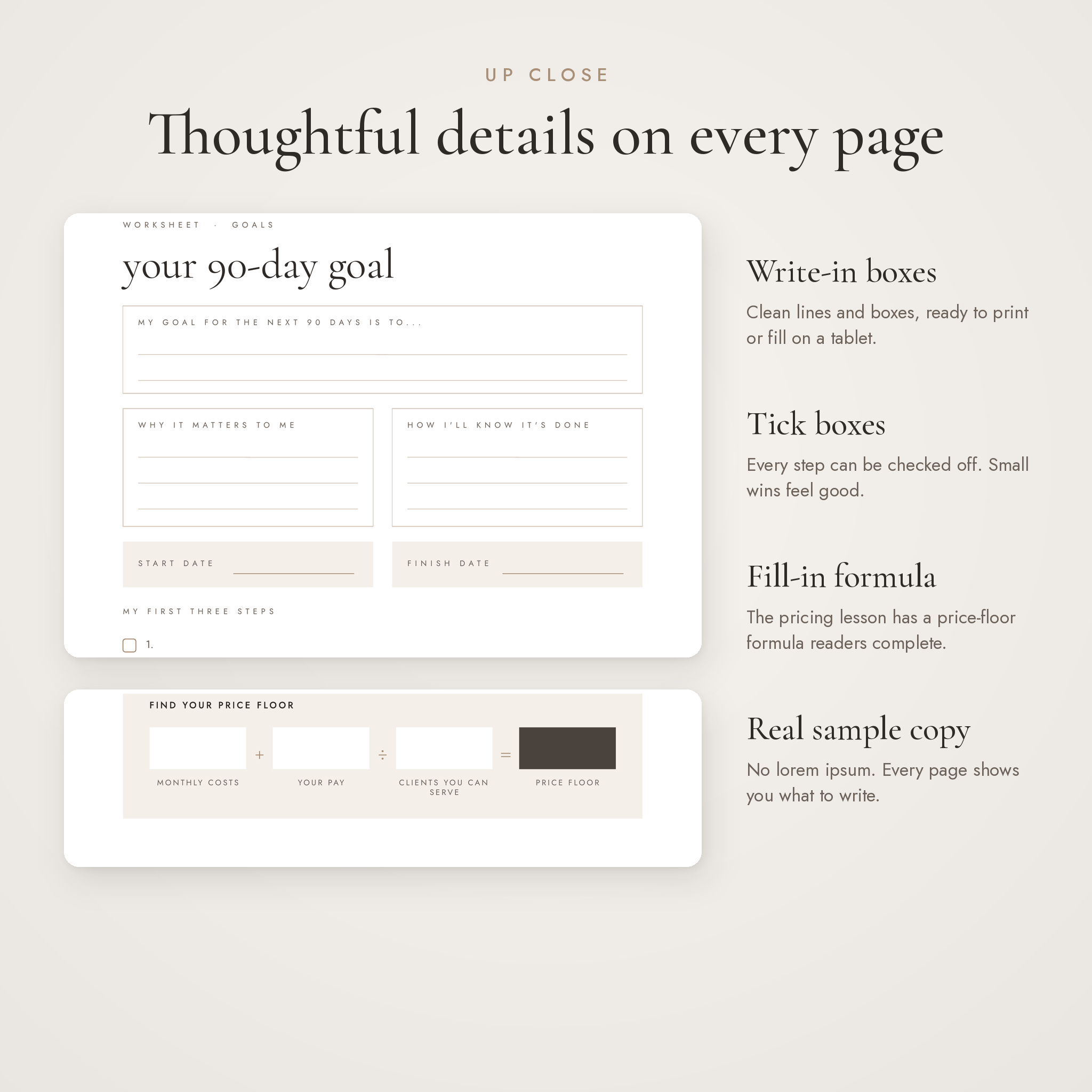
Every page comes with sample copy written for a fictional coach. No lorem ipsum. You can see exactly what goes where, then type over it in your own words.
Who it’s for
- Coaches and consultants making a client workbook or paid guide
- Course creators who need a workbook for each module
- Bloggers and creators building a lead magnet or opt-in freebie
- Small businesses that want a welcome guide or service guide
- Wellness, mindset and creative brands who love a soft, neutral look
What you can do with it
- Sell it as a paid ebook or workbook
- Give it away as a lead magnet to grow your email list
- Send it to new clients as a welcome pack
- Use it as a companion workbook for your course or program
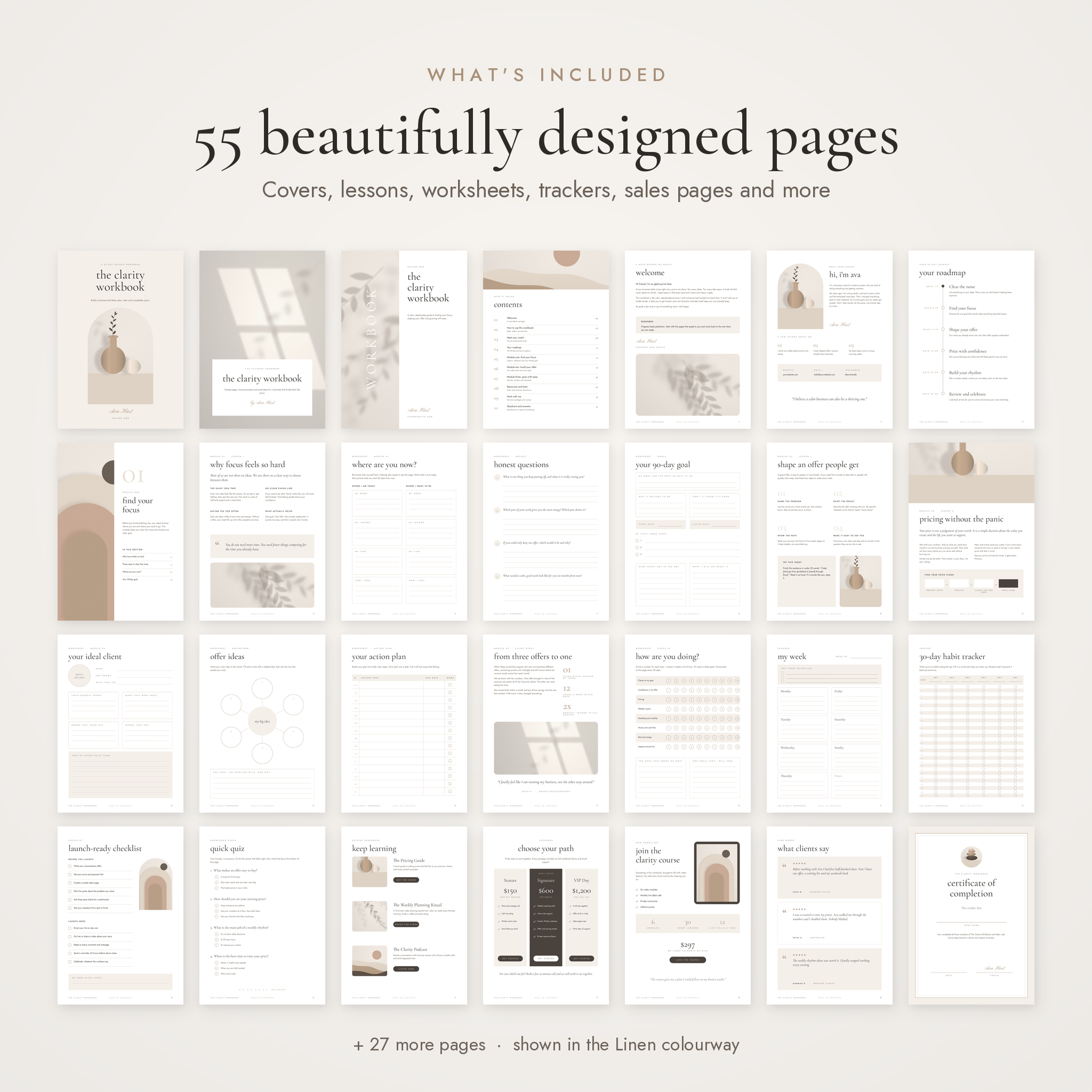
What’s inside: 55 pages
- 3 cover designs (arch, full image and split)
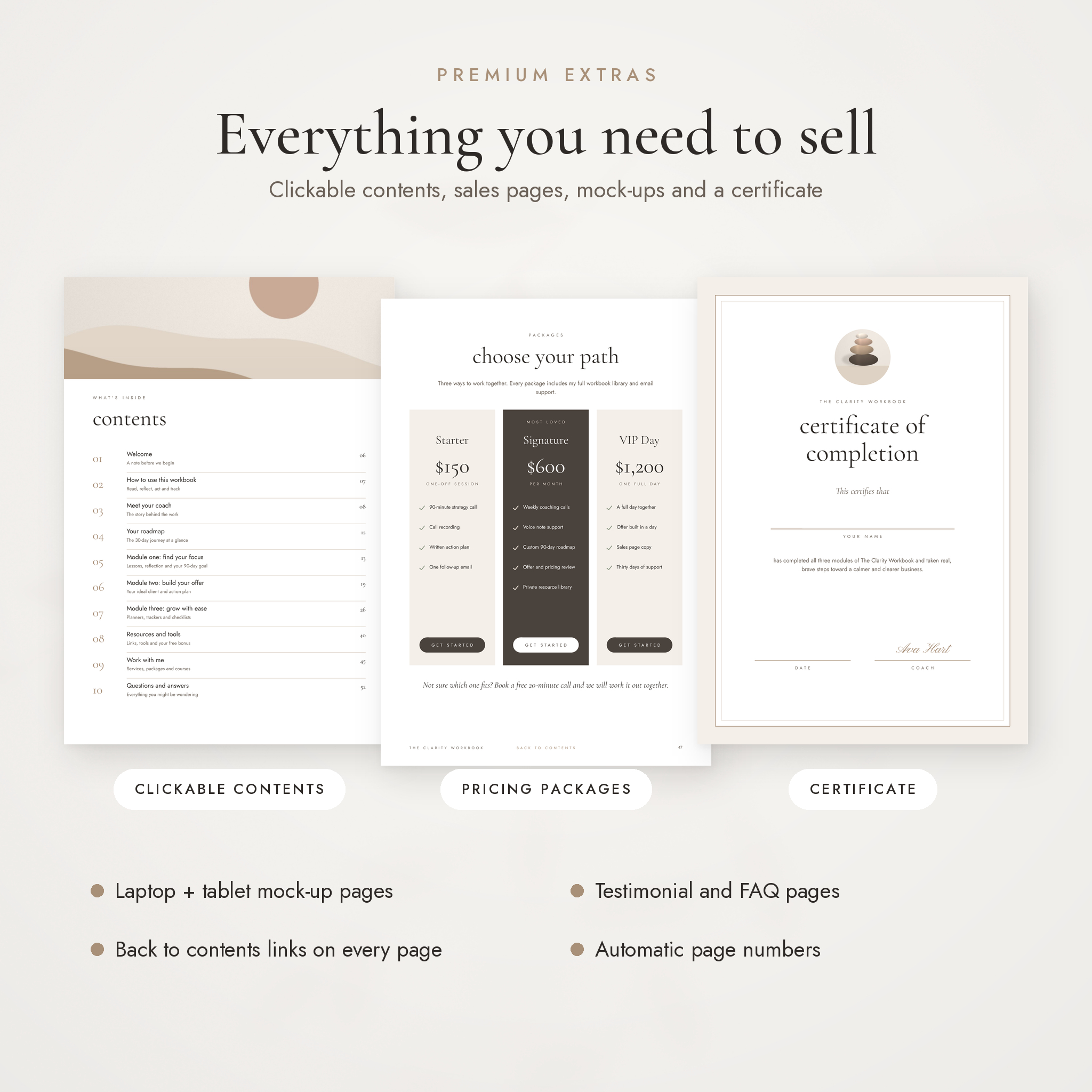
- Copyright page and clickable table of contents
- Welcome letter, how to use, about me, meet the team, quote page, mood board
- 30-day roadmap timeline
- 5 section dividers with clickable page lists
- Lesson pages: two-column, image column, four steps, do’s and don’ts, chapter opener, client story with stats, before and after, weekly rhythm
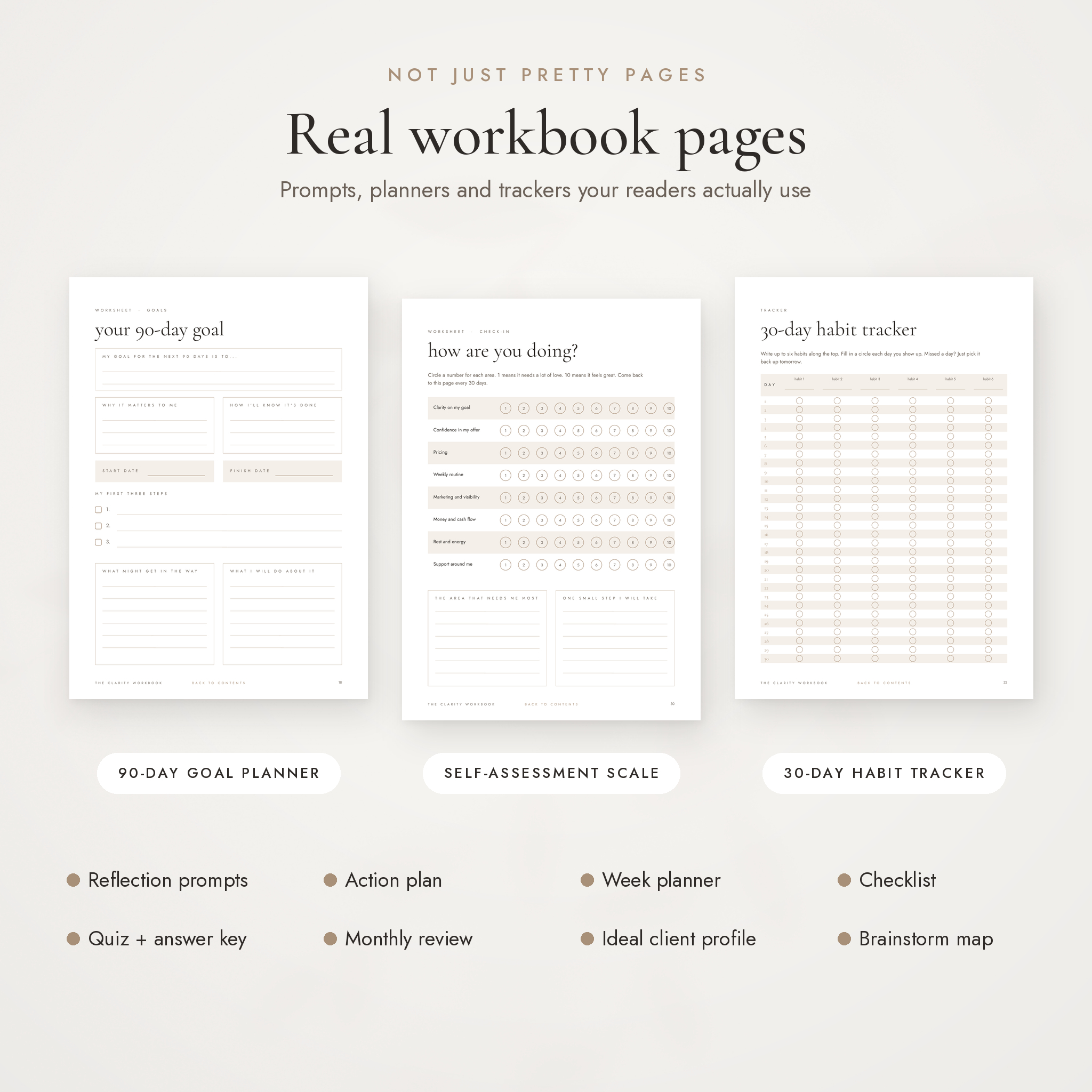
- Worksheets: where are you now, honest questions, 90-day goal, ideal client, brainstorm map, action plan, self-assessment scale (1 to 10), monthly review, journal prompt
- Planners and trackers: week planner, 30-day habit tracker, launch checklist
- Quick quiz with an upside-down answer key
- Key takeaways page, lined notes and dot grid notes
- Pricing lesson with a fill-in price-floor formula
- Resources page, recommended tools table, free bonus page, four-step take action page
- Sales pages: services list, three pricing packages, course page with tablet mock-up, masterclass invite with laptop mock-up
- Testimonials, featured testimonial and FAQ pages
- Certificate of completion, thank you page and back cover
Why buyers choose it
- Works in 4 apps. PowerPoint, Keynote, Google Slides and Canva (import). Google Slides and Canva are free, so you don’t need Canva Pro or any paid software.
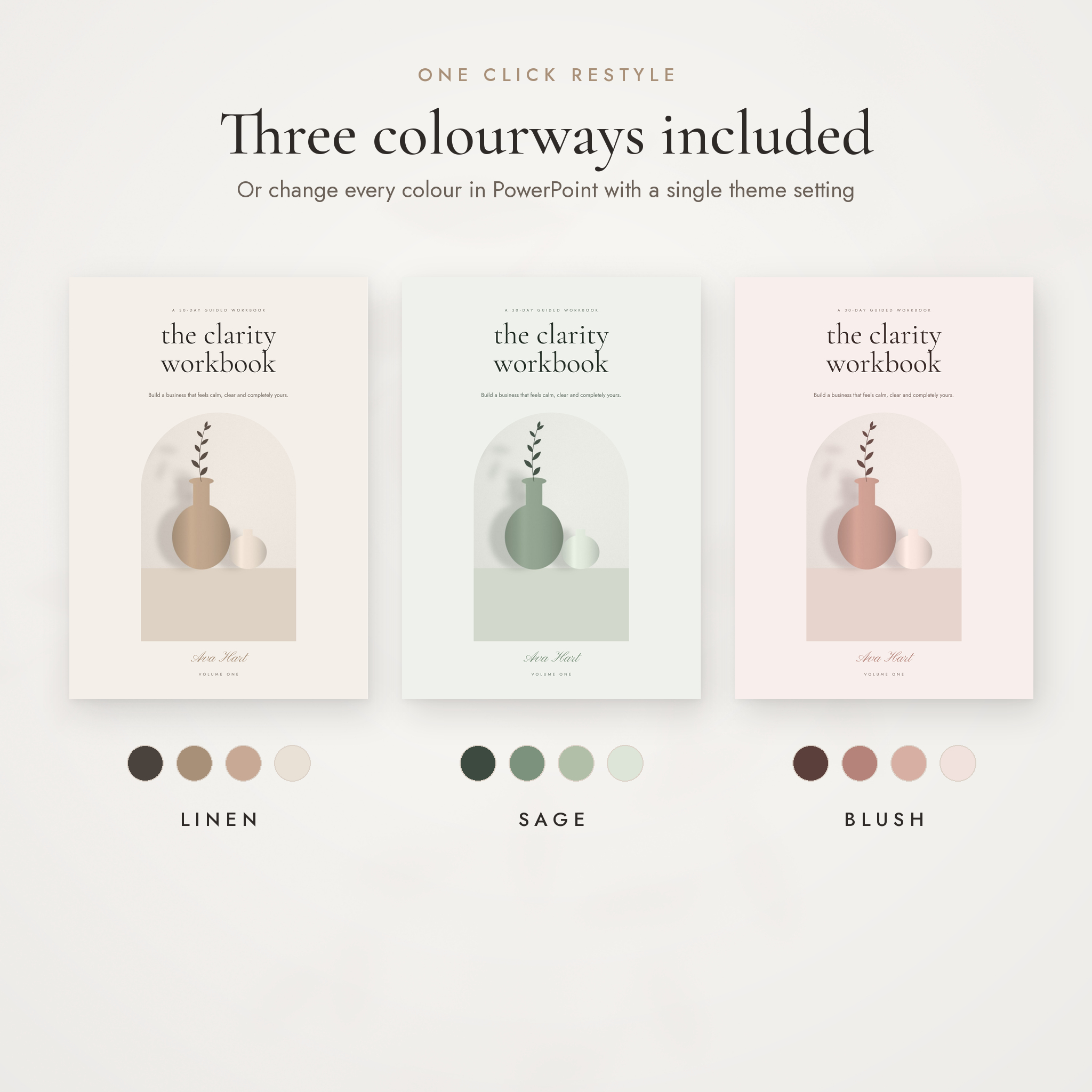
- 3 colourways. Linen, Sage and Blush, each in A4 and US Letter.
- One-click recolour in PowerPoint. Every shape and heading is linked to the theme colours, so changing the palette updates all 55 pages at once.
- Arch photo frames that keep their shape. Swap a picture and the arch or rounded frame stays put.
- Clickable navigation. Contents page, section pages and a back-to-contents link on every page. Page numbers update on their own.
- Original artwork included. 30 soft, minimal images made for this template. No stock photo licence to worry about.
- User guide included. A step-by-step guide covering setup, fonts, colours, photos, links, exporting, troubleshooting and FAQs.
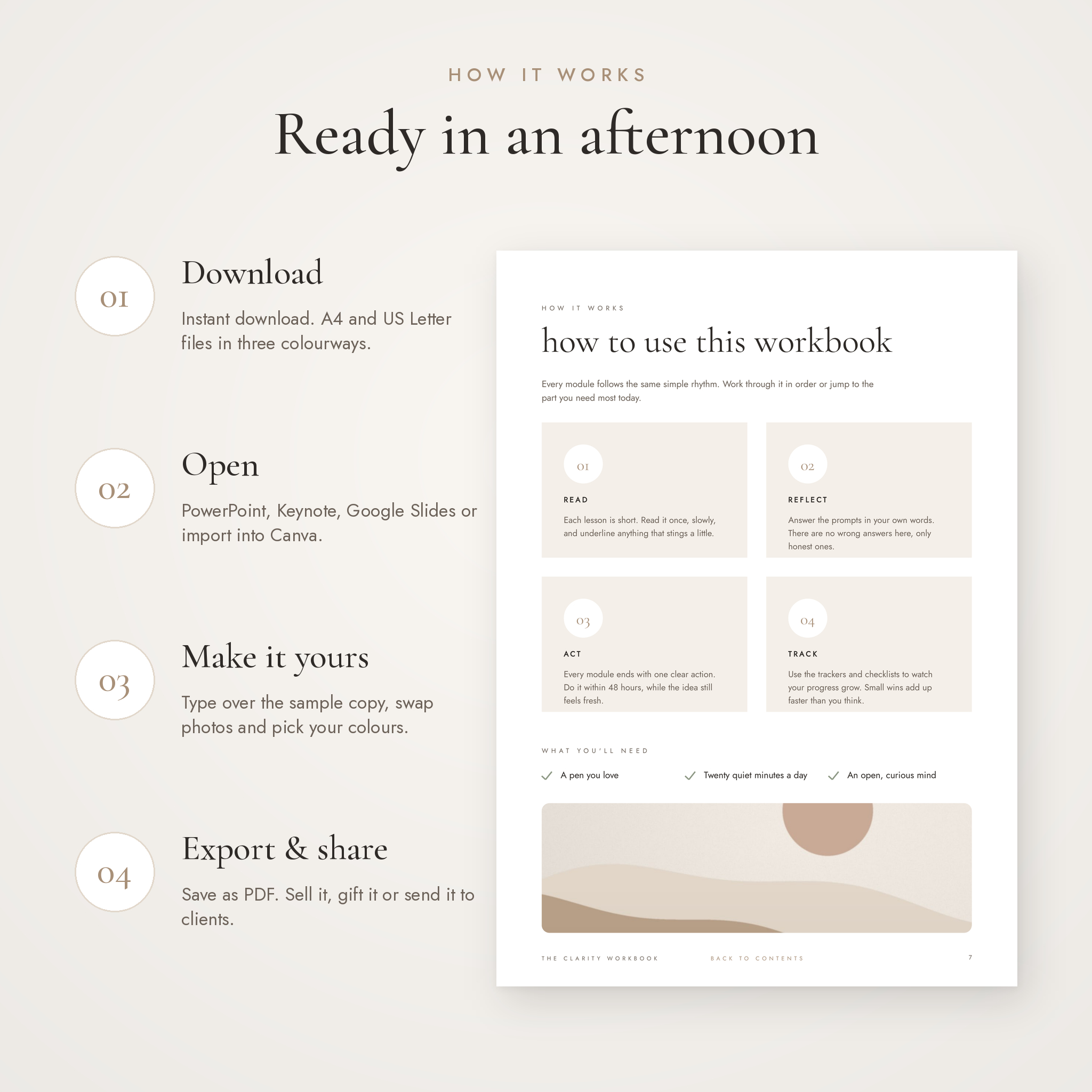
How it works
- Download your files straight after checkout.
- Open the .pptx in PowerPoint, Keynote or Google Slides, or import it into Canva.
- Type over the sample text, swap the photos and choose your colours.
- Export as a PDF and share it, sell it or send it to clients.
Files you get
- Linen colourway: A4 and US Letter .pptx (zip)
- Sage colourway: A4 and US Letter .pptx (zip)
- Blush colourway: A4 and US Letter .pptx (zip)
- Artwork pack: 30 original JPG images (zip)
- User guide (.docx)
Software you need
Any one of: Microsoft PowerPoint (2016 or newer, Windows or Mac), Apple Keynote, Google Slides (free) or Canva (free account, via PowerPoint import). The template uses three free Google Fonts: Cormorant Garamond, Jost and Pinyon Script. They’re already built into Google Slides, and the guide shows you how to install them for PowerPoint and Keynote.
Customising it
Change any text, colour, font, photo or page. Duplicate pages you want more of and delete the ones you don’t need. The one-click colour and font changes work in PowerPoint. In other apps you change colours page by page.
Good to know
- This is a digital download. Nothing physical will be shipped.
- Sample text and artwork are there to show you the layout. Replace the text with your own before you publish.
- You may sell or give away the ebooks you create with this template. You may not resell or share the editable template files.
- Fillable PDF fields are not included. The guide explains how to add them in Adobe Acrobat if you want them.

Reviews
There are no reviews yet.