A no buy 2027 tracker spreadsheet that does the counting for you
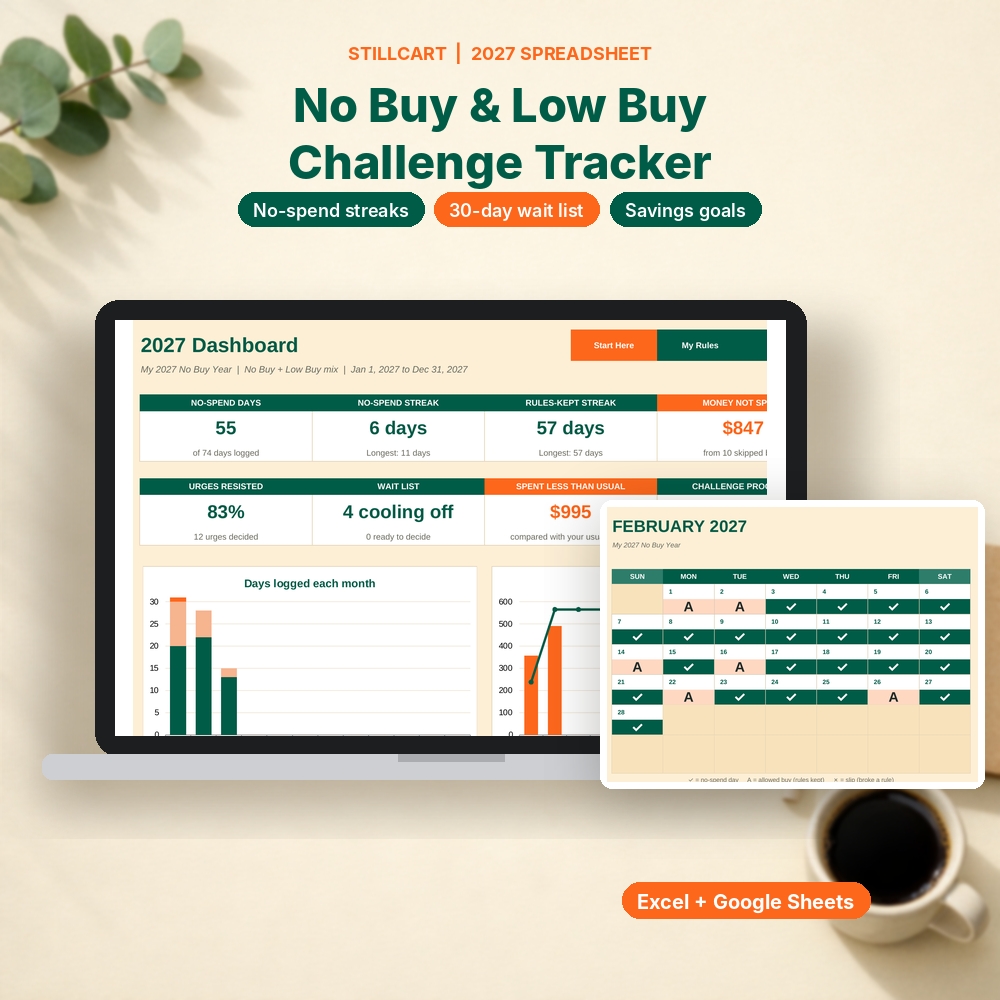
The Stillcart No Buy & Low Buy 2027 Challenge Tracker is a spreadsheet for anyone who wants to buy less next year and actually see the results. You set your own rules, mark each day with one tap, and the file works out your streaks, your money not spent and how close you are to each savings goal. It opens in Microsoft Excel and Google Sheets, and it takes about ten minutes to set up.
Most no buy trackers are a calendar and a blank box. This one connects everything: a skipped $89 air fryer in the Urge Log shows up on the Dashboard, in the month’s stats and in the goal you sent it to.
Who this no buy and low buy tracker is for
- People starting a no buy year or a no spend challenge on January 1, 2027
- Low buy savers who still want room for books, coffee or hobbies, with a monthly limit for each
- Anyone clearing a credit card or saving for a trip who needs proof that small skips add up
- Households that want one shared set of rules and one place to log purchases
Main benefits
- You stay motivated. Two streaks run all year: a no-spend streak and a rules-kept streak, so a grocery run does not wipe out your progress.
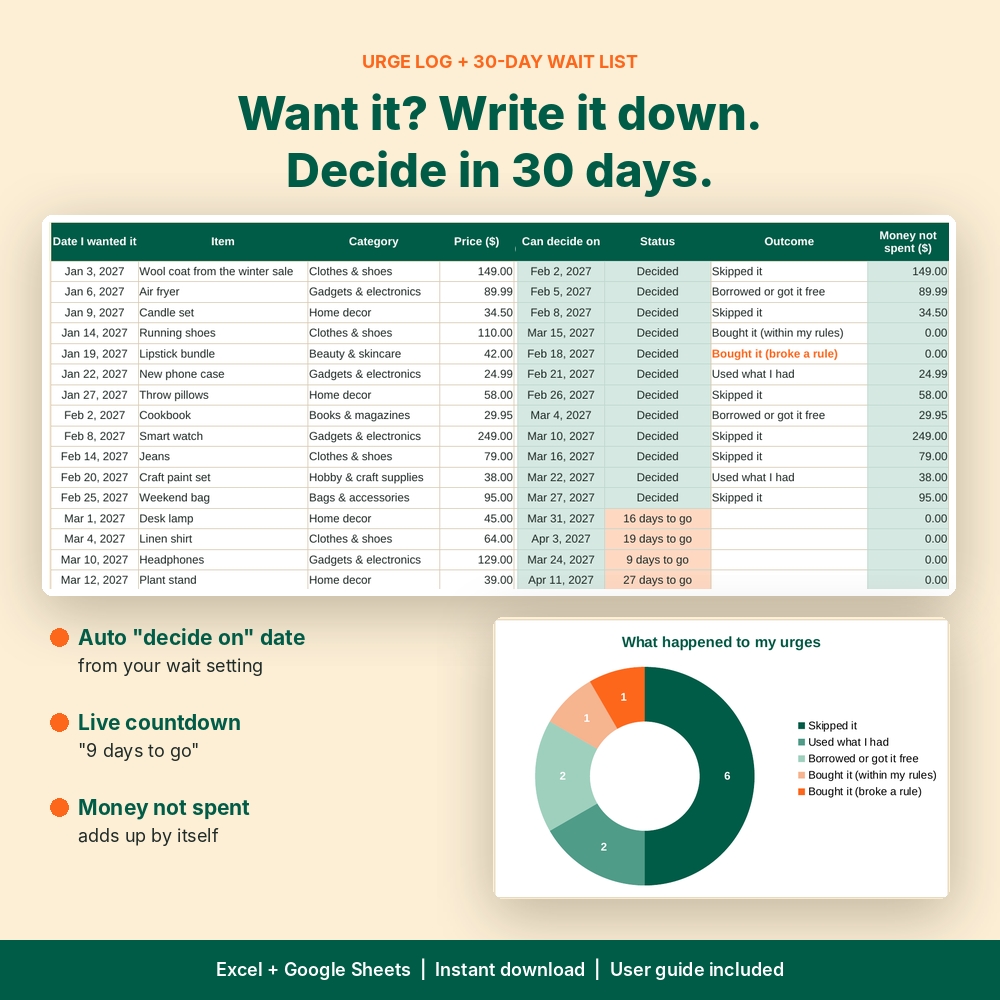
- Urges lose their grip. Every item you want gets a “decide on” date 30 days out (or any wait you choose) and a live countdown.
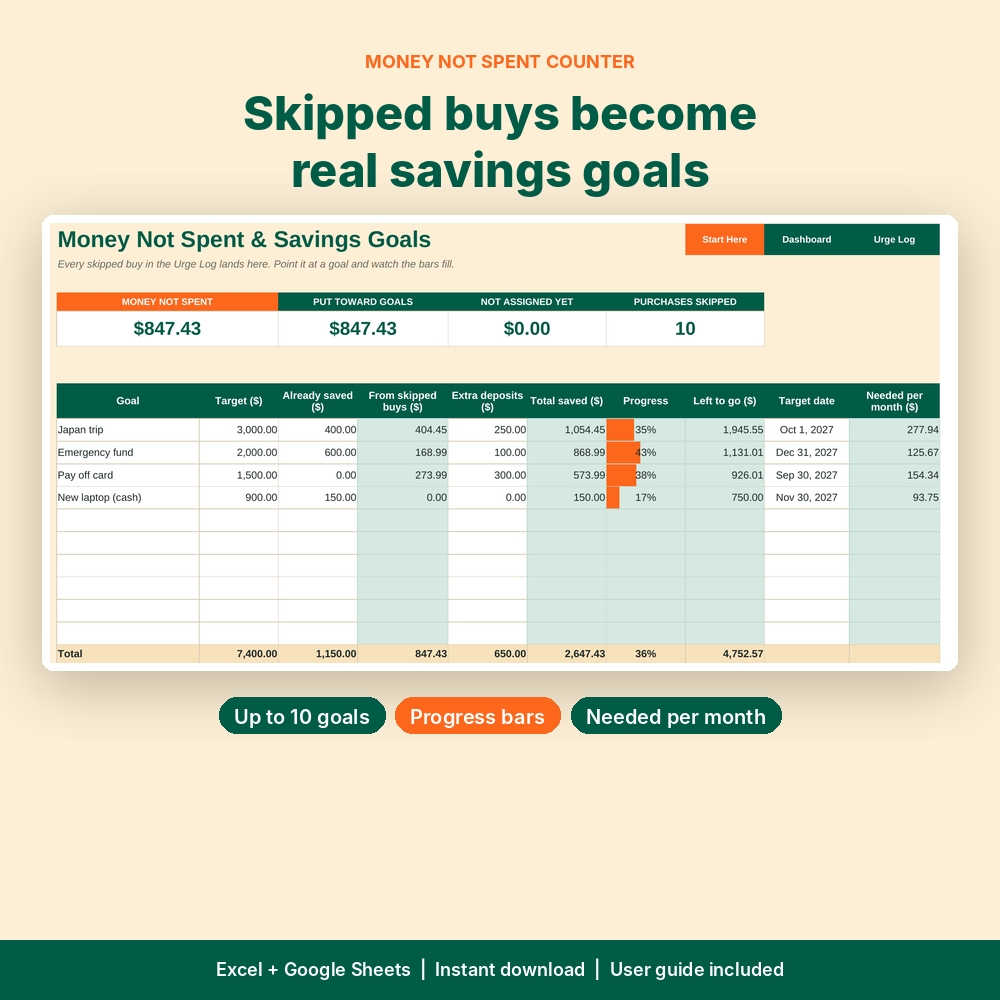
- Savings feel real. Skipped purchases land in a Money Not Spent counter and can be pointed at up to 10 goals.
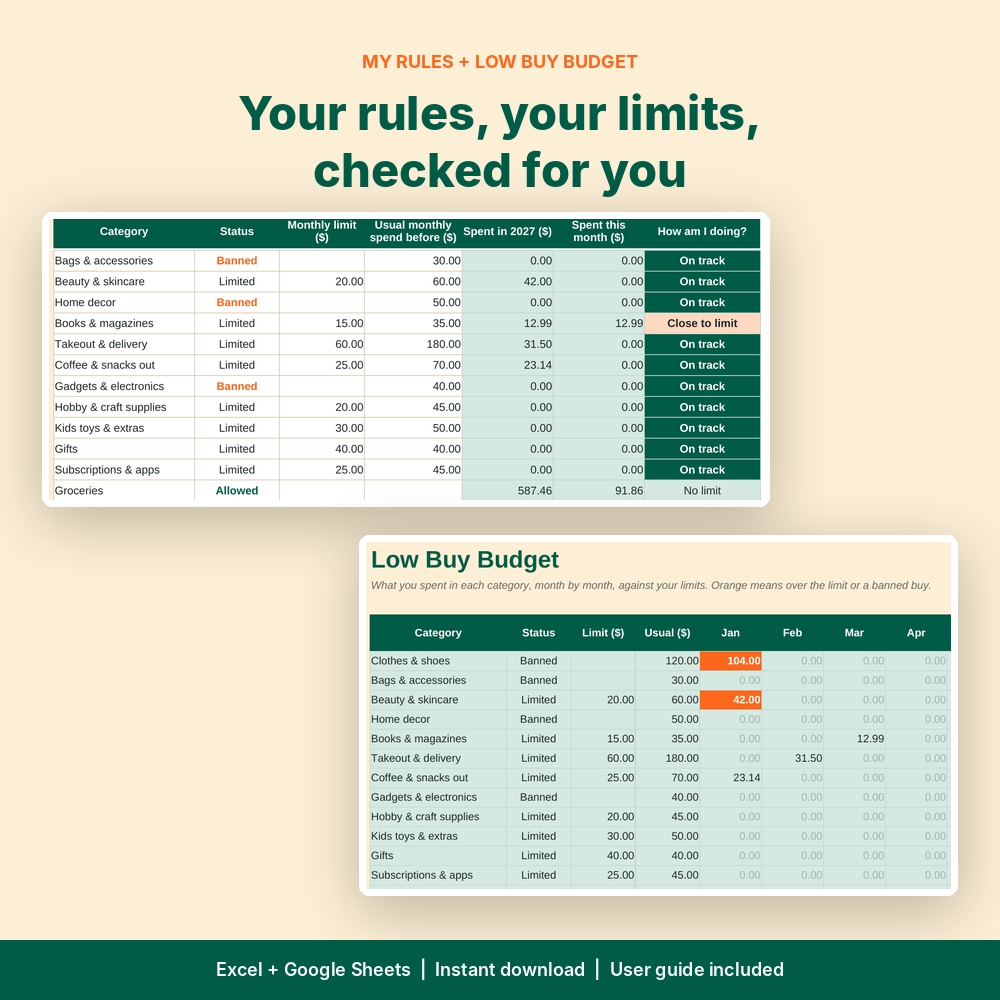
- Low buy limits stay honest. Each Limited category shows On track, Close to limit or Over limit for the current month.
Features of the no buy 2027 spreadsheet
12 monthly streak calendars
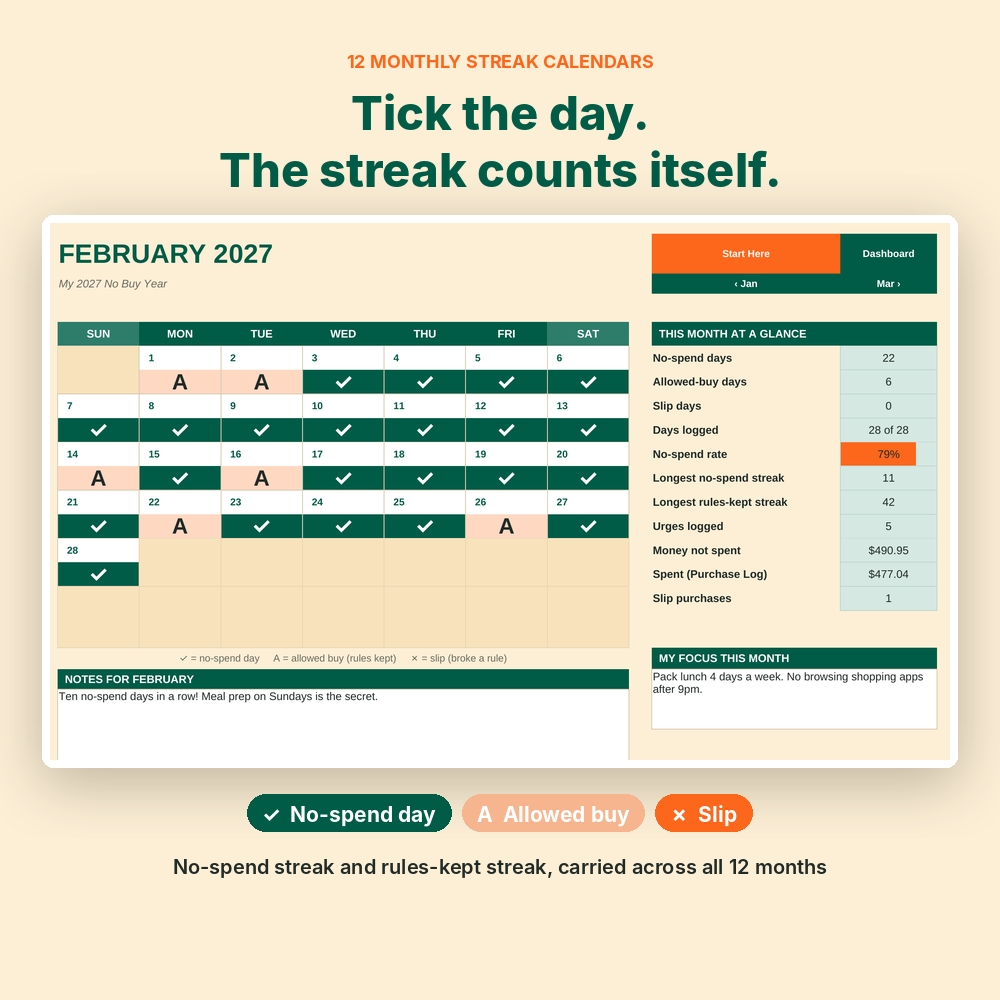
January to December 2027, each on its own tab. Pick a code from the dropdown: a check mark for a no-spend day, A for an allowed buy that keeps your rules, or an X for a slip. Cells change color, and a side panel shows no-spend days, slips, your no-spend rate and the longest streaks that month. Streaks carry across months.
Urge Log with a 30-day wait list
200 rows for things you want. Log the date, item, category, price, trigger (social media, a sale email, boredom and more) and whether it is a need or a want. The status updates to “Ready to decide” when the wait ends. Choose an outcome and the money not spent is calculated for you.
My Rules
Write your why, up to 12 personal rules and 30 categories. Mark each one Banned, Limited or Allowed, add monthly limits and your usual monthly spend. A planned exceptions table holds budgets for purchases you already know are coming, like new running shoes in April.
Purchase Log and Low Buy Budget
Log what you do buy across 300 rows with five purchase types. The Low Buy Budget tab adds it up by category and month, flags anything over a limit in orange, and shows how much less you spent than usual each month.
Savings Goals and Money Not Spent counter
Four tiles show your total not spent, what is assigned to goals, what is unassigned and how many purchases you skipped. Each goal gets a progress bar, the amount left and the amount needed per month to hit the target date.
Monthly check-ins and a Dashboard
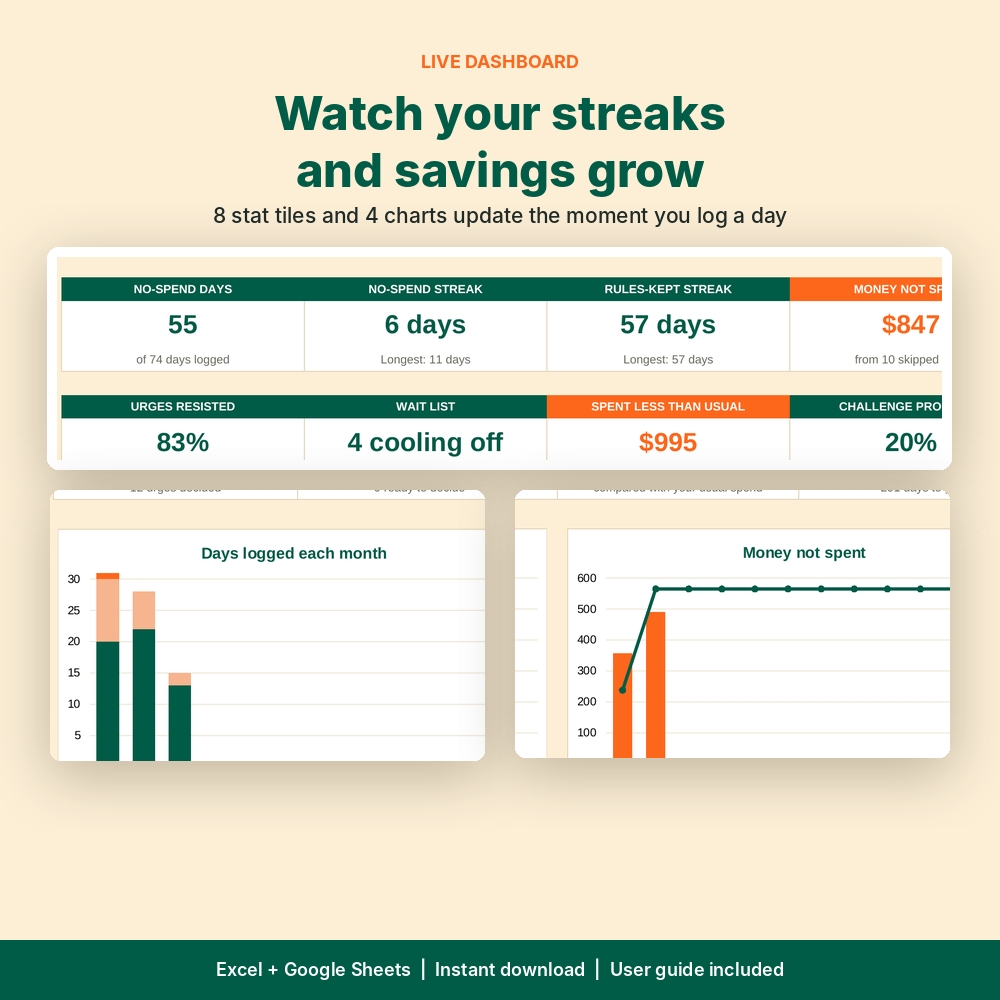
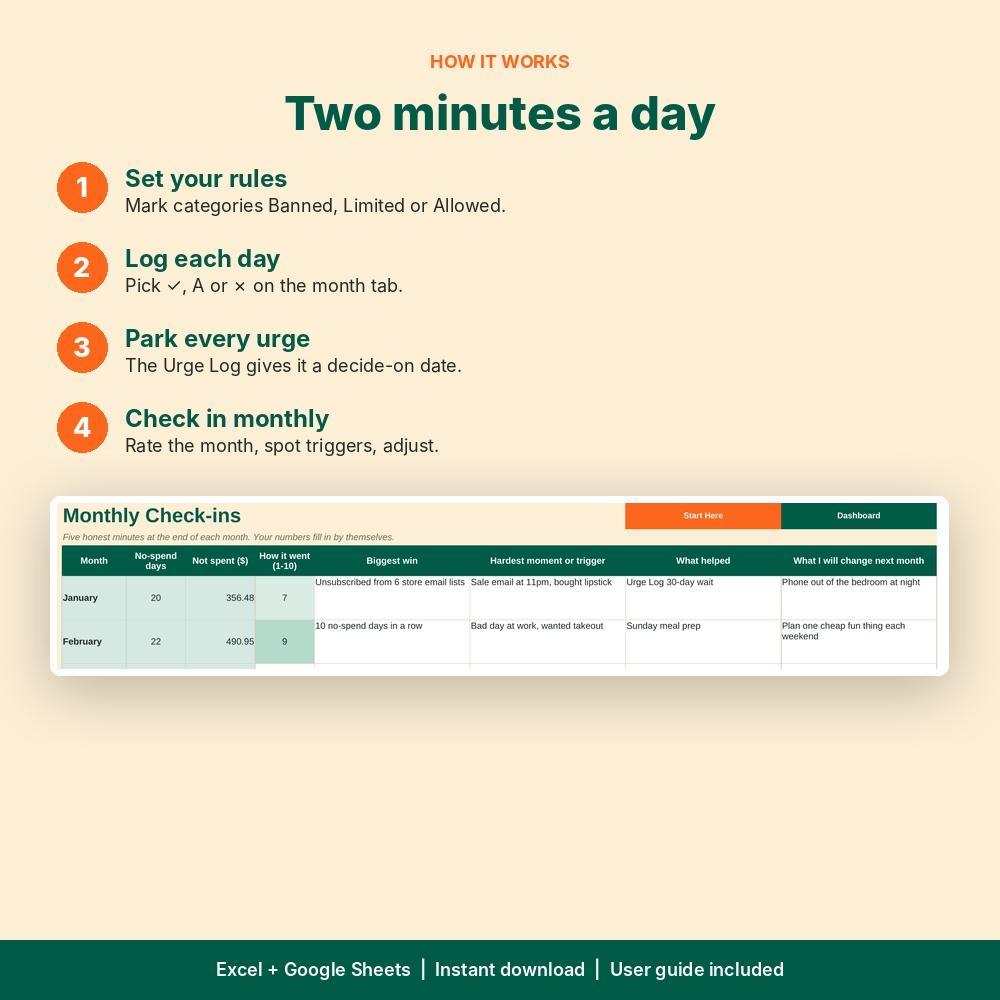
Rate each month from 1 to 10 and note your biggest win and hardest trigger. The Dashboard pulls it all together with 8 stat tiles and 4 charts: days logged per month, money not spent with a running total, goal progress and urge outcomes.
What is included
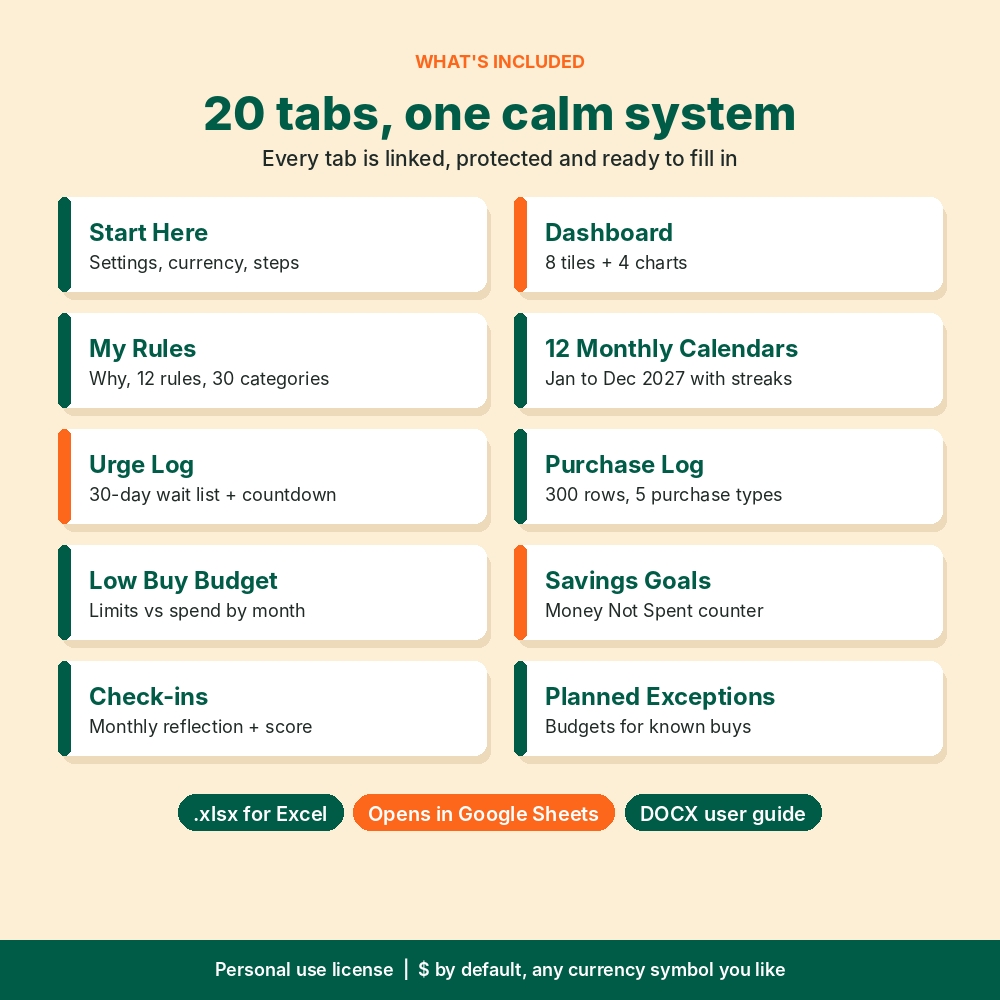
- Stillcart No Buy & Low Buy 2027 Challenge Tracker (.xlsx), 20 tabs
- User guide (.docx, 7 pages) with setup steps, tips, troubleshooting and FAQ
How it works
- Enter your challenge name, currency symbol and dates on Start Here.
- Set your rules and categories on My Rules.
- Each evening, pick a code for the day on the month tab.
- When you want something, add it to the Urge Log instead of the cart.
- Log any purchase you do make, then check the Dashboard and your monthly check-in.
File format and software requirements
One .xlsx file that works in Microsoft Excel and in Google Sheets (upload it to Google Drive and save it as a Google Sheets file). It uses standard functions only, with no macros and no add-ons. The guide is a Word .docx file that also opens in Google Docs.
Customization
Rename any category, add your own, change the default wait period or set a custom wait for a single item. Money values use $ by default, and you can switch to any currency symbol in one cell. Formula cells are protected without a password, so you can unlock them if you want to adjust something.
Digital download
This is a digital product. Nothing is shipped. Your files are available to download right after checkout, as often as you need.
Real situations where this low buy tracker helps
- You see a winter coat in a sale email at 11pm. You log it at $149 and decide on February 2. By then you have skipped it and sent the money to your trip fund.
- You allow yourself $25 a month for coffee out. On the 20th, My Rules shows “Close to limit”, so you brew at home for the rest of the month.
- Your sister’s wedding is in June. You add a $150 planned exception in January, so buying the outfit is part of the plan, not a slip.
FAQ
Does this no buy tracker work in Google Sheets?
Yes. Upload the .xlsx to Google Drive and save it as a Google Sheets file. Dropdowns, formulas and charts carry over.
What is the difference between a no buy year and a low buy year?
A no buy year bans whole categories. A low buy year allows them with a limit. The tracker handles both, or a mix.
Can I start after January?
Yes. Set your start date and begin on any month. Earlier months simply stay empty.
Can I use my own currency?
Yes. Type your symbol on Start Here and every money heading and tile updates.
Is it beginner friendly?
Yes. White cells are for typing, green cells calculate, and the Start Here tab walks you through seven steps.
Can I share it with friends?
The license covers personal use by the buyer and their household. Please do not share, resell or upload the file.

Reviews
There are no reviews yet.