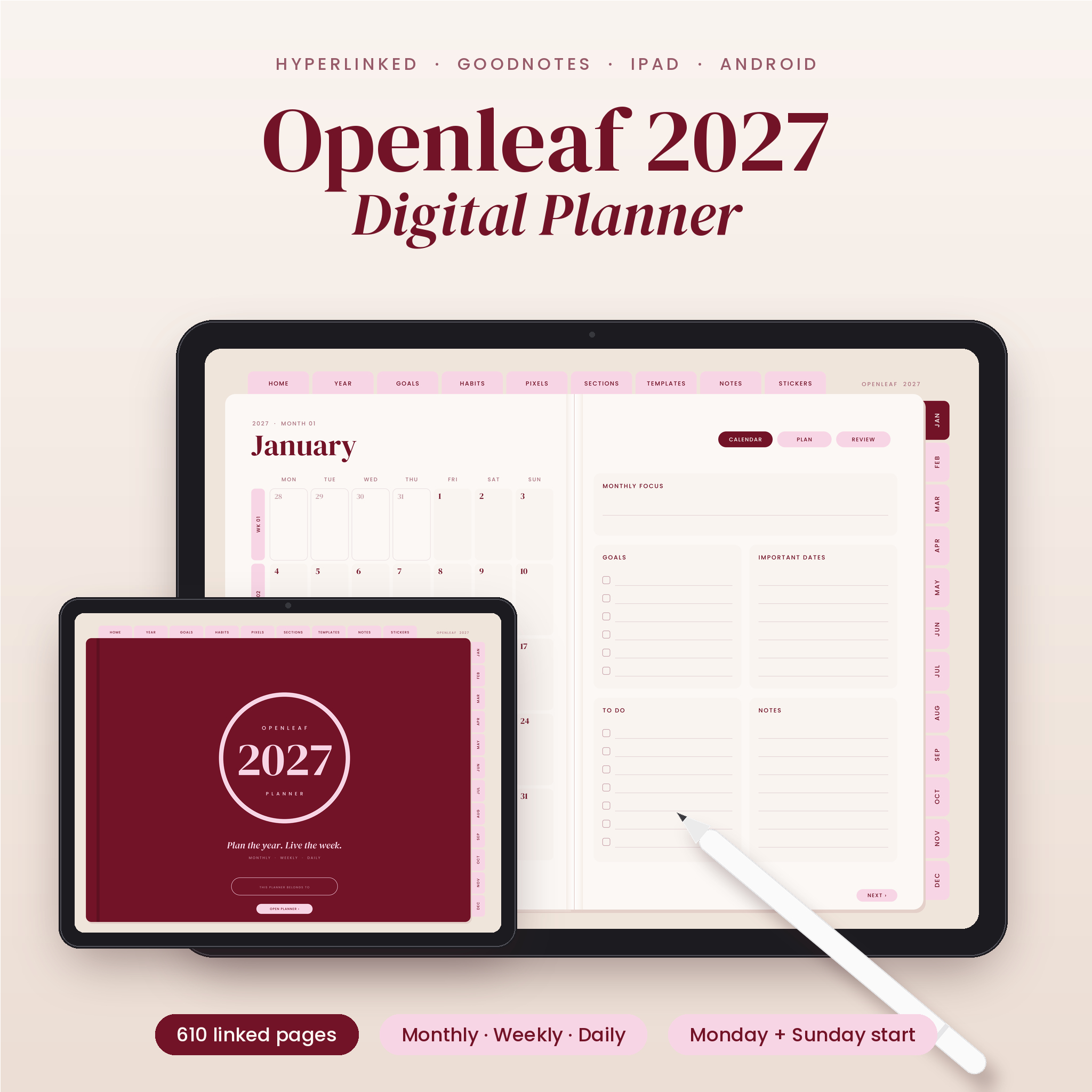


The Openleaf 2027 digital planner is a hyperlinked GoodNotes and iPad planner that looks like an open book on your screen. Left page, right page, a soft spine down the middle. Tabs sit along the top and the right edge of every single page, so getting from January to next Thursday takes one tap, not twenty swipes.
It runs from January to December 2027. You get monthly calendars, two weekly layouts, 365 daily pages, habit and budget trackers, goal pages, 20 extra templates and 140 matching stickers. If you like things lighter, there’s a Lite file too, with months and weeks only.
What this 2027 digital planner does
It gives you one calm place for the whole year. Big goals sit on the Goals tab. Each month gets a calendar, a plan page and a review page. Each week comes in two styles. Each day has room for a schedule, a top 3 and a short list. Everything links to everything else, so the planner works like an app, but you still write by hand.
The colors are deep burgundy, blush pink and warm sand. Quiet enough for work, pretty enough that you’ll want to open it.
Who it’s for
- People who used to love paper planners but want everything on one tablet
- Busy parents juggling school runs, bills and birthdays
- Students tracking classes, exams and part-time shifts
- Freelancers and small business owners who plan by the week
- Anyone who bought a digital planner before and got lost in it
Main features
Navigation that stays put
- 9 top tabs on every page: Home, Year, Goals, Habits, Pixels, Sections, Templates, Notes and Stickers
- 12 month tabs down the side of every page
- Every date on every calendar opens that day
- Week tabs on each monthly calendar open that week
- Prev and Next buttons plus back buttons at the bottom of each page
Year and goal pages
- Home dashboard with all 12 months, quick links, word of the year and big goals
- 2027 at a glance and a linear year planner with weekends shaded
- Goals for 8 life areas, plus top 3 goals with action steps, due dates and a 10-step progress bar
- Vision board with photo frames, bucket list and important dates
- Year in pixels mood tracker and a year-long habit tracker
- 4 quarterly review spreads
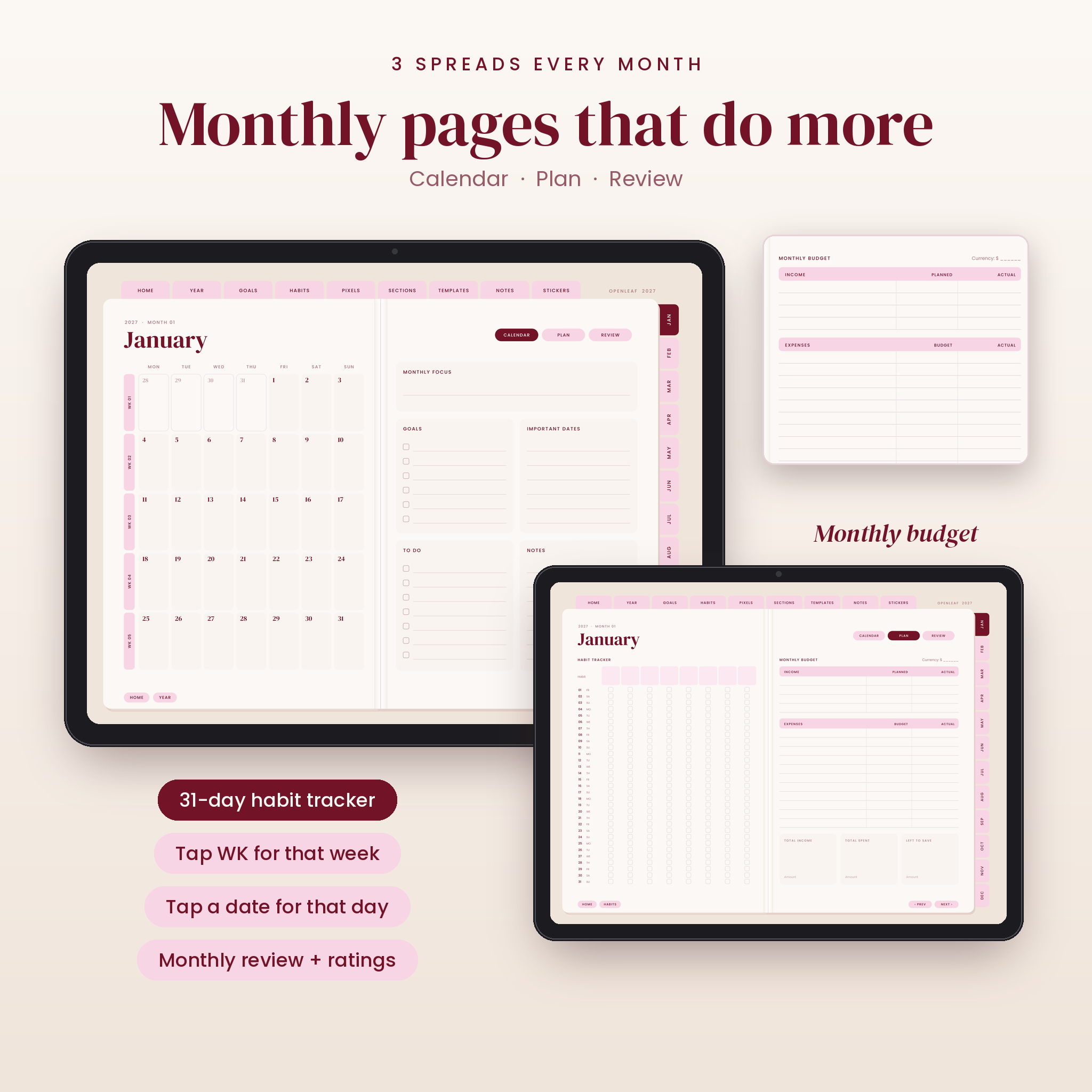
Monthly pages (3 spreads per month)
- Calendar: big grid, monthly focus, goals, important dates, to-do and notes
- Plan: 31-day habit tracker for 8 habits and a monthly budget with income, expenses and totals
- Review: highlights, wins, gratitude, quick ratings and next month’s focus
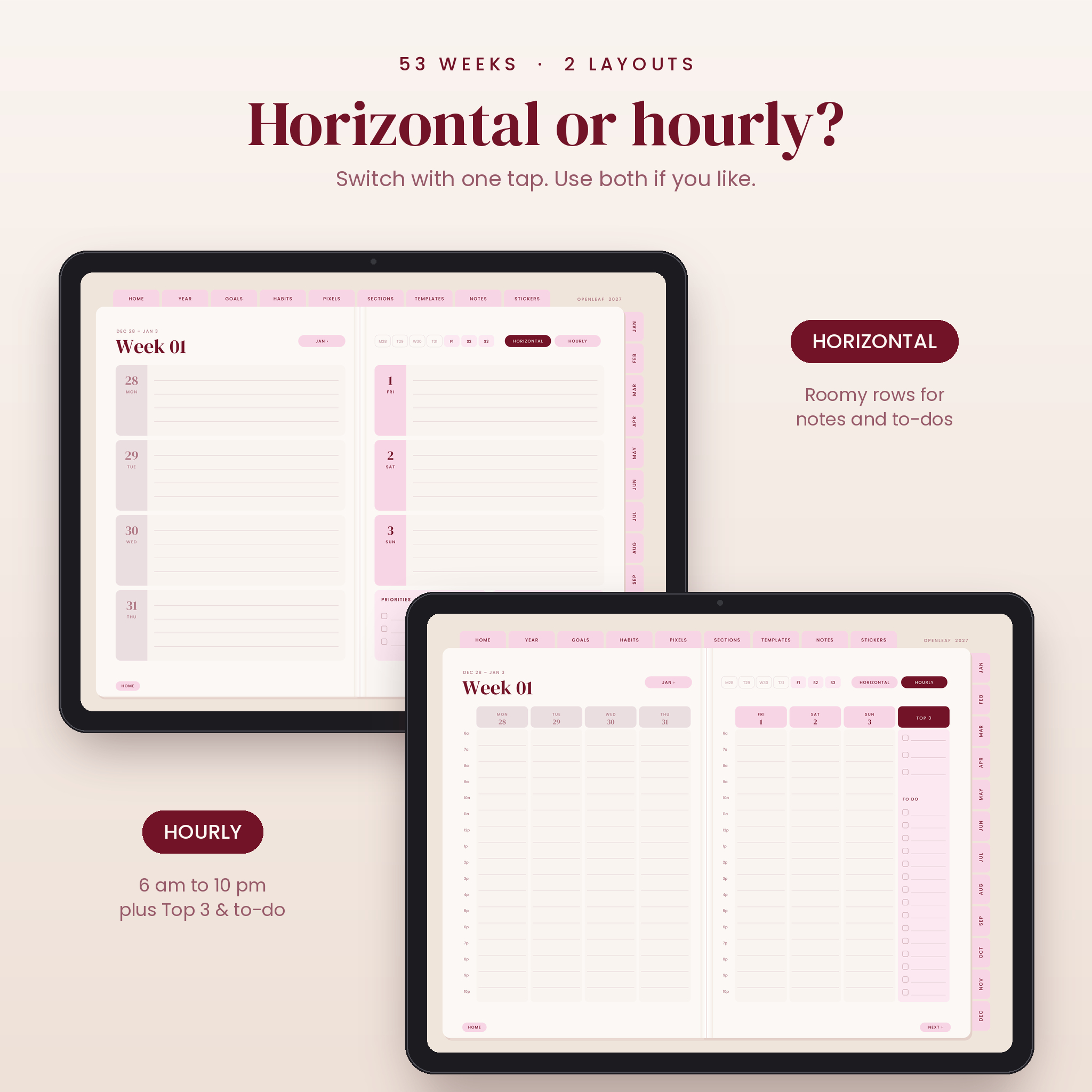
Weekly pages (53 weeks, 2 layouts each)
- Horizontal: a roomy lined row for each day, plus priorities and notes
- Hourly: columns from 6 am to 10 pm, plus a Top 3 and to-do column
- Switch between them with one tap
Daily pages (365, full version)
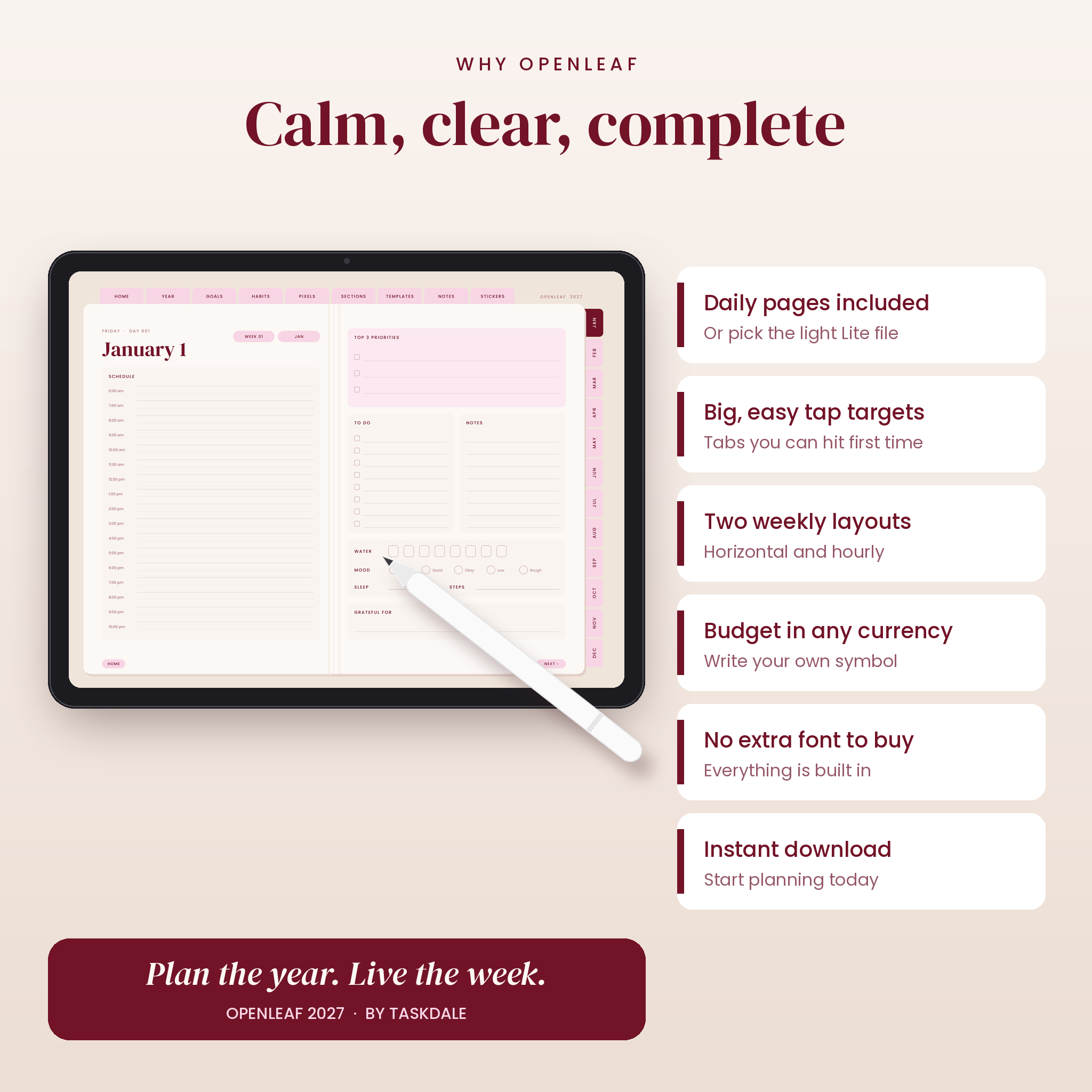
Schedule from 6 am to 10 pm, top 3 priorities, to-do list, notes, water tracker, mood, sleep, steps and a gratitude line.
What’s included
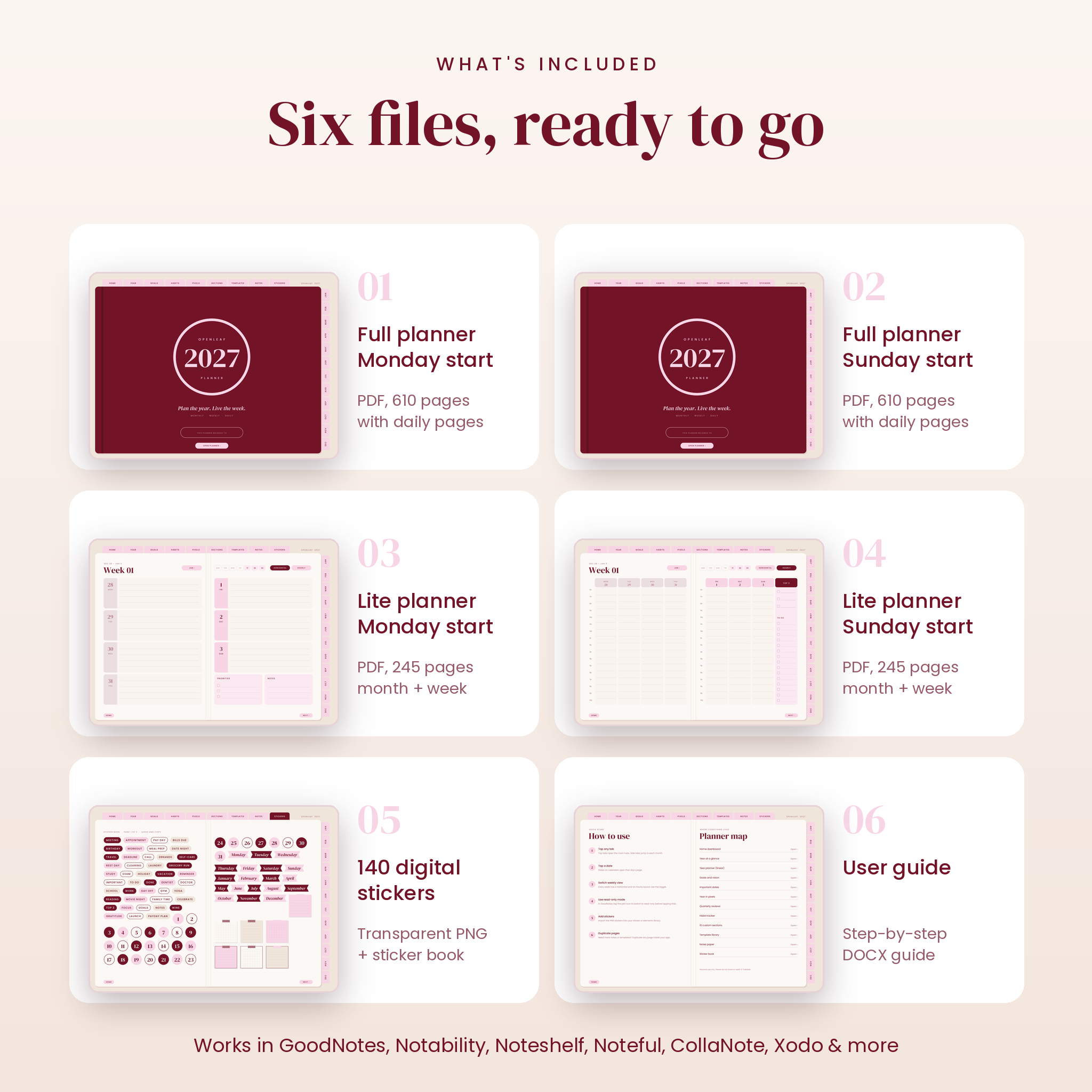
- Full planner, Monday start (PDF, 610 pages)
- Full planner, Sunday start (PDF, 610 pages)
- Lite planner, Monday start (PDF, 245 pages, no daily pages)
- Lite planner, Sunday start (PDF, 245 pages, no daily pages)
- 140 digital stickers as transparent PNG files (labels, date circles, month and day banners, sticky notes, washi strips, icons, checklist cards)
- User guide (DOCX) with setup steps, tips and troubleshooting
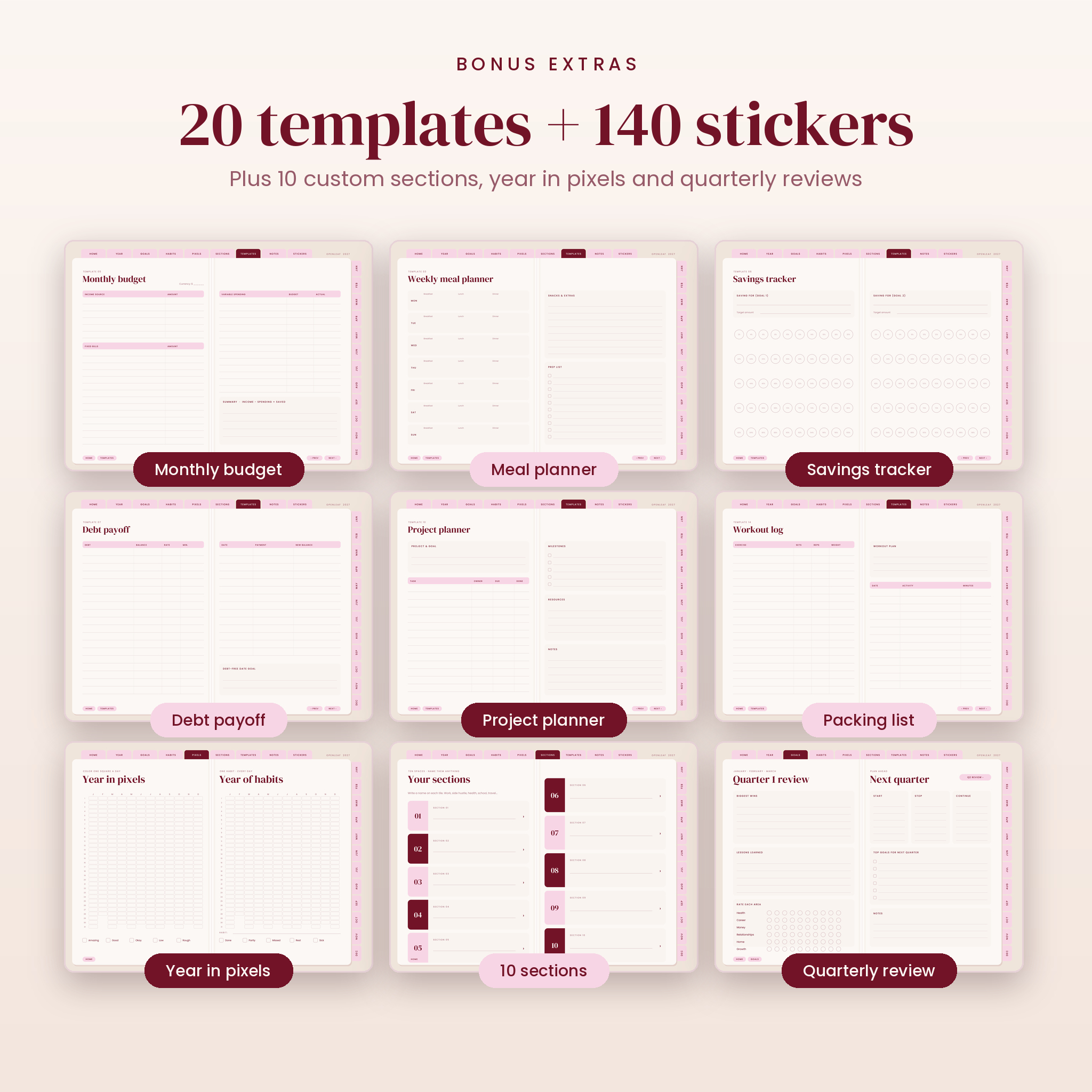
Inside each planner you’ll also find 10 custom sections with 5 linked pages each, 5 notes paper styles (lined, dotted, grid, Cornell, blank) and a built-in sticker book you can lasso and copy from. The 20 templates are: to-do list, brain dump, weekly meal planner, grocery list, monthly budget, savings tracker, debt payoff, bill tracker, reading log, project planner, meeting notes, trip planner, packing list, workout log, self-care menu, gift planner, password hints, contacts, Cornell notes and weekly reset.
How it works
- Download the files after checkout.
- Import one planner PDF into GoodNotes, Notability or another PDF note app.
- Switch to read-only or view mode and tap any tab or date to jump.
- Switch back to your pen and start writing.
- Import the PNG stickers into your app’s sticker or elements library.
File formats and requirements
Hyperlinked PDF, landscape 4:3 page size, made to fit iPad screens and to look neat on most Android tablets. Works with GoodNotes 5 and 6, Notability, Noteshelf, Noteful, CollaNote, Xodo, Flexcil, Penly and any app that opens PDFs with internal links. A tablet and stylus are recommended. The full files are about 10 MB and the Lite files about 5 MB, so they open quickly.
Customization
Name your 10 sections whatever you like. Paste photos onto the vision board and cover. Duplicate any template or notes page when you need more. Budget pages use plain Amount boxes and a “Currency: $ ____” line, so you can keep dollars or write your own currency. The fonts are already built into the file, so there’s nothing extra to buy.
Real ways people use it
- A Sunday reset: weekly reset template, then the horizontal week with three priorities
- A work week planned hour by hour on the hourly layout, with meetings in the day pages
- Monthly bills and a savings goal tracked on the Plan page and savings tracker
- A side business in Section 01, school in Section 02, a house move in Section 03
- Meal planning and grocery lists for the whole family
Digital download
This is an instant digital download. Nothing is shipped. Your files appear on the order page and in your confirmation email right after payment.
License: personal use only. Please don’t share, resell or redistribute the files or use the designs in your own products.
FAQ
Does this digital planner work with GoodNotes 6?
Yes. Import the PDF, turn on read-only mode to tap links, then switch back to write.
Is it a 2027 dated planner?
Yes. Every calendar, week and day is dated January to December 2027.
Can I use it on an Android tablet or Samsung?
Yes. Use Xodo, Flexcil, Penly or Samsung Notes and tap links in view mode.
Monday or Sunday start?
Both are included. Pick the one that fits how you think about your week.
Does it have daily pages?
The full version has 365 dated daily pages. The Lite version skips them for a lighter file.
Can I print it?
Yes, for personal use. Pages are landscape, so choose Fit to page when printing.
Do I need to buy a font?
No. Everything you see is already in the file.

Reviews
There are no reviews yet.