
A dog grooming client book that remembers every dog
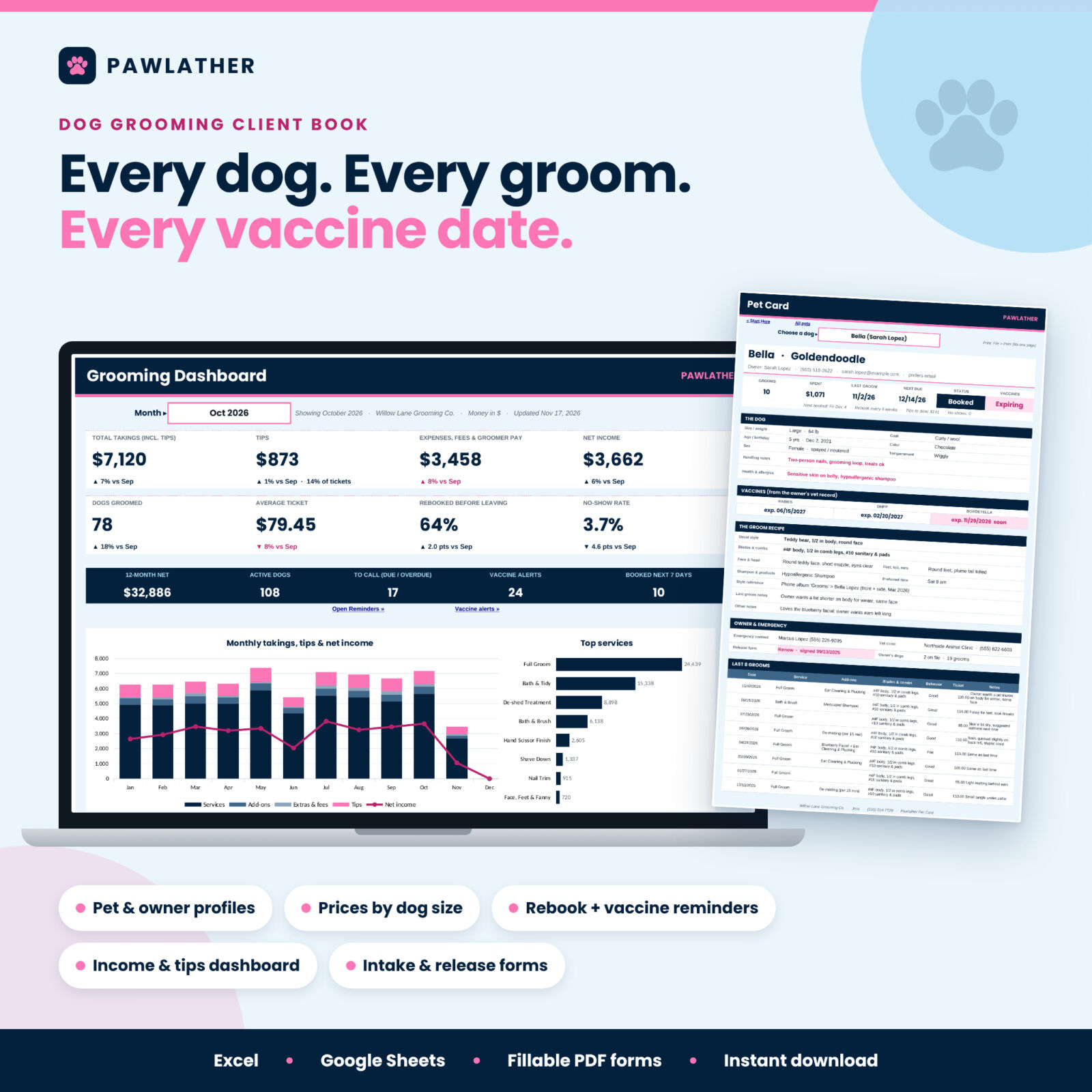
The Pawlather dog grooming client book is a spreadsheet for groomers who are tired of paper cards, scattered phone notes and guessing who is due back. Add each owner and dog once, log every groom in about 30 seconds, and the workbook does the rest: next due dates, rebook reminders, vaccine alerts, a printable Pet Card for any dog, and a dashboard that shows your takings, tips, expenses and net income for any month.
It works in Microsoft Excel and Google Sheets, needs no subscription, and comes with fillable grooming intake and release forms you can print or send to clients.
Who it is for
- Solo and home-based groomers who want a client database with no monthly fee.
- Mobile groomers who need each dog’s handling notes, groom recipe and the owner’s phone in one place.
- Small salons with groomers on commission: groomer pay and tips are worked out for you.
- New groomers and bathers who want a simple, repeatable routine.
Main benefits
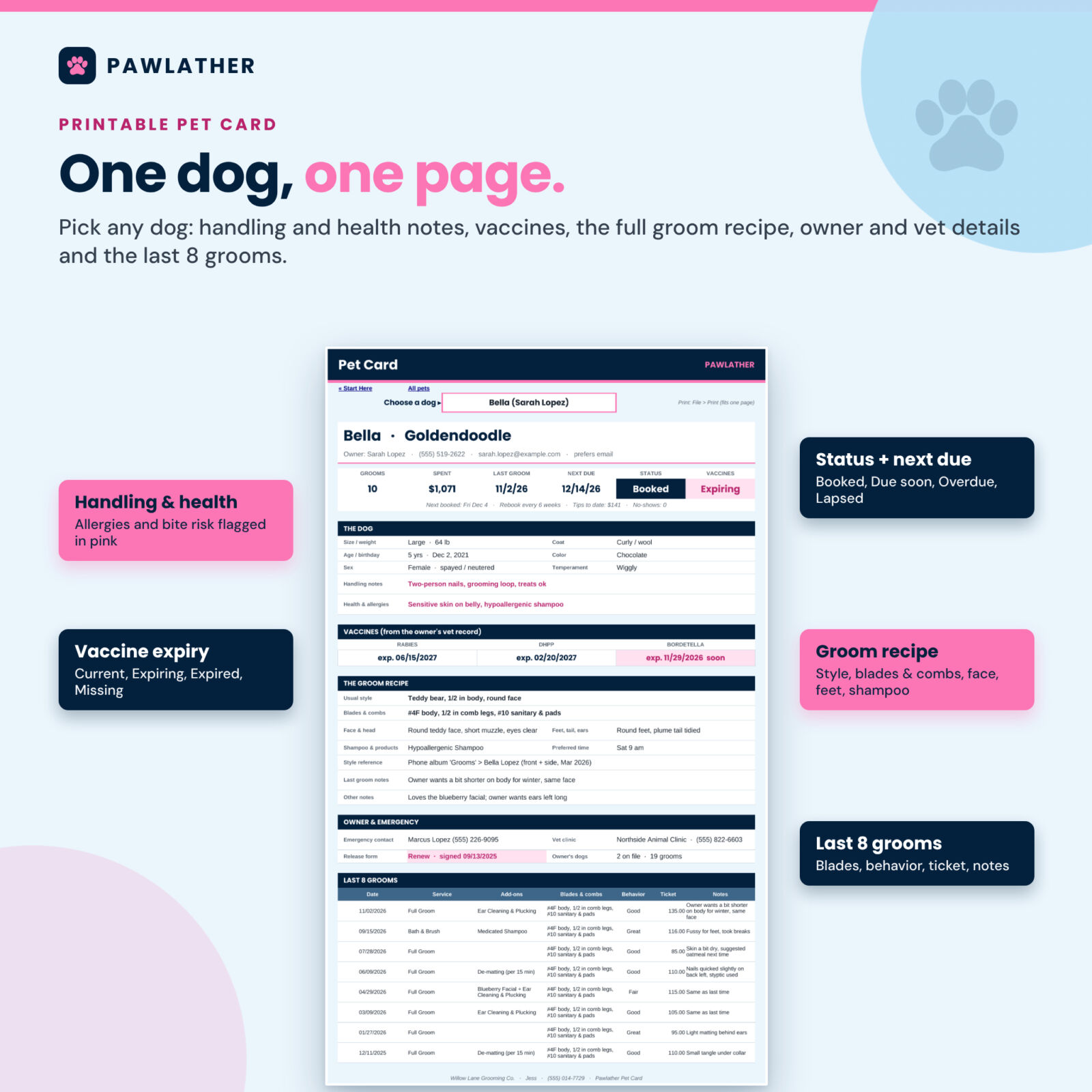
- Repeat the perfect groom. Usual style, blades and combs, face, feet and tail notes, shampoo and a style photo reference live on every dog’s profile, and the last groom’s notes show on the Pet Card.
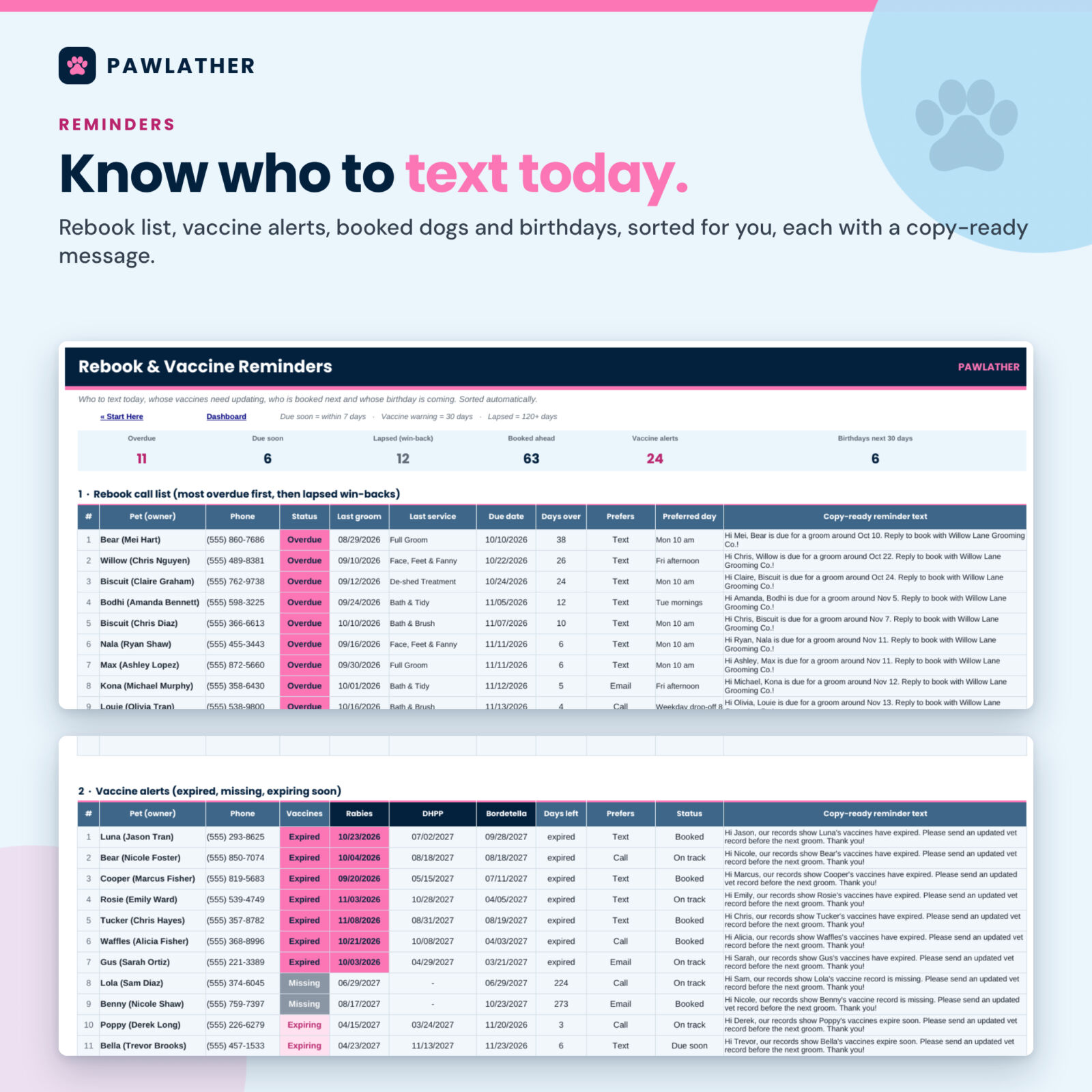
- Never miss a vaccine. Type the expiry dates from the owner’s vet record. Expired, expiring and missing vaccines are flagged in pink and listed with a ready-to-send message.
- Fill your book. The rebook list shows who is overdue, due soon or lapsed, sorted for you, with a text you can copy and paste.
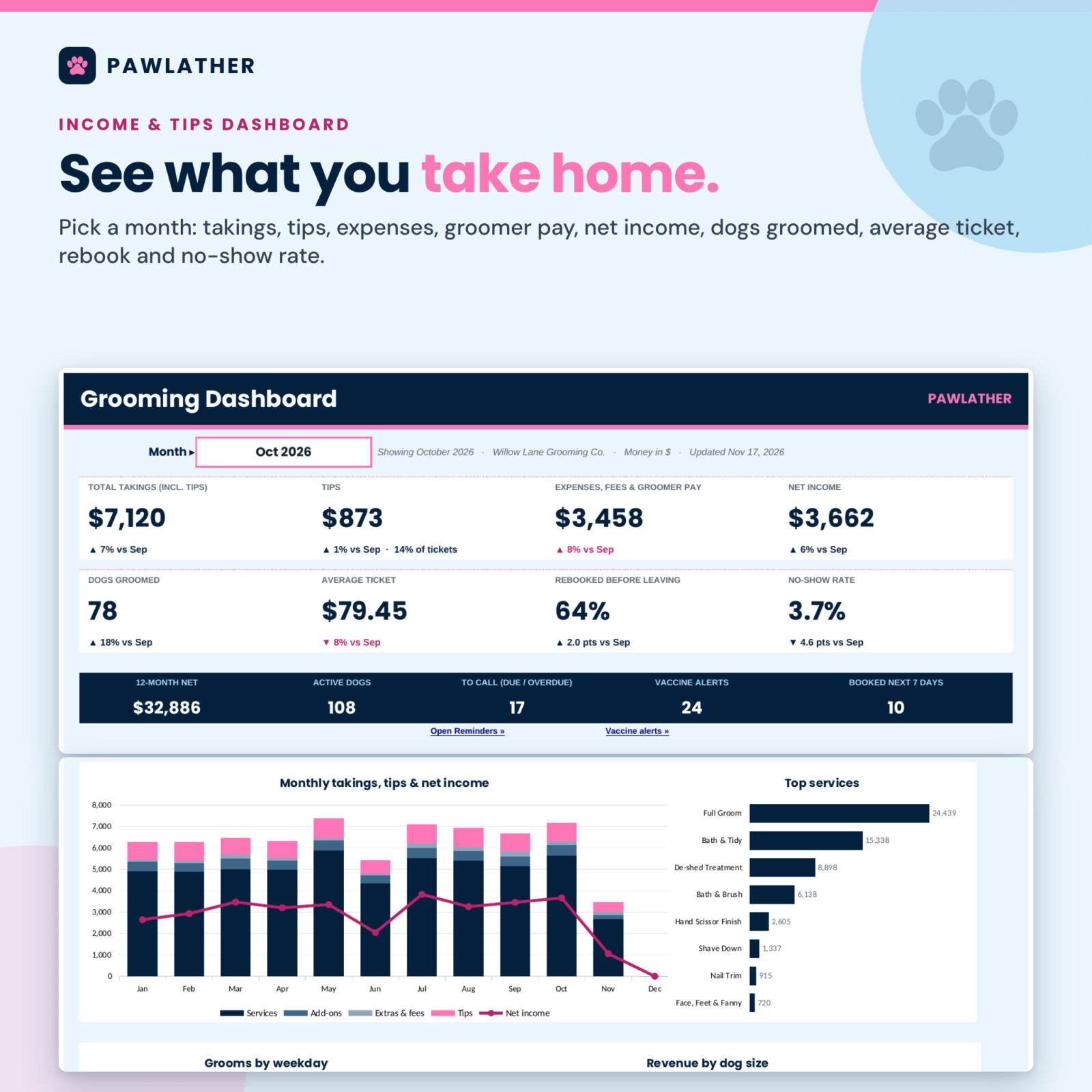
- Know your numbers. Total takings, tips, expenses, card fees, groomer pay and net income by month, plus average ticket, rebook rate and no-show rate.
- Stay safe on the table. Bite risk, nippy dogs, allergies and health notes are highlighted wherever the dog appears.
Features of this dog grooming spreadsheet
Pet and owner profiles
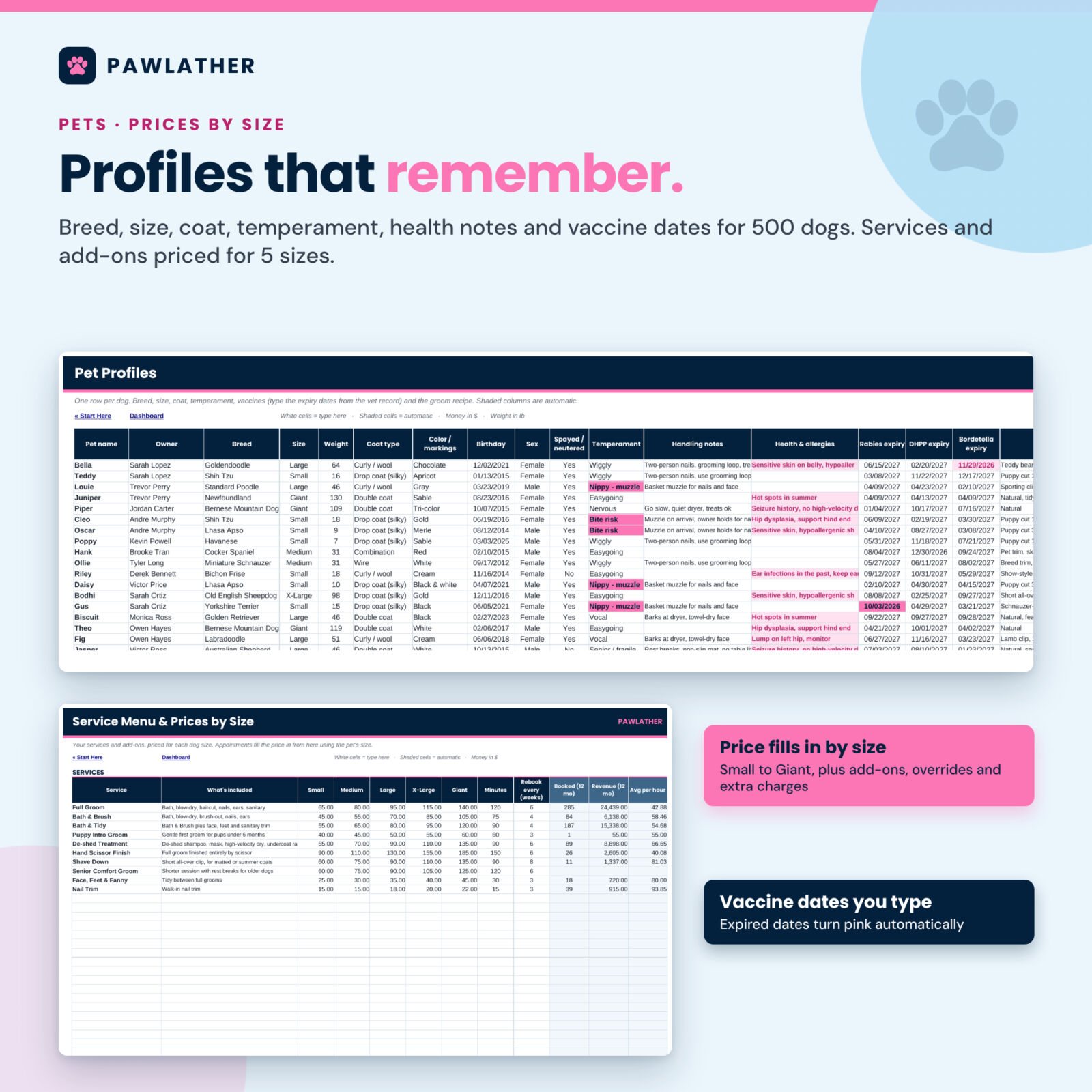
Up to 500 dogs and 300 owners. Each dog has breed, size, weight, coat, temperament, handling and health notes, three vaccine expiry dates, usual style, blades and combs, face, feet and tail notes, style reference and shampoo. Owners get phone, email, emergency contact, vet and the date they signed your release. Automatic columns show grooms, last groom, spent, tips, next due, next booked, status, vaccine status, age and suggested size.
Service menu and prices by size
30 services and 25 add-ons, each priced for five dog sizes you can rename (Small to Giant, with weight limits). When you pick a dog and a service on the appointment log, the price for that dog’s size fills in, add-ons included. Size and price overrides, extra charges (matting, handling, flea bath, travel, no-show fee) and discounts are built in. Starter prices are examples to replace with your own.
Appointment log
3,000 rows: date, time, dog, service, two add-ons, tip, payment, status (completed, booked, no-show, late cancel, canceled), groomer, products, blades, notes, behavior and rebooked. Owner, size, ticket, total, card fee and product cost calculate automatically.
Rebook and vaccine reminders
The Reminders tab lists dogs to rebook (overdue first, then due soon, then lapsed win-backs), vaccine alerts, upcoming booked appointments with temperament and handling notes, and birthdays in the next 30 days. Each list includes a personalized, copy-ready message with the owner’s first name, the dog’s name and your business name.
Income and tips dashboard
Pick any month to see eight KPI tiles compared with the month before, plus charts for monthly takings and net income, top services, grooms by weekday and revenue by dog size. The Monthly Summary adds 12 months side by side, totals by groomer with commission pay, and expenses by category.
Printable Pet Card and products used
Choose a dog and print a one-page card with stats, handling and health notes, vaccines, the full groom recipe, owner and emergency details and the last 8 grooms. The Products tab tracks shampoo cost per use, estimated stock and reorder flags.
Bonus: grooming intake and release forms
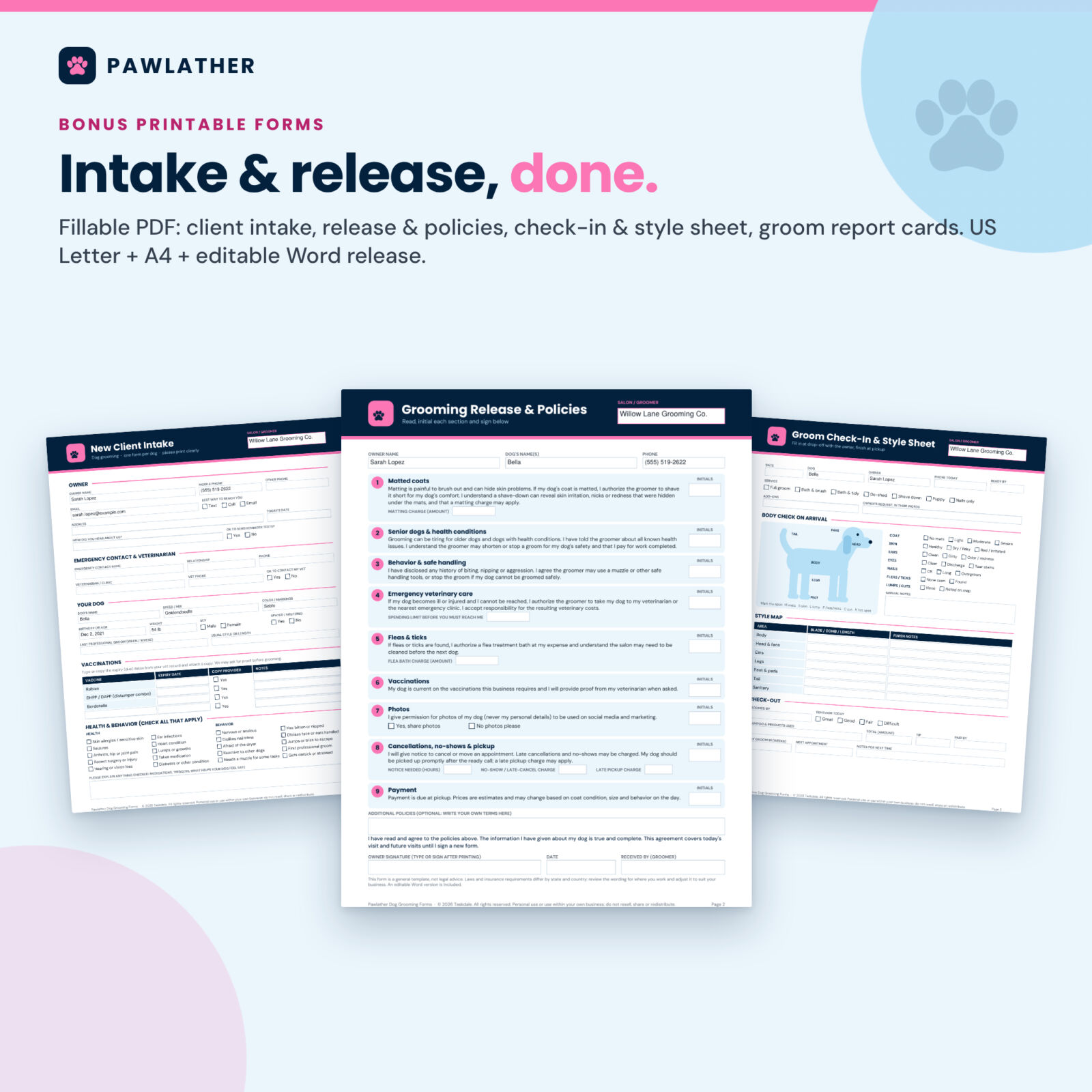
A 4-page fillable PDF in US Letter and A4: new client intake with vaccines and a health and behavior checklist, a grooming release with nine sections to initial (matted coats, senior dogs, behavior, emergency vet care and more), a check-in and style sheet with a body-check outline, and groom report cards. An editable Word version of the release is included.
What is included
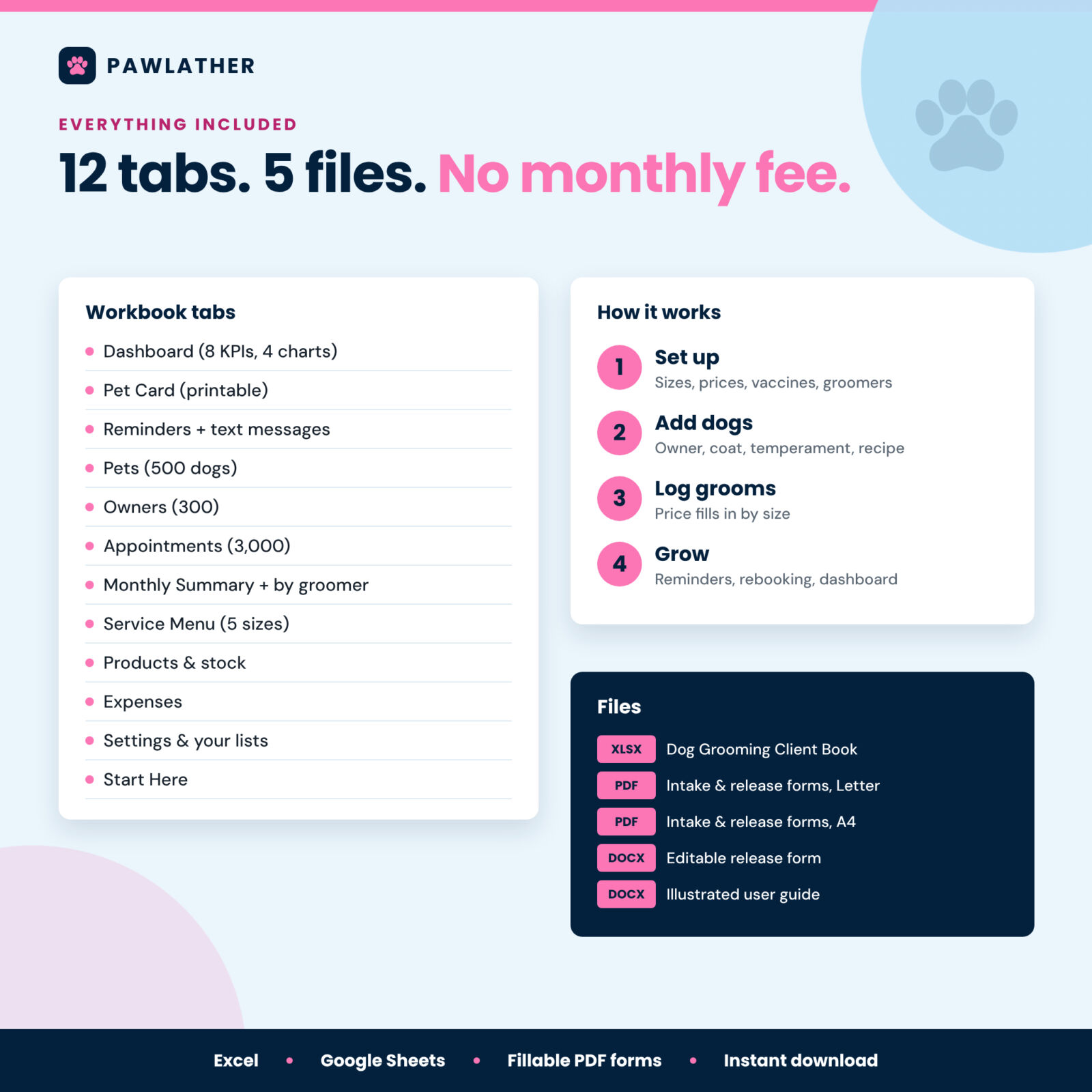
- Pawlather Dog Grooming Client Book (.xlsx): 12 tabs including Start Here, Dashboard, Pet Card, Reminders, Pets, Owners, Appointments, Monthly Summary, Service Menu, Products, Expenses and Settings
- Grooming Intake & Release Forms, fillable PDF, US Letter and A4 (4 pages each)
- Editable grooming release form (.docx)
- Illustrated user guide (.docx)
How it works
- Set your business name, currency, dog sizes, vaccines, groomers and rebook rules on Settings.
- Enter your prices for each size on the Service Menu.
- Add owners and dogs, including vaccine dates and the groom recipe.
- Log each groom on Appointments and book the next visit with Status = Booked.
- Each morning, open Reminders and the Dashboard.
File formats and software
XLSX workbook for Microsoft Excel 2016 or later (Windows or Mac), Excel for the web and Google Sheets (upload, then File > Save as Google Sheets). No macros, add-ins or scripts. Fillable PDF forms open in Adobe Acrobat Reader and other PDF readers, or print blank. The editable release form and guide open in Word, Google Docs or Pages. Not designed for Apple Numbers.
Customization
Rename sizes and weight limits, rename the tracked vaccines and choose which are required, edit every dropdown list, pick any currency symbol, and set your tax set-aside, due-soon window and lapse period. Sheets are protected without a password so formulas stay safe.
Digital download
This is a digital product: nothing is shipped. You download the files right after purchase and can start the same day.
Real-life uses
- A mobile groomer checks the Pet Card before knocking on the door: muzzle for nails, #4F body, ears left long.
- A home groomer texts ten overdue clients on a slow Tuesday morning and fills Thursday.
- A new client fills in the intake form; the release date goes on Owners and flags when it needs renewing.
FAQ
Does this dog grooming client book work in Google Sheets?
Yes. Upload the file to Google Drive and save it as a Google Sheet. Formulas, dropdowns, colors and charts convert.
How many dogs and appointments does it hold?
500 dogs, 300 owners, 3,000 appointments and 1,000 expenses. Start a fresh copy each year if you need more.
Can I set different prices for small and large dogs?
Yes. Every service and add-on has five size prices, and the dog’s size picks the right one automatically.
Does it track vaccine expiry dates?
Yes. You type the dates from the owner’s vet record; the workbook flags expired, expiring and missing vaccines. It does not give medical or vaccine advice.
Can I use it with more than one groomer?
Yes. List groomers with their commission percentage. Grooms, tickets, tips and groomer pay are totaled per groomer.
Is the release form legally binding?
The forms are general templates, not legal advice. Review the wording for your state or country and edit the included Word version to suit your business.
Reviews
There are no reviews yet.