
A budget planner spreadsheet that does the math for you
Pennygrove is a complete budget planner spreadsheet for Google Sheets that turns everyday money tracking into a clear, calm monthly routine. Set it up once, log your income and spending as it happens, and every dashboard, chart, bill status, savings goal and debt estimate updates for you. No formulas to write, no copying numbers between tabs, and no subscription.
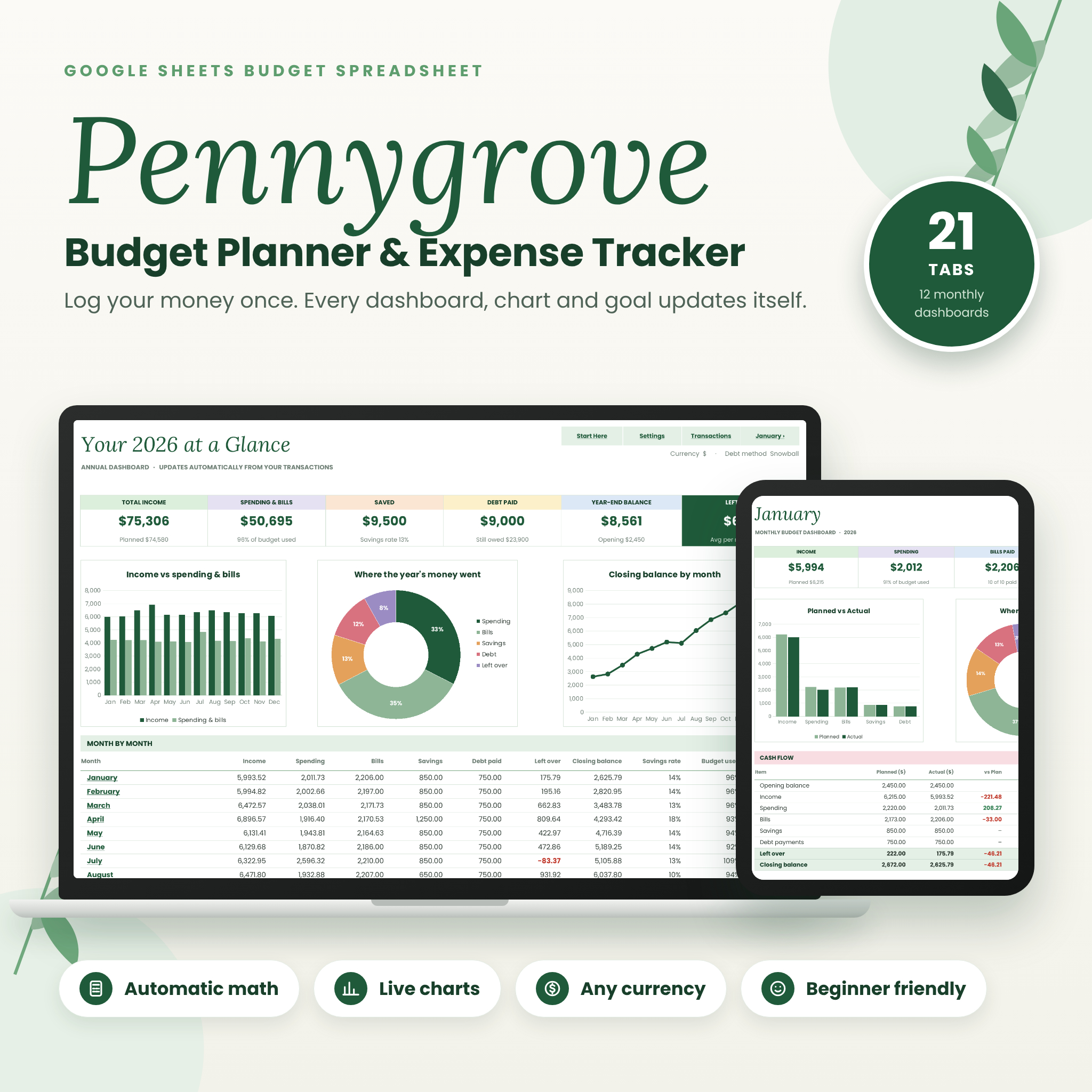
It’s built around one simple idea: you type in the cream-colored cells, and Pennygrove handles everything else. With 21 tabs, including 12 monthly dashboards and an annual dashboard, it gives you the full picture of your money without feeling complicated.
Who this budget spreadsheet is for
- Individuals, couples and families who want a monthly budget without paying for an app
- Beginners who have never used a spreadsheet budget before
- Anyone paying down credit cards, car loans or student loans who wants a realistic debt-free date
- Savers working toward an emergency fund, vacation, new car or holiday fund
- People outside the US who want to budget in their own currency
Why you’ll love it
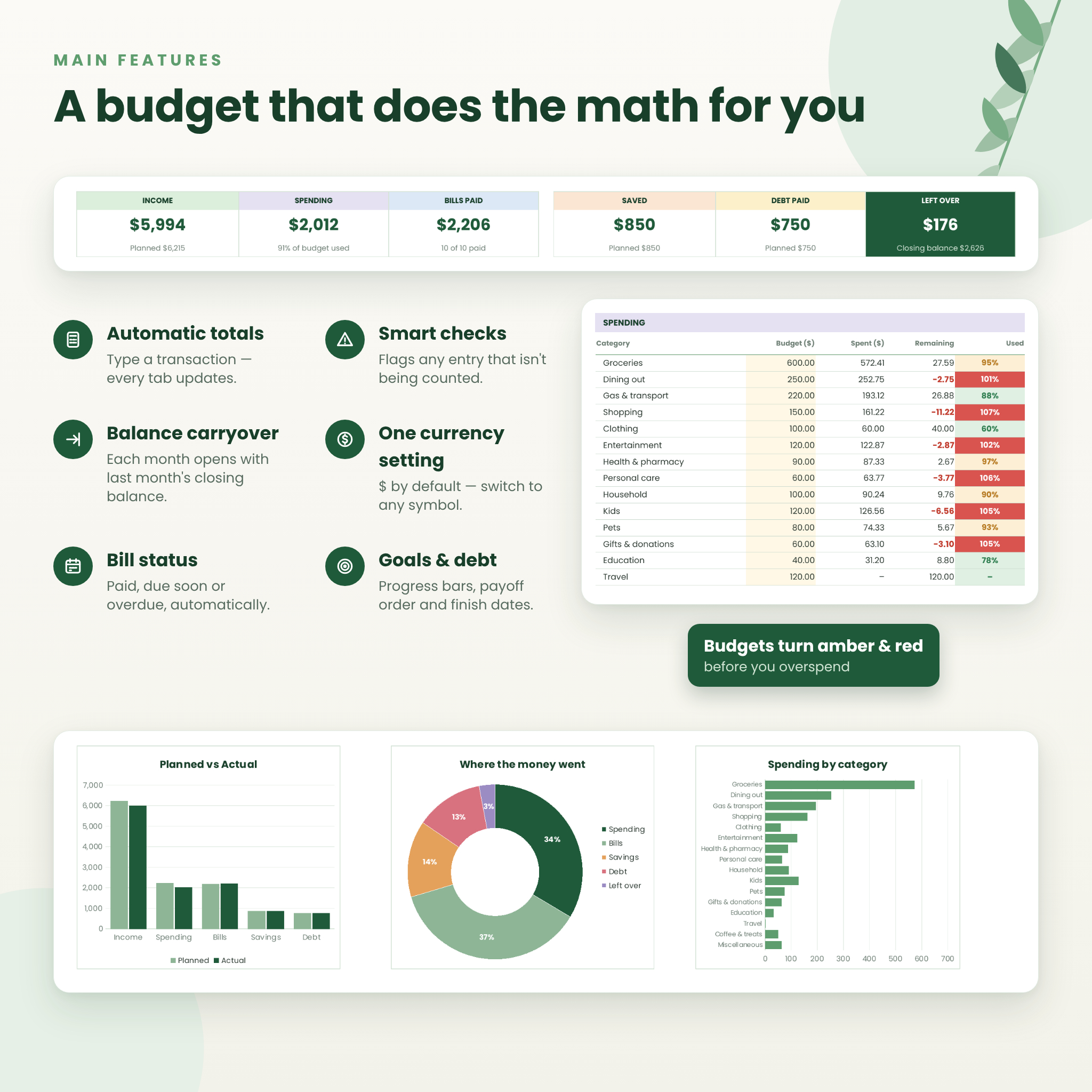
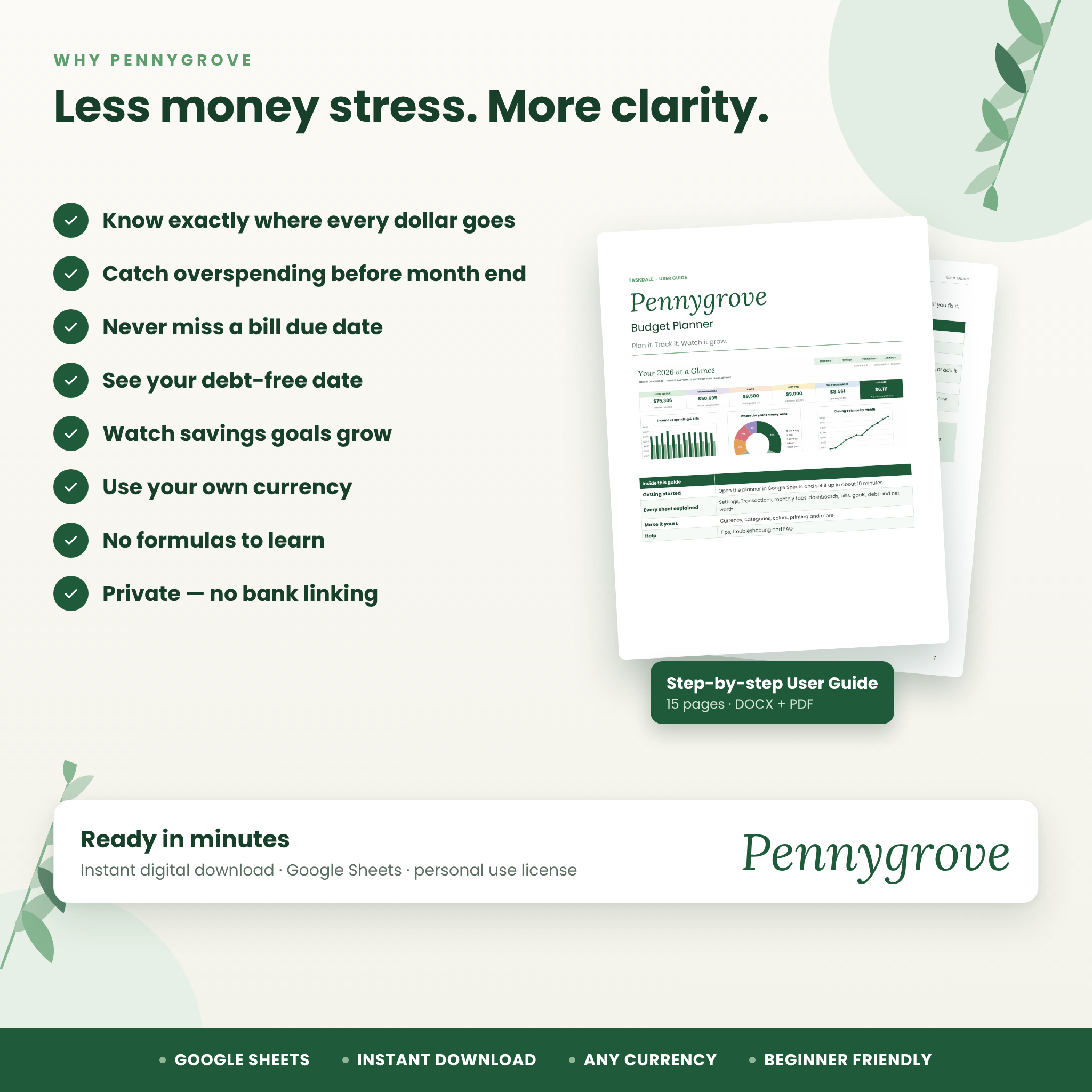
- Know where every dollar goes. Spending is grouped by category and charted automatically.
- Catch overspending early. Categories turn amber at your warning level and red when you go over.
- Never miss a bill. Bill status updates to Paid, Due soon or Overdue on its own.
- See real progress. Savings goals and debts show progress bars, finish dates and what it takes to stay on track.
- Stay private. Nothing connects to your bank. Your numbers stay in your own spreadsheet.
Features
Annual dashboard
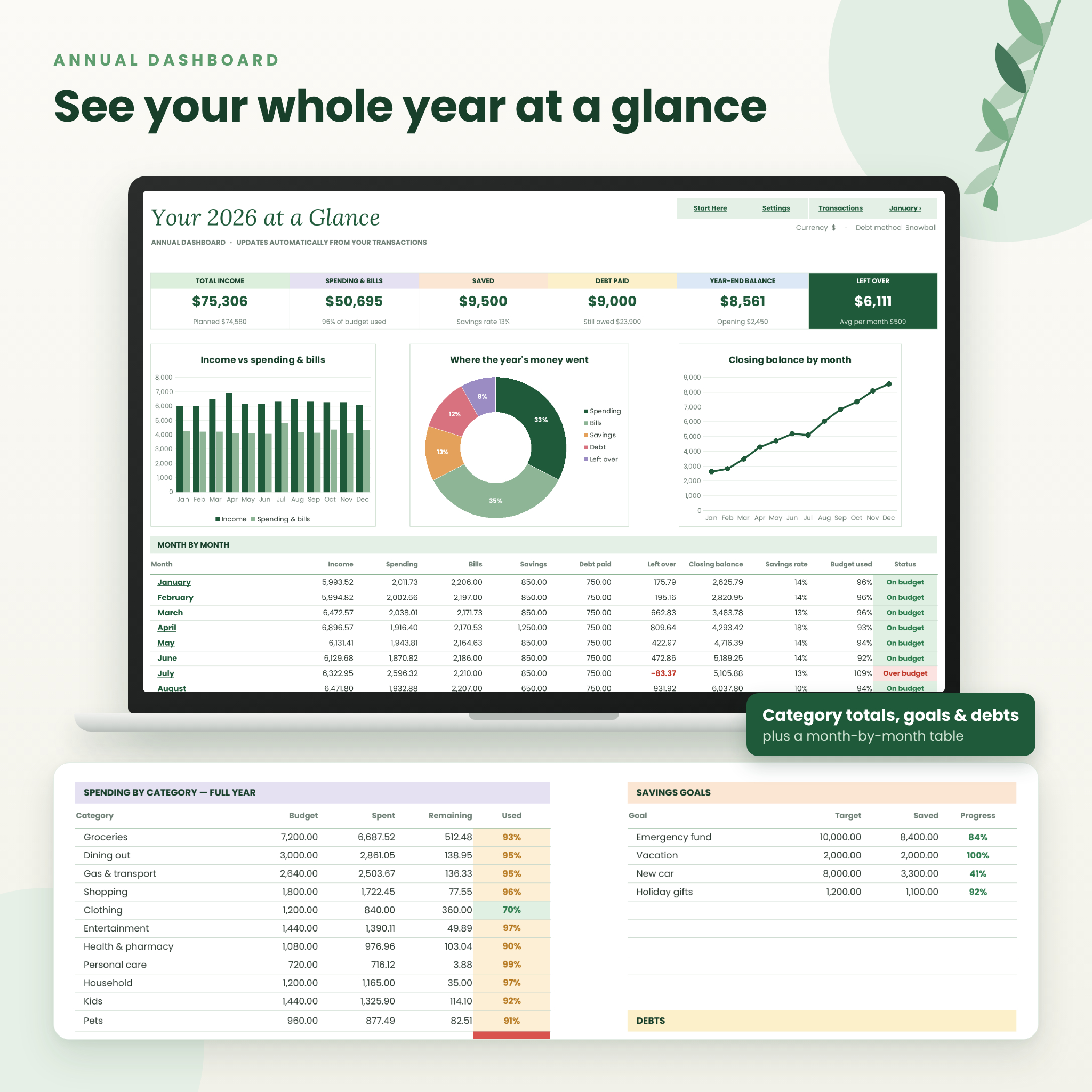
Six summary tiles (total income, spending and bills, savings with savings rate, debt paid, year-end balance and money left over), three charts, a month-by-month table with an On budget / Over budget status, full-year category totals, and snapshots of your goals and debts.
12 monthly dashboards
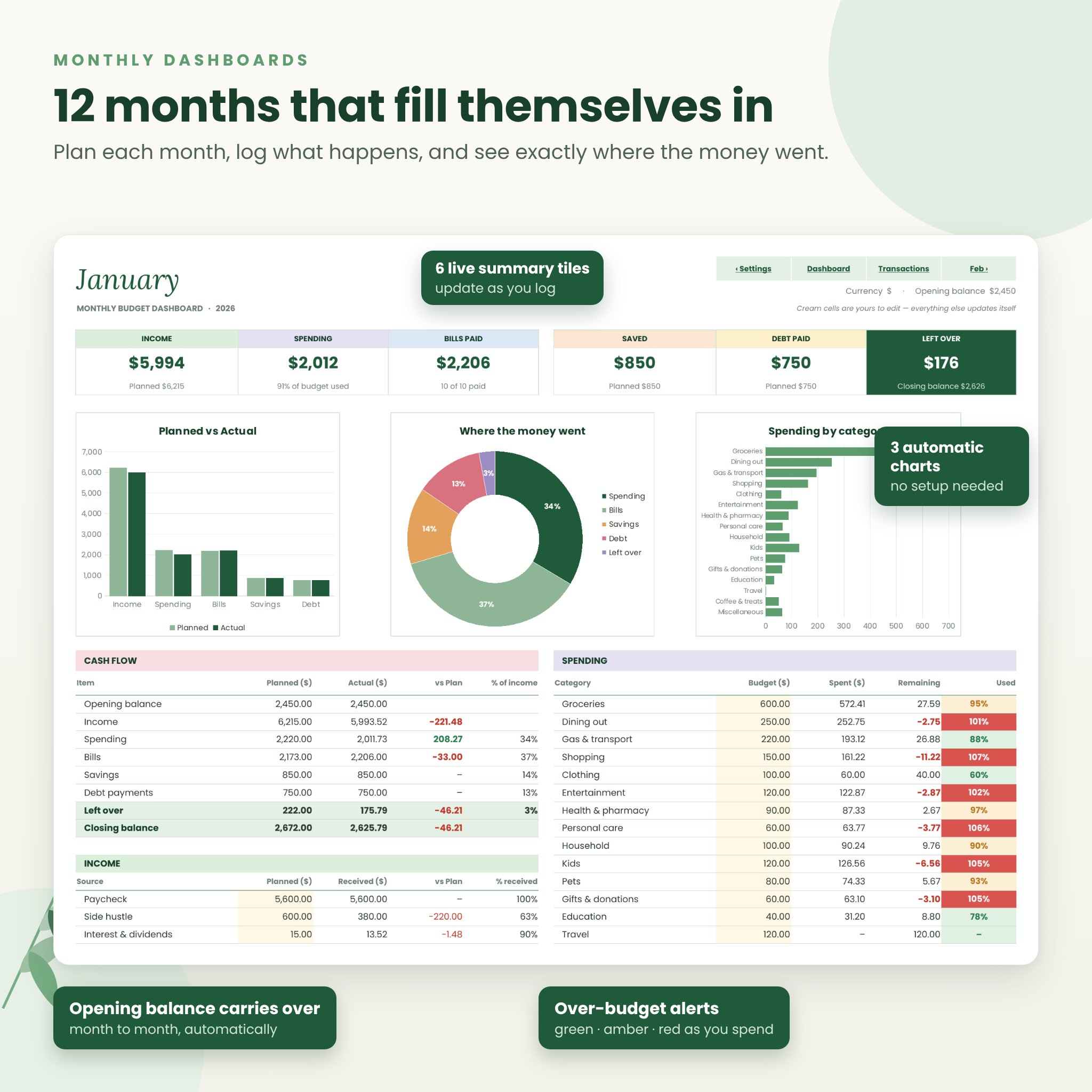
Each month has live summary tiles, a Planned vs Actual chart, a Where the money went donut chart, a Spending by category chart, plus cash flow, income, spending, bills, savings and debt tables. Each month’s opening balance carries over automatically from the previous month’s closing balance. There’s also a notes box for anything you want to remember.
One transaction log
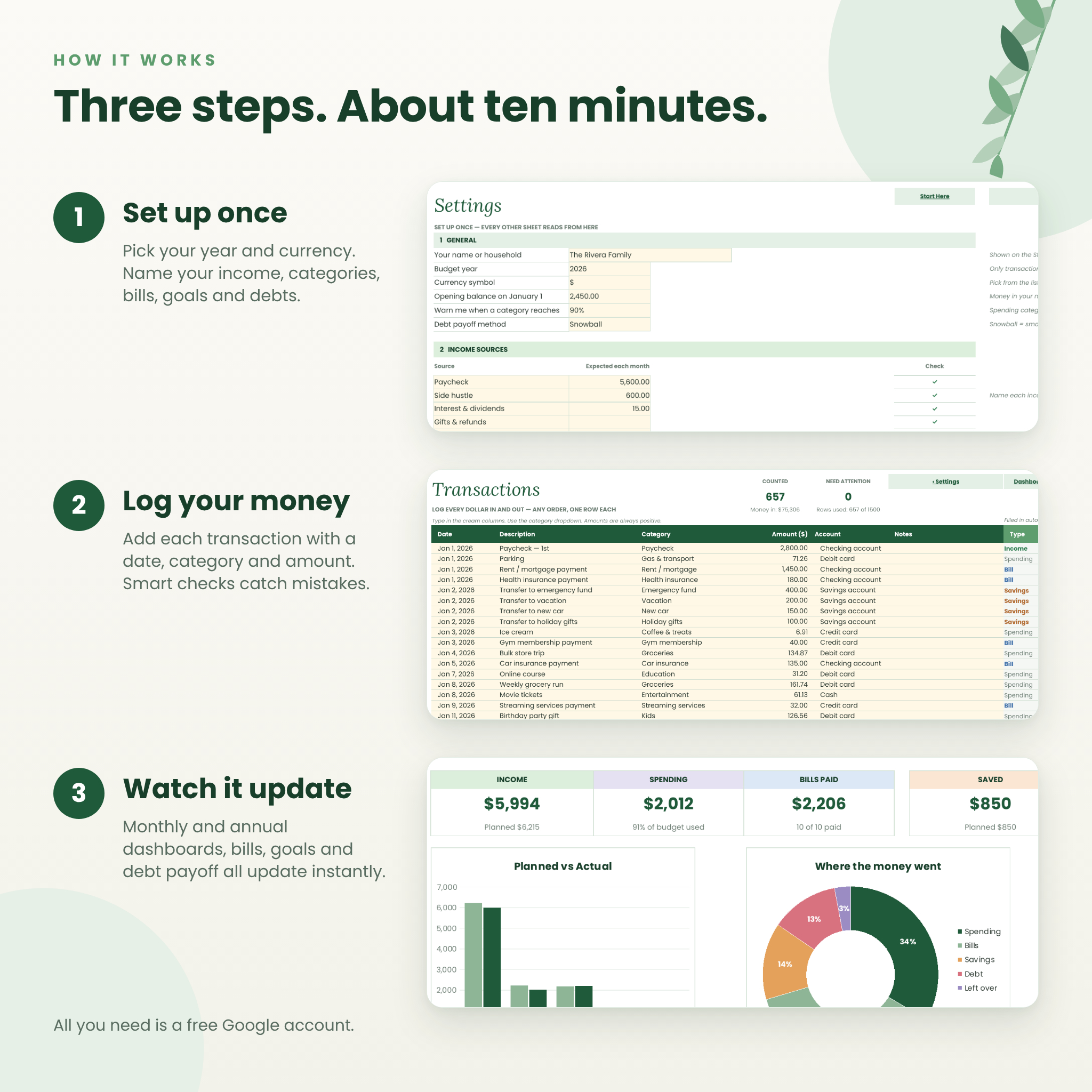
Log every dollar in and out on a single Transactions sheet with room for 1,500 entries. Pick a category from the dropdown and Pennygrove works out the type, the month and where it belongs. Smart checks flag any row that isn’t being counted, such as a missing date, a deleted category or a date outside your budget year, and the dashboard shows a warning so nothing slips through quietly.
Bill Tracker and Bill Calendar
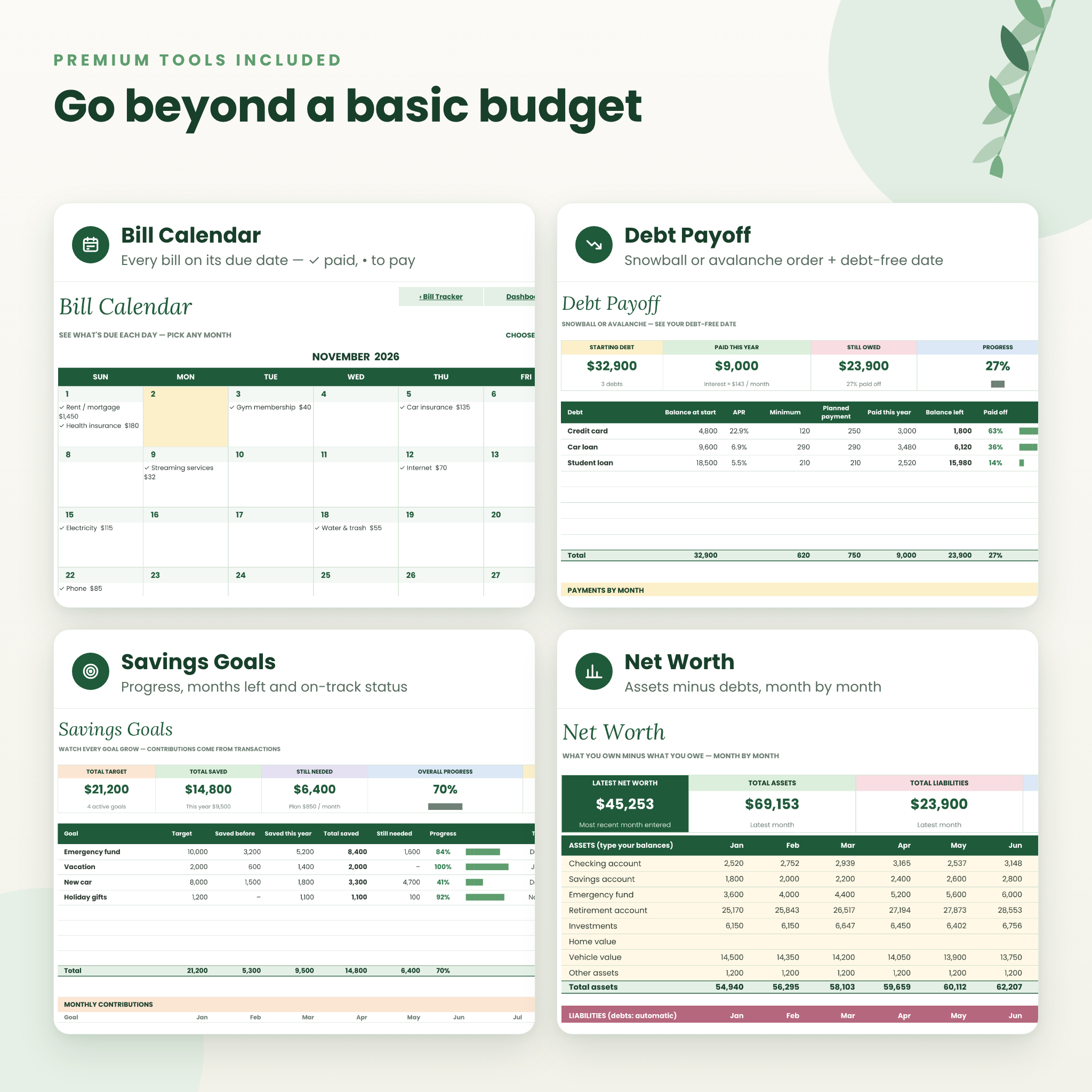
See every bill across all 12 months in one color-coded grid, then switch to the Bill Calendar to see what’s due on each day of any month you choose, with paid bills ticked off and today highlighted.
Savings Goals
Track up to 8 goals with total saved, amount still needed, progress bars, months left, the amount needed per month and an On track / Behind / Reached! status.
Debt Payoff
Choose the snowball or avalanche method and Pennygrove ranks your debts in payoff order, estimates months to go and a debt-free date from your planned payment and interest rate, and charts your debt-free journey. It also warns you if a payment is too low to cover the interest.
Net Worth tracker
Enter your asset balances each month; debts fill in automatically. Watch your net worth trend on a monthly chart.
What’s included
- Pennygrove Budget Planner (.xlsx file, 21 tabs, ready to open in Google Sheets)
- 15-page User Guide (editable DOCX)
- User Guide (PDF)
The 21 tabs: Start Here, Settings, Transactions, Annual Dashboard, January to December, Bill Tracker, Bill Calendar, Savings Goals, Debt Payoff and Net Worth.
How it works
- Download your files right after purchase.
- Open in Google Sheets. Upload the file to Google Drive, open it and choose File › Save as Google Sheets. The guide walks you through it step by step.
- Set up once. On Settings, choose your year and currency, then name your income sources, spending categories, bills, savings goals and debts and add your amounts.
- Log your money. Add transactions as they happen: date, description, category, amount.
- Watch it update. Monthly tabs, the annual dashboard, bills, goals, debt and net worth all update instantly.
File format and software requirements
- Format: .xlsx spreadsheet, plus DOCX and PDF user guides
- Designed for Google Sheets: all you need is a free Google account
- Also tested in LibreOffice Calc (free desktop app)
- Fonts used: Poppins and Lora, both free Google Fonts that are built into Google Sheets
Customize it to fit your life
- Rename up to 8 income sources, 16 spending categories, 12 bills, 8 savings goals, 8 debts and 8 accounts
- One currency setting: $ by default, or choose €, £, ¥, ₹, R, C$, A$ and more, or type your own symbol
- Set your own budget warning level (90% by default)
- Override any month’s budget without touching the others
- Print-ready: every tab has a print area set to fit the page width
Real ways to use Pennygrove
- A couple combining paychecks who want one shared view of household spending
- A family planning for back-to-school, the holidays and summer vacation month by month
- Someone using the debt snowball to clear credit cards before tackling a car loan
- A first-time budgeter building an emergency fund and checking their savings rate
- A side hustler tracking freelance income alongside a regular paycheck
Instant digital download
This is a digital product. No physical item will be shipped. Your files are available to download as soon as your payment is confirmed.
FAQ
Do I need to know spreadsheet formulas?
No. You only type in cream-colored cells. Every total, chart and status is calculated for you.
Is this a Google Sheets budget template?
Yes. It’s designed for Google Sheets and opens there with a free Google account. The User Guide shows exactly how to open it.
Can I use my own currency?
Yes. Pick or type any currency symbol on the Settings tab and every money label updates. It doesn’t convert values between currencies.
Can I start budgeting in the middle of the year?
Yes. Enter your current balance as the opening balance and start logging from today. Earlier months simply stay empty.
Does it connect to my bank account?
No. Nothing is linked or shared, which keeps your financial information private.
Can my partner use it too?
Yes. In Google Sheets, click Share and invite them to edit your copy.
Can I use it again next year?
Yes. Keep a blank copy, set the new budget year on Settings and carry over your closing balance.
License
Personal use only. You may use this planner for your own household budgeting and print it for personal use. You may not resell, share, redistribute or claim the files as your own. Pennygrove is an organizing tool and does not provide financial advice.
Reviews
There are no reviews yet.