

Plot & Place is a room layout planner and office seating chart in one spreadsheet. Use it in Excel or Google Sheets to draw a room to scale, try furniture arrangements before you lift anything, seat your team at the right desks, and keep room measurements, furniture costs and your moving checklist together in one tidy file.
What this room layout planner does
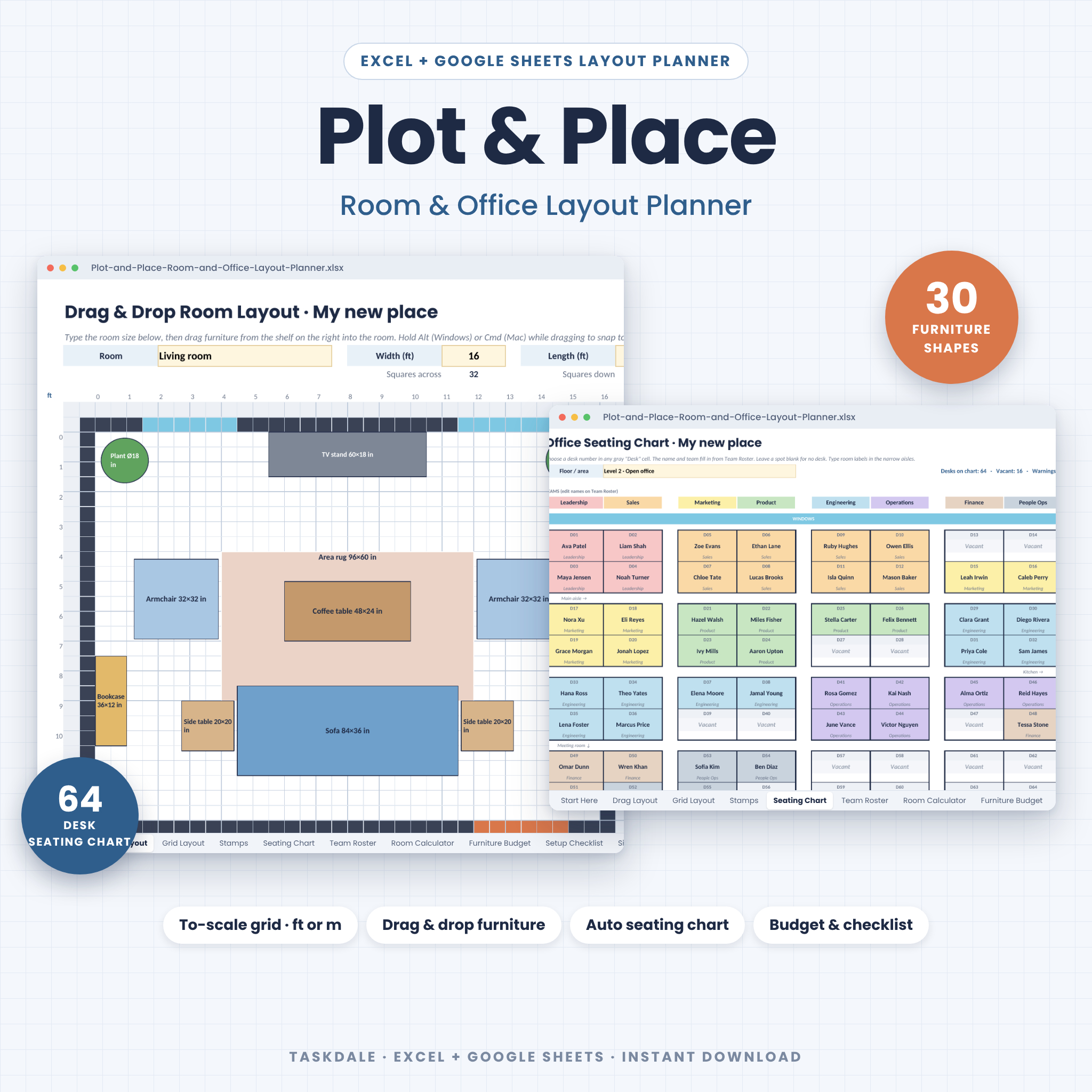
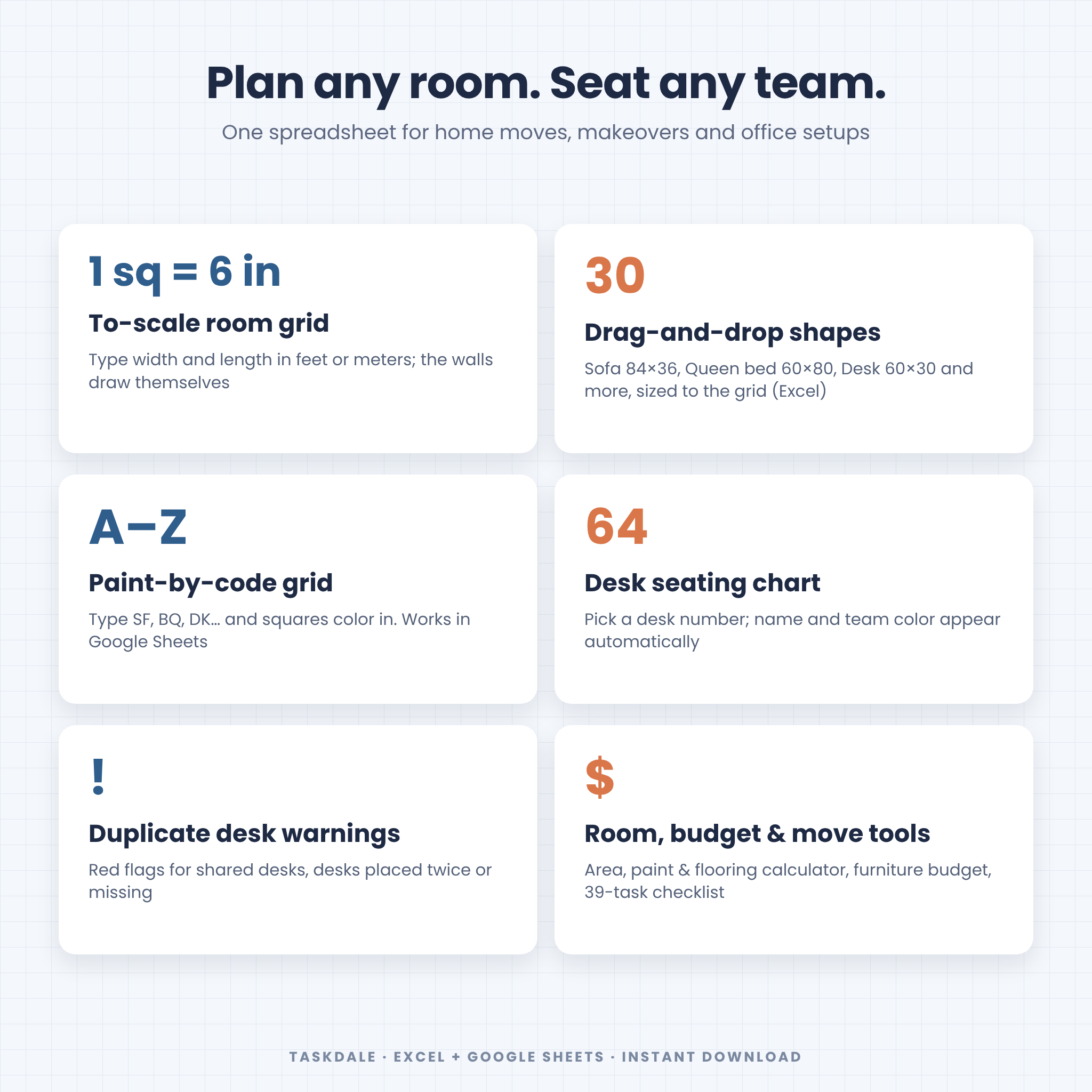
Type a room’s width and length and the walls draw themselves on a measured grid, where every square is 6 inches (or 15 cm in metric mode). In Excel you drag real furniture shapes from a shelf into the room: a sofa is 84 × 36 inches, a queen bed 60 × 80 inches, a desk 60 × 30 inches, each sized to the grid and labeled with its measurements. In Google Sheets you plan the same room by typing short furniture codes into squares, which color in automatically. A separate office seating chart turns a simple team roster into a color-coded floor plan.
Who it is for
- Anyone moving home who wants to know the sofa fits before moving day and hand the movers a printed plan.
- Room makeovers: test three layouts in ten minutes instead of pushing furniture around all afternoon.
- Office managers and small businesses who need a seating chart that updates itself and flags double-booked desks.
- Renters and first-time buyers estimating paint, flooring and furniture budgets.
- Teachers, coworking spaces and studios planning desks and tables in any room.
Benefits
- Avoid buying furniture that does not fit, and keep comfortable walkways.
- See every arrangement to scale, in feet or meters.
- Seat new hires in seconds and spot desk conflicts straight away.
- Keep your furniture budget, measurements and moving tasks in one place.
Features
Drag & drop room layout (Excel)
- Scale grid with rulers, room walls drawn automatically from width and length
- Furniture shelf with 30 kinds of to-scale shapes: sofas, chairs, rugs, beds, dressers, dining and round tables, desks, office chairs, file cabinets, bookcases, meeting tables, plants, doors, windows and walls, plus two custom pieces
- Labels switch between inches and centimeters with one setting
- Snap to the grid, rotate and duplicate pieces with standard Excel shortcuts
Grid layout and stamps (every app, including Google Sheets)
- Type a code such as SF (sofa) or BQ (queen bed) into squares and they fill with color
- Legend of 30 color codes with sizes, plus a Stamps sheet of ready-made furniture blocks to copy and paste
- Paint walls, closets, doors and windows for L-shaped rooms and partitions
Office seating chart
- 64 desk spots arranged in pods; choose a desk number and the name and team appear automatically
- Team roster for up to 100 people, 8 color-coded teams and 100 desks, with dropdowns
- Warnings for shared desks, desks placed twice, desks missing from the chart and people without a desk
- Vacant desk count and a summary of people, desks and issues
Calculators and trackers
- Room calculator: floor area, perimeter, net wall area, paint and flooring estimates with waste, flooring cost and grid size for up to 20 rooms
- Furniture list and budget: size, quantity, status, cost, footprint, budget left and a cost-by-room chart
- Moving and setup checklist with 39 tasks for home moves and office setups, plus progress by phase
- Size guide with standard furniture sizes in inches and centimeters and common clearance guidelines
What’s included
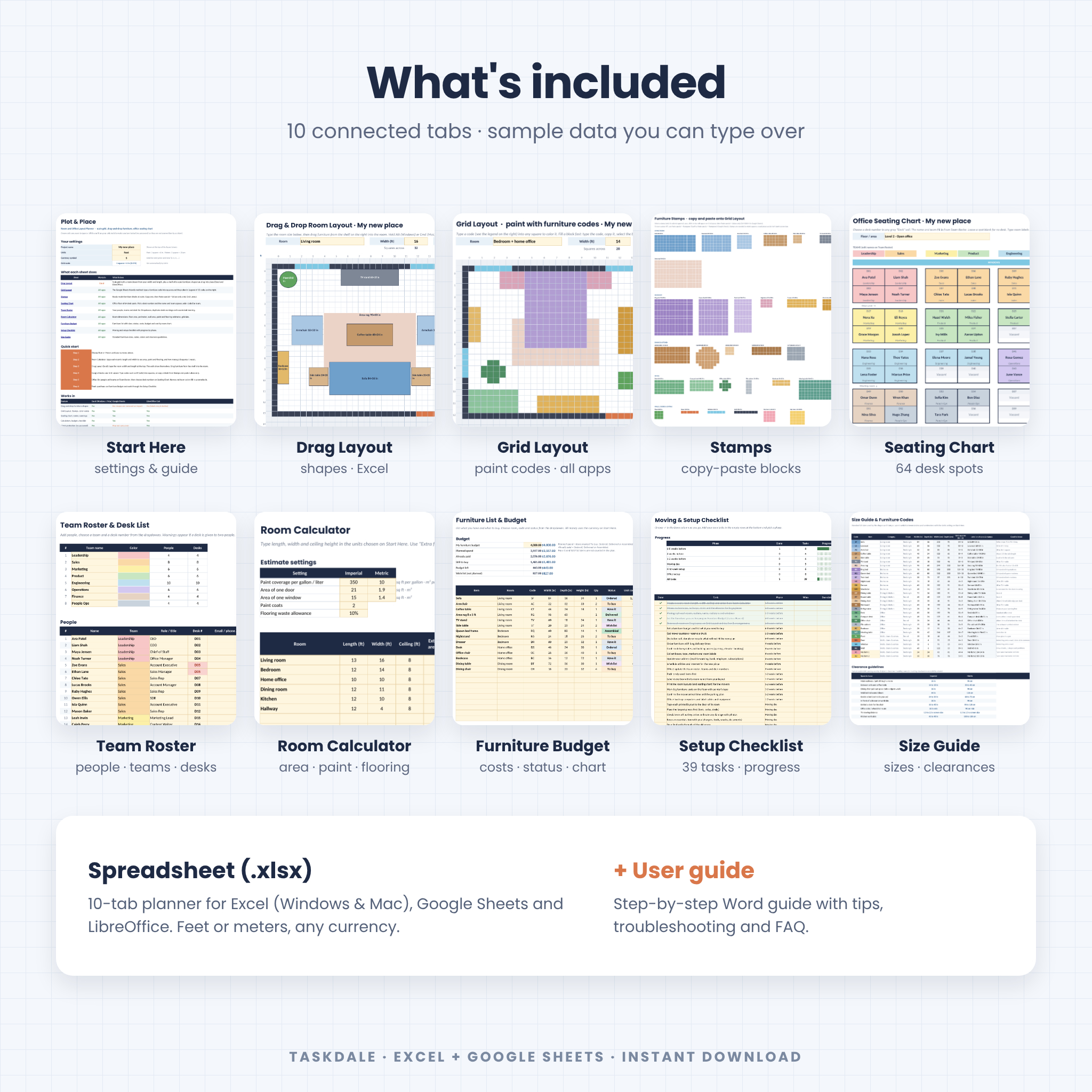
- Plot & Place spreadsheet (.xlsx) with 10 tabs: Start Here, Drag Layout, Grid Layout, Stamps, Seating Chart, Team Roster, Room Calculator, Furniture Budget, Setup Checklist and Size Guide
- User guide (.docx) with step-by-step instructions, tips, troubleshooting and FAQ
How it works
- On Start Here, choose Feet or Meters and type your currency symbol.
- Type each room’s size on the layout sheet; the walls and rulers appear.
- Drag shapes from the shelf (Excel) or type codes and paste stamps (Google Sheets).
- For an office, list people and teams on Team Roster, then pick desk numbers on Seating Chart.
- Track measurements, purchases and moving tasks on the other tabs.
File formats
One .xlsx spreadsheet and one .docx user guide. The spreadsheet opens in Microsoft Excel, Google Sheets and LibreOffice Calc.
Software requirements
- Microsoft Excel (Windows or Mac): every feature, including the drag-and-drop furniture shapes.
- Google Sheets (free Google account): everything except the drag-and-drop shapes, because Google Sheets removes drawing shapes when it opens an Excel file. Use the Grid Layout and Stamps sheets instead.
- LibreOffice Calc: every feature; shape labels stay in inches.
Customizing
Switch between feet and meters, set any currency symbol, rename teams, zones and desk types, add your own furniture pieces, and duplicate layout sheets for more rooms or floors. Formula cells are protected without a password, so you can unlock them if you want to change anything.
Digital download
This is a digital product; nothing is shipped. After purchase, download the files from your Taskdale account or from the link in your order email.
Use cases
- Planning furniture for a new apartment or house before moving day
- Rearranging a living room, bedroom or home office
- Seating a growing team in a new office or after a reorganization
- Estimating paint and flooring for a renovation
- Planning classroom, studio or coworking desk layouts
FAQ
Does it work in Google Sheets?
Yes. Everything works except the drag-and-drop shapes, which Google Sheets does not import. The Grid Layout and Stamps sheets give you the same to-scale planning with color codes.
Can I use metric units?
Yes. Choose Meters and each square becomes 15 cm; labels, rulers and calculations switch to meters and centimeters.
How large a room can I plan?
Each layout sheet holds a room up to 33 × 25 ft (about 9.9 × 7.5 m) inside the walls. Duplicate the sheet for more rooms or plan a larger space in parts.
How many people fit on the seating chart?
The chart has 64 desk spots, and the roster holds up to 100 people and 100 desks. Duplicate the chart for another floor.
Does it work on a Mac?
Yes, in Excel for Mac and in Google Sheets in any browser.
Are the furniture sizes exact?
They are common US standard sizes. Measure your own pieces and resize a shape or use a custom item if yours differ.
Is anything shipped?
No. This is an instant digital download.
Terms of use
For personal use and use within your own home or business. Please do not resell, share, upload or give away the files or include them in another product. Sample names are fictional. Furniture sizes and clearance guidelines are general planning information, so always check your own measurements.
Reviews
There are no reviews yet.