Plumline is a client tracker spreadsheet and small business CRM for Microsoft Excel. It replaces the sticky notes, inbox searches and half-finished lists with one workbook that knows who your clients are, what they are worth, what you promised them and who still owes you money. You type each thing once. Twelve connected tabs do the math.
Most client trackers stop at a contact list. Plumline goes further: a sales pipeline with weighted value, a contact log with reminders that flag themselves, project budgets, a time log with billable hours and an income tracker linked to every client. Then it rolls all of it into a dashboard you can filter by year and month.
What this client tracker and CRM spreadsheet does
- Keeps one list of clients and leads. Up to 300, with status, lead source, main service, industry and notes. Lifetime revenue, unpaid invoices, open pipeline, hours, last contact and next follow-up fill in on every row.
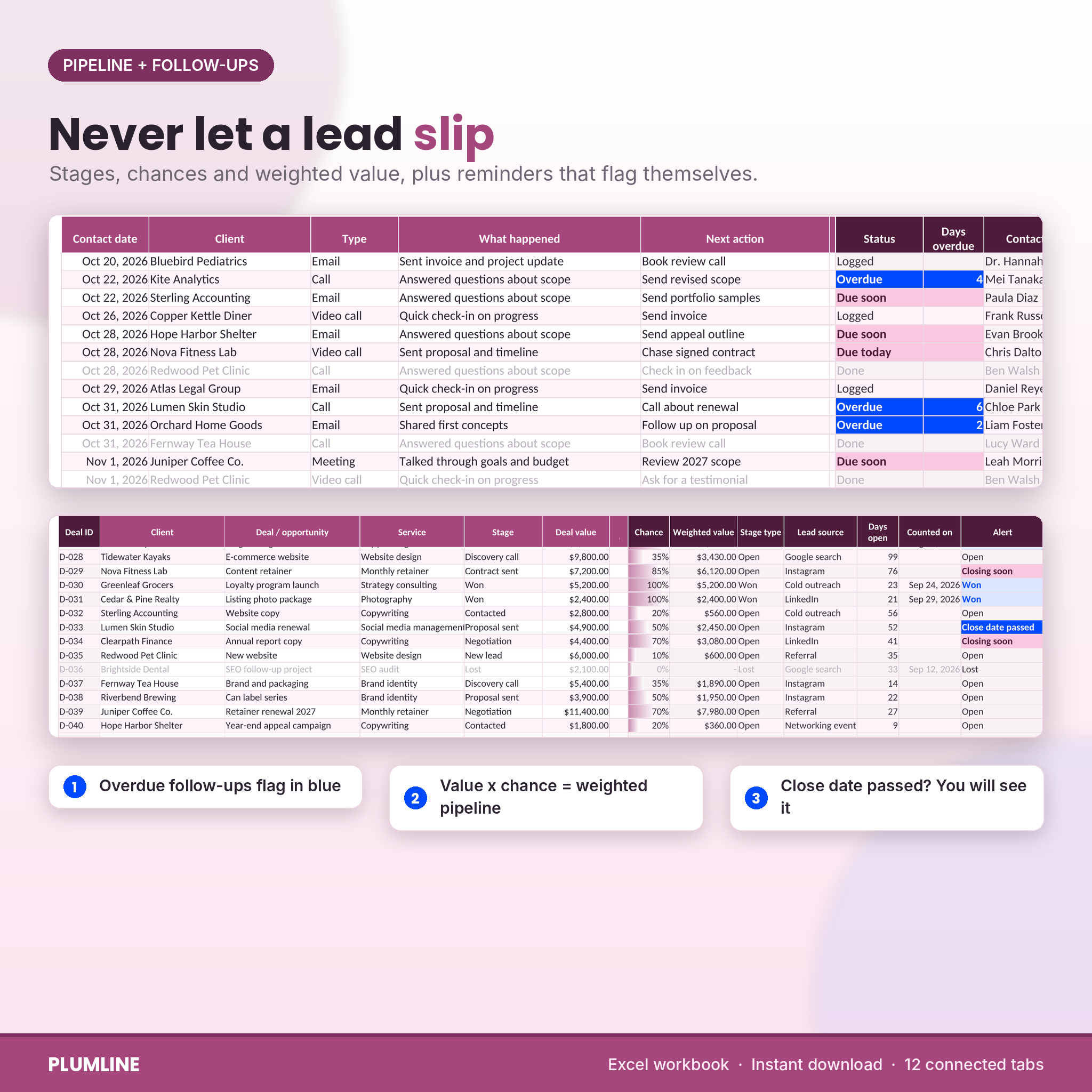
- Tracks your sales pipeline. Pick a stage and the chance of winning comes from your settings. Value times chance gives a weighted pipeline, so you know what your open quotes are realistically worth.
- Makes sure nobody goes quiet. Log each call, email or meeting with a next follow-up date. Rows turn blue when overdue and pink when due soon. Leads with open deals and no contact for 30 days get marked as going cold.
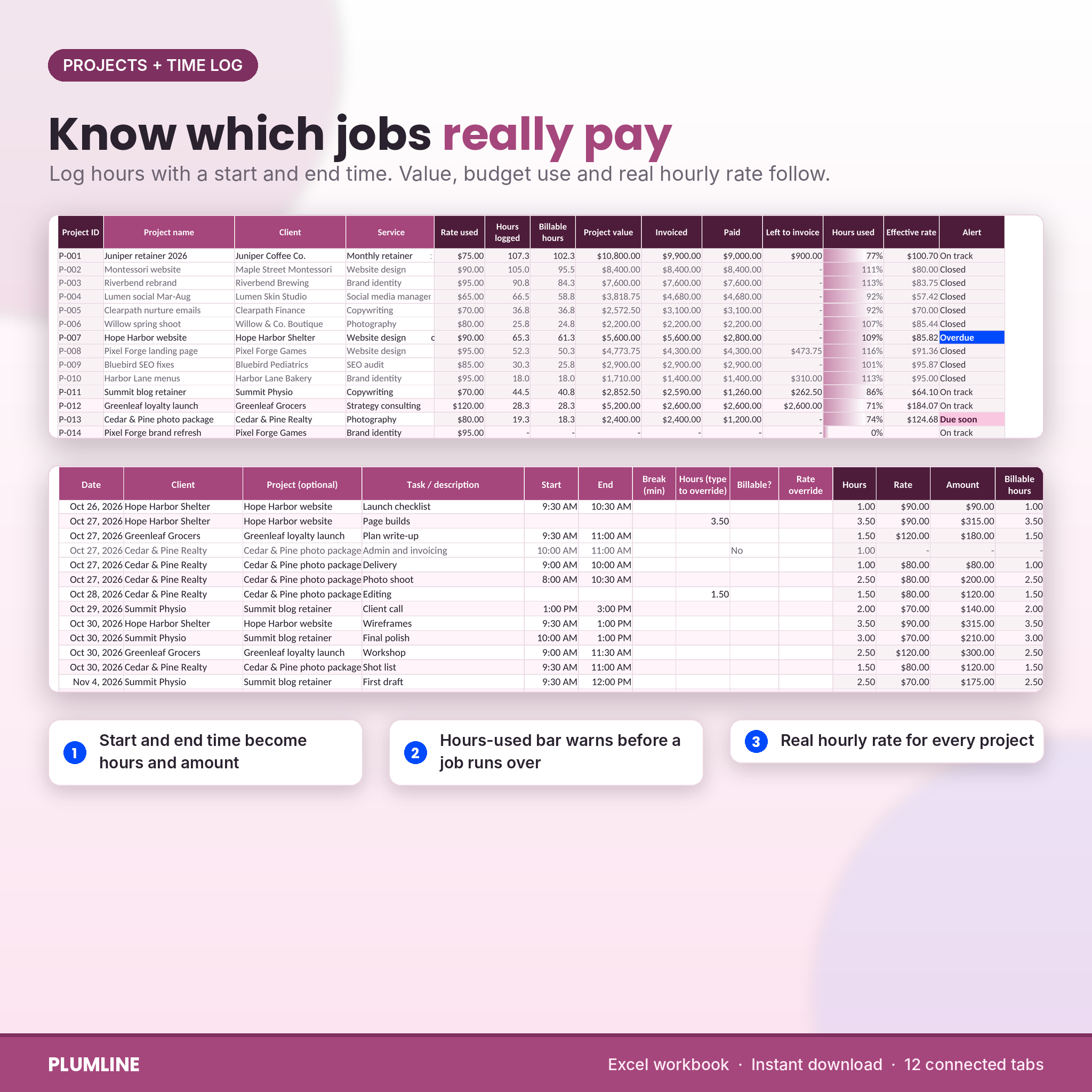
- Shows which jobs really pay. Hourly, fixed fee or retainer projects, with budget hours, an hours-used bar, amount left to invoice and the effective hourly rate on every job.
- Logs your time. Type a start and end time (or just the hours). The rate is picked for you from the project, service or your default rate, and admin time can be marked non-billable.
- Follows the money. Invoices, part payments and payments without an invoice. Status changes from Unpaid to Part paid to Paid, and late ones show as Overdue with the number of days.
The dashboard
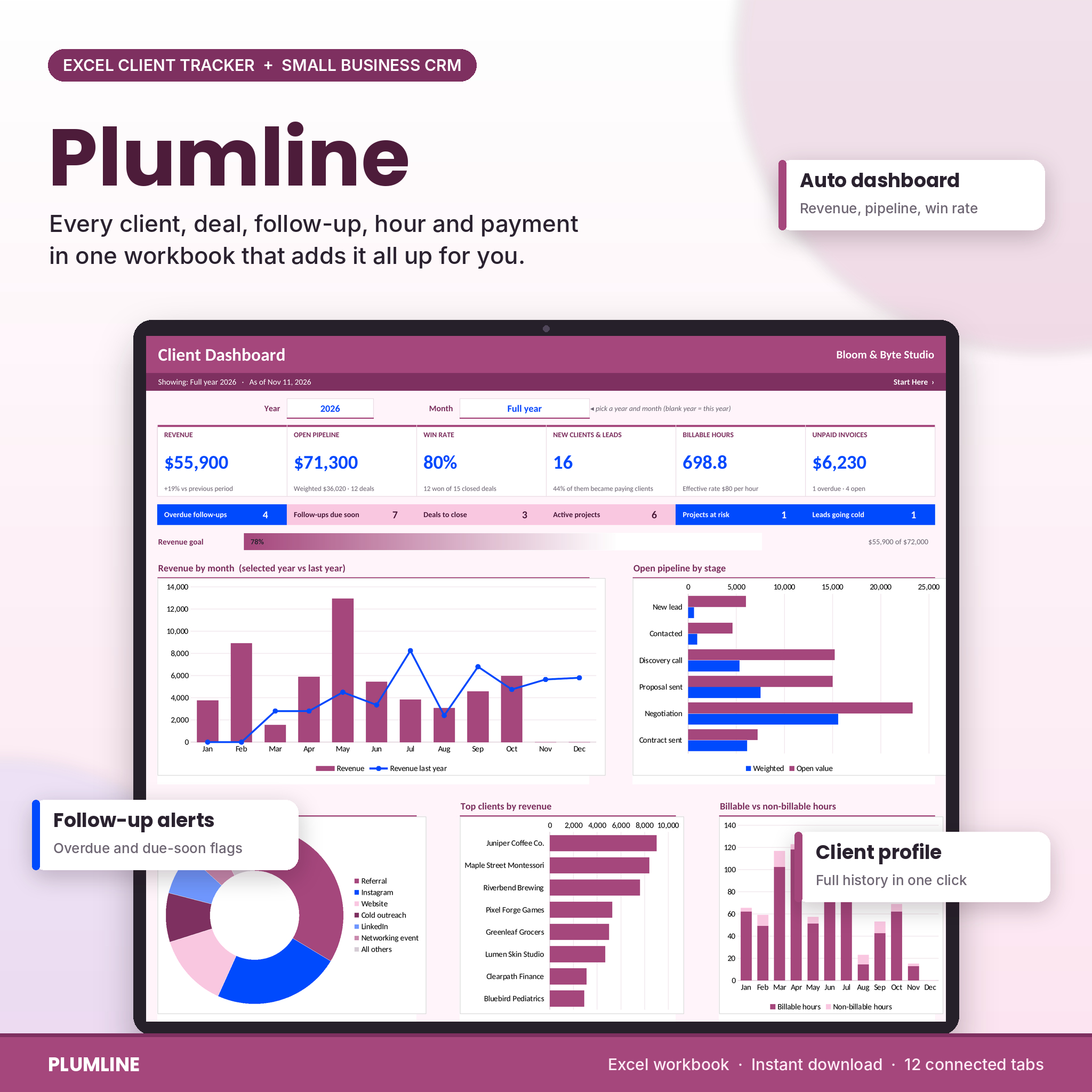
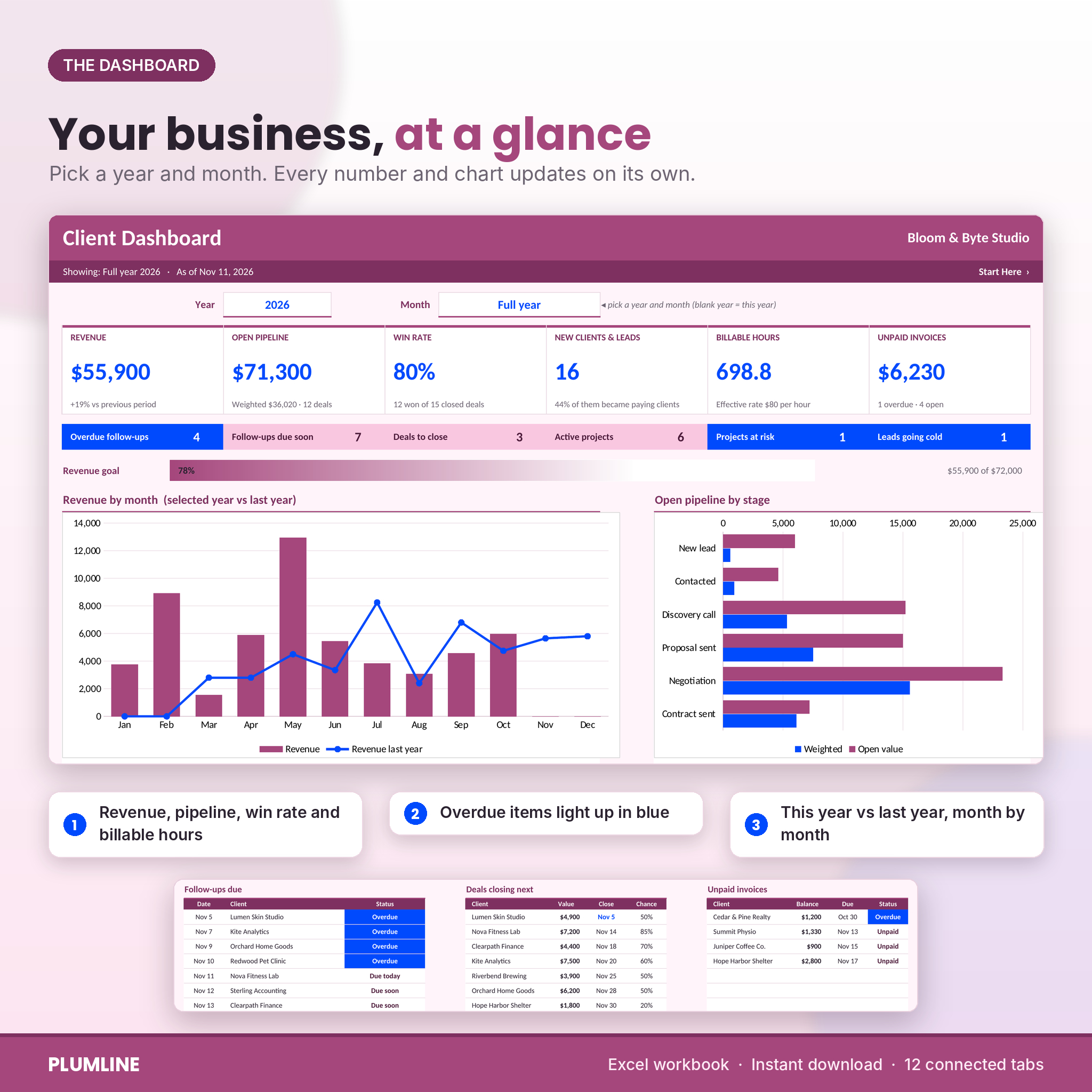
Choose a year and Full year or a single month. Six cards show revenue (with the change against the previous period), open pipeline, win rate, new clients and leads, billable hours with your effective hourly rate, and unpaid invoices. A status strip counts overdue follow-ups, follow-ups due soon, deals to close, active projects, projects at risk and leads going cold. A goal bar tracks revenue against your annual target.
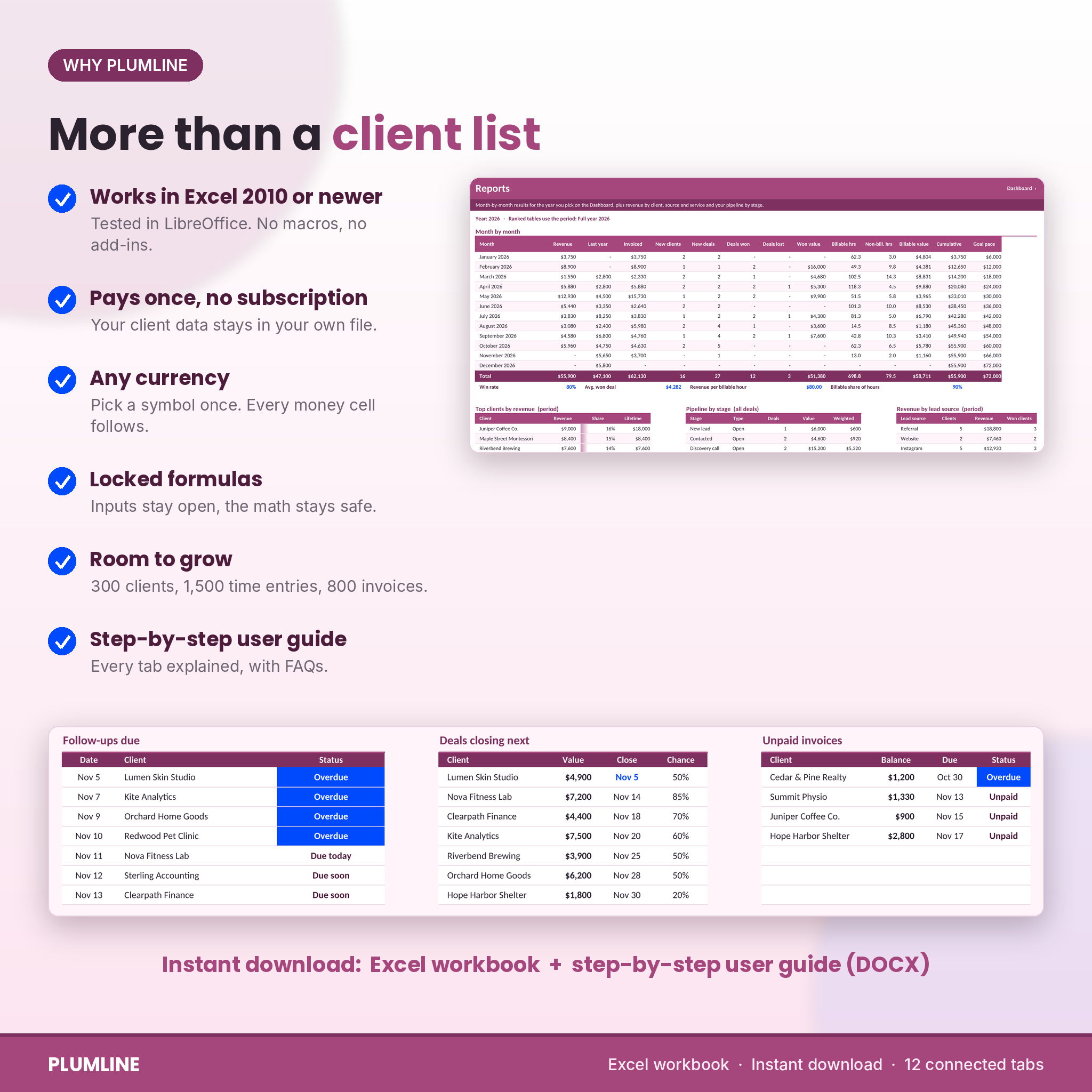
Five charts update on their own: revenue by month against last year, open pipeline by stage, revenue by lead source, top clients by revenue, and billable against non-billable hours. Underneath, three short lists show the next follow-ups due, the deals closing next and the unpaid invoices.
Client Profile: one client, the whole story
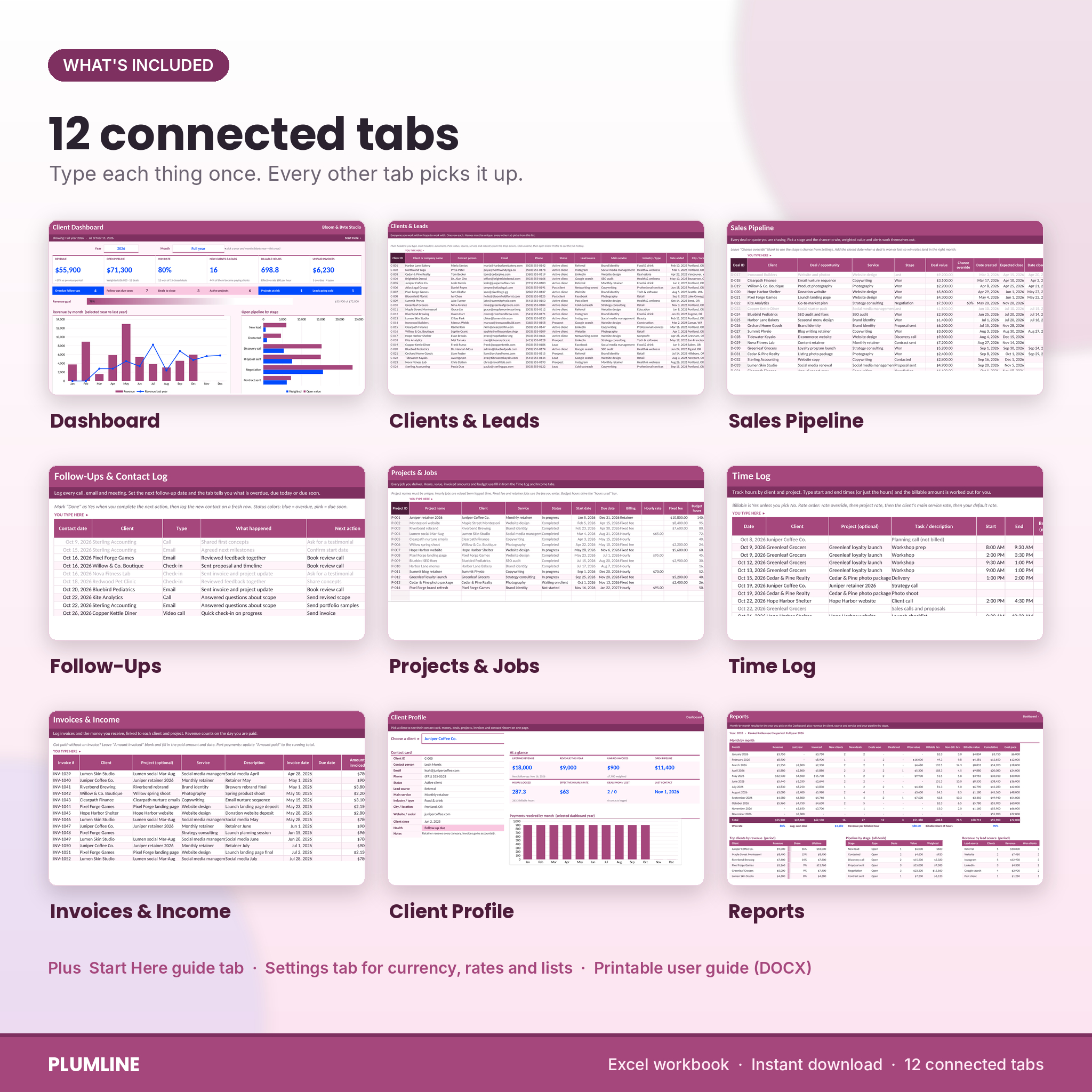
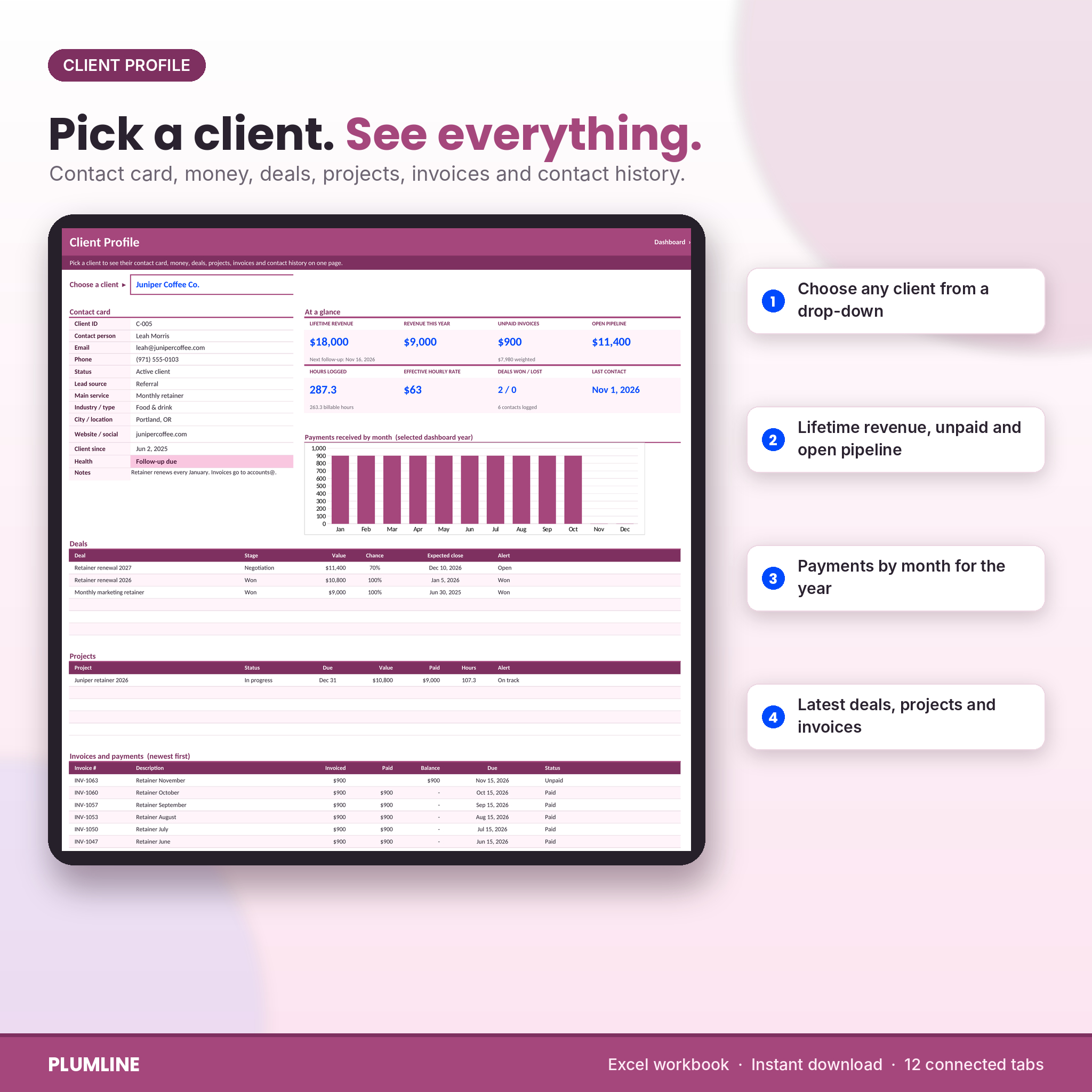
Pick a client from a drop-down and see their contact card and health, eight money and activity tiles, a chart of payments by month, and their latest deals, projects, invoices and contacts. It is the page to open before a call.
What is included
- Plumline-Client-Tracker-CRM.xlsx: the Excel workbook with 12 tabs (Start Here, Dashboard, Clients, Pipeline, Follow-Ups, Projects, Time Log, Income, Client Profile, Reports, Settings and a hidden calculation tab).
- Plumline-User-Guide.docx: a 19-page guide covering setup, every tab, customizing, tips, troubleshooting and FAQs.
Reports tab
A month-by-month table for the year: revenue, last year, invoiced, new clients, new deals, deals won and lost, won value, billable and non-billable hours, billable value, cumulative revenue and goal pace. Ranked tables show top clients, pipeline by stage, revenue by lead source and revenue by service.
How it works
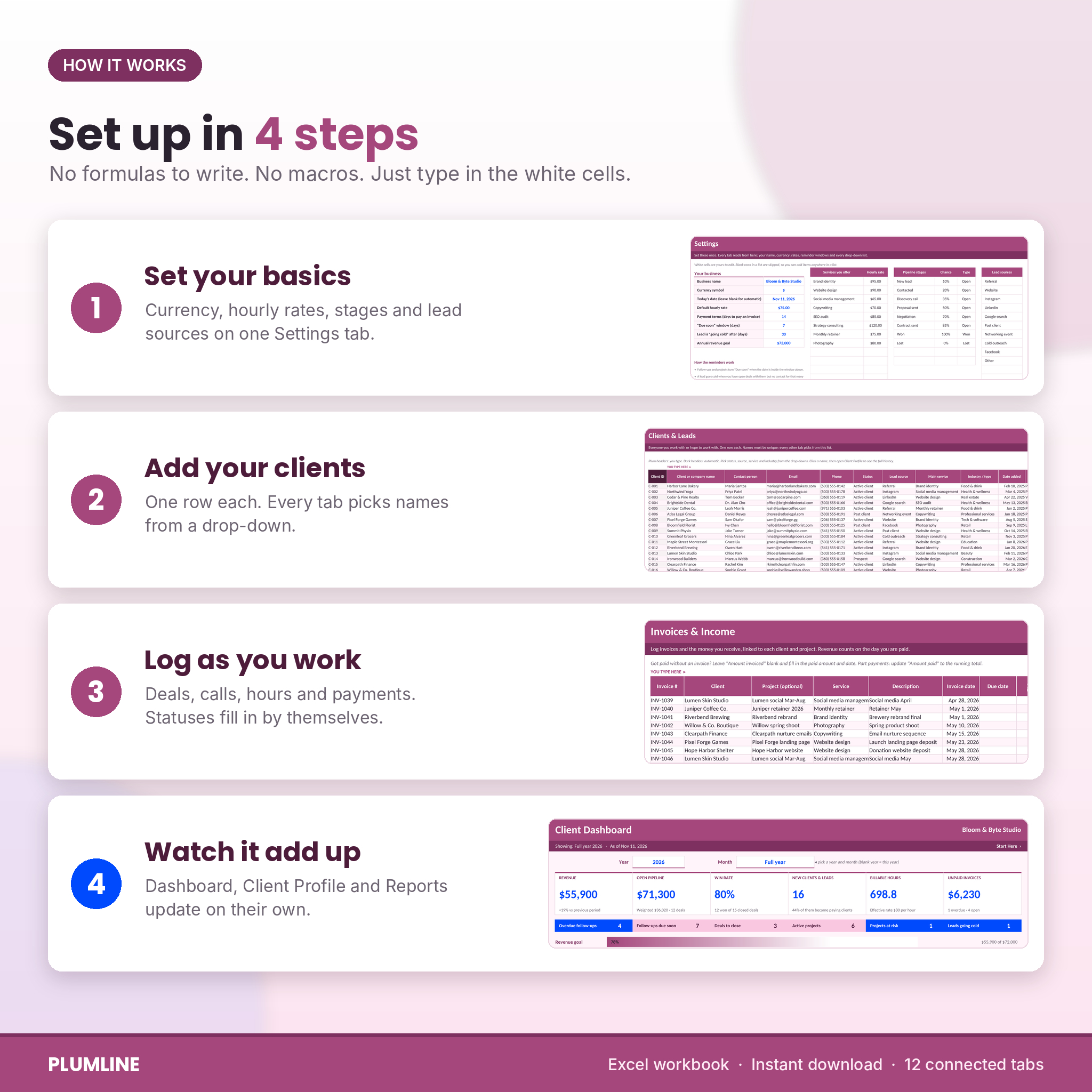
- On Settings, type your business name, pick a currency and set your default hourly rate.
- Edit the lists: services and their rates, pipeline stages and their chance of winning, lead sources and statuses.
- Add your clients and leads on the Clients tab.
- Log deals, contacts, projects, hours and payments as they happen. Every drop-down picks from your own lists.
- Open the Dashboard, Client Profile or Reports whenever you want to see where you stand.
File format and software
- One .xlsx Excel workbook plus a .docx user guide.
- Built for Microsoft Excel 2010 or newer and tested in LibreOffice Calc. No macros, add-ins or internet links.
- Not designed for Google Sheets or Apple Numbers. Best on a laptop or desktop.
Make it yours
Choose from 20 currency symbols and every money cell follows. Rename stages, services, sources and statuses on the Settings tab. Formulas are locked without a password so nothing breaks by accident, while colors, fonts and column widths stay open to change. Renamed list items are flagged in pink on the data tabs, so you can fix old rows quickly.
Who it is for: real situations
- A freelance designer with 20 clients who keeps forgetting to chase proposals.
- A cleaning, coaching or tutoring business that wants to see which lead sources bring paying clients.
- A consultant on fixed-fee projects who wants to know the true hourly rate of each job.
- A small agency that needs one place for retainers, unpaid invoices and next steps before Monday’s planning.
Digital download
This is an instant digital download. Nothing is shipped. Your files are available on your Taskdale account and in your order email right after purchase. Personal license for one business: you may use and edit the files for your own work, but you may not resell, share or redistribute them.
FAQ
Does this client tracker work in Google Sheets?
It is built for Microsoft Excel 2010 or newer and tested in LibreOffice Calc. It is not designed for Google Sheets or Apple Numbers.
Is there a monthly fee?
No. You pay once and keep the file. Your client data stays on your own computer.
How many clients can it hold?
300 clients and leads, 300 deals, 600 contact log rows, 200 projects, 1,500 time entries and 800 invoices or payments.
Can I use my own currency?
Yes. Pick from 20 currency symbols on the Settings tab and the whole workbook switches.
Does it send reminder emails?
No. Overdue and due-soon follow-ups are flagged on the Follow-Ups tab, on each client row and on the Dashboard every time you open the file.
Can I import my existing client list?
Yes. Paste values into the white columns of the Clients tab in the same order as the headers.
Does it create invoices?
It tracks the invoices you send and the payments you receive. It does not design the invoice document itself.
Reviews
There are no reviews yet.