


Homeschool Command Center Printables That Run Your Day
Rhythmboard is a set of homeschool command center printables built for the wall, not a binder that stays shut. It gives your family one calm place to see the day: what happens first, what each child needs to finish, which subject comes next in the loop and what to do when the work is done. Print it blank and write on it, or type into the fillable fields first. Either way, the questions that usually land on you (“What do I do now?” “Am I done?”) start getting answered by the wall.
Every page is designed around one idea: a homeschool rhythm is a reliable order of anchors, not a strict clock. Times are optional everywhere, so the pages still work on slow mornings, co-op days and the week someone has a cold.
Who It Is For
- Homeschool families with one to four children, including mixed ages
- Parents who want kids to work more independently without constant reminders
- Families who use a loop schedule for subjects like art, history, music or nature study
- Parents of early readers who need picture cards, and older kids who want a real checklist
- Tutors and small learning pods, for their own use
What Makes Rhythmboard Different
Type names once, they fill every page
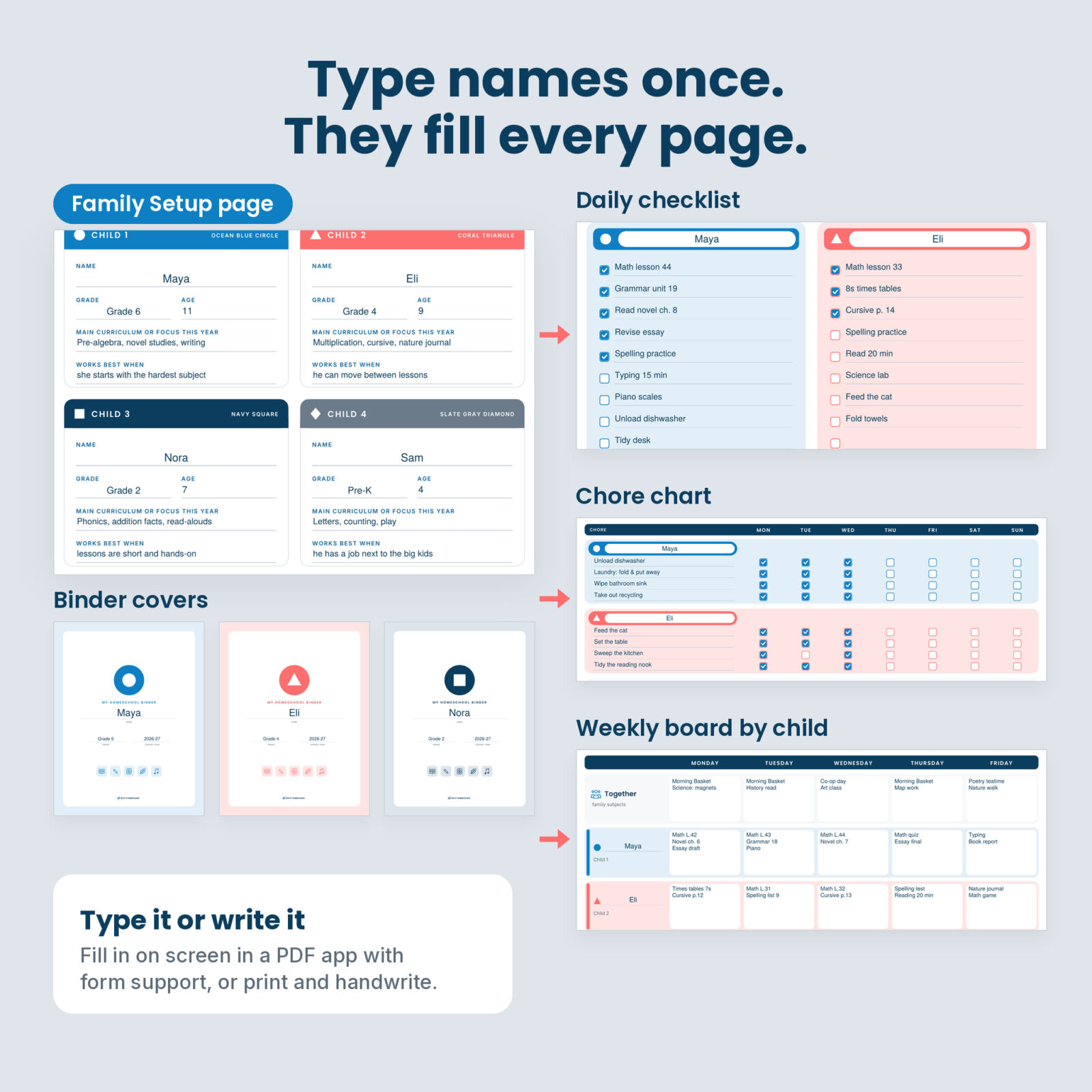
The Family Setup page holds your family name, the school year and each child’s name, grade and age. Those fields are linked, so the names appear on the weekly board by child, all four assignment checklists, the daily checklist, the chore chart, rotation planner, workbox tags, name labels, weekly review and every binder cover. No retyping the same four names on twenty pages.
A color and a shape for every child
Child 1 is Ocean Blue with a circle, Child 2 Coral with a triangle, Child 3 Navy with a square and Child 4 Slate Gray with a diamond. The shapes mean the key still works when you print in black and white.
Built for independent work
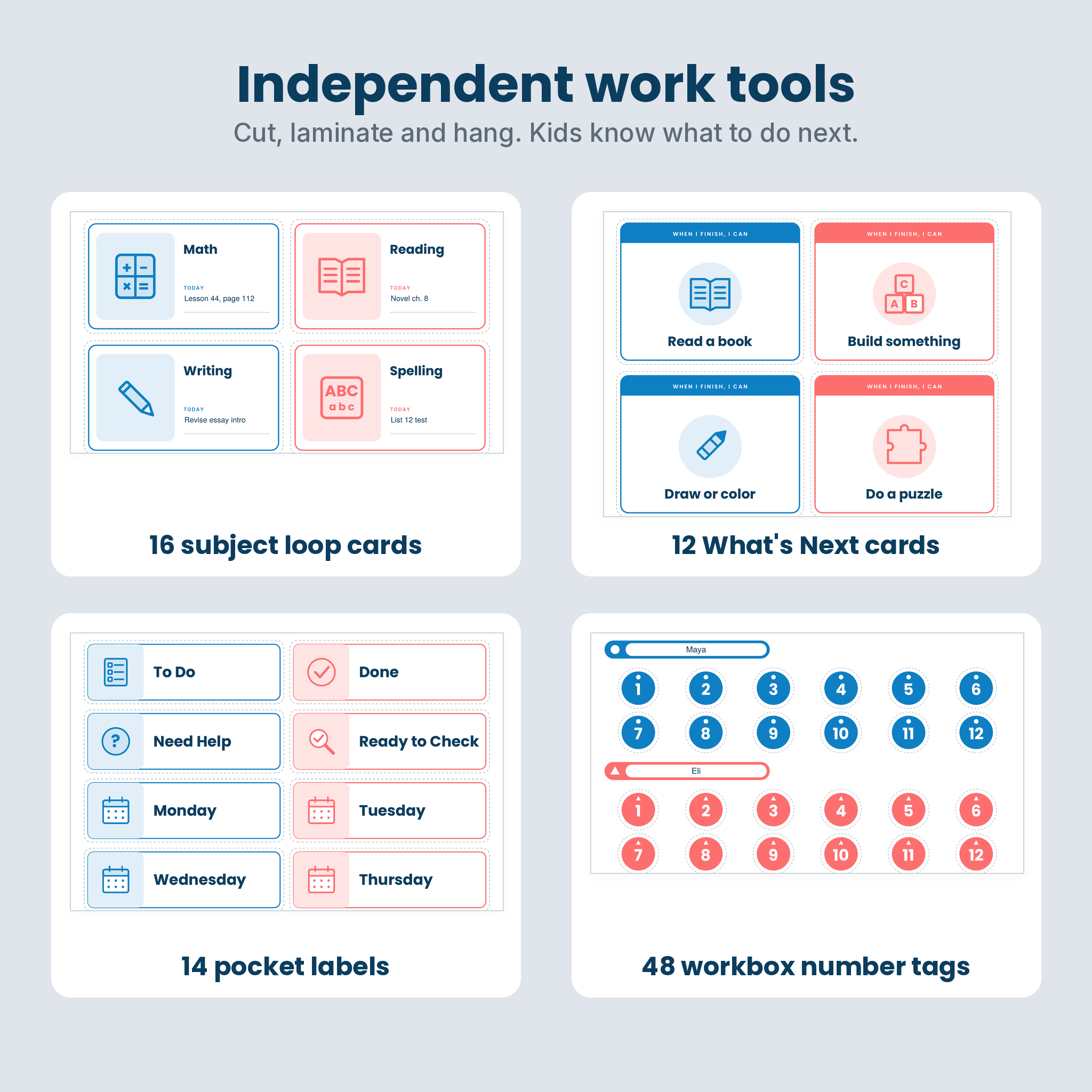
Pocket labels, 48 workbox number tags, a “Waiting for help?” card and 12 What’s Next cards give children a clear path: finish, check, put it in Ready to Check, choose a card. Fewer interruptions while you teach the little one.
What’s Included
- Start here: cover, welcome and quick start, linked contents page, Family Setup
- Plan the year: school year at a glance calendars for August 2026 to July 2027 and August 2027 to July 2028, plus a Design Your Rhythm worksheet
- Daily rhythm: daily rhythm chart with Morning, Midday, Afternoon and Evening bands, 24 picture rhythm cards (23 illustrated, 1 blank), a Now / Next / Later board
- Weekly boards: week at a glance, a family time-block board and a weekly schedule board by child
- Assignment checklists: a weekly assignment checklist for each of 4 children (11 subjects, Monday to Friday, a checkbox for every lesson), a daily checklist for all children and a big-box My Work Today page
- Loop schedule: a loop tracker for three loops, 16 illustrated subject loop cards and 8 blank fillable cards
- Chores and responsibility: weekly chore chart for 4 children, chore rotation planner, responsibility chart with a reward goal
- Independent work: 14 pocket labels, 48 workbox number tags, name labels and 12 blank custom labels
- Reading: reading log with star ratings and a family read-aloud log
- What’s Next cards: 12 “When I finish, I can” cards, 2 helper cards and 4 blank cards
- Command center: weekly reset and review, info board for contacts, classes and library due dates
- Binder covers: a family cover, 4 child covers, spine inserts for 1, 1.5 and 2 inch binders and section tabs
- User guide: an illustrated Word guide covering setup, printing, every page, tips, troubleshooting and FAQ
How It Works
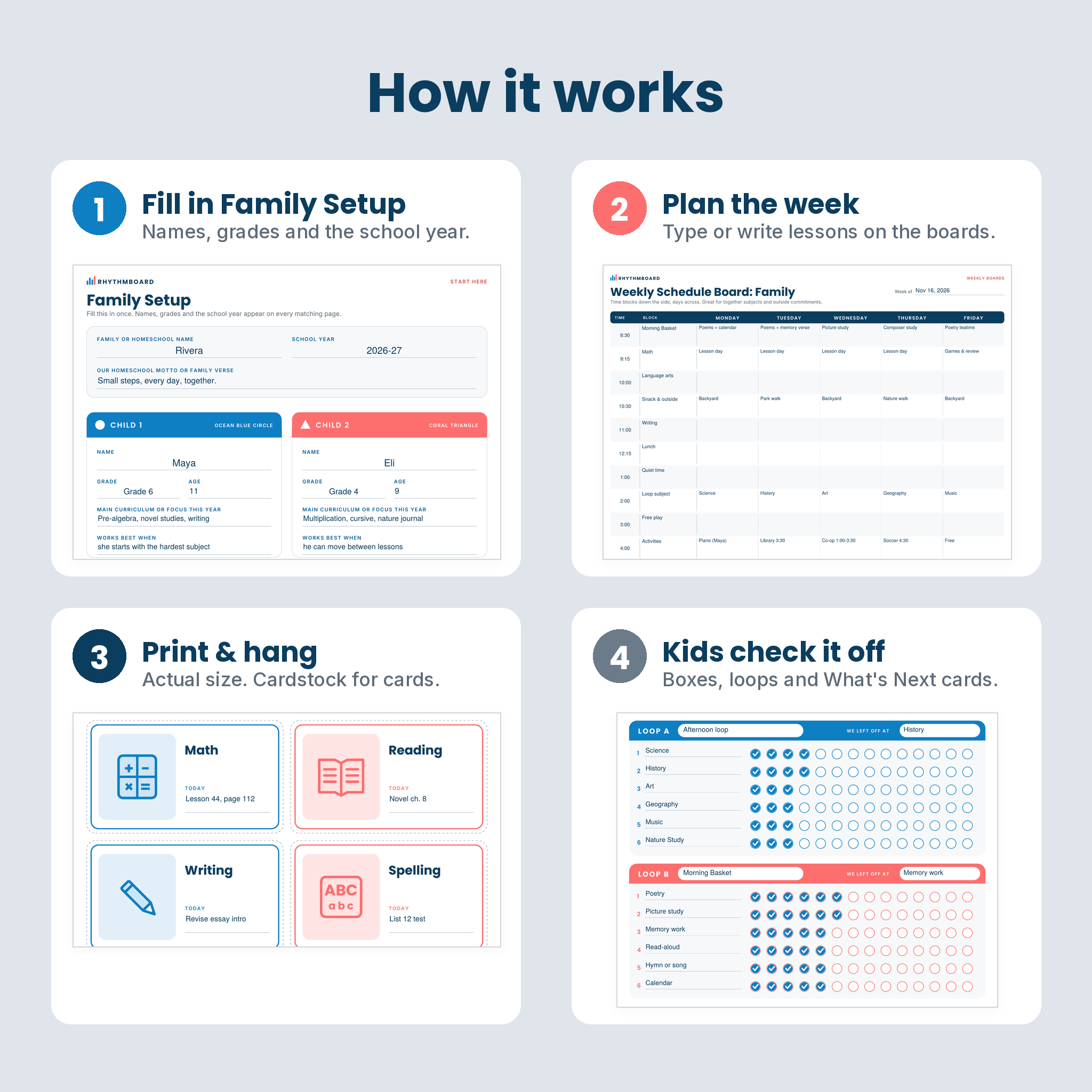
- Open the PDF in a PDF reader with form support (the free Adobe Acrobat Reader is a good choice) and fill in Family Setup.
- Plan the week: type or write lessons on the boards and checklists.
- Print at Actual size. Use cardstock for cards, labels and tags, and laminate or use sheet protectors for dry-erase reuse.
- Hang the rhythm and weekly board at eye level and hand each child their checklist.
Real Ways Families Use It
- A mom of four posts the by-child weekly board in the kitchen so everyone can see the plan without asking.
- A family with a preschooler uses the picture rhythm cards and the Now / Next / Later board to make transitions easier.
- Older kids clip their weekly assignment checklist to a clipboard and work through it on their own.
- A parent who keeps falling behind on art and history switches to the loop tracker so nothing gets skipped for weeks.
- Sunday evenings become a fifteen-minute weekly reset instead of a scramble on Monday morning.
File Formats and Requirements
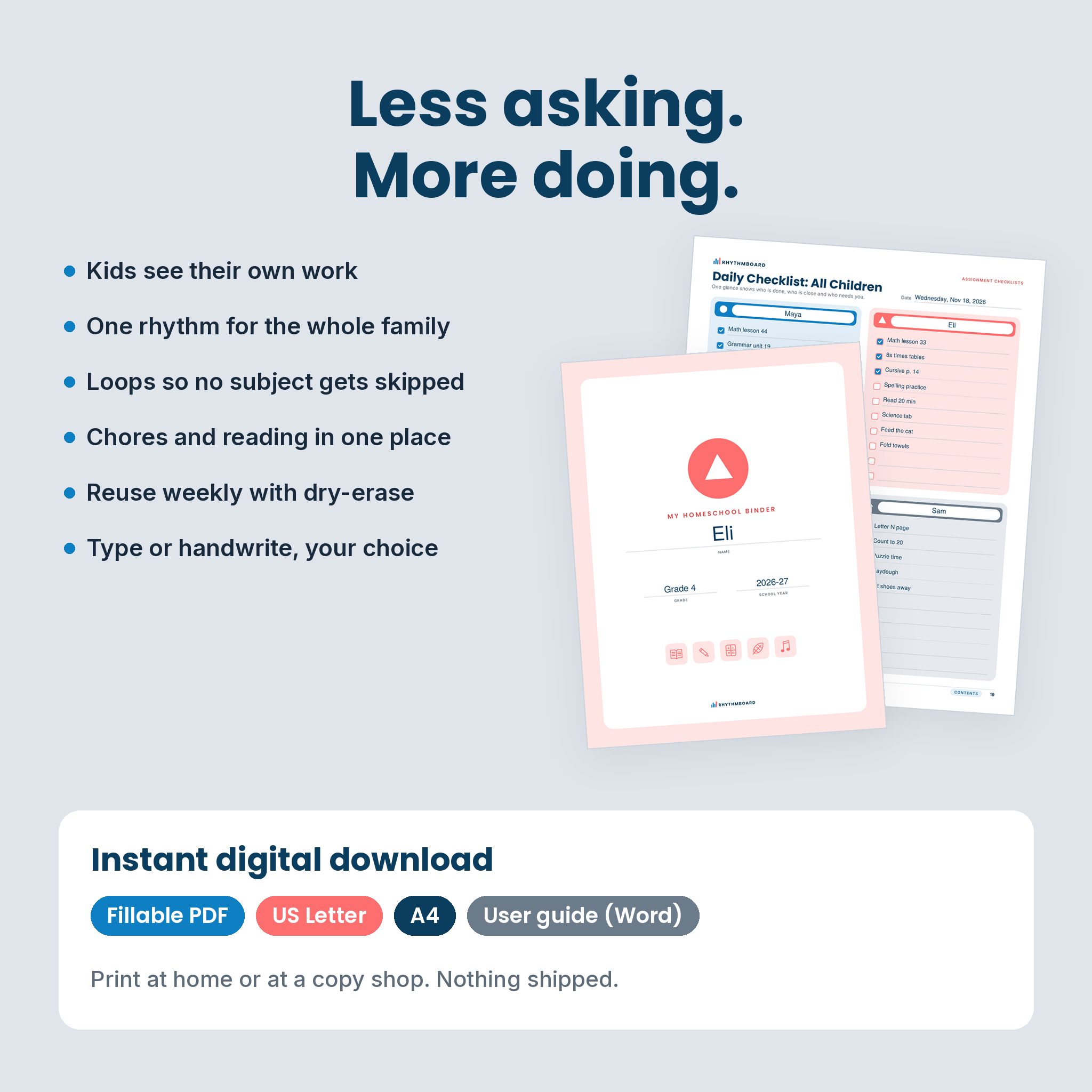
- Two PDF files with identical pages: US Letter (8.5 x 11 in) and A4 (210 x 297 mm)
- Fillable fields and linked contents work in PDF readers with form support. Some phone and browser viewers ignore form fields, so a computer is best for typing.
- Prints in color or black and white on any home printer
- User guide in Microsoft Word format (.docx)
Customizing
Every subject, time, chore and label is a blank field, so the pages fit any curriculum and any number of subjects. Leave child slots empty if you have fewer than four children. Save a filled copy as your weekly template and print a fresh one each week.
Digital Download
This is an instant digital download. Nothing is shipped. Print at home or at a copy shop as many times as you need for your own family. Files are for personal use and your own small business use only and may not be shared or resold.
FAQ
How many children does it support?
Up to four children, each with their own color and shape. For more, print a second copy.
Is it dated?
Only the two school year calendars (2026–27 and 2027–28). All other pages are undated and reusable.
Do I have to type in it?
No. Every field is also a printed line or box, so you can print blank pages and write by hand.
Can I use it with my curriculum?
Yes. Rhythmboard organizes the curriculum you already use. It does not include lessons.
Can I import it into a note-taking app?
The files are standard PDFs, so they can be imported into note-taking apps that accept PDFs. They are designed for printing, and links and form fields may behave differently in those apps.
What paper should I use?
Regular paper for weekly pages and cardstock for cards, labels and tags. Print at Actual size so the cards and spine widths stay true.
Which size should I download?
US Letter for 8.5 x 11 in paper, A4 for 210 x 297 mm paper. Both are included.
Reviews
There are no reviews yet.