


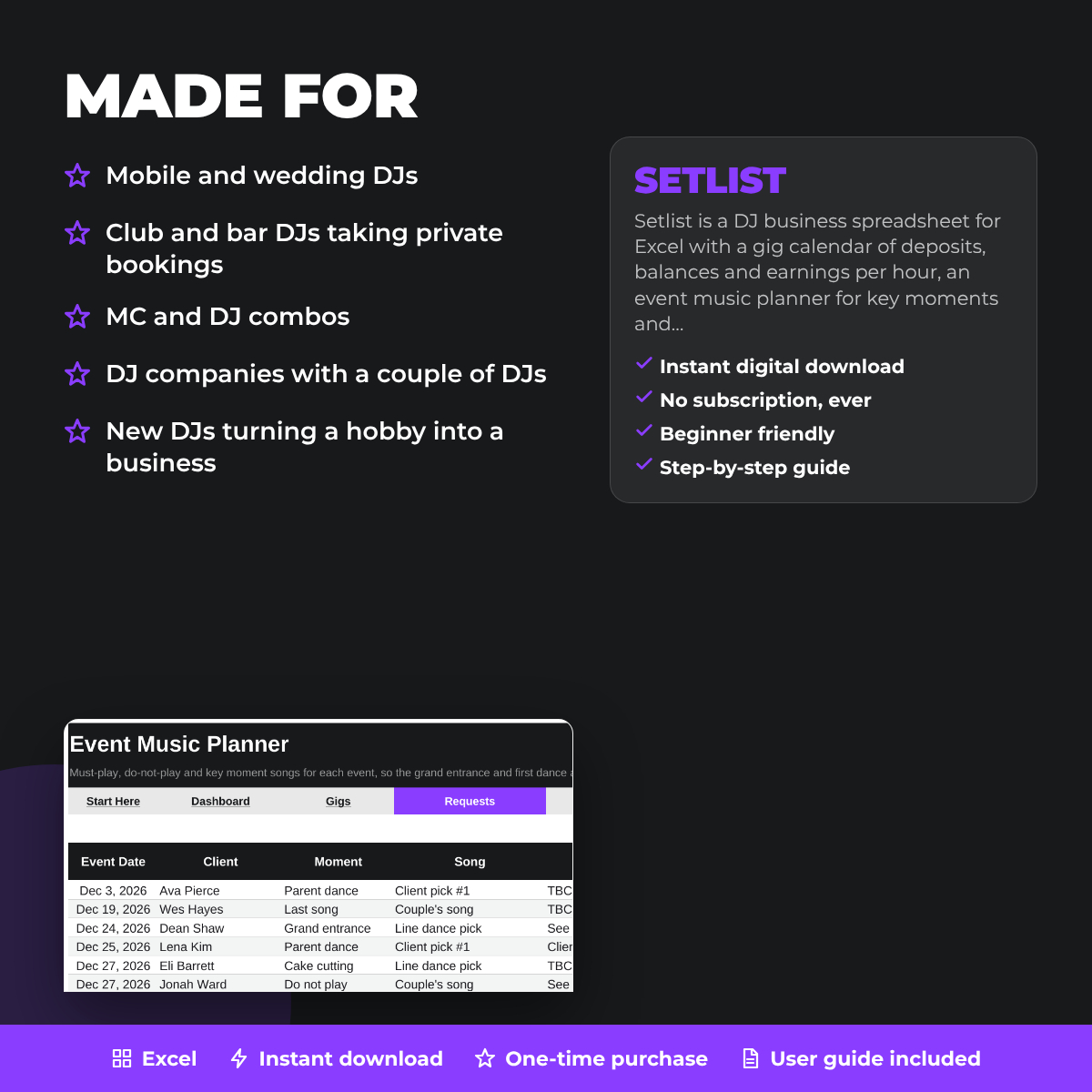
Mobile and wedding DJs run a surprising amount of admin around a few hours behind the decks: holds and bookings, deposits, song lists, gear and travel. Setlist is a DJ business spreadsheet that keeps it all in one place.
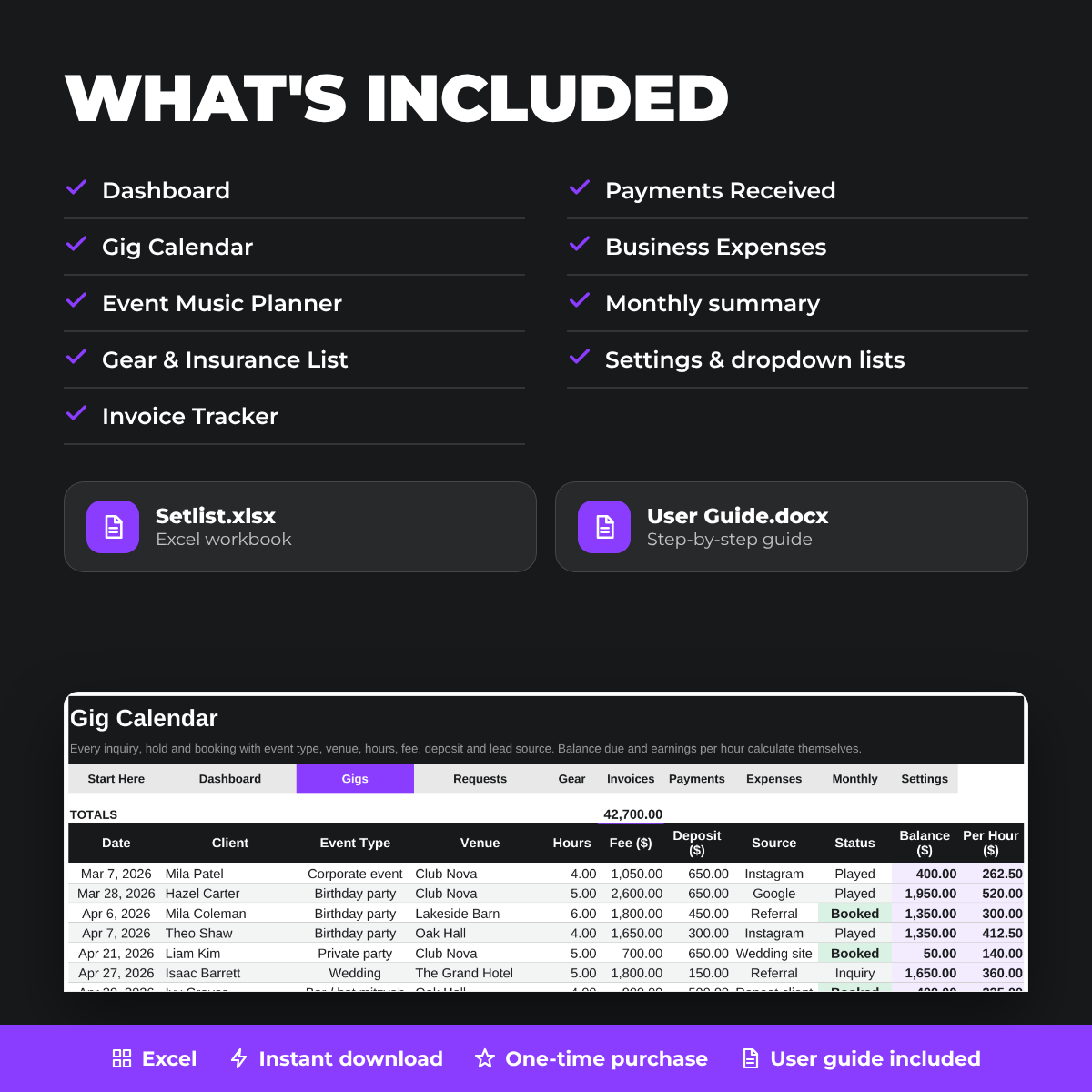
Every gig shows the fee, deposit, balance and what you earned per hour. The music planner records grand entrance, first dance and do-not-play songs for each event. A gear list with serial numbers and values is ready for insurance, and income, expenses and profit update on the dashboard.
What is inside this dj business spreadsheet
Setlist is organized into clear sheets that talk to each other, so you enter information once and see it everywhere it matters.
Dashboard
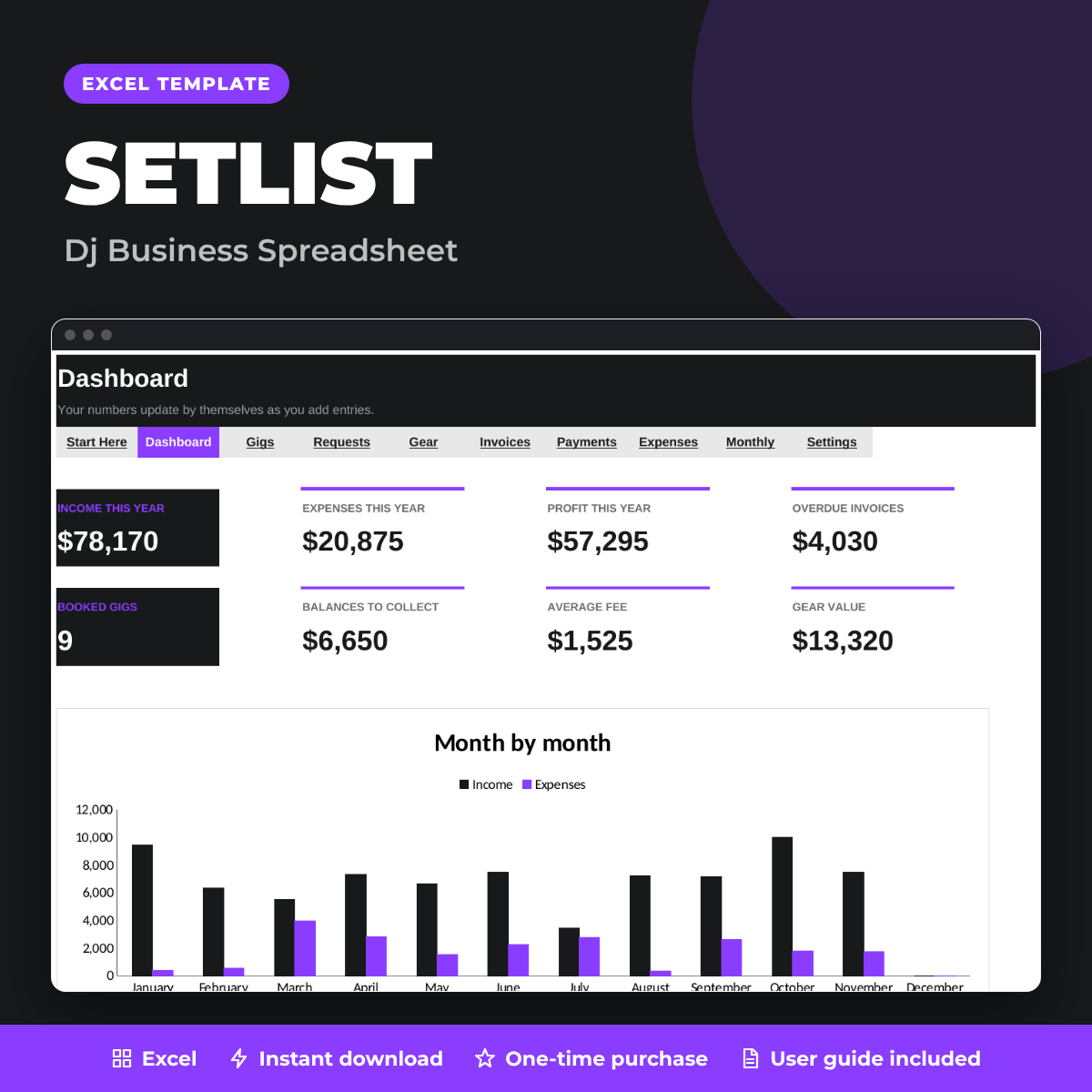
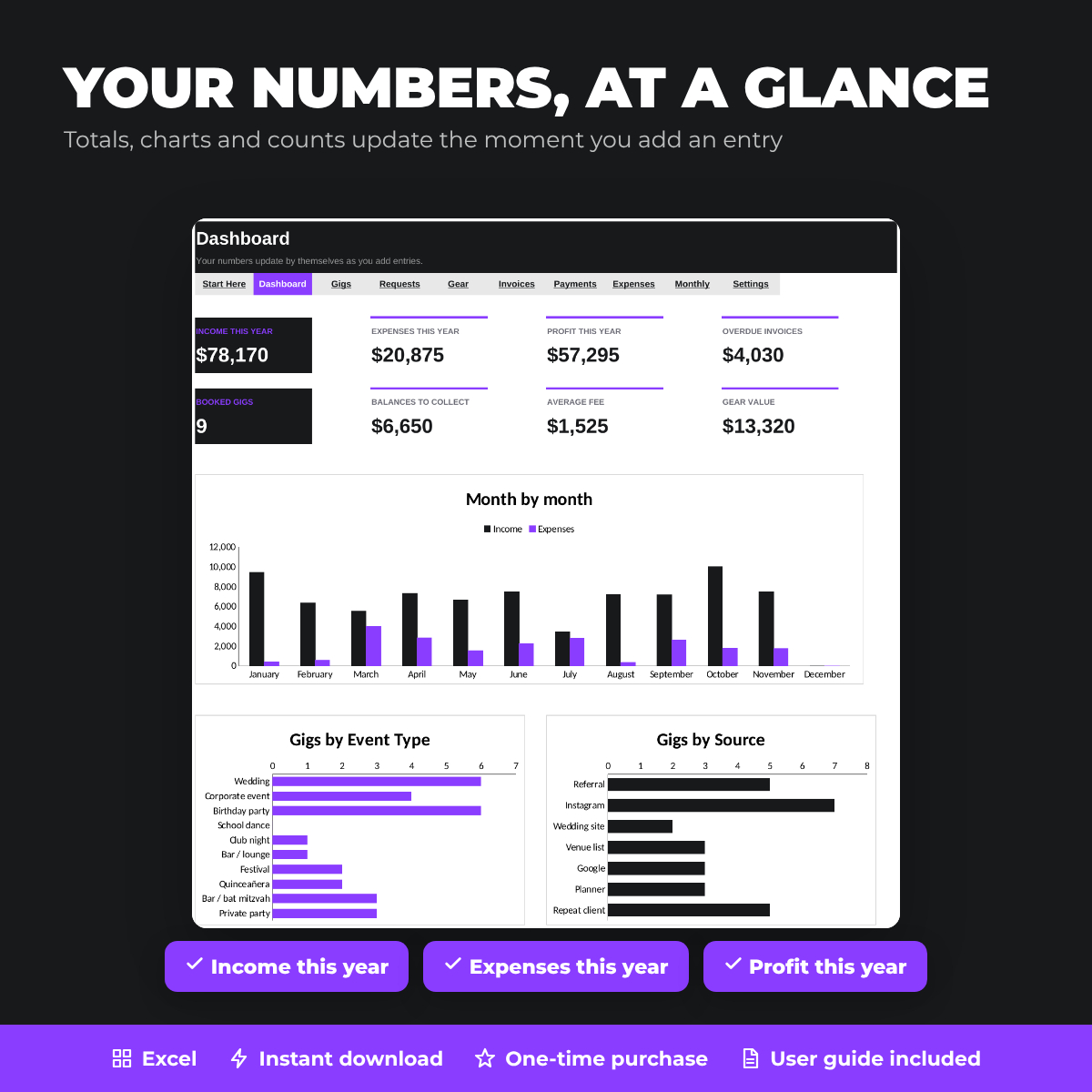
Your headline numbers in one view: income this year, expenses this year, profit this year, overdue invoices, booked gigs, balances to collect. A month-by-month chart compares income and expenses across the year. Breakdown charts show where your work and money come from.
Gig Calendar
Every inquiry, hold and booking with event type, venue, hours, fee, deposit and lead source. Balance due and earnings per hour calculate themselves. Balance, Per Hour are worked out automatically. Columns: Date, Client, Event Type, Venue, Hours, Fee, Deposit, Source, Status, Balance, Per Hour.
Event Music Planner
Must-play, do-not-play and key moment songs for each event, so the grand entrance and first dance are never a surprise. Columns: Event Date, Client, Moment, Song, Artist, Notes.
Gear & Insurance List
Every piece of equipment with serial number, value and last check. Use it for insurance, load-in checklists and planning replacements. Columns: Item, Category, Serial #, Value, Last Checked, Insured?.
Invoice Tracker
Track every invoice from sent to paid. Days overdue counts itself, and overdue invoices turn red so nobody slips through the cracks. Days Overdue is worked out automatically. Columns: Invoice #, Client, Issued, Due, Amount, Status, Days Overdue.
Payments Received
Every payment that lands, with the client, invoice number and how they paid. This sheet drives your income totals, the monthly summary and the dashboard. Columns: Date, Client, Invoice #, Amount, Method, Note.
Business Expenses
Log what you spend by category so you know your real profit and have tidy records ready at tax time. Mark each cost as deductible or not. Columns: Date, Category, Vendor, Description, Amount, Deductible?, Receipt saved?.
Monthly Summary
All twelve months of your report year with income and expenses totals, plus the net figure for each month. Change the year and the whole summary recalculates.
Settings
Your business name, currency symbol, report year and every dropdown list live here, so the whole workbook fits the way you work.
Key features
- Automatic dashboard with KPI cards and charts
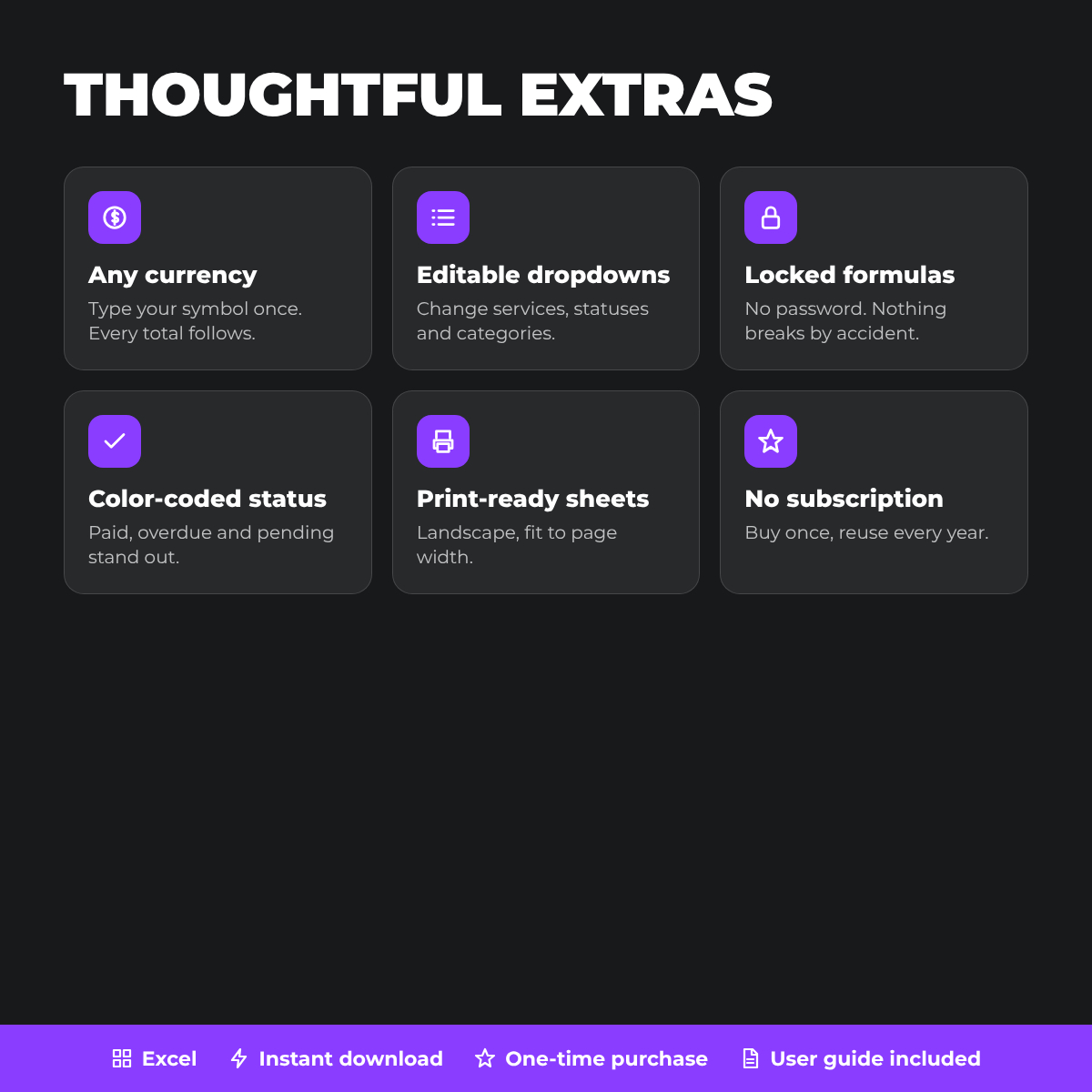
- Dropdown lists you can edit without touching a formula
- Formula cells locked with no password, so nothing breaks by accident
- One currency setting that every money heading and total reads from
- Color-coded statuses so overdue and pending items jump out
- Print-ready landscape layout on every sheet
- 300 ready-to-use rows on every data sheet
- Clickable navigation between sheets
Who this dj business spreadsheet is for
- Mobile and wedding DJs
- Club and bar DJs taking private bookings
- MC and DJ combos
- DJ companies with a couple of DJs
- New DJs turning a hobby into a business
How it works
- Download the file and open it in Microsoft Excel.
- Type your business name and currency symbol on the settings sheet, and adjust the dropdown lists.
- Enter information in the white cells as work happens. Shaded cells calculate themselves.
- Open the dashboard any time to see where things stand.
Real-world use cases
- Collecting every wedding balance before the event.
- Checking the couple's do-not-play list during setup.
- Seeing that corporate gigs pay more per hour than birthdays.
- Sending your insurer a gear list with values.
- Tracking which lead sources bring wedding bookings.
File format and requirements
You receive Setlist.xlsx, an Excel workbook built and tested in Microsoft Excel 2016 or newer and Microsoft 365 for Windows and Mac. You also get an illustrated user guide in Word format (.docx). No macros, no add-ins and no internet connection are needed.
Customization
Rename any dropdown option, add your own services or categories, and type your currency symbol once. Colors, fonts and column widths can be changed with normal Excel tools after you unprotect a sheet (there is no password).
Instant digital download
This is a digital product. Nothing is shipped. Your files are ready to download straight after checkout and stay in your Taskdale account so you can download them again whenever you need them.
Frequently asked questions
Does it track deposits?
Yes. Each gig records fee and deposit and shows the balance due.
Can I plan song requests?
Yes. The Event Music Planner holds key moments, must-plays and do-not-plays for each event.
Can I change event types?
Yes. Edit the lists on the Settings sheet.
Does it work in Google Sheets?
It is built and tested in Microsoft Excel 2016 or newer and Microsoft 365 on Windows and Mac. We only promise Excel because that is what we tested.
Can I use my own currency?
Yes. Type your currency symbol once in the settings and every money heading and dashboard figure uses it.
Will I break the formulas by accident?
Formula cells are locked without a password, so you only type in the input cells. You can unprotect a sheet in one click if you want to change something.
Is it a subscription?
No. It is a one-time digital download that you keep and can reuse every year by changing the report year.
License: for personal use and use within your own business. Please do not resell, share or redistribute the files. © Taskdale.
Reviews
There are no reviews yet.