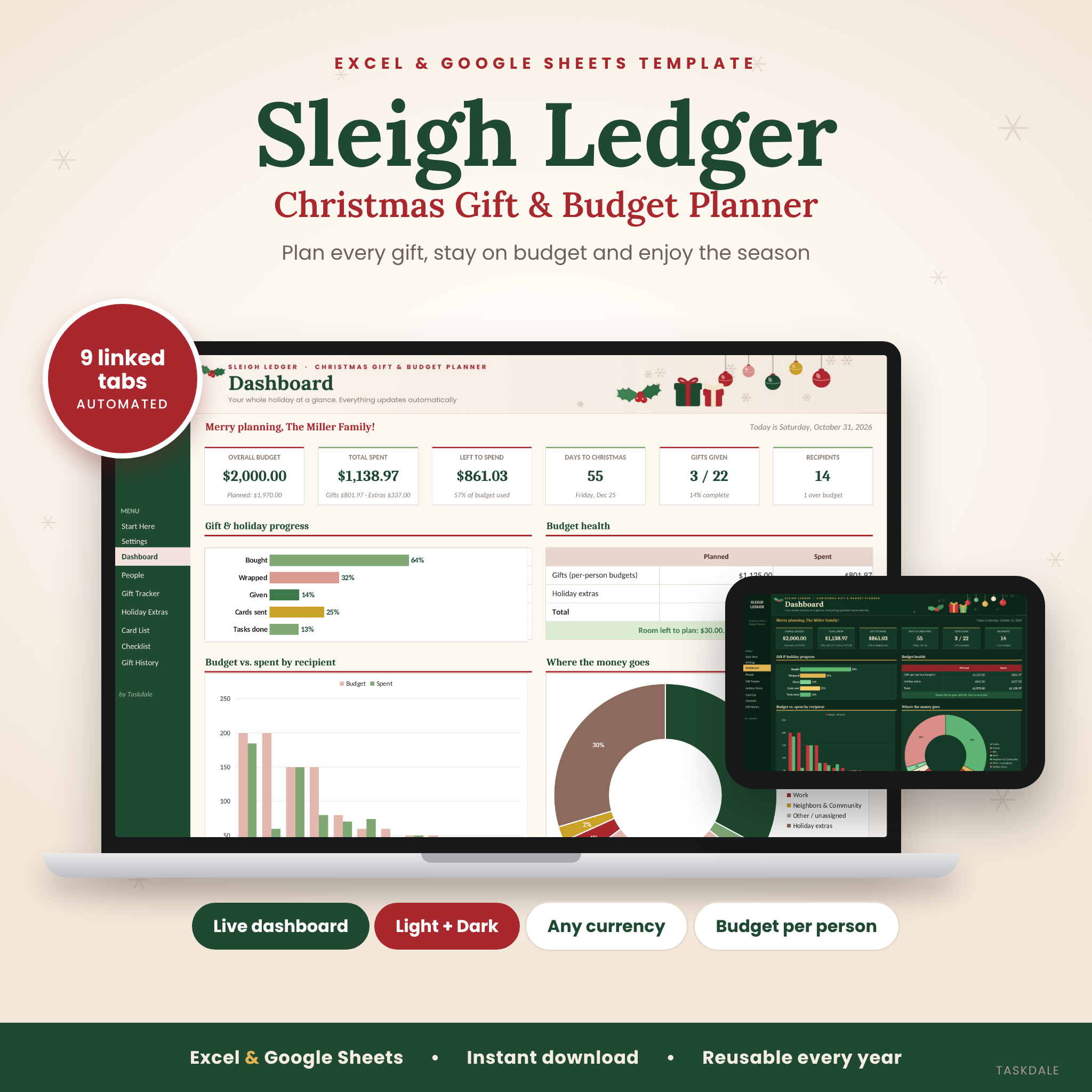


This Christmas gift tracker spreadsheet plans your whole holiday for you. Sleigh Ledger is a Christmas gift and budget planner for Excel and Google Sheets with 9 linked tabs and an automatic dashboard. It tracks every gift, every person’s budget and every holiday cost in one place, so you always know what you’ve spent, what’s left and what still needs doing. Light and dark versions are included, and you can reuse it every year.
A Christmas Gift Tracker Spreadsheet That Does the Math for You
Most gift lists stop at names and prices. Sleigh Ledger takes care of the whole season: the people you’re buying for, every idea and purchase, the dinner, decor, travel and cards, a countdown checklist and a record of past gifts. You type in the white cells or pick from a dropdown. The planner works out the totals, progress, charts and reminders automatically.
The result is a calm, organized holiday budget planner you can check in seconds, with a dashboard that answers “How much is left?” and “What’s still to buy?” at a glance.
Who It’s For
- Parents and families buying for kids, grandparents, teachers, neighbors and coworkers
- Budget-conscious shoppers who want one clear number for what’s left to spend
- Early planners and deal hunters who track orders, arrival dates and tracking numbers
- Beginners. If you can type in a cell, you can use it.
Features
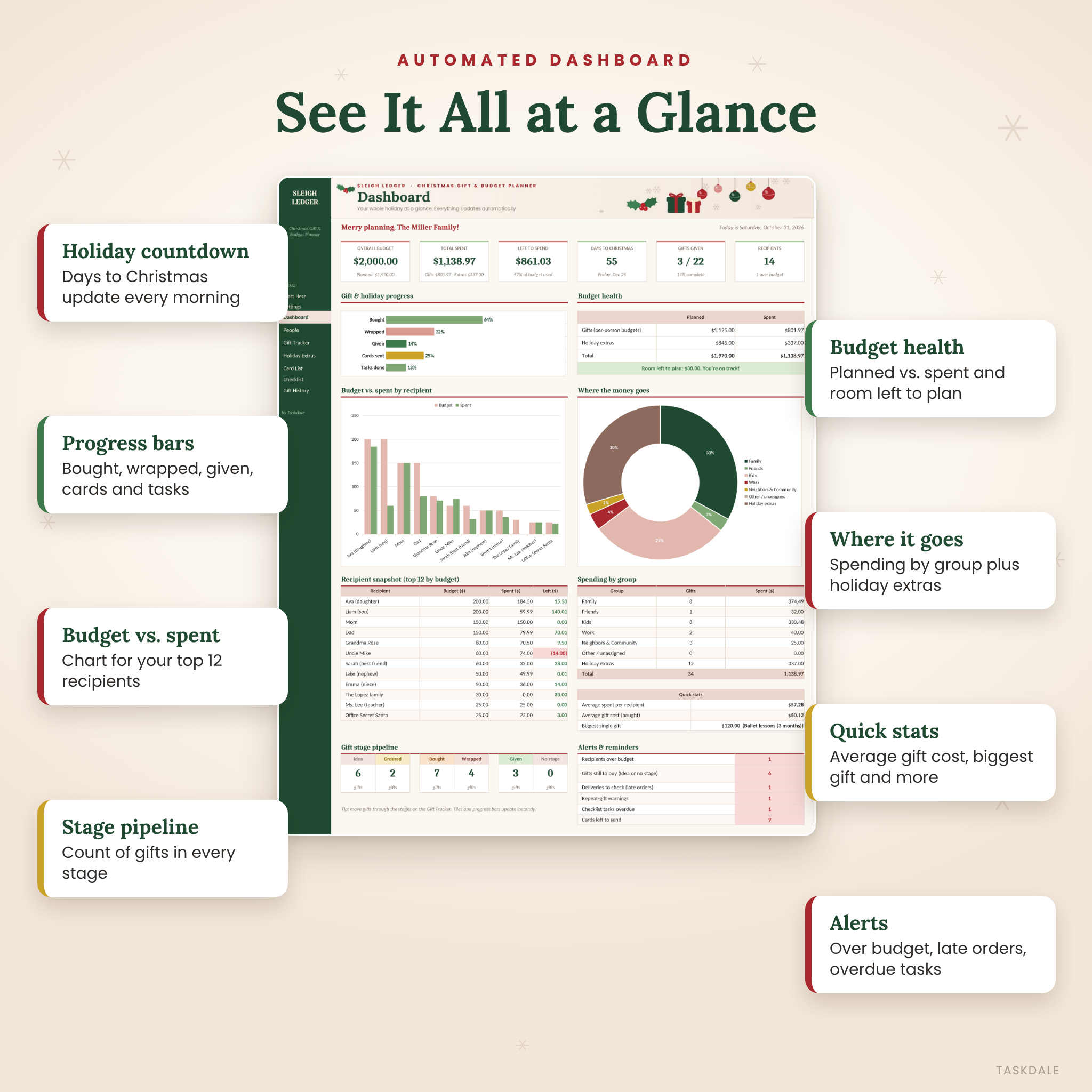
Automated Dashboard
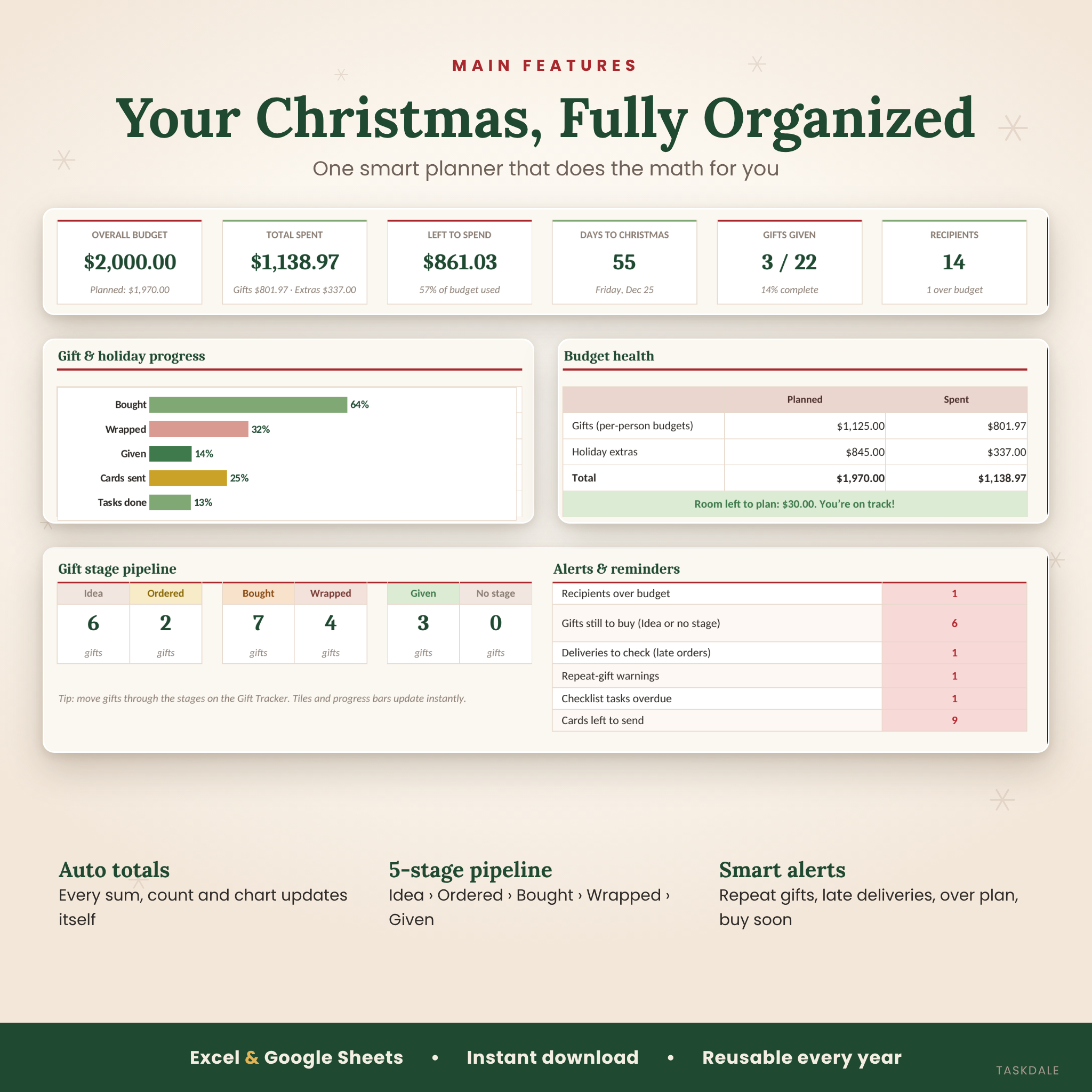
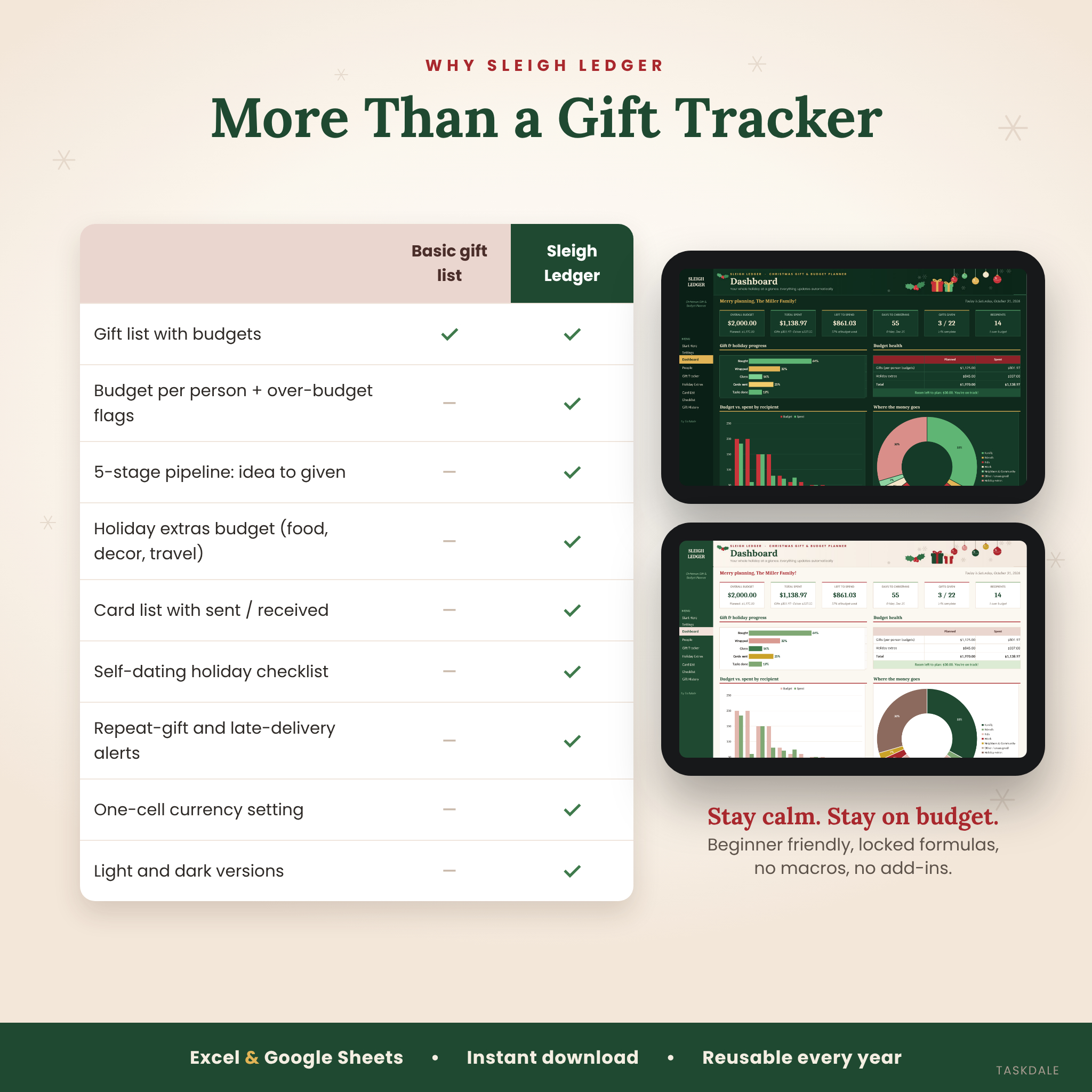
- Six live summary cards: overall budget, total spent, left to spend, days to Christmas, gifts given and recipients
- Five progress bars: bought, wrapped, given, cards sent and checklist tasks done
- Budget health check comparing planned and spent amounts for gifts and holiday extras, with a “room left to plan” message
- Budget vs. spent chart for your top 12 recipients, plus a “where the money goes” chart by group
- Recipient snapshot, spending by group, quick stats, a gift stage pipeline and an alerts panel
Gift Tracker (up to 200 gifts)
- Recipient dropdown, gift, type (main gift, stocking stuffer, Secret Santa, gift card and more), store and link
- Planned vs. actual cost, with the amount saved or over worked out automatically
- A 5-stage pipeline (Idea, Ordered, Bought, Wrapped, Given) with color-coded stages
- Order date, arrival date, delivery method, tracking number and notes
- Smart alerts: Given before!, Check delivery, Over plan and Buy soon
People (up to 60 recipients)
- A budget per person with live planned, spent and left totals
- Status flags: No gifts yet, In progress, Over budget and All given
- Space for likes, sizes, favorites, wish lists and addresses
More Than a Gift List
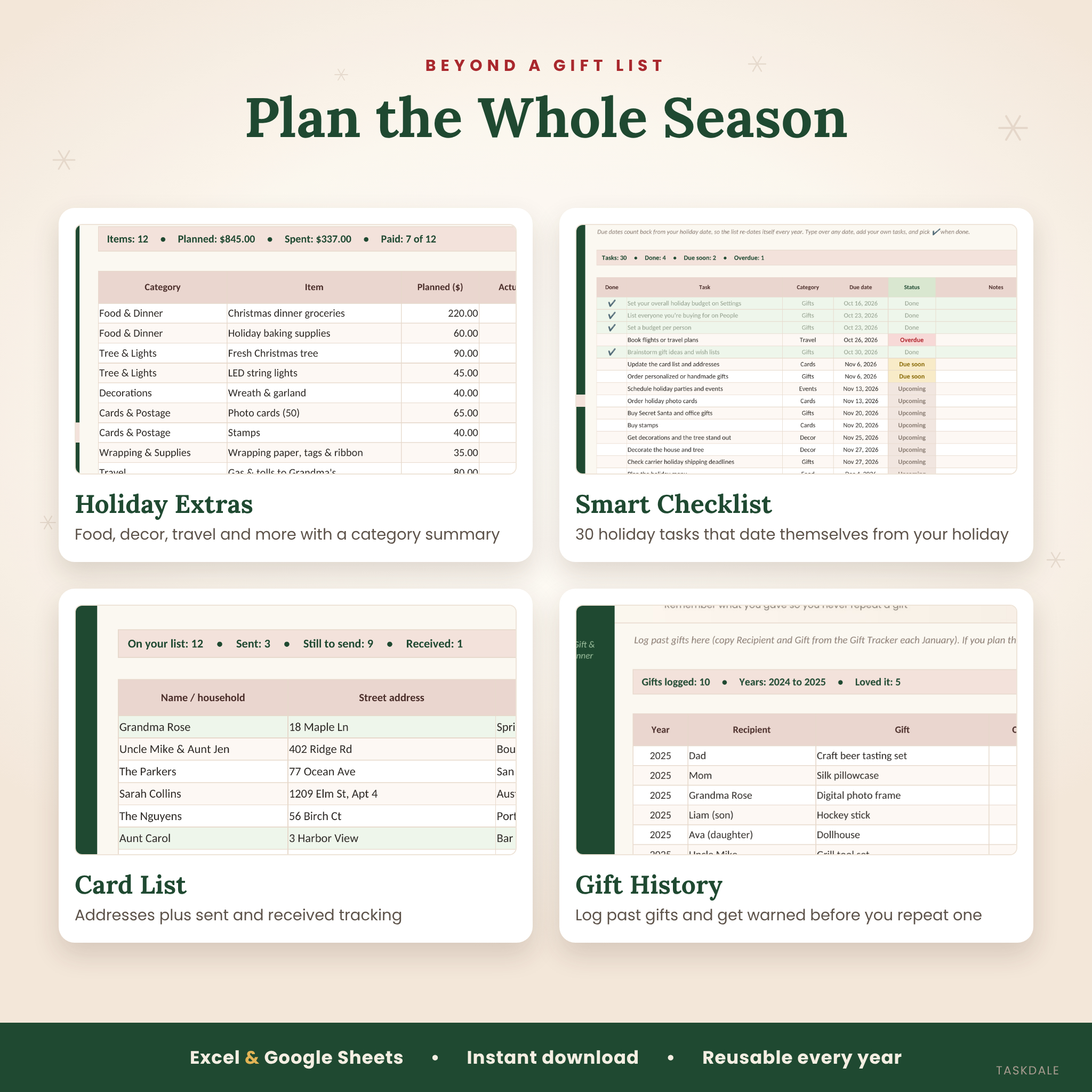
- Holiday Extras budget: food, tree and lights, decorations, cards and postage, wrapping, travel, parties, outfits and charity, with a category summary
- Christmas card list: up to 150 households with addresses and sent / received tracking
- Smart holiday checklist: 30 ready-made tasks whose due dates count back from your holiday date, with Overdue and Due soon flags
- Gift History: log past gifts and reactions so you never repeat a present by accident
Easy to Customize
- One currency setting for the whole planner: any symbol, before or after the amount, with 0 or 2 decimals
- Rename the holiday and date to use it for Hanukkah, birthdays or any celebration
- Edit groups, gift types, delivery methods and categories on the Settings tab
- Formulas are locked (no password) so they can’t be broken by accident
What’s Included
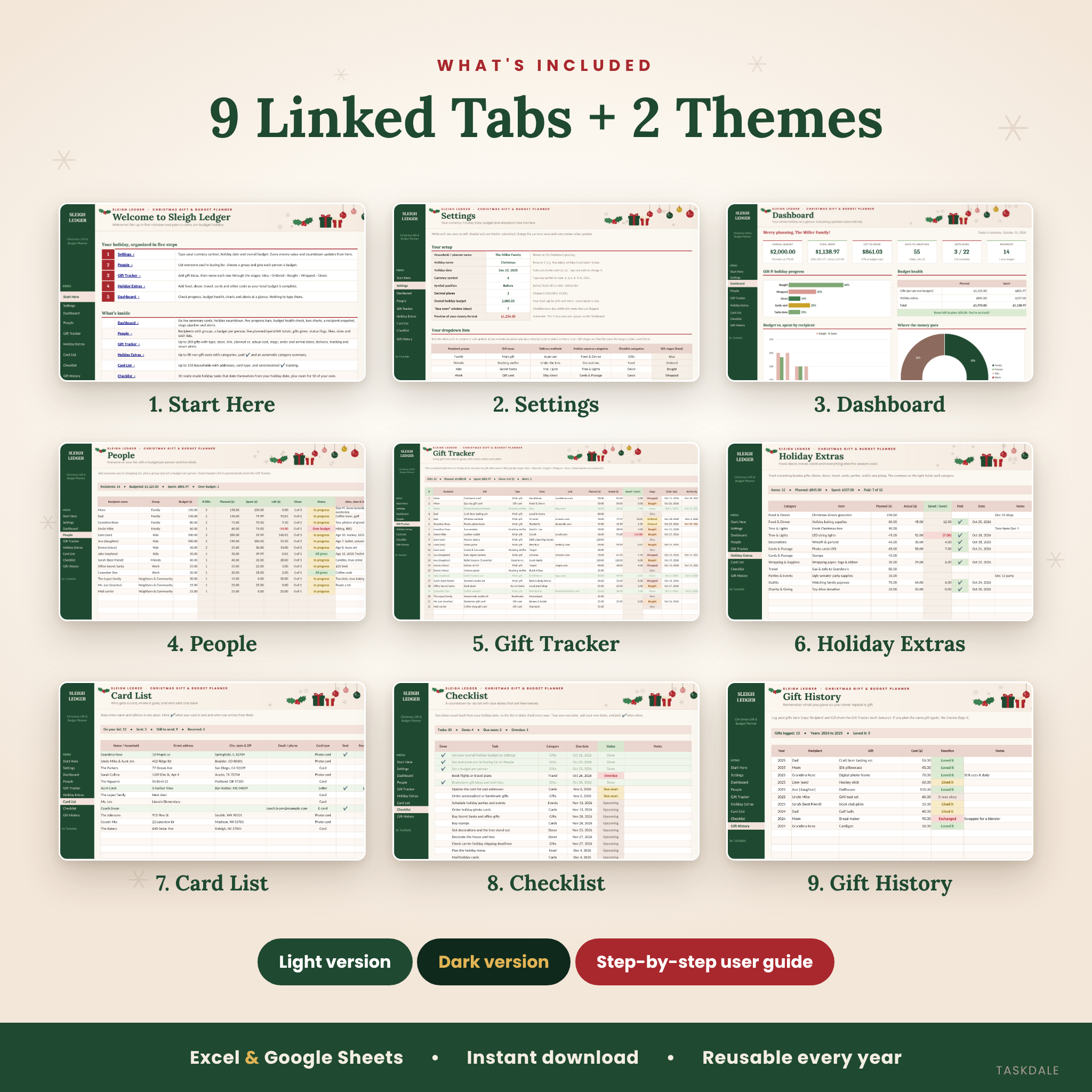
- Sleigh Ledger Christmas Gift & Budget Planner, light version (.xlsx)
- Sleigh Ledger Christmas Gift & Budget Planner, dark version (.xlsx)
- Illustrated step-by-step user guide (.docx)
Tabs: Start Here, Settings, Dashboard, People, Gift Tracker, Holiday Extras, Card List, Checklist and Gift History.
How It Works
- Set it up once. Choose your currency, holiday date and overall budget on Settings.
- Add your people. List everyone, pick a group and set a budget per person.
- Track every gift. Add ideas and move each gift through its five stages.
- Watch it update. The dashboard, charts, progress bars and alerts refresh as you type.
File Formats & Software Requirements
- Format: .xlsx spreadsheet (no macros, scripts or add-ins)
- Microsoft Excel desktop (Microsoft 365, 2021 or 2019 recommended)
- Google Sheets: upload the file to Google Drive and open it with Google Sheets (free Google account)
- User guide in Word format (.docx), which also opens in Google Docs
Digital Download
This is an instant digital download. No physical item will be shipped. Your files are available right after checkout. Prices and amounts in the planner are entered by you in your own currency.
Use Cases
- Keeping a family Christmas budget on track when you’re buying for 15 or more people
- Spreading holiday shopping over October and November without losing track of what’s bought
- Following online orders and spotting late deliveries before it’s too late to reorder
- Planning teacher, neighbor, coworker and Secret Santa gifts with a small budget for each
- Budgeting the extras, like Christmas dinner, travel and decor, alongside gifts
- Remembering what you gave last year so every gift feels fresh
FAQ
Does this Christmas gift tracker work in Google Sheets?
Yes. Upload the .xlsx file to Google Drive and open it with Google Sheets. The formulas, dropdowns, charts and menu links all carry over.
Can I use my own currency?
Yes. Type any currency symbol once on the Settings tab. Every money label and dashboard figure updates.
Can I reuse it next year?
Yes. The holiday date updates itself. Save a copy, clear the white cells and keep your Gift History and card addresses.
Is it beginner friendly?
Yes. You only type in white cells or pick from dropdowns. A Start Here tab and an illustrated guide walk you through setup.
Does it include a holiday budget, not just gifts?
Yes. The Holiday Extras tab covers food, decor, travel, cards, parties and more, and it all feeds the dashboard.
Are there macros?
No. It uses standard spreadsheet formulas only, with no macros, scripts or add-ins.
Can I use it for other holidays?
Yes. Rename the holiday and change the date on Settings to plan Hanukkah, birthdays or any gift-giving occasion.
License: for personal, non-commercial use only. Please don’t resell, share or redistribute the files. © Taskdale.
Reviews
There are no reviews yet.