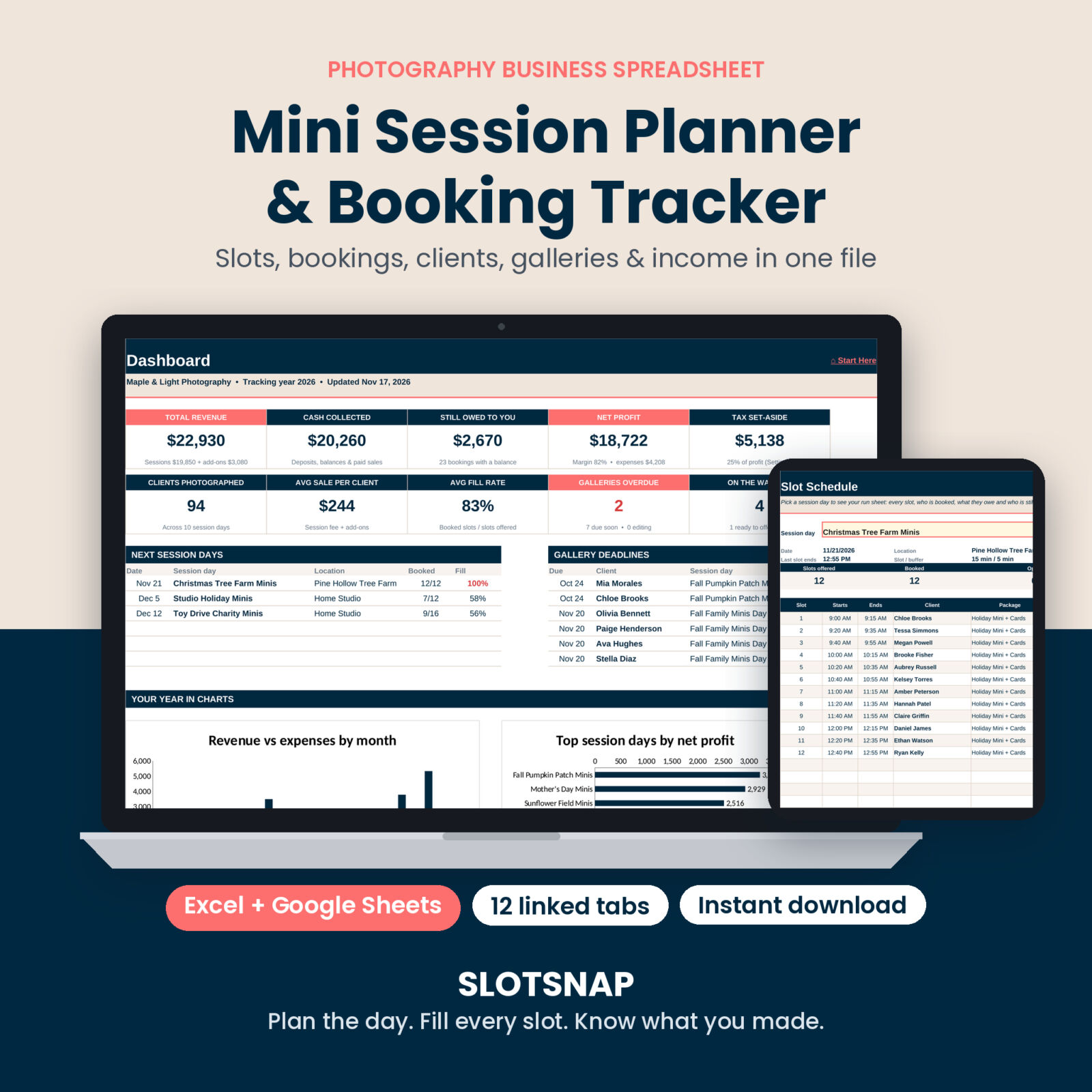

A mini session planner that does the math for you
Slotsnap is a mini session planner and photography booking tracker built for photographers who run short, back-to-back sessions. Fall minis at the pumpkin patch. Holiday minis at the tree farm. A headshot day on a rooftop. You plan the session day once, log each booking as it comes in, and the spreadsheet works out the slot times, what each family owes, which galleries are due, and what the day actually made.
No more juggling a booking app, a notes file and a separate income sheet. It all lives in one workbook that opens in Excel and Google Sheets.
What it does
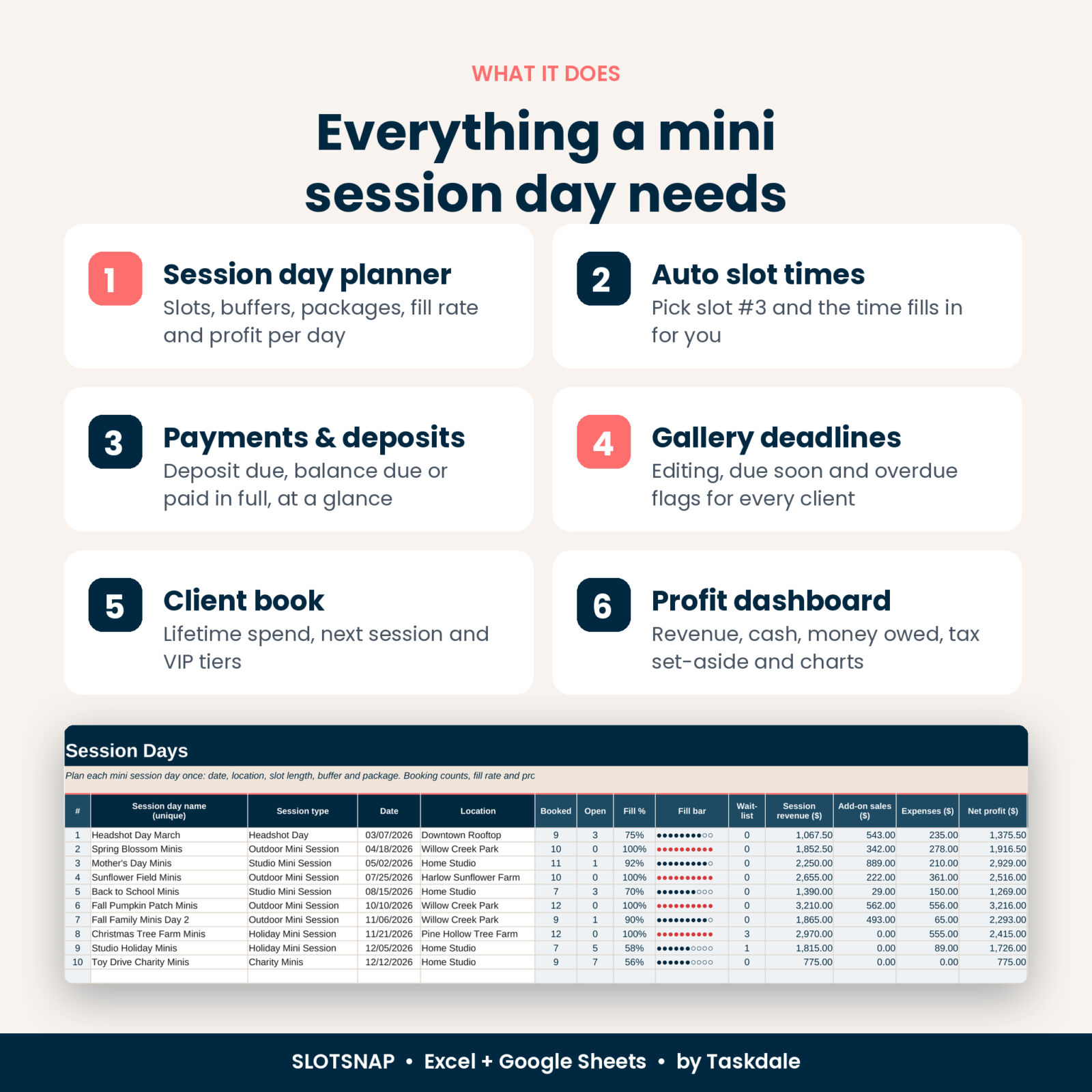
- Plans each session day. Date, location, start time, slot length, buffer, slots offered, default package and deposit. The last slot end time, slot price, fill rate and a dot progress bar appear on their own.
- Times every slot for you. Book a family into slot 6 and the start time is already there. A 20-minute slot with a 10-minute buffer gives you a new start every 30 minutes.
- Tracks deposits and balances. Each booking shows Deposit due, Balance due or Paid in full. Cancellations and no-shows keep the deposit and free the slot.
- Watches your gallery deadlines. Set your turnaround once. Every client gets a due date and a status: Upcoming, Editing, Due soon, Overdue or Delivered.
- Catches booking mistakes. The slot check flags double-booked slots, slots you never offered, unknown session days and renamed packages.
- Shows real profit per day. Charge props, permits, ads and assistant pay to the session day and see net profit, average sale per client and break-even slots.
Who this photography booking tracker is for
- Family, newborn and child photographers who run seasonal mini sessions
- Studio owners running holiday sets, Mother’s Day minis or back to school days
- Headshot photographers who book corporate or LinkedIn headshot days
- Photographers hosting charity minis or booth days at local events
- New photographers who want a simple system from their very first mini session
What’s included
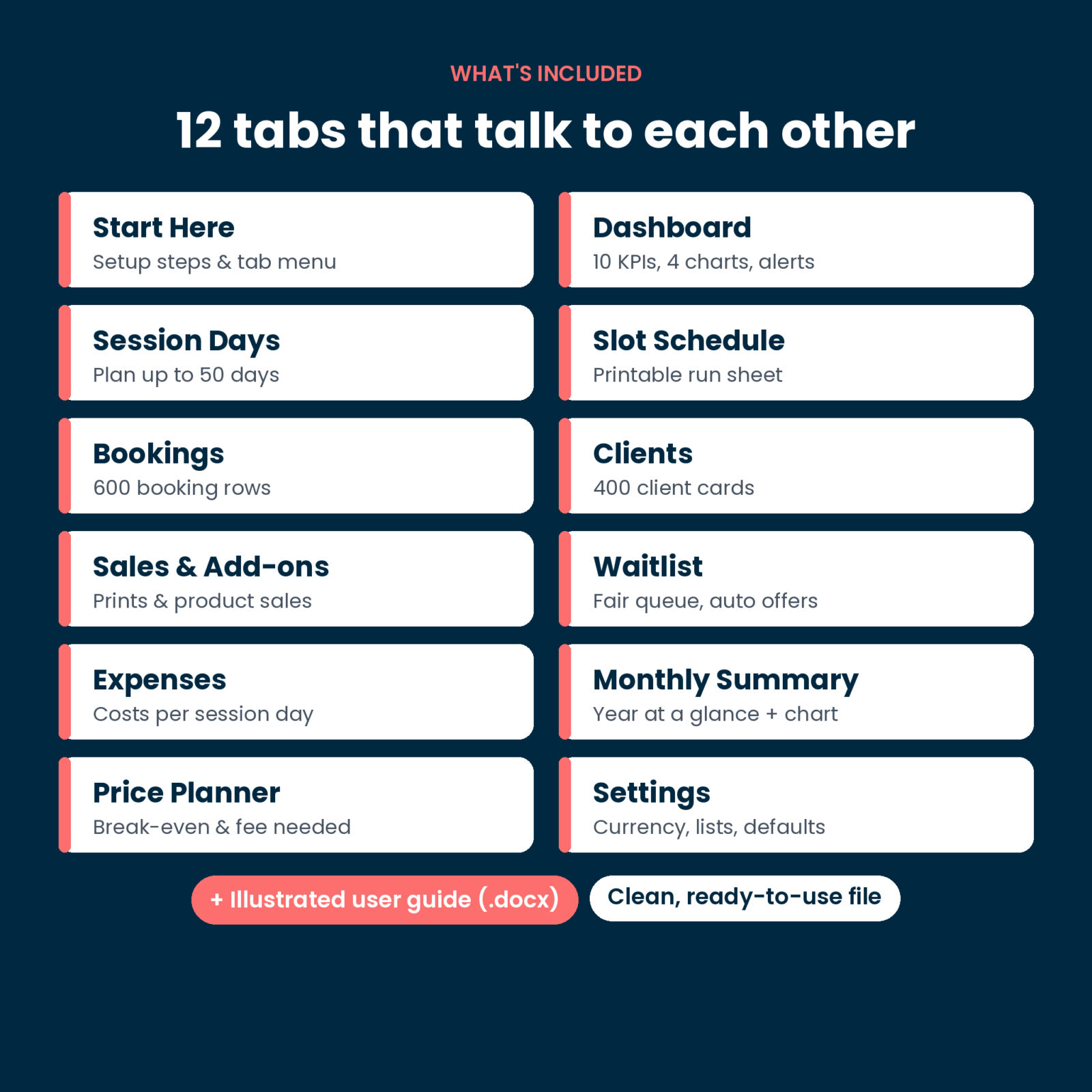
12 linked tabs
- Start Here: 10-minute setup steps, a clickable tab menu and a color key.
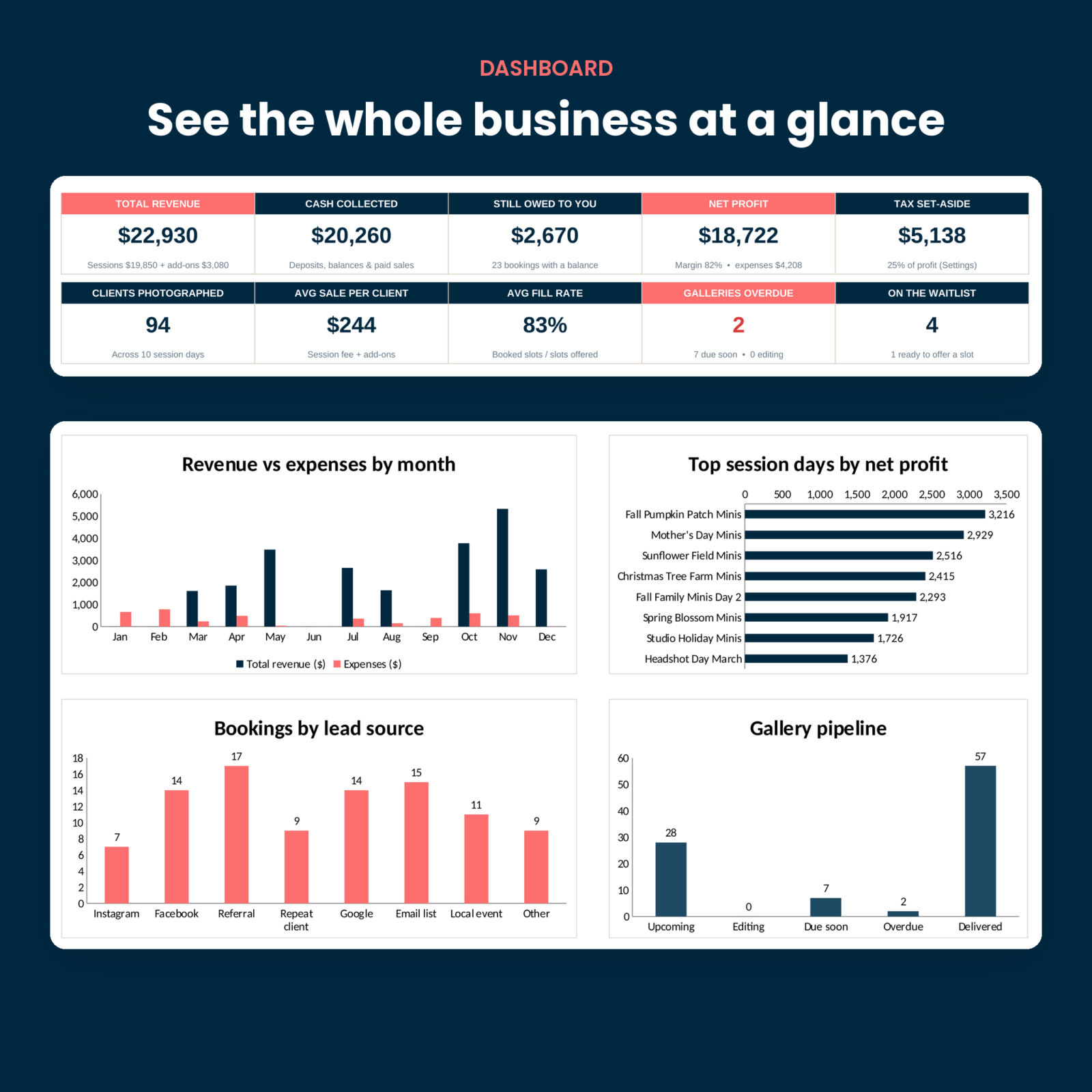
- Dashboard: 10 KPI cards (revenue, cash collected, still owed to you, net profit, tax set-aside, clients photographed, average sale, fill rate, galleries overdue, waitlist), the next session days, the next gallery deadlines and 4 charts.
- Session Days: plan up to 50 session days.
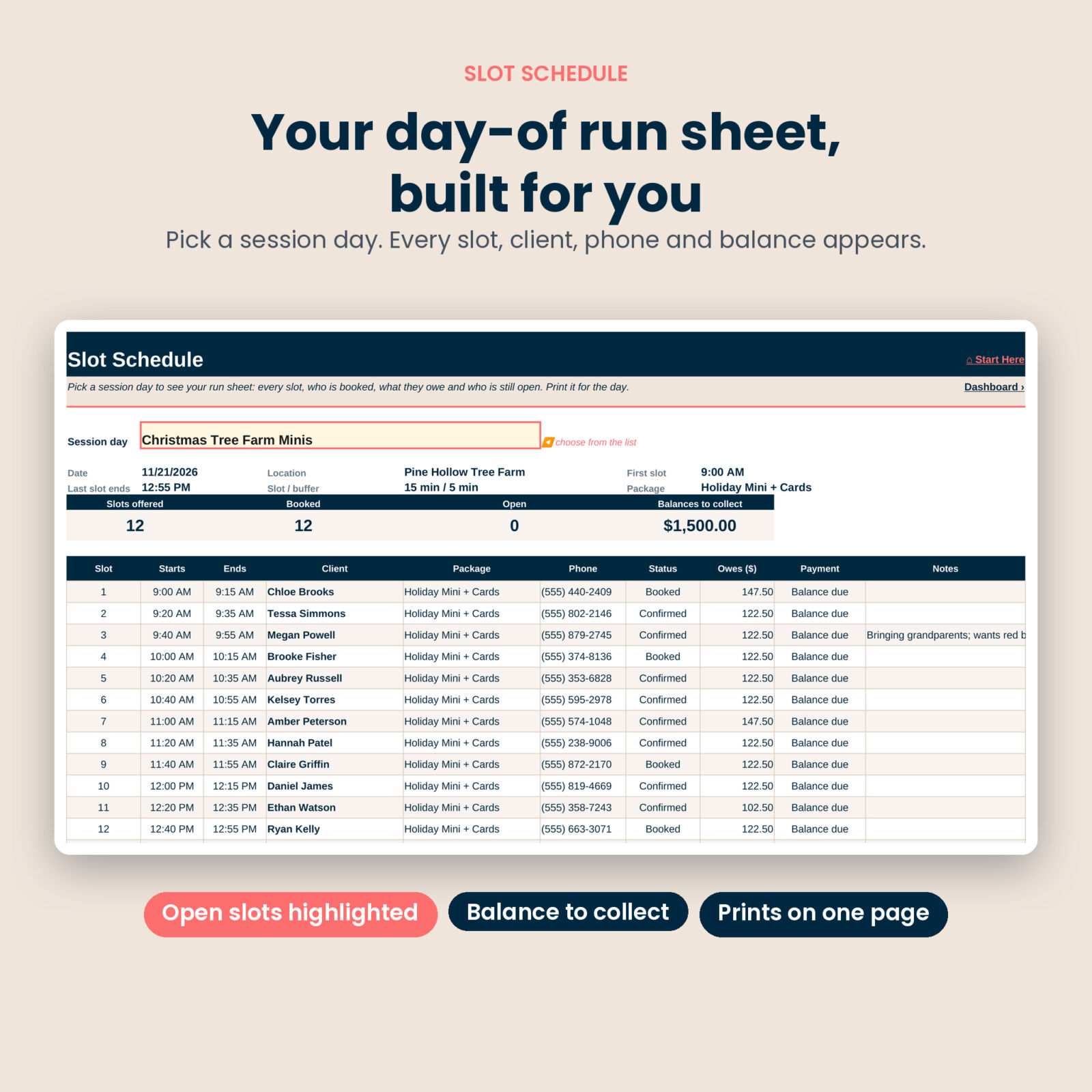
- Slot Schedule: pick a day and get a one-page run sheet with times, clients, phone numbers, balances and open slots.
- Bookings: 600 booking rows with automatic times, totals, payment status and gallery status.
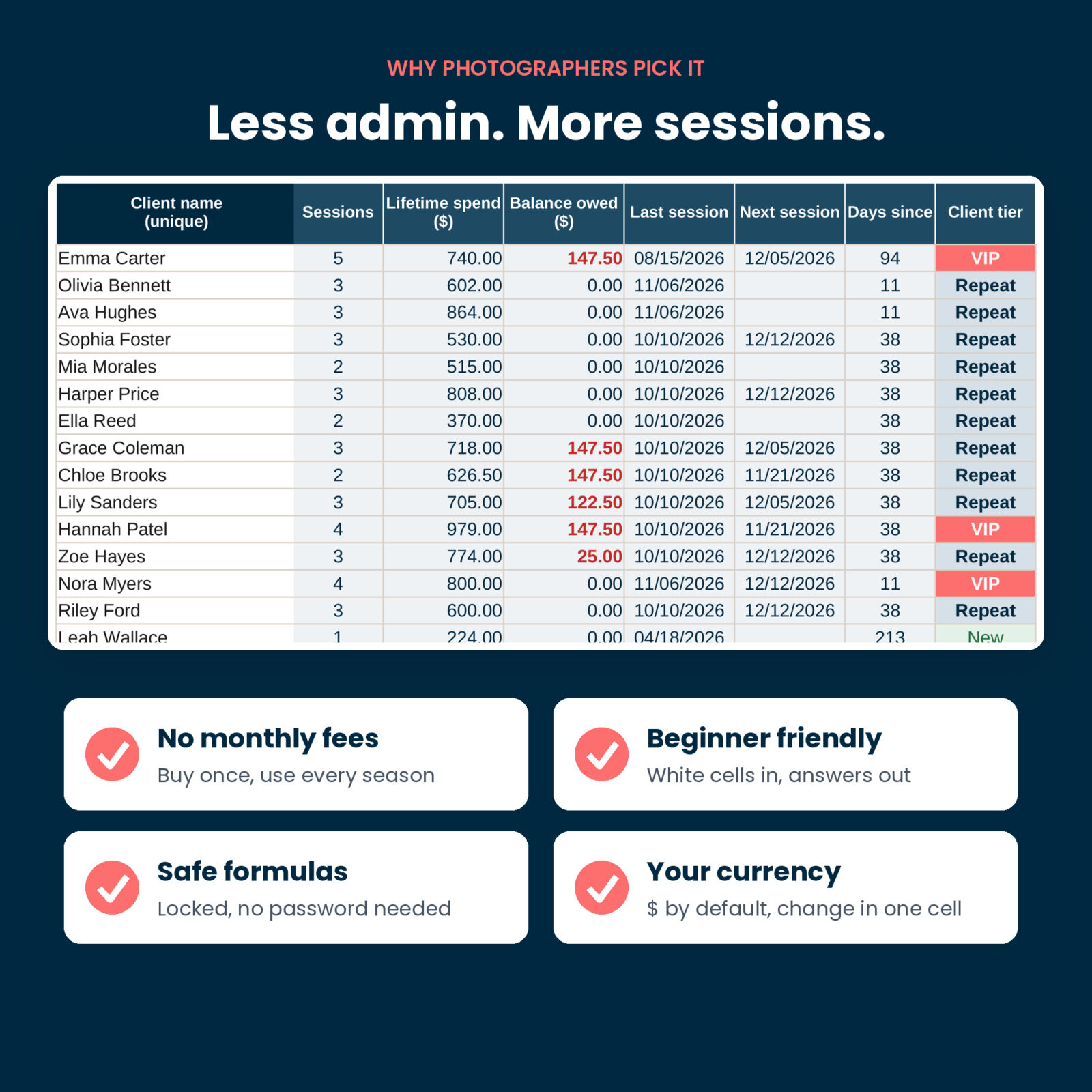
- Clients: 400 client cards with sessions, lifetime spend, balance owed, last and next session, and a tier (Lead, New, Repeat, VIP).
- Sales & Add-ons: prints, canvases, albums, cards and digital upgrades with cost and gross profit.
- Waitlist: a fair queue per day that shows “Offer a slot” when someone cancels.
- Expenses: costs by session day or general business, with a receipt check.
- Monthly Summary: 12 months of revenue, cash collected, expenses, profit, tax set-aside and margin, with a chart.
- Price Planner: test a session day before you announce it. See profit, hourly rate, break-even clients and the fee you need to hit your target, plus a 50% to 100% fill table.
- Settings: currency, tracking year, tax %, deposit %, turnaround days and every dropdown list.
Also in your download
- An illustrated user guide (.docx) that walks through every tab, with troubleshooting and FAQs
- A clean workbook ready for your real clients, with editable example packages and add-ons
How it works
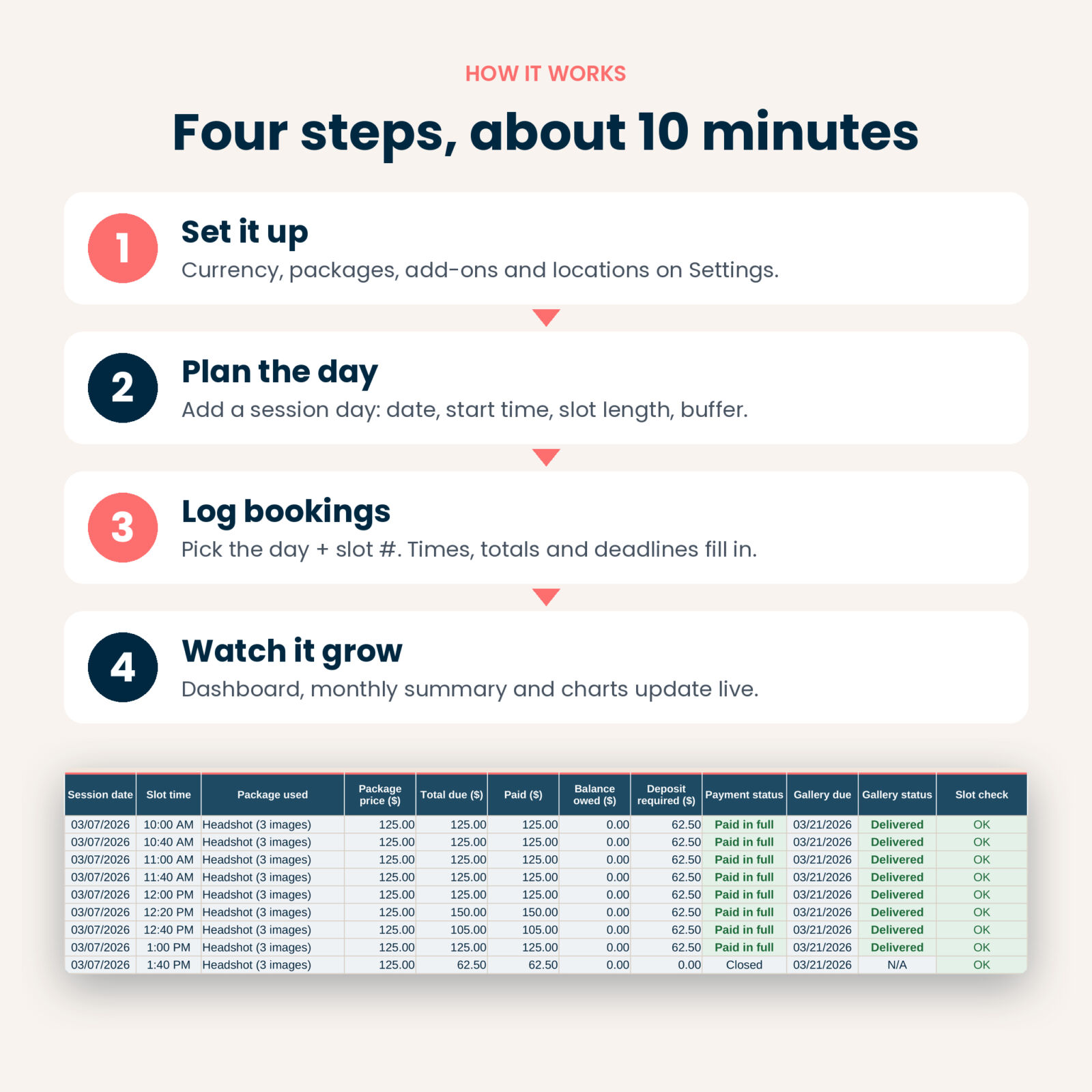
- Set it up. Add your currency, packages, add-ons, locations and lead sources on Settings.
- Plan the day. Add a session day with its start time, slot length, buffer and number of slots.
- Log bookings. Pick the session day, type the slot number and the client name, enter the deposit.
- Run the day. Print the Slot Schedule the night before.
- Follow up. Log balances, print sales and gallery delivery dates. The Dashboard keeps score.
Real situations it handles
- Your tree farm minis sell out in a day. Five people join the waitlist. One family cancels, and the first person in line shows “Offer a slot”.
- It is Monday morning. The Dashboard shows two galleries overdue and four due this week, with client names.
- You are thinking about a sunflower field day. The Price Planner shows that 3 bookings cover the field fee and props, and what you earn per hour at 70% full.
- Tax time. The Monthly Summary gives you revenue, expenses and a set-aside figure for every month.
File format and software
- One .xlsx workbook plus a .docx user guide
- Microsoft Excel 2019, 2021 or Microsoft 365 (Windows or Mac)
- Google Sheets: upload the file to Google Drive and open it with Google Sheets
- No macros, no add-ons, no subscription
Customization
Change the currency in one cell and every money label follows ($ is the default). Rename packages, add products, add locations and lead sources from Settings. Formula cells are locked without a password so nothing breaks by accident, while every white input cell stays open for you.
Digital download
This is a digital product. Nothing is shipped. Your files are ready to download right after checkout. Licensed for personal use by one photography business: please do not resell or share the files.
FAQ
Is this a photography booking app?
No. Clients do not book through it. It is your private planner and tracker. Take bookings the way you do now, then log them here in seconds.
Can I use it for full-length sessions too?
Yes. Add a session day with one long slot and pick the full session package.
Does it work in Google Sheets?
Yes. Upload the .xlsx to Google Drive and open it with Google Sheets. Use the sheet tabs to move around, since the Start Here menu links are made for Excel.
Does it work on a Mac?
Yes, in Excel for Mac 2019 or later, or in Google Sheets in your browser.
How many bookings does it hold?
600 bookings, 50 session days, 400 clients, 400 add-on sales, 500 expenses and 200 waitlist entries. Start a fresh copy each year.
Can I change the currency?
Yes. Type your symbol in the currency cell on Settings.
Does it come with sample data?
The download is clean so you can start right away. The listing images show it filled with example data so you can see how it looks in use.
Reviews
There are no reviews yet.