
Type an event once. Watch it show up on every calendar.
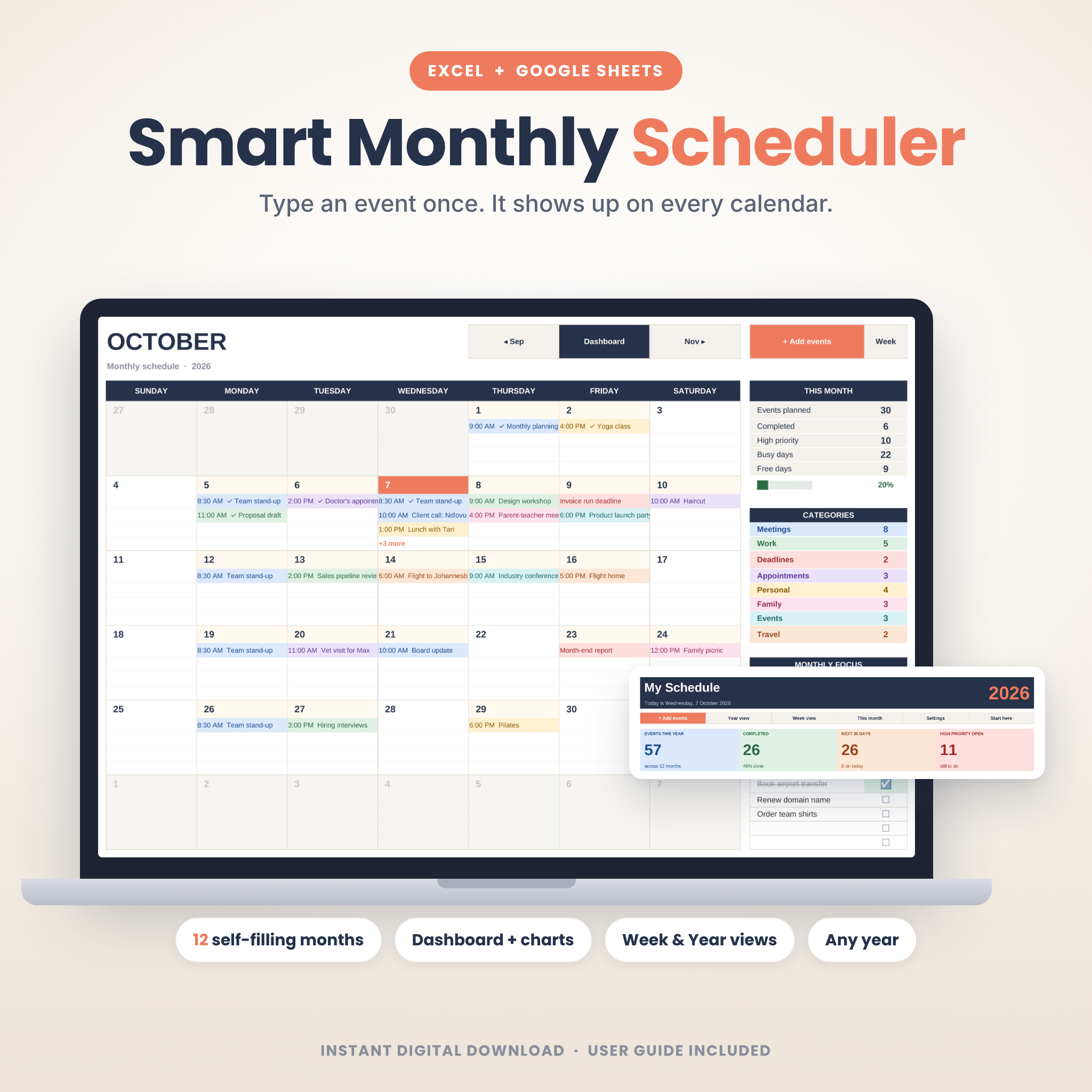
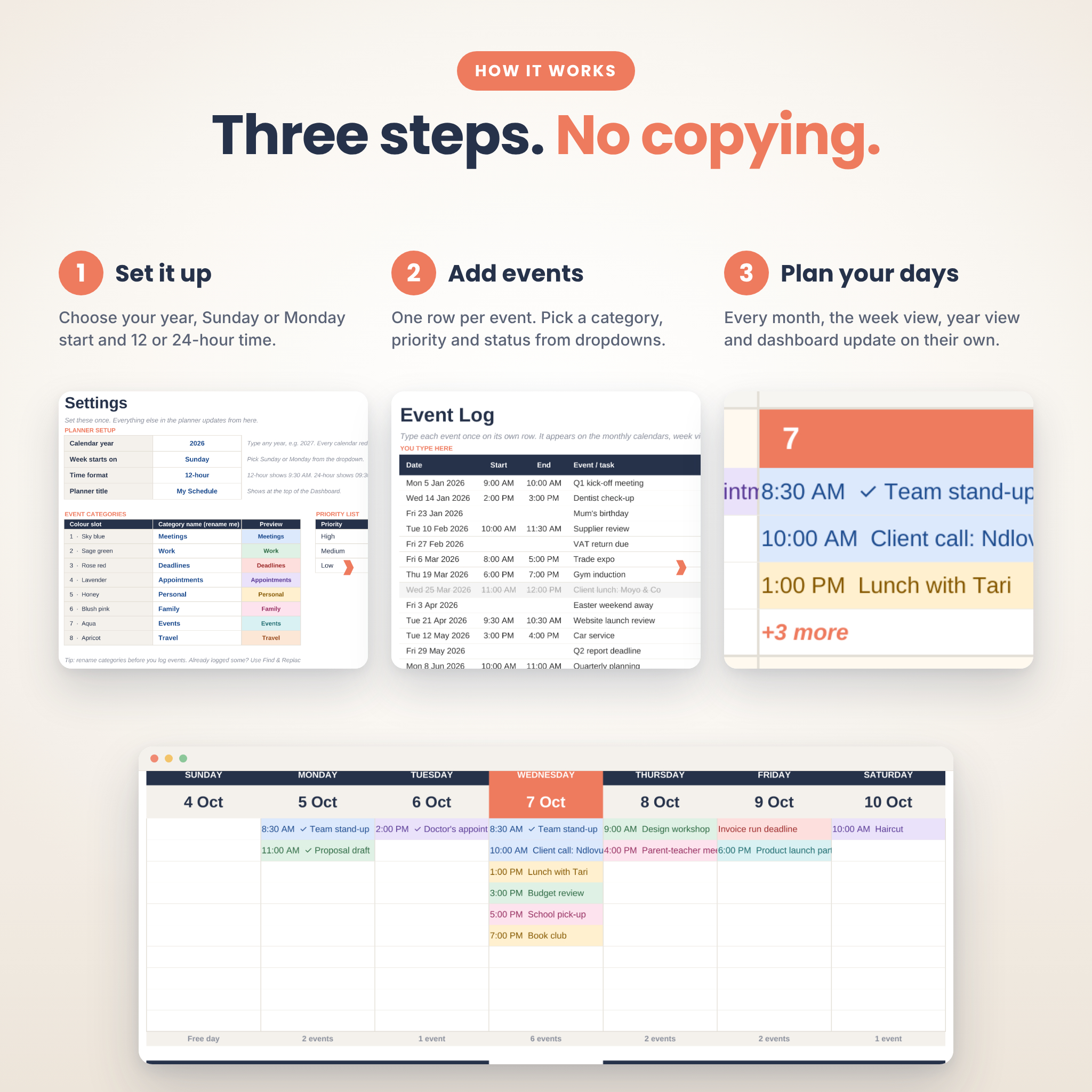
Most spreadsheet calendars make you type the same thing into a month tab, then a week tab, then a summary. This one doesn’t. You add each event to a single Event Log, and the planner drops it onto the right day of the right month for you. It also adds it to a week view, a year overview and a live dashboard.
It works in Microsoft Excel and Google Sheets, on a PC, Mac, tablet or phone.
Who it’s for
- Busy professionals juggling meetings, client calls and deadlines
- Small business owners tracking appointments and admin
- Parents keeping school runs, birthdays and family plans in one place
- Students planning classes, exams and assignments
- Anyone who wants a tidy monthly schedule without the copy-paste
What it does
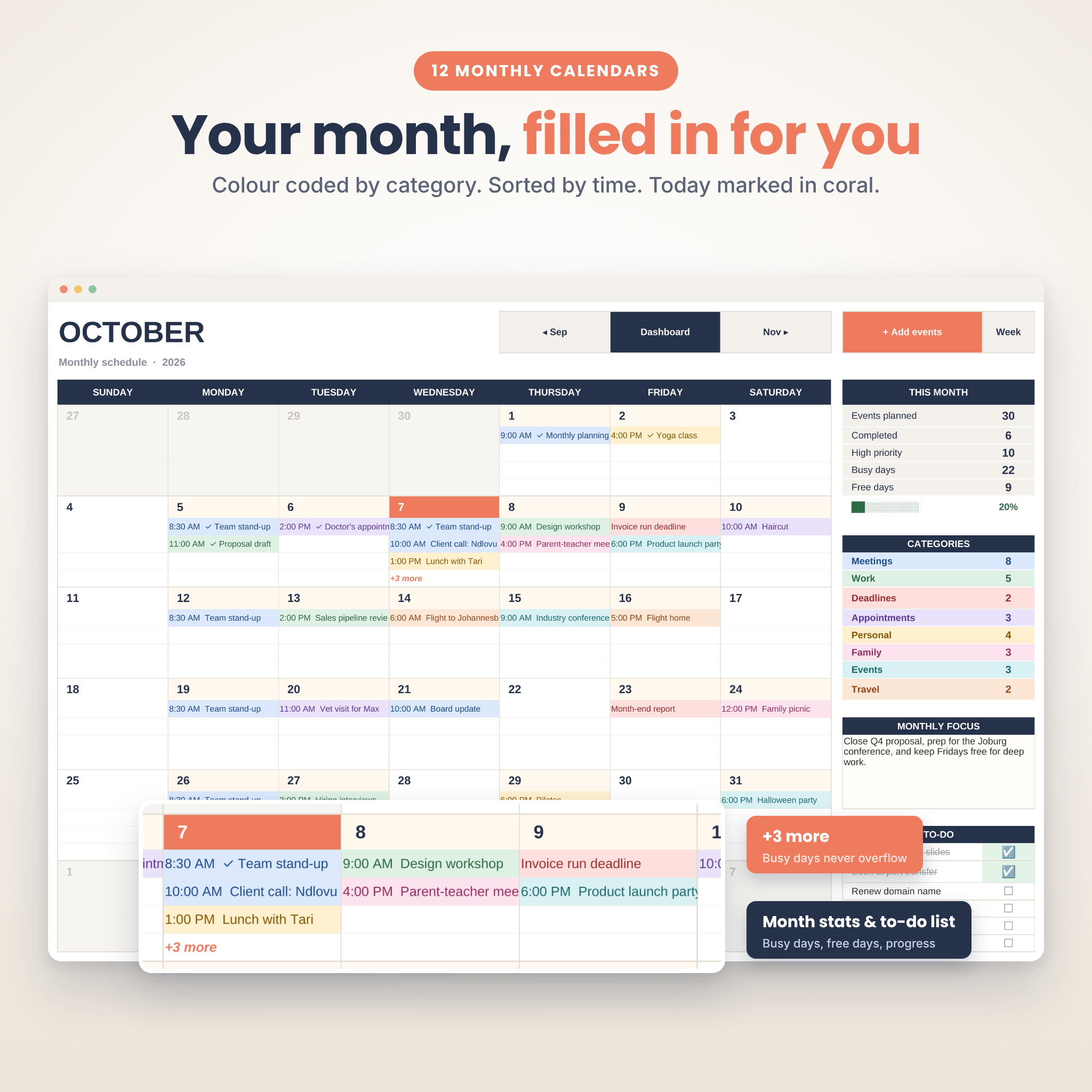
- 12 monthly calendars that fill themselves. Events land on the right day, sorted by time, colour coded by category. Busy days show “+3 more” instead of spilling over.
- Smart Event Log. Dropdowns for category, priority and status. A “When” column counts down for you (Today, Tomorrow, In 5 days). Duration is worked out from your start and end times.
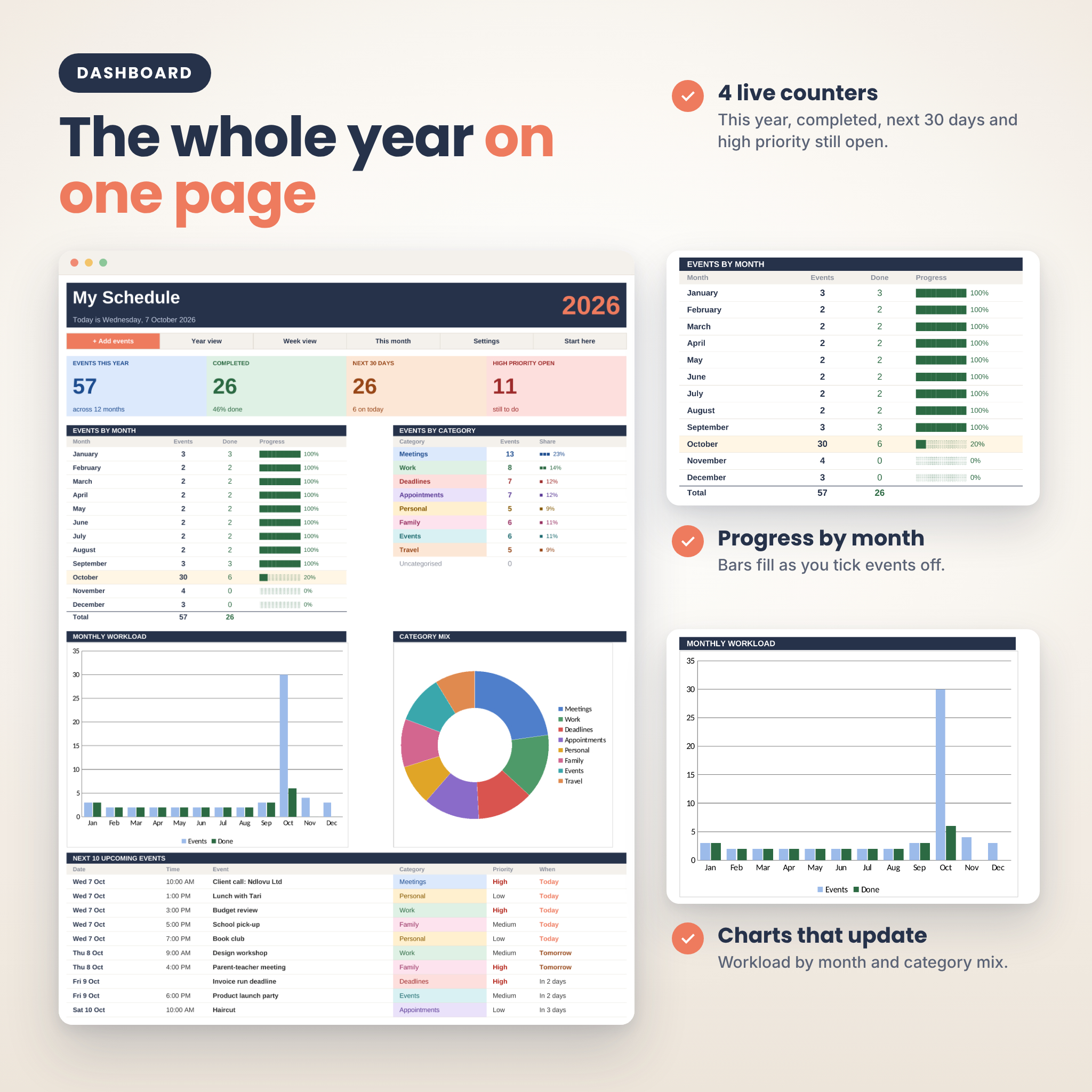
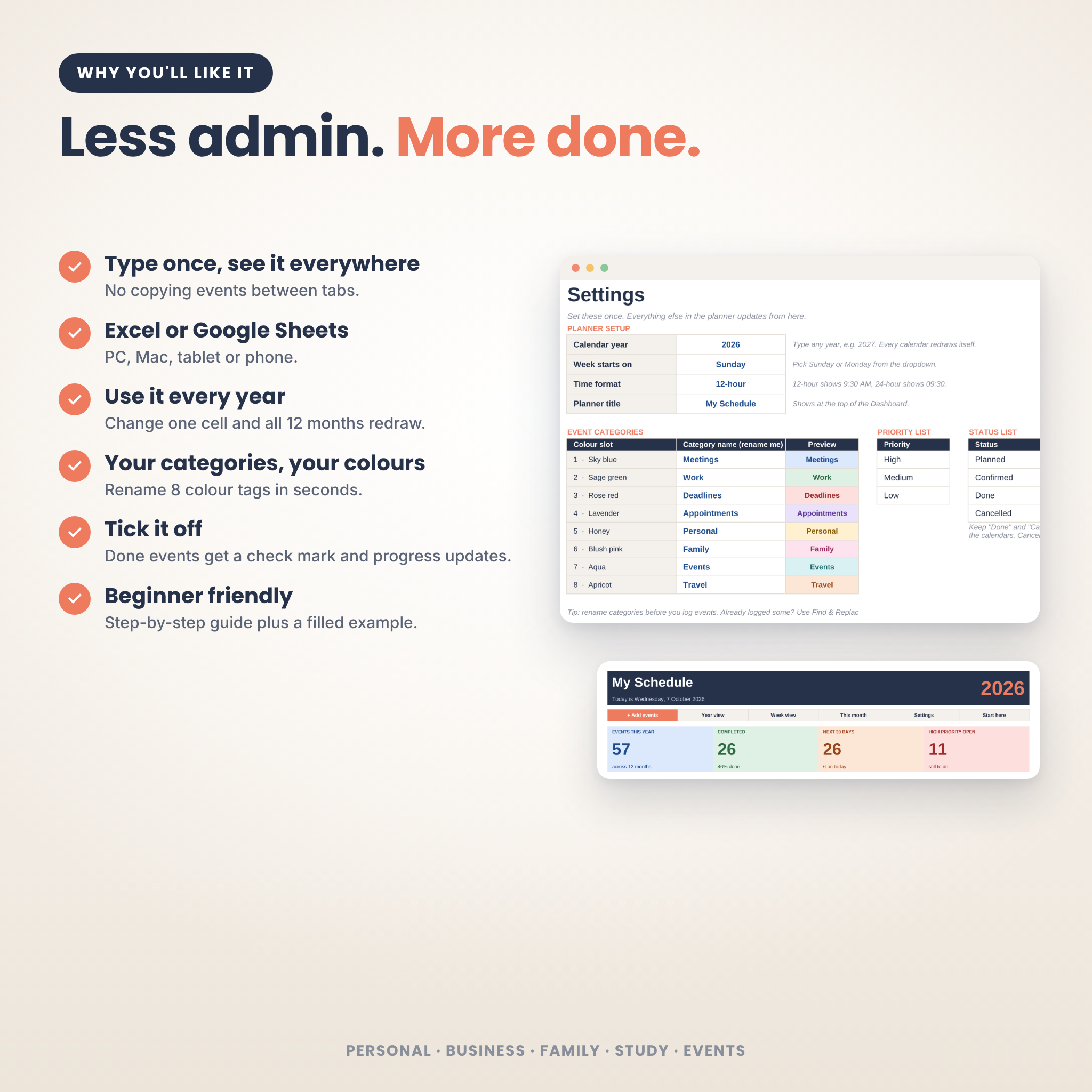
- Live dashboard. Events this year, completed, next 30 days and high priority still open. Monthly progress bars, category totals, two charts and your next 10 upcoming events.
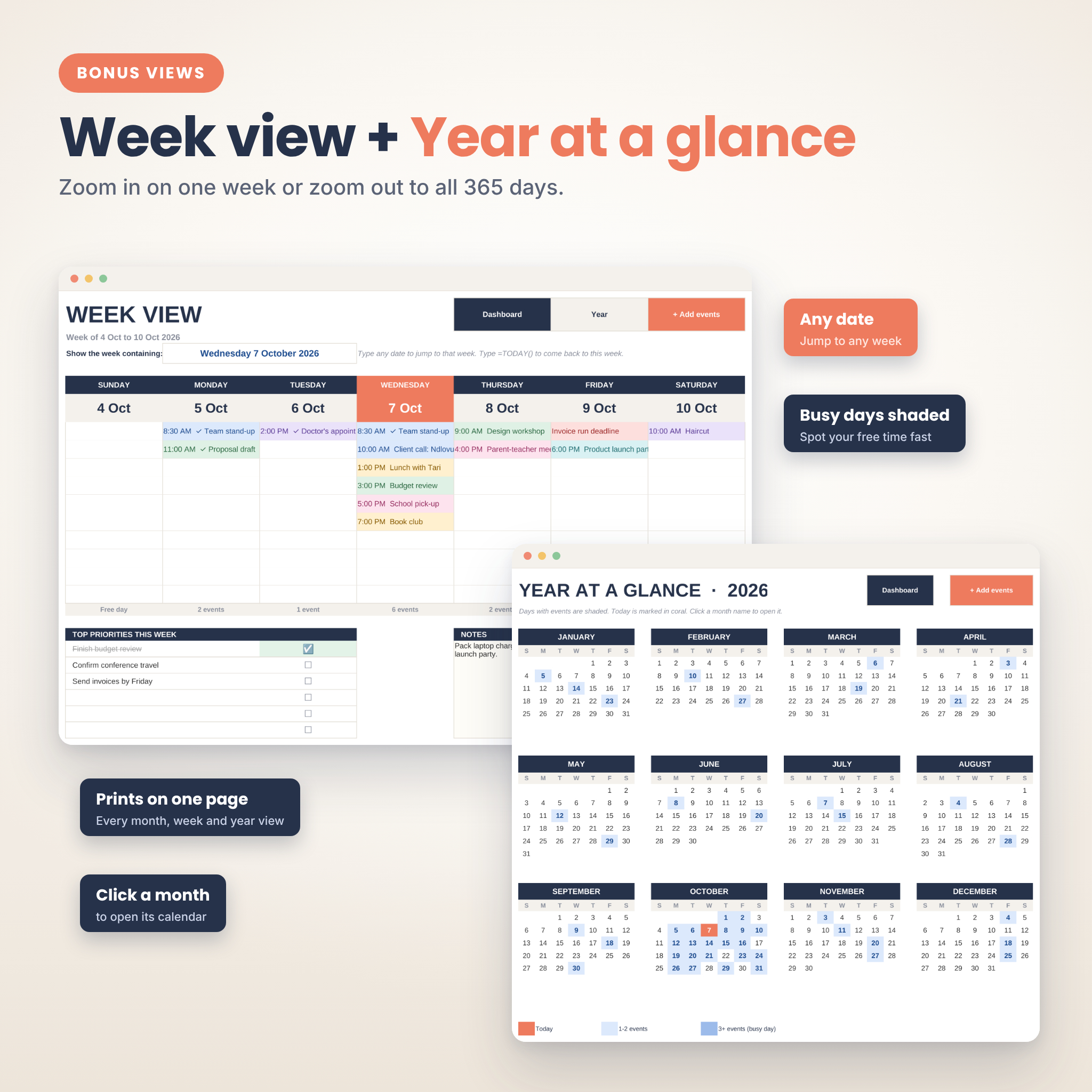
- Week view. Type any date and see that whole week, up to 10 events a day, with a priorities checklist and notes box.
- Year at a glance. All 12 months on one page. Busy days are shaded so you can spot free time fast.
- Month panels. Each month shows events planned, completed, high priority, busy days, free days, a progress bar, category counts, a monthly focus box and a to-do list with tick boxes.
- Tick things off. Mark an event Done and it gets a check mark on every calendar. Mark it Cancelled and it drops off the calendars but stays in your log.
- Today is always highlighted in coral on every calendar.
Make it yours
- Use it for any year. Change one cell and every calendar redraws.
- Start your week on Sunday or Monday.
- Show times in 12-hour or 24-hour format.
- Rename the 8 colour categories (Meetings, Work, Deadlines, Appointments, Personal, Family, Events, Travel) to whatever suits you.
- Add your own planner title to the dashboard.
What’s included
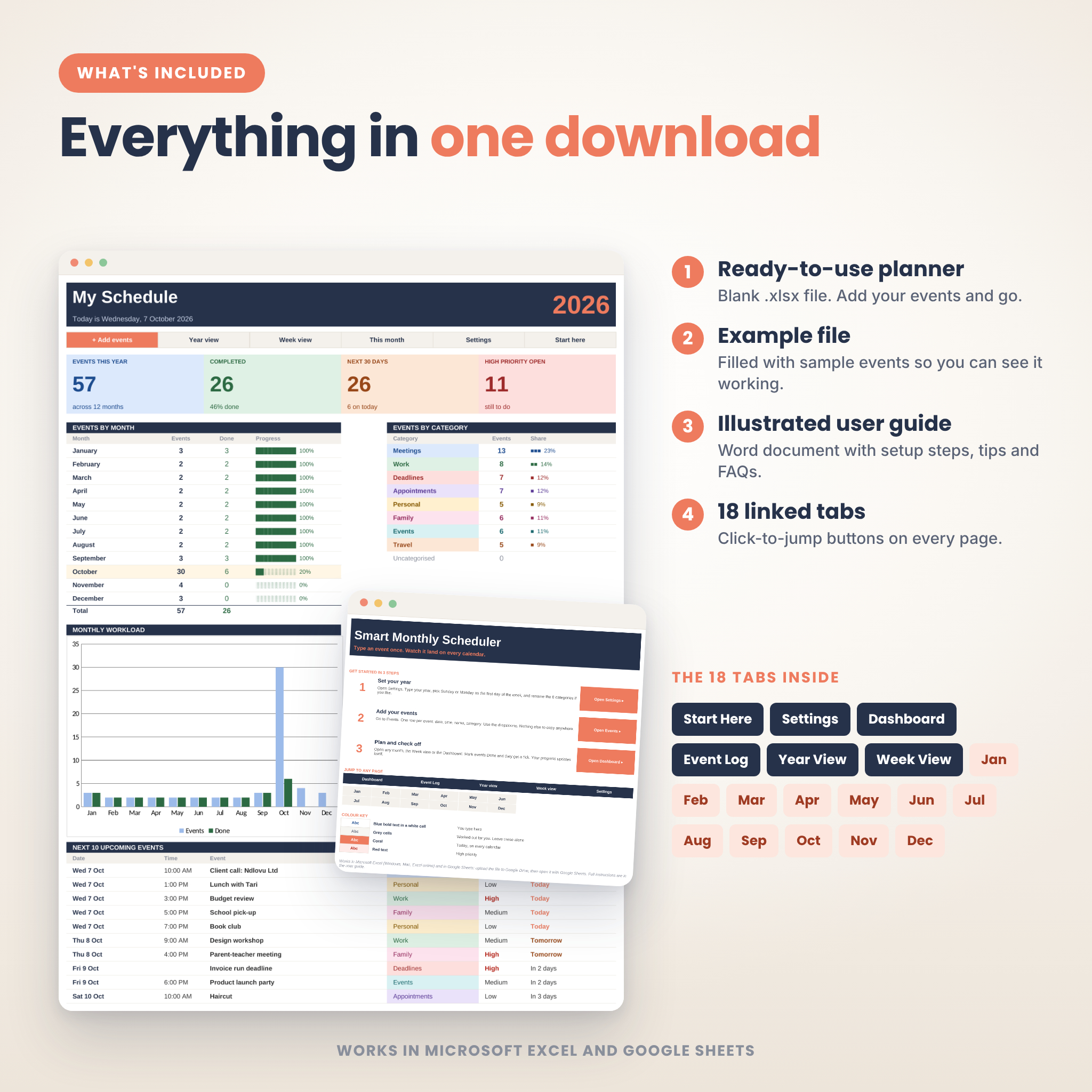
- Smart-Monthly-Scheduler.xlsx: the blank planner, ready to use
- Smart-Monthly-Scheduler-Example.xlsx: the same planner filled with about 60 sample events so you can see every feature working
- Smart-Monthly-Scheduler-User-Guide.docx: an illustrated 15-page guide with setup steps, tips, troubleshooting and FAQs
18 linked tabs: Start Here, Settings, Dashboard, Event Log, Year View, Week View and January to December. Click-to-jump buttons on every page.
How it works
- Open Settings. Pick your year, first day of the week and time format.
- Add events to the Event Log, one row each. Date and name are all you need.
- Open any month, the week view or the dashboard. Everything is already there.
File format and requirements
- Format: .xlsx (Microsoft Excel workbook) plus a .docx user guide
- Works in Excel 2010 or newer (Windows and Mac), Excel for the web, and Google Sheets (free Google account)
- No macros, add-ons or plug-ins. Just formulas and formatting.
- Room for 500 events per file
- Every month, week, year and dashboard page is set up to print on one page
Digital download
This is a digital product. Nothing will be shipped. Your files are available to download right after checkout. Licensed for your own personal or business use. Please don’t resell or share the files.
Reviews
There are no reviews yet.