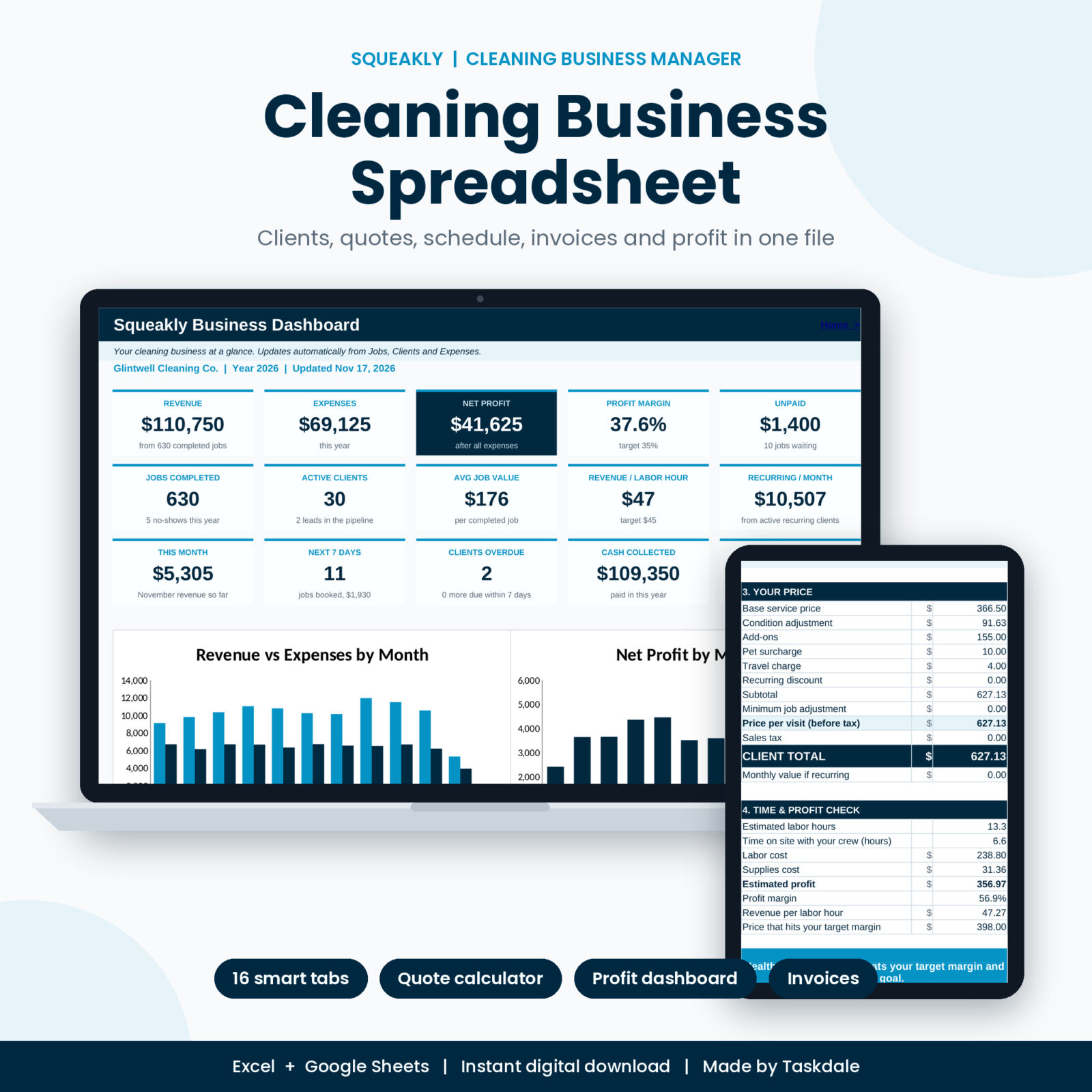


A cleaning business spreadsheet that does the math for you
Squeakly is a cleaning business spreadsheet for house cleaners, maid services and small cleaning teams. You type in your prices, your clients and the jobs you book. The workbook does the rest. It prices new jobs, tracks who has paid, flags clients who are due for their next clean, fills in invoices and shows your real profit month by month.
No more sticky notes, texts to yourself and a calculator on the side. One file. Sixteen tabs that work together.
Who it’s for
- Solo house cleaners who want to look professional and get paid on time
- Small cleaning teams of 2 to 10 people who need a schedule and pay totals
- Airbnb turnover, move-out, deep clean, post-construction and small office cleaning services
- New cleaning business owners who want to price for profit from the first job
What you can do with it
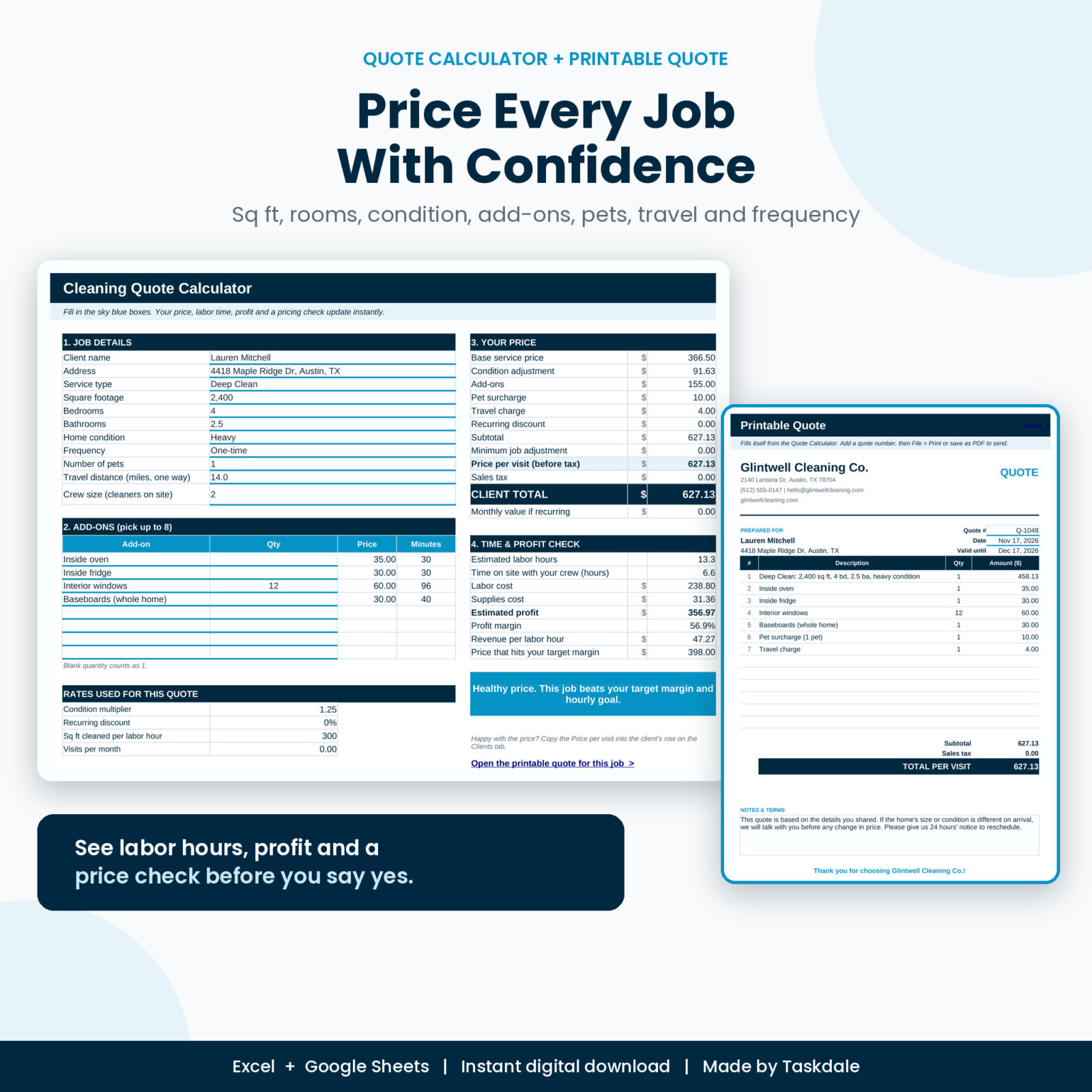
Price every job with confidence
The Quote Calculator prices a clean from the service type, square footage, bedrooms, bathrooms, home condition, add-ons, pets, travel distance and frequency. Recurring clients get your weekly or biweekly discount automatically. It then shows the labor hours, your labor and supply costs, profit, margin and revenue per labor hour. A color-coded price check tells you if the job beats your target margin, and suggests a better price if it doesn’t. One click takes you to a clean, branded Printable Quote you can save as a PDF.
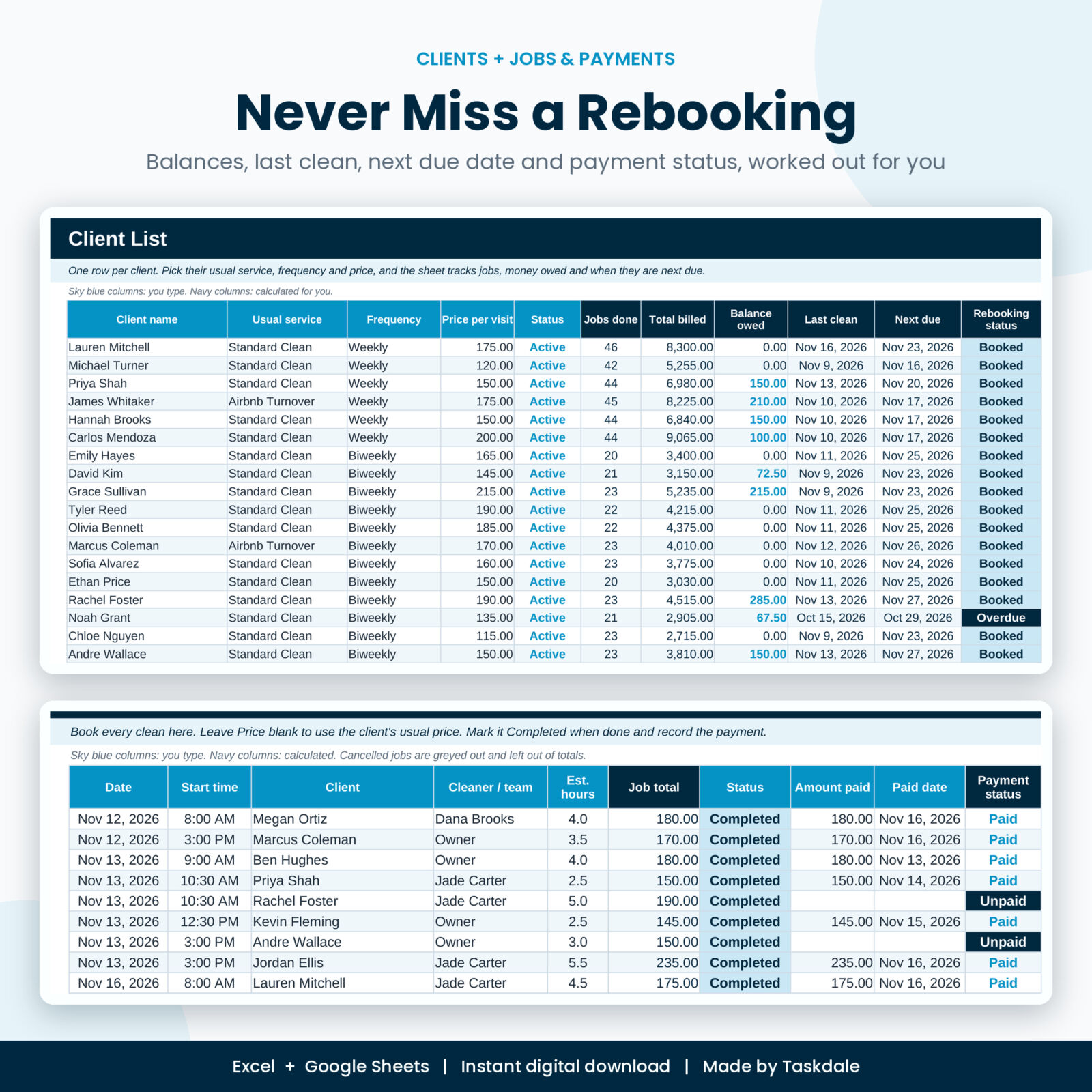
Keep every client and payment in one place
The Clients tab holds 300 clients with their usual service, frequency, price per visit and access notes (lockbox codes, keys, alarm). For each client it works out jobs done, total billed, total paid, balance owed, last clean, next due date and next booking. A rebooking status shows Booked, Due soon or Overdue, so nobody slips through the cracks.
Book jobs in seconds
The Jobs log has room for 2,000 cleans. Pick the client from a dropdown and leave the price blank to use their usual price. Mark a job Completed, enter the payment, and the payment status (Paid, Partial or Unpaid) updates on its own. Cancelled jobs are greyed out and left out of every total.
See your week and invoice in a click
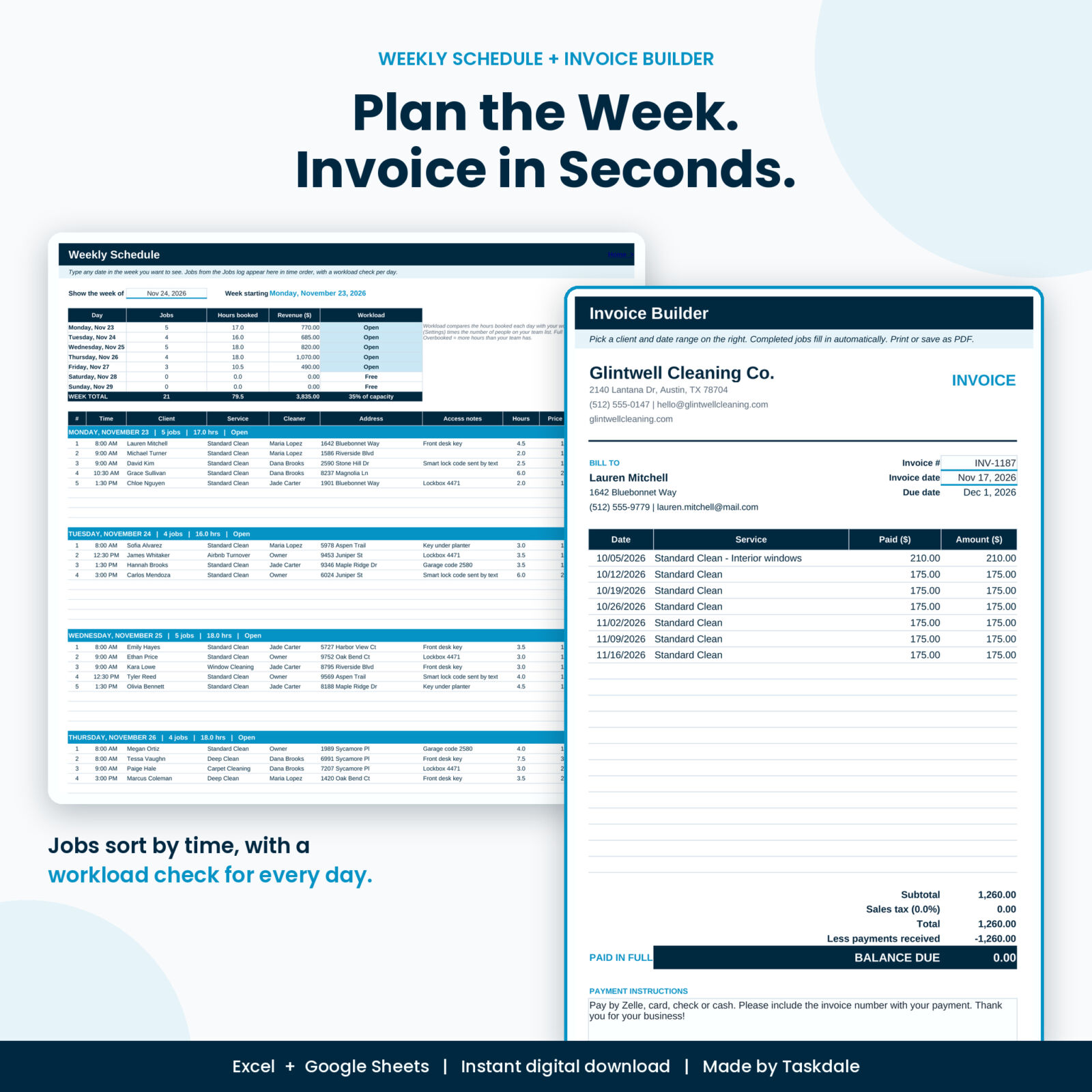
Type any date and the Weekly Schedule lays out that week in time order, with the address and access notes for each job and a workload check for every day (Open, Full or Overbooked). The Invoice Builder pulls a client’s completed jobs and payments for any date range, so billing a monthly client takes about ten seconds.
Know your real profit
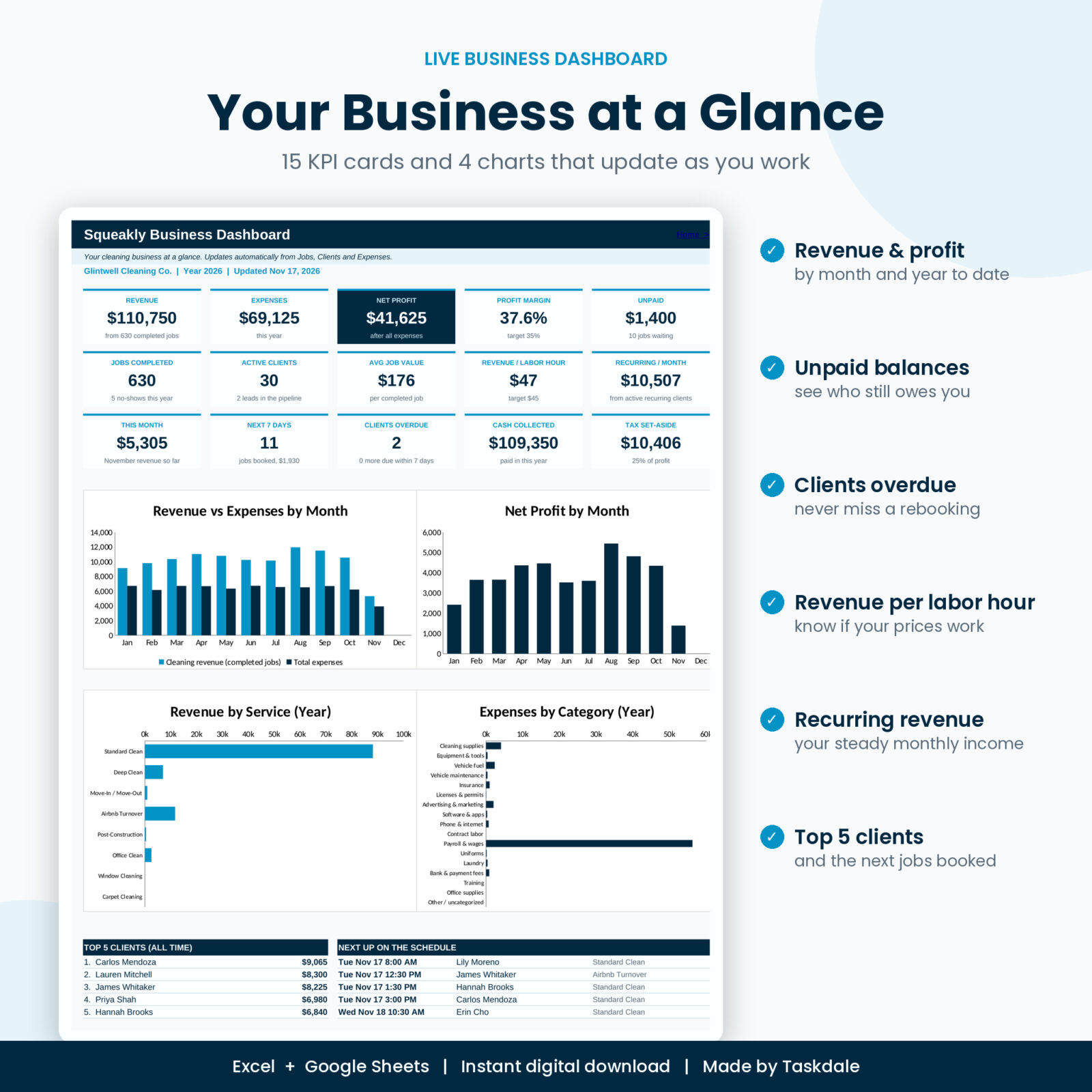
Log expenses in 16 editable categories and business miles with an estimated deduction. The Profit & Loss tab shows revenue, expenses by category, net profit and margin for each month, plus cash collected, business miles and a suggested tax set-aside. The Dashboard pulls it all into 15 KPI cards and 4 charts, along with your top 5 clients and the next jobs on the schedule.
Pay your team fairly
Team Pay works out each cleaner’s pay for any pay period from their completed jobs. Pay by the hour, by a percentage of job revenue, or a mix of both.
What’s included
- Start Here: 6-step setup and links to every tab
- Dashboard: 15 KPIs, 4 charts, top clients, next jobs
- Quote Calculator and Printable Quote
- Clients: 300 rows with balances and rebooking alerts
- Jobs & Payments: 2,000 rows
- Weekly Schedule with a daily workload check
- Invoice Builder that fills in from your jobs
- Expenses (1,000 rows) and Mileage (1,000 trips)
- Profit & Loss by month
- Team Pay calculator
- Supplies inventory with reorder alerts
- Cleaning Checklists: standard, deep clean and move-in/move-out
- Client Messages: 12 ready-to-send texts and emails
- Settings: your prices, add-ons, team, currency and dropdown lists
- User Guide (DOCX) with setup steps, tips, troubleshooting and FAQ
How it works
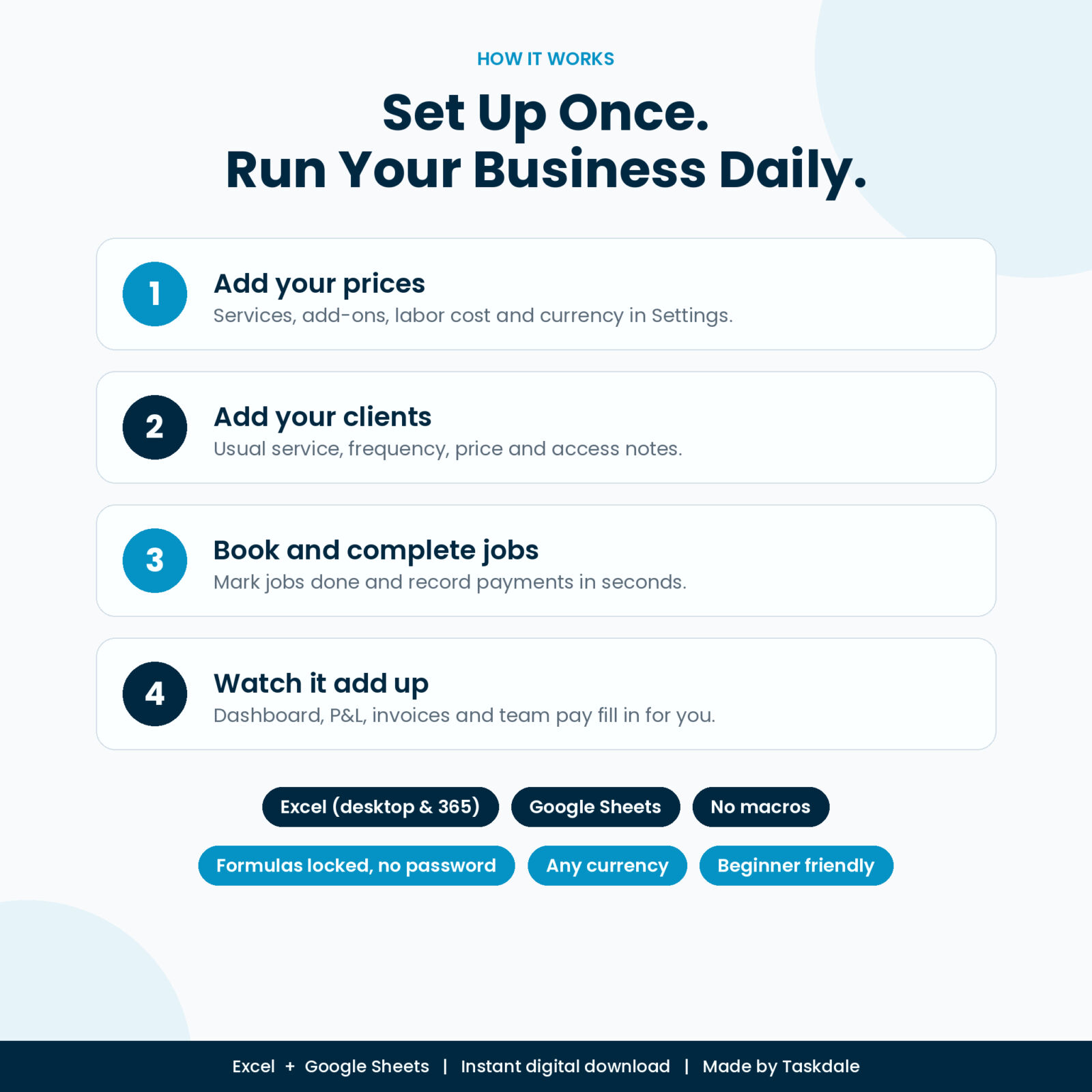
- Download the files and open the workbook in Excel, or upload it to Google Drive and open it with Google Sheets.
- On Settings, add your business details, currency symbol, service prices, add-ons and team.
- Add your clients, then book cleans on the Jobs tab.
- Mark jobs Completed and record payments. The dashboard, schedule, invoices, P&L and team pay fill in for you.
File formats and software
- 1 Excel workbook (.xlsx) with 16 tabs, no macros
- 1 User Guide (.docx)
- Works in Microsoft Excel (desktop or Microsoft 365). For Google Sheets, upload the file to Google Drive and open it with Google Sheets.
- Formula cells are locked with no password, so you can’t break them by accident but can still edit them if you want to.
Make it yours
Change the currency symbol once and every money label follows. Rename services, set your own base fees, per-bedroom, per-bathroom and per-square-foot rates, condition multipliers, recurring discounts and up to 14 add-ons. Edit expense categories, payment methods, lead sources, zones and your team list. Every checklist line and client message can be rewritten to sound like you.
Real ways cleaners use it
- A caller wants a deep clean of a 2,400 sq ft home with pets. You quote it in under a minute and know your profit before you hang up.
- It’s Sunday night. You open the Weekly Schedule and see Tuesday is overbooked, so you move one job to Thursday.
- A monthly office client asks for one invoice. You pick their name and the month, then save the PDF.
- Tax time. Your expenses by category, mileage estimate and profit are already on one page.
Digital download
This is a digital product. No physical item will ship. Your files are ready to download right after checkout. Personal and single-business use only; please don’t share or resell the files.
FAQ
Is this a cleaning business spreadsheet for Google Sheets too?
Yes. Upload the .xlsx file to Google Drive and open it with Google Sheets. It uses only features Google Sheets supports, and there are no macros.
Can I use my own currency?
Yes. Change the currency symbol on the Settings tab and every money label updates.
How many clients and jobs can I track?
300 clients and 2,000 jobs, plus 1,000 expenses and 1,000 mileage trips. That covers a full year for most solo cleaners and small teams.
How does the cleaning quote calculator work out a price?
It adds your base fee and rates for bedrooms, bathrooms and square footage, applies the home condition multiplier, then adds add-ons, pets and travel and takes off any recurring discount. Your minimum job price is applied if the total is lower.
Do I need spreadsheet experience?
No. You type in the sky blue columns and white boxes. Everything else is calculated. The Start Here tab and the user guide walk you through setup.
Can I print quotes, invoices and checklists?
Yes. They are set to fit one page wide. Print on US Letter or A4, or save as PDF to email.
Does it handle my taxes?
It gives you a suggested tax set-aside and an estimated mileage deduction for planning. It isn’t tax advice, so check with a tax professional.
Reviews
There are no reviews yet.