
Steadfern is a large print retirement budget planner for people whose income now arrives as a handful of fixed checks each month. It puts Social Security, pensions, account withdrawals, bills, medical costs and insurance premiums on pages you can read without squinting and write on without cramping your hand. Fill it in on screen or print it at home on US Letter or A4.
Retirement money works differently from paycheck budgeting. Income is mostly set, the surprises come from prescriptions, premiums and once-a-year bills, and the goal is calm: knowing the money will stretch to the end of the month with room left for a trip or a birthday gift.
A retirement budget planner built for a fixed income
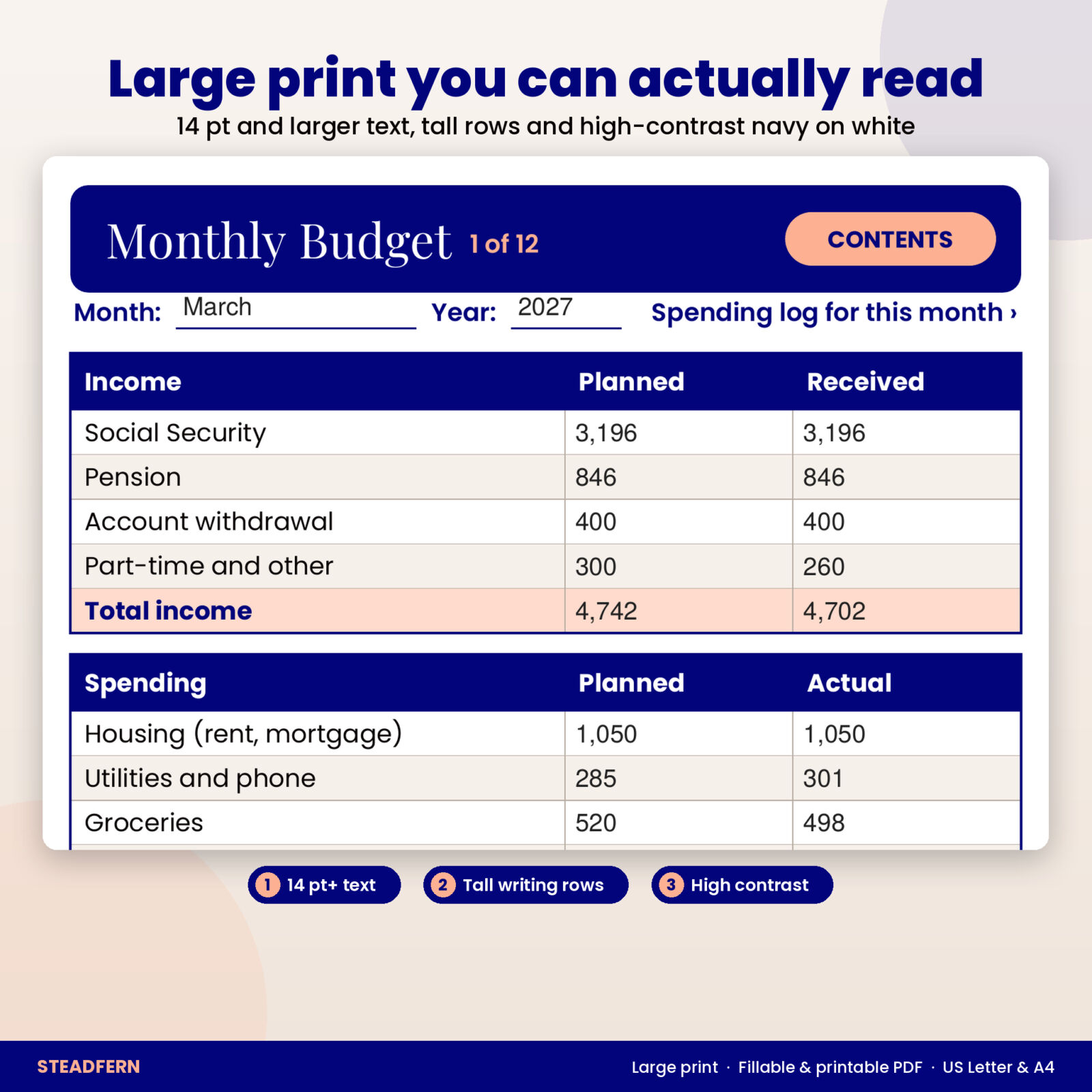
Every page follows the same simple pattern: a clear title, a short line telling you what the page is for, and a table with big headings and tall rows. Body text is 14 pt or larger. Colors are dark navy on white with soft sand stripes, so rows are easy to follow across the page even in low light.
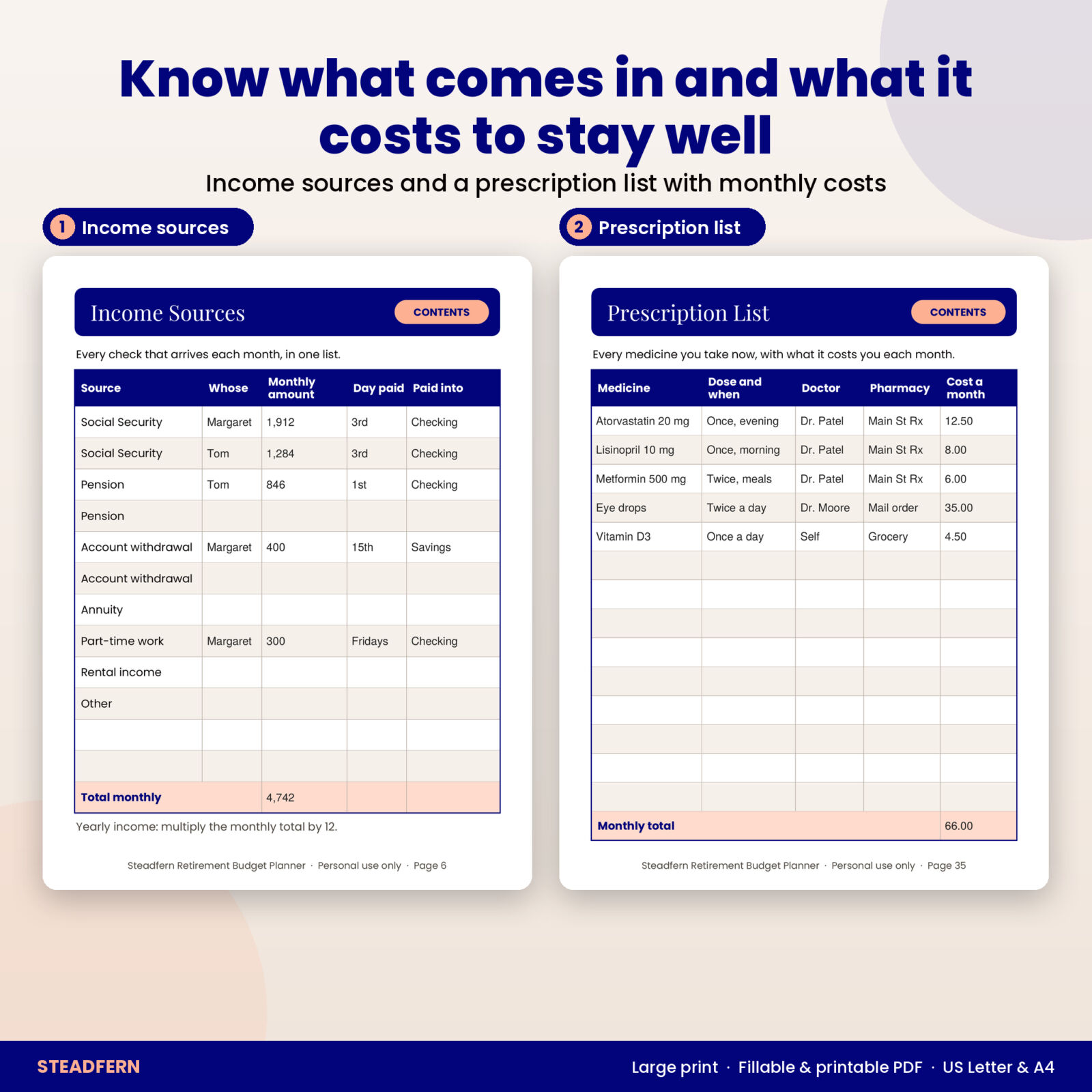
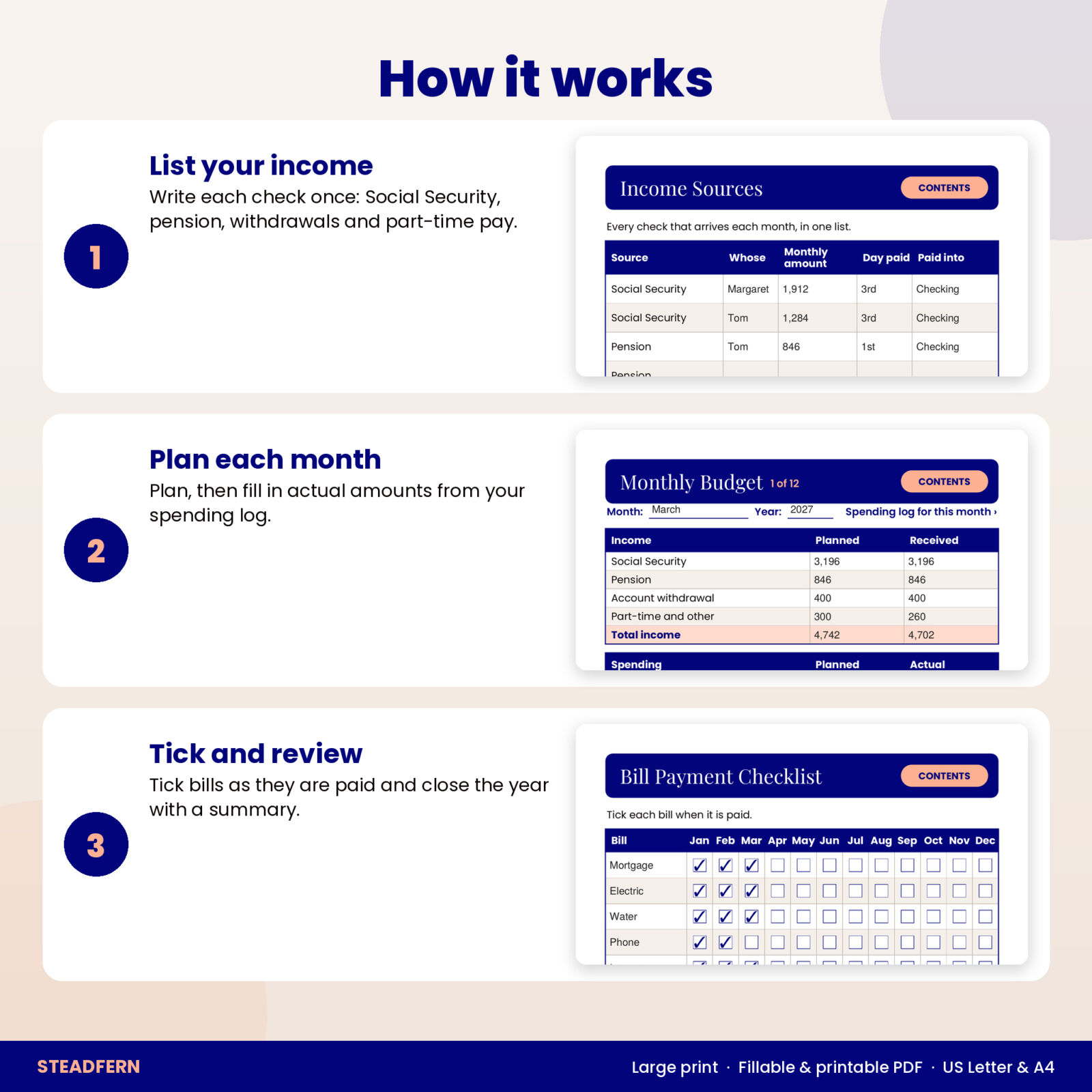
- Income Sources: each Social Security check, pension, account withdrawal, annuity, part-time job or rental income, with whose it is, the monthly amount, the day it arrives and the account it goes into.
- Monthly Deposit Checklist: tick each deposit as it shows up in your account, with a total received for every month.
- Account Withdrawal Log: date, account, amount taken and tax withheld for IRA, 401(k) or other withdrawals, plus planned and taken-so-far boxes for the year.
- Monthly Bills List and Bill Payment Checklist: list each bill once with its due day and autopay, then tick it off month by month.
12 monthly budgets with a spending log for each
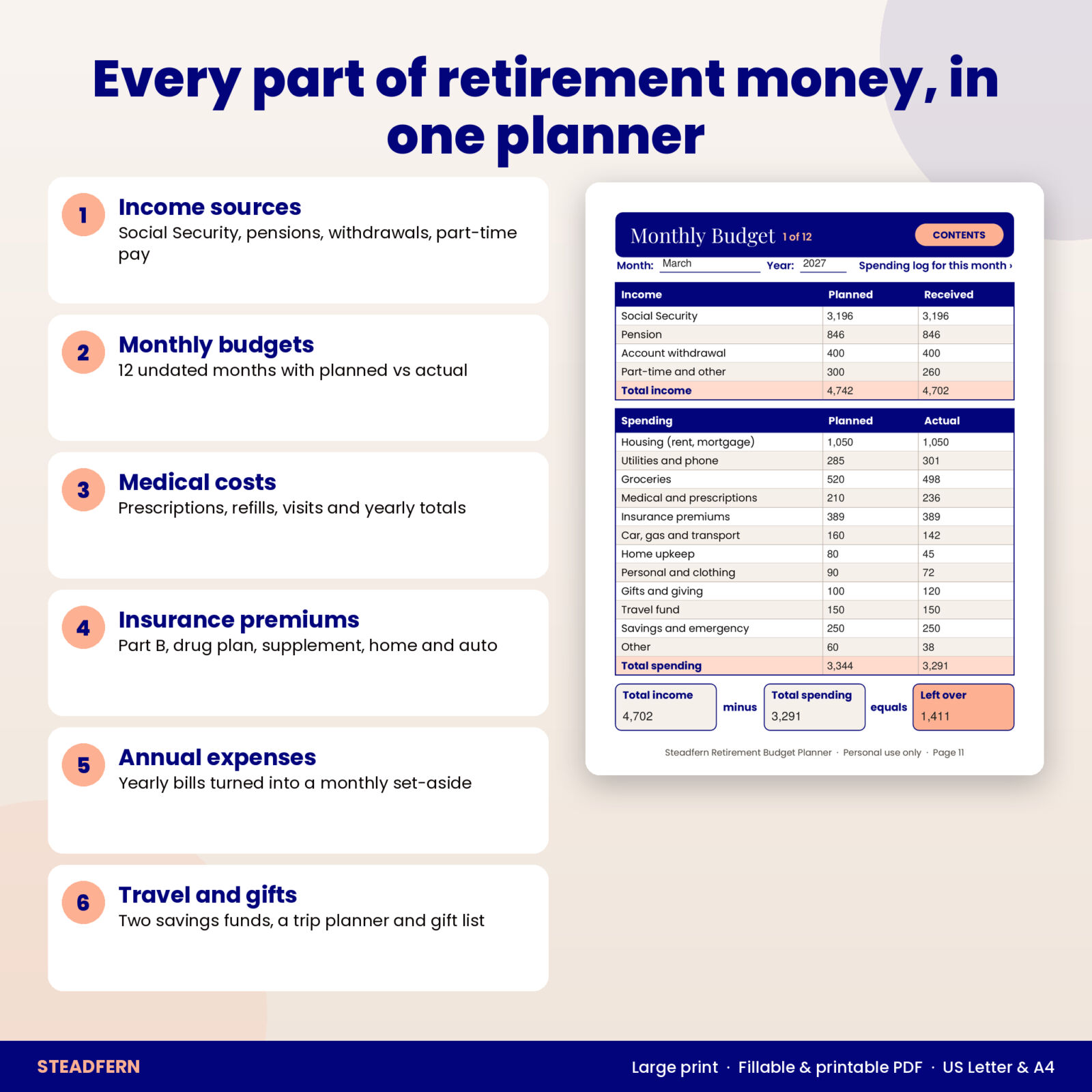
The heart of the planner is 12 undated Monthly Budget pages, so you can start in any month of any year. Each one has planned and received income for Social Security, pension, account withdrawals and part-time or other income. Below that sit 12 spending categories chosen for retirement life: housing, utilities and phone, groceries, medical and prescriptions, insurance premiums, car and transport, home upkeep, personal and clothing, gifts and giving, travel fund, savings and emergency, and other.
A strip at the bottom closes the month in one line: total income, minus total spending, equals left over. Behind every budget is a matching Spending Log with 17 lines for the date, what it was for, the category and the amount. On screen, one tap jumps between the two.
Medical, prescription and insurance cost pages
Health costs are often the least predictable line in a retirement budget, so Steadfern gives them room:
- Prescription List: every medicine, dose, prescribing doctor, pharmacy and monthly cost. Handy to bring to appointments and on trips.
- Prescription Refill Log (2 pages): date, medicine, days supply, what you paid, next refill date and a picked-up box.
- Medical Cost Log (2 pages): provider, reason, amount billed, what your plan paid and what you paid.
- Yearly Medical Costs: monthly totals for prescriptions, doctor and dental, and other medical, with your deductible and out-of-pocket limit.
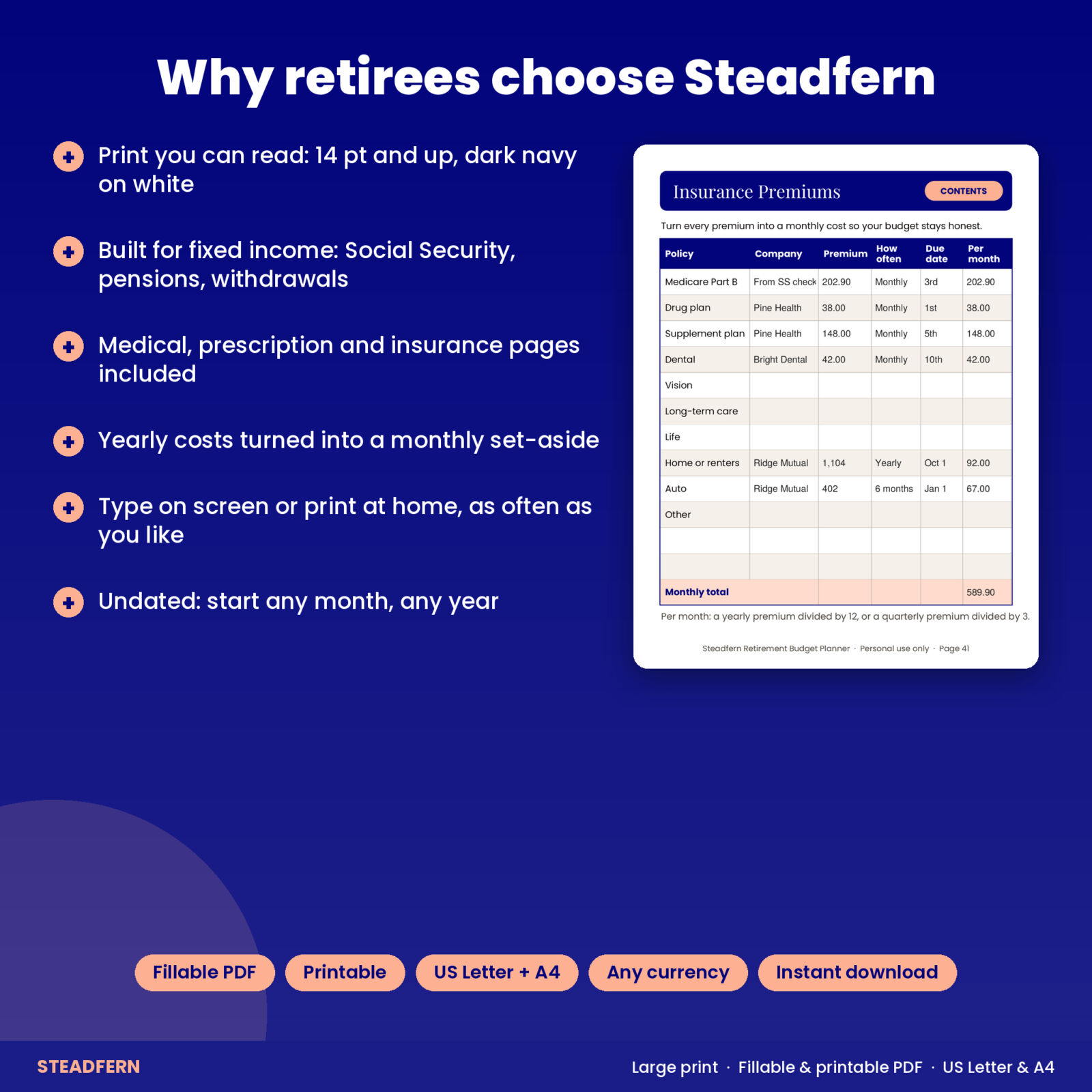
- Insurance Premiums: Medicare Part B, drug plan, supplement plan, dental, vision, long-term care, life, home or renters and auto, each turned into a monthly cost.
- Premium Payment Checklist: a tick box for each policy, each month.
Yearly bills, travel and gifts without the surprise
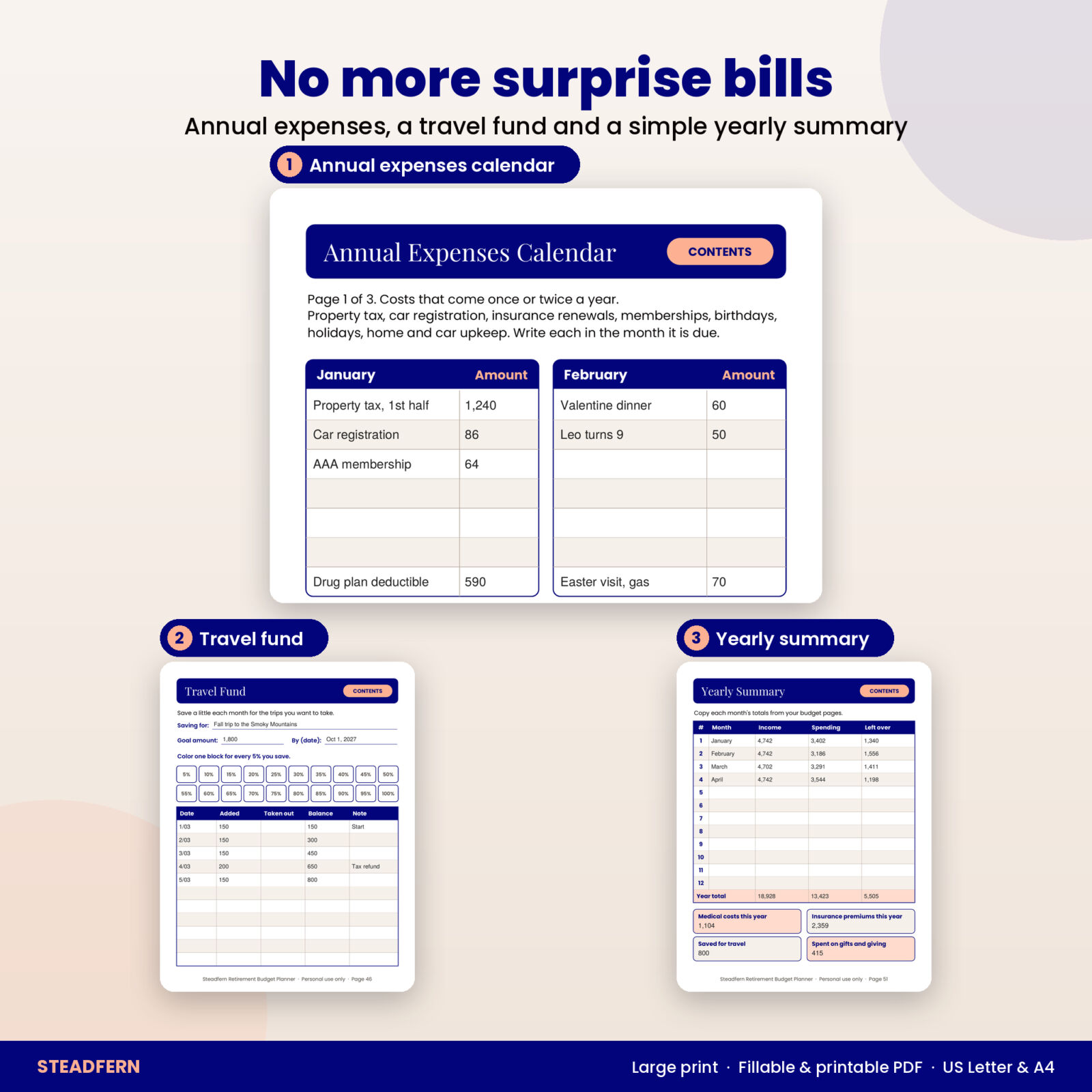
The Annual Expenses Calendar spreads across three pages, four months to a page. Write property tax, car registration, insurance renewals, memberships, birthdays and holidays in the month they are due. The last page adds them up and divides by 12, so you know how much to set aside each month.
The Travel Fund and Gifting Fund pages each have a goal, a target date, 20 color-in blocks (one for every 5 percent saved) and a deposit log with a running balance. The Trip Planner compares estimated and actual costs for one trip and ends with a before-I-go checklist: refill prescriptions, pack the medicine list, hold the mail and more. A Gift List and Donations Log with receipt boxes round out the giving section.
A simple yearly summary
At year end, copy each month’s income, spending and left over to the Yearly Summary, then note your totals for medical costs, insurance premiums, travel savings and gifts. The Year in Review page asks four short questions so next year starts with a plan.
What’s included
- Steadfern Retirement Budget Planner, US Letter PDF (53 pages, fillable and printable)
- Steadfern Retirement Budget Planner, A4 PDF (53 pages, fillable and printable)
- Steadfern User Guide (Word document, large type)
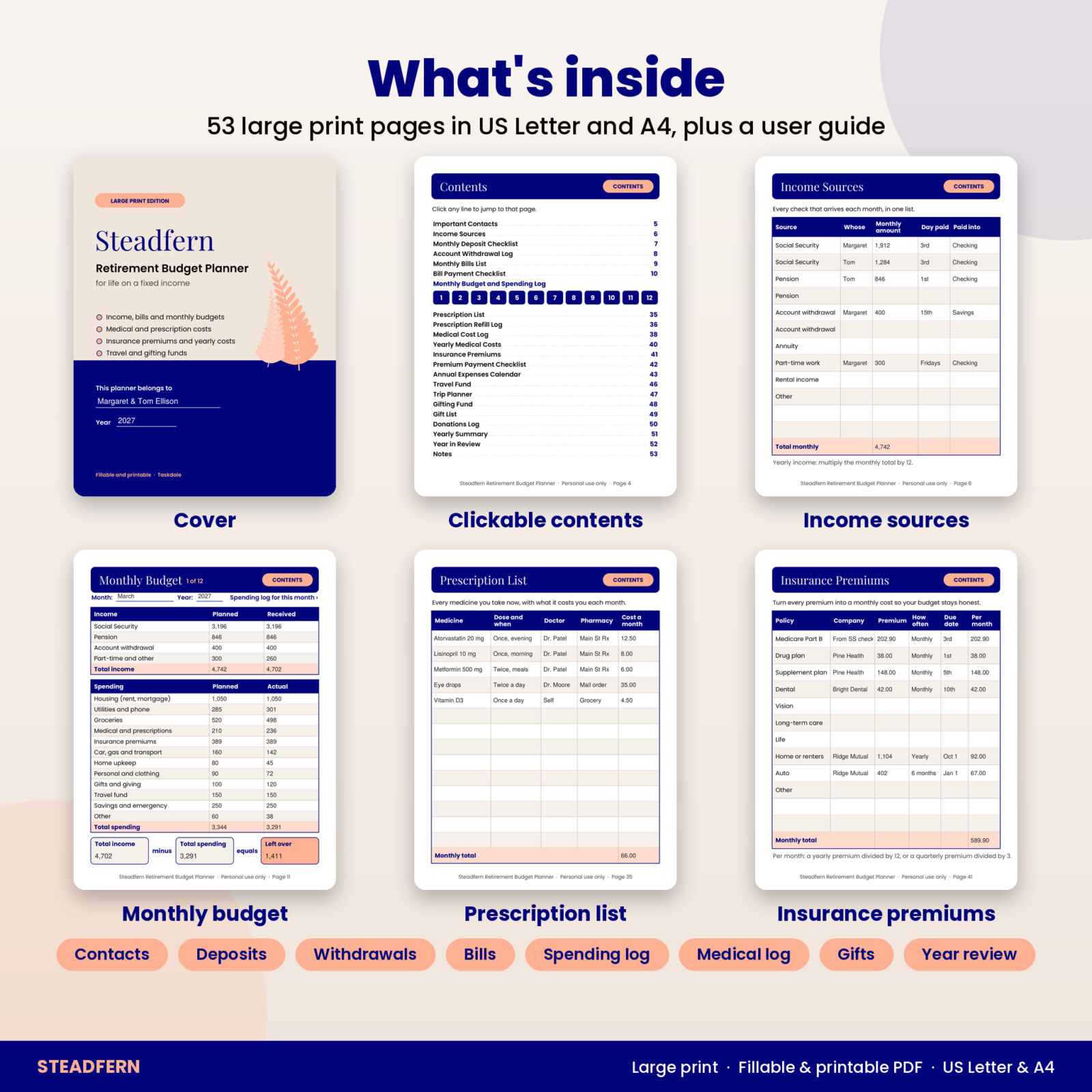
Every section is listed on a clickable contents page, with numbered buttons that jump straight to each month.
How it works
- Download the files right after checkout.
- Open a PDF in the free Adobe Acrobat Reader to type, or print the pages you need at home.
- Fill in your contacts, income, bills and insurance once.
- Plan each month, log spending and tick bills as they are paid.
- Copy month totals to the Yearly Summary at the end of the year.
File formats and software
Two PDFs with fillable text boxes, tick boxes, clickable contents and bookmarks. Typing works in Adobe Acrobat Reader on Windows, Mac, iPad and Android; some browser viewers do not save entries. You write or type the totals yourself. Print at home on any printer.
Customizing
Steadfern is undated, so you start whenever you like and reuse it every year. Every money box simply says Amount and the How to Use page has a box for your currency symbol, so any currency works. Blank rows on the contacts, income, bills and insurance pages are there for your own items.
Who it is for
- Retirees living on Social Security, a pension or both
- Anyone who finds regular planners too small to read or write in
- Couples who want both incomes and both sets of medicines in one place
- Adult children helping a parent keep bills and medical costs organized
Please note: Steadfern is an organizer for your own numbers. It does not give financial, tax, legal or medical advice.
FAQ
How large is the print?
Body text and table text are 14 pt or larger, page titles are 27 pt, and typed entries appear at 14 pt.
Is this retirement budget planner dated?
No. All 12 months are undated, so you can start in any month of any year.
Can I fill it in on my iPad or computer?
Yes. Open it in the free Adobe Acrobat Reader app to type in the boxes and tick the squares, then save.
Does it add up the totals automatically?
No. It is a fillable and printable planner, not a spreadsheet, so you write or type the totals yourself.
Which paper sizes are included?
US Letter (8.5 x 11 inches) and A4, both in the same download.
Can I print it more than once?
Yes, as many times as you need for your own household. The license is personal use only, with no sharing or resale.
Does it give advice about Social Security or withdrawals?
No. It records your own numbers and decisions. For advice, speak with a qualified professional.

Reviews
There are no reviews yet.