
12-Month Cash Flow Forecast Template for Small Business
Tillcast is a cash flow forecast template for Excel and Google Sheets that tells you how much cash your business will have at the end of every month for the next year, and which months will be tight. Enter what you expect to receive and pay, and the workbook calculates net cash flow, opening and closing balances, low-cash alerts, runway and three scenarios automatically.
Most free templates treat every sale as cash on the day you make it. Tillcast follows real timing: the share of sales paid at the till arrives the same month, invoices arrive after the payment terms you set, and a bad debt allowance keeps the forecast honest.
Who it is for
- Small business owners: shops, cafes, studios, trades, salons and service firms
- Freelancers and agencies that invoice on 30, 45 or 60 day terms
- Startups that need a runway number and a worst-case view
- Bookkeepers and advisors preparing a cash flow projection for a client or a lender
Main benefits
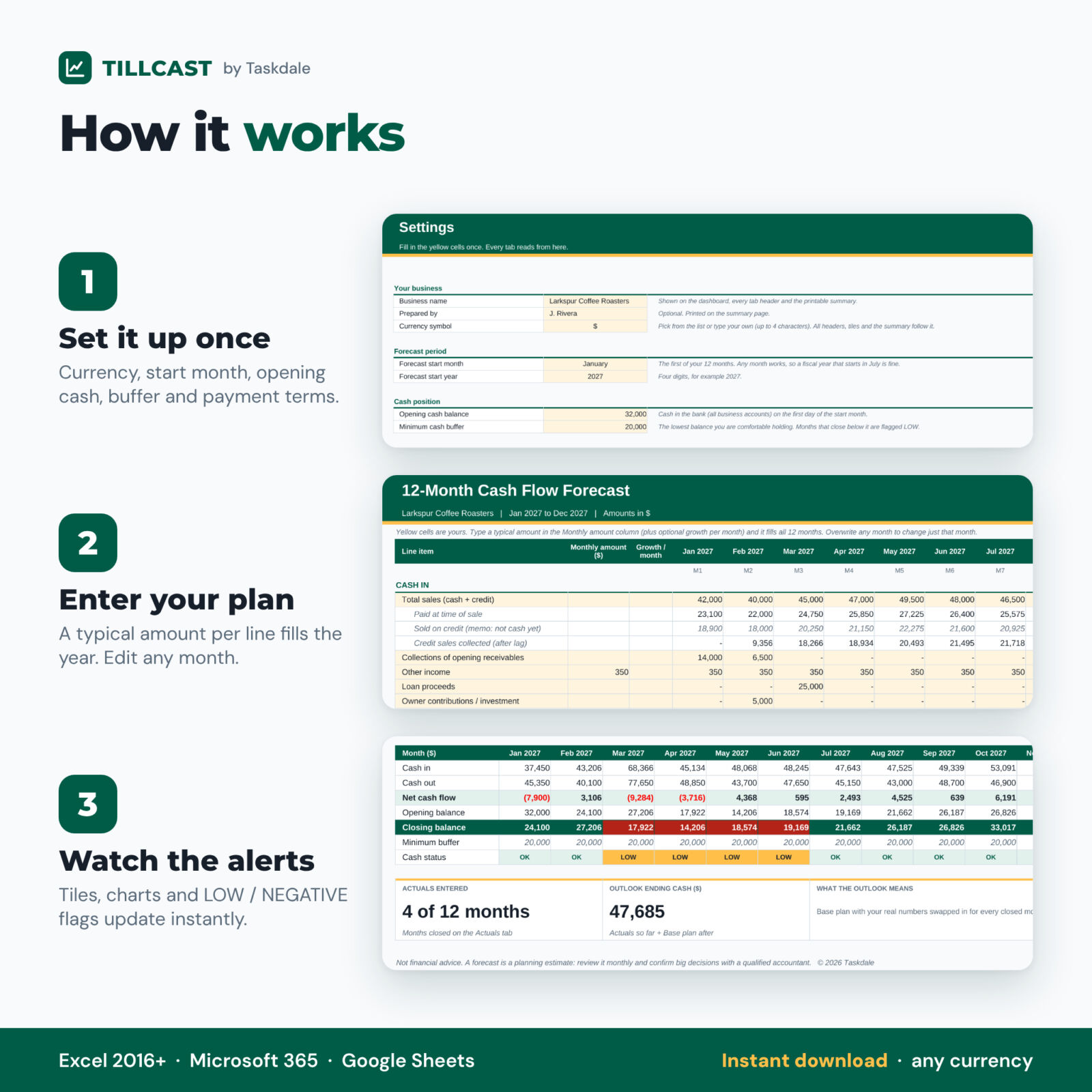
- See trouble early. Every month that closes below your minimum cash buffer is flagged LOW, and overdrawn months are flagged NEGATIVE.
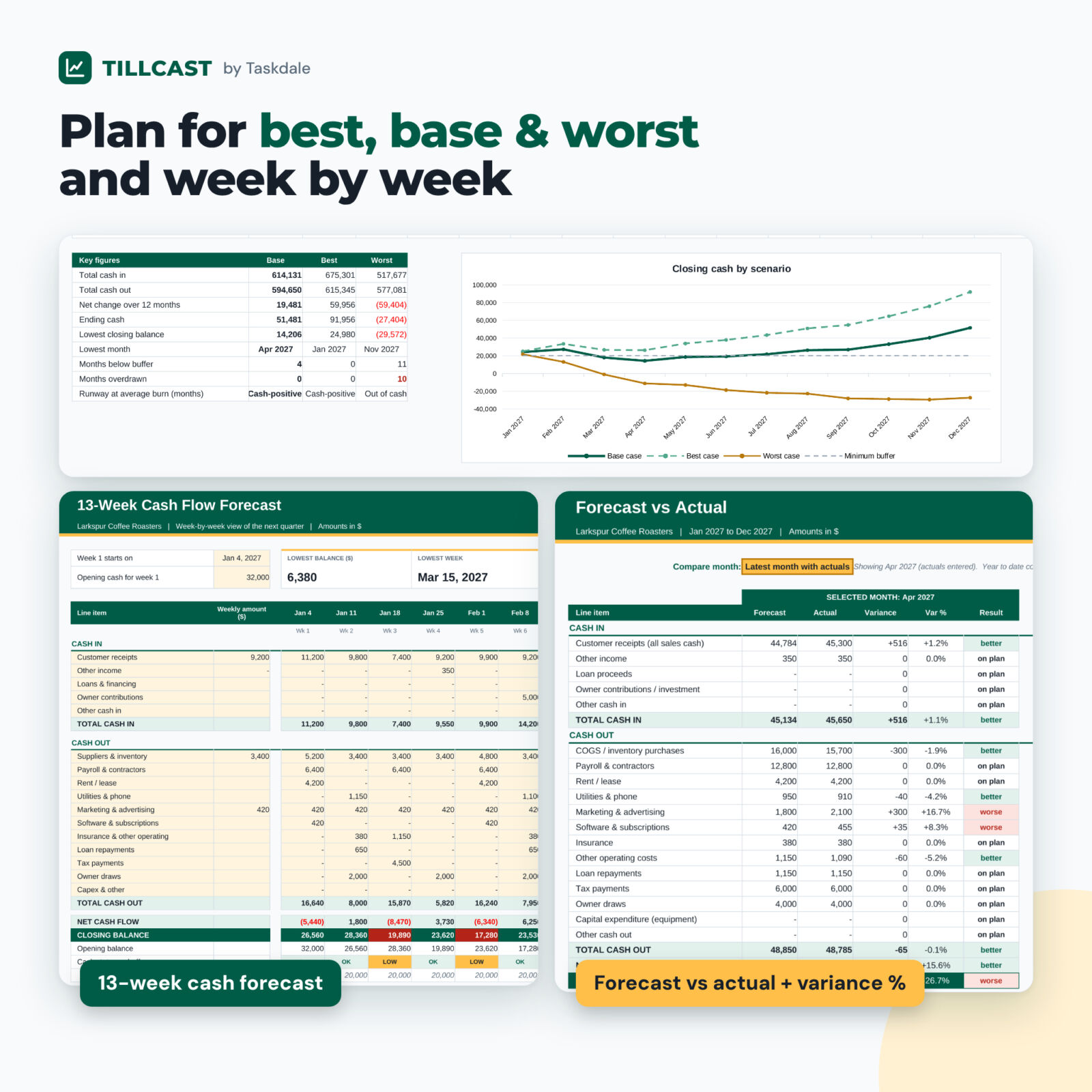
- Plan for the downside. Switch the dashboard between Base, Best and Worst and see how a sales dip or slow-paying customers change your year.
- Stay on track. Enter actuals each month and compare them with the plan, line by line, with variance and variance %.
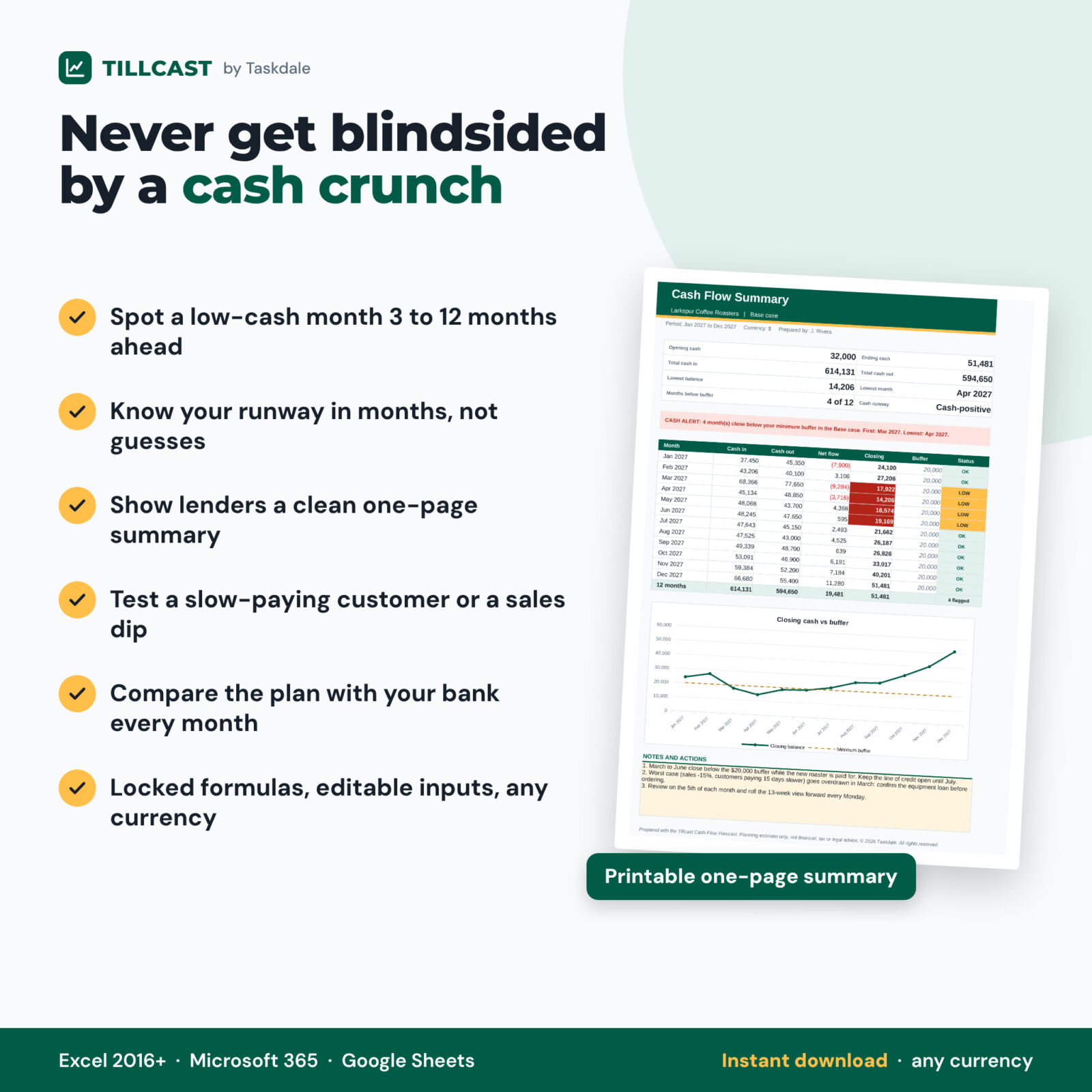
- Talk to your lender with confidence. Print a clean one-page cash flow summary.
Features of this cash flow projection spreadsheet
12-month cash flow forecast
- Opening cash, cash in and cash out by month, net cash flow and closing balance
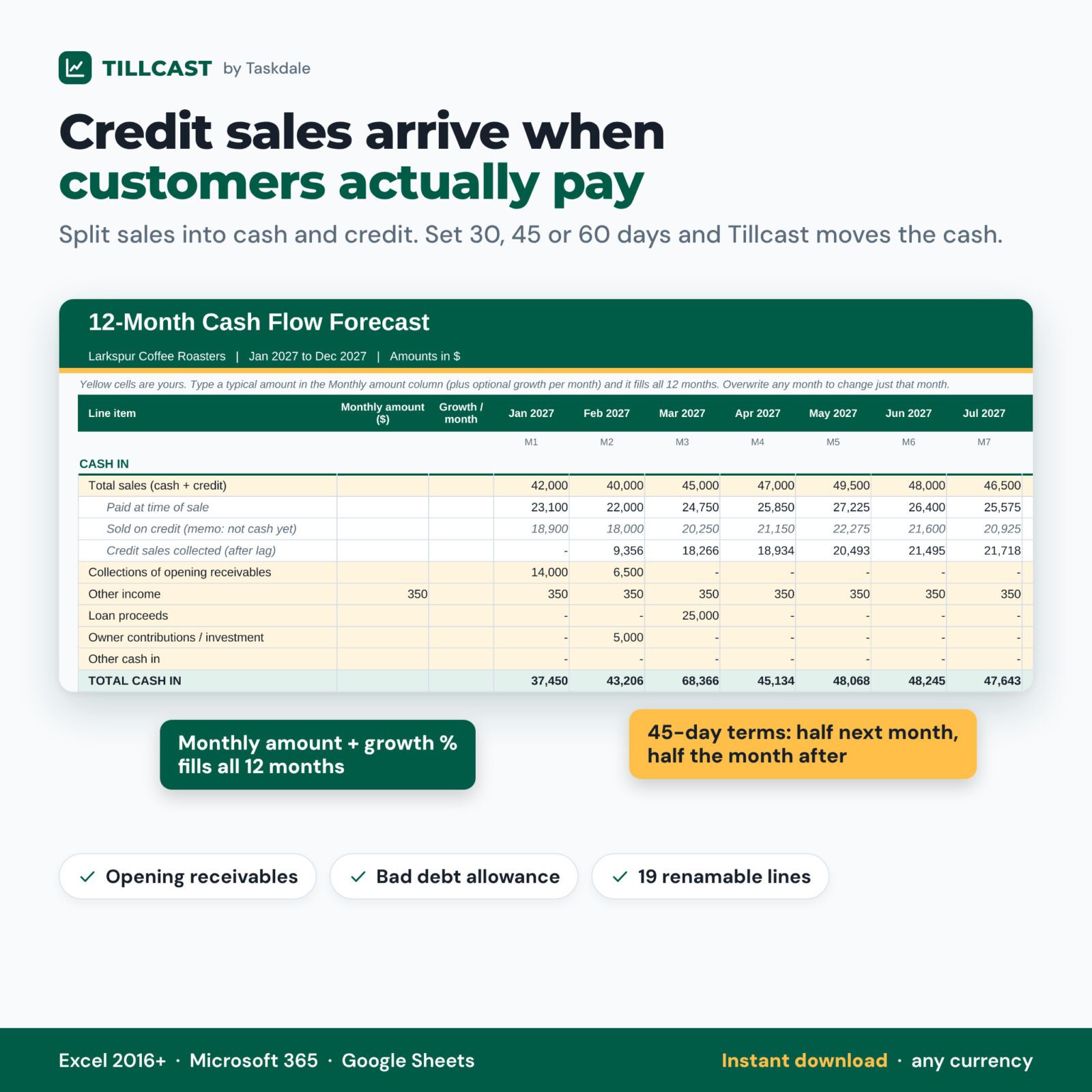
- Sales split into paid-now and credit sales, collected after a lag in days or months (45 days is spread over the next two months)
- Collections of opening receivables and a bad debt allowance
- Cash-in lines: sales, other income, loan proceeds, owner contributions, other cash in
- Cash-out lines: COGS and inventory, payroll, rent, utilities, marketing, software, insurance, other operating costs, loan repayments, tax payments, owner draws, capital expenditure, other cash out
- Type one monthly amount plus an optional growth % and it fills all 12 months; overwrite any month
- 19 renamable lines and a notes column for your assumptions
Dashboard
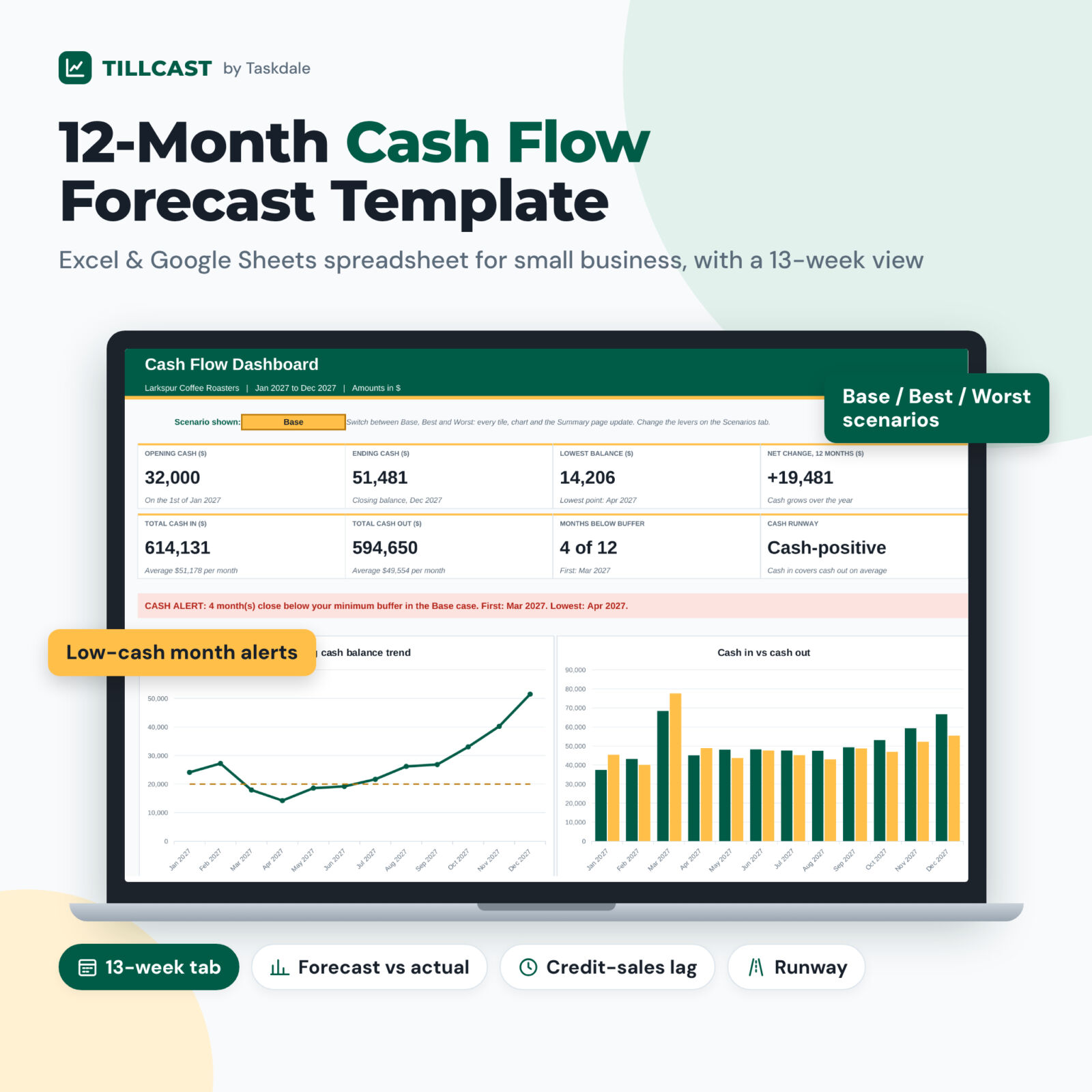
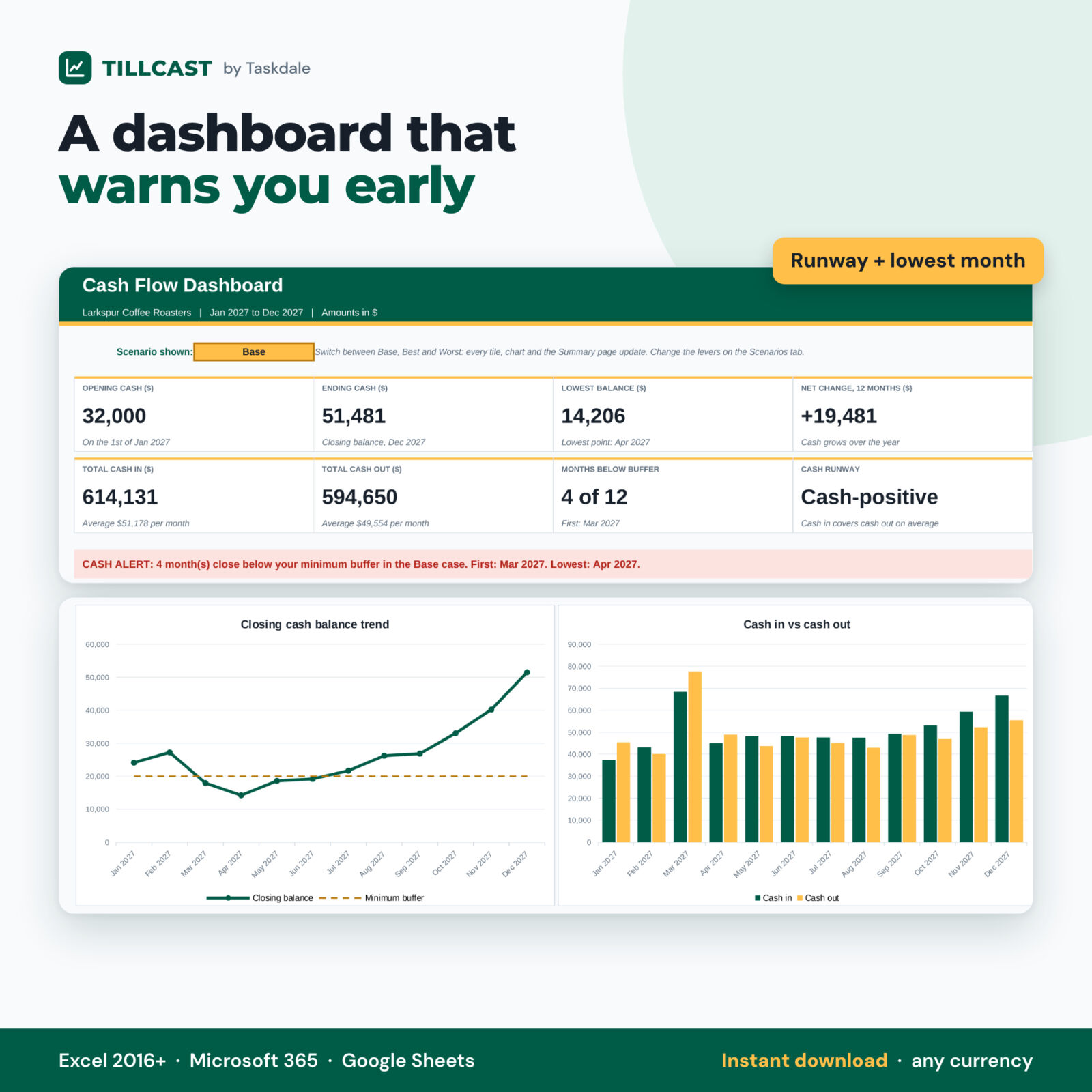
- Eight KPI tiles: opening cash, ending cash, lowest balance and month, net change, total cash in, total cash out, months below buffer and cash runway
- A cash alert bar that names the first and lowest low-cash month
- Closing balance trend chart with your buffer line, and a cash in vs cash out chart
- Outlook ending cash that blends your actuals with the remaining plan
Scenarios, 13-week view and variance
- Best and Worst cases driven by % changes to sales, other income, COGS and operating costs, plus a change in collection days
- Side-by-side key figures and a three-line scenario chart
- 13-week cash flow forecast with its own lowest-week, weeks-below-buffer and closing-cash tiles and chart
- Forecast vs actual for any month and year to date, with better / worse / on plan results
What is included
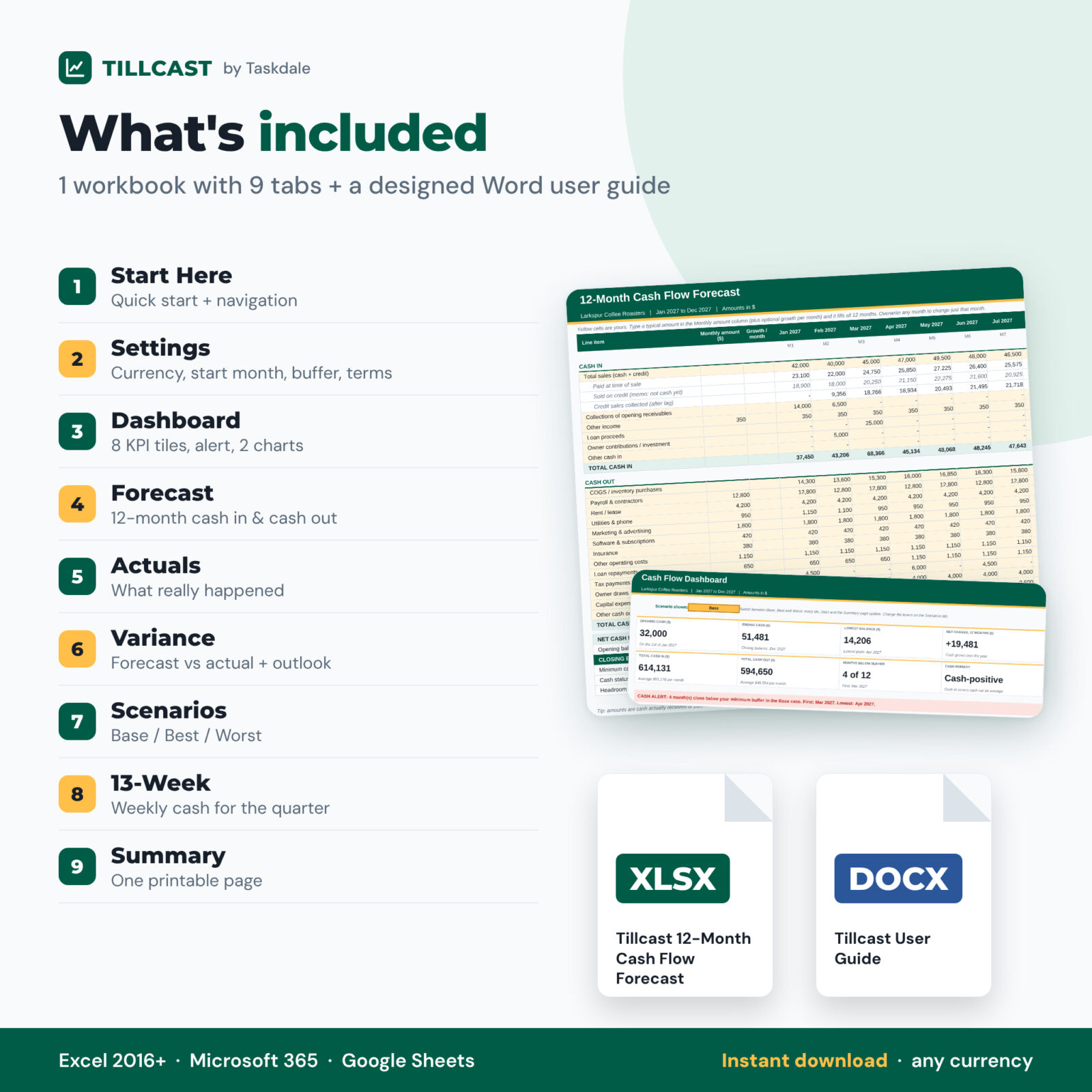
- Tillcast 12-Month Cash Flow Forecast workbook (.xlsx) with 9 tabs: Start Here, Settings, Dashboard, Forecast, Actuals, Variance, Scenarios, 13-Week and Summary
- Tillcast User Guide (.docx, 15 pages) with screenshots, a worked collection-lag example, tips, troubleshooting and FAQ
How it works
- On Settings, choose your currency, start month and year, opening cash, minimum buffer and payment terms.
- On Forecast, enter a typical monthly amount for each line and adjust the months that differ.
- Read the Dashboard, then switch to Worst to stress-test your plan.
- Each month, enter actuals and review the Variance tab and your updated outlook.
File formats and software requirements
One .xlsx workbook that opens in Microsoft Excel 2016 or later, Microsoft 365 (Windows or Mac) and Google Sheets (upload to Google Drive and open with Sheets). No macros, add-ins or internet connection needed. The user guide is a Word .docx file that also opens in Google Docs, Pages and LibreOffice.
Customization
Pick any currency symbol, any start month and any year, so the template works for a calendar or fiscal year and can be reused every year. Rename line items to match your business. Formulas are locked without a password so they cannot be broken by accident, and you can unprotect a sheet in one click if you want to change the layout.
Digital download
This is a digital product. You receive the files instantly after purchase; nothing is shipped. Personal use only (or use within your own business). You may not resell, share or redistribute the files.
Use cases
- A coffee roaster checks whether buying a new roaster in March leaves enough cash for spring payroll.
- A design agency sees how 60-day client terms push cash two months behind its invoices.
- A retailer plans holiday inventory and seasonal staff without dropping below its buffer.
- A startup founder shows a lender a 12-month projection with Best and Worst cases and a runway figure.
- A contractor uses the 13-week view to time equipment payments around slow-paying customers.
Cash flow forecast template FAQ
Does it work in Google Sheets?
Yes. Every formula, dropdown and chart uses functions supported by both Excel and Google Sheets.
Is it dated?
No. Choose any start month and year; all month labels update automatically.
What is the difference between profit and cash flow?
Profit counts a sale when you make it. Cash flow counts it when the money reaches your bank. This template tracks cash timing.
Can I use my own currency?
Yes. Pick a symbol such as $, €, £ or ₹, or type your own on the Settings tab.
How is cash runway calculated?
Ending cash divided by your average monthly net burn. If cash in covers cash out on average, it shows Cash-positive.
Can I compare my forecast with actual results?
Yes. Enter actuals each month; the Variance tab shows forecast vs actual by line, month and year to date.
Is this financial advice?
No. It is a planning tool. Results depend on the numbers you enter; talk to a qualified accountant before major decisions.
Reviews
There are no reviews yet.