Trimtide: the weight loss tracker app that shows your real trend
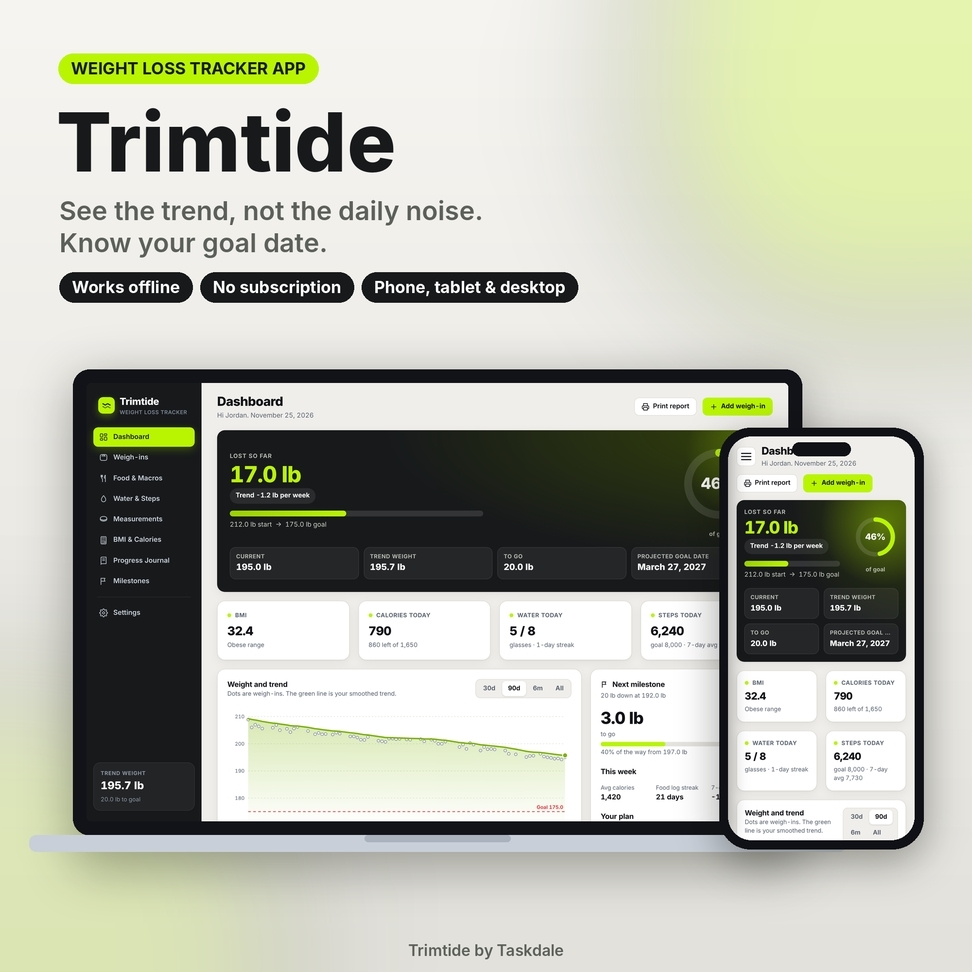
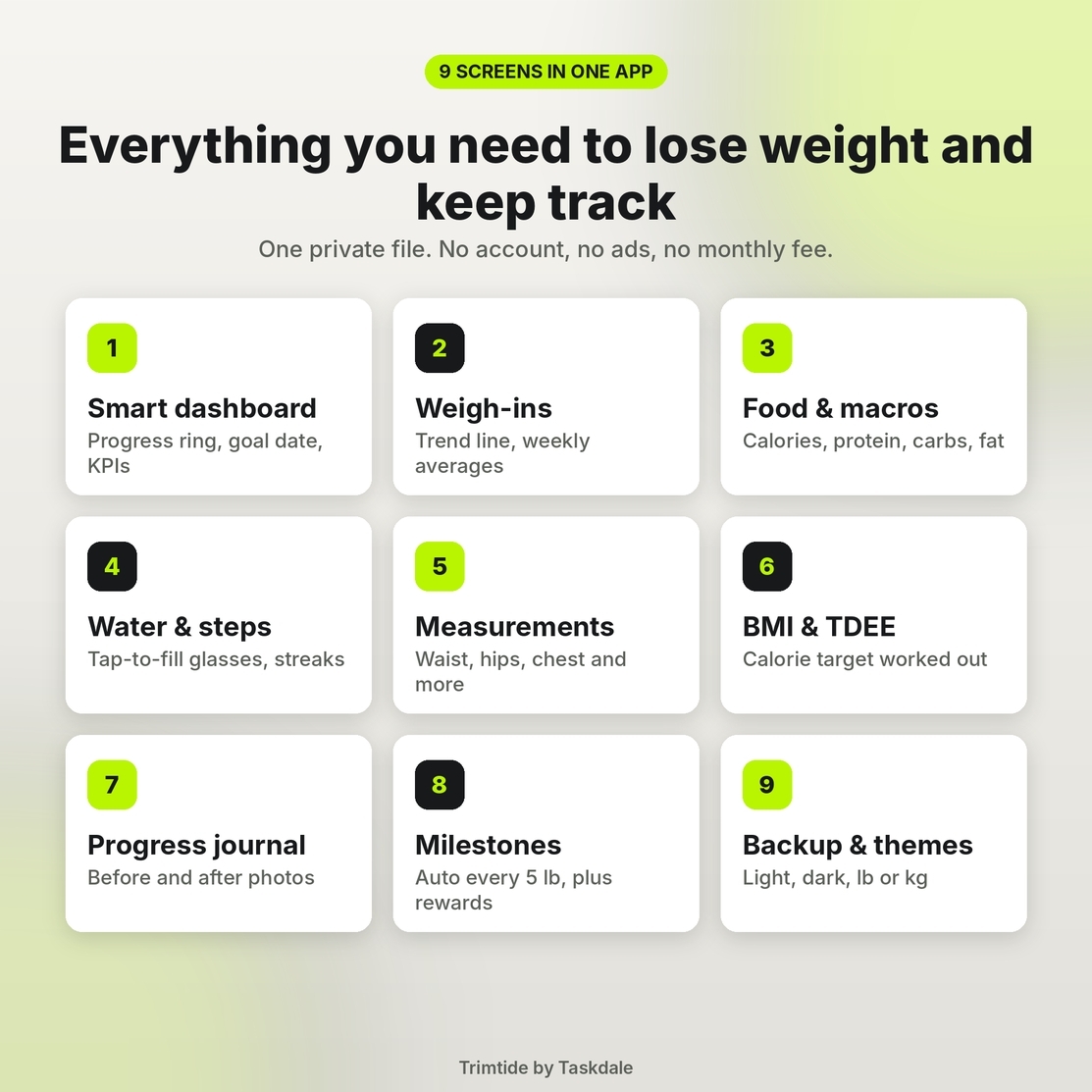
Trimtide is a weight loss tracker app that runs in your web browser from one downloaded file. Log your weight, and a smoothed trend line shows where you are really heading, while a projected goal date tells you when you will get there at your current pace. Add calories and macros, water, steps, body measurements, a before and after journal and milestones, all in one place. No subscription, no account and no ads.
Everything you enter is saved privately on your own device. The app works offline after download, so your health numbers never sit on someone else’s server.
Who this weight loss tracker is for
- Anyone who gets discouraged when the scale jumps 2 lb after one salty dinner.
- Calorie counters and macro trackers who want a simple food log without a monthly fee.
- Walkers, runners and gym-goers who want steps and water next to their weight.
- People who stay motivated with before and after notes, progress photos and rewards.
- Privacy-minded dieters who would rather keep weight and body data off cloud apps.
Features of the Trimtide weight loss tracker app
Dashboard with progress ring and goal date
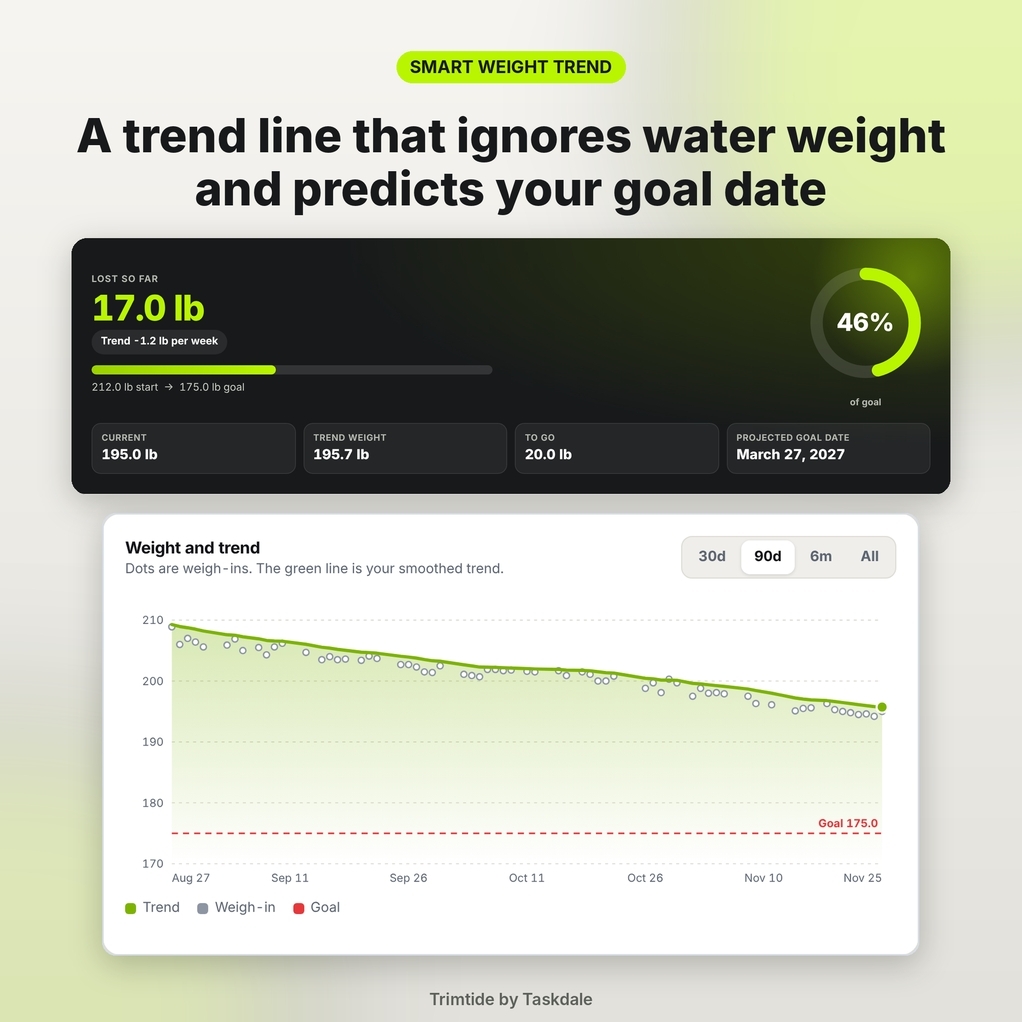
The dashboard opens with a dark hero card: pounds lost so far, your weekly pace, a progress ring showing what share of your goal you have reached, and four boxes for current weight, trend weight, pounds to go and your projected goal date. Below sit tiles for BMI, calories eaten today, water and steps, plus a weight chart with 30-day, 90-day, 6-month and all-time views.
Weigh-ins with a smoothed trend line
Each day the trend line moves 10% of the way toward your newest weigh-in. Daily water swings barely move it, so you see real fat loss. The Weigh-ins screen lists every entry with its change, plus Sunday to Saturday weekly averages. Log a second weight on the same date and Trimtide updates it instead of doubling up.
Goal date projection
Trimtide fits a line through your trend over the last four weeks and extends it to your goal weight. It also shows the date you would hit your goal at your planned pace. If your trend is flat, it says so honestly instead of guessing.
Calorie and macro tracker
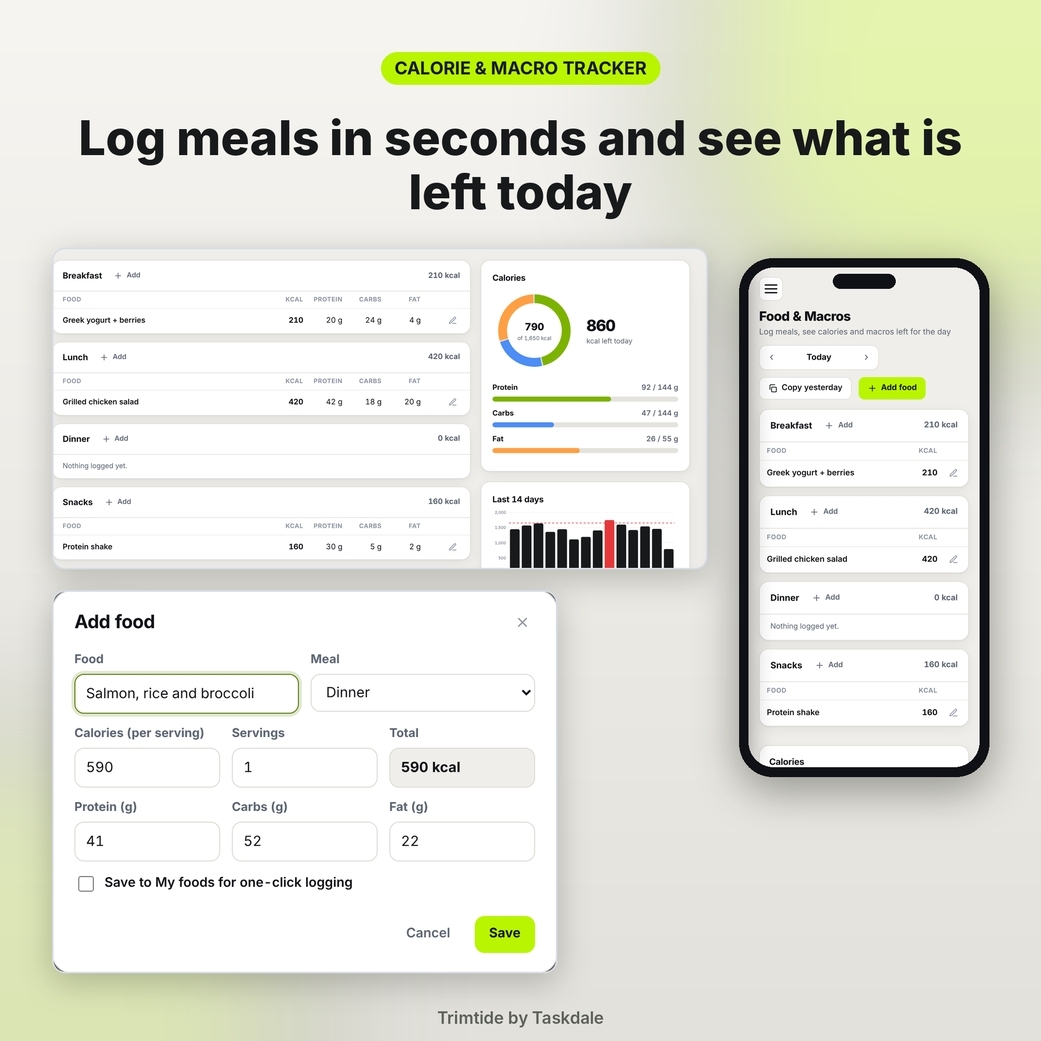
Log Breakfast, Lunch, Dinner and Snacks with calories, protein, carbs and fat. Set servings and the total is worked out for you. Save foods you eat often for one-click logging, or copy the whole day before. A macro donut, progress bars and a 14-day calorie chart show where you stand.
BMI, BMR and TDEE calculator
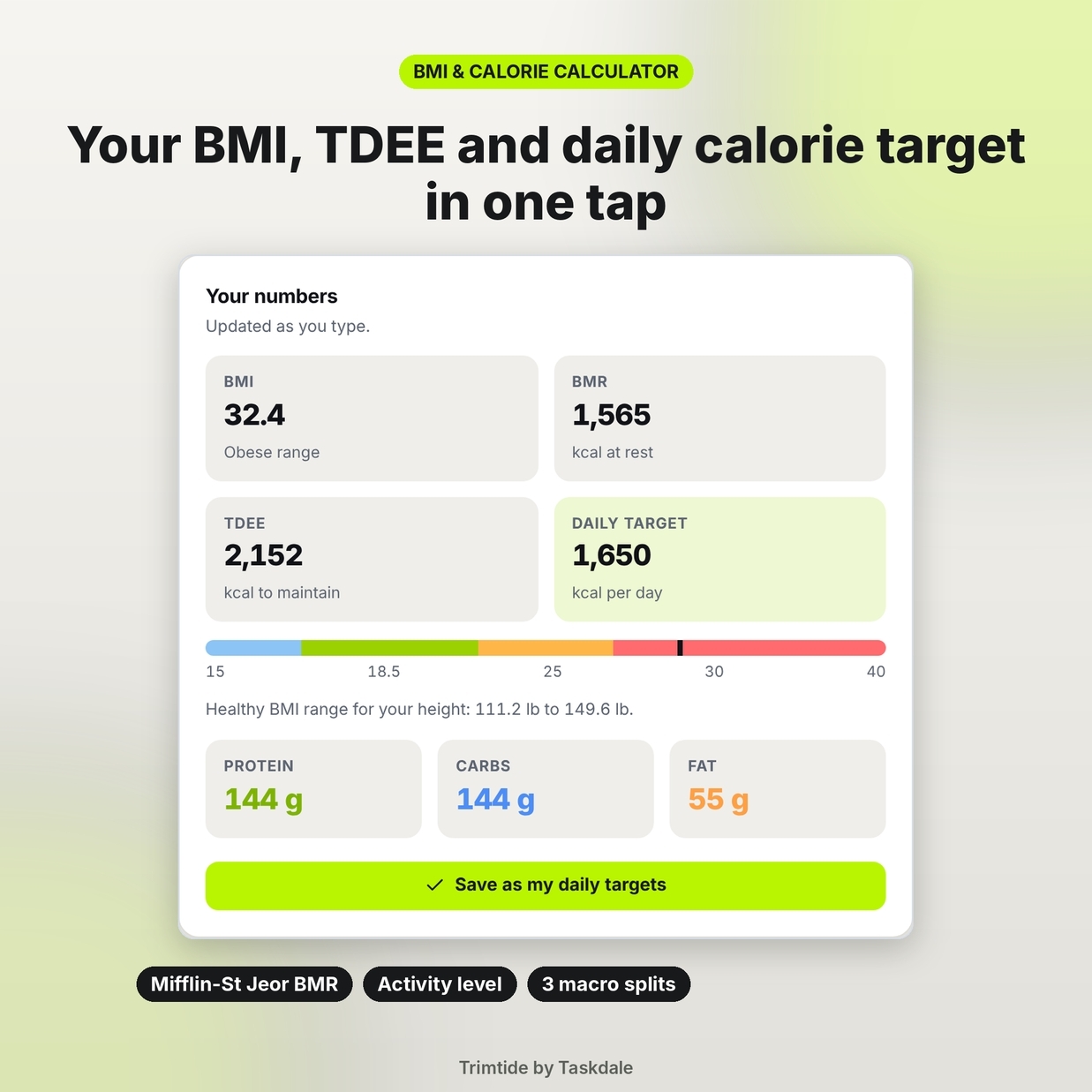
Enter your sex, age, height, weight and activity level to see your BMI on a color scale, your healthy weight range, BMR (Mifflin-St Jeor) and TDEE. Pick a weekly loss goal from 0.5 to 2 lb and a macro split, and Trimtide gives you a daily calorie target with protein, carbs and fat in grams. One click saves it as your daily targets. The target never drops below 1,200 kcal for women or 1,500 kcal for men.
Water and steps
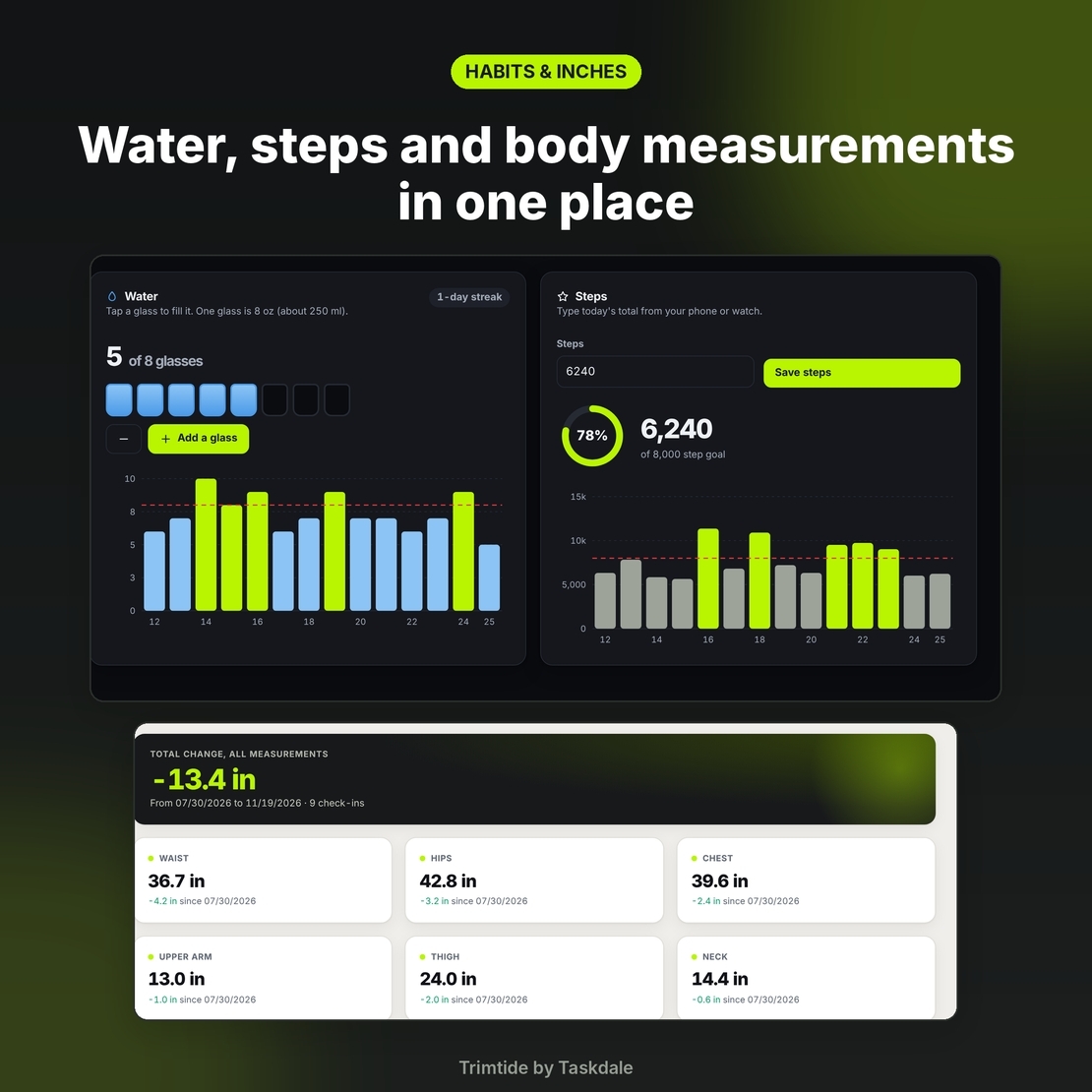
Tap glasses to log water and watch your streak grow. Type in steps from your phone or watch. Both have 14-day charts with your goal line, and bars turn green on days you hit it.
Body measurements
Track waist, hips, chest, upper arm, thigh and neck. Tiles show the change since your first check-in, a total inches lost figure sits on top, and a chart plots any measurement over time. Inches often drop during weeks when the scale stalls.
Progress journal with before and after
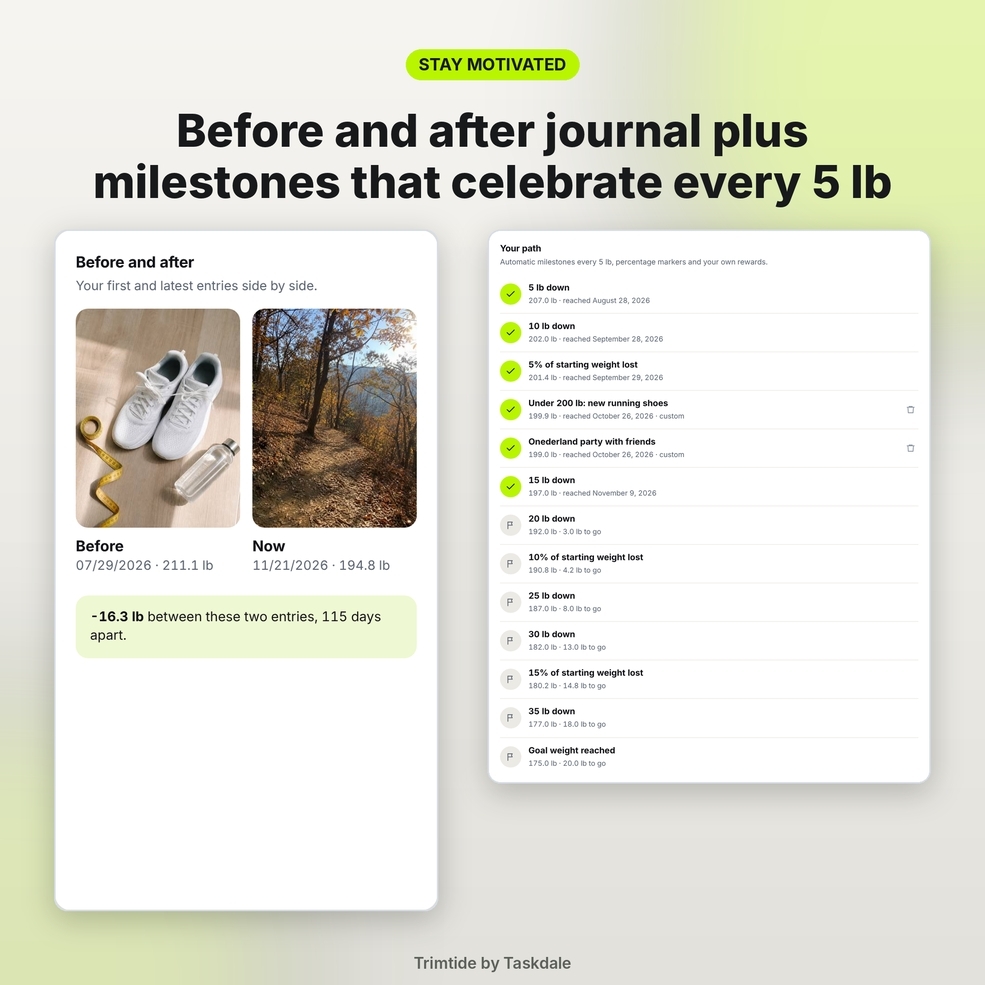
Write notes about how clothes fit, energy and what worked. Add an optional photo, which Trimtide shrinks and keeps on your device. Before and after shows your first and latest entries side by side with the weight on each date.
Milestones and rewards
Set a goal and Trimtide creates milestones every 5 lb (or 2.5 kg) plus markers at 5%, 10%, 15% and 20% of your starting weight. Each one records the date you reached it. Add your own rewards, like “Under 200 lb: new running shoes”, and get a message when a weigh-in unlocks one.
What is included
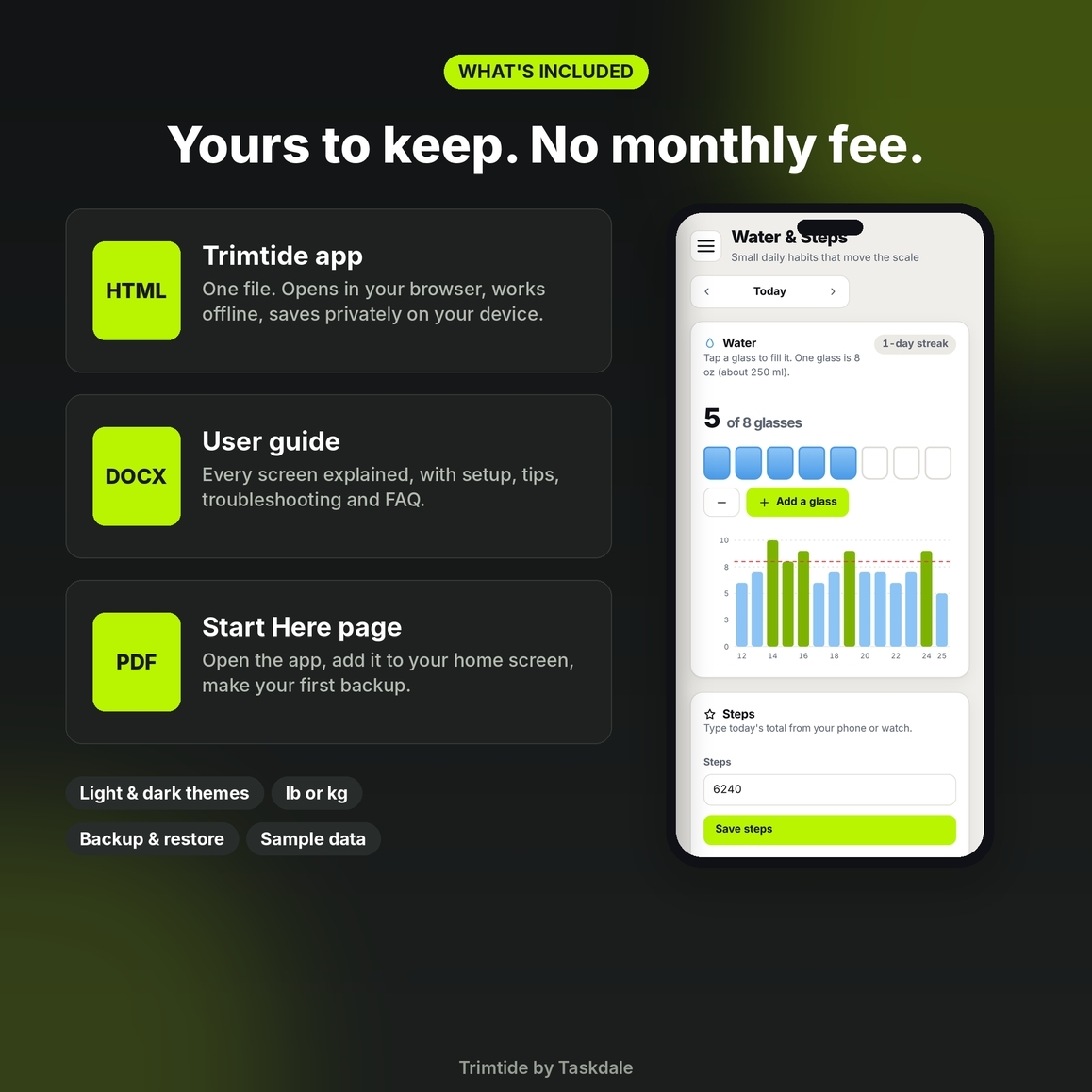
- Trimtide-Weight-Loss-Tracker.html: the app, one file of about 250 KB.
- Trimtide-User-Guide.docx: a 14-page guide covering setup, every screen, tips, troubleshooting and FAQ.
- Trimtide-Start-Here.pdf: a one-page quick start.
The download includes a ZIP with all three files, plus the app and the guide as separate downloads.
How this weight loss tracker works
- Download and unzip. Keep the HTML file in a folder such as Documents.
- Double-click to open it in your browser. Enter your units, current weight, goal weight, age and height.
- Trimtide sets a starting calorie and macro target. Press W to log weight and F to log food.
- Check the dashboard each week. Export a backup every week or two from Settings.
Want to look around first? Click Explore with sample data to load four months of example entries, then clear them when you are ready.
File format and requirements
Format: one offline HTML file with a DOCX guide and a PDF quick start. You need a current web browser. We tested Trimtide in Google Chrome and Microsoft Edge at desktop, tablet and phone sizes. It uses standard web features only, so other current browsers should work as well. On iPhone and iPad, open the file in a browser or an HTML viewer app, because the Files preview cannot run web apps. Data is stored in the browser where you open it. Use Export and Import backup to move it to another device.
Customization
Switch between US units (lb, ft/in) and metric (kg, cm) at any time and every entry converts. Choose light or dark theme. Set your own calorie, protein, carb, fat, water and step targets, your starting weight, start date and goal.
Digital download
This is a digital product. Nothing is shipped. You get instant access to the files after checkout, with unlimited downloads. Personal use license: use it for your own tracking on your own devices. No resale or sharing.
Use cases
- A 40-pound weight loss journey where you need to see steady progress month after month.
- A 12-week calorie deficit challenge with daily food and macro logging.
- Getting back on track after the holidays with water, steps and a fresh goal date.
- Tracking inches during a strength training phase when the scale barely moves.
FAQ
Is this a weight loss tracker app I can use offline?
Yes. After download it works with no internet connection.
Does it count calories and macros?
Yes. Log calories, protein, carbs and fat per meal, with saved foods for one-click logging.
How is the goal date worked out?
From the slope of your trend weight over the last four weeks. It updates every time you weigh in.
Can I use kilograms?
Yes. Pick metric units at setup or in Settings.
Is my data private?
Yes. Everything stays in your browser on your device. There is no account or server.
Does it sync with Fitbit, Apple Health or a smart scale?
No. You type entries in yourself, which takes a few seconds a day.
Is there a monthly fee?
No. You pay once and keep the app.
Is this medical advice?
No. Trimtide gives general estimates. Check with your doctor before a big change in diet or exercise.

Reviews
There are no reviews yet.