
The Worthbloom Net Worth Tracker spreadsheet turns a few minutes a month into a clear, calm picture of your money. List what you own and what you owe once, type each balance at the end of the month, and Worthbloom calculates your net worth, growth, goal progress, milestones and debt payoff dates automatically. It works in Microsoft Excel and Google Sheets and tracks five full years (60 months) in one beautiful, beginner-friendly workbook.
What This Net Worth Tracker Spreadsheet Does
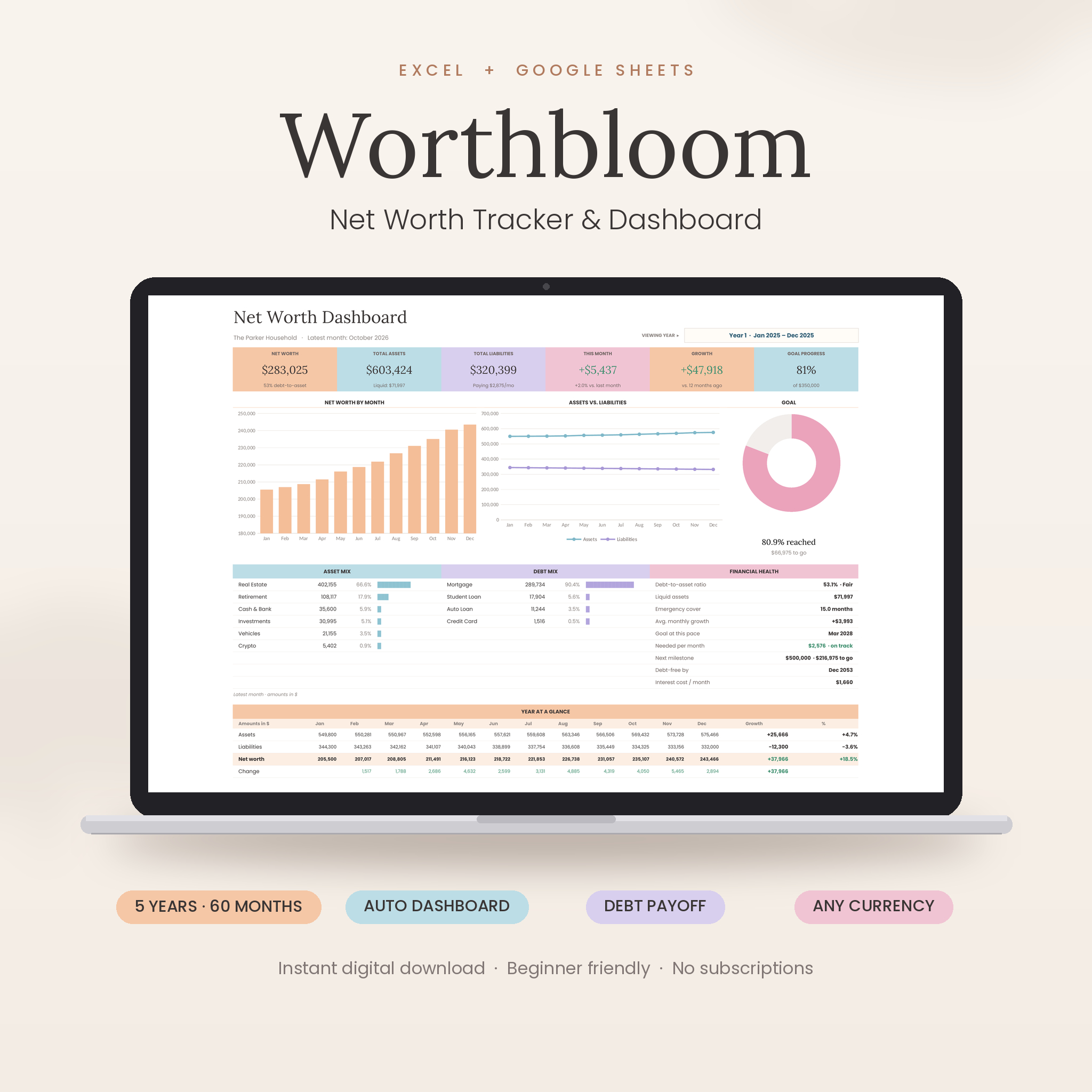
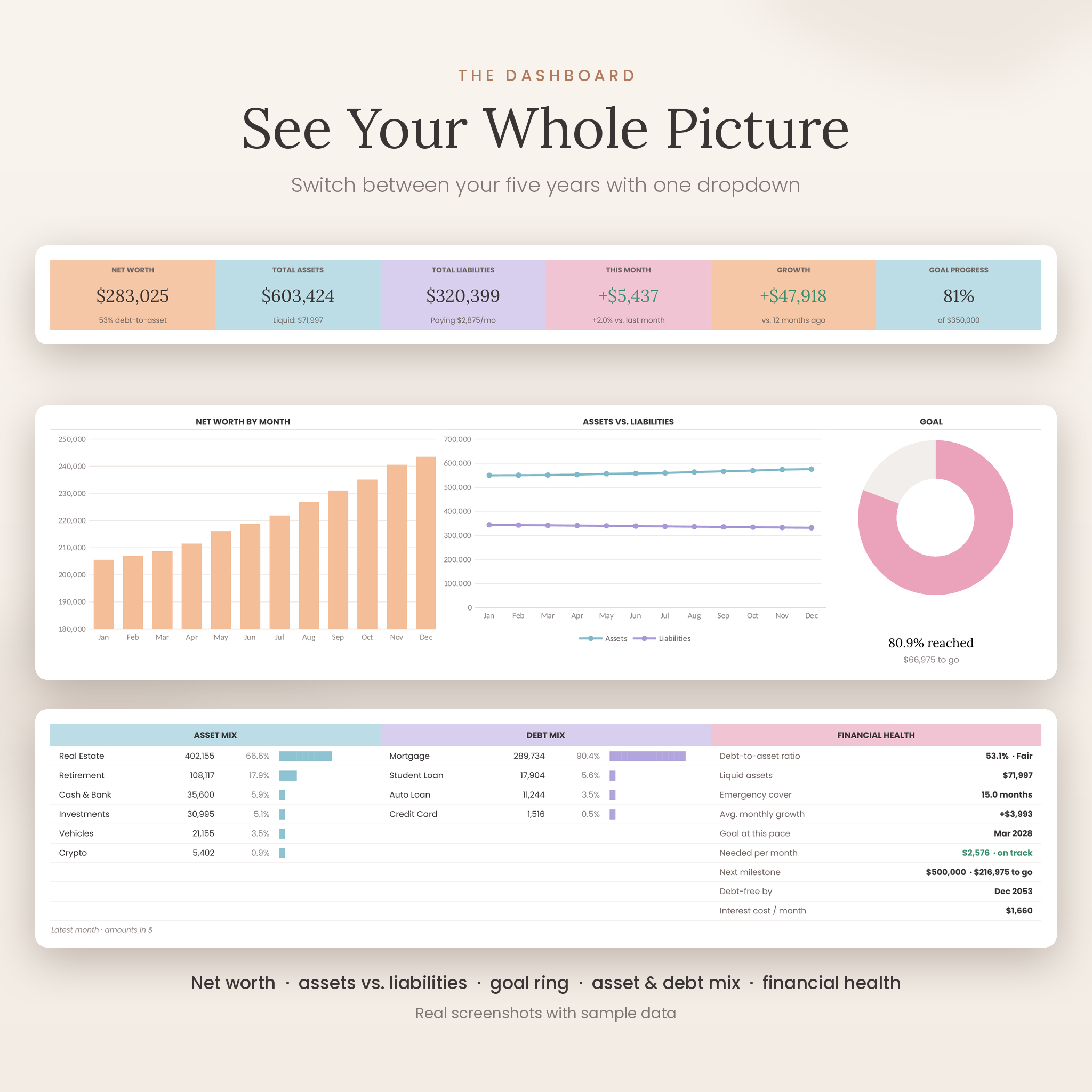
Most net worth trackers stop at a total. Worthbloom shows you what is moving and why. Your dashboard updates as you type, with six summary tiles, three charts and a financial health panel that answers the questions people actually ask: Am I on track? When will I be debt-free? How many months could my savings cover?
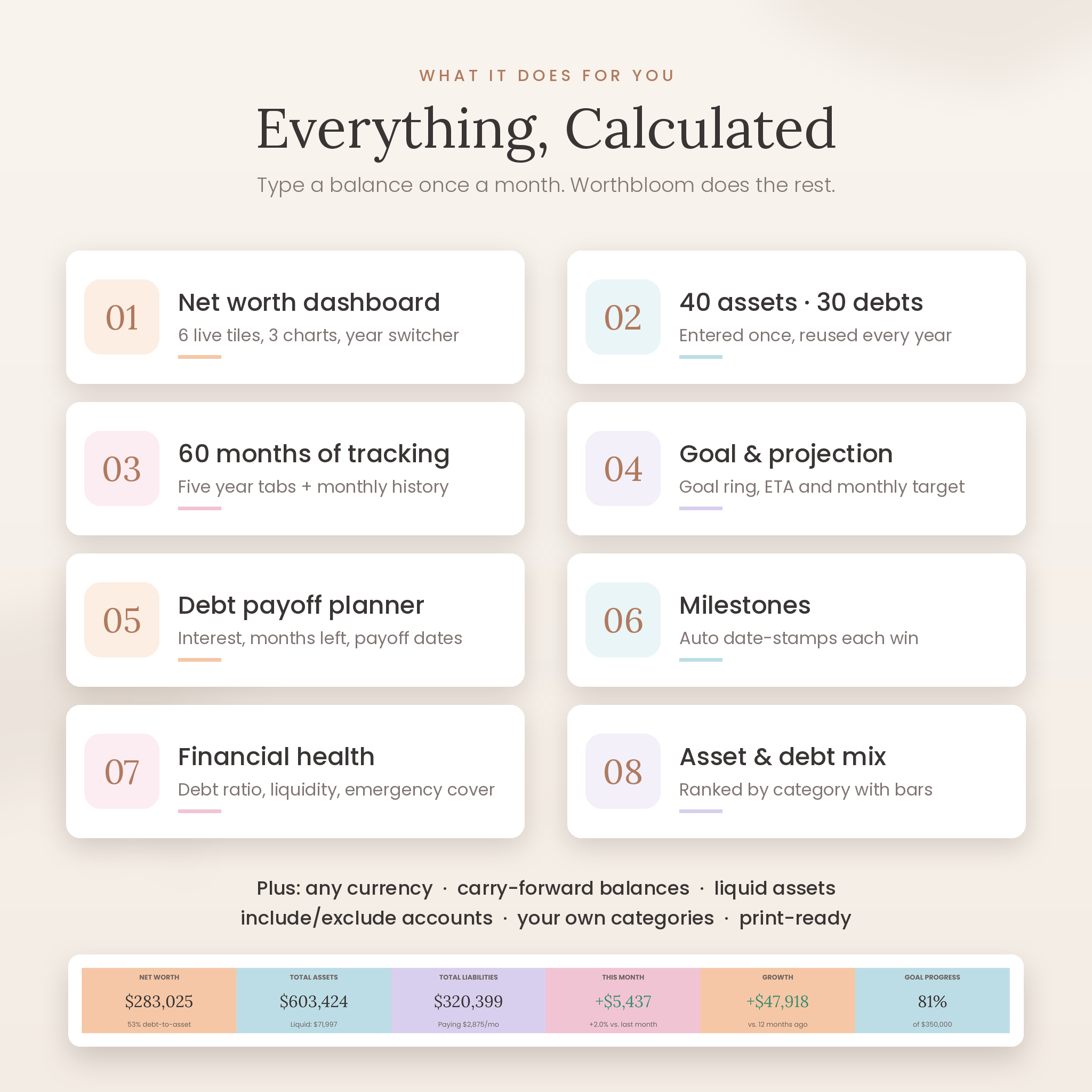
- Net worth dashboard: net worth, total assets, total liabilities, this month’s change, 12-month growth and goal progress.
- Charts: net worth by month, assets vs. liabilities and a goal ring. Switch between your five years with one dropdown.
- Asset and debt mix: every category ranked by size, with amounts, share and bars.
- Financial health: debt-to-asset ratio with a rating, liquid assets, emergency cover in months, average monthly growth, projected goal date and the monthly growth needed to hit your goal date.
- Year at a glance: assets, liabilities, net worth and monthly change in one compact table.
Who It Is For
Worthbloom is made for anyone who wants to watch their wealth grow without bank logins or subscriptions: young professionals building their first savings, couples combining finances, families paying down a mortgage, FIRE savers tracking investments and anyone working toward a money milestone. If you can type a number into a cell, you can use it.
Main Benefits
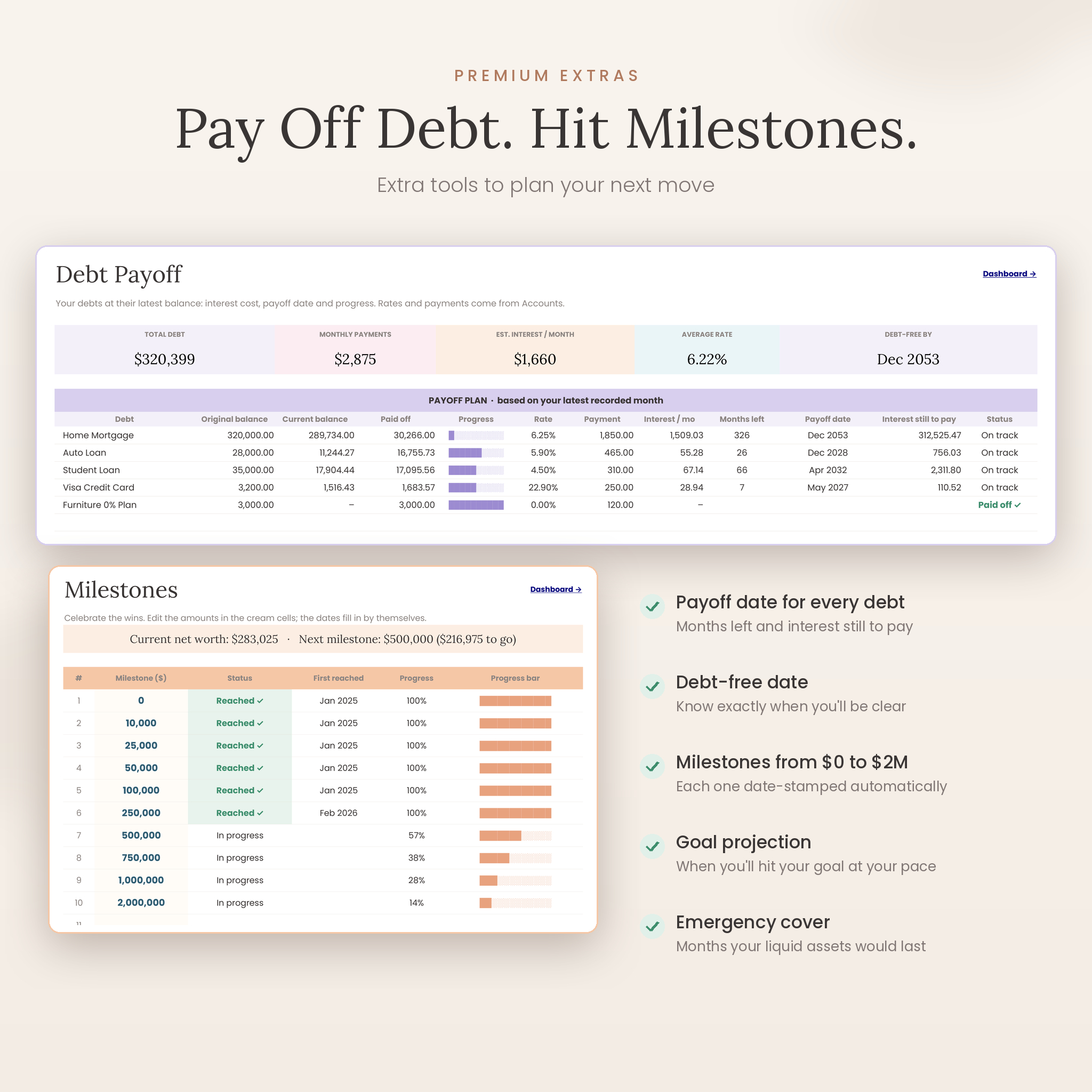
- See progress, stay motivated. Milestones date-stamp the month you first reach each amount, from $0 to $2,000,000.
- Pay off debt with a plan. The Debt Payoff tab estimates interest per month, months left, payoff date and the interest you will still pay for every loan and card.
- Know your safety net. Mark which categories are liquid and see how many months of essential expenses you could cover.
- Save time. Accounts are entered once and flow into every year tab, so you never retype names.
- Keep it calm. Soft peach, blush, powder blue and lavender colors make money check-ins feel lighter.
Features
Built for real life
- Track up to 40 assets and 30 liabilities.
- Start in any month and track 60 consecutive months across five year tabs.
- One currency setting for the whole workbook ($ by default, plus €, £, ¥, ₹, A$, C$, R, kr and more, or type your own), shown before or after the amount.
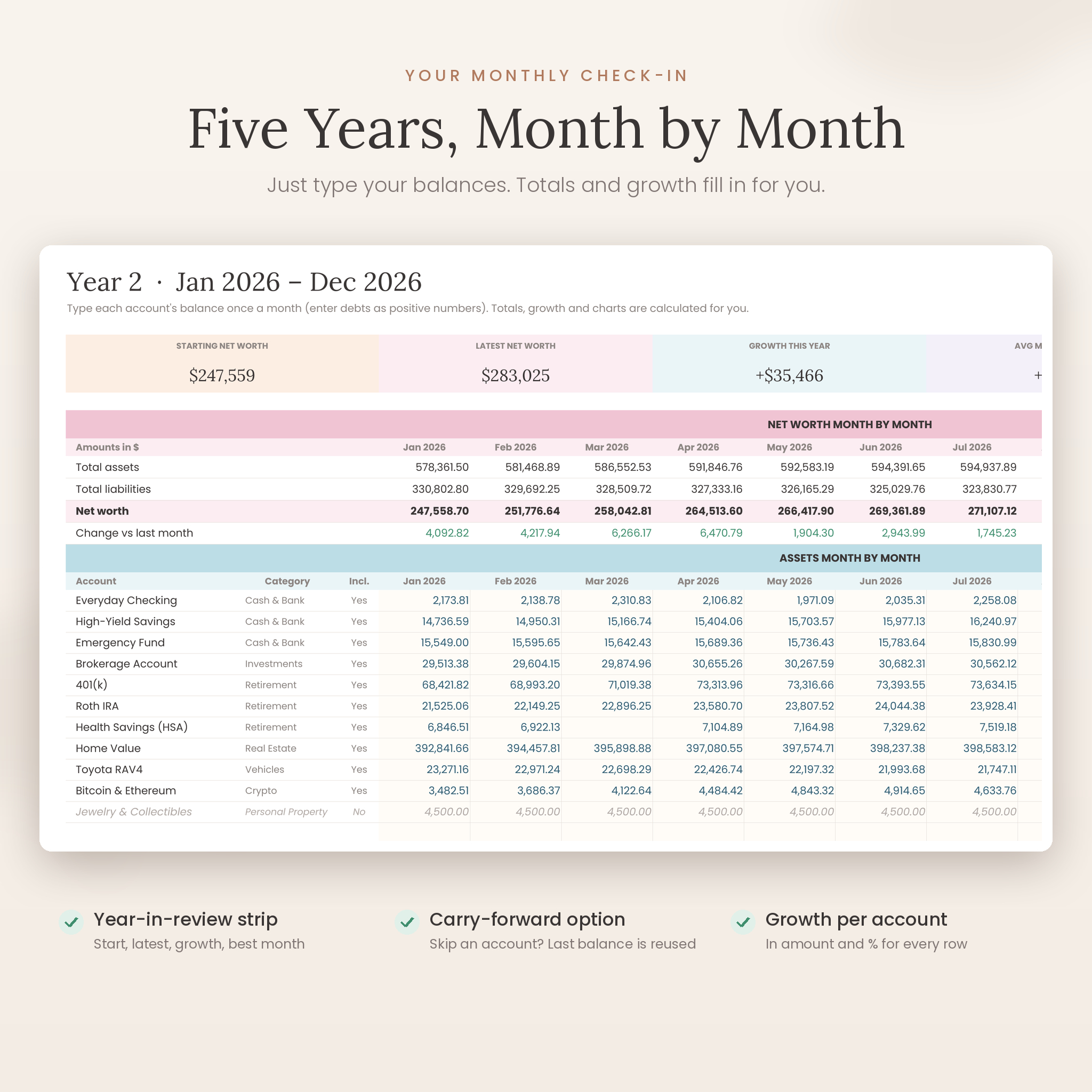
- Optional carry-forward: skip an account one month and its last balance is reused.
- Include or exclude any account without deleting it.
- Twelve editable asset categories and ten liability categories. Rename them without breaking totals; anything unmatched is flagged and counted as Uncategorized.
Smart and safe
- Year-in-review strip on every year tab: starting and latest net worth, growth, average monthly change, best month and months recorded.
- Growth in amount and percent for every account.
- Monthly History tab with all 60 months, liquid assets, debt-to-asset ratio and a five-year chart.
- Dropdowns and input limits that keep formulas safe.
- Formula cells locked in Excel with no password; cream cells show exactly where to type.
- Print-ready layouts, including a one-page dashboard.
What Is Included
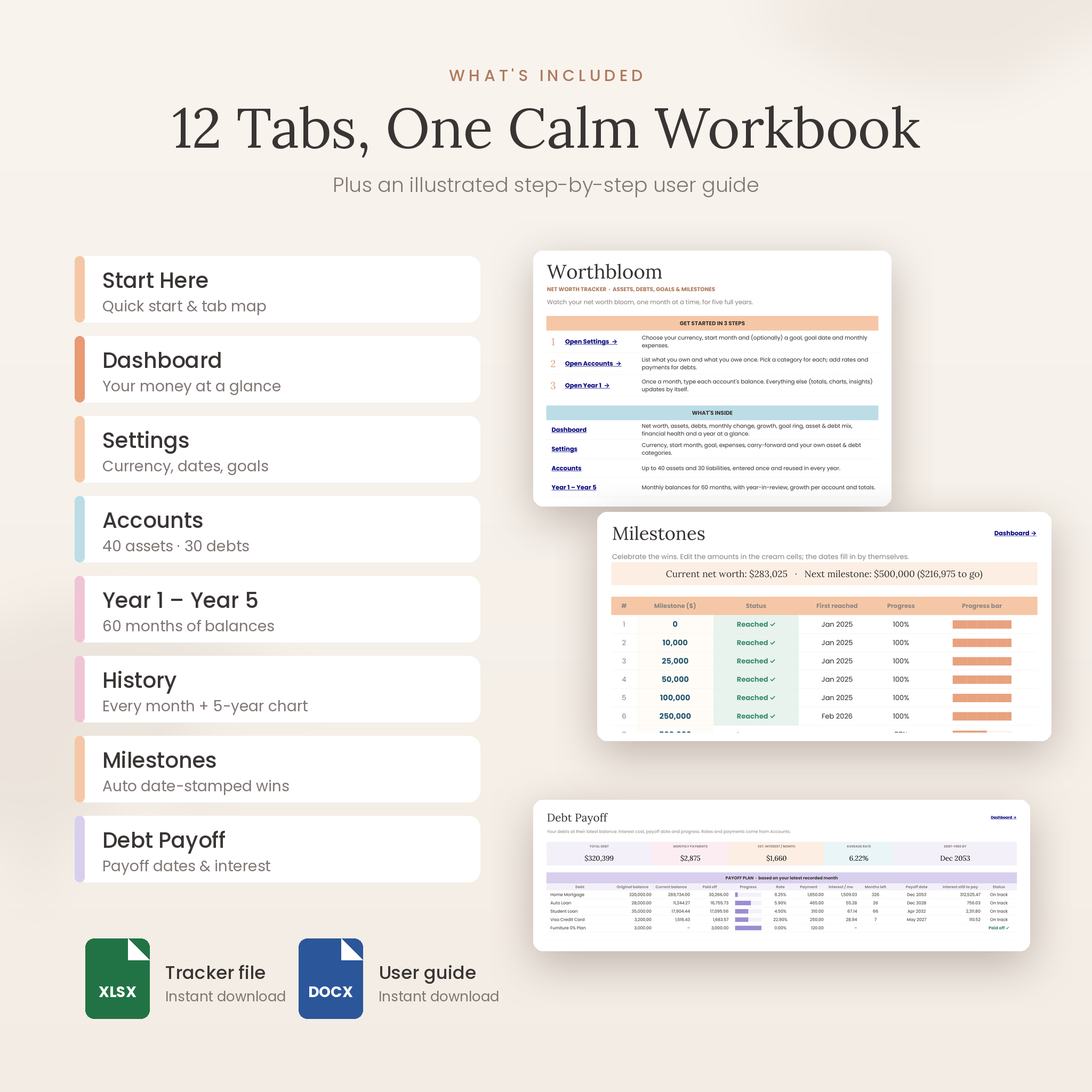
- Worthbloom-Net-Worth-Tracker.xlsx: the 12-tab tracker (Start Here, Dashboard, Settings, Accounts, Year 1 to Year 5, History, Milestones and Debt Payoff), ready for your numbers.
- Worthbloom User Guide (DOCX): an illustrated, step-by-step guide covering setup, every feature, customizing, tips, troubleshooting and FAQs.
How It Works
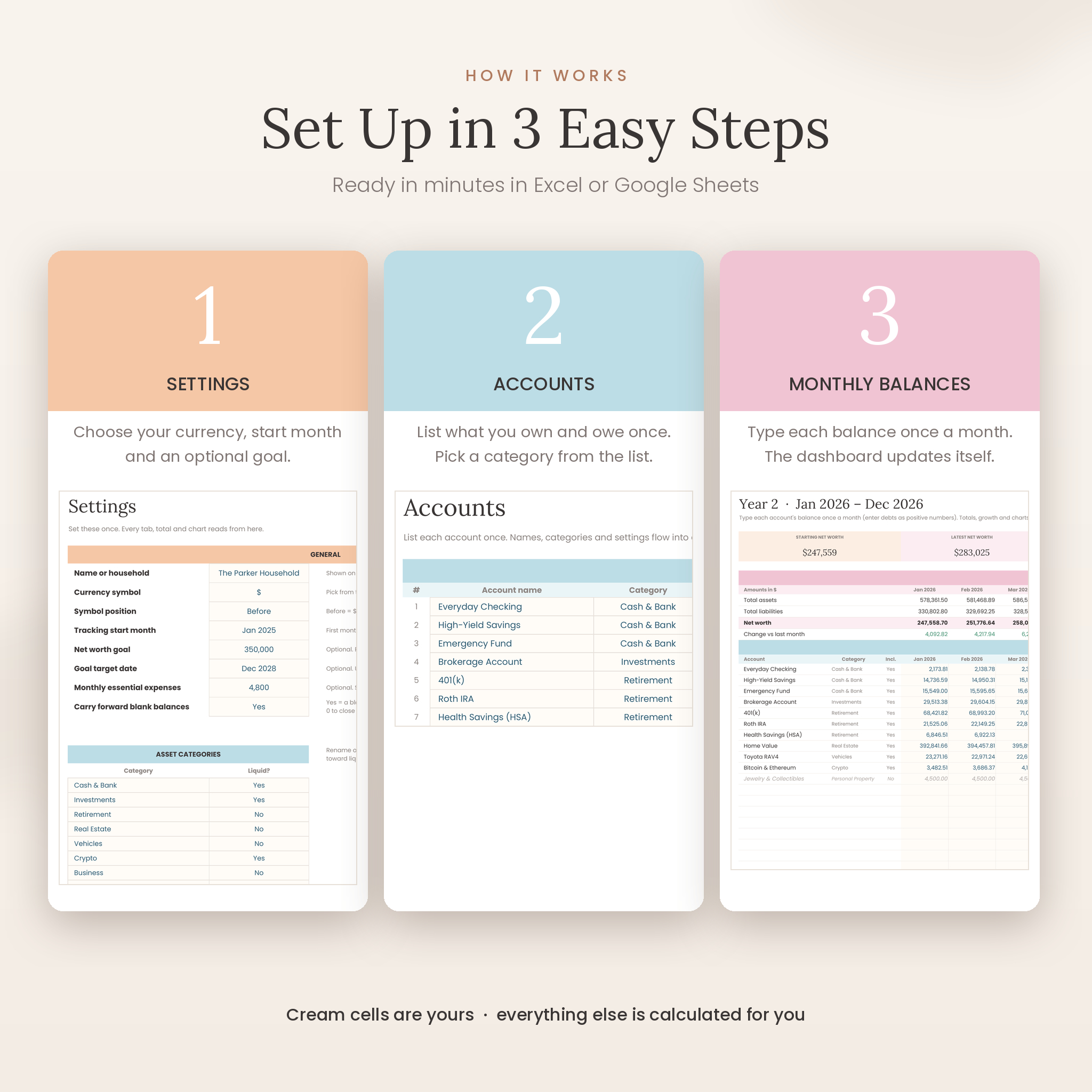
- Settings: choose your currency and start month. Add a goal, goal date and monthly expenses if you like.
- Accounts: list what you own and what you owe, and pick a category for each. Add rates and payments to your debts.
- Monthly check-in: type each balance once a month on the year tab. The dashboard, history, milestones and payoff plan update themselves.
File Formats and Software Requirements
- Format: .xlsx spreadsheet plus a .docx user guide.
- Microsoft Excel 2016 or newer, Excel for Mac and Microsoft 365.
- Google Sheets (free Google account): upload the file to Google Drive and choose File › Save as Google Sheets.
- Update balances on your phone or tablet with the Excel or Google Sheets app after setting up on a computer.
- Not compatible with Apple Numbers. No macros, add-ons or bank connections.
Customization
Change the currency once and every amount follows. Rename categories, choose which count as liquid, edit or add milestones and set your own goal. In Excel, unprotect a tab (no password) to change colors or layouts; in Google Sheets, format freely. The tracker uses the free Lora and Poppins fonts, which load automatically in Google Sheets.
Digital Download Information
This is an instant digital download. No physical item will be shipped. Your files are available right after payment. Colors may vary slightly between screens. Listing images show the real tracker with sample data; your file arrives blank and ready for your numbers.
Use Cases
- A monthly money date: update balances on the first weekend of each month and review the dashboard together.
- Debt-free journey: watch your debt mix shrink and your debt-free date move closer as you pay down cards and loans.
- Saving for a home: set a net worth goal and goal date and see the monthly growth you need.
- FIRE and investing: track retirement accounts, brokerage and crypto side by side with your mortgage and loans.
- Year-end review: use the year-in-review strip and History tab to see what changed.
Net Worth Tracker FAQ
Does it work with Google Sheets and Excel?
Yes. It opens in Excel 2016 or newer (Windows and Mac) and in Google Sheets after uploading to Google Drive.
Can I use my own currency?
Yes. Pick from the list or type any symbol on the Settings tab, before or after the amount. Dollars are the default.
Can I start in any month?
Yes. Set your start month and all five year tabs and charts follow it.
Does it connect to my bank?
No. You type balances yourself, so there are no logins or subscriptions and your data stays in your own file.
Is it good for beginners?
Yes. Cream cells show where to type, a Start Here tab walks you through three steps, and the user guide covers everything else.
Can I track debt payoff?
Yes. Add interest rates and monthly payments to see interest per month, months left, payoff dates and your debt-free date.
Can I share it with my partner?
Yes. Share your Google Sheets copy or keep the Excel file in a shared folder.
License
For personal use only. Please do not resell, share or distribute the files. Worthbloom is a planning tool and is not financial, tax or legal advice. Microsoft Excel and Google Sheets are trademarks of their owners; Taskdale is not affiliated with Microsoft or Google.


Reviews
There are no reviews yet.