Stop surprise charges with a subscription tracker spreadsheet that does the math for you
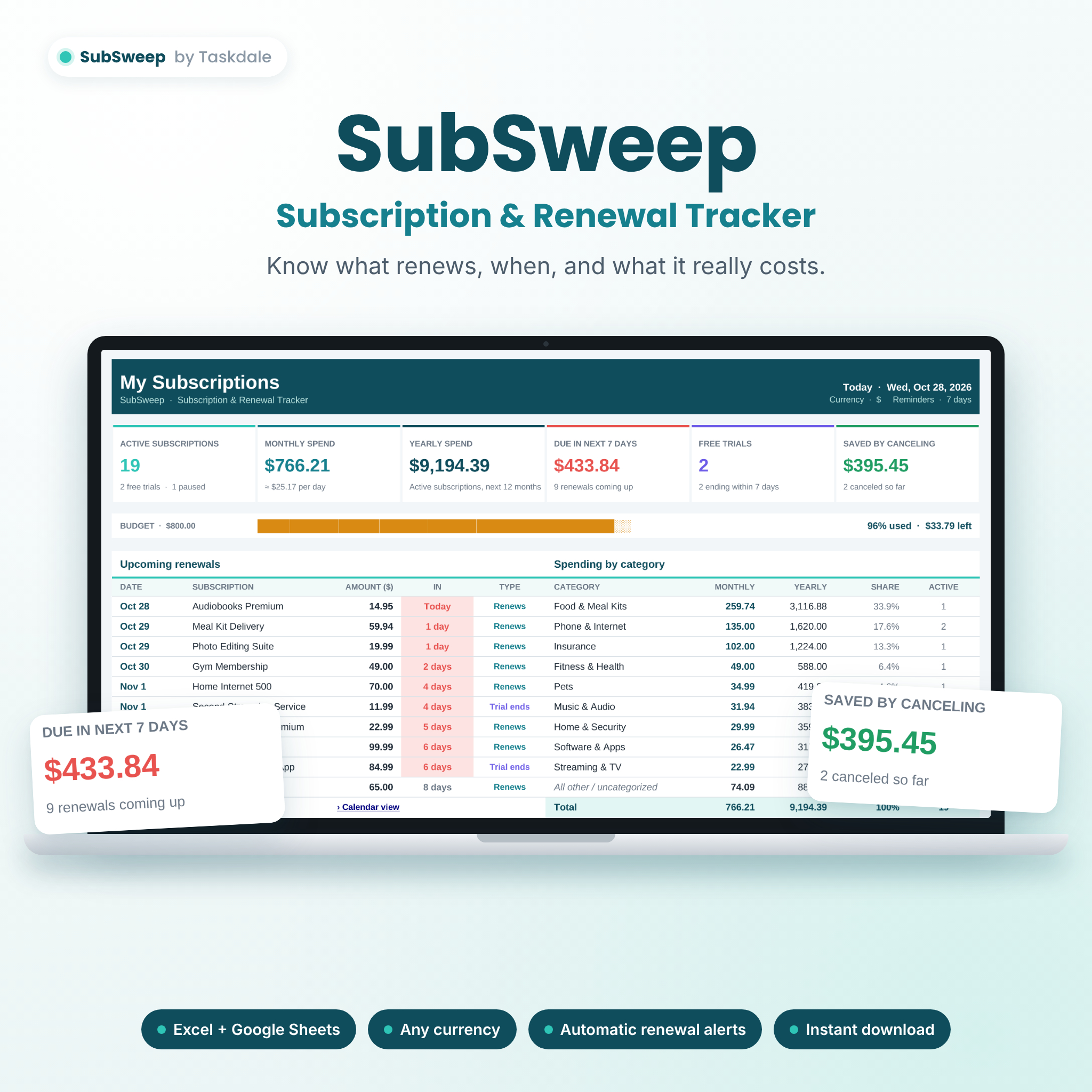
SubSweep is a subscription tracker spreadsheet that keeps every streaming service, app, membership and recurring bill in one place. Enter each subscription once and SubSweep works out when it renews next, how many days you have left, what it costs per month and per year, and which charges are coming up this week. No formulas to write, no apps to install and no bank login required.
Most people underestimate what they spend on subscriptions. Small monthly charges, annual renewals you forgot about and free trials that quietly turn into paid plans all add up. SubSweep puts the full picture on one live dashboard so you can decide what stays and what goes.
Who it’s for
- Households juggling streaming, music, cloud storage and memberships
- Families sharing plans and splitting recurring costs
- Freelancers and small business owners paying for software and tools
- Anyone who has been caught out by a free trial or an annual renewal
- Budgeters who want their recurring expenses separate from day-to-day spending
Key features
Automatic renewal tracking
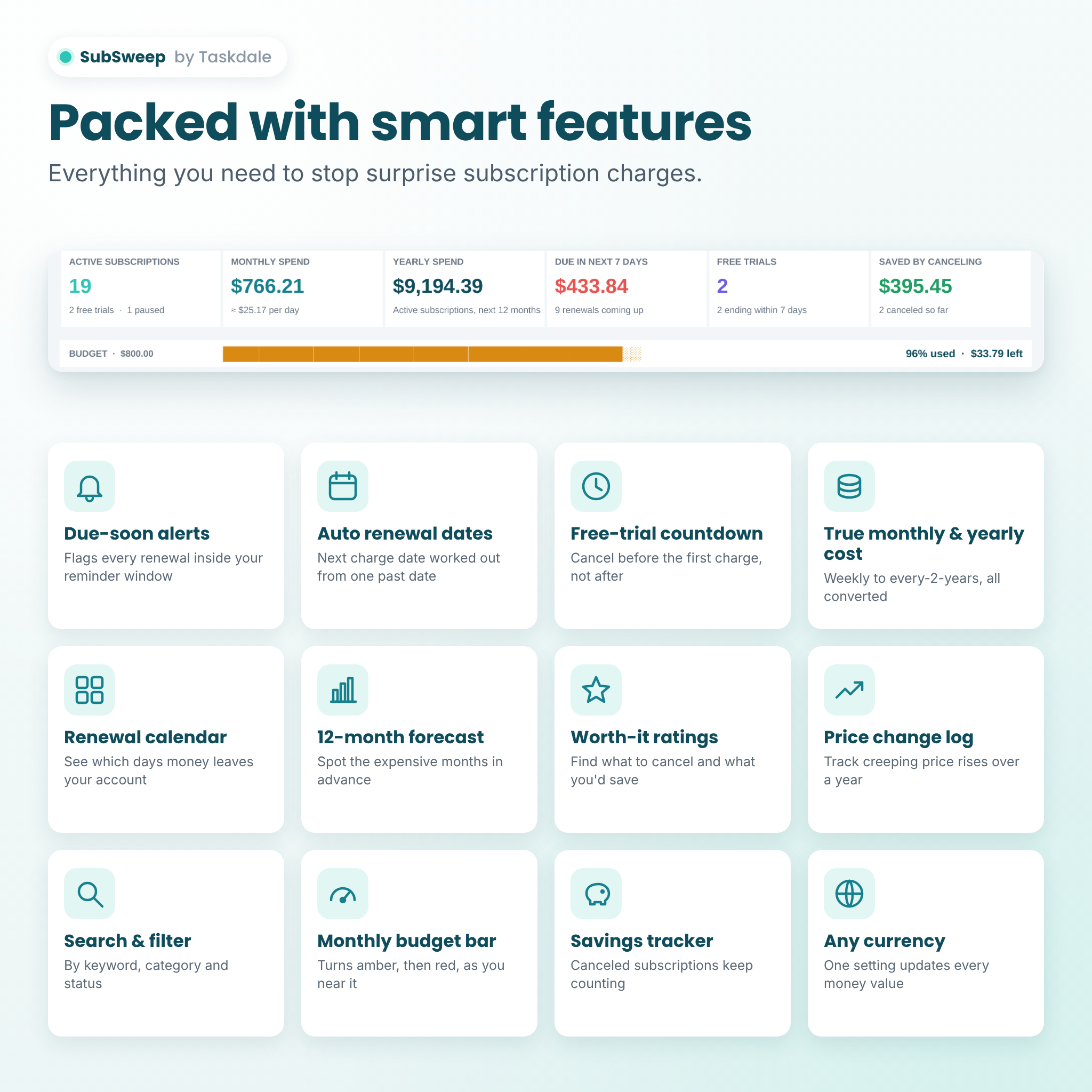
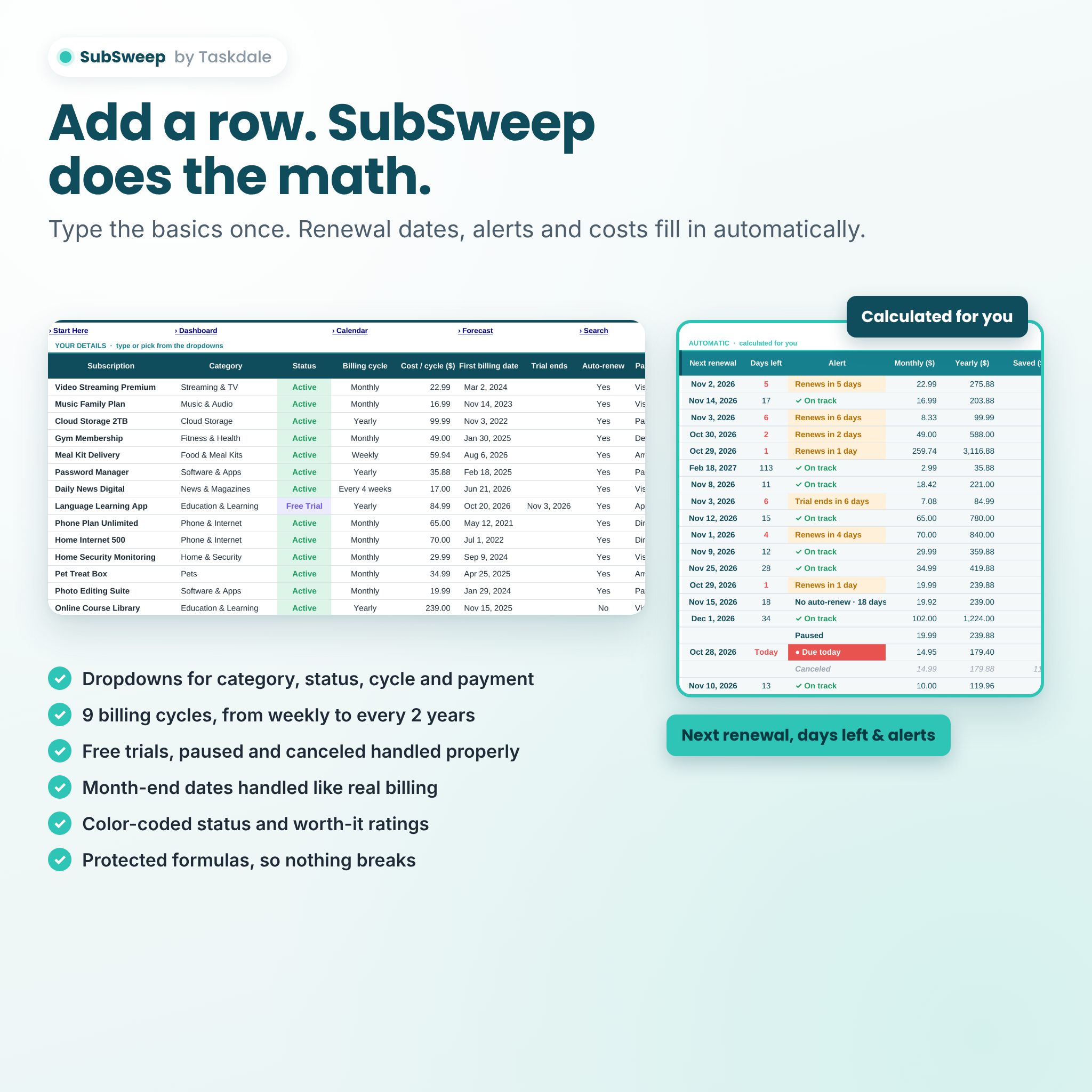
- Next renewal date calculated from one past billing date
- Days-left countdown and plain-English alerts such as “Renews in 3 days” or “Trial ends in 4 days”
- Nine billing cycles: weekly, every 2 weeks, every 4 weeks, monthly, every 2 months, quarterly, every 6 months, yearly and every 2 years
- Month-end dates handled the way real billing works (Jan 31 renews on Feb 28, then Mar 31)
- Statuses for Active, Free Trial, Paused and Canceled, plus an auto-renew Yes/No switch
Live subscription dashboard
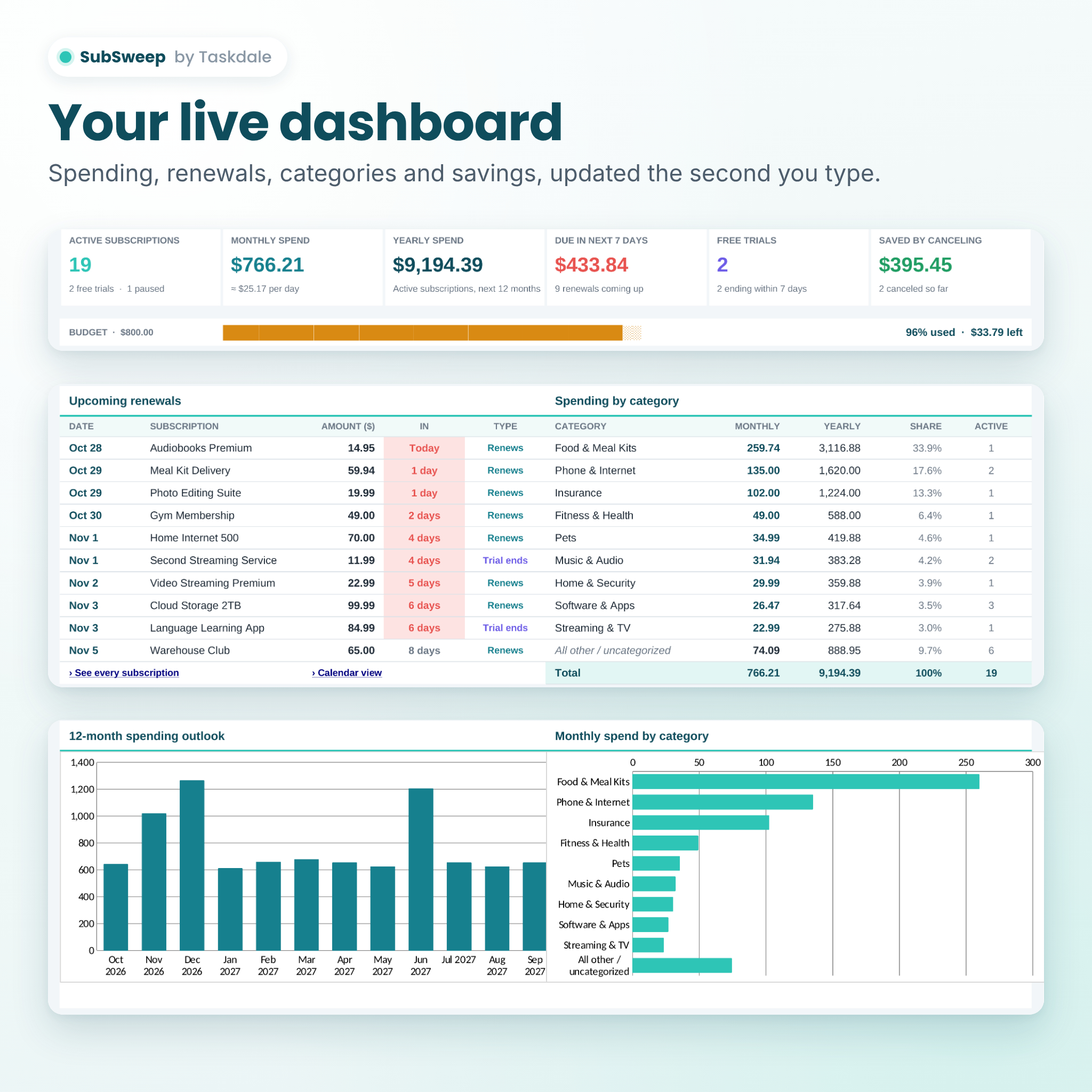
- Six summary cards: active subscriptions, monthly spend, yearly spend, due in the next few days, free trials and money saved by canceling
- Optional monthly budget bar that turns amber near your limit and red when you’re over
- Next 10 upcoming renewals in date order
- Spending by category with share of total, plus a matching chart
- 12-month spending outlook chart
- Top 5 most expensive subscriptions
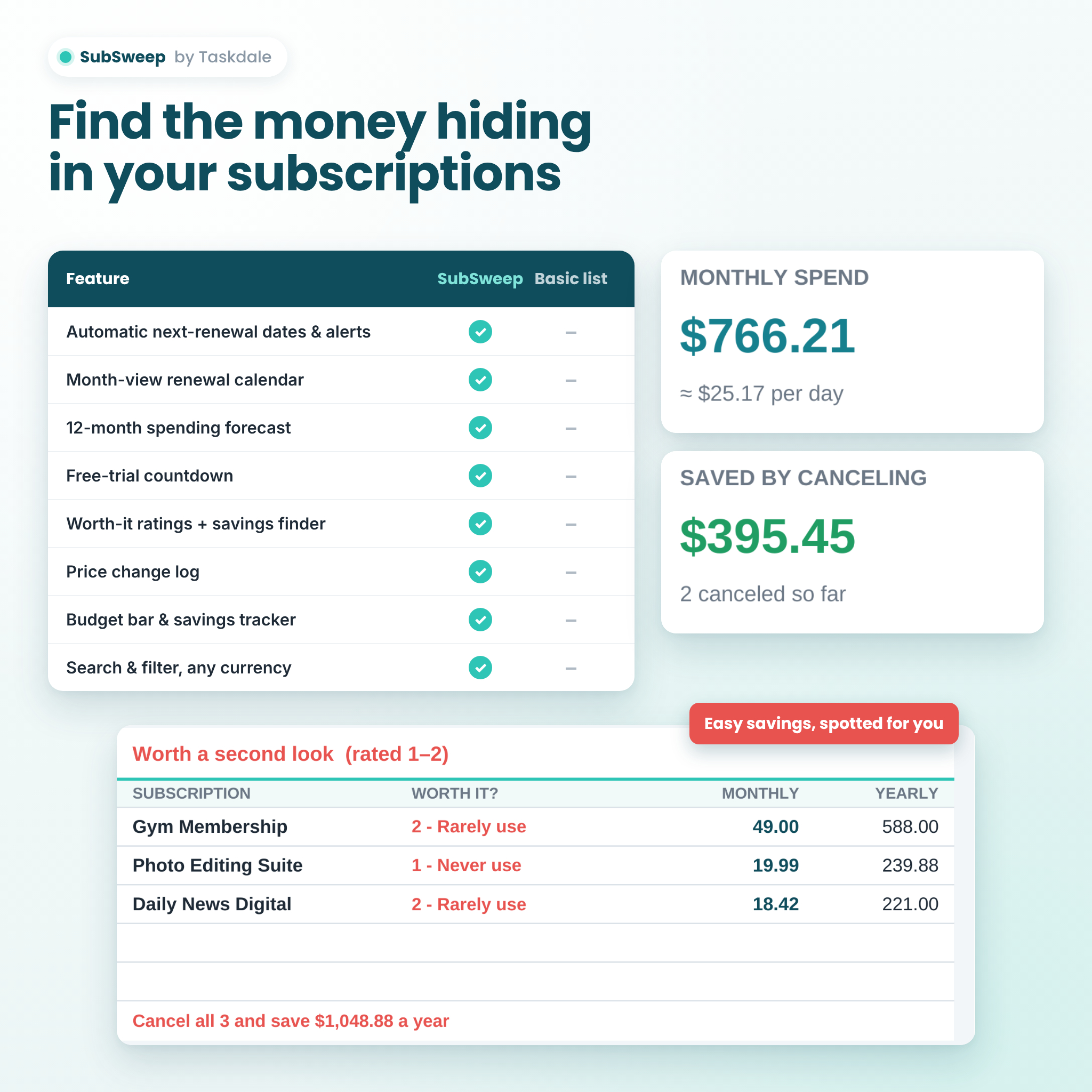
- “Worth a second look” list of low-rated subscriptions with the yearly saving if you cancel them
- Payment method breakdown and status overview
Renewal calendar and forecast
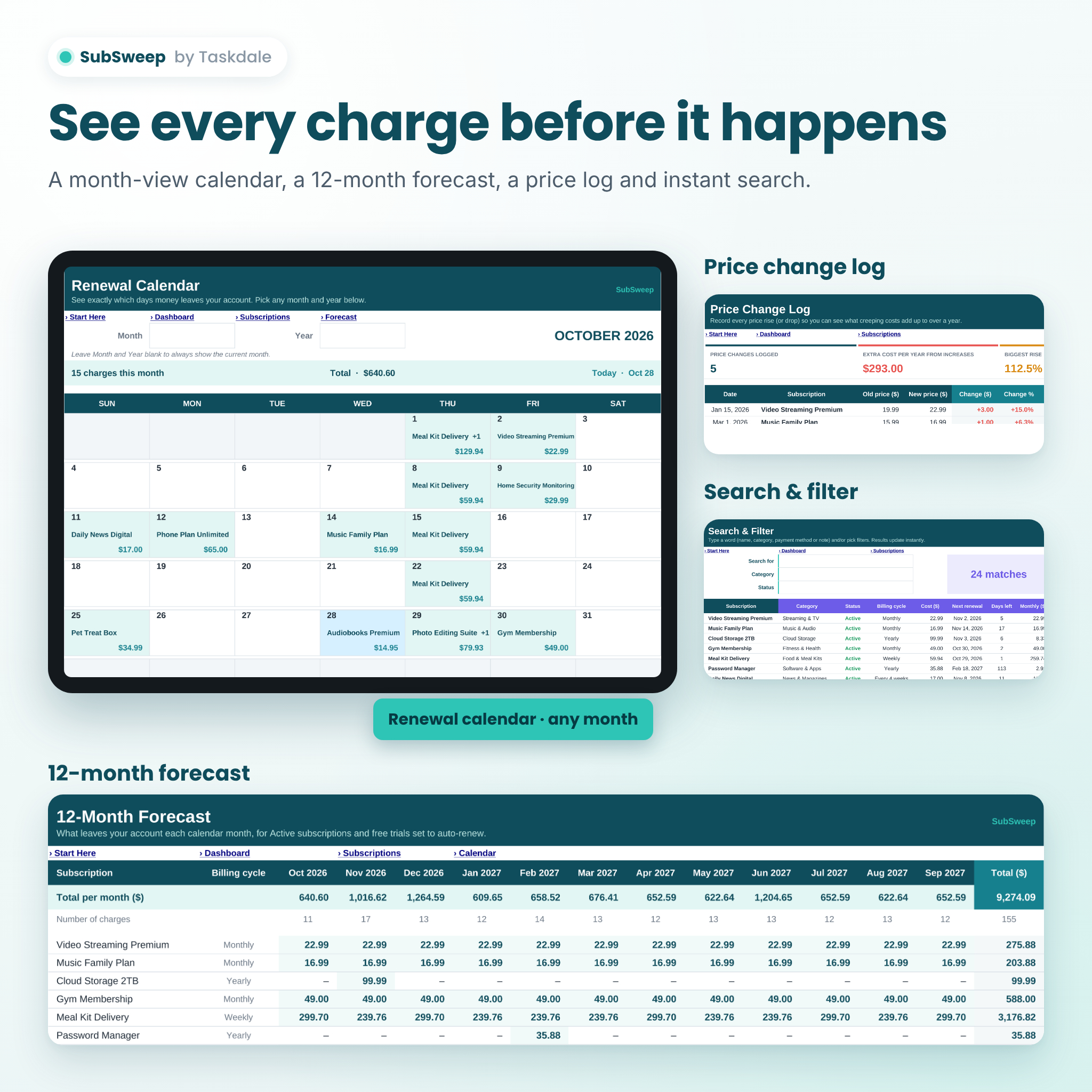
- Month-view renewal calendar showing which days you’re charged, by what and how much
- View any month and year, starting on Sunday or Monday
- 12-month forecast, subscription by subscription, so you can plan for expensive months
Savings and cost control tools
- Worth-it ratings from “Love it” to “Never use”
- Savings tracker that keeps counting the money you no longer spend after canceling
- Price change log that shows what price rises cost you over a year
- Search and filter by keyword, category and status
What’s included
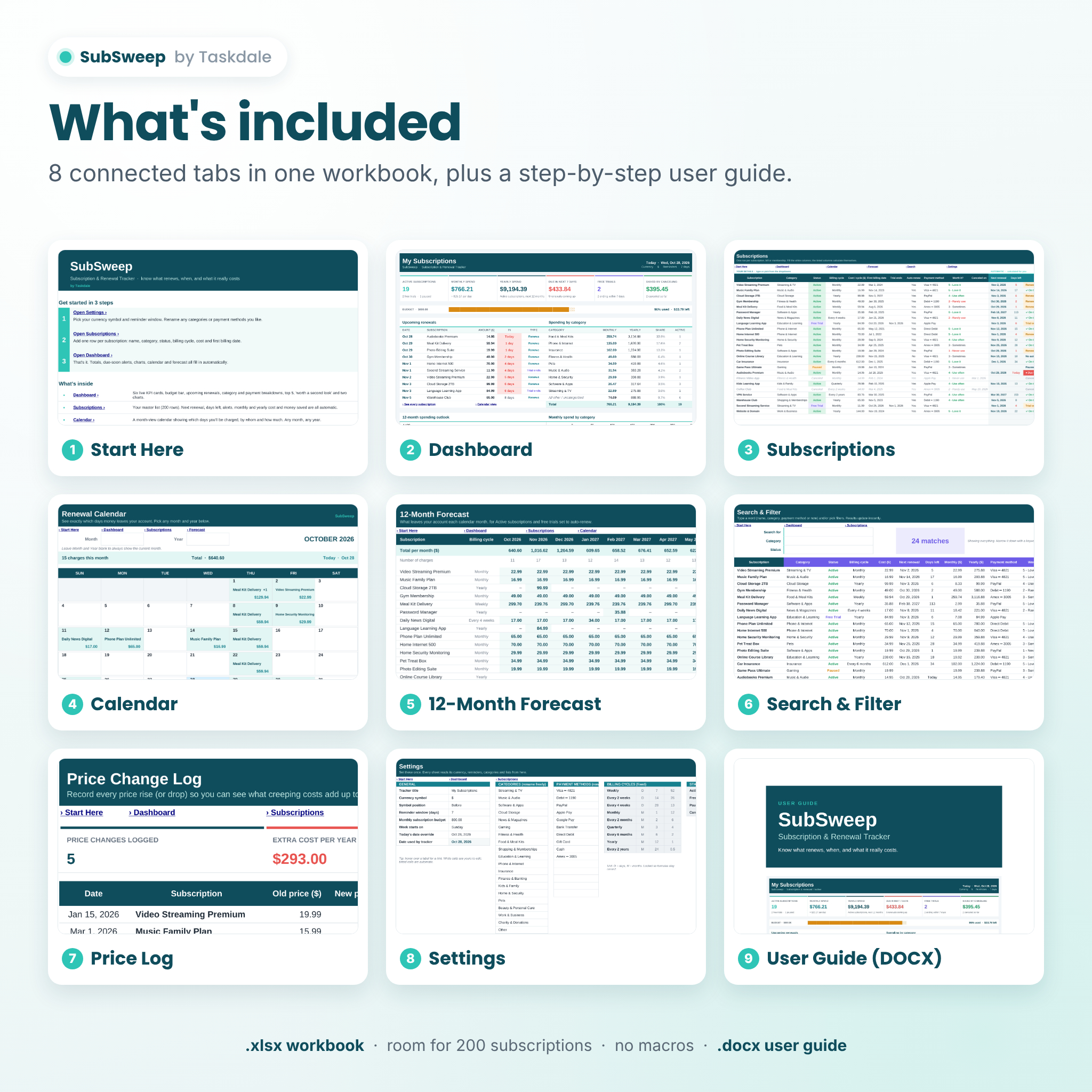
- SubSweep workbook (.xlsx) with 8 tabs: Start Here, Dashboard, Subscriptions, Calendar, Forecast, Search, Price Log and Settings
- Step-by-step user guide (.docx) with setup instructions, tips, troubleshooting and FAQs
How it works
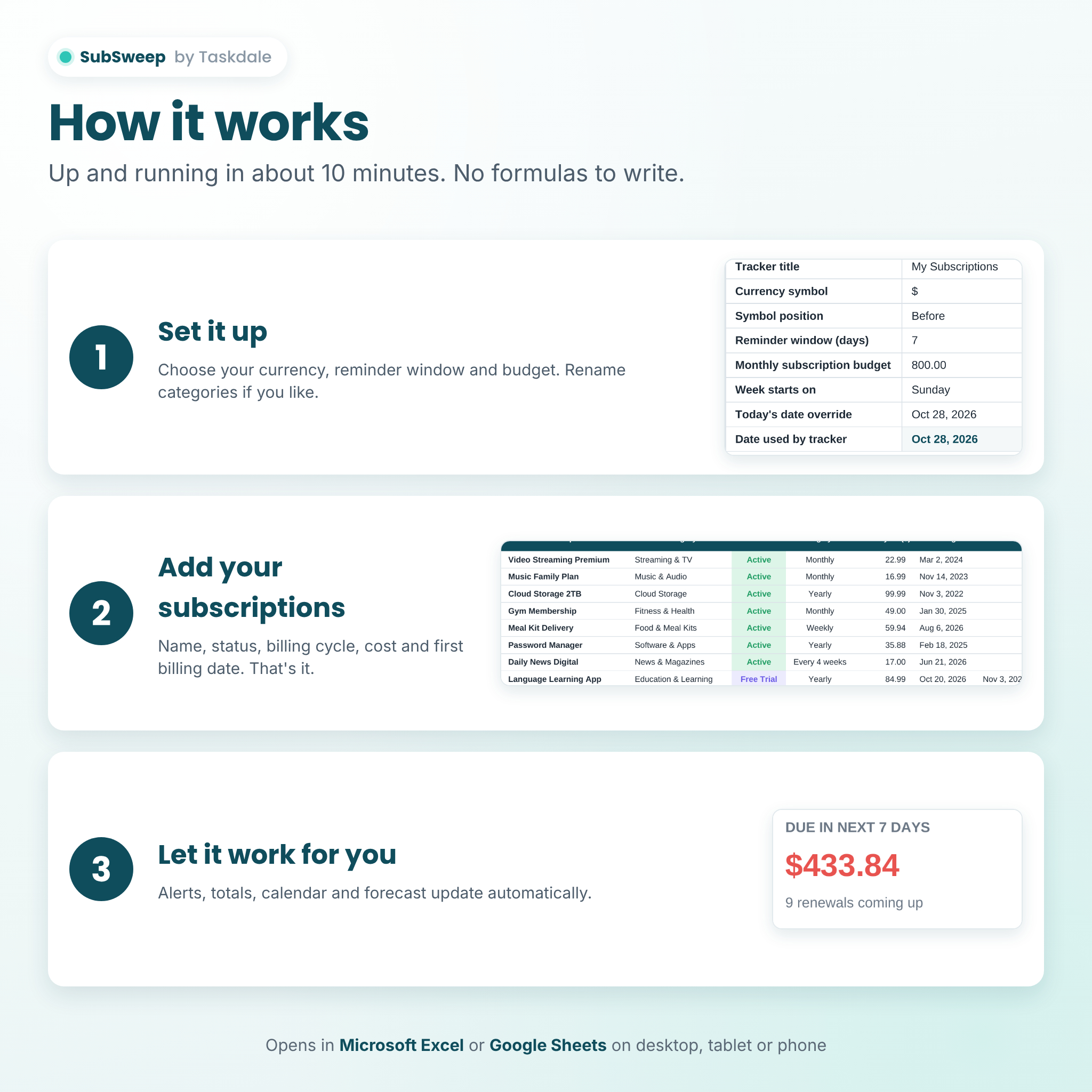
- Set it up. Open Settings, choose your currency symbol and reminder window, and add a monthly budget if you want one. Rename the 20 categories and 15 payment methods to suit you.
- Add your subscriptions. Enter the name, category, status, billing cycle, cost and first billing date. Dropdowns make it quick.
- Let it work. The dashboard, alerts, calendar and forecast update instantly. A 5-minute monthly check-in keeps everything current.
File format and software requirements
- Format: Microsoft Excel workbook (.xlsx) plus a Word user guide (.docx)
- Works with Microsoft Excel (desktop or Microsoft 365) and Google Sheets (free Google account; upload the file and save it as a Google Sheet)
- No macros, scripts or add-ons
- Use on a computer for setup; view and update on tablet or phone through the Excel or Google Sheets apps
Customization
Choose any currency symbol and whether it sits before or after the amount. Set your own dashboard title, reminder window, budget and week start. Rename every category and payment method. Formula cells are protected without a password so you can’t break them by accident, while all input cells stay open for you to edit.
Digital download
This is an instant digital download. No physical item will be shipped. After purchase, download the workbook and user guide from your order confirmation or account page.
Real-life ways to use SubSweep
- Run a one-time “subscription audit” from your bank statements and find the services you forgot about
- Set a 14-day reminder window so you never miss the cancellation deadline on an annual plan
- Add free trials the moment you sign up and cancel before the first charge
- Check the 12-month forecast before the holidays to see which months carry big renewals
- Track which card pays for what before a card expires or is replaced
- Log price increases and decide whether a service is still worth it
Frequently asked questions
Does this subscription tracker work in Google Sheets? Yes. Upload the .xlsx file to Google Drive and save it as a Google Sheet. The user guide walks you through it.
Can I use my own currency? Yes. Type any currency symbol in Settings and every money heading and summary updates. Enter all amounts in that one currency.
Will it send me reminder emails? No. Spreadsheets can’t send emails. Instead, renewals due soon are highlighted on the Subscriptions sheet, Dashboard and Calendar.
How many subscriptions can I track? Up to 200, which covers almost every household and small business.
Does it connect to my bank account? No. Nothing is linked or uploaded, so your information stays in your own file.
Do I need spreadsheet experience? No. You only type in the white cells or pick from dropdowns. Everything else is automatic.
Can I track free trials and annual subscriptions? Yes. Free trials get their own countdown to the trial end date, and annual and every-2-years plans are converted to monthly and yearly costs.
Is this financial advice? No. SubSweep is a record-keeping tool to help you organize your own subscriptions.
License
For personal use by the original buyer and their household. Please don’t share, resell or redistribute the files.
Reviews
There are no reviews yet.