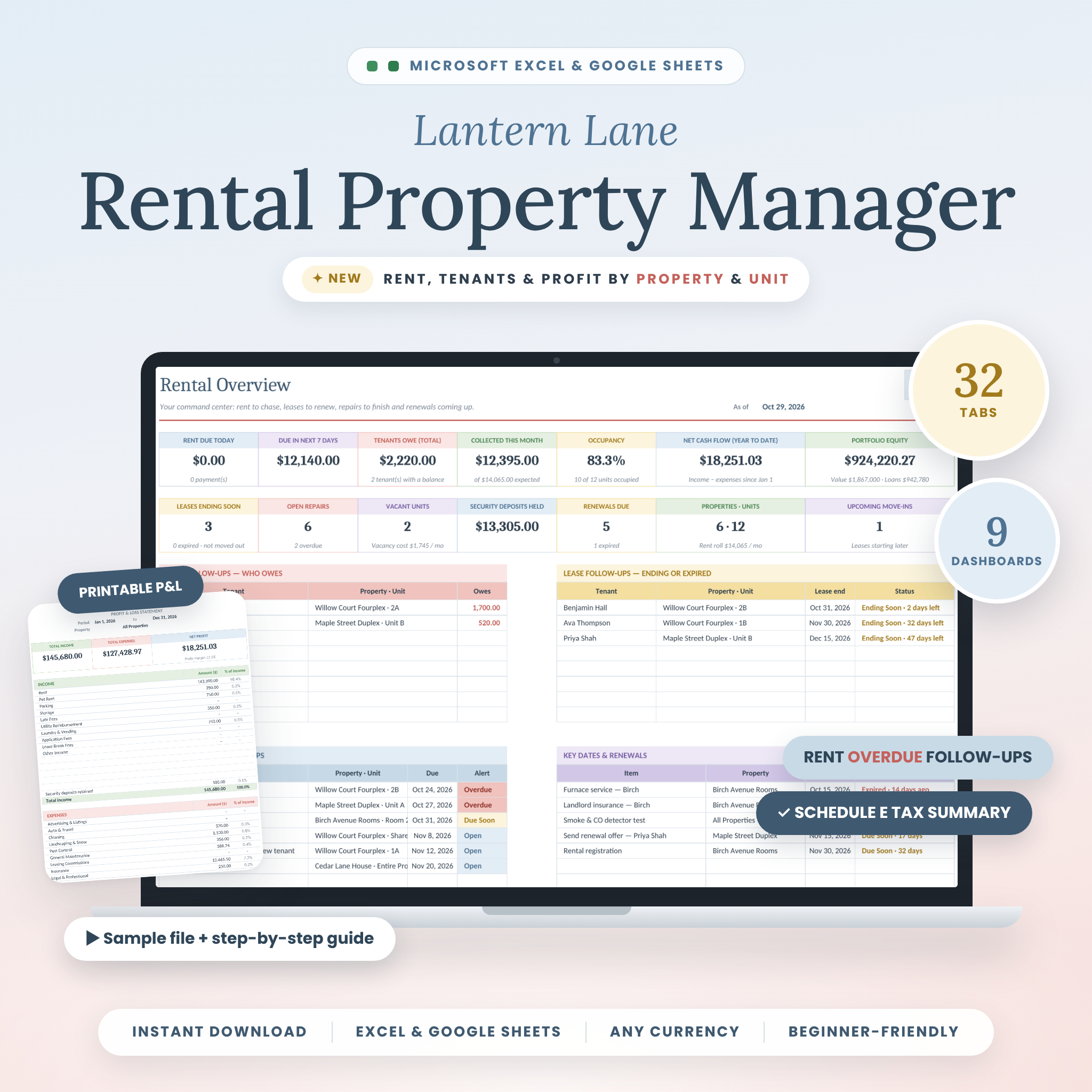





The Lantern Lane Rental Property Manager is a complete rental property spreadsheet for Microsoft Excel and Google Sheets that keeps every property, unit, tenant, lease, rent payment, expense and repair in one organized workbook. Log each payment or bill once, and 32 connected tabs turn it into rent follow-ups, nine automated dashboards and printable reports. You can see who owes rent, which leases are ending and what each property and unit really earns.
A landlord spreadsheet that tracks rent, tenants and profit for you
Most landlord spreadsheets stop at an income and expense log. Lantern Lane goes further. It knows when each tenant’s rent is due and checks it against what you have logged, then tells you who has paid, who is partial and who is overdue. It suggests late fees using your own grace period and fee rules. Shared bills such as water, trash or a roof repair can be split automatically across a property’s units, so each apartment, room or suite shows its true profit.
It works for one rental or a growing portfolio: up to 50 properties, 250 units and 300 lease terms, whether you rent whole homes, duplexes, condos, apartments, rooms or suites.
Who it’s for
- First-time landlords who want a simple, guided system
- Owners of single-family homes, multi-unit buildings, condos or rent-by-the-room houses
- Investors growing from one property to many
- Property managers who need tenant, lease and money details in one place
- Anyone who wants an easier tax season, with a printable P&L, a Schedule E summary, mileage and 1099 reminders
Key features
Tenants, leases and rent collection
- Tenants & Leases: lease status is set for you (Active, Ending Soon, Month-to-Month, Upcoming, Renewed, Expired or Moved Out), along with days left and each tenant’s balance
- Rent Collection: pick any month to see the amount due, amount received, balance and payment status, plus days late and a suggested late fee
- Tenant Ledger: a month-by-month statement for any tenant across all their lease renewals, ready to print
- Security Deposit Log: deposits received, returned and kept, with amounts kept counted as income automatically
- Monthly add-ons (pet rent, parking), prorated first months and month-to-month leases
Income, expenses and accounts
- Pick a tenant from a dropdown and the property, unit and rent period fill in by themselves
- Auto-split shared expenses across a property’s active units, with no manual math and no double counting
- Portfolio-wide costs (software, LLC fees) are kept separate from individual properties
- Accounts Dashboard: live balances for bank accounts and cash, plus amount owed, available credit and utilization for each credit card
- A Transfers log for card payments and savings top-ups
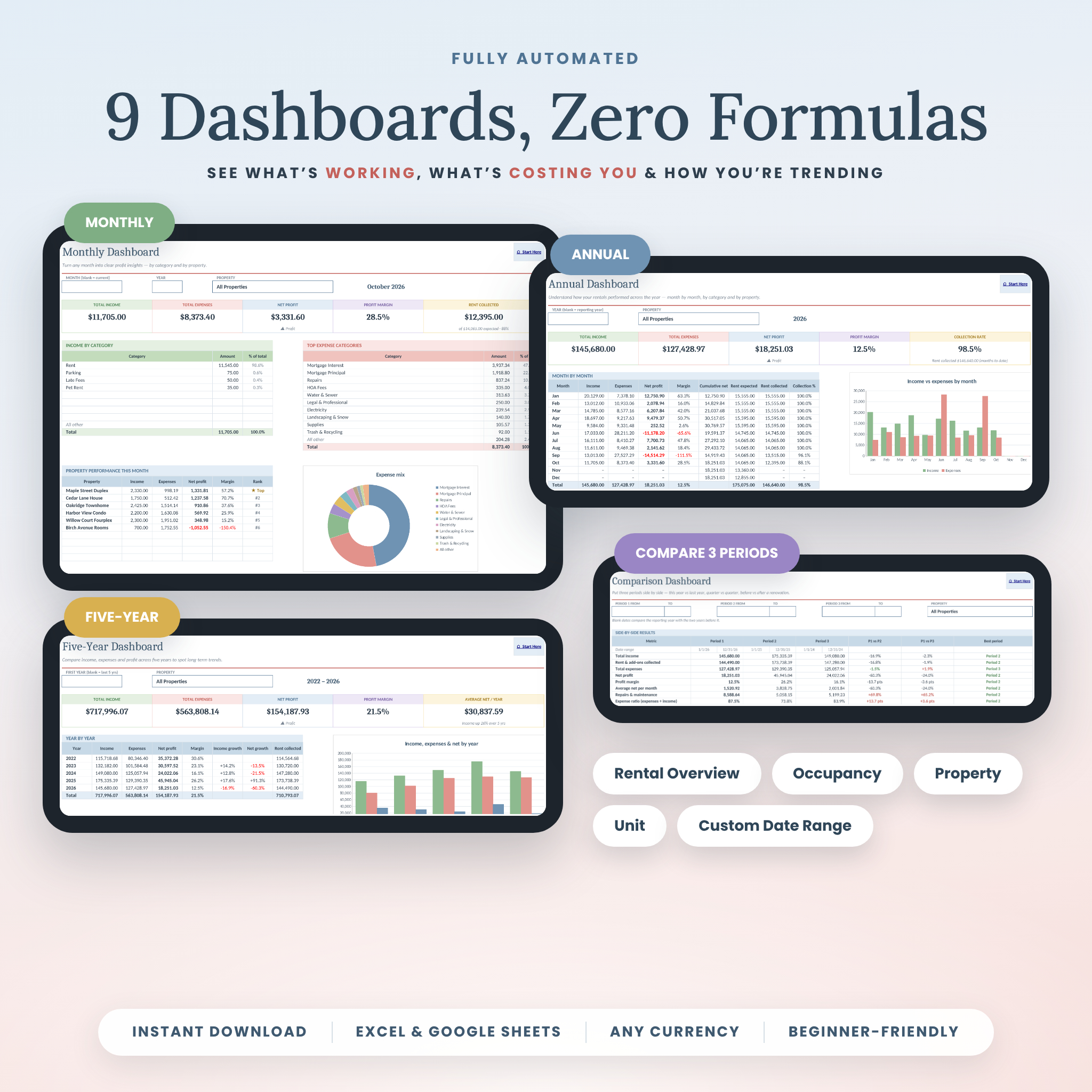
9 automated dashboards
- Rental Overview: rent due today and this week, tenants who owe, leases ending, open repairs and upcoming renewals
- Occupancy Insights: occupied and vacant units, days vacant and the monthly cost of vacancy
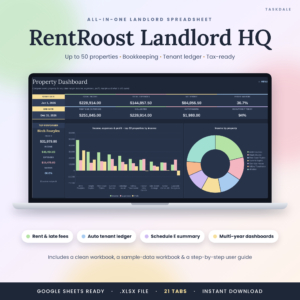
- Property Dashboard and Unit Dashboard: rank properties by profit and see each unit’s true profit
- Monthly, Annual, Five-Year, Comparison (three periods side by side) and Custom Date Range dashboards with charts
Reports, tax prep and planning tools
- Printable Profit & Loss Statement for any period or property
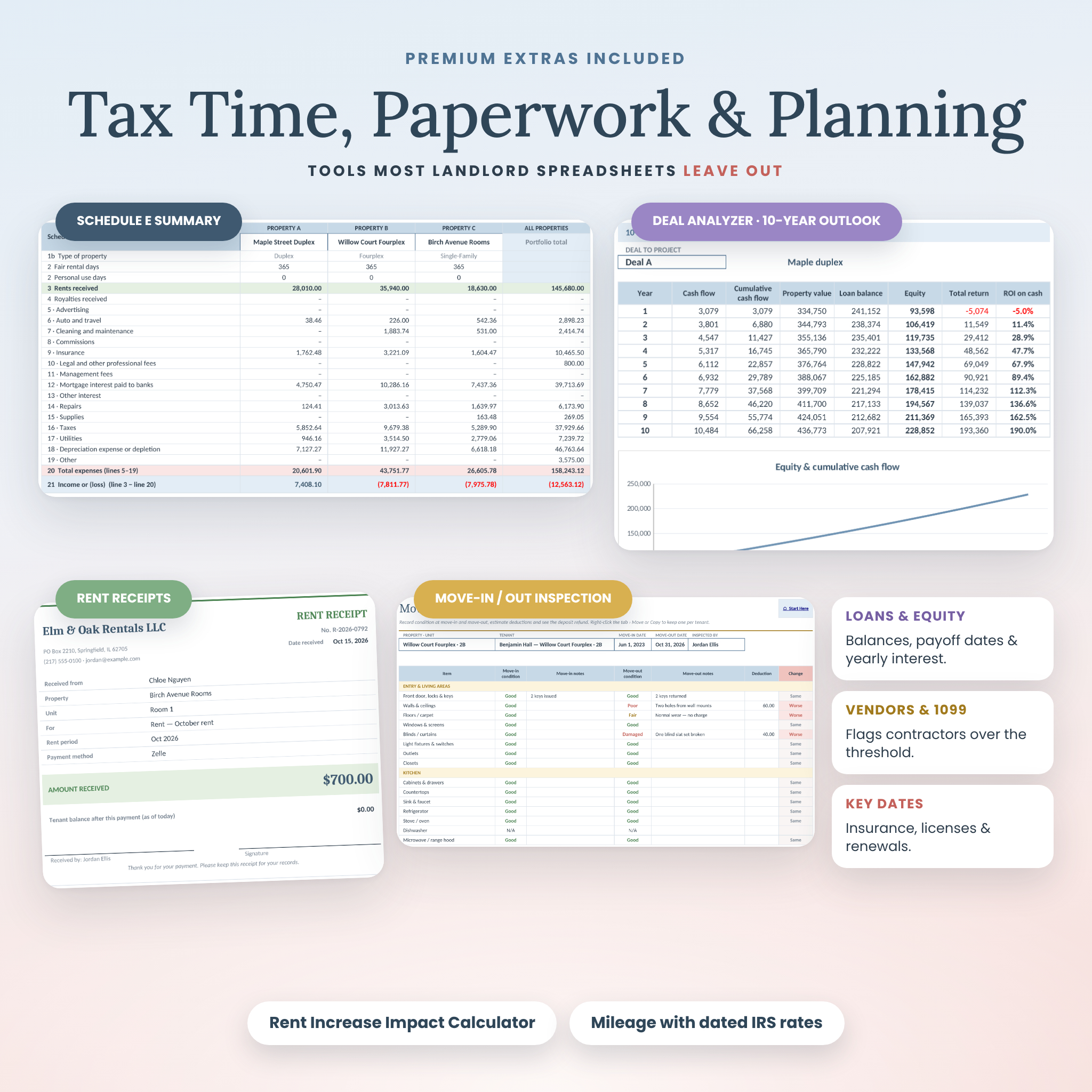
- Schedule E Summary: totals arranged by IRS Schedule E line for three properties at a time, with estimated depreciation and mileage
- Loans & Equity: mortgage balance, payoff date, yearly interest and loan-to-value
- Rent Increase Impact Calculator with a market comparison, an optional legal-cap warning and turnover risk
- Investment Property Calculator: compare up to three deals by cap rate, cash-on-cash return, DSCR and a 10-year outlook
- Rent Receipts and a Move-In / Move-Out Inspection checklist with the deposit refund worked out for you
- Maintenance & Repair Log, Key Dates & Renewals, Vendors & 1099 alerts and a Mileage Tracker that uses dated IRS rates
What’s included
- Lantern Lane Rental Property Manager (.xlsx): your clean workbook with 32 tabs
- A filled SAMPLE workbook with a fictional six-property portfolio, so you can see every feature working
- A step-by-step DOCX User Guide with screenshots, tips, troubleshooting and FAQs
How it works
- Download your files instantly after purchase.
- Open the workbook in Excel, or upload it to Google Drive and open it with Google Sheets.
- Follow the Start Here tab. It ticks off each setup step and runs a Data Health Check.
- Add your properties, units and leases, then log rent and expenses as they happen. Every dashboard and report updates on its own.
File formats and software requirements
- Microsoft Excel 2016 or newer, Microsoft 365 or Excel for the web (Windows and Mac)
- Google Sheets (a free Google account)
- No macros, add-ins or subscriptions
Easy to customize
Choose your currency once and every money label updates, so the workbook works in dollars, euros, pounds or any other currency. You can rename income and expense categories, map each expense to a Schedule E line, and set your own grace period, late fee and reminder windows. Formulas are locked without a password, so they’re protected from accidental edits but never hidden from you.
Real ways landlords use it
- On the 3rd of the month, open Rent Collection to see who still owes and the suggested late fee
- Print a tenant statement or rent receipt when a tenant asks for proof of payment
- Check the Unit Dashboard before a lease renewal to see whether a room actually turns a profit
- Run a rent increase scenario before sending a notice
- Hand your tax professional a P&L and a Schedule E summary in January
- Compare three potential purchases before making an offer
Instant digital download
This is a digital product. Nothing physical will be shipped. Your files are available to download right after payment.
Frequently asked questions
Does this rental property spreadsheet work in Google Sheets?
Yes. Upload the .xlsx to Google Drive, open it with Google Sheets and save it as a Google Sheet. Dropdowns, formulas and charts all work.
How many properties and units can I track?
Up to 50 properties, 250 units and 300 lease terms, with room for 2,500 income and 2,500 expense entries.
Can I rent by the room?
Yes. Add each room as a unit, and log shared utilities once so they’re split across the rooms.
Can I use my own currency?
Yes. Pick your currency symbol once on the Setup tab. Dollars are the default.
Is it beginner-friendly?
Yes. Dropdowns, locked formulas, a guided Start Here page, a filled sample file and a User Guide walk you through everything.
Will it do my taxes?
No. It organizes your numbers by Schedule E line and estimates depreciation and mileage, but it isn’t tax advice. Review your figures with a tax professional.
Does it need a subscription?
No. It’s a one-time purchase with no recurring fees.
License
Personal, single-user license for your own rentals or business. Please don’t share, resell or redistribute the template. © Taskdale. This template is for organization only and is not financial, legal or tax advice.
Reviews
There are no reviews yet.