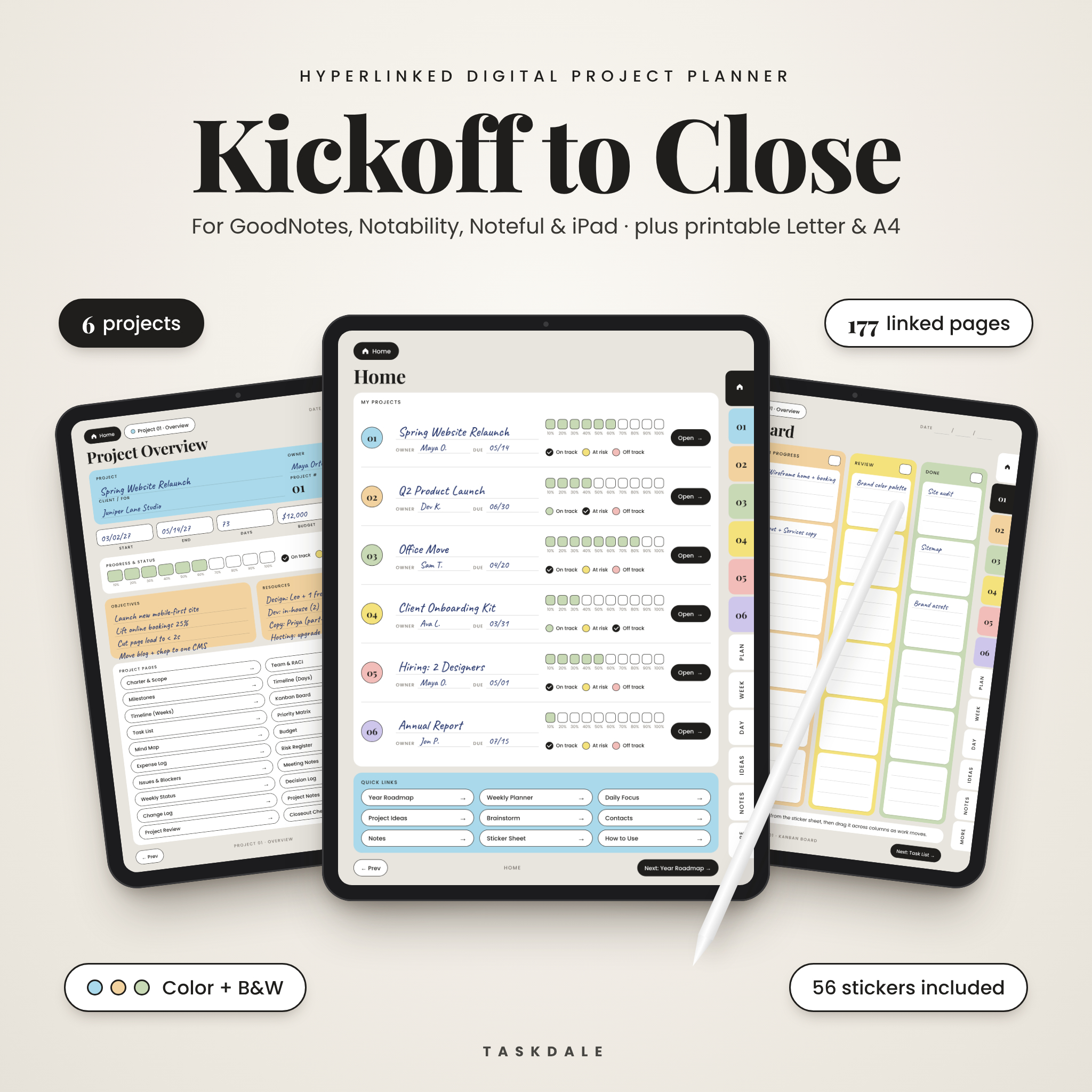
Most projects don’t fall apart at the start. They fall apart somewhere in the middle, when the tasks pile up, the budget drifts and nobody remembers what was agreed in last week’s meeting. The Kickoff to Close digital project planner keeps all of it in one place, on your iPad or tablet, from the first idea to the final sign-off.
It’s a hyperlinked PDF built for GoodNotes, Notability and Noteful. One file holds six projects. Each project gets 27 pages that link to each other, so you tap once and you’re where you need to be.
What this digital project planner does
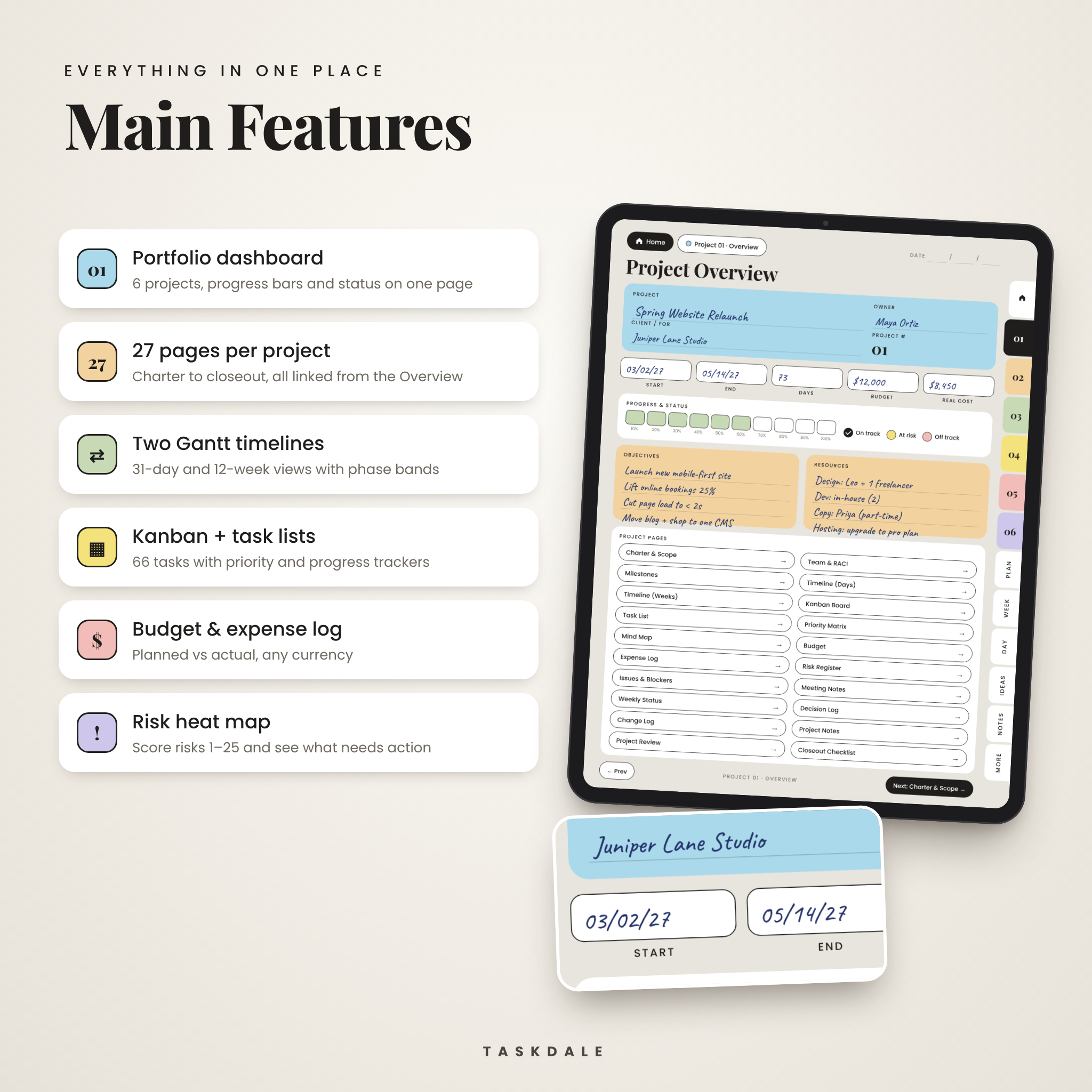
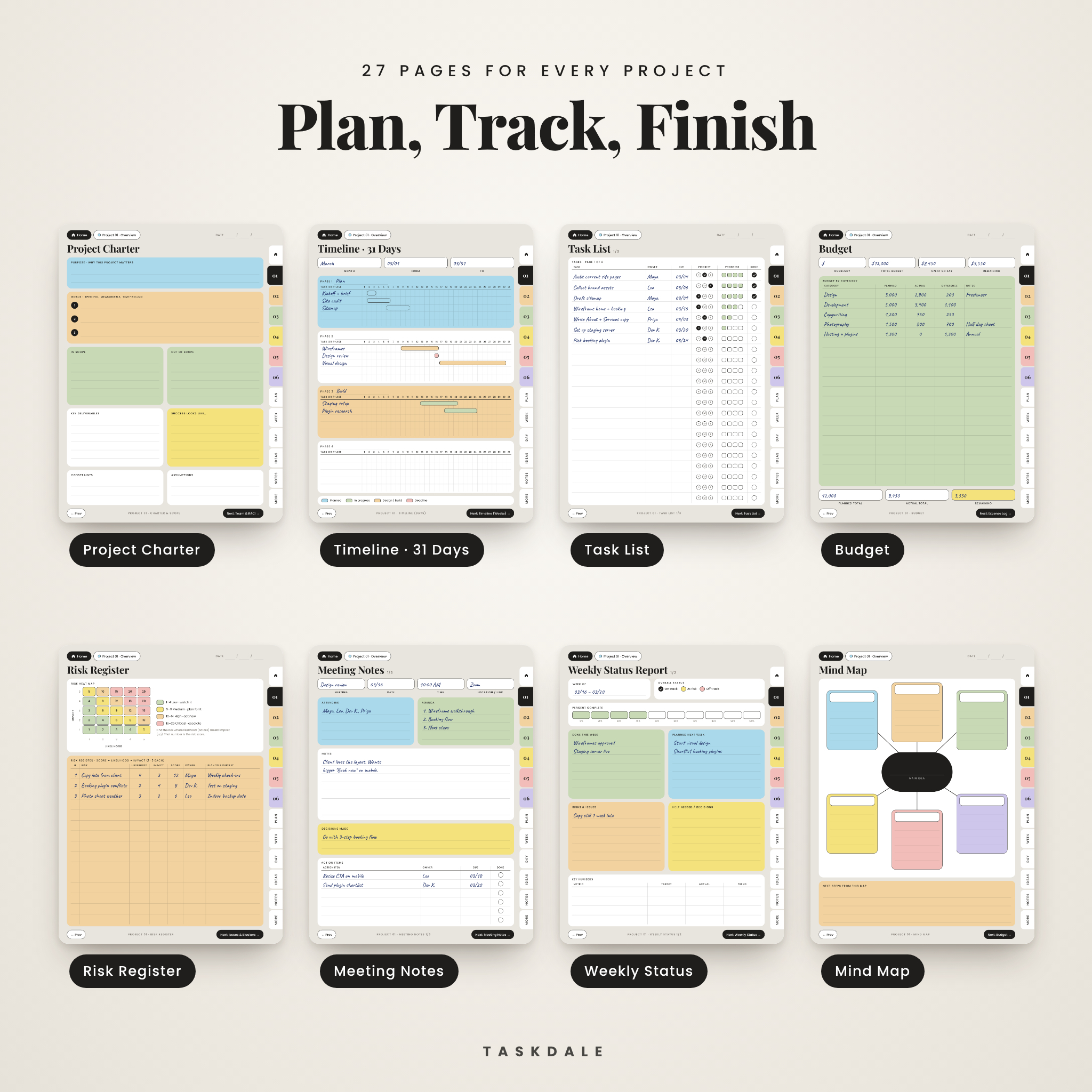
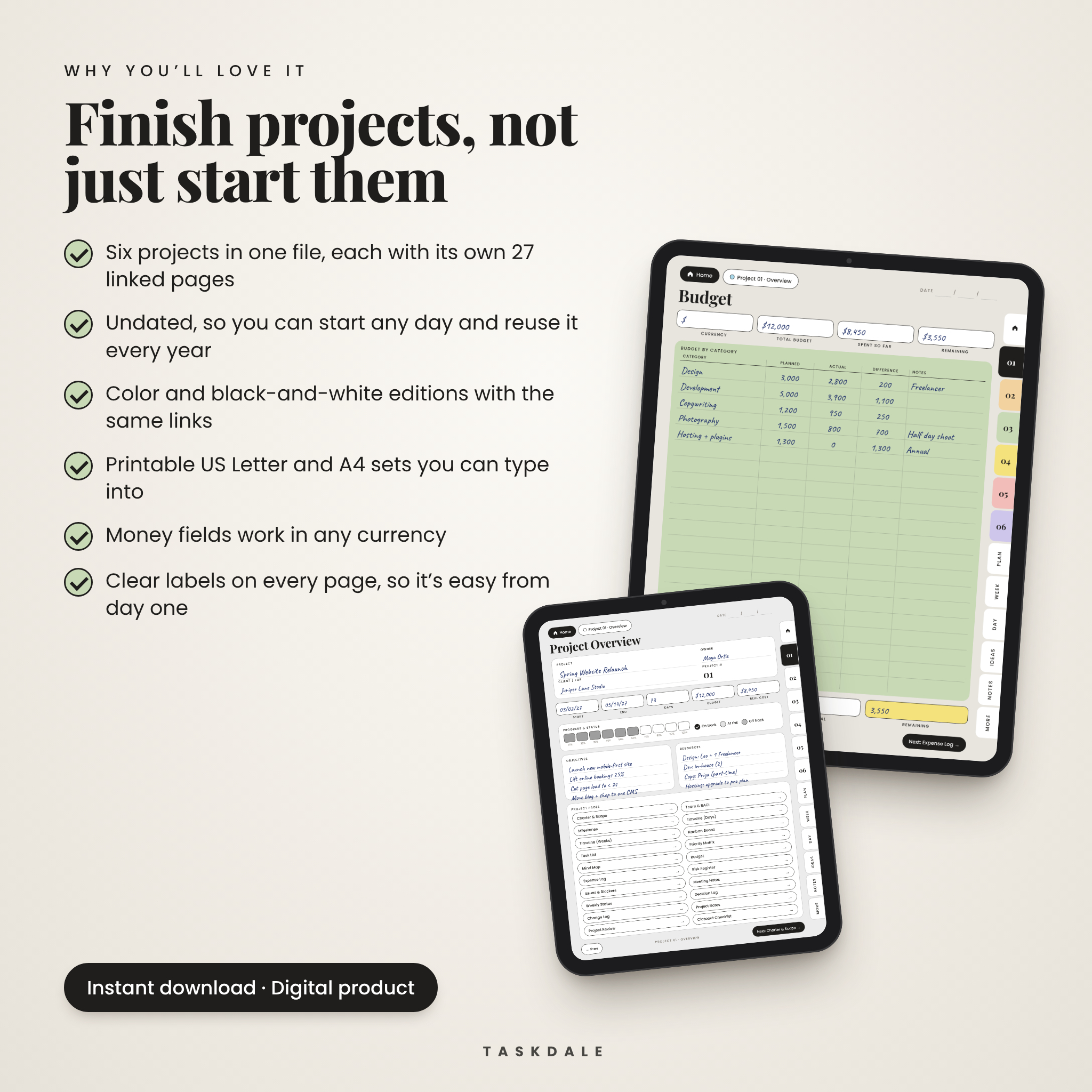
Every project starts on an Overview page. You write the name, owner, client, dates and budget, shade a progress bar and tick a status. From there, one tap opens any of the 26 pages behind it: the charter, team chart, milestones, two Gantt timelines, a kanban board, task lists, budget, risks, meetings, status reports, decisions and changes. When the work is done, a review page and closeout checklist help you wrap it up properly.
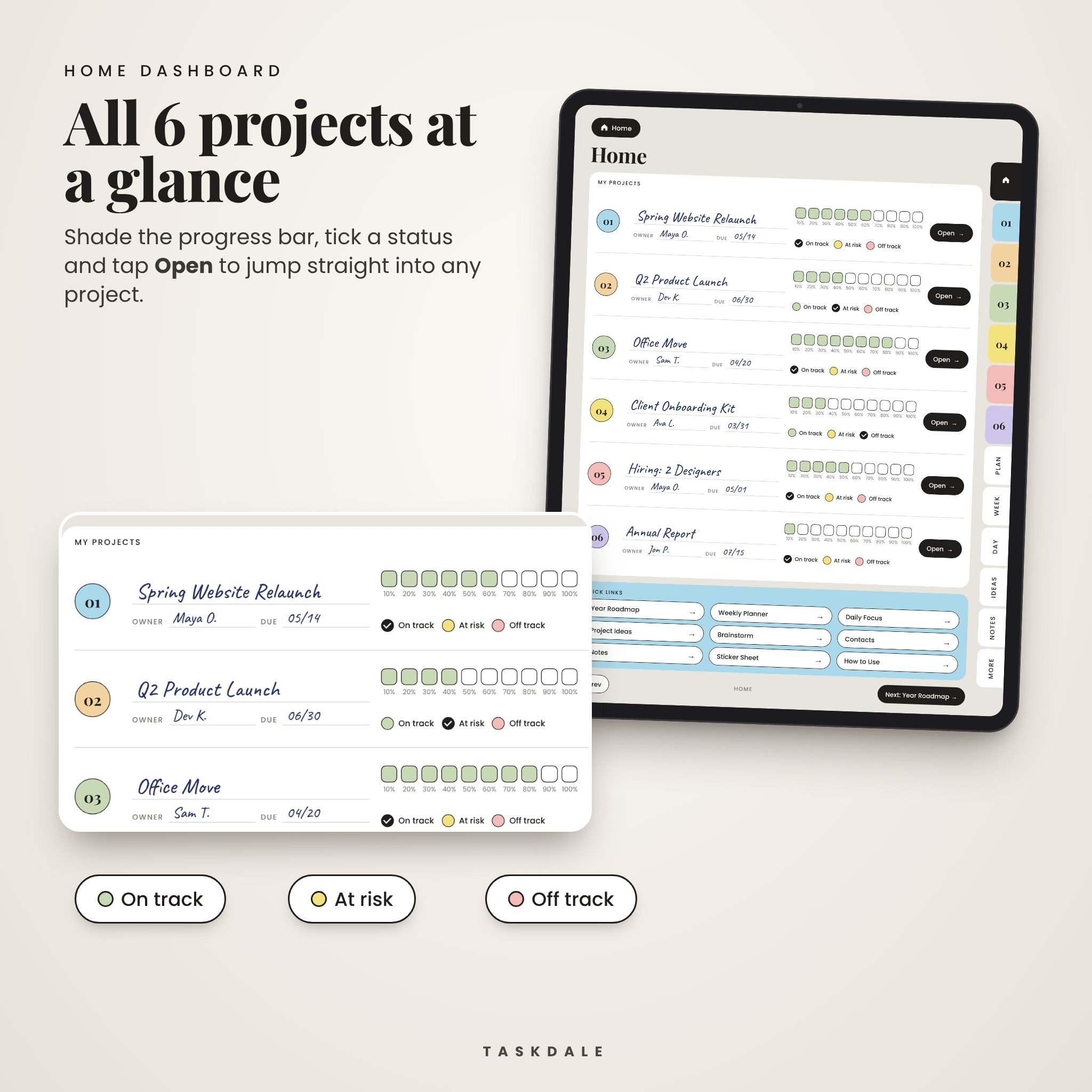
Above all six projects sits a Home dashboard. It shows every project’s progress and status on one screen, so you can see in five seconds which one needs you today.
Who it’s for
- Freelancers running several client jobs at the same time
- Small business owners handling launches, hiring, office moves or a website rebuild
- Team leads and new project managers who want structure without paying for software
- Students with group work, a capstone or a thesis to plan
Features
Planning
- Project Charter: purpose, three measurable goals, in scope and out of scope, deliverables, success criteria
- Team & RACI chart with a plain-English key
- Milestones tracker with owner, due date and status
- Mind map with six branches and a priority matrix (Do first, Schedule, Delegate, Drop)
Tracking
- Two Gantt-style timelines: a 31-day view split into four phases, and a 12-week view
- Kanban board: To do, In progress, Review, Done
- Three task list pages (66 rows) with H, M, L priority and a four-step progress tracker
- Weekly status reports with on track, at risk and off track checkboxes and a 10-step progress bar
Money and risk
- Budget page with planned, actual and difference by category, plus a running Expense Log
- Risk register with a color-coded 5 x 5 heat map, so you can score risks from 1 to 25
- Issues & Blockers log, Decision Log and Change Log
Everyday pages
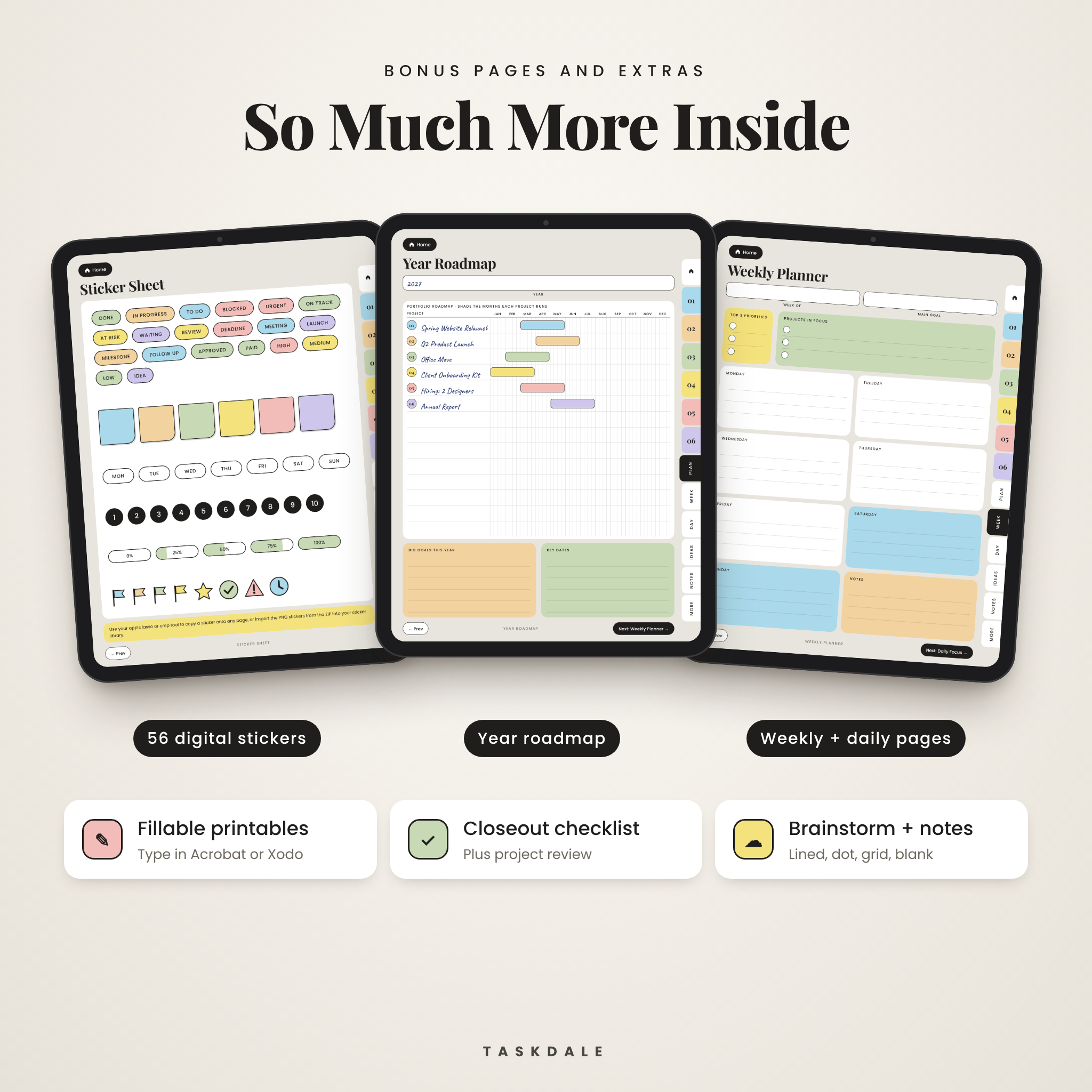
- Year Roadmap for all projects, undated Weekly Planner and Daily Focus pages
- Project Ideas backlog scored by value and effort, Contacts page, two Brainstorm layouts
- Meeting notes with agenda, decisions and action items (three per project)
- Lined, dot grid, grid and blank note pages
What’s included
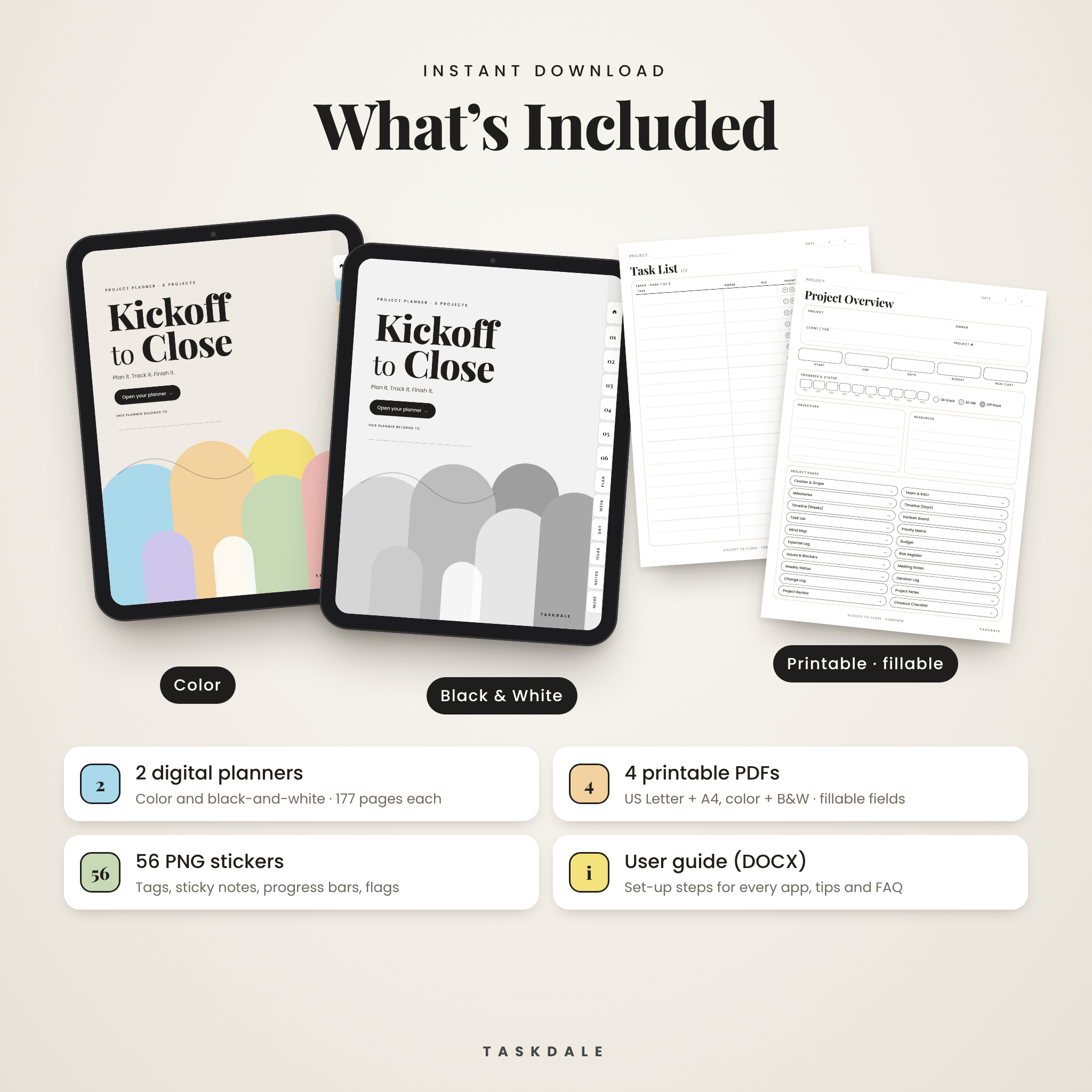
- Digital planner, color edition (177 hyperlinked pages)
- Digital planner, black-and-white edition (177 hyperlinked pages)
- Printable project planner in US Letter and A4, each in color and black-and-white (41 pages each, fillable)
- 56 transparent PNG stickers: status tags, sticky notes, progress bars, flags, numbers and days of the week
- User guide in Word format with setup steps, tips, troubleshooting and FAQ
How it works
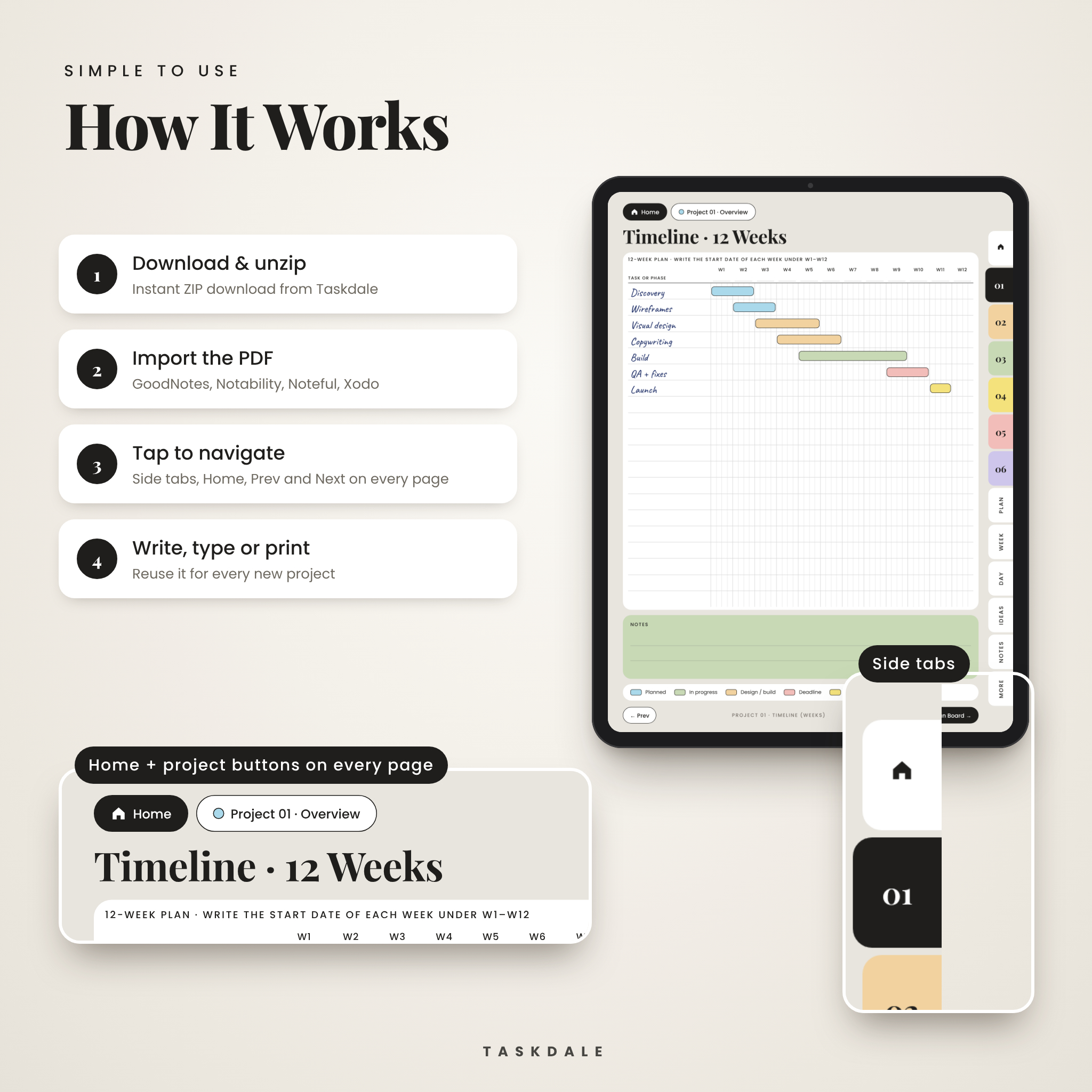
- Buy and download the files from your Taskdale account.
- Import the digital PDF into GoodNotes, Notability, Noteful or another PDF app that supports links.
- Start on Home. Name your projects, then tap Open to jump into each one.
- Use the side tabs, the Home button and the Prev and Next buttons to move around. The PDF bookmarks list every section too.
Need more meeting pages or task lists? Duplicate any page in your app. The links on the copy still work.
File formats and software
- PDF files (digital planners and printables), PNG stickers, DOCX user guide
- Digital page size: 810 x 1080 pt, a 3:4 shape that suits iPad and most Android tablets
- Printables: US Letter (8.5 x 11 in) and A4
- You’ll need a PDF note-taking app such as GoodNotes, Notability, Noteful or Xodo for the digital planner. For typing into the printables, use Adobe Acrobat Reader, Xodo, Foxit or Preview.
- A stylus helps but isn’t required. You can type with your app’s text tool.
Customize it
The planner is undated, so you can start any day and reuse it every year. Money fields have no currency printed on them. Write your own symbol in the Currency box on the Budget page and it works anywhere. Pick the color edition for quick scanning, or the black-and-white edition for a calm look or an e-ink tablet. Add your own color with highlighters and drop stickers anywhere.
Digital download
This is a digital product. Nothing ships to you. Your files are ready to download as soon as payment goes through. For personal use or use inside your own business. Please don’t share or resell the files.
Ways people use it
- A web designer runs three client sites at once, each in its own project slot, and checks the Home dashboard every Monday.
- A bakery owner plans a second location: budget, contractor risks and opening-day checklist all in one notebook.
- A new team lead uses the Weekly Status page to send a five-line update to her manager every Friday.
- A student group splits a capstone with the RACI chart, so everyone knows who owns what.
- An event planner prints the A4 set and keeps a binder per event.
Project planner FAQ
Does this project management template work in GoodNotes?
Yes. It’s a standard hyperlinked PDF. Import it into GoodNotes, then tap links in read-only mode or with your finger.
Can I use it on an Android tablet?
Yes. Open it in a PDF app with link support, such as Xodo or Noteshelf.
Is it dated?
No. Every page is undated, so you can start whenever you like.
How many projects can I track?
Six per file. Need more? Import a second copy.
Can I print it?
Yes. You get US Letter and A4 printables in color and black-and-white. Choose “Actual size” when printing.
Can I type instead of write?
Yes. Use your app’s text tool in the digital planner, or type straight into the fillable printable PDFs on a computer.
What currency does the budget use?
Any. Money fields are neutral, with a blank Currency box for your own symbol.
Will I get a physical planner?
No. This is an instant digital download.

Reviews
There are no reviews yet.