

A social media planner printable that keeps every post on track
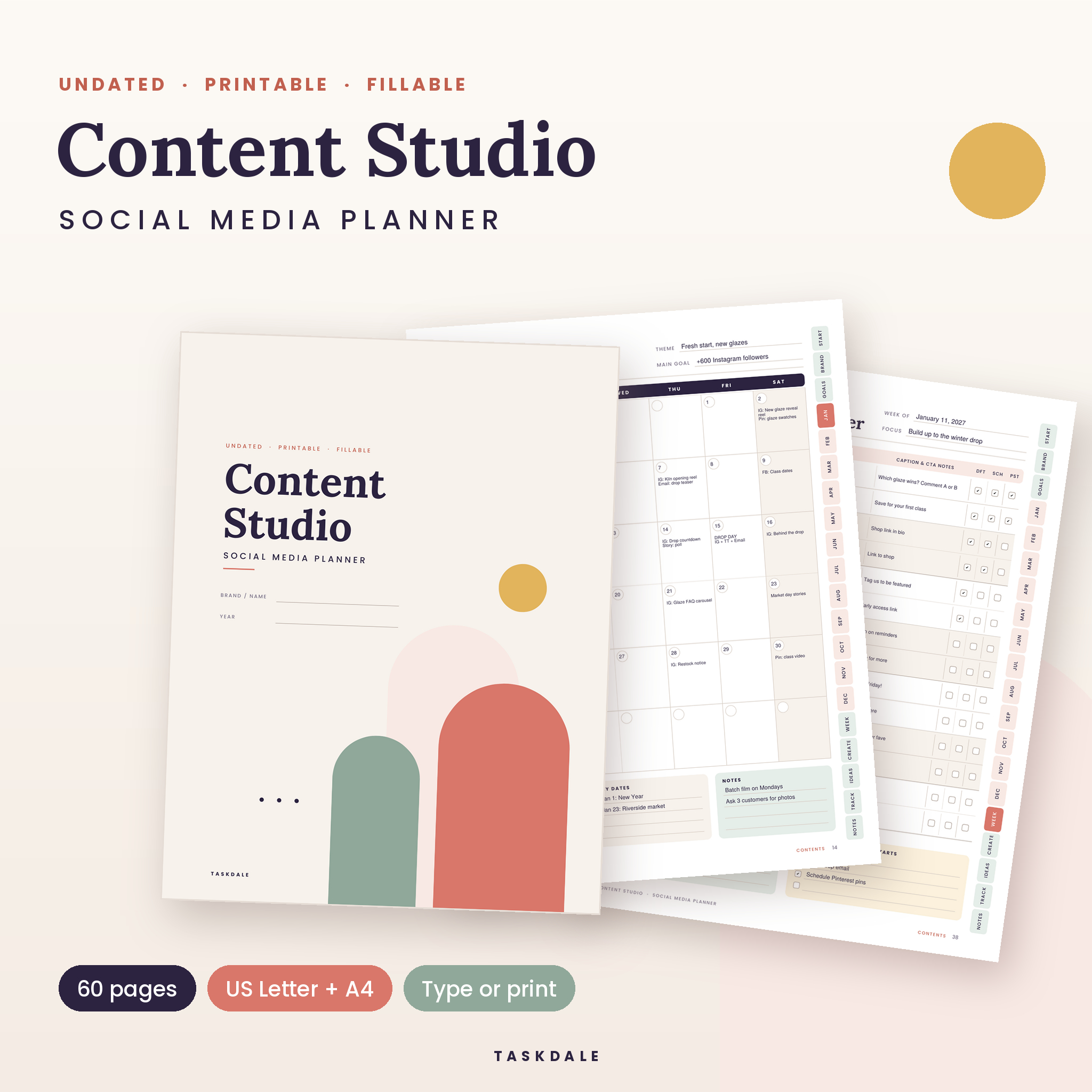
Content Studio is a 60-page social media planner printable that you can also fill in on screen. It walks you from the big picture (your brand, your audience, your goals) down to the posts you publish this week, then back up again with a simple monthly review so you can see what is actually working.
It is undated, so you can start in any month of any year. Every line and box is a fillable field, and side tabs on every page take you to any section or month in one click.
Who it is for
- Small business owners and makers who run their own social media
- Content creators and influencers juggling Instagram, TikTok, YouTube and more
- Social media managers and virtual assistants planning content for clients
- Anyone who plans better on paper but still wants a tidy digital copy
What it helps you do
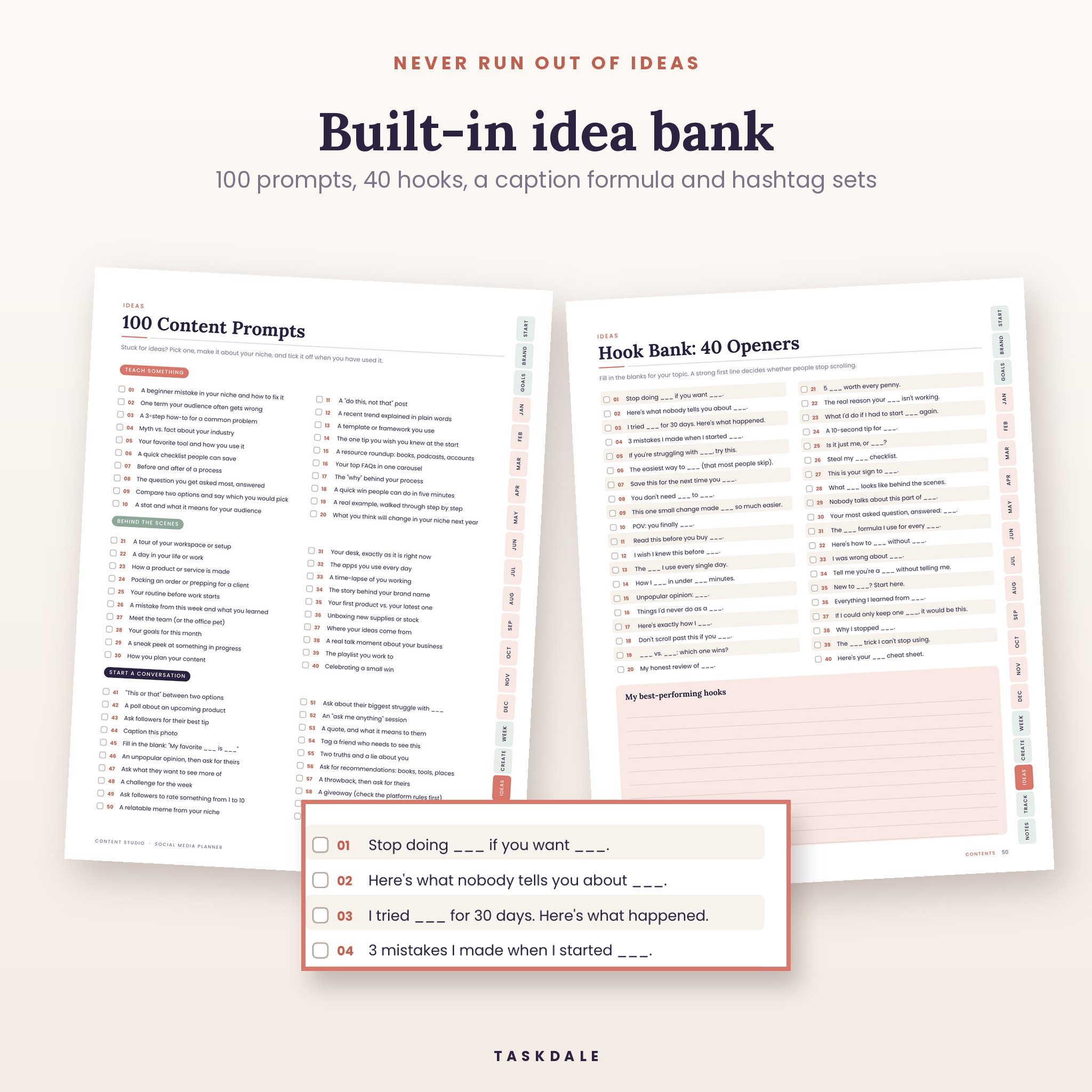
- Stop guessing what to post. Set 3 to 5 content pillars, then pull from 100 prompts and 40 fill-in-the-blank hooks when ideas run dry.
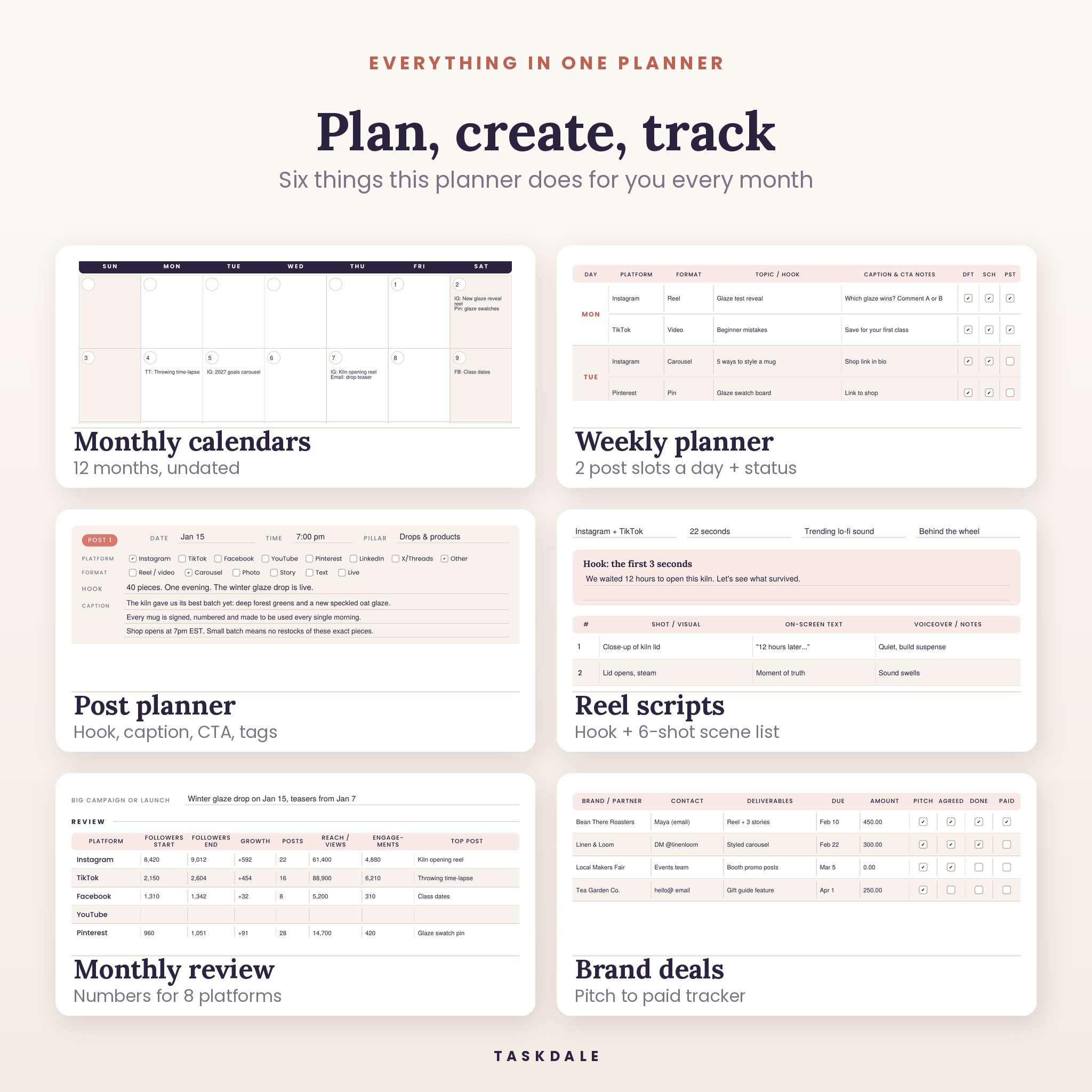
- Post consistently. Plan the month on a calendar, map each week with two post slots a day, and tick drafted, scheduled and posted as you go.
- Batch your content. The Batch Day Planner lists every piece you will shoot, edit, write, design and schedule in one session.
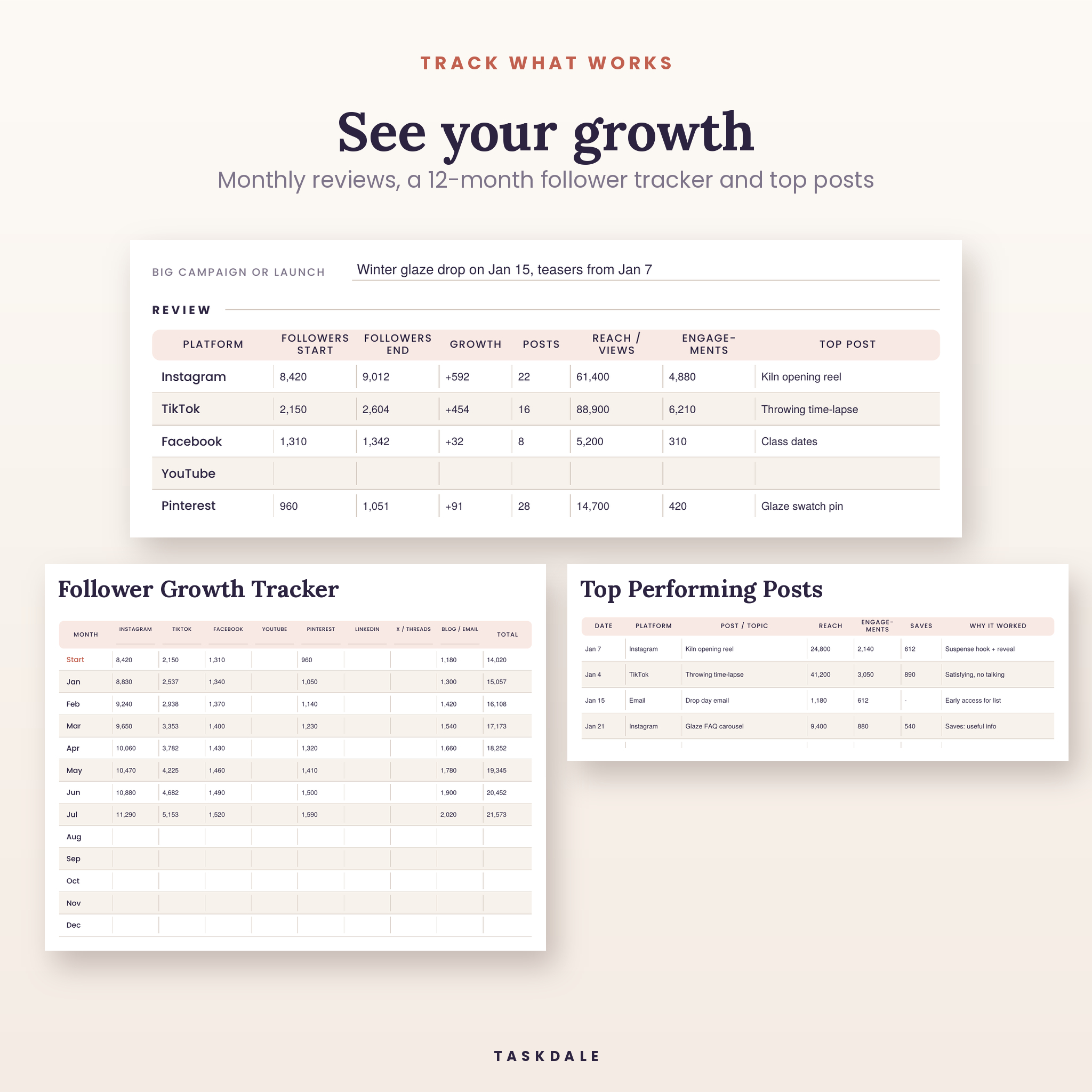
- See what works. Each month ends with a review table for eight platforms, plus a 12-month follower tracker and a log of your top posts.
- Keep brand deals organized. Track every collab from pitch to paid, with deliverables, due dates and amounts.
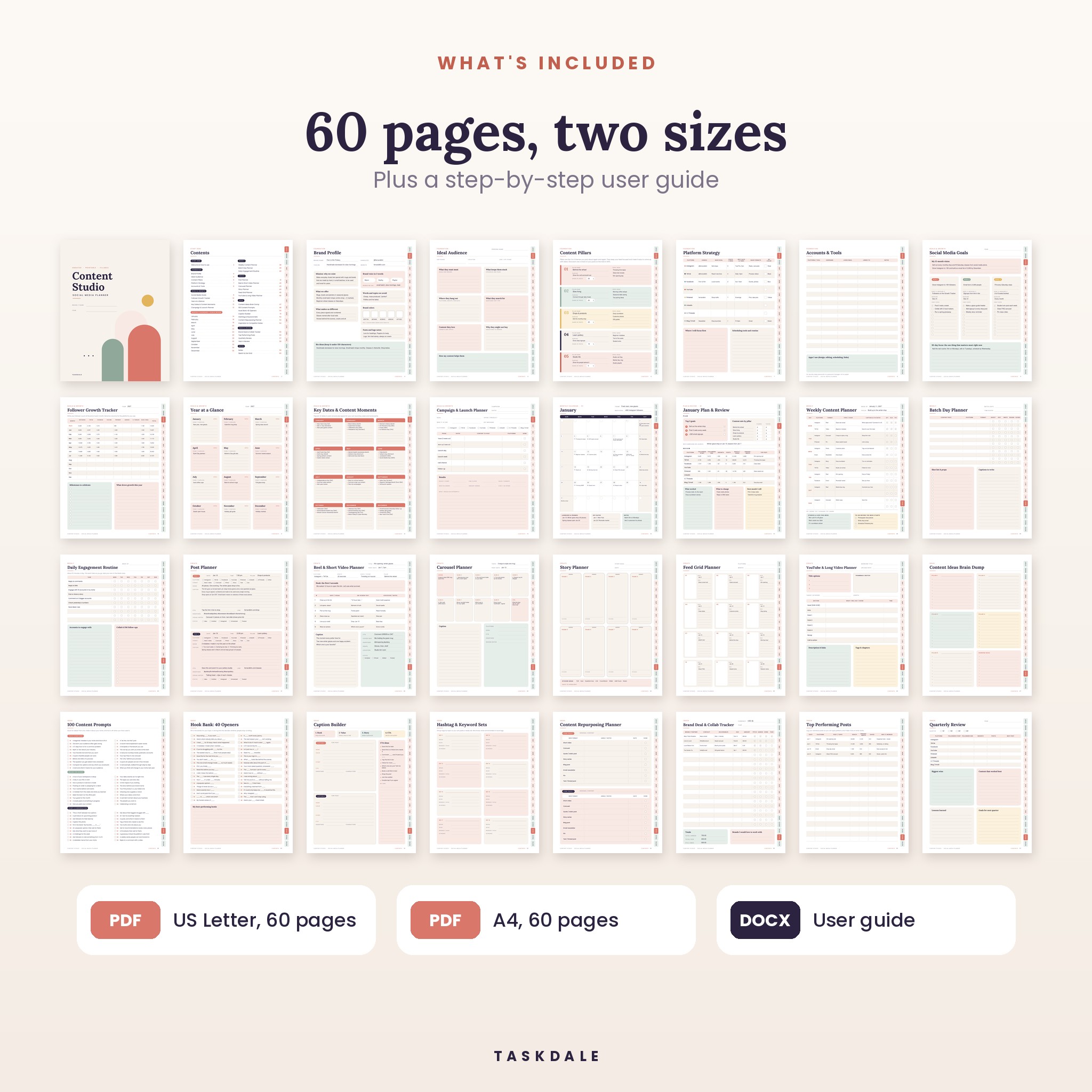
What is included
Foundation (set up once)
- Brand Profile: mission, offer, brand voice, color swatches, fonts and bio ideas
- Ideal Audience: goals, struggles, where they hang out and why they might not buy
- Content Pillars: five pillars with purpose, share of posts and topic ideas
- Platform Strategy: handle, goal, posts per week, best times, formats and your color for each platform
- Accounts & Tools
Goals and growth
- Social Media Goals with a 12-month vision, three goals, deadlines and first steps
- Follower Growth Tracker for up to eight platforms across 12 months
- Year at a Glance, with each month linked to its calendar
- Key Dates & Content Moments: popular US holidays, awareness days and shopping events for every month, with space for your own
- Campaign & Launch Planner, from teaser to follow-up, with a results section
Monthly content calendar pages (24 pages)
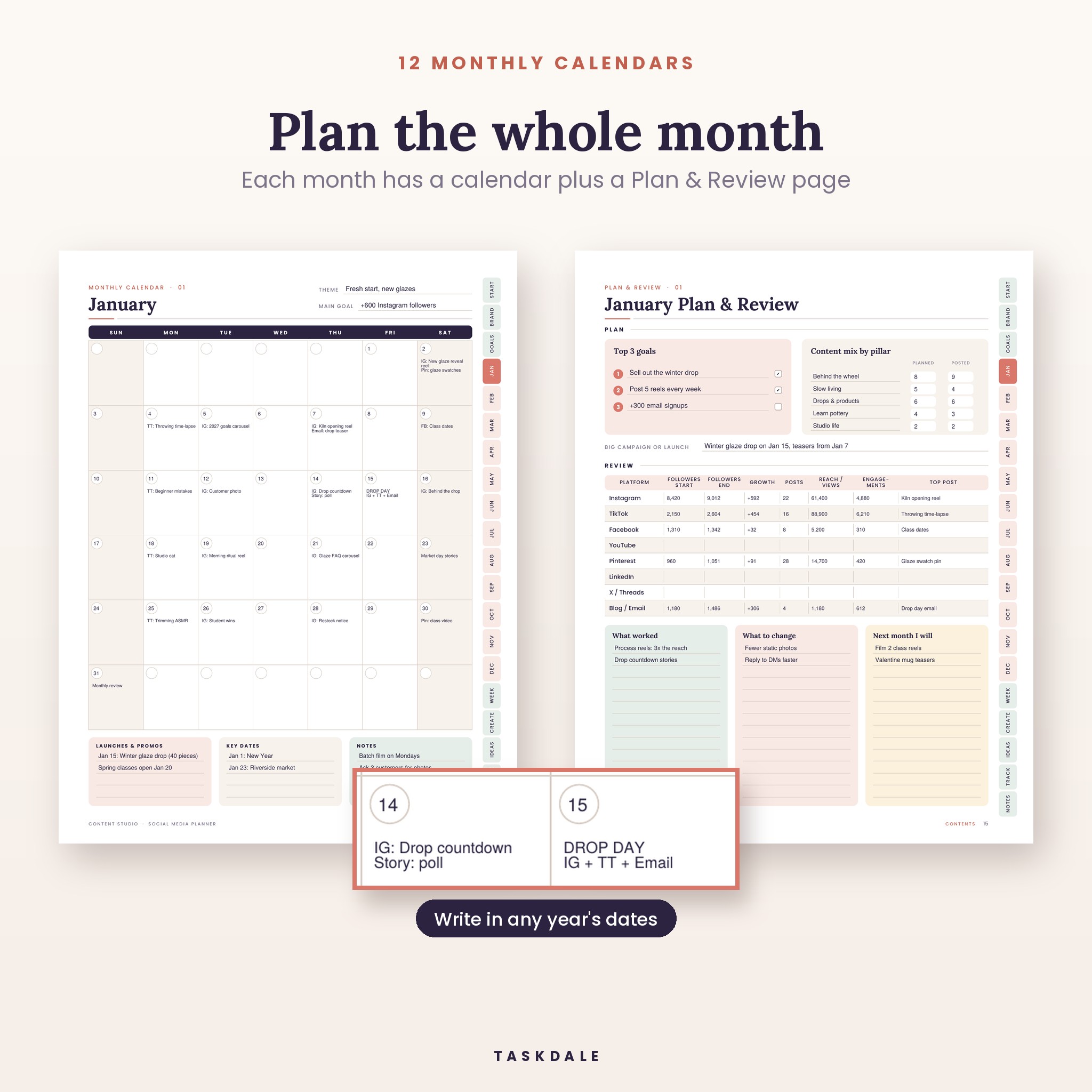
- A monthly calendar for January to December with a theme, main goal, launches, key dates and notes
- A Plan & Review page for every month: top 3 goals, content mix by pillar (planned vs posted) and a review table for followers, growth, posts, reach, engagements and top post
Weekly pages
- Weekly Content Planner with platform, format, hook, caption notes and status for 14 posts
- Batch Day Planner
- Daily Engagement Routine, a 15-minute checklist for the week
Create pages
- Post Planner (two posts per page) with hook, caption, CTA, link, hashtags and visual notes
- Reel & Short Video Planner with a 3-second hook and a six-shot scene list
- Carousel Planner (10 slides), Story Planner (8 frames) and Feed Grid Planner (12 tiles)
- YouTube & Long Video Planner with title options, thumbnail sketch and a timed outline
Ideas and tracking
- Content Ideas Brain Dump, 100 Content Prompts, Hook Bank with 40 openers and a Caption Builder
- Hashtag & Keyword Sets, Content Repurposing Planner and Inspiration & Competitor Notes
- Brand Deal & Collab Tracker, Top Performing Posts, Quarterly Review and Year in Review
- Lined notes and a dot grid page
How it works
- Download the ZIP straight after checkout and unzip it.
- Open the PDF for your paper size: US Letter (8.5 x 11 in) or A4.
- Fill in the Foundation pages once. It takes about 30 minutes.
- Plan each month on the calendar, then map each week and draft your posts.
- At month end, add your numbers to the review table and keep what worked.
File formats and software
- 2 PDF files: US Letter and A4, 60 pages each
- 1 user guide in Word format (.docx) with setup steps, tips, troubleshooting and FAQs
- To type on the pages, use a PDF reader that supports form fields, such as the free Adobe Acrobat Reader
- To print, any home or office printer works. Choose “Actual size” for the best result
- Fonts are embedded, so the pages look the same everywhere
Make it yours
- Undated: write in your own dates, start any month
- Color-code your platforms with your own pens or highlighters, using the color key on the Platform Strategy page
- Rename the platform columns on the Follower Growth Tracker
- Any currency: money fields simply say “Amount”, and the Brand Deal Tracker has a field for your currency
- Print only the pages you need, as often as you like
Real ways people use it
- A handmade shop owner plans a monthly product drop, with teasers on the calendar and a launch plan for drop day.
- A coach batches a week of reels every Monday using the Reel Planner and the Hook Bank.
- A social media manager keeps one printed planner per client and fills the review page before each monthly report.
- A new creator uses the 100 prompts to post three times a week without running out of ideas.
Digital download
This is a digital product. Nothing is shipped. Your download link appears as soon as payment goes through and is also sent to your email.
Social media planner printable FAQ
Is this planner dated?
No. It is undated, so it works for any year. You write the day numbers into the calendar yourself.
Can I type on it instead of printing?
Yes. Every line and box is a fillable field. Open it in a PDF reader that supports forms, such as Adobe Acrobat Reader, type, then save.
Which platforms does it cover?
Instagram, TikTok, Facebook, YouTube, Pinterest, LinkedIn, X / Threads and blog or email, plus an “Other” option on the post planner.
Does it post for me or connect to my accounts?
No. It is a planner. Plan here, then post or schedule in the apps you already use.
Can I use it for client accounts?
Yes, you can use the pages to plan content for clients you manage. Please do not share or resell the files themselves.
What paper size is it?
Both US Letter and A4 are included in the download.
Prefer a spreadsheet?
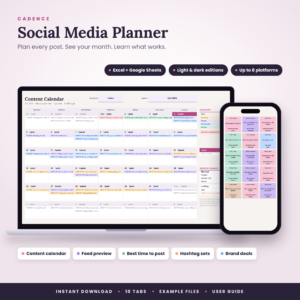
If you would rather plan in Excel or Google Sheets, take a look at our Social Media Planner Spreadsheet.
License
For personal use and use in your own business. Print as many copies as you need. Please do not resell, share or redistribute the files.
Reviews
There are no reviews yet.