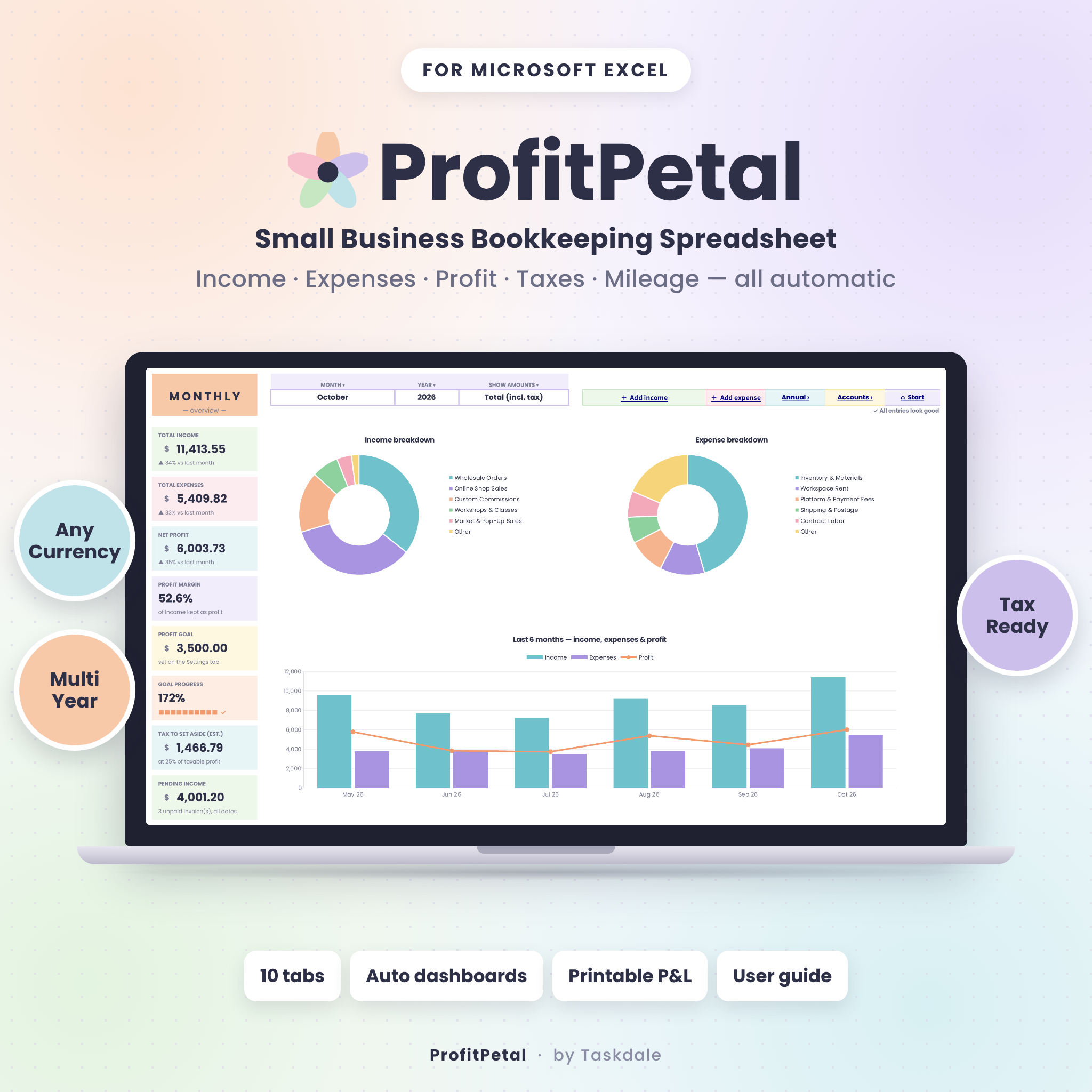

ProfitPetal is a small business bookkeeping spreadsheet that turns a simple list of money in and money out into clear dashboards, profit goals, tax plans and a print-ready Profit & Loss statement. If you are a freelancer, maker, online seller or service business owner who wants organized books without expensive accounting software, ProfitPetal gives you a calm, colorful place to see exactly how your business is doing.
Type the date, category and amount. ProfitPetal works out the tax, net and totals, updates every chart and card, tracks your goals and budgets, and even tells you how much to set aside for taxes. No formulas to write and no accounting background needed.
A Bookkeeping Spreadsheet Built for Real Small Businesses
ProfitPetal is made for sole proprietors, freelancers, Etsy and Shopify sellers, market vendors, creators, coaches, consultants, cleaners, photographers and side hustlers. It is simple enough for a first-time bookkeeper and complete enough to hand to your tax preparer at the end of the year.
Key Benefits
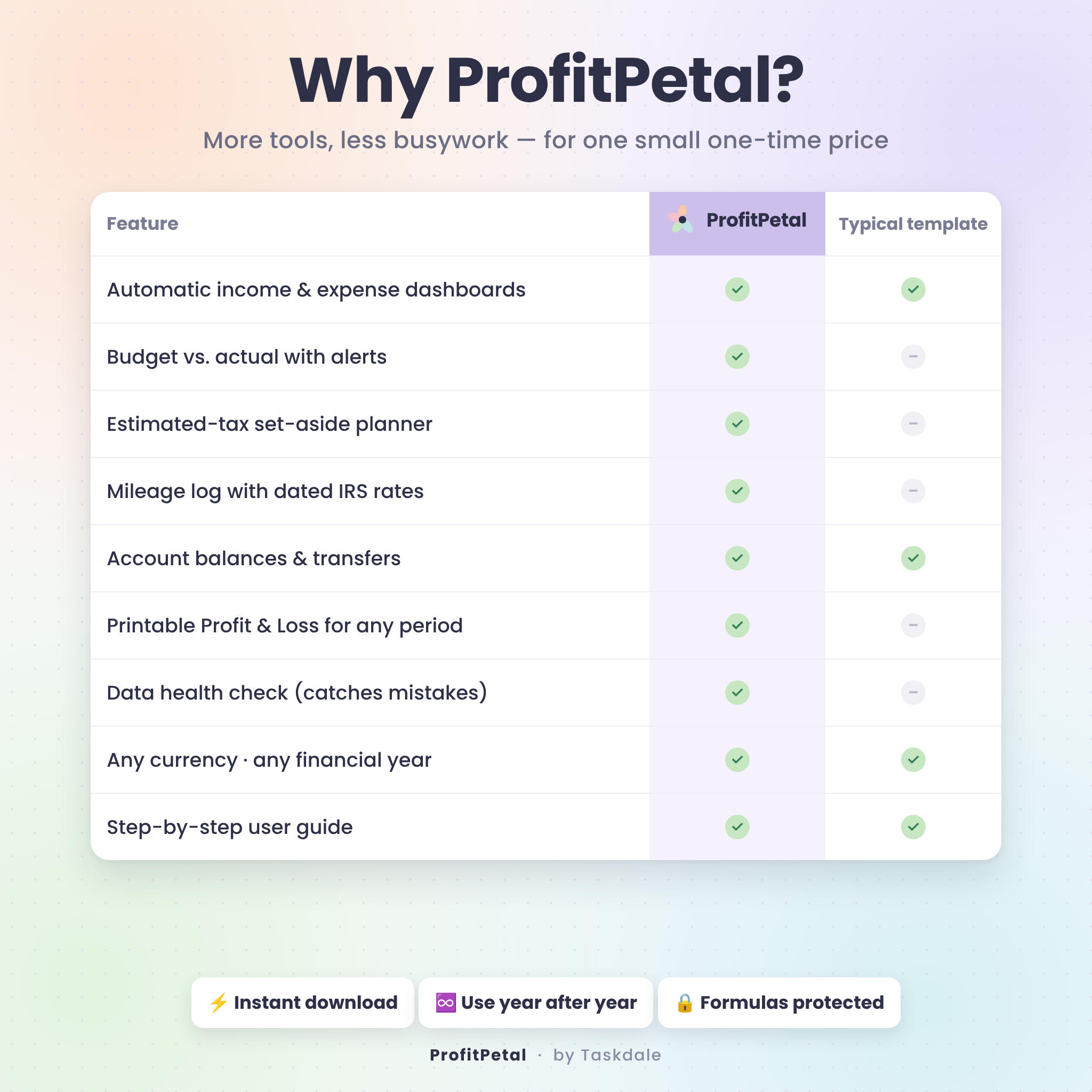
- Know your profit in seconds. Monthly and annual dashboards show income, expenses, net profit and profit margin at a glance.
- Save hours every month. Tax, net, totals, budgets, balances and reports all calculate automatically.
- No more tax-time surprises. See how much income tax to set aside each period and track the payments you make.
- Stay in control of spending. Set a monthly budget per category and get On track, Near limit or Over alerts.
- Fewer mistakes. Dropdowns, input limits, protected formulas and a Data Health Check catch missing dates and renamed categories.
Features of the Income and Expense Tracker
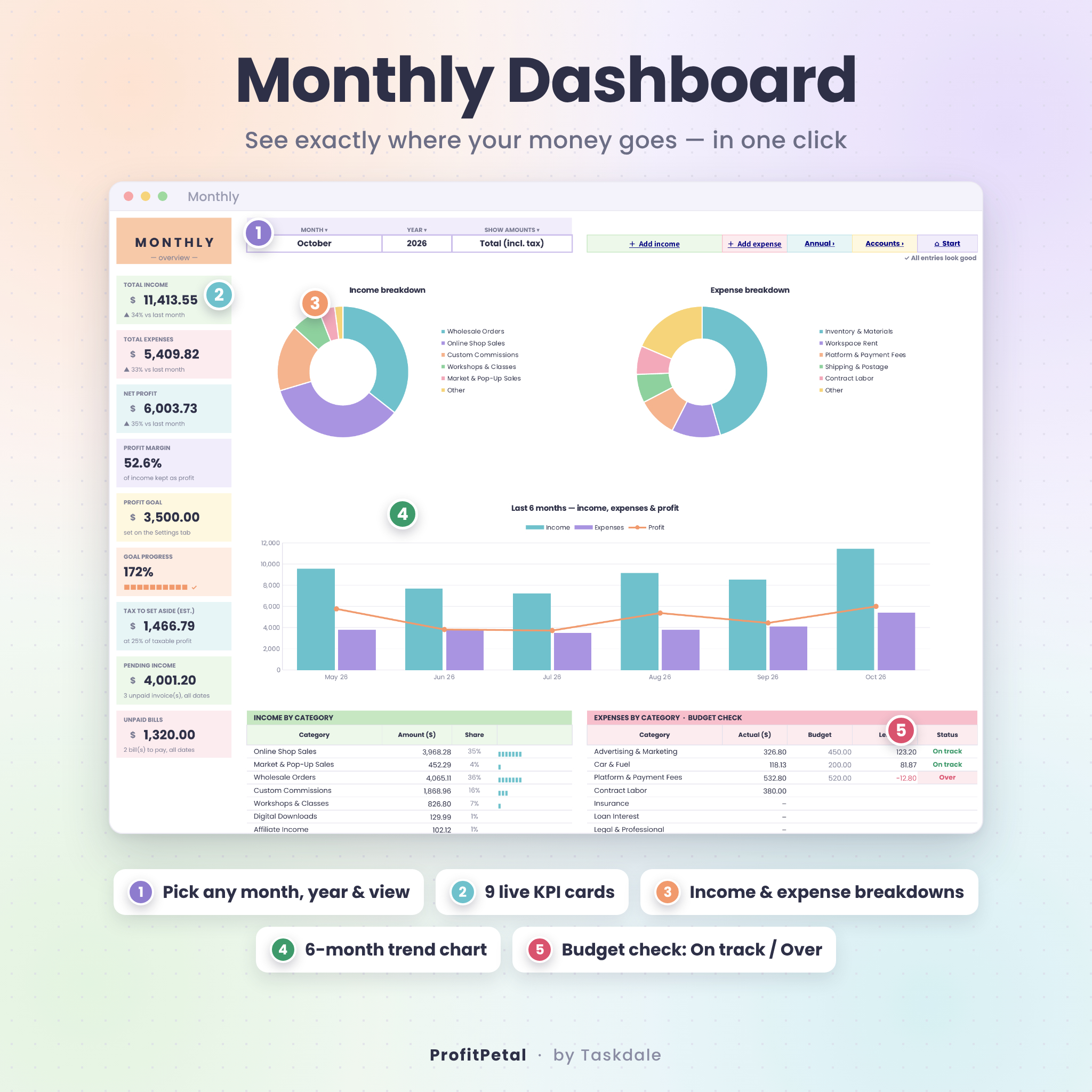
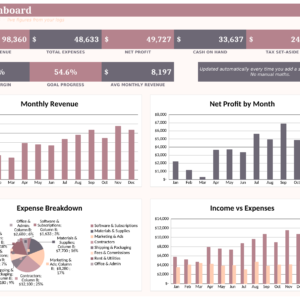
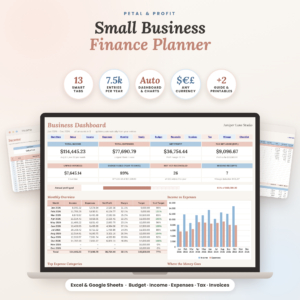
Monthly Dashboard
- Pick any month and year, and switch between Total (incl. tax), Net (excl. tax) or Tax only.
- 9 KPI cards: income, expenses, net profit, profit margin, profit goal, goal progress, tax to set aside, pending income and unpaid bills, with change vs. last month.
- Income and expense breakdown charts, a 6-month trend chart and a budget check table.
Annual Overview
- Every income and expense category by month, with totals and share of the year.
- Year-over-year change, monthly goal check marks, and cumulative profit vs. goal chart.
- Works with any financial-year start month (for example July to June).
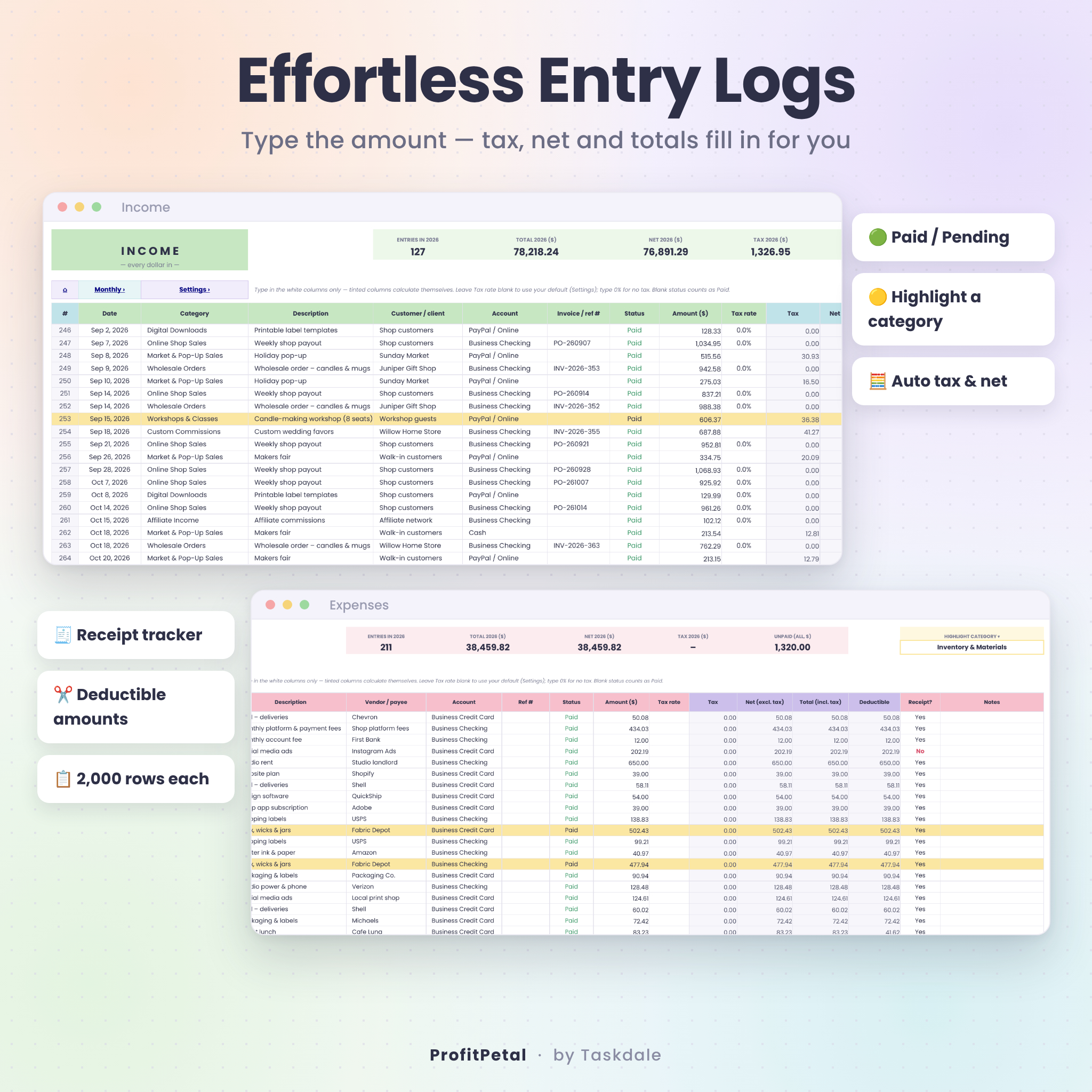
Income & Expense Logs
- 2,000 rows each with category, account, customer or vendor, invoice/reference, status and notes.
- Automatic tax, net and total for tax-added (US sales tax) or tax-included (VAT/GST) pricing.
- Default tax rates for income and expenses, with a per-entry override.
- Paid / Pending invoices, Paid / Unpaid bills, receipt tracker and deductible amounts (e.g. 50% meals).
- Highlight any category with one dropdown.
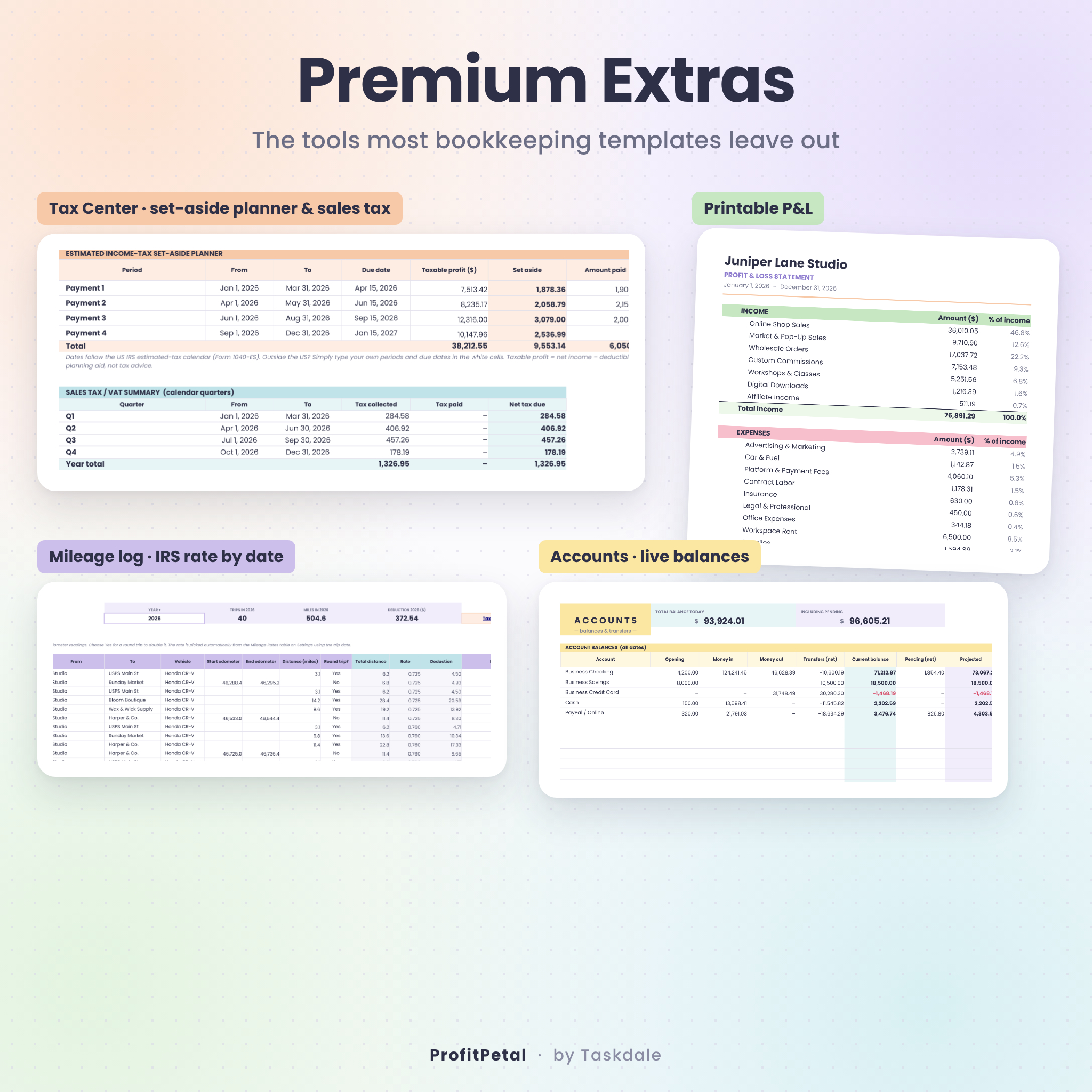
Premium Extras
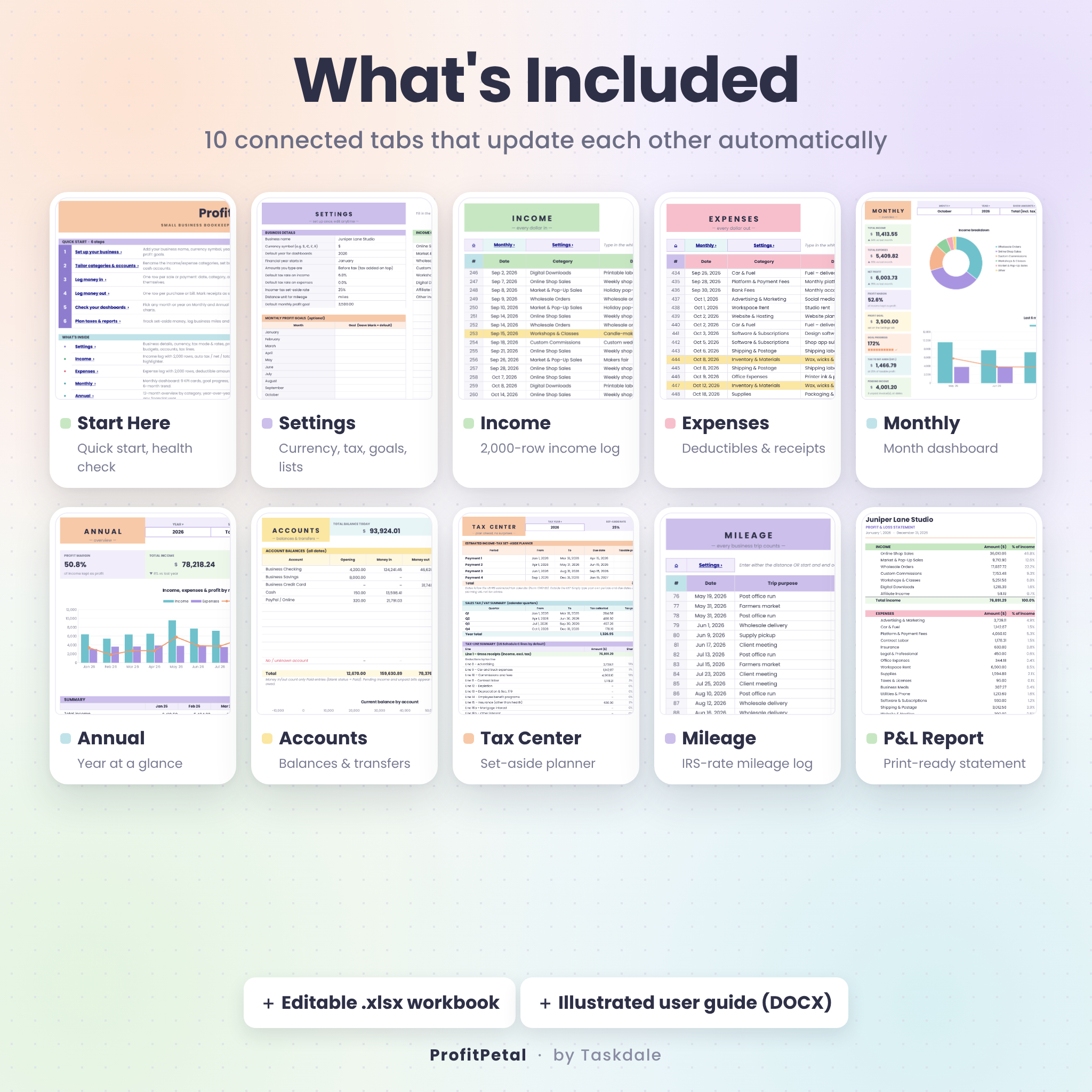
- Tax Center: estimated income-tax set-aside planner (US 1040-ES dates, editable), sales tax/VAT by quarter, and a tax-line summary pre-mapped to US Schedule C lines.
- Mileage Log: 500 trips, odometer or distance, round trips, and the correct rate picked by trip date (pre-filled with the 2025 and 2026 IRS business rates, including the July 2026 change).
- Accounts: live balances for up to 12 bank, card, cash and PayPal accounts, pending amounts, projected balance and a transfers log.
- P&L Report: a clean Profit & Loss statement for any year, quarter or month, ready to print or save as PDF.
- Start Here: quick-start steps, tab links, color key and a Data Health Check.
What’s Included
- ProfitPetal-Bookkeeping-Spreadsheet.xlsx with 10 tabs: Start Here, Settings, Income, Expenses, Monthly, Annual, Accounts, Tax Center, Mileage and P&L Report.
- ProfitPetal-User-Guide.docx, an illustrated step-by-step guide with tips, troubleshooting and FAQs.
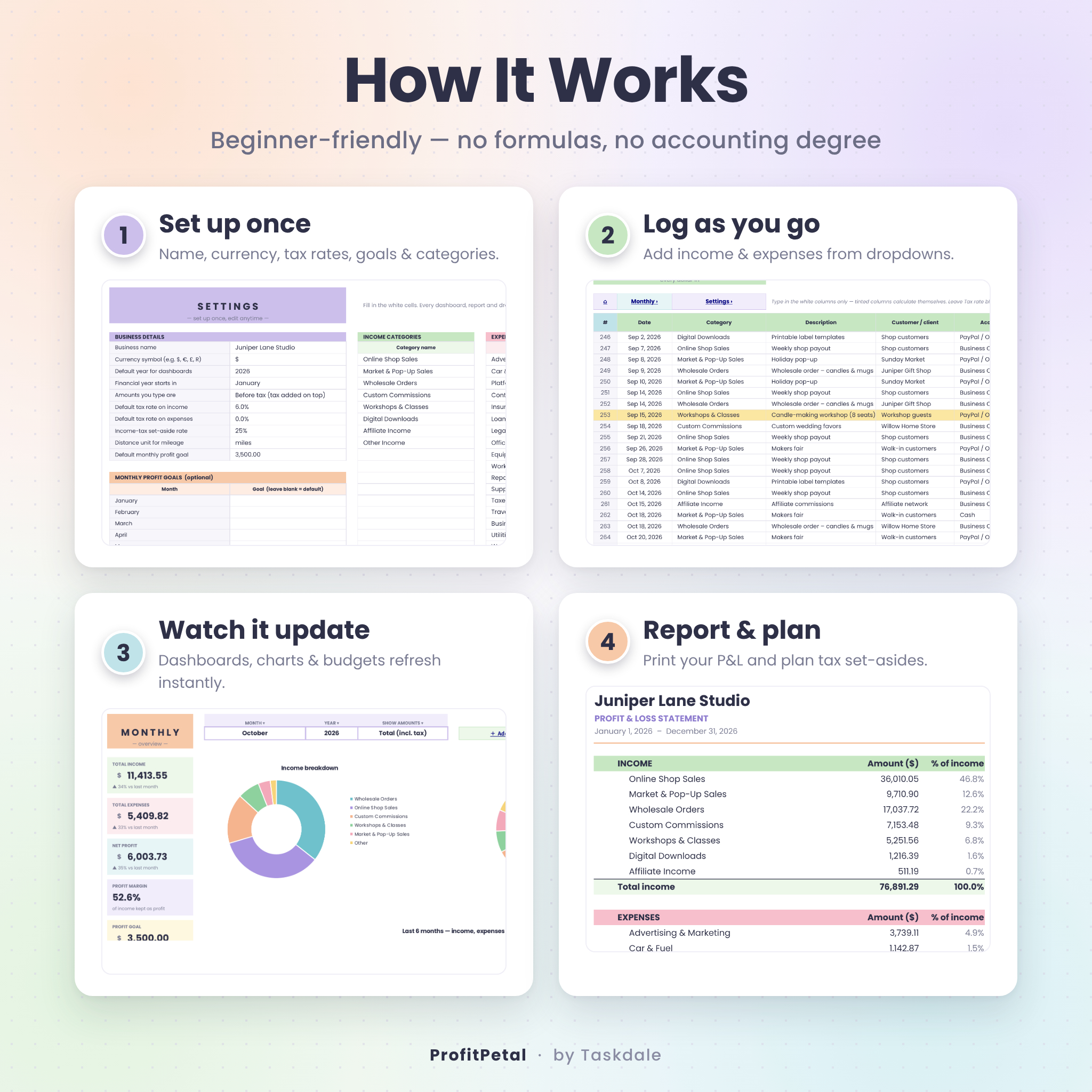
How It Works
- Set up once: add your business name, currency symbol, year, tax rates, goals, categories and accounts on the Settings tab.
- Log as you go: add income and expenses using dropdowns.
- Watch it update: dashboards, charts, budgets and balances refresh instantly.
- Report and plan: print your P&L, plan tax set-asides and log your miles.
File Format & Software Requirements
- File format: .xlsx (editable spreadsheet) plus a .docx user guide.
- Microsoft Excel for Windows or Mac (including Microsoft 365), or Excel for the web.
- Also opens in LibreOffice Calc.
- Best used on a laptop or desktop. You can view and add entries on mobile with the Excel app.
Customization
Rename up to 25 income and 30 expense categories, set budgets and deductible percentages, add up to 12 accounts, choose your currency symbol and financial-year start, and edit the tax-line list for your country. Formulas are protected without a password, so you can unprotect a sheet to change colors or column widths whenever you like.
Digital Download
This is a digital product. No physical item will be shipped. Your files are available to download immediately after purchase. Amounts work in any currency (dollar by default).
Use Cases
- An Etsy or Shopify seller tracking weekly payouts, platform fees, materials and shipping.
- A freelancer watching unpaid invoices and setting aside money for quarterly estimated taxes.
- A market vendor or crafter recording cash sales, sales tax and mileage to events.
- A coach, consultant or cleaner checking monthly profit against a goal.
- Any small business preparing a tidy Profit & Loss statement for a loan application or tax preparer.
FAQ
Is this bookkeeping spreadsheet good for beginners?
Yes. You only type in the white cells and pick from dropdowns. The Start Here tab and user guide walk you through every step.
Can I use it for more than one year?
Yes. Keep adding entries; every dashboard and report has a year selector.
Does it work with my currency?
Yes. Set your currency symbol once on the Settings tab and it is used throughout.
Does it handle sales tax or VAT?
Yes. Choose tax-added or tax-included pricing, set default rates, and override the rate on any entry. The Tax Center totals tax collected and paid by quarter.
Does it track business mileage?
Yes. The mileage log applies the right rate for each trip date and totals your deduction.
Which software do I need?
Microsoft Excel for Windows or Mac, or Excel for the web. It also opens in LibreOffice Calc.
Is this tax advice?
No. ProfitPetal organizes your records and helps you plan. Please confirm deductions and tax payments with a tax professional.
License
For personal use in your own business only. Please do not resell, share or redistribute the files. © Taskdale.
Reviews
There are no reviews yet.