Jolly Links Christmas Photo Card Template: Hand-Painted Style Cards You Edit in Your Browser
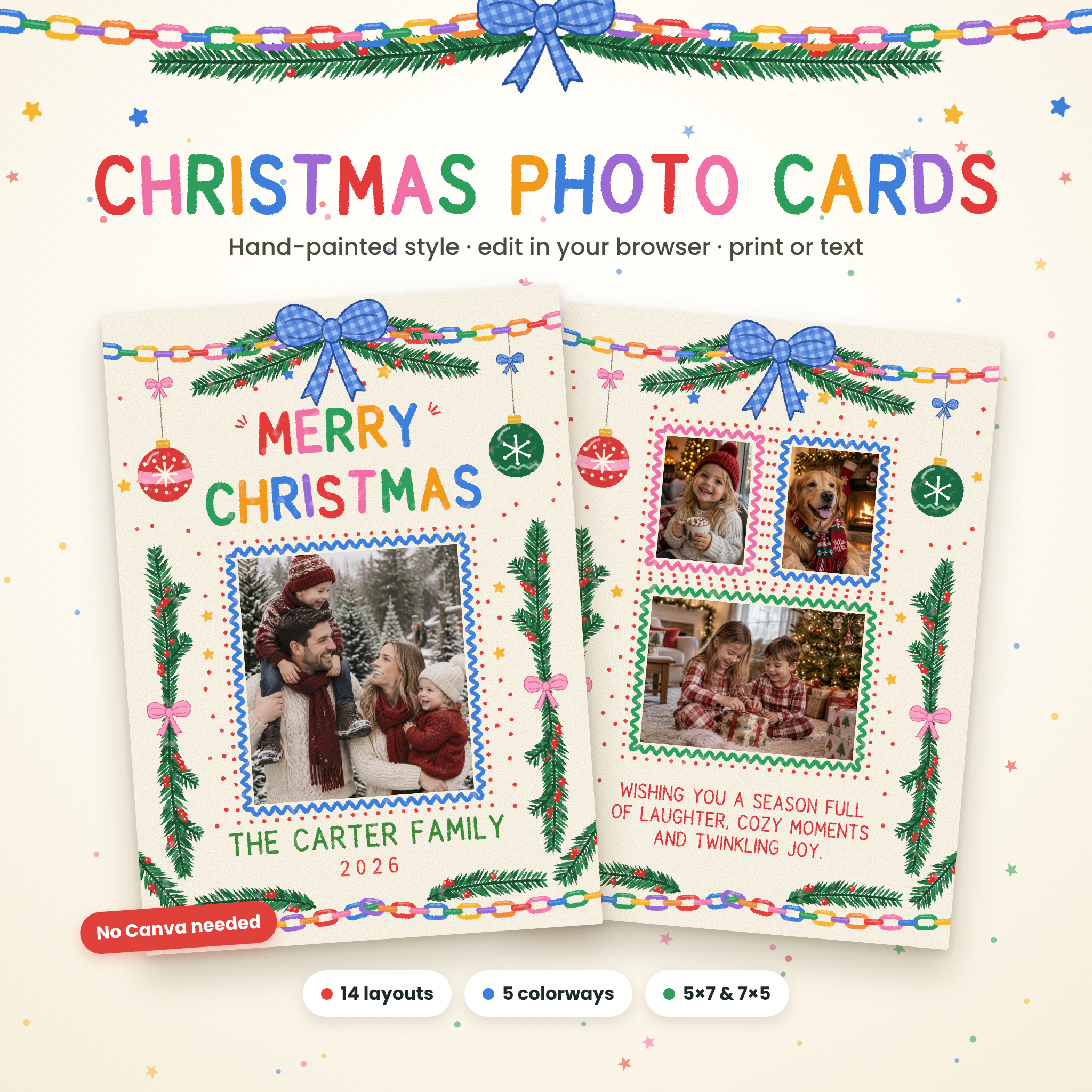
This Christmas photo card template turns your favorite family photos into a bright, cheerful holiday card in minutes. Jolly Links Card Studio is a single file you open in your web browser. Pick a layout and colorway, drop in your photos, type your family name and message, then download a print-ready PDF, photo-lab JPGs or a phone-ready image. There’s no Canva account to create, no subscription and nothing to install, and your photos never leave your device. The artwork has a joyful hand-painted look: rainbow paper chains, gingham ribbon bows, pine sprays with red berries, hanging ornaments, scattered stars and wavy photo frames. Every piece is drawn fresh by the studio, so it stays crisp whether you print one card or a hundred.
What this Christmas card maker does for you
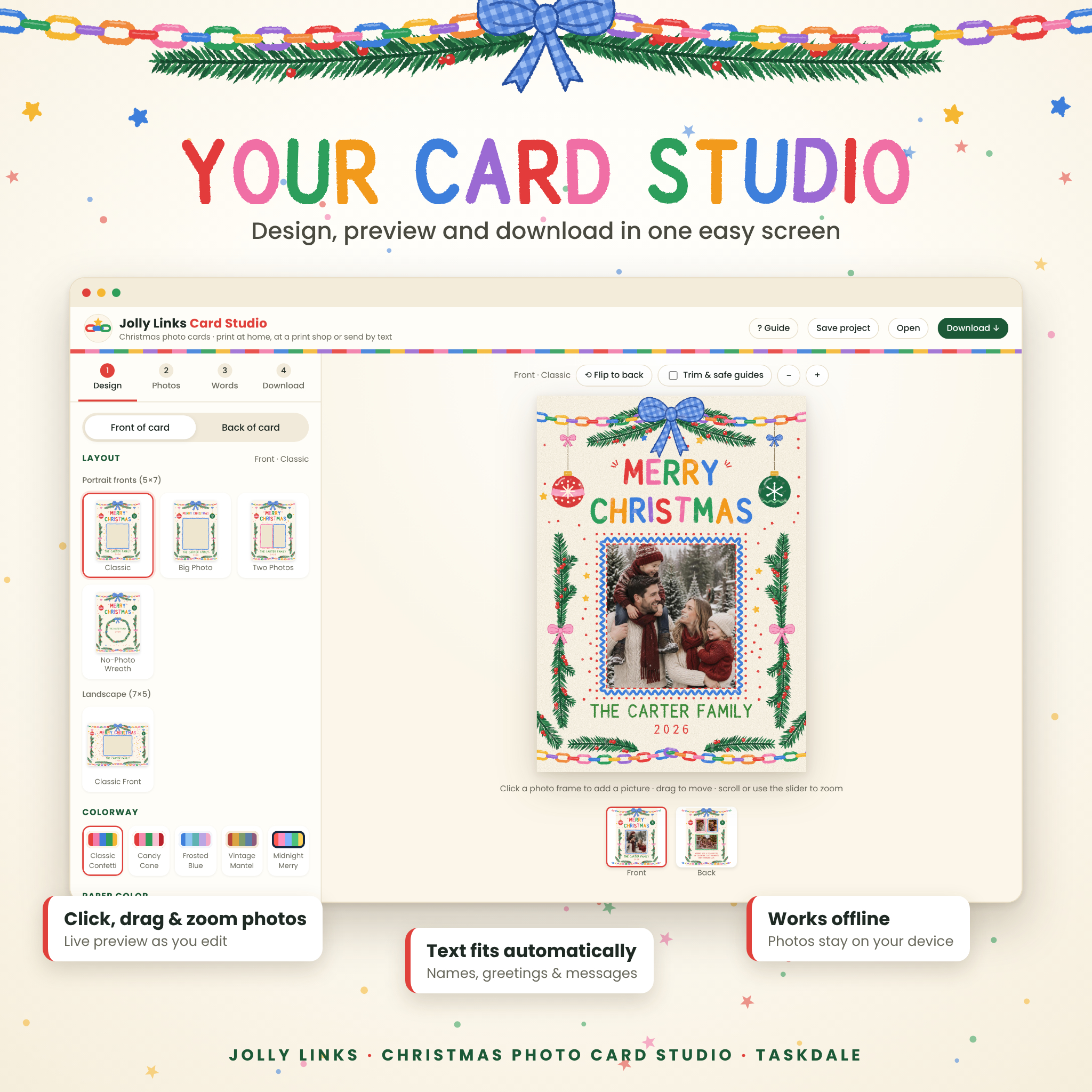
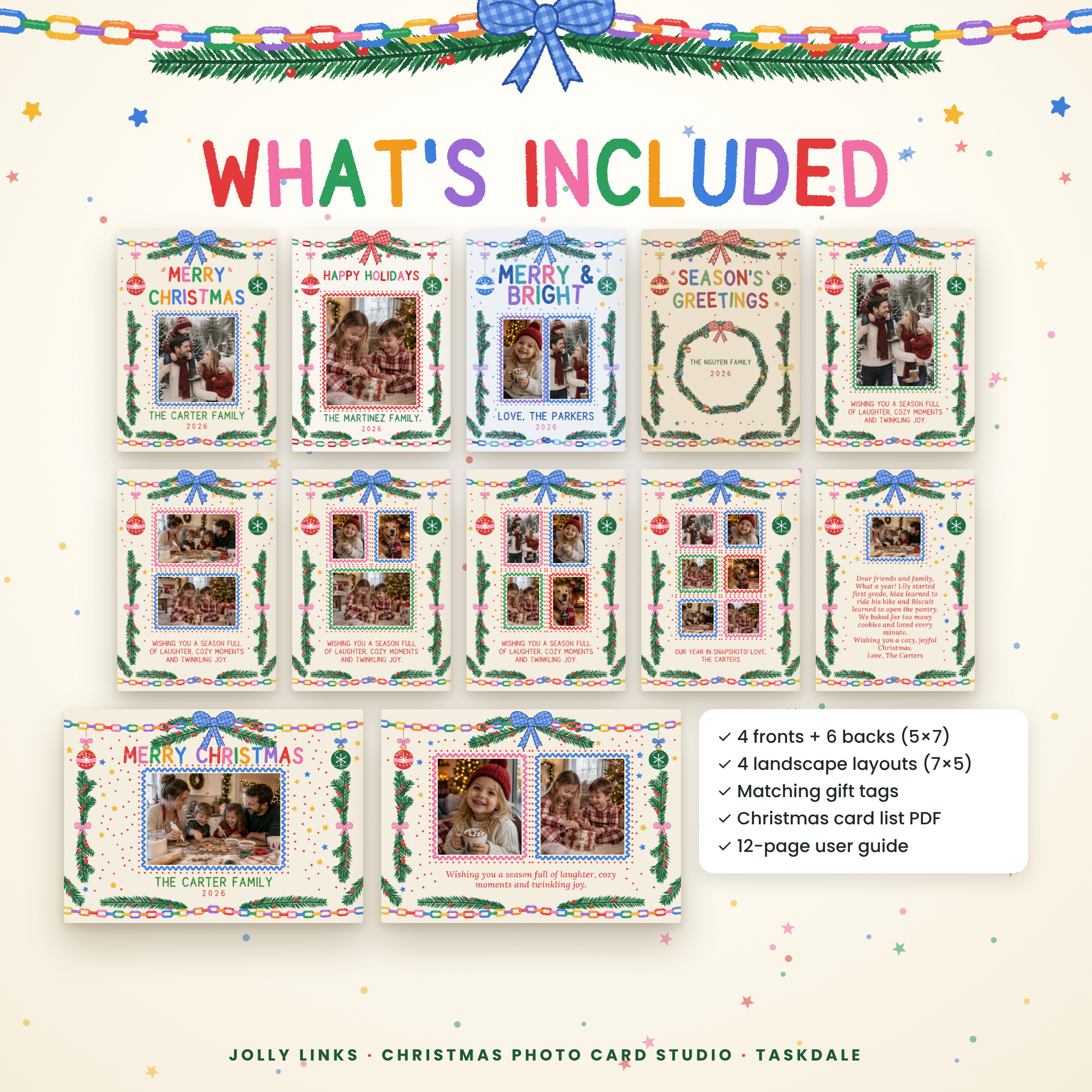
- Makes a matching front and back. Choose from 4 portrait fronts, 6 portrait backs and 4 landscape layouts, then flip between sides with one click.
- Puts your photos in the frames quickly. Click a frame, pick a photo, then drag to reposition and zoom to crop. Rotate, re-center or add a Warm, Vivid, Soft fade or B&W filter.
- Checks your photos before you print. Each photo shows a quality badge (Sharp, Good or Low res) so you can catch blurry pictures early.
- Fits your words for you. Greetings, names and messages resize automatically. A friendly warning appears if a message is too long to read comfortably.
- Gives you the right file for any printer. Print-shop PDF with bleed, two-up home-print sheets with crop marks, 300 DPI JPGs, phone and social images, gift tags and a transparent overlay.
Features
14 coordinated layouts
- Portrait fronts (5×7): Classic, Big Photo, Two Photos and a No-Photo Wreath.
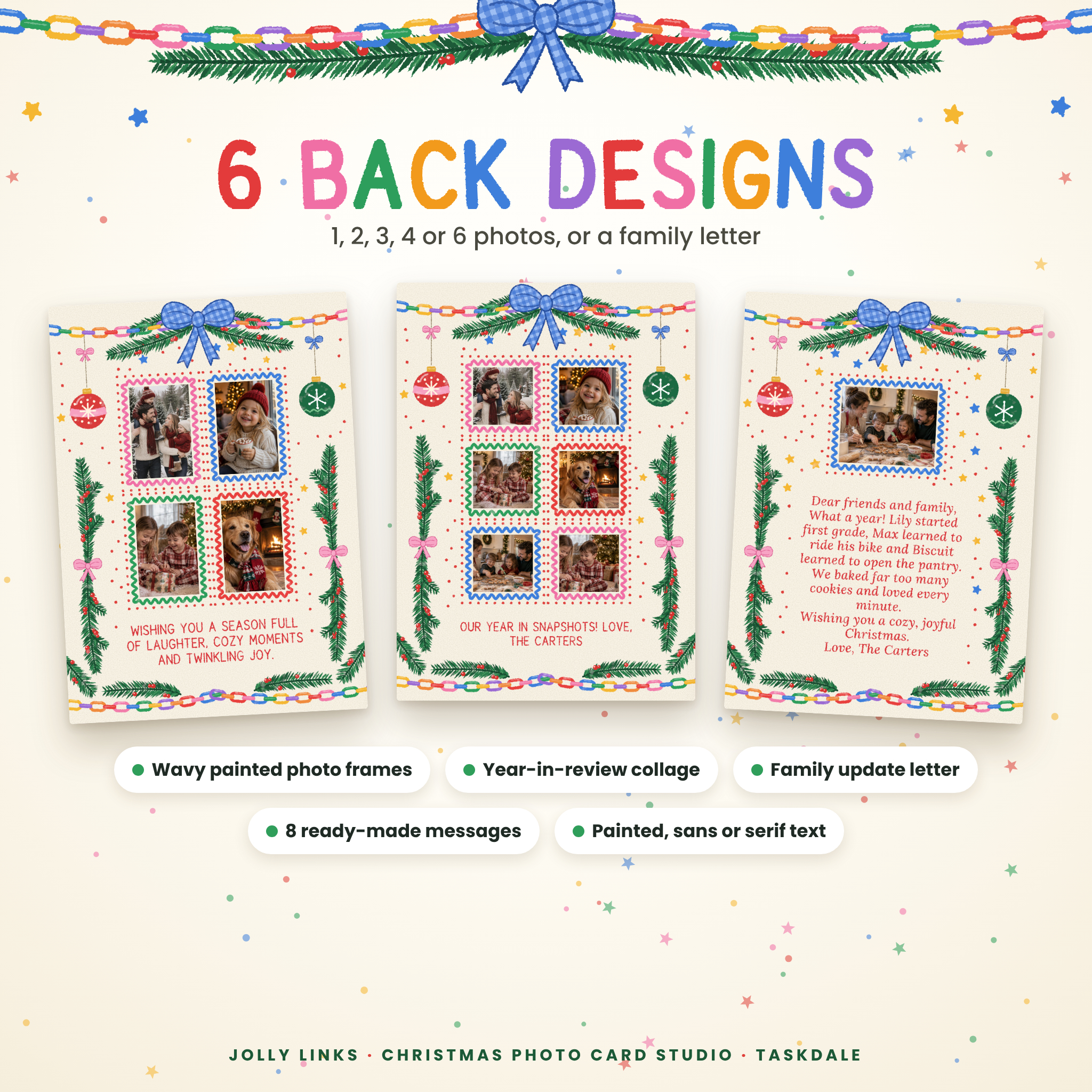
- Portrait backs (5×7): 1, 2, 3, 4 or 6 photos, plus a Family Letter back with room for your yearly update.
- Landscape (7×5): a landscape front plus three matching landscape backs (2 photos, 3 photos, or a photo with a note).
5 colorways and 5 paper colors
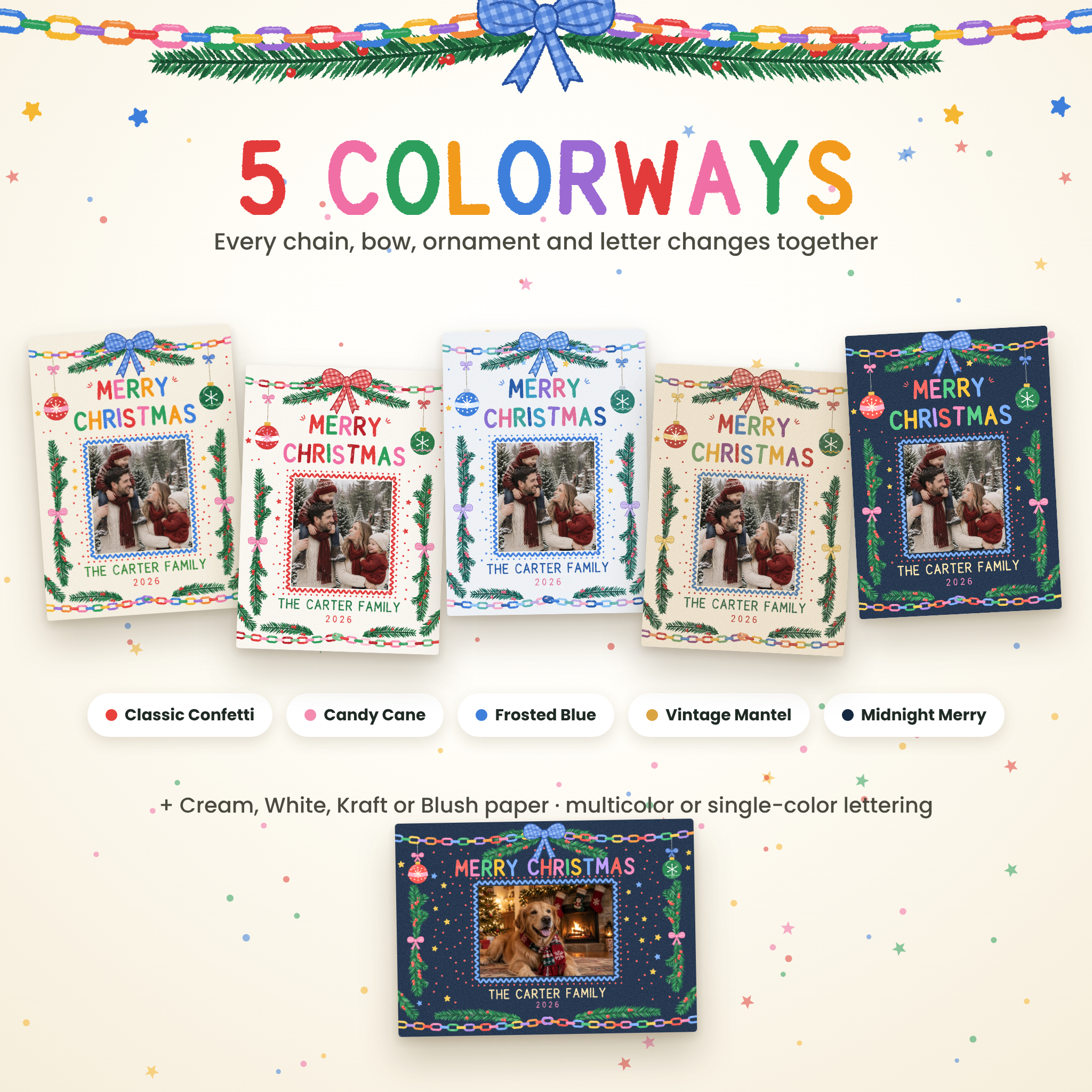
Classic Confetti, Candy Cane, Frosted Blue, Vintage Mantel and Midnight Merry. Each colorway recolors the chains, bows, ornaments, stars, frames and lettering together, so everything always matches. Then choose Cream, White, Kraft or Blush paper.
Greetings and text styles
Merry Christmas, Happy Holidays, Season’s Greetings, Merry & Bright, Joy to the World, Feliz Navidad, or write your own two lines. Choose multicolor or single-color hand lettering, and set names and messages in Painted Hand, Clean Sans or Elegant Serif. Eight ready-made back messages are included.
Decoration controls
Show or hide the hanging ornaments, stars and confetti, wavy frames and painted texture. Adjust the confetti amount or shuffle it until it looks just right.
Print and share options
- Print-shop PDF: 5×7 with 1/8 in bleed (5.25 x 7.25 in) at 300 DPI, front and back in one file. An exact-size option is included too.
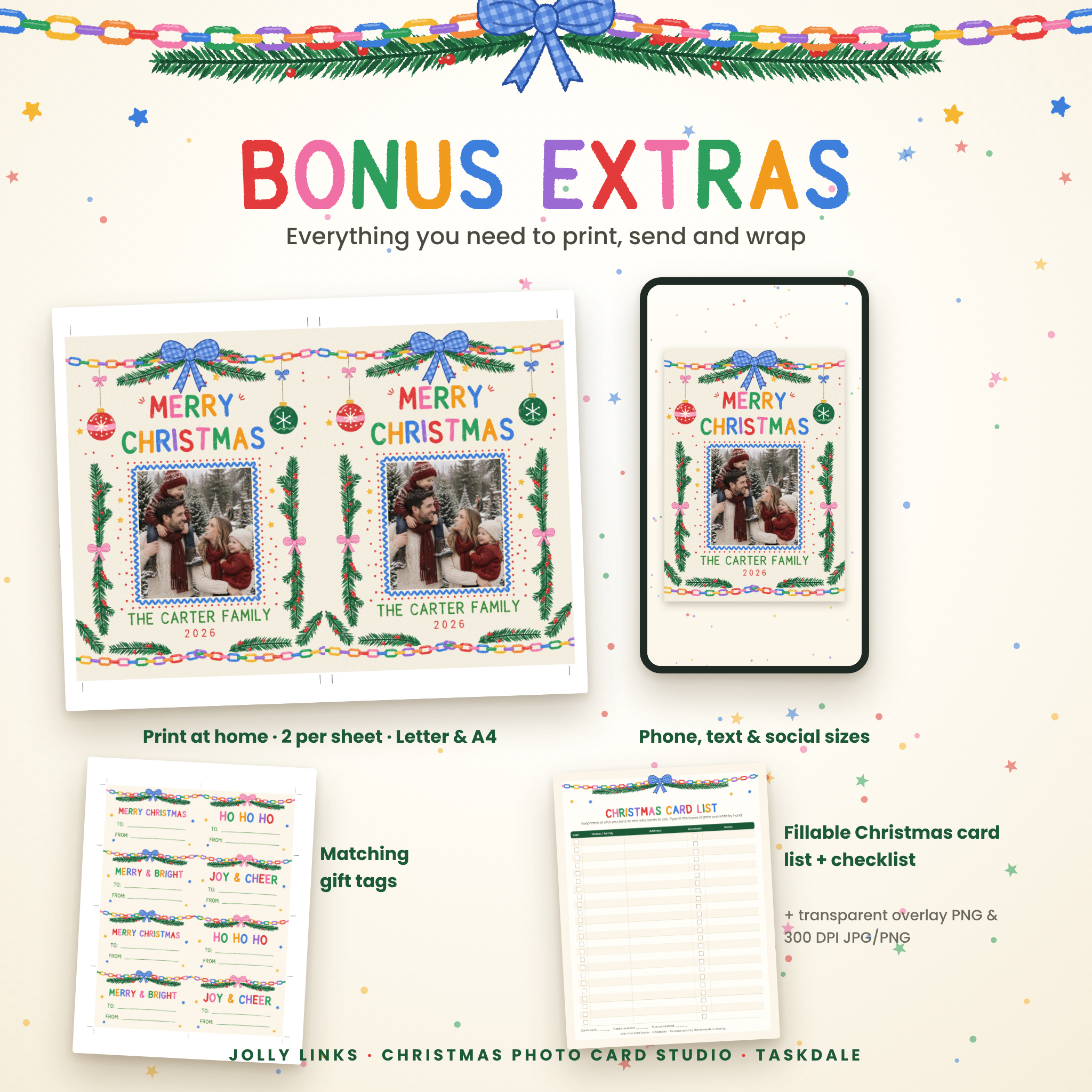
- Home print PDF: two cards per sheet on US Letter or A4, with crop marks and a backs-rotated option for duplex printers.
- Photo-lab JPGs: 1500 x 2100 px (5×7 at 300 DPI) or 1575 x 2175 px with bleed.
- Phone and social images: card (1080 x 1512), story (1080 x 1920) or square post (1080 x 1080).
- Transparent overlay PNG and full-card PNG at 300 DPI.
- Matching gift tags: 8 tags (3.5 x 2.25 in) per sheet in your colorway, with editable words.
What’s included
- Jolly Links Card Studio (HTML file that works offline in your browser)
- Christmas Card List and Planning Checklist (fillable and printable PDF, US Letter and A4)
- 12-page user guide (Word .docx) with printing tips, troubleshooting and FAQ
- Quick start sheet (.txt)
- Everything in one ZIP file, plus each file as a separate download
How it works
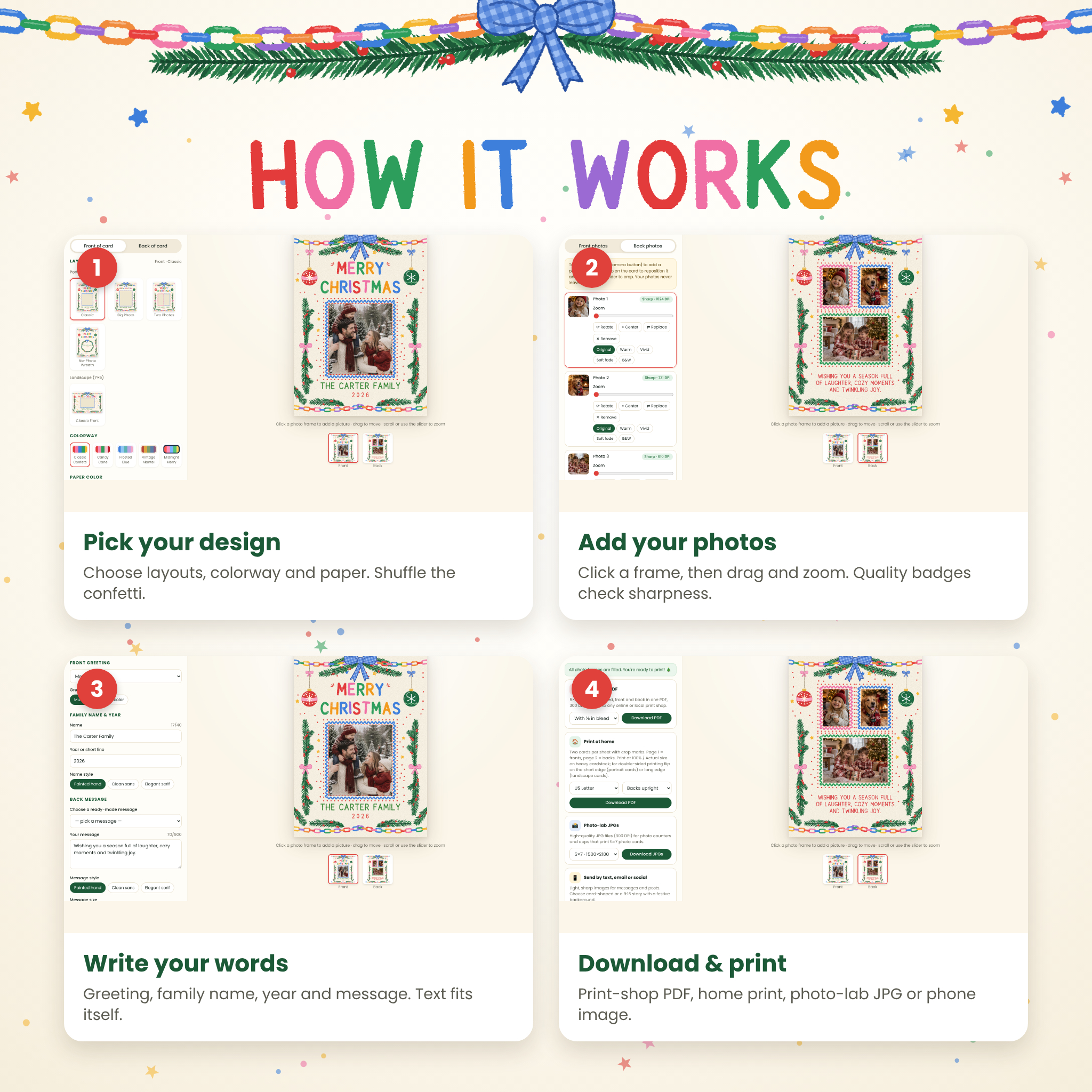
- Design: open the file in Google Chrome or Microsoft Edge, choose your front and back layouts, colorway and paper.
- Photos: click each frame, choose a photo, then drag and zoom to frame it.
- Words: pick a greeting and type your family name, year and message.
- Download: choose the print-shop PDF, home-print sheets, photo-lab JPGs or a phone-ready image.
Your design is saved automatically in your browser, and you can save a project file to open again later or next year.
File formats and requirements
- Formats: HTML (card studio), PDF (card list), DOCX (guide), TXT (quick start). The studio exports PDF, JPG and PNG.
- Software: a modern web browser. Google Chrome or Microsoft Edge on a Windows or Mac computer is recommended. No internet connection is needed after download.
- Photos: JPG, PNG, WEBP, GIF or BMP. iPhone HEIC photos need saving as JPG first.
- Card list: type into it with a free PDF reader such as Adobe Acrobat Reader, or print it.
Customization
Change layouts, colorways, paper color, greeting, lettering colors, fonts, message size, photo crops, photo filters and decorations. Mix a landscape front with a portrait back if you like. The artwork’s colors are designed as coordinated sets, so you can’t break the look.
Digital download
This is an instant digital download. No physical item is shipped, and sample photos in the listing images are for display only. Screen and printer colors may vary slightly, so print one test card first.
Perfect for
- Family Christmas photo cards to mail to friends and relatives
- A playful, colorful holiday card for families with kids and pets
- “Year in review” cards with six favorite moments, or a family update letter
- Printing at home the night before your card party, or ordering from a print shop
- Texting a festive digital card to faraway family, or posting it as a story
- Matching gift tags for wrapping, plus a list to track who you’ve sent cards to
Christmas photo card FAQ
Do I need Canva or an account?
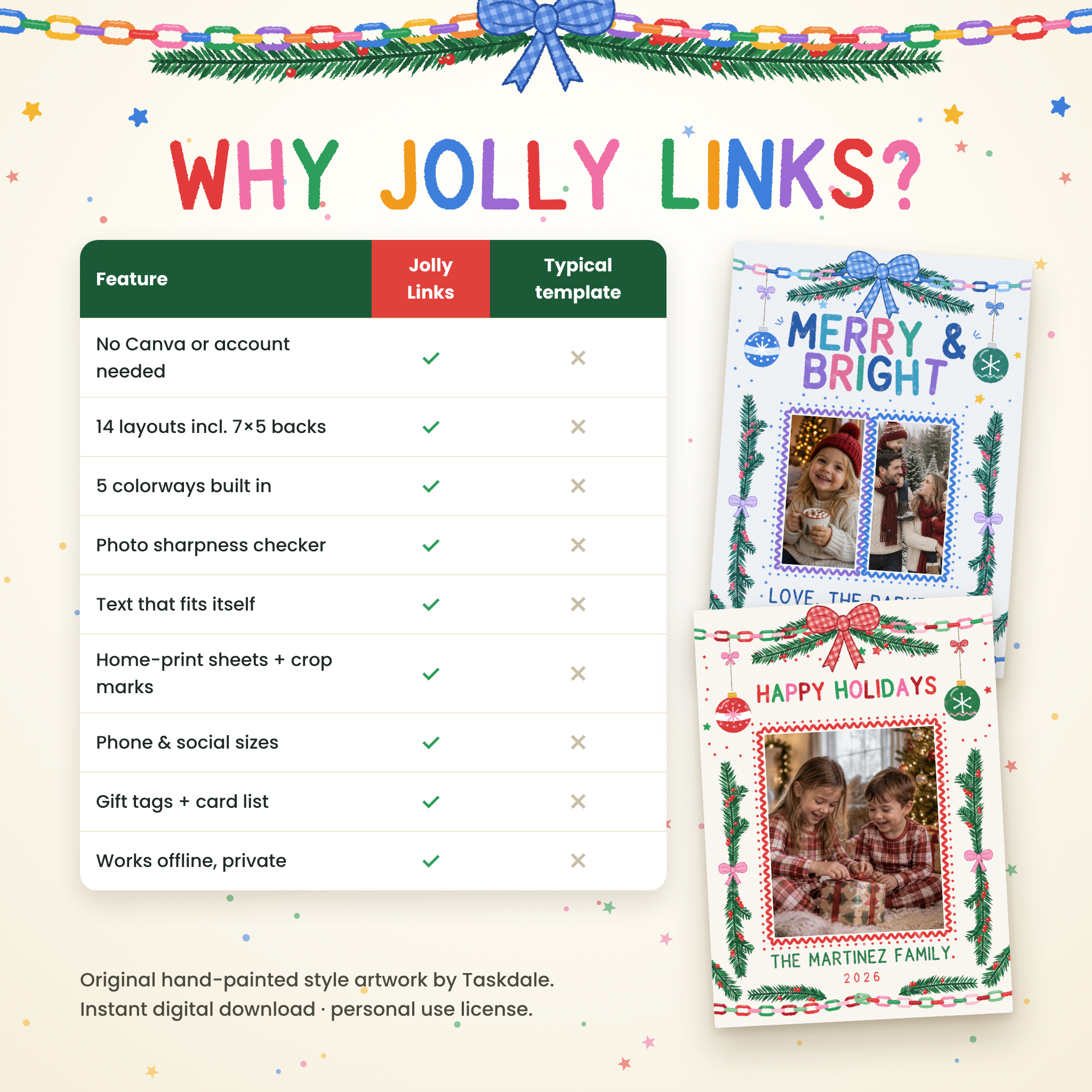
No. Jolly Links runs in your web browser with nothing to sign up for.
What size are the cards?
5×7 in portrait or 7×5 in landscape, with a 1/8 in bleed for professional printing. They fit standard A7 envelopes.
Can I print at home?
Yes. Download two-up sheets for US Letter or A4 with crop marks, print at 100% on cardstock and trim.
Where can I get them printed?
Upload the print-shop PDF to an online or local print shop, or use the 5×7 JPGs at a photo counter.
Can I send it digitally?
Yes. Download a card, story or square image sized for text messages, email and social media.
Are my photos uploaded?
No. Everything happens on your device.
Can I change the wording?
Yes. Pick a ready-made greeting and message or write your own. Accented letters are supported.
License
Personal use only. Make and print as many cards, tags and digital greetings for your own family as you like, and have them printed by any print shop. Please don’t resell, share or give away the files or artwork, or sell printed cards made with them. © Taskdale.
Reviews
There are no reviews yet.