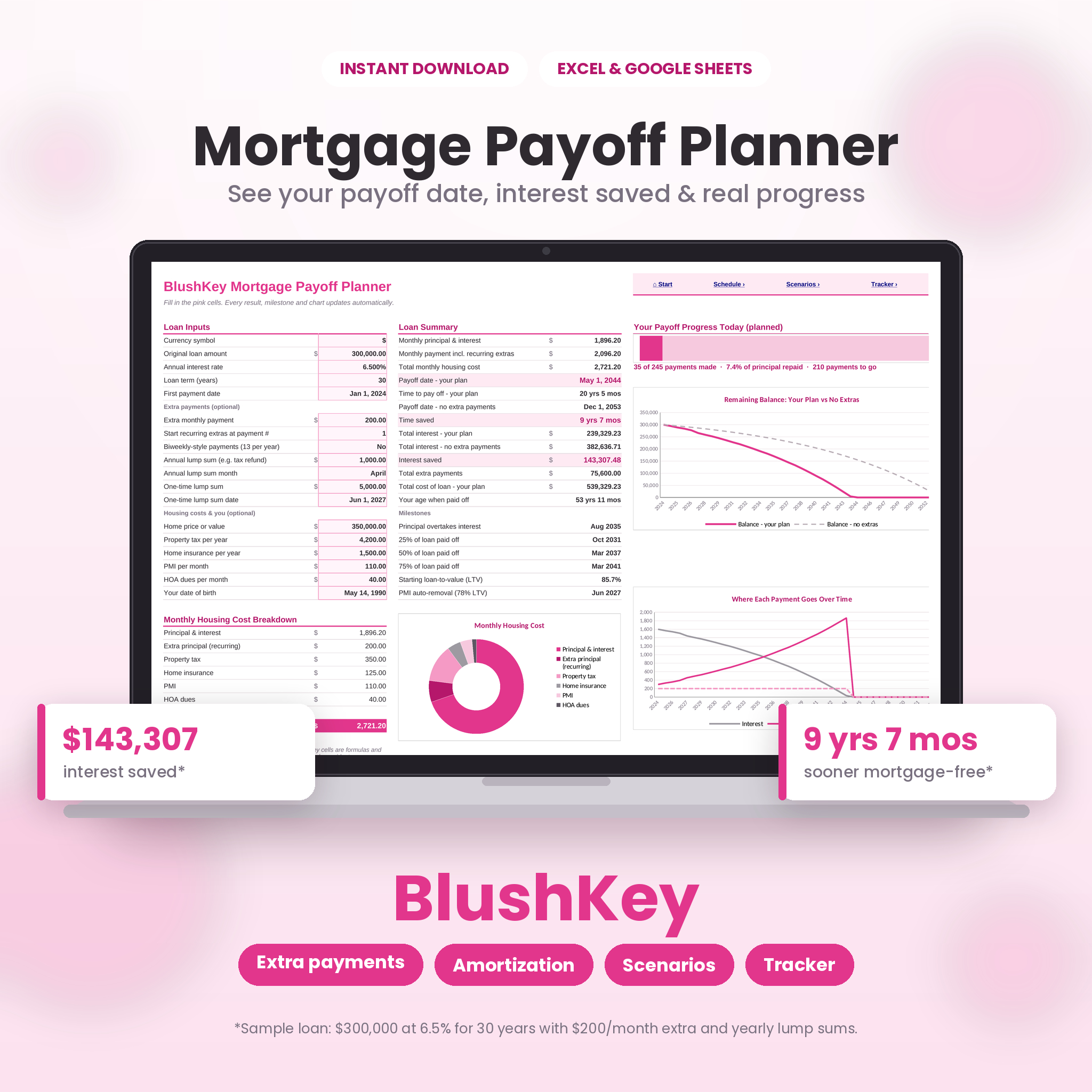




The BlushKey Mortgage Payoff Planner is a mortgage payoff calculator spreadsheet that shows you exactly when you’ll be mortgage-free and how much interest every extra payment saves. Enter your loan amount, interest rate, term and first payment date, and the workbook does the rest: your monthly payment, a complete amortization schedule, your new payoff date, time saved, interest saved, milestones and easy-to-read charts. Then use the built-in payment tracker to log real payments from your lender statements and see if you’re ahead of your plan.
It opens in Microsoft Excel and Google Sheets, needs no macros or sign-ups, and uses a soft blush-pink design that is calm, clear and easy to read.
Why Use a Mortgage Payoff Calculator Spreadsheet?
A mortgage is usually the biggest debt a household ever carries, and small changes make a huge difference. An extra $200 a month, a tax refund sent to principal or switching to biweekly-style payments can cut years off a 30-year loan and save tens of thousands in interest. BlushKey turns those “what ifs” into real numbers in seconds, so you can choose a plan with confidence and stay motivated as your balance falls.
Who It’s For
- Homeowners who want to pay off their mortgage early
- First-time buyers comparing 15-year and 30-year loans
- Anyone weighing a refinance or biweekly-style payments
- Couples and families building a debt-free plan together
- Beginners who want clear answers without doing any math
Features
Payoff Calculator
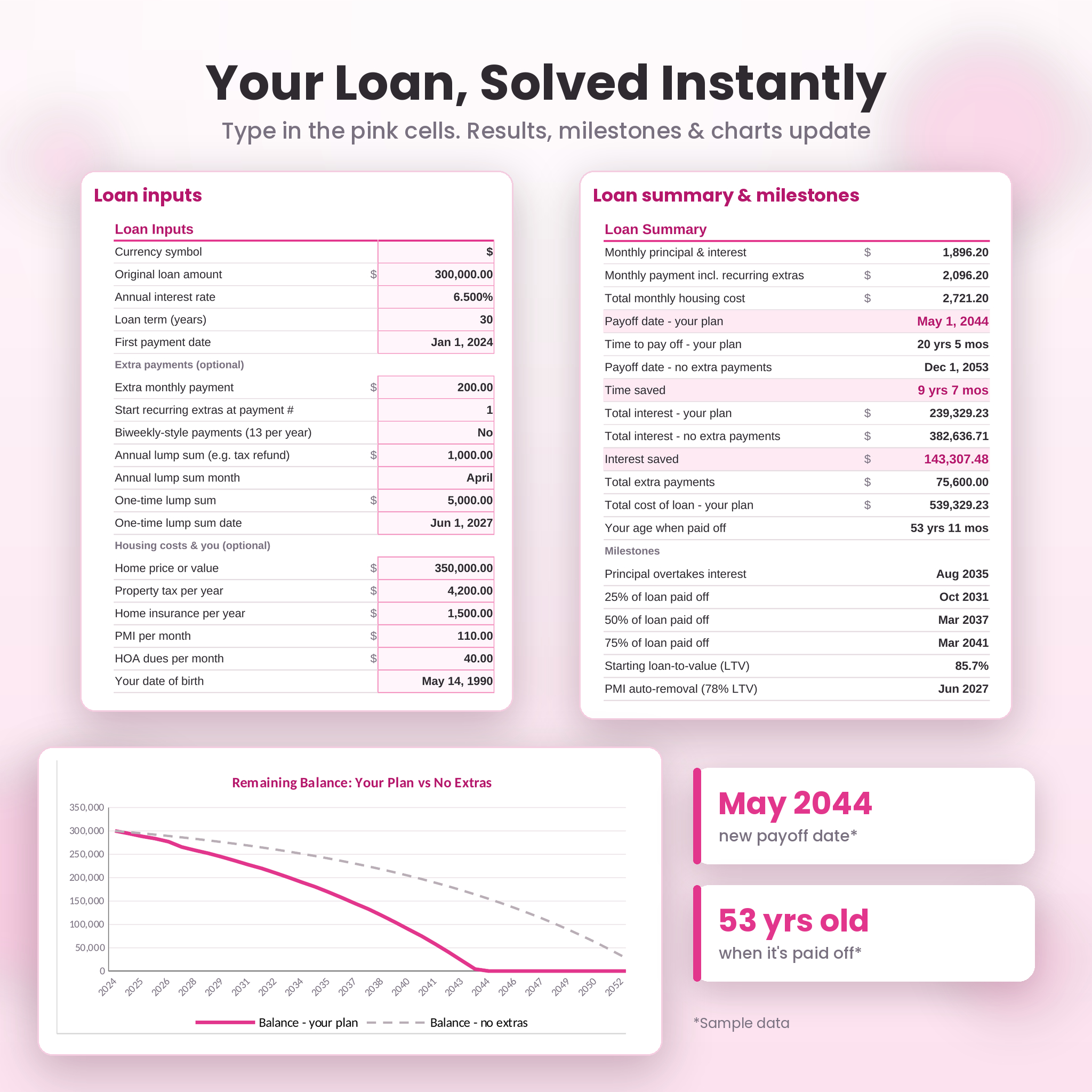
- Monthly principal and interest, your payment with extras and your total monthly housing cost
- Payoff date and time to pay off, compared with the original loan
- Total interest with and without extras, interest saved, total extra payments and total cost of the loan
- Your age when the mortgage is paid off (add your date of birth)
Flexible Extra Payments
- Extra monthly payment with an optional start month
- Biweekly-style option (13 payments a year)
- Annual lump sum in the month you choose, such as a tax refund or bonus
- One-time lump sum on any date
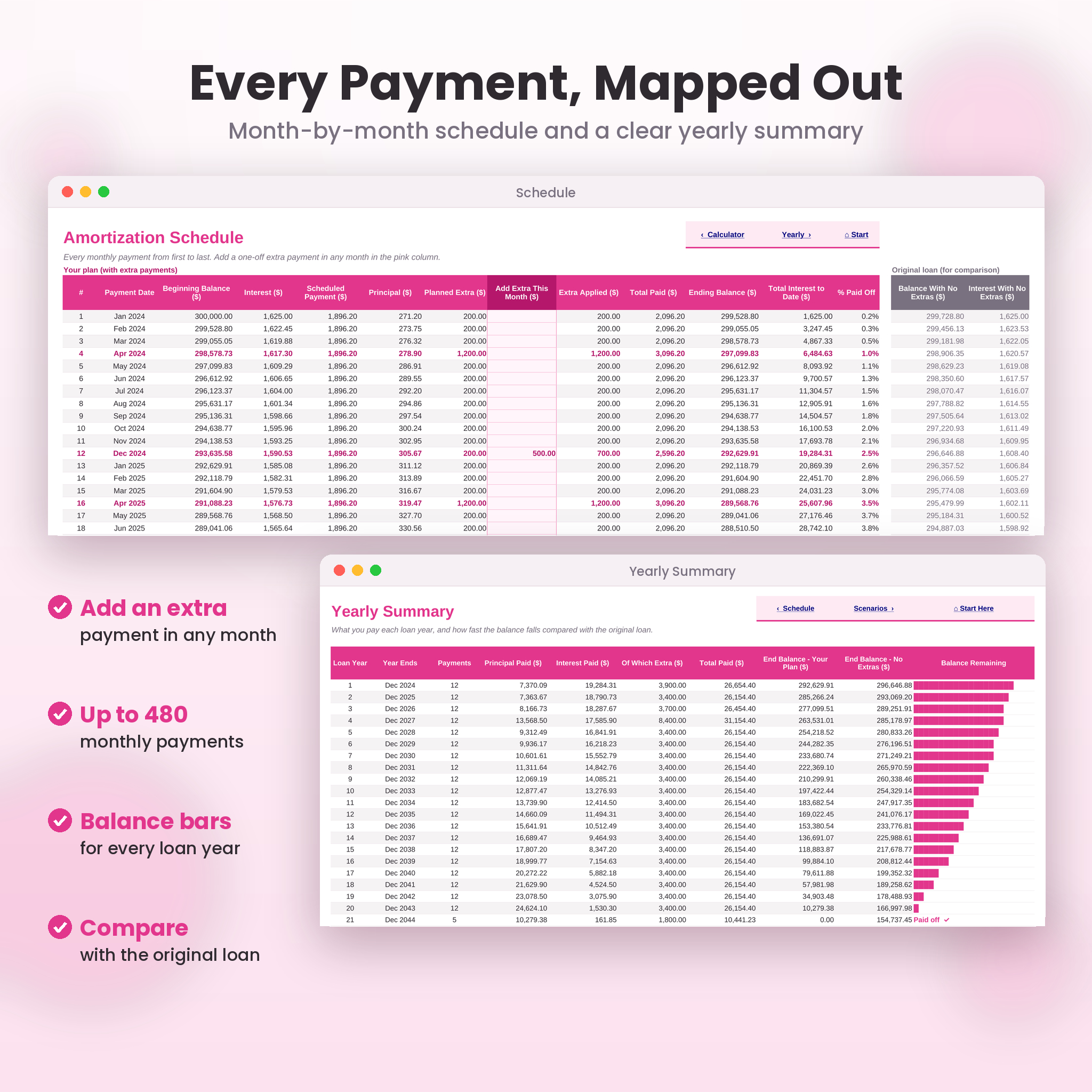
- Add a one-off extra in any single month directly on the schedule
Milestones and Housing Costs
- The month principal overtakes interest, plus your 25%, 50% and 75% paid-off dates
- Starting loan-to-value and estimated PMI removal date at 78% LTV
- Property tax, home insurance, PMI and HOA dues in your total monthly cost, with a donut chart
Amortization Schedule and Yearly Summary
- Up to 480 monthly payments (40 years) with interest, principal, extras, balance, interest to date and percent paid
- Side-by-side comparison with the original loan
- Yearly totals for principal, interest and extras, with balance bars that shrink as you pay
Scenario Compare
- Test three strategies against your original loan, for example a 15-year refinance, an extra $200 a month or biweekly-style payments
- See payment, payoff date, total interest, interest saved and time saved, with the cheapest option starred and charted
Payment Tracker
- Log up to 480 real payments with date, amount, extra principal, statement balance and notes
- See principal reduced, interest and escrow paid, your planned balance and whether you’re ahead or behind
- Progress bar and summary of payments logged, total paid and percent of the loan repaid
- Start tracking from your first payment or part-way through your loan
Thoughtful Extras
- One currency setting that updates every money label and value ($, €, £, ¥, ₹, R, A$, C$ and more, or type your own)
- Pink input cells with hover tips, dropdowns and input checks that block impossible values
- Formula cells protected without a password, so nothing breaks by accident
- Start Here sheet with clickable navigation and a live status box
- Print-ready layouts with repeating headers
What’s Included
- BlushKey-Mortgage-Payoff-Planner.xlsx: the clean planner, ready for your loan
- BlushKey-Mortgage-Payoff-Planner-Sample.xlsx: the same planner filled with an example loan so you can explore every feature
- BlushKey-Mortgage-Payoff-Planner-User-Guide.docx: a 15-page illustrated guide with setup steps, feature walkthroughs, tips, troubleshooting and FAQ
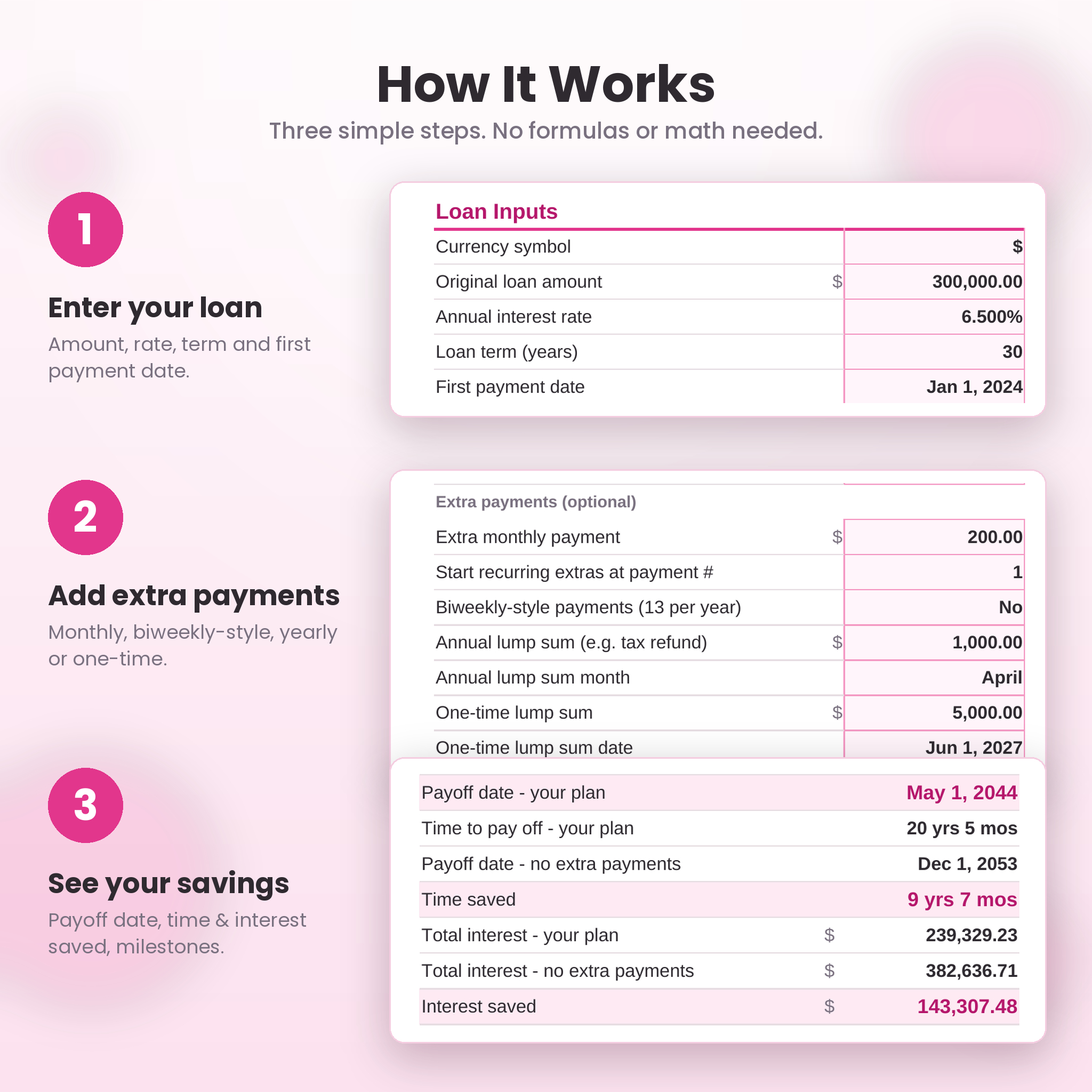
How It Works
- Download the files right after purchase.
- Open the planner in Excel, or upload it to Google Drive and open it with Google Sheets.
- Choose your currency and enter your loan details in the pink cells.
- Add any extra payments and watch your payoff date, savings and charts update.
- Each month, log your real payment and statement balance in the tracker.
File Formats and Software
- Format: .xlsx spreadsheet (2 files) and .docx user guide
- Works with Microsoft Excel and Google Sheets (free Google account)
- Tested in Excel for the web, Google Sheets and LibreOffice Calc
- No macros, add-ins or scripts
Customization
Name your scenarios, switch the currency and add one-off extras in any month. Sheets are protected without a password, so you can unprotect them in a click if you want to change colors or layouts.
Real-Life Ways to Use It
- Decide whether to put a bonus toward the mortgage or savings by seeing the exact interest saved
- Compare a refinance quote with your current loan before you sign
- Set a goal such as “mortgage-free by 55” and find the extra payment that gets you there
- Check your lender statements each month and stay on track
FAQ
Do I need Microsoft Excel?
No. It works in Microsoft Excel or free Google Sheets.
Does it work for 15-year and 30-year mortgages?
Yes. Any whole-year term from 1 to 40 years works.
Can I include property tax, insurance, PMI and HOA?
Yes. They’re added to your total monthly housing cost and shown in a chart.
Can I compare a refinance?
Yes. Use the Scenarios sheet to compare rate, term and extra payments side by side.
I’m already a few years into my loan. Can I still use it?
Yes. Enter your original loan to see the full plan, and start the Payment Tracker from your current payment number and balance.
Does it support other currencies?
Yes. Pick a symbol from the list or type your own, and every money value updates.
Is this a physical product?
No. It’s an instant digital download. Nothing will be shipped.
Is this financial advice?
No. Results are estimates for planning. Lenders may round or apply payments slightly differently, so check important decisions with your lender.
License
Personal use only. You may use the planner for your own household finances. Please don’t resell, share, upload or redistribute the files or any part of them. © Taskdale.
Reviews
There are no reviews yet.