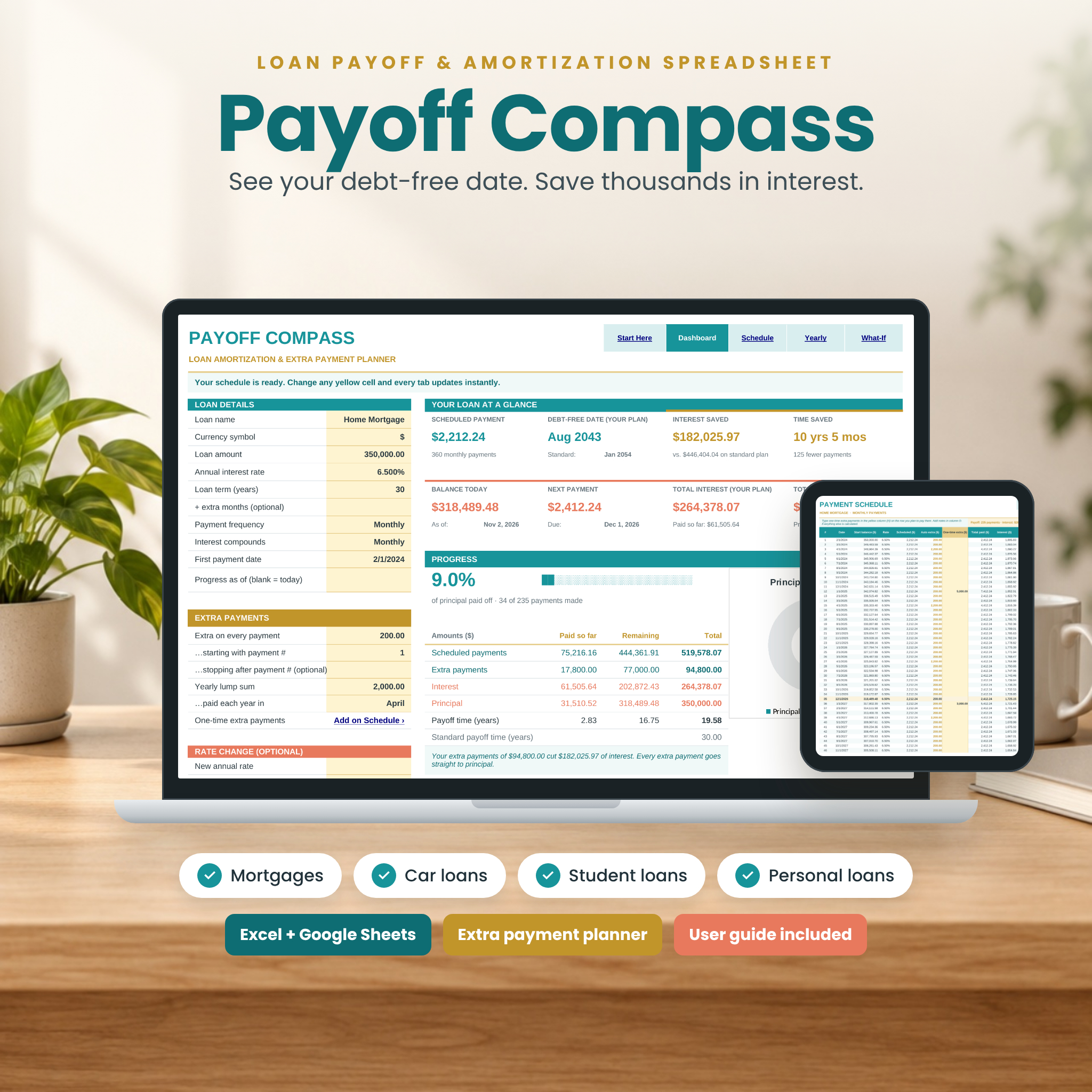
The Payoff Compass loan amortization spreadsheet shows you exactly when you will be debt-free and how much faster you can get there. Enter a few loan details and it builds a complete payment-by-payment amortization schedule, tracks your progress to today, and reveals how much interest and time every extra payment saves. It works for mortgages, car loans, student loans and personal loans, in Microsoft Excel and Google Sheets.
What the Payoff Compass Loan Amortization Spreadsheet Does
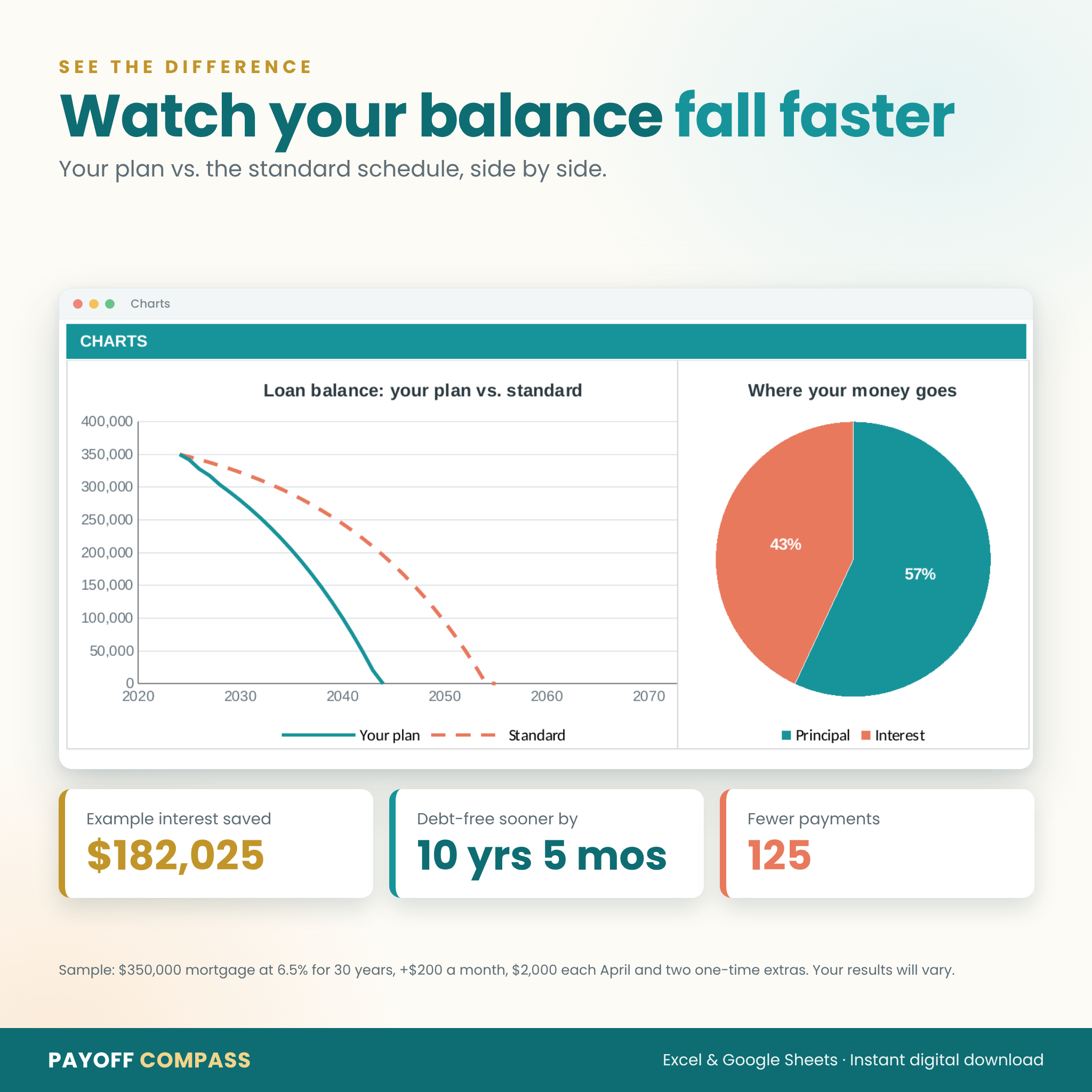
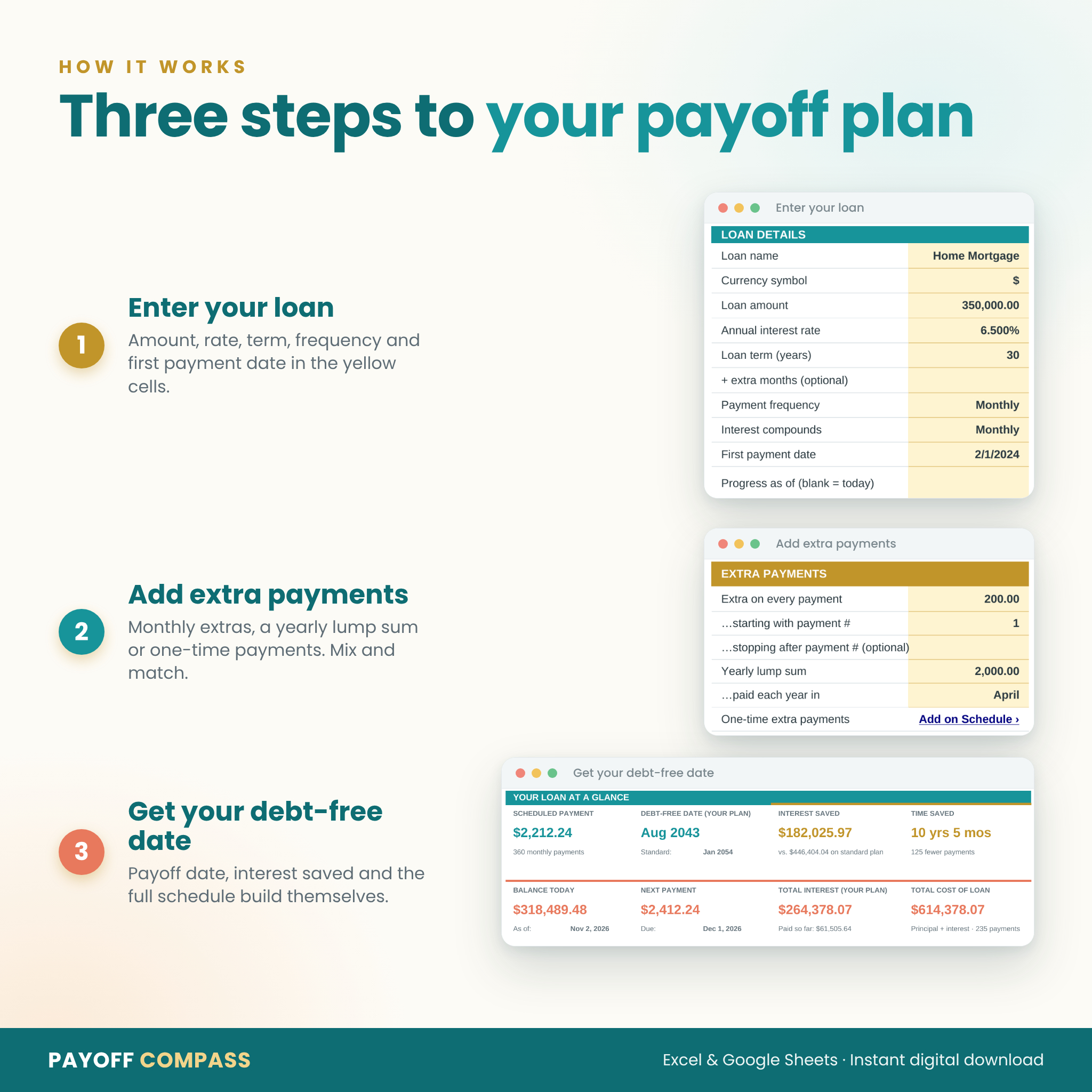
Payoff Compass is a mortgage payoff calculator, extra payment planner and loan tracker in one calm, easy-to-read workbook. Type your loan amount, interest rate, term, payment frequency and first payment date into the yellow cells. Your scheduled payment, debt-free date, total interest and full schedule appear instantly. Add a monthly extra, a yearly lump sum or a one-time bonus payment and watch your payoff date move closer, with the interest you save shown in real dollars. Every result is compared with the standard schedule for the same loan, so you can see at a glance how much time and money your plan saves.
Who It Is For
- Homeowners who want to pay off a mortgage early or understand where each payment goes
- Anyone with a car loan, student loan, personal loan or renovation loan on a fixed rate
- Borrowers in Canada and elsewhere whose lenders compound interest semi-annually or on another schedule
- Anyone who wants to test “what if I paid an extra $100 a month?” before committing
- Spreadsheet beginners: you only fill in the yellow cells and the status bar tells you what to enter next
Features
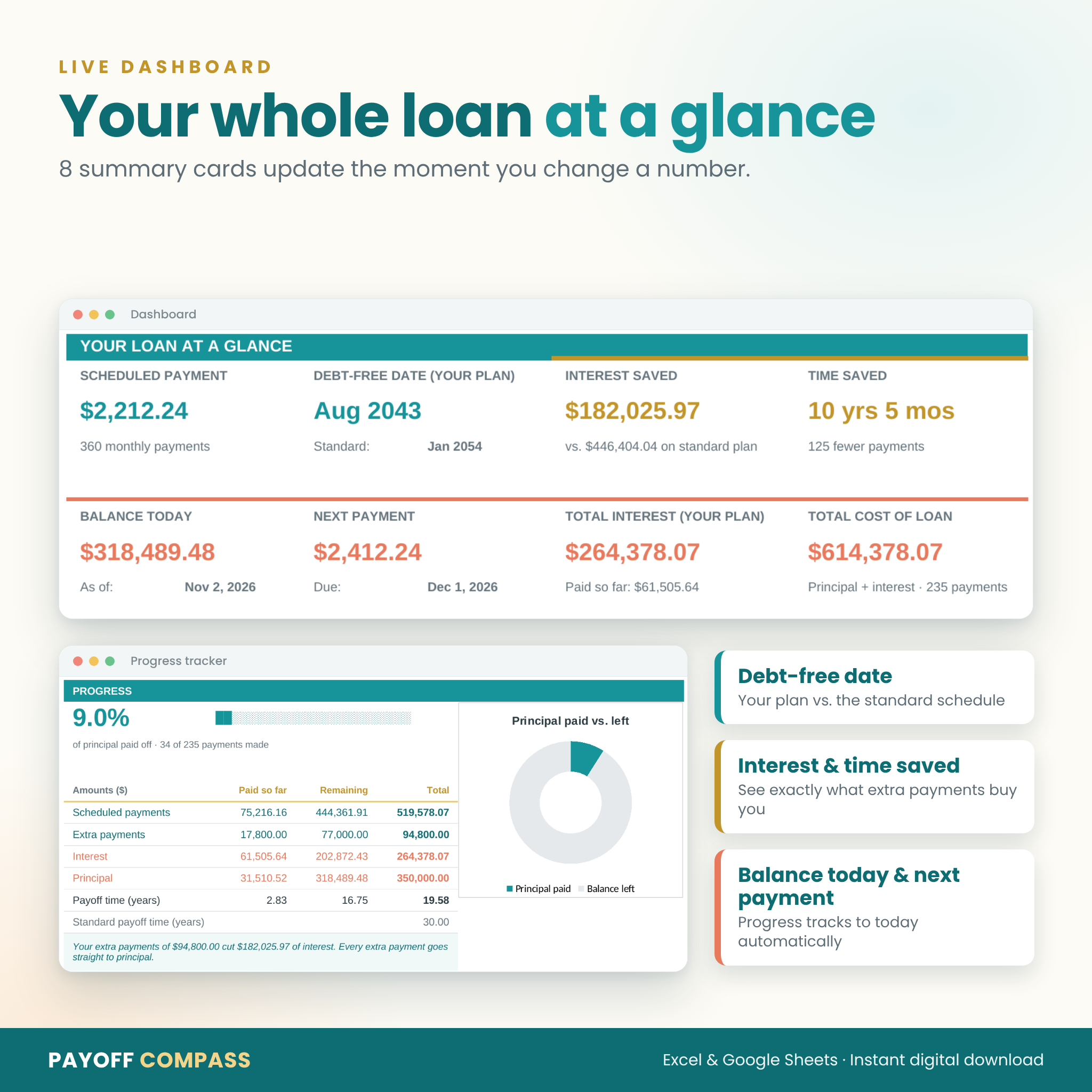
Live Dashboard
- 8 summary cards: scheduled payment, debt-free date, interest saved, time saved, balance today, next payment, total interest and total cost of the loan
- Progress tracker with percentage paid off, a progress bar and payments made, updated to today automatically (or any date you choose)
- Paid so far, remaining and total for scheduled payments, extra payments, interest and principal
- 3 charts: principal paid vs. remaining, loan balance (your plan vs. standard) and where your money goes
Flexible Extra Payments
- A recurring extra on every payment, with optional start and stop payment numbers
- A yearly lump sum in the month of your choice, perfect for tax refunds or bonuses
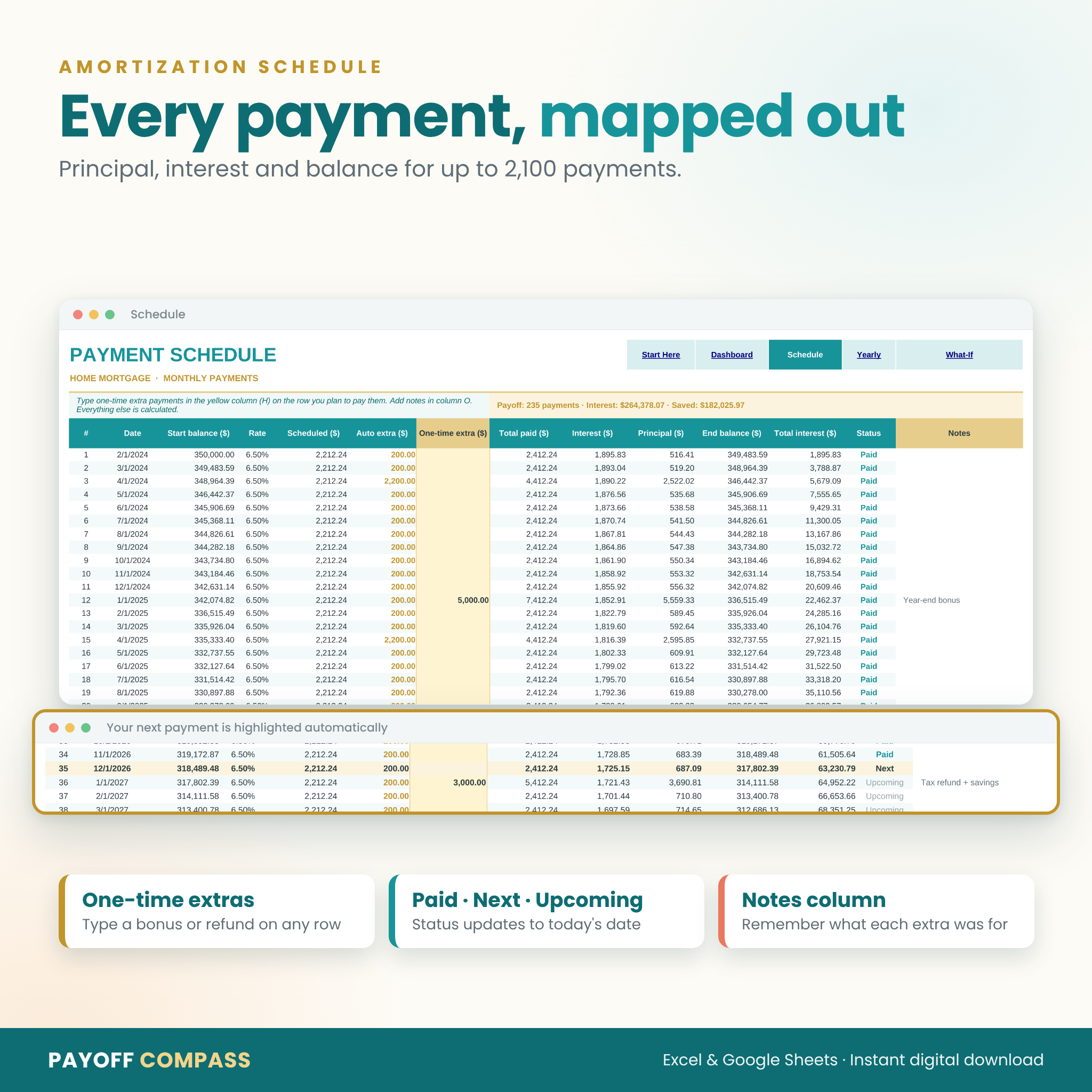
- Unlimited one-time extra payments typed straight into the schedule, with a notes column
- Smart caps so extras never overpay: the final payment lands exactly on zero
Accurate for Any Fixed-Rate Loan
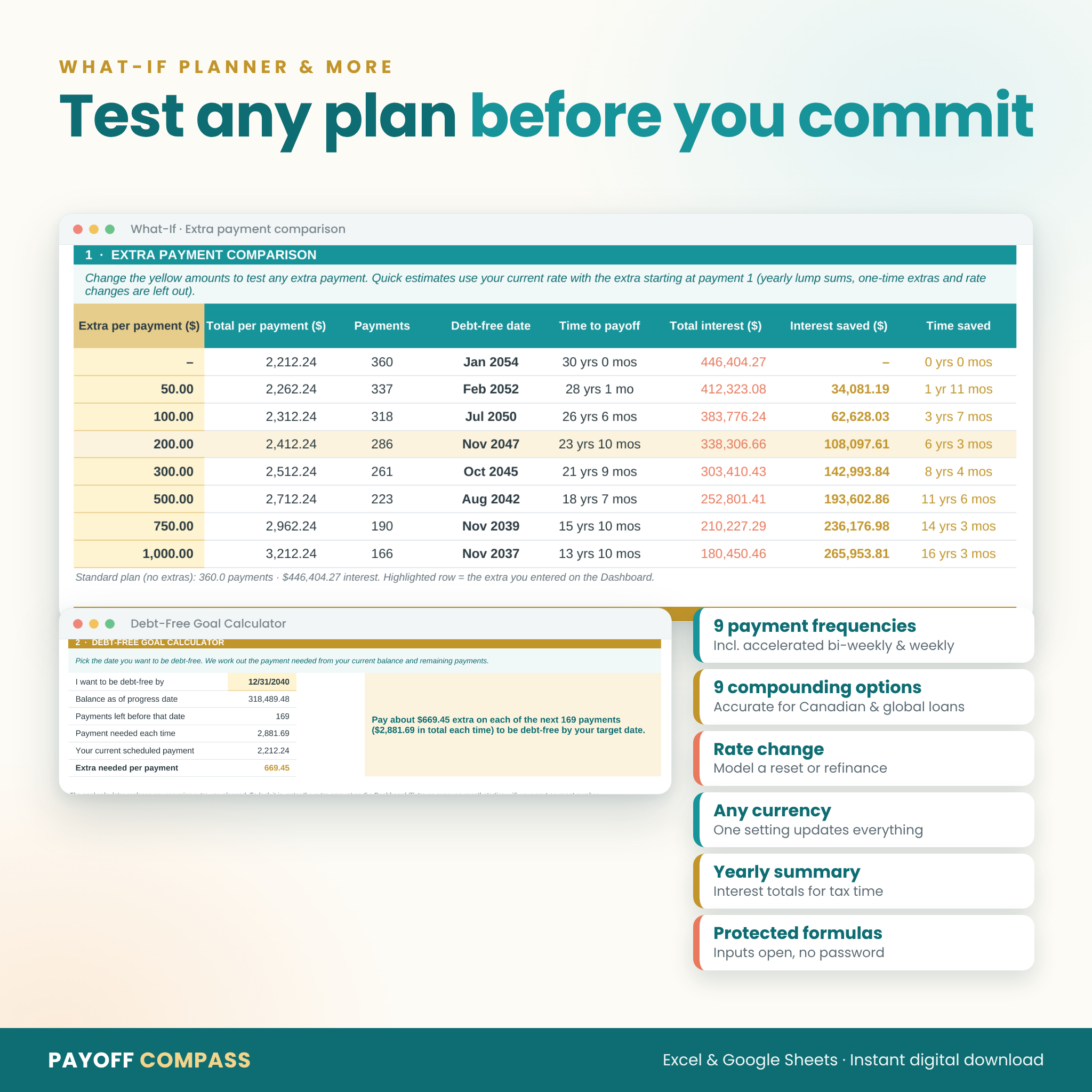
- 9 payment frequencies: monthly, semi-monthly, bi-weekly, accelerated bi-weekly, weekly, accelerated weekly, quarterly, semi-annually and annually
- 9 interest compounding options, from daily to annually, including the semi-annual compounding used for Canadian mortgages
- One optional rate change for a fixed-rate reset, adjustable-rate adjustment or refinance, with the payment recalculated automatically
- Room for up to 2,100 payments, enough for a 40-year weekly loan
- One currency setting that updates every heading and summary
Amortization Schedule, Yearly Summary and What-If Planner
- Schedule: date, starting balance, rate, scheduled payment, extras, interest, principal, ending balance, interest to date and a Paid / Next / Upcoming status for every payment
- Yearly Summary: calendar-year totals of interest, principal and extra payments, your balance against the standard plan and a progress bar for each year
- What-If Planner: compare 8 extra payment amounts side by side with a chart, showing debt-free date, total interest, interest saved and time saved
- Debt-Free Goal Calculator: pick a target date and see the extra payment needed to hit it
What’s Included
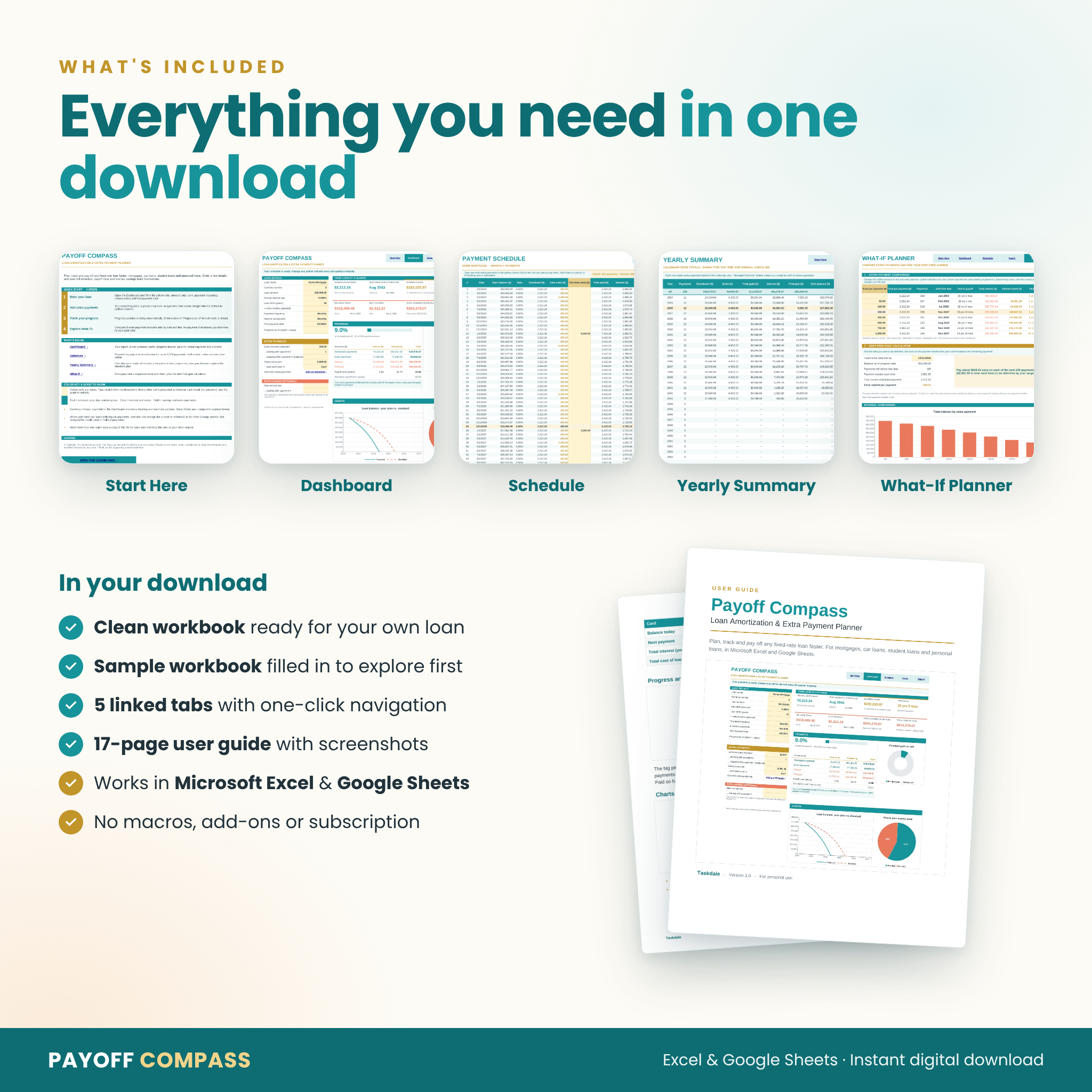
- Payoff Compass (clean copy).xlsx: ready for your own loan
- Payoff Compass (sample copy).xlsx: filled in with an example $350,000 mortgage so you can explore every feature first
- Payoff Compass User Guide.docx: a 17-page guide with screenshots, tips, troubleshooting and FAQ
The workbook has 5 linked tabs: Start Here, Dashboard, Schedule, Yearly Summary and What-If. Formula cells are protected (no password) so nothing breaks by accident, while every input stays open.
How It Works
- Download the files and open the clean copy in Excel, or upload it to Google Drive and choose File > Save as Google Sheets.
- On the Dashboard, fill in the yellow cells for your loan.
- Add extra payments and watch your debt-free date, interest saved and schedule update.
- Use the What-If Planner to compare options, then come back any time to track your progress.
File Formats and Software Needed
- Format: Excel workbook (.xlsx) and Word user guide (.docx)
- Tested in Microsoft Excel (Microsoft 365 / Excel for the web) and Google Sheets
- Google Sheets is free with a Google account; no macros, add-ons or subscriptions needed
- Letter-size print settings on every tab, easy to switch to A4
Customization
Choose any currency symbol, name your loan, add notes to any payment and model a future rate change. Need more than one loan? Save a copy of the clean file for each one. Sheets are protected without a password, so confident users can unlock them to change colors or layouts.
Download Information
This is a digital product. Nothing will be shipped. Your files are available to download right after purchase from your order confirmation and your account. Payoff Compass is licensed for personal use only; please do not share or resell the files.
Real Ways People Use It
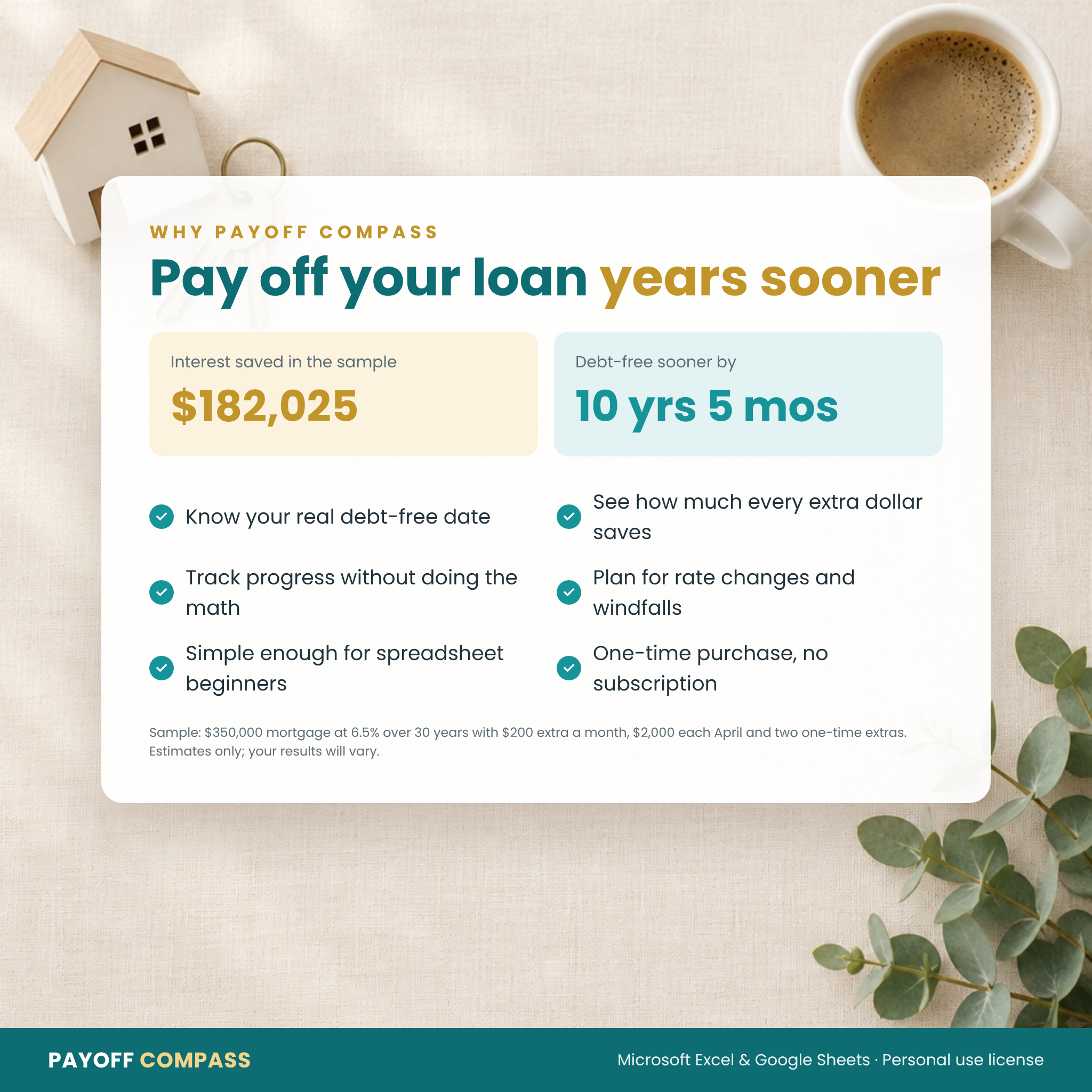
- Seeing how $200 extra a month could take years off a 30-year mortgage
- Deciding whether to put a tax refund toward a car loan
- Comparing monthly and accelerated bi-weekly payments before talking to a lender
- Planning the payment needed to clear student loans by a goal date
- Checking yearly mortgage interest totals at tax time
Frequently Asked Questions
Do I need spreadsheet experience? No. You only fill in the yellow cells, and a status bar tells you what to enter next. Does it work in Google Sheets? Yes. Upload the file to Google Drive and save it as a Google Sheet. The guide walks you through it. Can I use it for a Canadian mortgage? Yes. Choose semi-annual compounding and your payment frequency, including accelerated bi-weekly. I’m already part-way through my loan. Will it work? Yes. Enter your original loan details and it calculates your current balance, or start from today’s balance and remaining term. Does it handle variable rates or credit cards? It supports one future rate change. It is not designed for credit cards, interest-only loans or balloon payments. Does it include taxes and insurance? No. Enter the principal-and-interest part of your payment only. Can I track more than one loan? Yes. Save a separate copy of the clean file for each loan. Is this financial advice? No. Payoff Compass gives planning estimates. Always confirm payoff figures with your lender.

Reviews
There are no reviews yet.