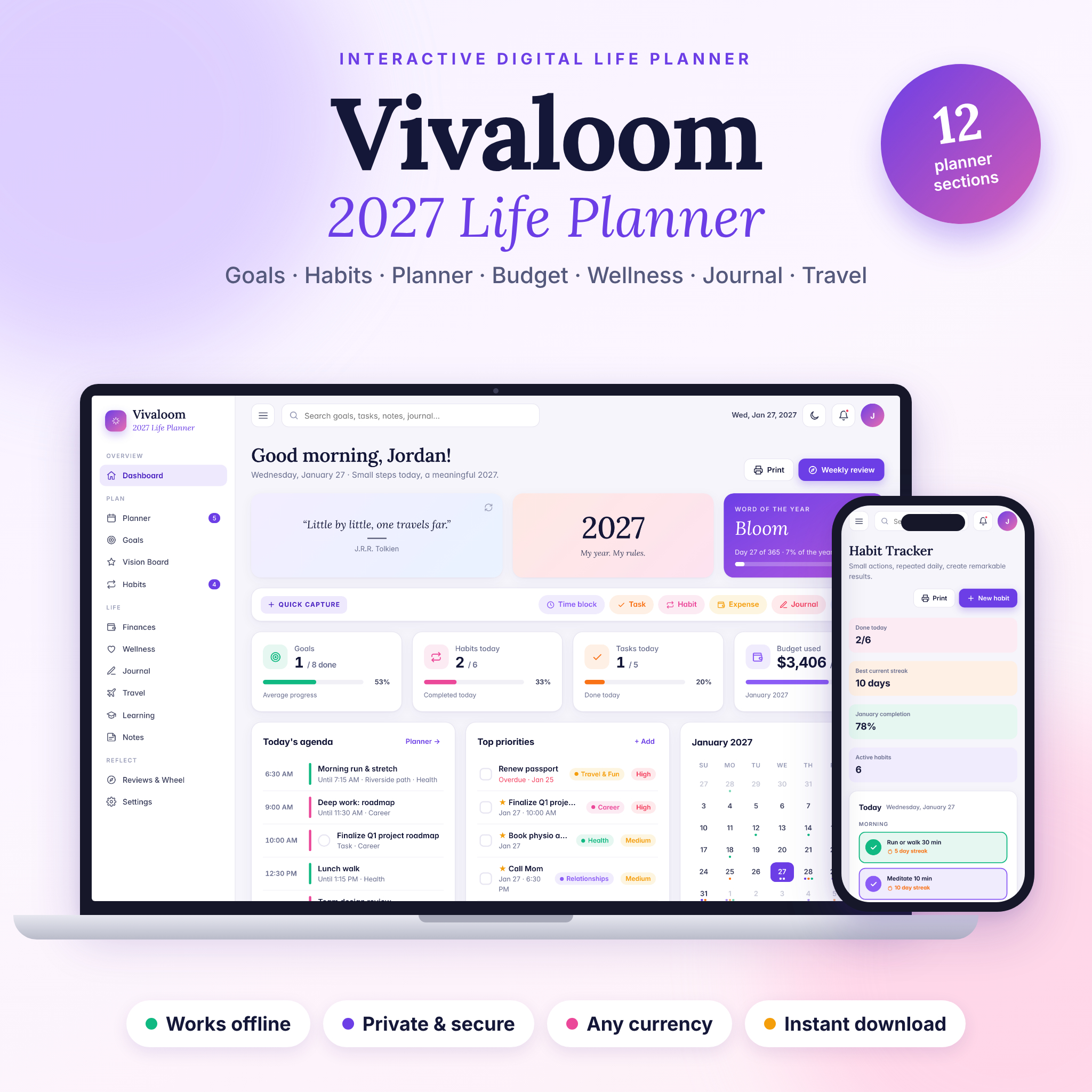
Vivaloom 2027 Life Planner is an all-in-one digital life planner that runs right in your web browser. Plan your goals, habits, days, budget, wellness, journal, trips and learning in one beautiful, private file. There is no app to install, no account to create and no subscription. Download it, open it, and start planning a more intentional 2027.
An interactive digital life planner for 2027 and beyond
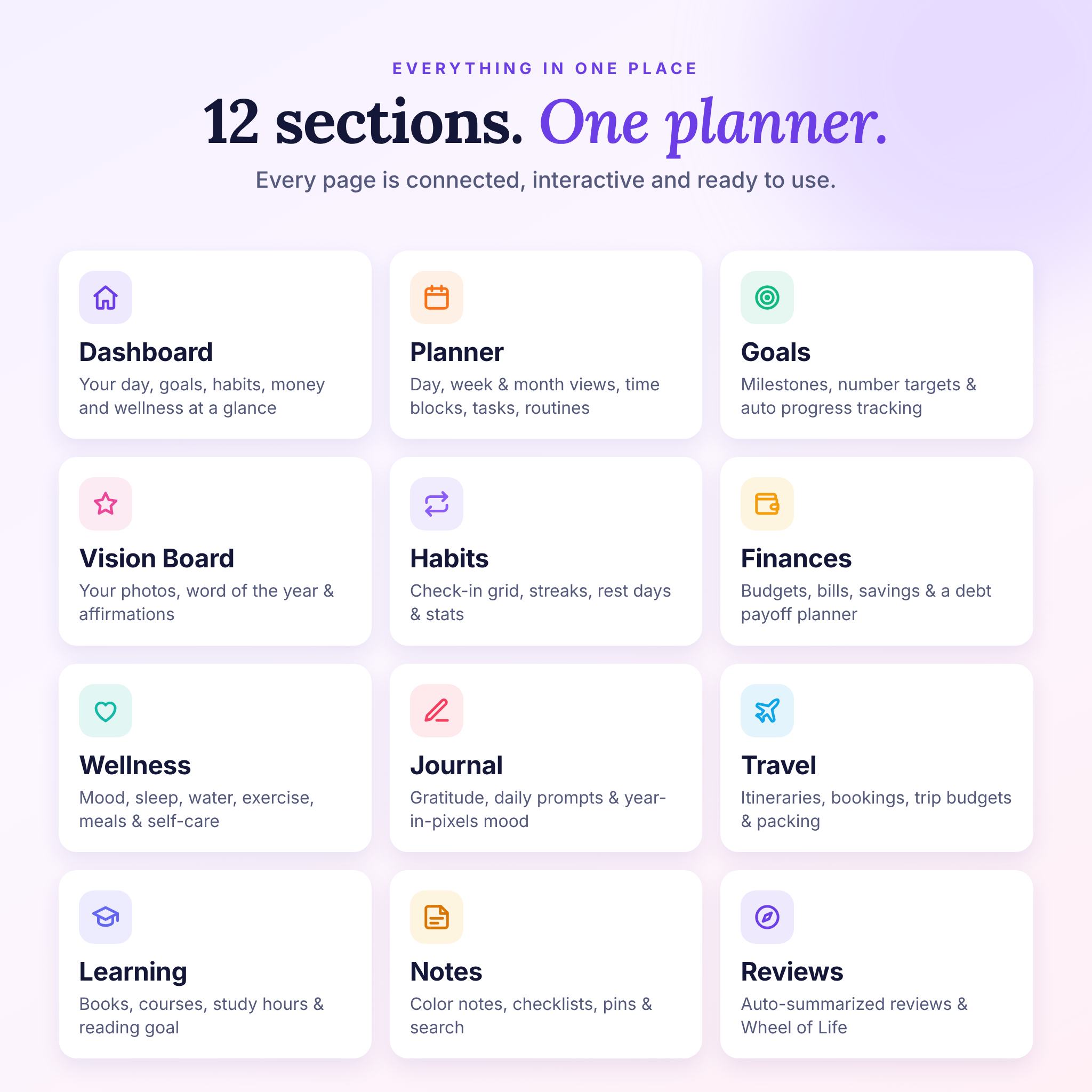
Most people juggle a habit app, a budget spreadsheet, a notebook and a calendar. Vivaloom brings them together in 12 connected sections, so your goals, habits and money finally sit side by side. Every chart, total, streak and progress bar updates by itself as you use it.
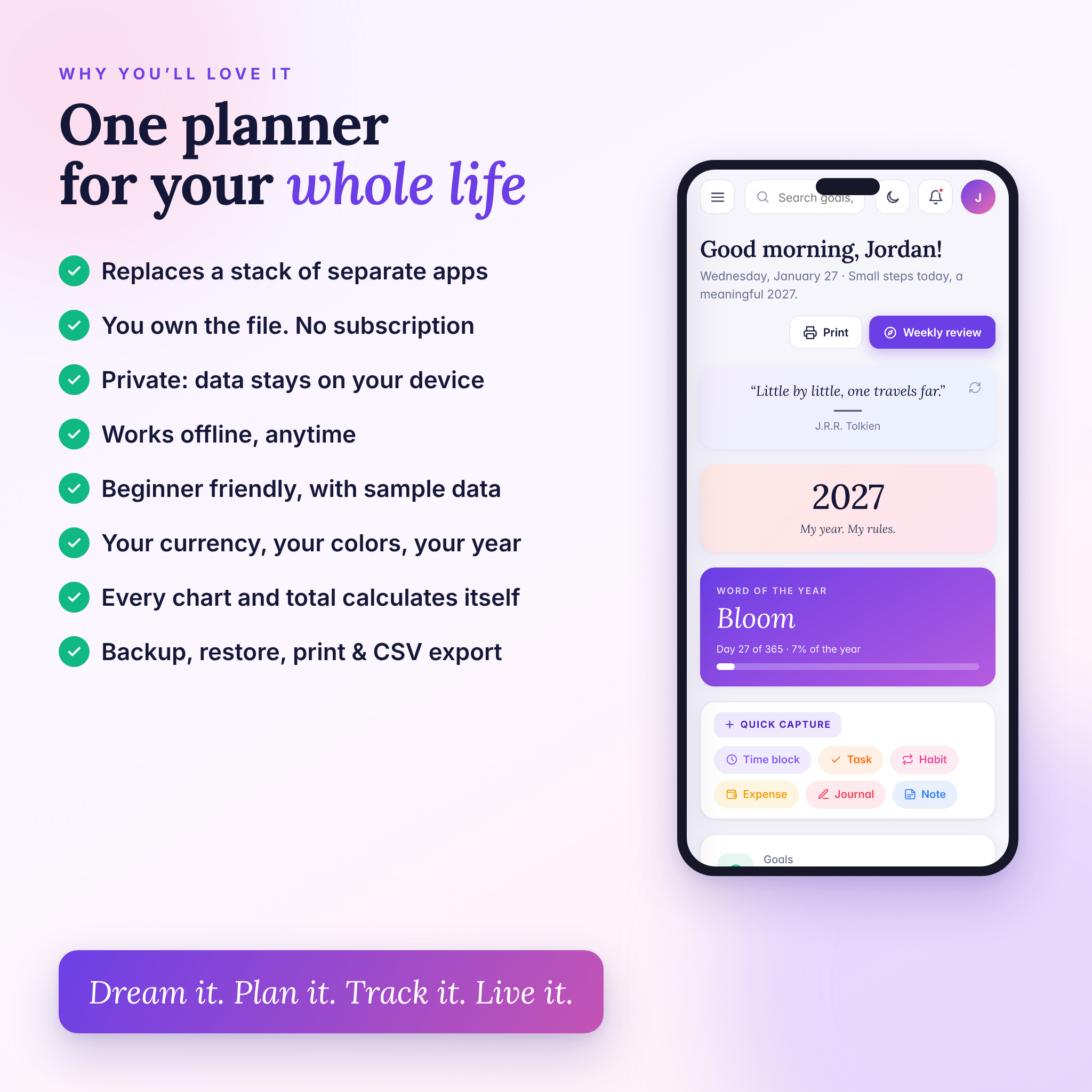
The planner opens with a calm dashboard: a daily quote, your year progress, your word of the year, quick capture buttons, today’s agenda, top priorities, a mini calendar, life-area progress, money and wellness snapshots, upcoming events and pinned notes.
What you can do with Vivaloom
Plan your days, weeks and months
- Day, week and month views with time blocks, tasks and a Top 3 for each day
- Task priorities, life areas, notes and repeating tasks (daily, weekly, monthly) that schedule themselves
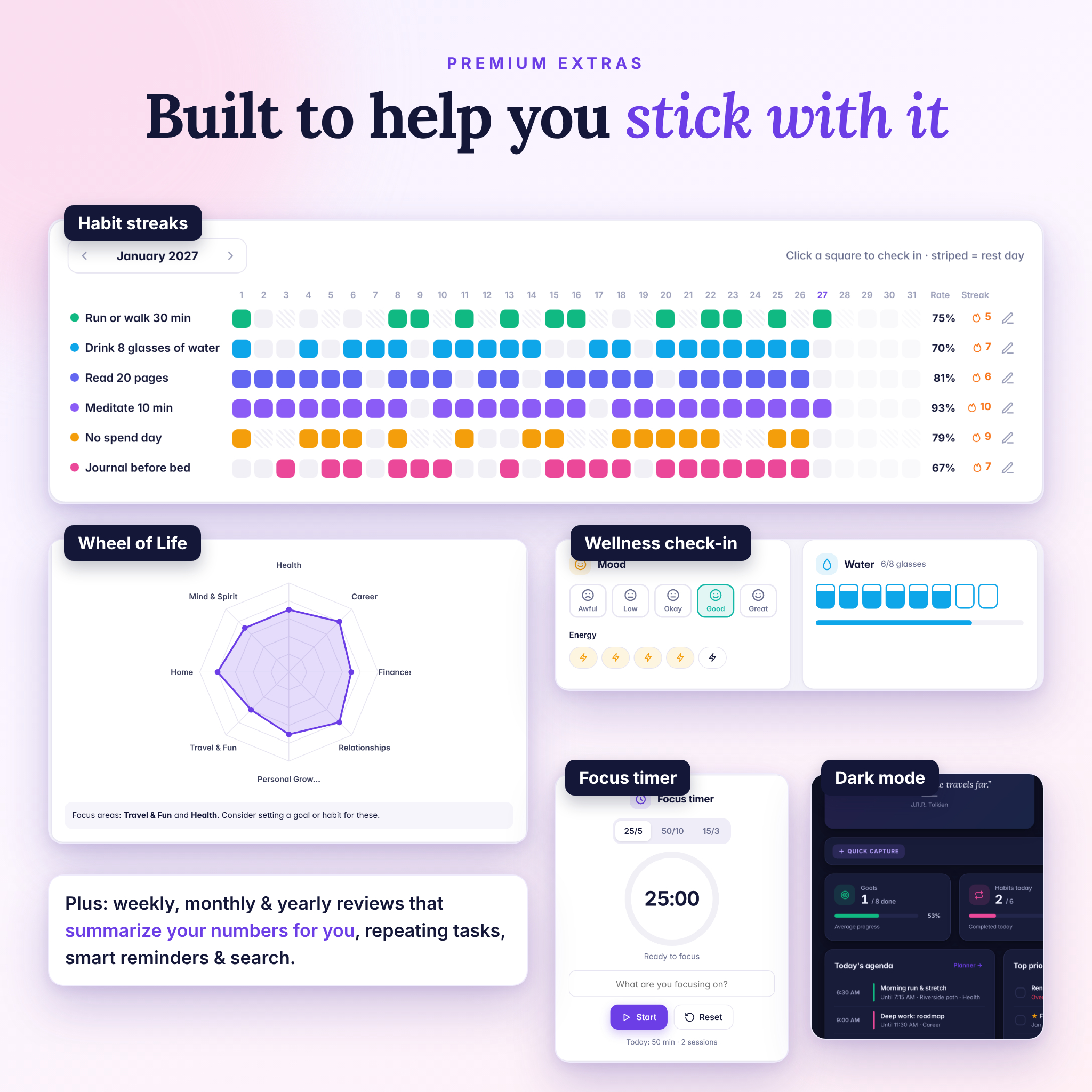
- A built-in focus timer (25/5, 50/10 or 15/3) that logs your focus time
- Morning and evening routines with a 14-day consistency chart
Set goals and build your vision
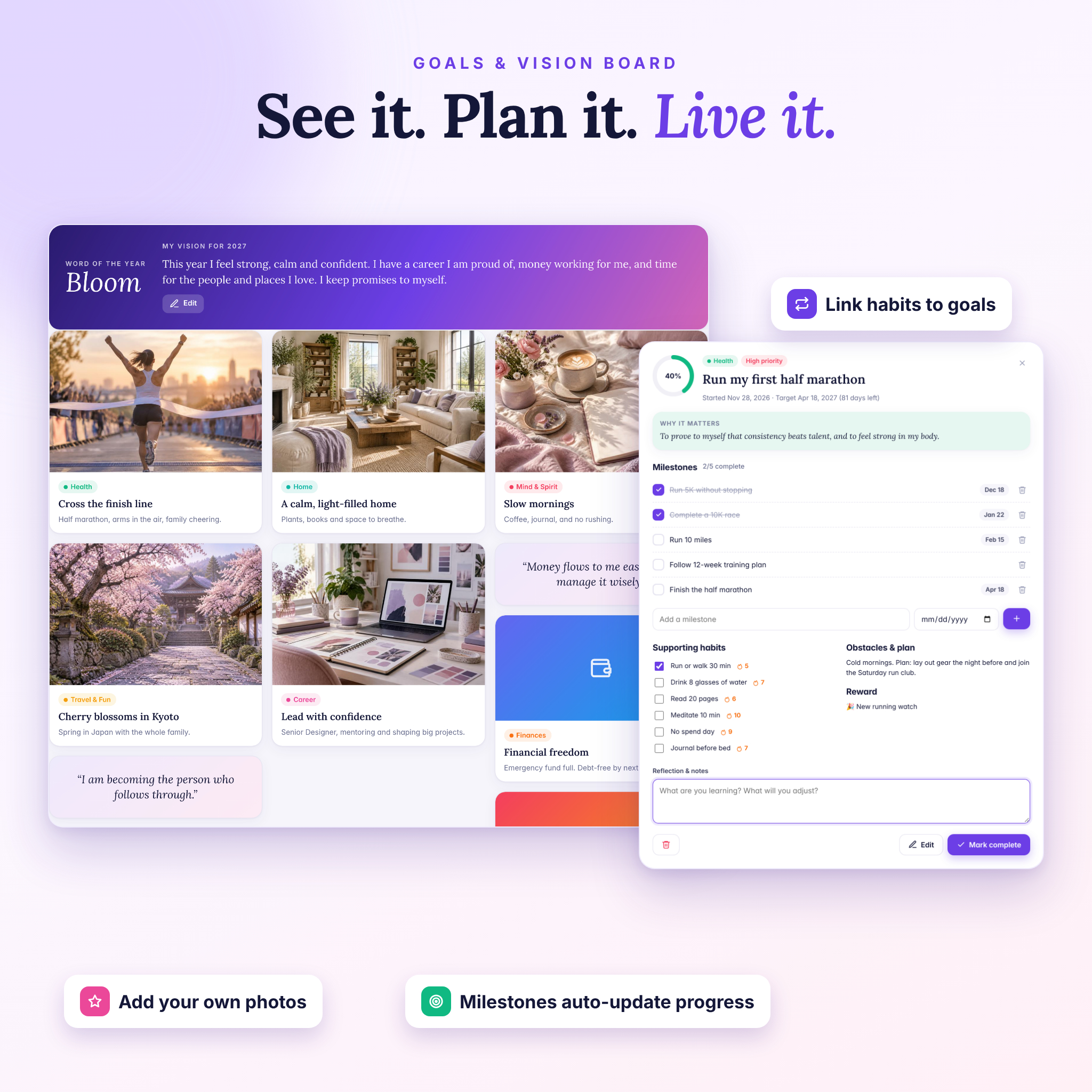
- Goals by life area with milestones, number targets (like books read or money saved) or a manual slider
- Space for your “why”, obstacles, rewards and reflections, plus habits linked to each goal
- A vision board with your own photos, a vision statement, word of the year and affirmations
Build habits that stick
- Daily, weekday or custom-day habits with rest days that never break your streak
- A monthly check-in grid, current and best streaks, 30-day rates and a completion chart
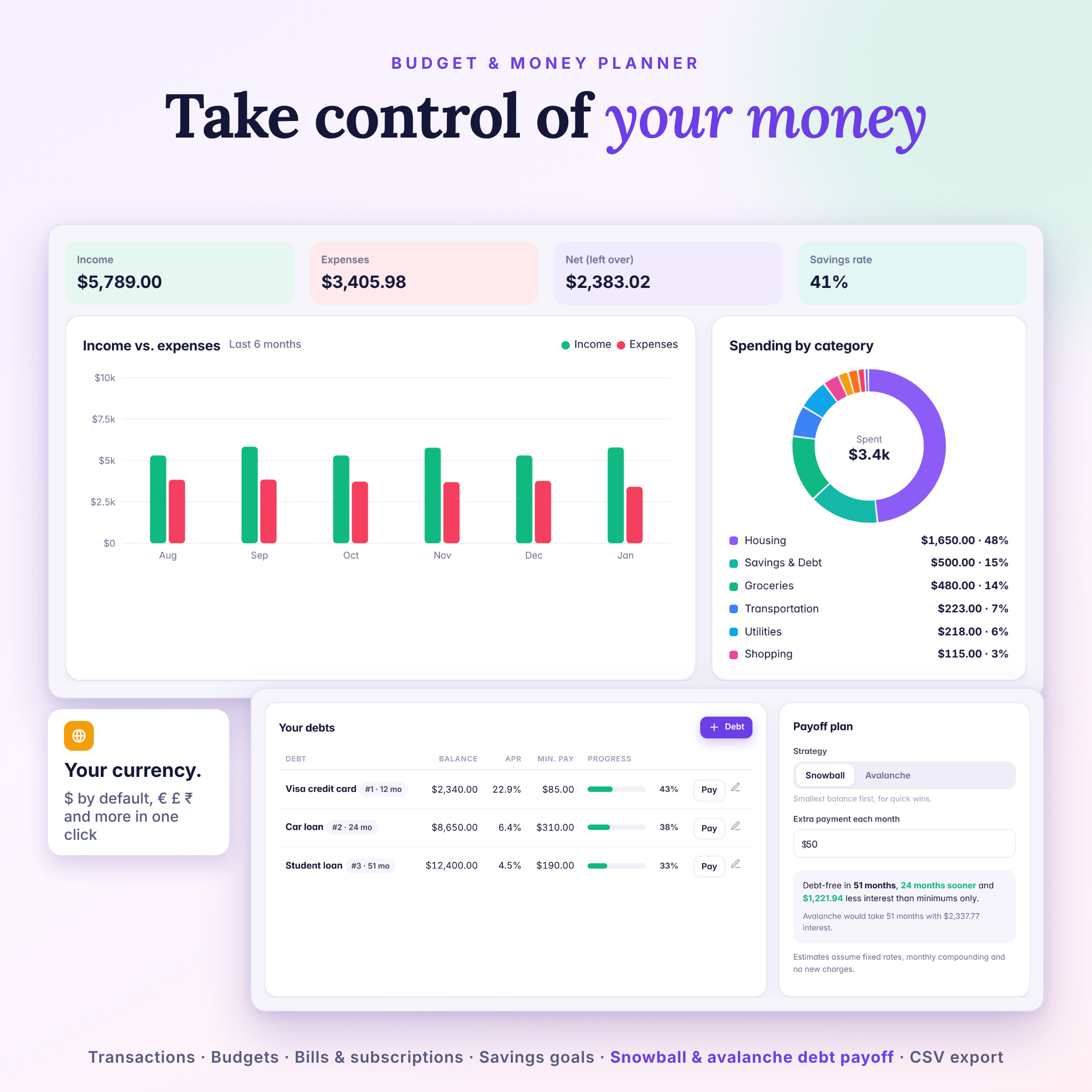
Take control of your money
- One currency setting for the whole planner: US dollars by default, with 20 common currencies or your own symbol
- Income and expense tracking, category budgets with color-coded warnings and a 6-month chart
- Bills and subscriptions that can log themselves as expenses when you mark them paid
- Savings goals that tell you how much to save each month
- A debt payoff planner with snowball and avalanche methods, extra payments, a debt-free date and interest saved
- CSV export for Excel or Google Sheets
Care for your wellbeing
- Daily mood, energy, water, sleep, exercise, steps, meals and self-care in one quick check-in
- A wellness score and 7, 14 or 30-day trend charts
- A gratitude journal with prompts, search, mood filters and a year-in-pixels mood view
Travel, learning and notes
- Trip planner with itinerary, bookings and confirmation numbers, trip budget, spending and a ready-made packing list
- Learning tracker for books, courses and skills with study sessions, a reading goal and weekly study hours
- Color notes with checklists, categories, pins and search
Reflect and reset
- Weekly, monthly and year-in-review pages that summarize your tasks, habits, spending, savings, focus time, sleep and mood for you
- A Wheel of Life with saved snapshots so you can compare your balance over time
Who this life planner is for
Vivaloom is made for goal setters, busy professionals, students, parents, freelancers and anyone who wants more structure without feeling overwhelmed. It is beginner friendly: a 30-second welcome sets your name, year and currency, and you can explore with sample data before you start your own plan.
Why buyers choose Vivaloom
- You own the file. It is not a link to someone else’s website, so it keeps working.
- Private by design. Your data stays in your browser on your device. Nothing is uploaded.
- Works offline, with one-click backup and restore to protect your data or move it to another computer.
- Made your way: light or dark mode, five accent colors, editable life areas and a changeable planner year.
- Helpful extras: global search, a reminders bell for overdue tasks and upcoming bills, and print-friendly pages.
What’s included
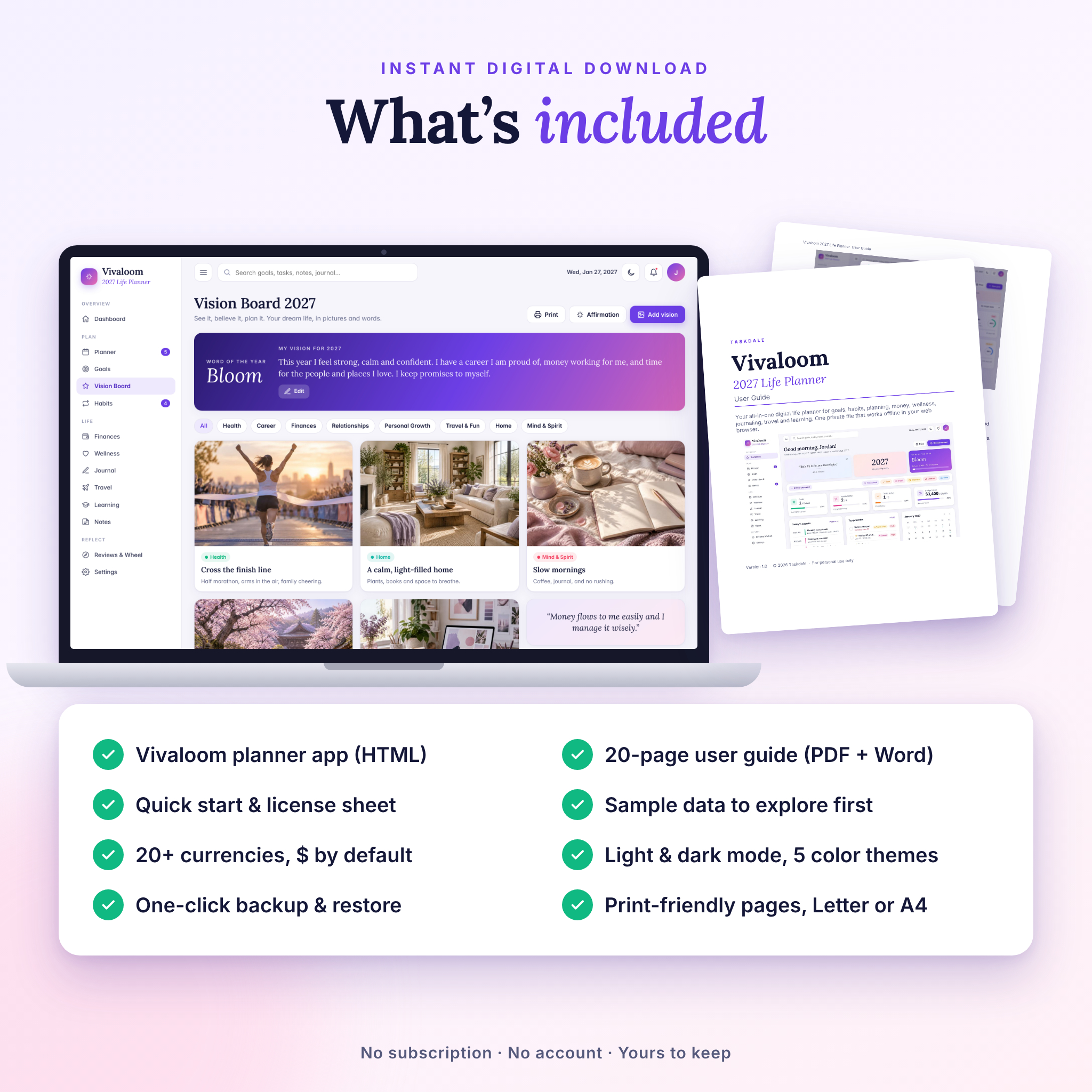
- Vivaloom 2027 Life Planner app (single HTML file)
- User guide, 20 pages (PDF and editable Word .docx)
- Quick start and license sheet (TXT)
- Built-in sample data you can load or erase at any time
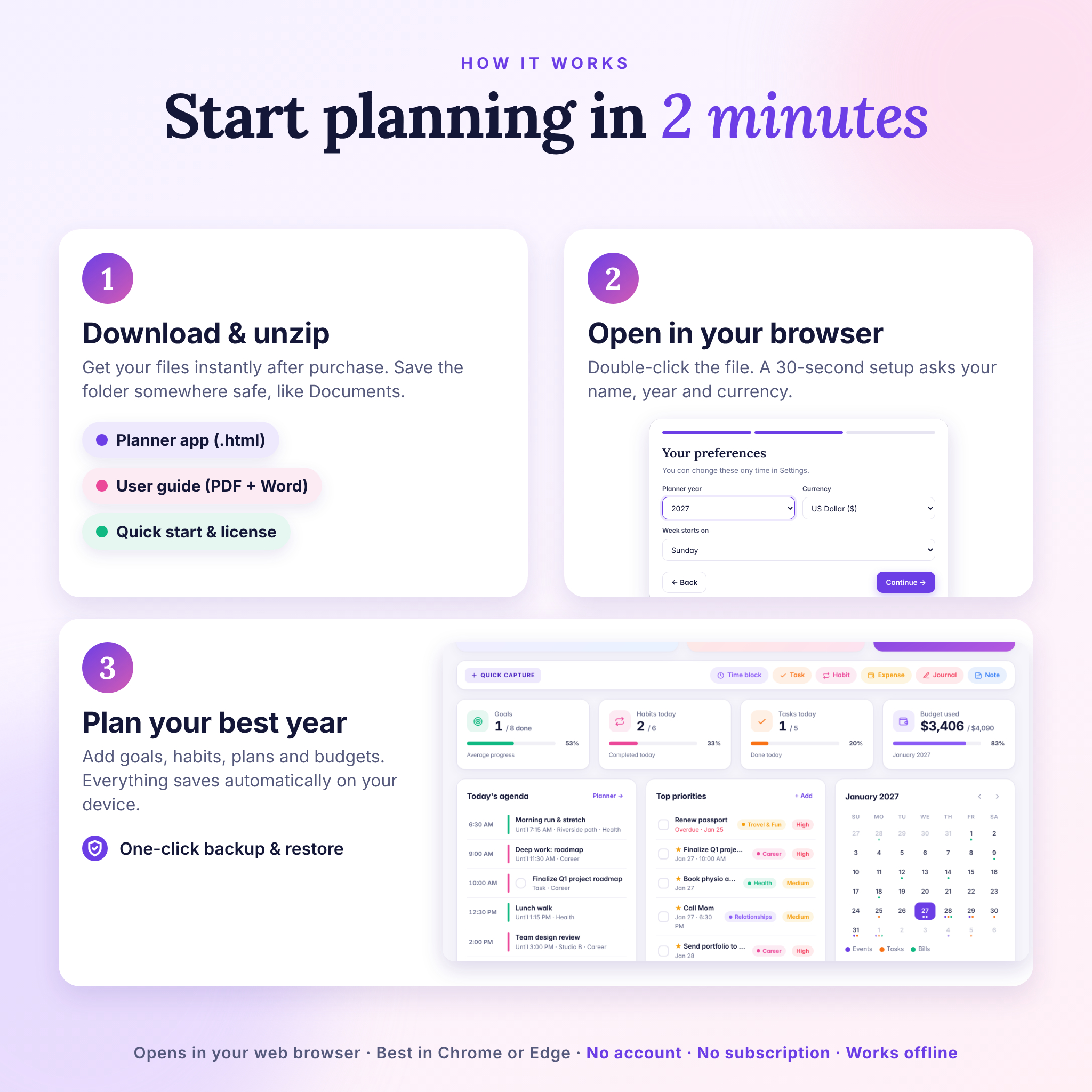
How it works
- Purchase and download the ZIP file instantly.
- Unzip it and save the folder somewhere permanent, such as Documents.
- Double-click the HTML file to open it in your browser and follow the short setup.
- Start planning. Everything saves automatically. Download a backup every week or two.
File format and software requirements
- Format: interactive HTML planner (one file), plus PDF, DOCX and TXT documents
- Requirements: a computer with a modern web browser. Tested in Google Chrome and recommended for Chrome or Microsoft Edge
- Best on a laptop or desktop. The layout adapts to tablets and phones, but opening downloaded files on phones depends on your device
- No internet connection, account or subscription needed after download
Customization
Change your name, planner year (2025 to 2035), motto, week start, currency, symbol position, decimals, theme, accent color and life areas. Add your own photos to the vision board, create your own budget categories and build your own routines.
Real ways to use it
- Set three big goals for 2027 and break them into milestones you tick off each month
- Run a Sunday reset: weekly review, plan your Top 3 and block time for them
- Build a no-spend habit while tracking your budget and paying down a credit card
- Plan a family vacation with an itinerary, booking numbers, a trip budget and packing list
- Track a reading challenge and log study hours for a course or new skill
- Keep a gratitude journal and spot patterns between your sleep, mood and energy
Frequently asked questions
Is this a physical planner?
No. It is a digital download. Nothing will be shipped.
Do I need internet or an account?
No. After download it works offline, with no sign-up and no subscription.
Can I use my own currency?
Yes. US dollars are the default, and you can switch to 20 common currencies or type your own symbol in Settings.
Is my data private?
Yes. Everything is saved in your browser on your own device. We cannot see it.
Can I use it on my phone or iPad?
The layout is responsive, but it is designed for computers. Phones and tablets handle downloaded HTML files differently, so a laptop or desktop gives the best experience.
Can I move my planner to another computer?
Yes. Download a backup in Settings, then restore it on the other computer.
Is it only for 2027?
No. 2027 is the default year, and you can change it in Settings to keep using Vivaloom in future years.
Can I print it?
Yes. Most pages have a Print button, and you can print or save as PDF in US Letter or A4.
License: for personal use only. Please do not resell, share or redistribute the files. Because this is a digital product, colors may look slightly different on different screens.
Reviews
There are no reviews yet.