Paying someone to write a custom meal plan is one option. Building your own is the other, and it is easier than it sounds. A fill-in template already has the grid, the shopping list and the recipe pages. You supply the rules that make it yours: how much you want to spend, how much protein you are after, which nights are chaos, which foods are off the table.
This guide shows how to make custom meal plans using a fill-in template, with a twist that saves hours: instead of starting fresh every Sunday, you build a small set of “master weeks” once and reuse them. You will see five custom plan types with examples, how to stock a meal idea bank, how to swap and scale, and three Taskdale templates that suit different ways of working.
Quick picks: templates for building custom plans
| Product | Best for | Price | Link |
|---|---|---|---|
| TableTally Weekly Meal Planner for Google Sheets | A spreadsheet with 160 meal ideas already loaded | Original price was: $3.99.$2.49Current price is: $2.49. | View |
| Hearth & Ladle Digital Recipe Book & Meal Planner | Tablet cooks who want a huge recipe book behind the plan | $9.99 | View |
| SlimBloom Weight Loss & Fitness Planner Spreadsheet | Custom plans built around calorie and macro targets | Original price was: $2.99.$1.19Current price is: $1.19. | View |
| Spoonful Digital Meal Planner | Undated weekly plans with linked grocery lists on a tablet | $4.99 | View |
Custom does not mean starting from zero
A custom plan is built around your rules. It is not a plan you invent from scratch each week. That distinction saves a lot of Sunday evenings.
Think about what is actually different week to week in your house. For most families, only a few things change: which nights are busy, whether guests are coming, how tight money is, and maybe whether someone is training for a race. Everything else (the breakfasts, the lunches, the favorite dinners) stays more or less the same.
So the smart move is to write your rules down once, build a few ready-made weeks that follow those rules, and pick the one that fits. A fill-in template is perfect for this, because you can copy a filled week as many times as you like.
Picture the difference on a Sunday night. Without master weeks, you stare at a blank grid and try to remember what everyone ate last Tuesday. With them, you glance at the calendar, see that the week ahead has two late meetings and a school concert, and choose “busy week”. Then you swap one dinner because there is half a bag of spinach to use. The whole job is over before the kettle boils.
Step 1: write your rules on one page
Before touching the template, write a short list of rules. Six to eight lines is plenty. Here is an example from a family of four:
- Weekly food budget: $160.
- At least two meat-free dinners a week.
- No mushrooms, ever (the 9-year-old).
- Tuesday and Thursday dinners must be ready in 20 minutes (football and dance).
- Protein at every breakfast for the adults.
- Fish once a week.
- Friday is homemade pizza or takeout.
Those rules are what make the plan custom. Every master week you build has to pass them. Pin the list to the front of the planner or put it on the first tab of the spreadsheet.
Other households will have very different lists, and that is the point. A student living alone might write: “Cook twice a week, eat leftovers the rest. $50 a week. One pan only.” A retired couple might write: “Lighter dinners, bigger lunches. Fish twice a week. Grandkids on Wednesdays, so one kid-friendly meal.” A shift worker might write: “Batch cook on days off. Freezer meals for night shifts. No cooking after 9 pm.” Same template, completely different plans.
Step 2: build a meal idea bank
Next, gather the meals that can go into your weeks. Aim for 20 to 30 dinners, 6 breakfasts, 8 lunches and 10 snacks. That sounds like a lot, but most households already know more meals than they think. Look back through photos, receipts and takeout orders for ideas.
Tag each meal so you can sort it quickly:
- Time: 20 minutes, 40 minutes, slow cooker.
- Type: meat-free, fish, chicken, beef.
- Cost: cheap, medium, treat.
- Who likes it: everyone, adults only, kids’ favorite.
A spreadsheet that arrives with a ready bank of meal ideas gives you a running start. You keep the ones your family eats, delete the rest and add your own. If your recipes are currently scattered across screenshots, cookbooks and the back of envelopes, our guide on how to organize recipes when they are scattered everywhere helps you gather them first.
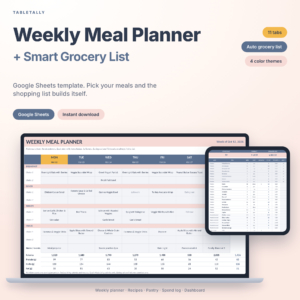
TableTally Weekly Meal Planner
Price: Original price was: $3.99.$2.49Current price is: $2.49. | Best for: Google Sheets users wanting ideas to start
TableTally is an 11-tab spreadsheet for Google Sheets with a seven-day planner (four meal types, two choices per slot), a recipe book, a pantry tracker, a spend log and a dashboard. It ships with 160 meal ideas: 40 breakfasts, 40 lunches, 40 dinners and 40 snacks. Pick meals from dropdowns and the grocery list fills itself in by store aisle, minus what you already own. A Word user guide and four color themes are included. Go through the 40 dinners first and keep the ones your family would eat.
Step 3: create your master weeks
Now the clever bit. Use your template to build three or four complete weeks, each for a different kind of week. Name them. Here are the five most useful types, with a sketch of each.
The normal week
Your default. Five favorite dinners, one leftover night, pizza Friday. Breakfasts and lunches on repeat. This is the week you use most often.
The busy week
Every dinner under 25 minutes or from the slow cooker. Two batch-cooked meals made on Sunday. Lunches are all leftovers. Use it for exam weeks, work deadlines, school play rehearsals.
The tight-money week
Built from the cheapest meals in your bank: lentil curry, bean chili, egg fried rice, baked potatoes, pasta bake. Plan it for the week before payday or after a big bill. Our 5 week meal planner guide explains why planning for those awkward fifth weeks of the month helps too.
The guests week
One bigger dinner for visitors, plus easy meals around it so you are not cooking all week. Good for birthdays and holidays.
The goal week
Built around a target, such as more protein for training, more vegetables, or a calorie number. Same favorite meals, adjusted portions and sides.
Building all four takes maybe two evenings. After that, planning most weeks means picking a master week and changing two or three meals. Five minutes, done.
A worked example: one family, two master weeks side by side
Here is how the “normal” and “busy” master weeks look for the family with the rules above.
| Day | Normal week dinner | Busy week dinner |
|---|---|---|
| Monday | Chicken and vegetable traybake | Slow cooker chicken curry (started at 8 am) |
| Tuesday | Bean quesadillas and salad (20 min) | Curry leftovers with naan |
| Wednesday | Spaghetti bolognese, half lentils | Batch bolognese from Sunday, pasta cooked fresh |
| Thursday | Egg fried rice with peas (20 min) | Egg fried rice with peas (20 min) |
| Friday | Homemade pizza | Takeout pizza |
| Saturday | Baked salmon, potatoes, greens | Fish finger wraps with slaw |
| Sunday | Roast chicken and vegetables | Big batch cook: bolognese and soup |
Both weeks pass every rule: two meat-free nights, fish once, no mushrooms, quick dinners on Tuesday and Thursday, pizza Friday. That’s the quiet satisfaction of a custom plan. It fits your family like it was made for them, because it was.
Step 4: swap, scale and adjust each week
When you pick a master week, do a two-minute check:
- Look at the calendar. Any new late nights? Swap in a quick meal.
- Look at the fridge. Anything to use up? Swap a meal to use it.
- Look at the headcount. Guests or someone away? Scale servings up or down.
- Look at the rules. Does the week still pass them after your swaps?
A template that scales quantities when you change servings makes step 3 painless. Change “4” to “6” and the shopping list follows.
When the custom goal is about numbers
A goal week often comes with numbers attached: a calorie target, a protein amount, a pace for weight loss. That is where a template with a built-in calculator earns its keep. You enter your details once, and every meal you plan is measured against your own targets rather than a generic one.
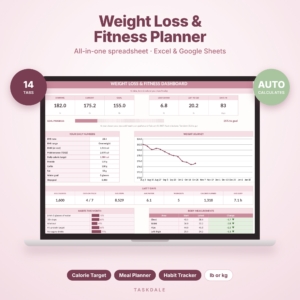
SlimBloom Weight Loss & Fitness Planner
Price: Original price was: $2.99.$1.19Current price is: $1.19. | Best for: custom plans built around a target
SlimBloom is a 14-tab Excel workbook. On the Settings tab you enter height, age, start weight and goal, choose lb and inches or kg and cm, pick a pace and a macro style (Balanced, High protein or Lower carb), and it sets a daily calorie target and protein, carb and fat grams. The meals you plan turn into a grocery list, logged workouts feed into your calories, and a dashboard tracks progress. Fill in Settings first, then build your goal week from meals you already like.
Keeping master weeks on a tablet with a big recipe book
If you plan on an iPad or Android tablet, a large digital recipe book with linked weekly plans works well for master weeks. You write each master week once, and the recipes behind it are a tap away. On busy nights, you open the plan, tap the dinner and the method is right there, no cookbook hunting needed.
The bigger the recipe book, the more room to grow your idea bank over the years. Family recipes, holiday meals, things you tried on a trip. They all live in one place.
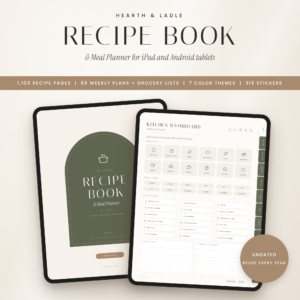
Hearth & Ladle Digital Recipe Book & Meal Planner
Price: $9.99 | Best for: tablet cooks with lots of recipes
Hearth and Ladle is a hyperlinked PDF for iPad and Android tablets with 1,397 pages in total, including 1,100 recipe pages and 60 weekly meal plans that each link to their own grocery list. Recipe indexes link straight to each recipe, and side tabs plus back, next and previous buttons on every page keep navigation quick. It comes in seven color themes. Write your normal master week into the first weekly plan, then link each dinner to its recipe page.
Mistakes that make custom plans hard to keep
- Too many rules. Ten rules make every week a puzzle. Keep it to the six or eight that matter.
- Master weeks full of new recipes. Build them from meals you already cook. Test new ones in the normal week first.
- Never updating the idea bank. Add a meal when someone loves it. Remove one when it gets two thumbs down.
- Forgetting breakfasts and lunches. They belong in the master weeks too, or the shopping list will be short.
- No goal week, then panic. If you know a fitness challenge or a tight month is coming, build the matching master week ahead of time.
Want to compare spreadsheet options before you build? Our roundup of weekly meal planner spreadsheet picks looks at six that write the grocery list for you.
Who this approach suits, and who should skip it
Master weeks work best for households with a fairly steady rhythm: school terms, regular work hours, the same handful of activities each week. Families, couples and people who live alone but cook for the week all tend to love it, because the planning shrinks to a few minutes once the masters exist.
It suits people less well if every week is completely different, such as someone who travels for work three weeks out of four. In that case, one simple “home week” master and a list of freezer meals is about as much structure as makes sense. It is also not a substitute for a plan written by a dietitian if you have a medical reason to eat a certain way. You can still use a template to hold that plan, but the rules should come from the professional.
Frequently asked questions
How do I create a custom meal plan for free?
Write your rules (budget, diet, busy nights), list 20 to 30 meals your household eats, and fill them into a weekly grid on paper or in a basic spreadsheet. A paid template saves time by adding grocery lists, recipe storage and totals.
What is a master week in meal planning?
A complete, filled-in week you can reuse, such as a normal week, a busy week or a tight-money week. You pick the one that fits and change a few meals.
How many meals should be in my meal idea bank?
Around 20 to 30 dinners, 6 breakfasts, 8 lunches and 10 snacks is plenty for most households. That gives variety without making choices hard.
Can a fill-in template work for fitness or weight goals?
Yes. Use a template with a calorie and macro calculator, build a goal week from meals you already eat, and adjust portions and sides to hit your targets.
How long does it take to build custom master weeks?
About two evenings for three or four master weeks. After that, weekly planning usually takes five to ten minutes.
Your next step
Tonight, write your household’s six to eight food rules on one page. Tomorrow, list 20 dinners you already cook and tag each one by time and type. Then build your first master week, the normal one. If you want a head start with ideas already in the file, open the TableTally Weekly Meal Planner in Google Sheets and start with its 40 dinners.