Tired of standing in front of the fridge at 5 pm with no plan? This digital meal planner keeps your weekly meals, grocery lists, family recipes and pantry stock in one hyperlinked PDF. Tap a tab and you’re on the right page. No scrolling through 211 pages to find Thursday.
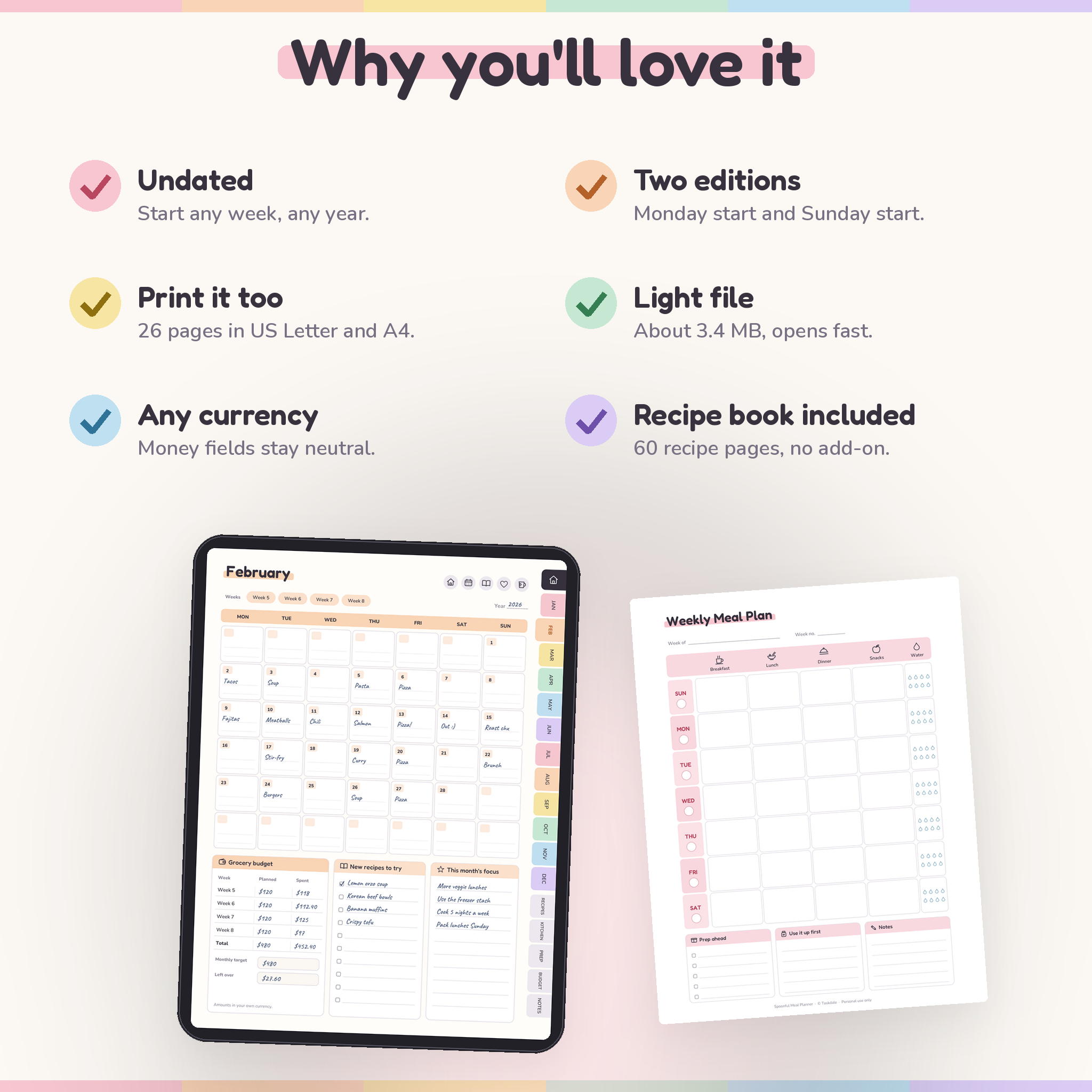
It’s undated, so you can start the week you buy it and loop back to January when December runs out. Both a Monday start and a Sunday start edition are in the download, plus printable pages in US Letter and A4.
What this digital meal planner does
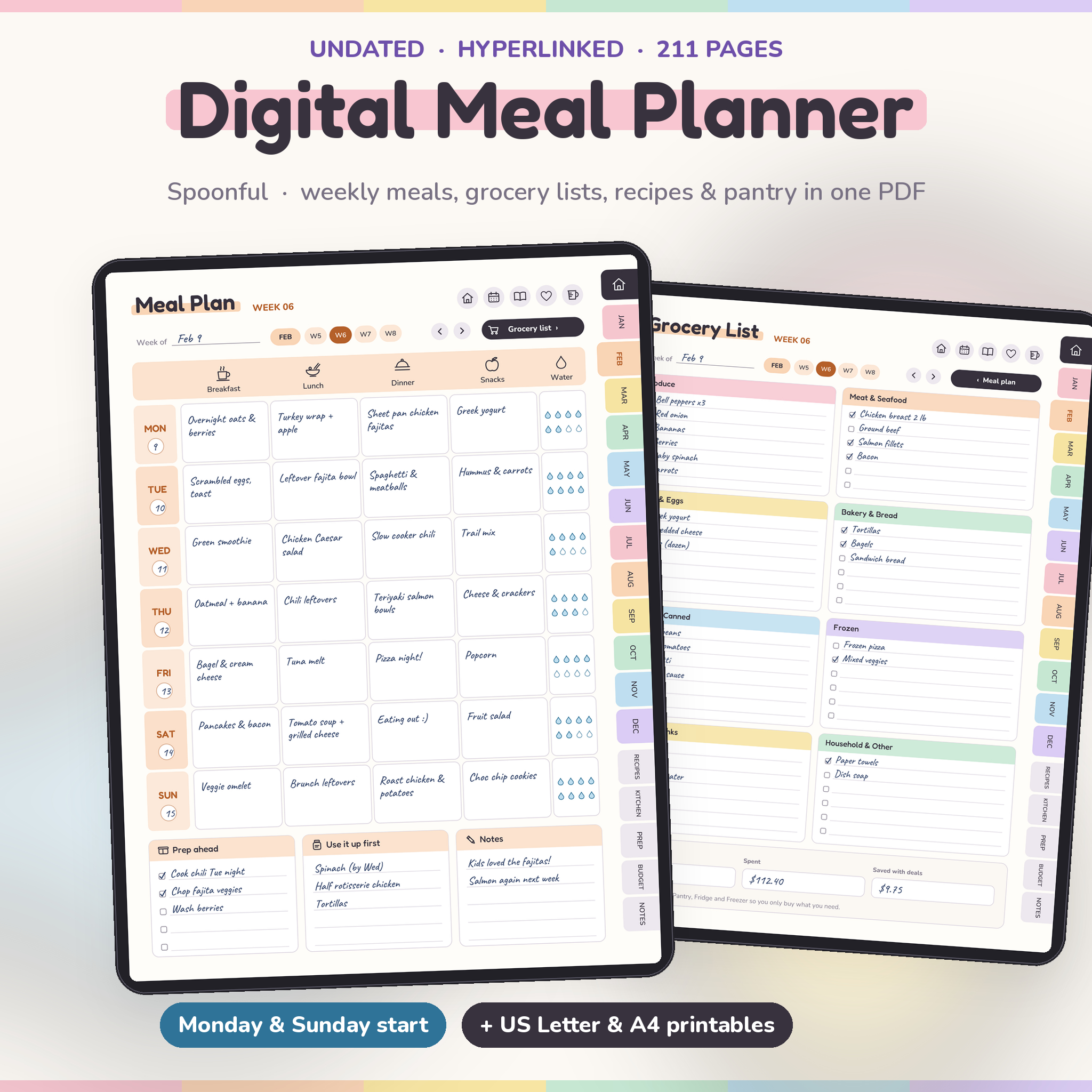
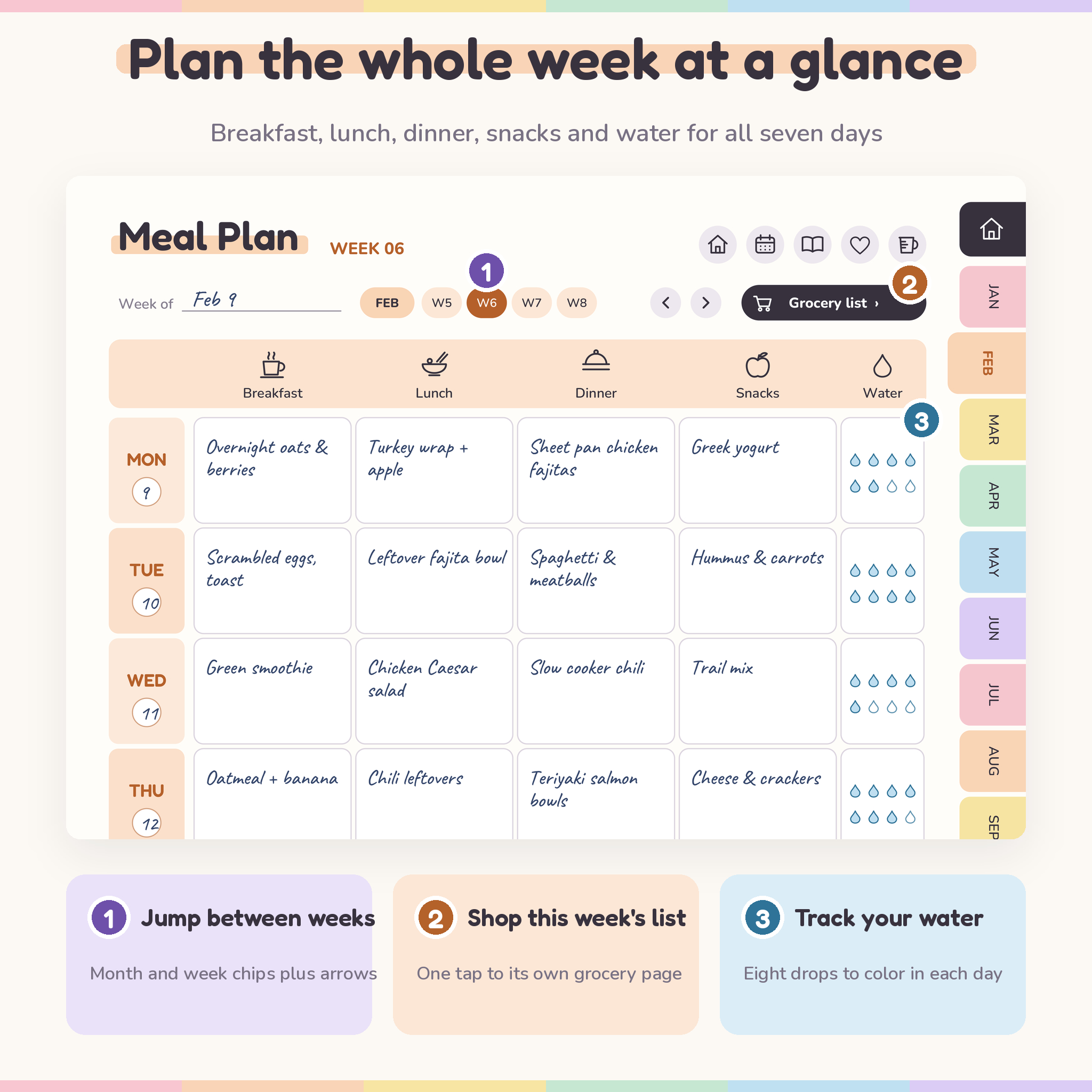
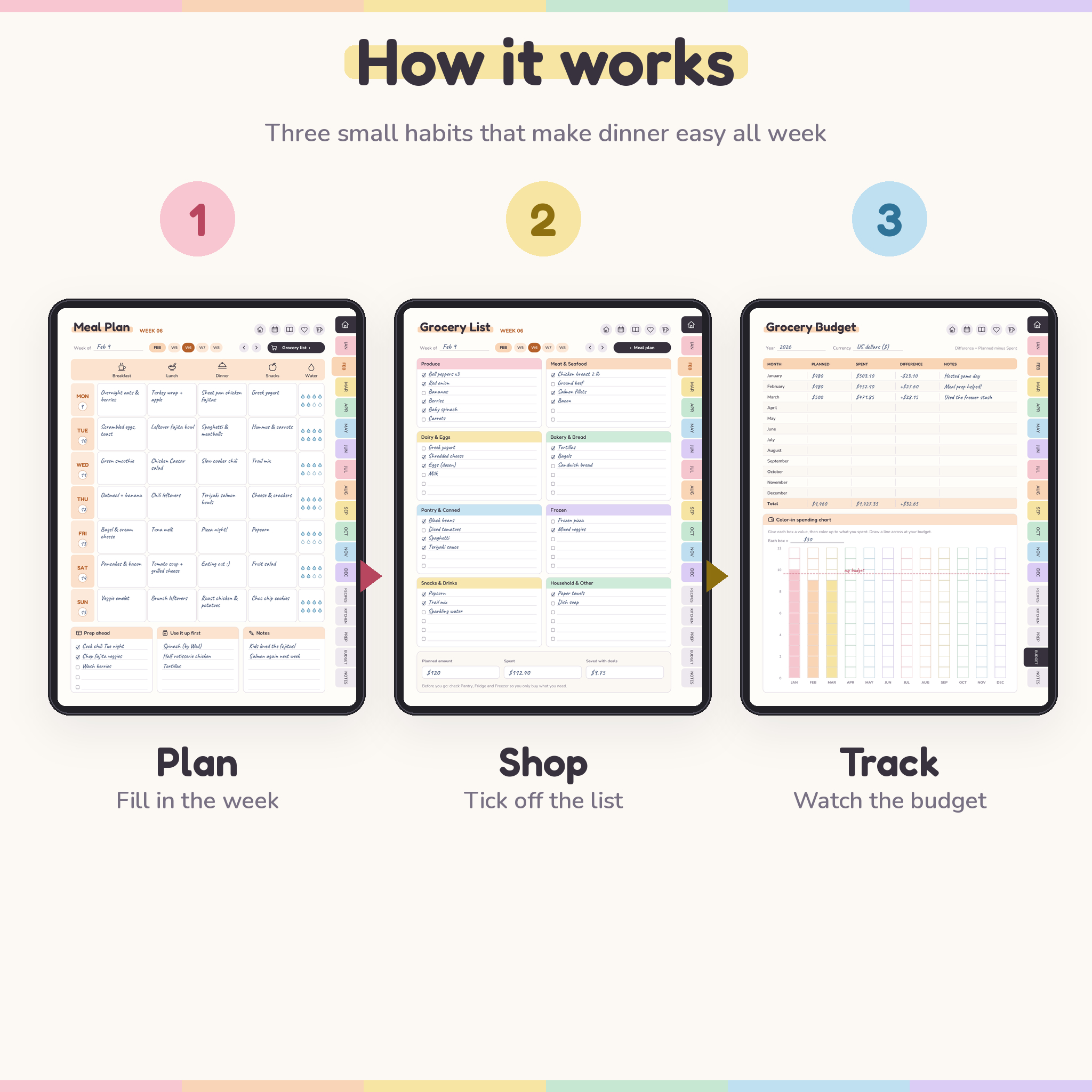
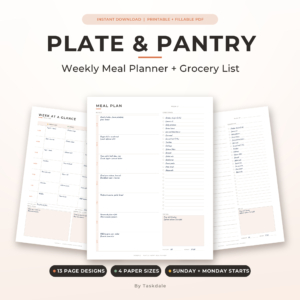
Every week gets two linked pages. The meal plan covers breakfast, lunch, dinner and snacks for all seven days, with a water tracker, a prep-ahead checklist and a “use it up first” list for leftovers. One tap on the Grocery list button opens that week’s own shopping list, split into eight store sections. Tap Meal plan and you’re back.
Around that weekly rhythm sit the pages that make planning faster over time: a recipe book, a favorites list, 60 dinner ideas, kitchen inventories and a grocery budget that shows the whole year.
Who it’s for
- Parents who want weeknight dinners sorted before Monday
- Couples and roommates sharing the cooking and the shopping
- Meal preppers packing lunches for work or a fitness goal
- Anyone trying to cut grocery waste and takeout spending
- Hosts planning Thanksgiving, birthdays or game day
Features
Planning pages
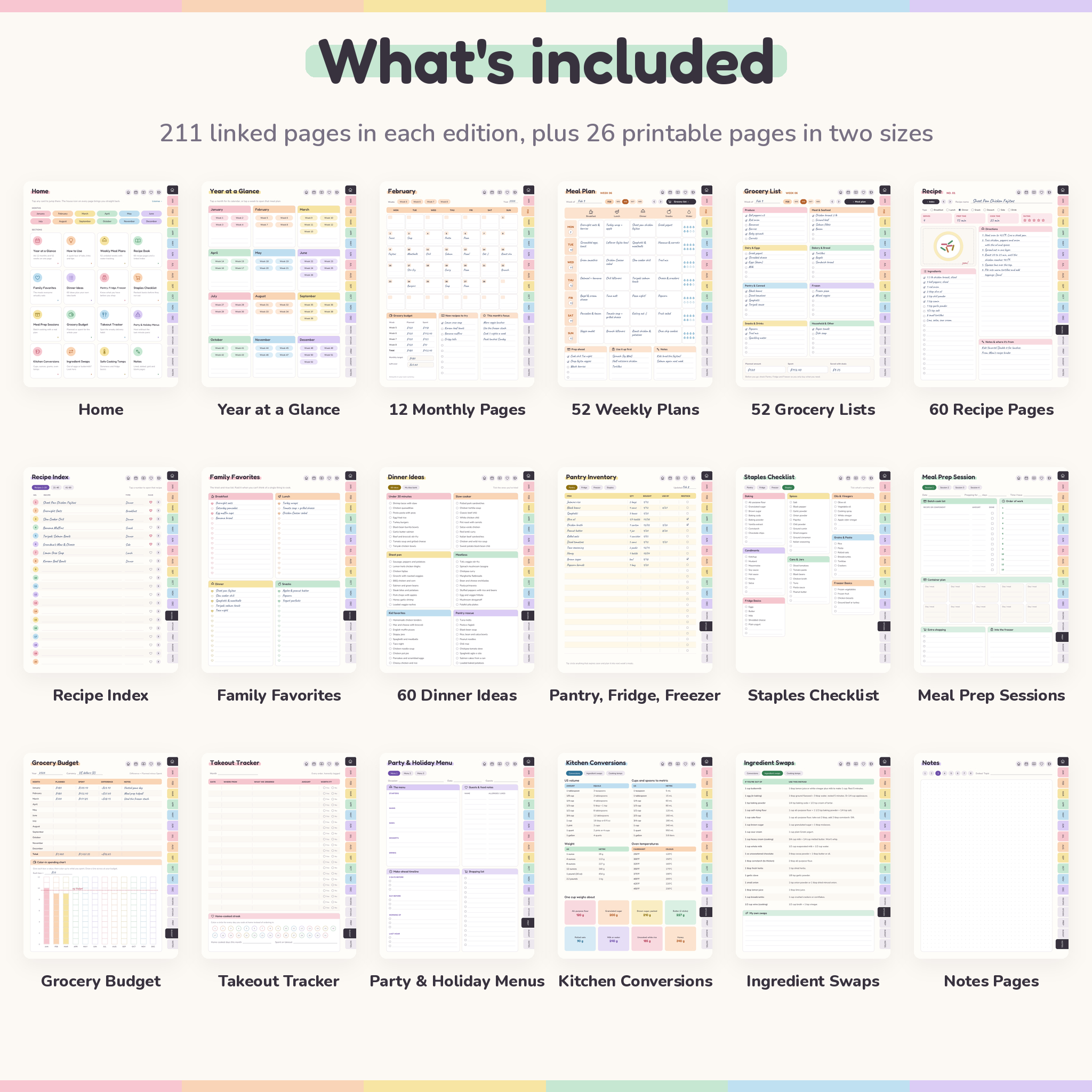
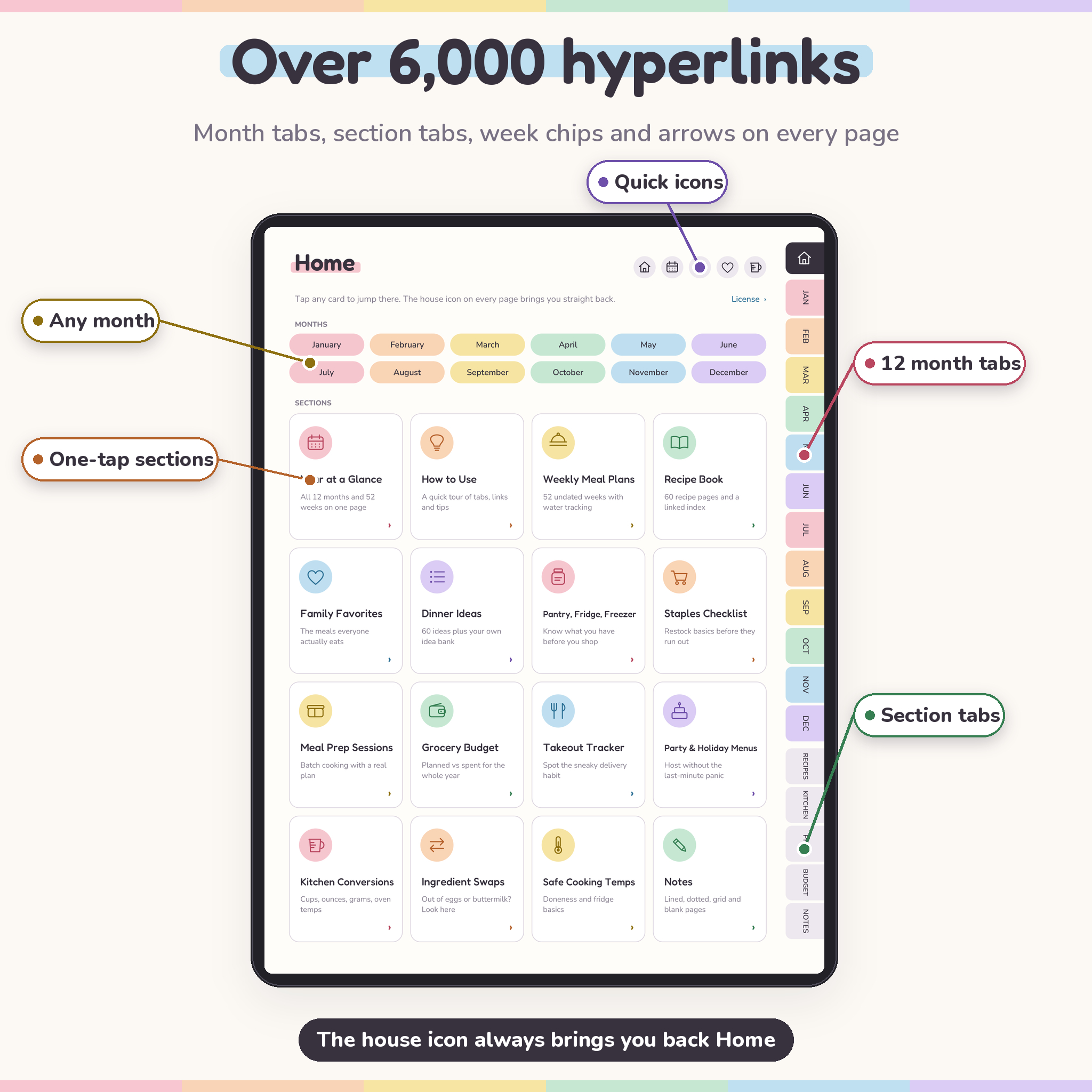
- Year at a Glance with every month and all 52 weeks linked
- 12 monthly pages with an undated calendar for dinners, a weekly grocery budget box, new recipes to try and a monthly focus
- 52 weekly meal plans, each with a “Week of” line, date circles, eight water drops a day, prep-ahead and use-it-up lists
- 52 weekly grocery lists sorted by Produce, Meat & Seafood, Dairy & Eggs, Bakery, Pantry, Frozen, Snacks & Drinks and Household
Recipe book (included, not sold separately)
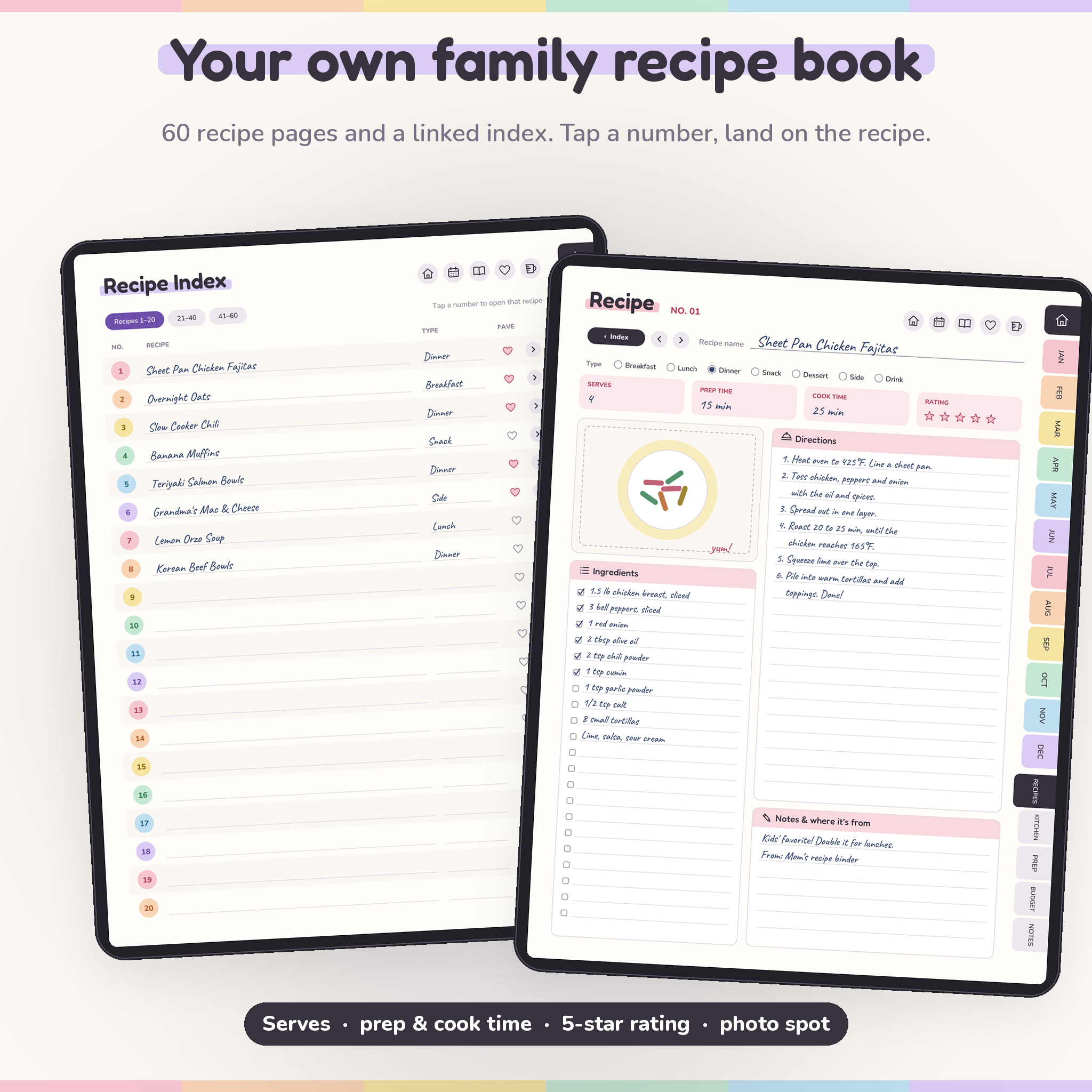
- A 3-page recipe index linked to 60 recipe pages
- Meal type, servings, prep and cook time, 5-star rating, ingredients with tick boxes, directions, notes and a photo box
- Family Favorites, 60 printed dinner ideas in six groups, and a blank idea bank
Kitchen and money pages
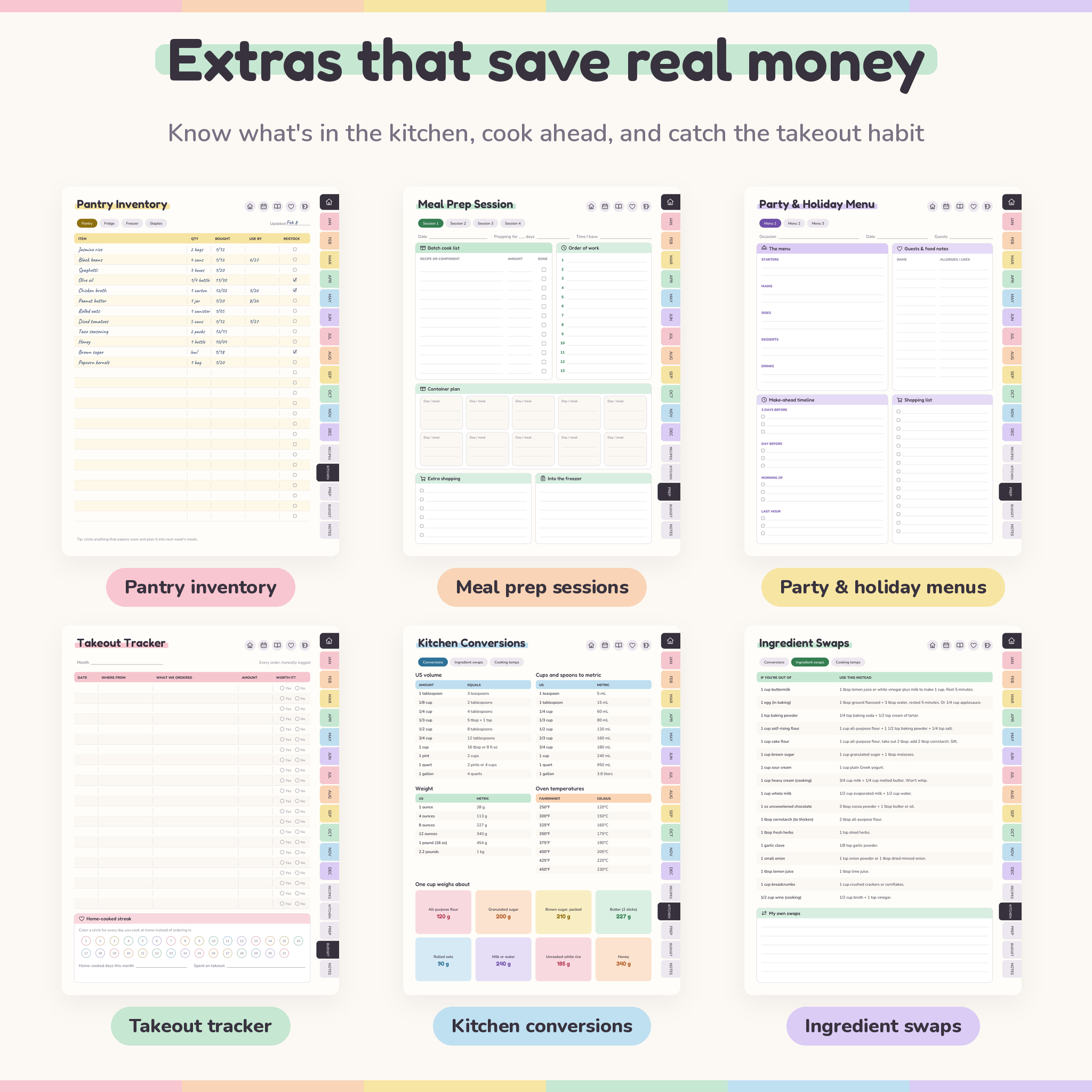
- Pantry, Fridge and Freezer inventories with quantity, date bought and use-by date
- Staples Checklist with about 50 basics and spare lines
- 4 Meal Prep Session pages with a batch list, order of work and container plan
- 3 Party & Holiday Menu planners with a make-ahead timeline and guest notes
- Grocery Budget for the year with a color-in spending chart
- Takeout Tracker with a home-cooked streak row
- Kitchen Conversions, 17 Ingredient Swaps and safe Cooking Temps
- 8 Notes pages: lined, dotted, grid and blank
Main benefits
You decide once a week instead of every evening. You shop from a list that matches the plan, so the forgotten eggs stop happening. You can see what’s in the freezer before you buy more of it. And after a month or two, your favorites list and recipe pages do half the planning for you.
The file is light, about 3.4 MB, so it opens fast. Some tablet planners run to hundreds of megabytes.
What’s included
- Spoonful Digital Meal Planner, Monday start (PDF, 211 pages)
- Spoonful Digital Meal Planner, Sunday start (PDF, 211 pages)
- Printable set, US Letter (PDF, 26 pages)
- Printable set, A4 (PDF, 26 pages)
- User guide (DOCX) with setup steps, tips and troubleshooting
How the hyperlinked meal planner works
- Download the files and pick the Monday or Sunday edition.
- Import the PDF into your note-taking app as a new notebook.
- Tap the side tab for the current month and start on its first week.
- Plan the week, tap Grocery list, then shop from it.
- Save the winners to your recipe pages and Family Favorites.
Every page has 12 month tabs, five section tabs (Recipes, Kitchen, Prep, Budget, Notes), quick icons and previous or next arrows. There are over 6,000 links in each edition.
File formats and software
The planner is a standard PDF with internal hyperlinks and embedded fonts. To write on it, use a tablet note-taking app that keeps PDF links working. Apps such as GoodNotes, Notability and Xodo can import PDFs like this one. A stylus makes writing easier but isn’t required. The printable files print from any PDF reader. The user guide opens in Microsoft Word, Google Docs or Apple Pages.
Customization
Color code meals with your app’s highlighter, add your own stickers, paste food photos into recipe pages and duplicate any page you need more of. Money fields don’t print a currency symbol, so the budget pages work in dollars or any other currency. Just write yours at the top.
Digital download
This is an instant digital download. Nothing is shipped. Your files appear in your Taskdale account and order email as soon as payment goes through. For personal use in your own household only.
Real ways people use it
- Sunday planning. Ten minutes with a coffee: fill the week, check the pantry, write the list.
- Busy weeknights. Glance at tonight’s dinner on the way home and know the ingredients are already there.
- Work lunch prep. Batch cook on Sunday with the Meal Prep page and map each container to a day.
- Thanksgiving. Use a Party & Holiday Menu to plan courses, guest needs and a make-ahead timeline.
- Spending reset. Log every takeout order for a month and watch the home-cooked streak grow.
FAQ
Is this meal planner dated?
No. It’s undated. Start any week of any year and reuse it next year from a clean copy.
Can I print it?
Yes. US Letter and A4 printable sets are included, with Monday and Sunday start versions of the weekly and monthly pages.
Does it work on Android tablets?
It’s a regular hyperlinked PDF, so it works in Android apps that support PDF links. Test one side tab after importing.
Is the recipe book included?
Yes. 60 recipe pages and a linked index come in every edition at no extra cost.
Can I use my own currency?
Yes. The budget pages leave the currency blank, so write $ or whatever you use.
Do I need a stylus?
No, but writing by hand is easier with one. A finger works for tapping links.
Can I share it with friends?
Your whole household can use it. Please don’t share or resell the files outside your home.
Reviews
There are no reviews yet.