

An All-in-One Weight Loss Tracker Spreadsheet
Most weight loss trackers give you a log and leave the rest to you. This one connects everything. SlimBloom is a weight loss tracker spreadsheet with 14 tabs that talk to each other, so a workout you log shows up in your daily calories, the meals you plan turn into a grocery list, and your dashboard moves every time you weigh in.
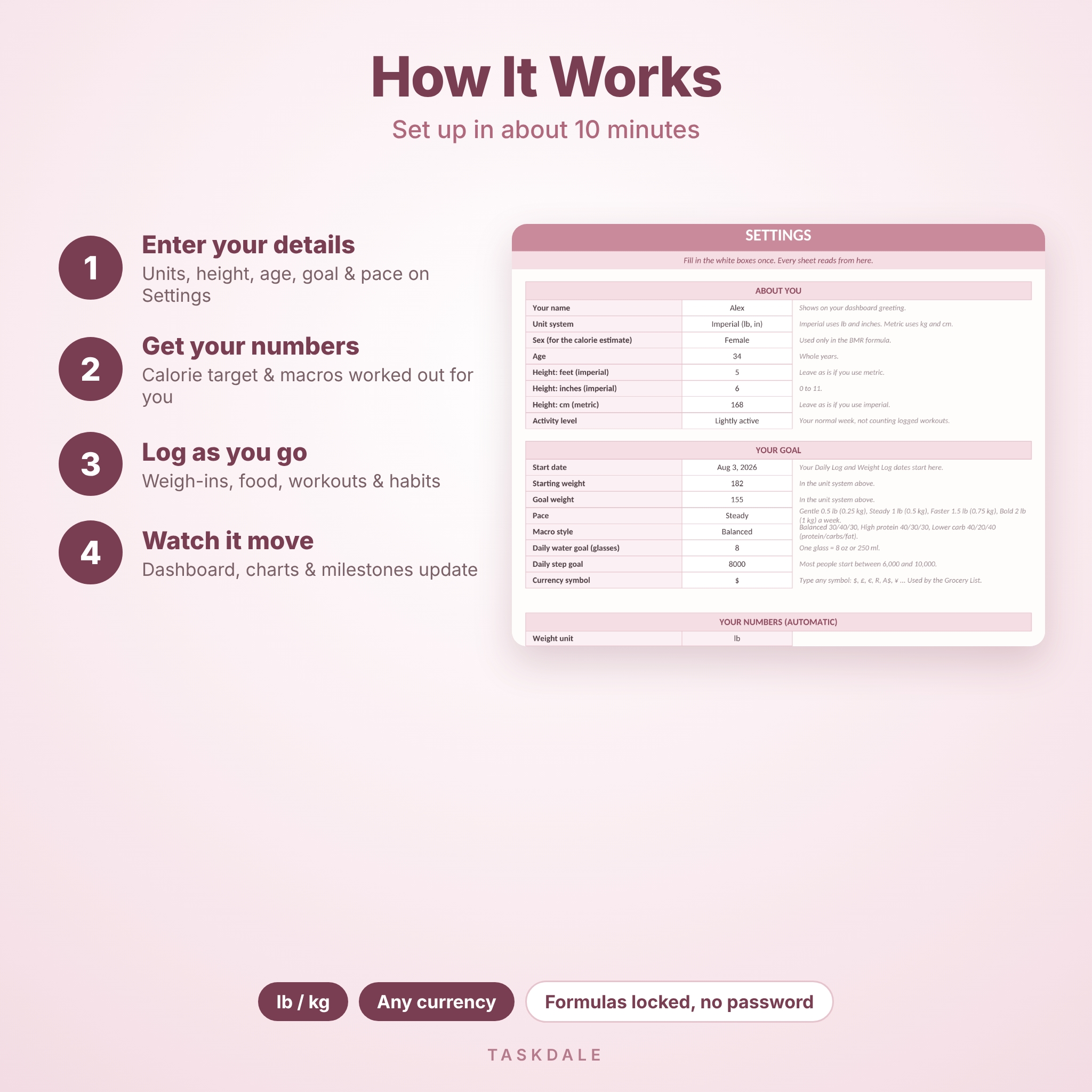
Set it up in about ten minutes. Type your height, age, start weight and goal on one Settings tab. Pick a pace. The planner gives you a personal calorie target and protein, carb and fat grams to aim for. After that, you just log.
Who It’s For
- Anyone starting a weight loss plan who wants one place for food, fitness and progress
- People who stay motivated by numbers, charts and ticking things off
- Beginners. If you can type in a box and pick from a dropdown, you can use it
- Anyone tired of juggling three apps and a notebook
What’s Inside
Dashboard
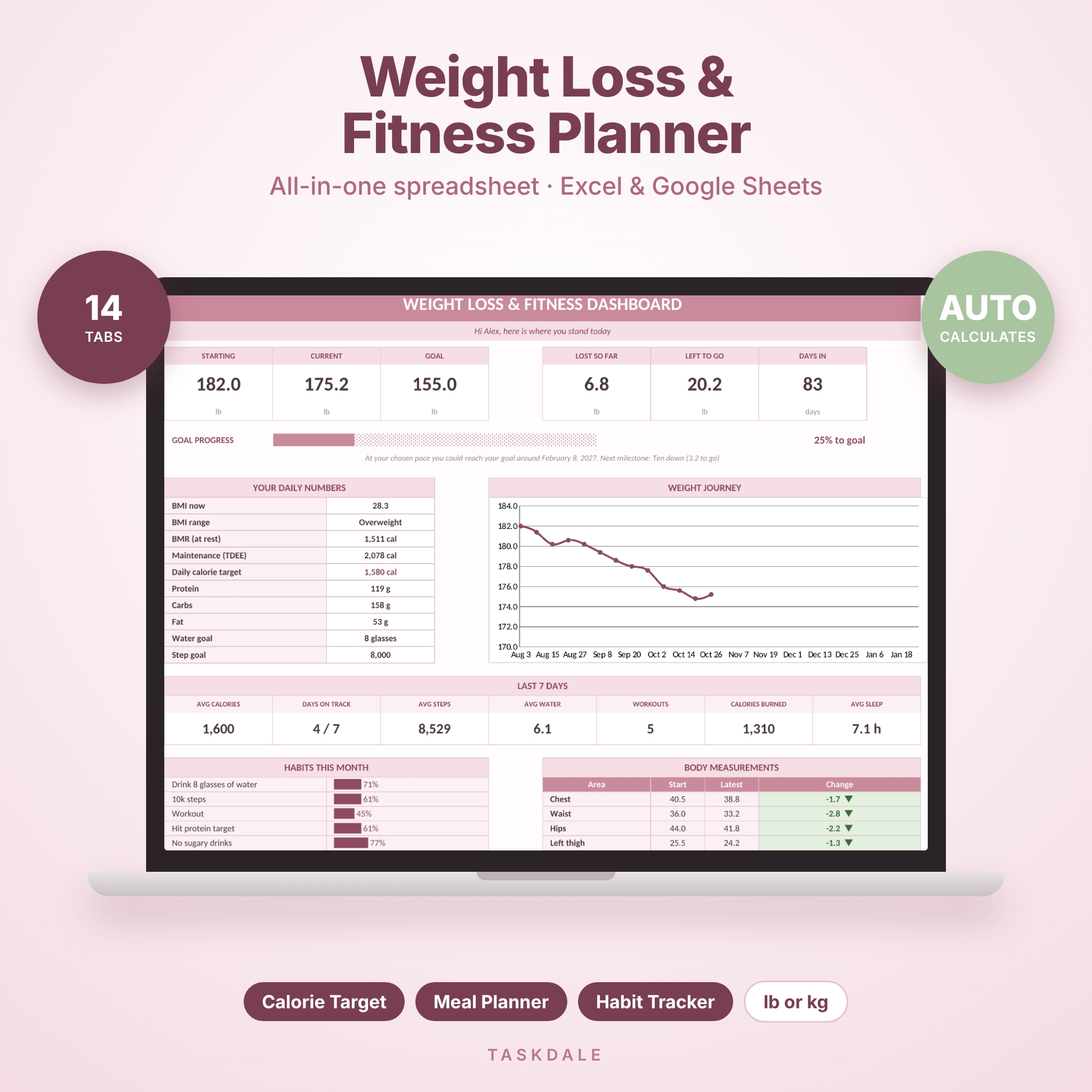
Starting, current and goal weight, pounds lost and left to go, a progress bar with an estimated goal date, your next milestone, a weight chart, last 7 days averages, this month’s habit scores and body measurement changes.
Settings and Calorie Calculator
Choose lb and inches or kg and cm. Pick a pace (Gentle, Steady, Faster or Bold) and a macro style (Balanced, High protein or Lower carb). You get BMI, BMR, maintenance calories (TDEE), a daily calorie target and macro grams. The target never drops below 1,200 calories (1,500 for men).
Weight Log and Milestones
104 weekly weigh-ins with change since last time, total lost, BMI and a trend chart. Ten milestones with rewards you choose, ticked off on their own.
Daily Log
366 days of calories, protein, carbs, fat, water, steps, sleep and mood. Calories burned fill in from your Workout Log by date, and each day shows On track or Over.
Workout Plan and Workout Log
A 7-day plan with sets, reps, weight, time, distance, intensity and a Done tick, plus progress bars for each day. The log holds 300 sessions.
Meal Planner and Food Library
Seven days, four meals a day. Pick a food from the dropdown, type servings, and calories and macros add up. A week summary checks each day against your target. The library starts with 68 everyday foods and has room for 112 of your own.
Grocery List
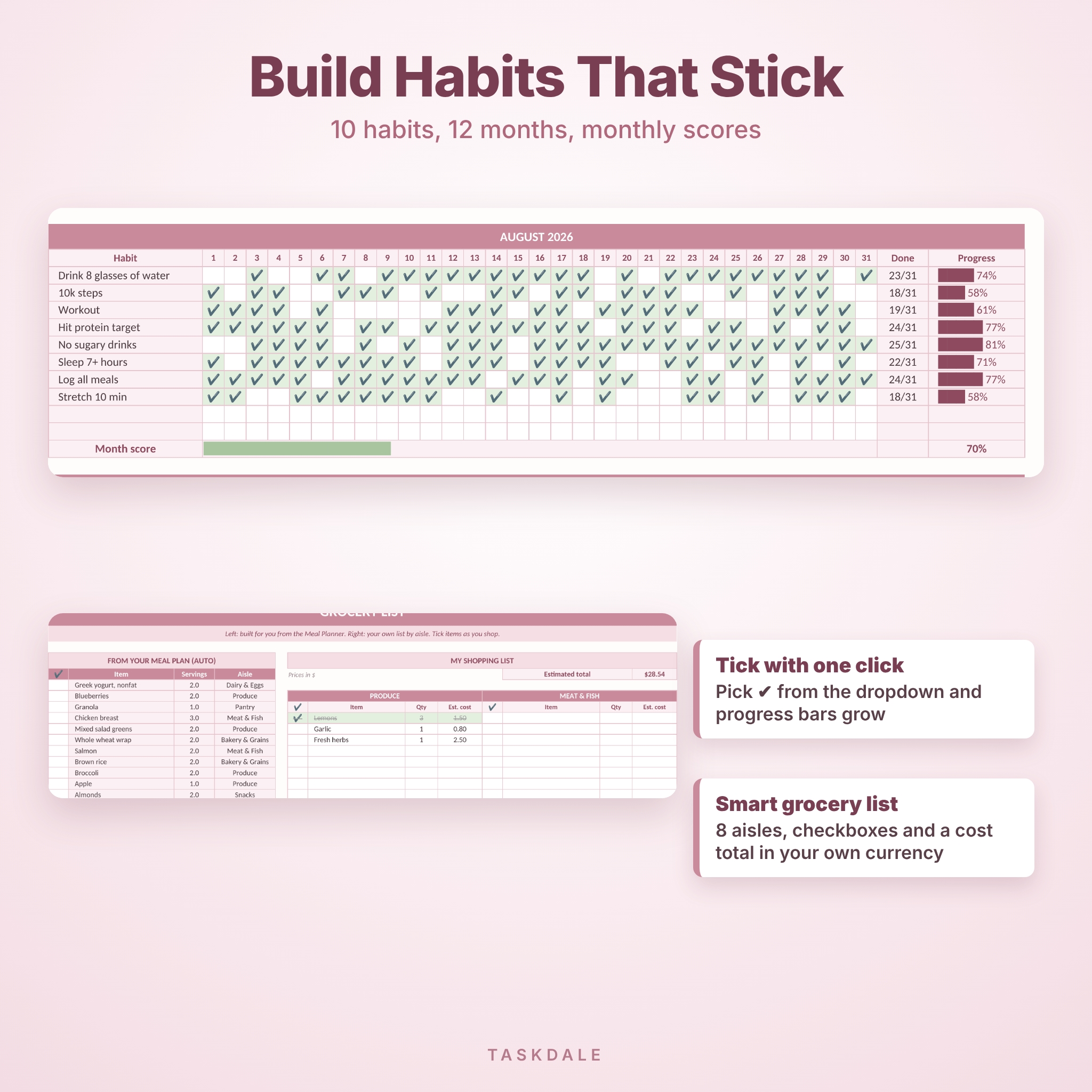
Builds itself from your meal plan with total servings and aisle. Add your own items across 8 aisles with checkboxes, quantities and a cost total in your own currency.
Habit Tracker, Measurements and Progress Photos
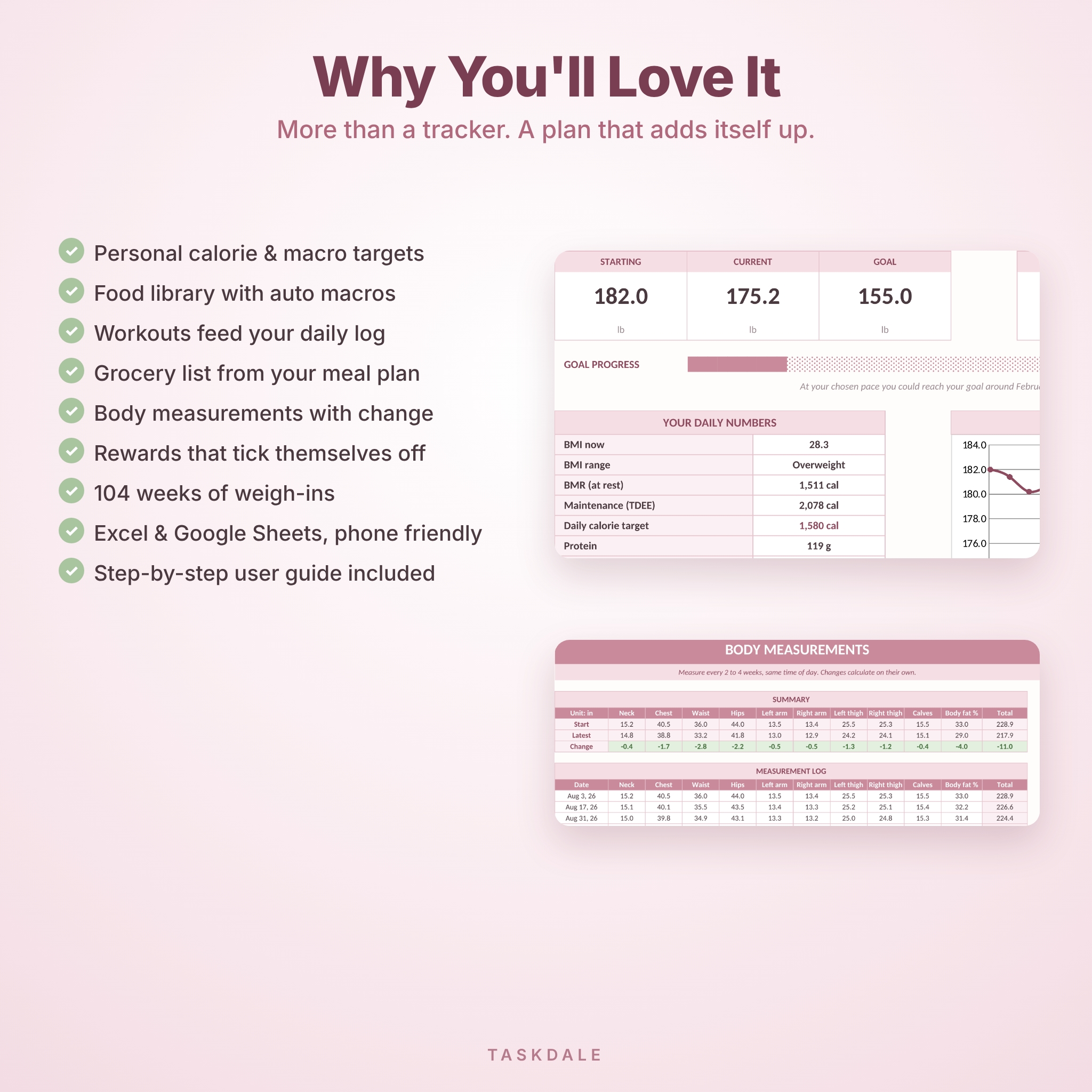
10 habits across 12 months with monthly scores. 9 body areas plus body fat %, with start, latest and change. Six photo frames for side-by-side progress.
Why Choose This Weight Loss Planner
- Personal calorie and macro targets, not a blank box
- Meals pull real macros from a food library
- Workouts flow into your daily calories automatically
- Grocery list comes straight from your meal plan
- Formulas are locked (no password) so you can’t break them by accident
- Clean blush and sage design that’s easy on the eyes
How It Works
- Download the files and open the blank planner
- Fill in the Settings tab
- Weigh in weekly, log food and workouts as you go
- Plan meals and workouts each weekend and shop from your list
What You Get
- SlimBloom Weight Loss & Fitness Planner (.xlsx), blank and ready to use
- A filled sample copy so you can see how it looks after a few months
- A 7-page user guide (.docx) with setup steps, tips and troubleshooting
File Format and Software
One .xlsx spreadsheet. Built with standard formulas for Microsoft Excel (desktop, web and mobile). It can also be uploaded to Google Sheets with a free Google account. No macros, no add-ons.
Make It Yours
Rename habits and milestones, add your own foods, change workout types, and set any currency symbol. Colors, fonts and column widths are all unlocked.
Real-Life Ways to Use It
- Starting a New Year or summer weight loss goal
- Training for a 5K while cleaning up your diet
- Meal prepping on Sunday and shopping from one list
- Checking in with a coach or friend using your dashboard
- Tracking inches when the scale stalls
Instant Digital Download
This is a digital product. Nothing will be shipped. Your files are ready to download right after checkout.
FAQ
Does this weight loss tracker work in Google Sheets?
Upload the .xlsx to Google Drive and choose File > Save as Google Sheets. The guide shows each step.
Can I use kilograms?
Yes. Switch to Metric on the Settings tab and the whole planner changes.
Will it work on my phone?
Yes, in the free Excel app. Setting up is easier on a computer.
How does it work out my calories?
It uses the Mifflin-St Jeor formula and your activity level, then takes off a daily amount based on your pace. These are estimates, not medical advice.
Is it dated?
Dates start from the start date you choose, so you can begin any day of the year.
Can I reuse it?
Yes. Keep a copy of the blank file and start fresh whenever you like.
Can I share or resell it?
No. It’s for your personal use only. Please don’t share, resell or upload the files.
© Taskdale. Personal use only. Not medical advice. Please check with your doctor before changing your diet or exercise.
Reviews
There are no reviews yet.