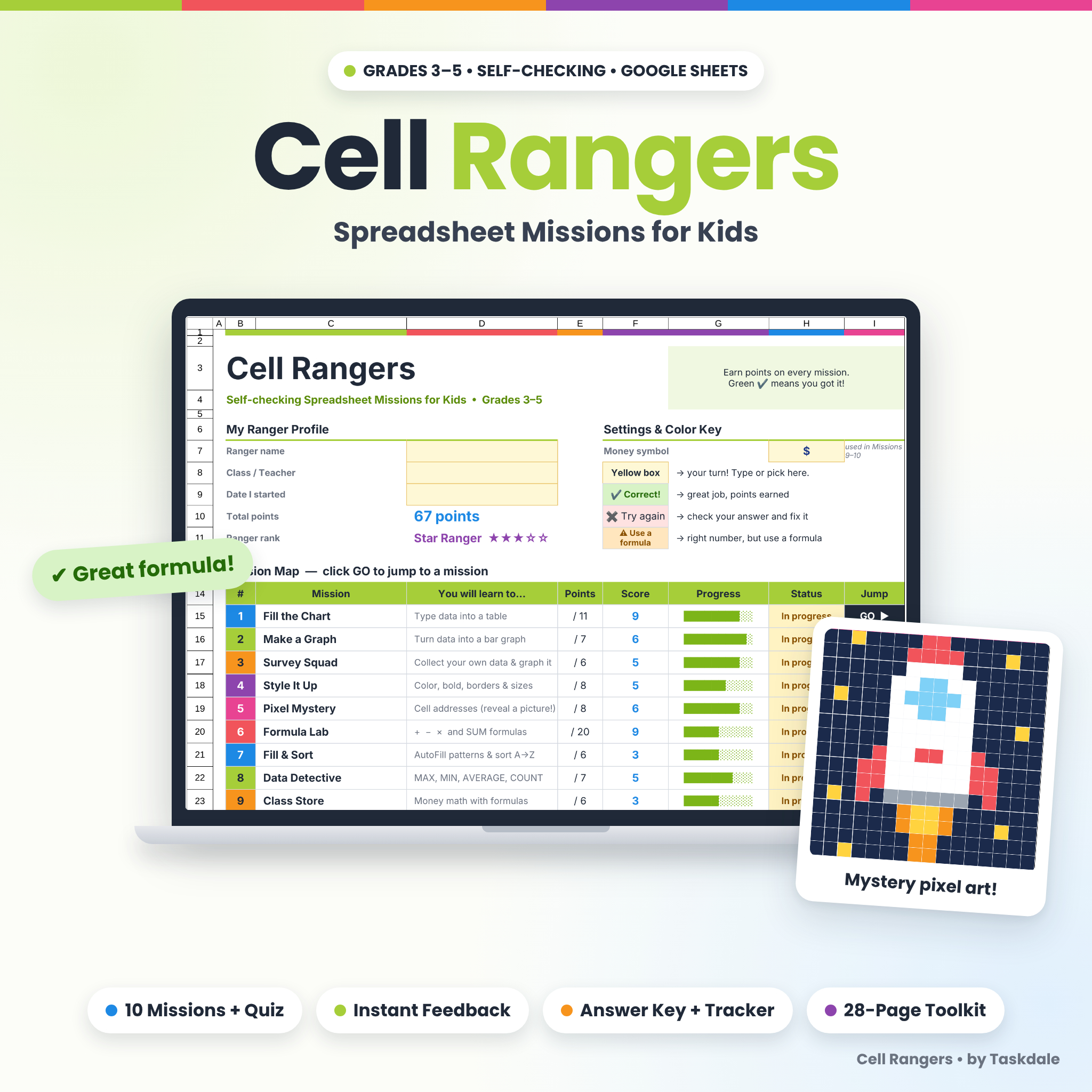
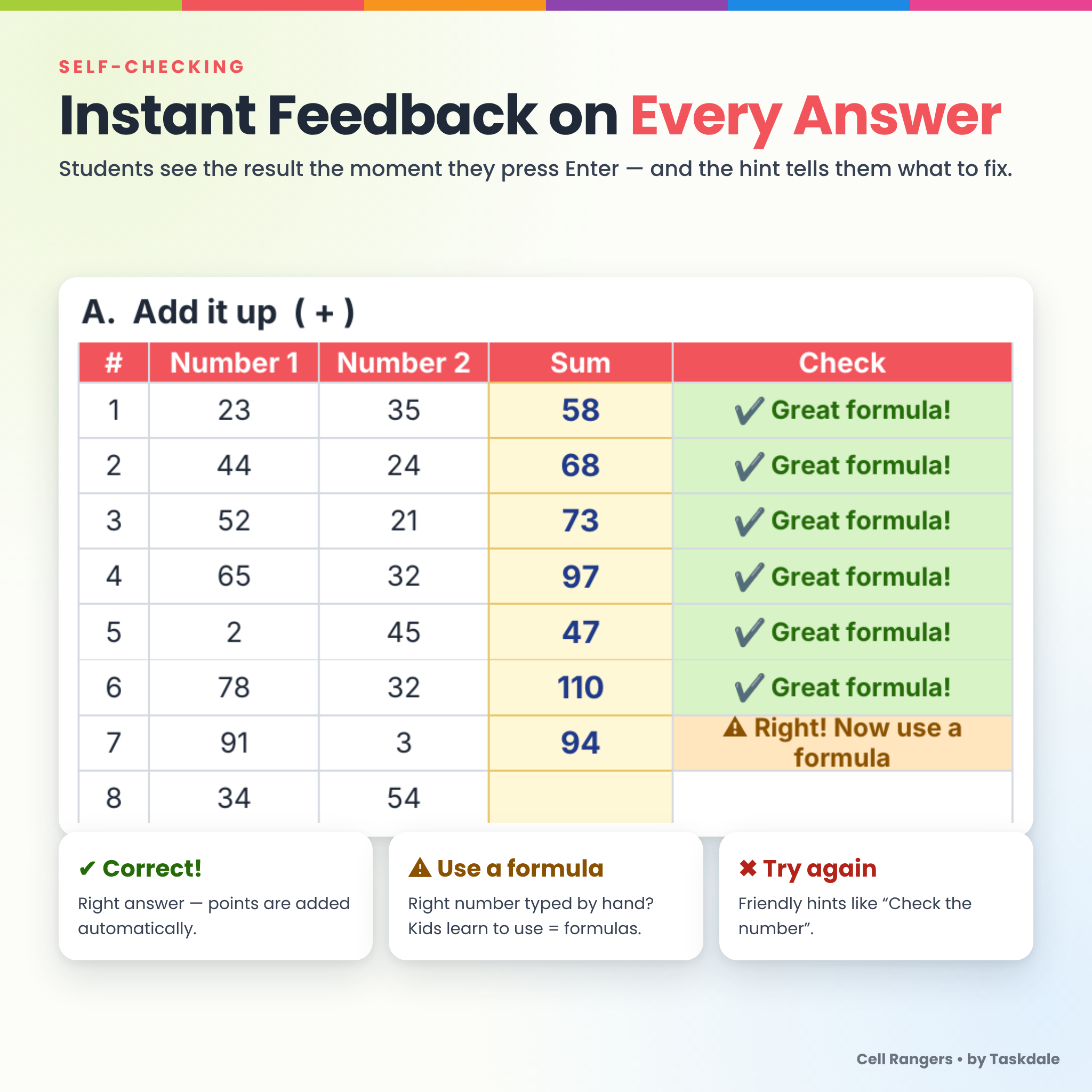
Cell Rangers is a complete set of Google Sheets lessons for kids in grades 3–5. Students learn real spreadsheet skills through 10 short, game-like missions — and every answer checks itself. Type an answer, press Enter, and the cell turns green with ✔ Correct!, red with a helpful hint, or orange with ⚠ Use a formula. Points, progress bars and Ranger ranks update on a dashboard as students work, so you can see who is on track at a glance.
It is built for busy teachers, computer lab and technology teachers, and homeschool families. Every mission includes the data it needs, so you can teach it with a whole class, a small group or a single child.
Why Teachers Choose These Spreadsheet Activities for Kids
- Self-checking: instant ✔ / ✖ feedback with kid-friendly hints like “Check the number” or “Color listed twice”.
- Real formula checking: the workbook knows whether a student typed a formula or just typed the number, so kids really learn to use
=. - No class needed: the survey mission includes practice data, which makes it a great fit for homeschool and one-to-one tutoring.
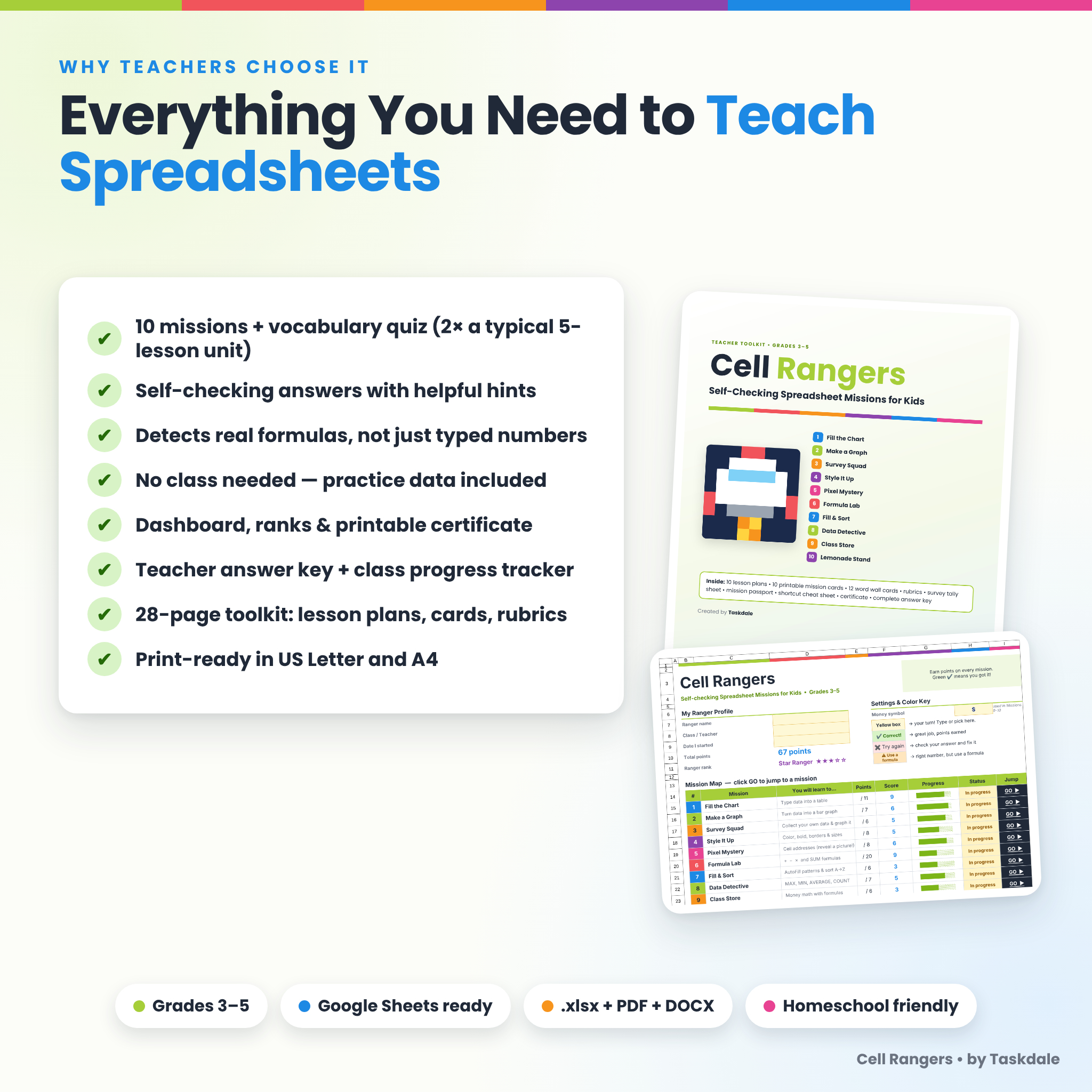
- 10 missions plus a quiz, about twice the size of a typical 5-lesson spreadsheet unit.
- Teacher ready: answer key, class progress tracker, lesson plans, rubrics and printables are all included.
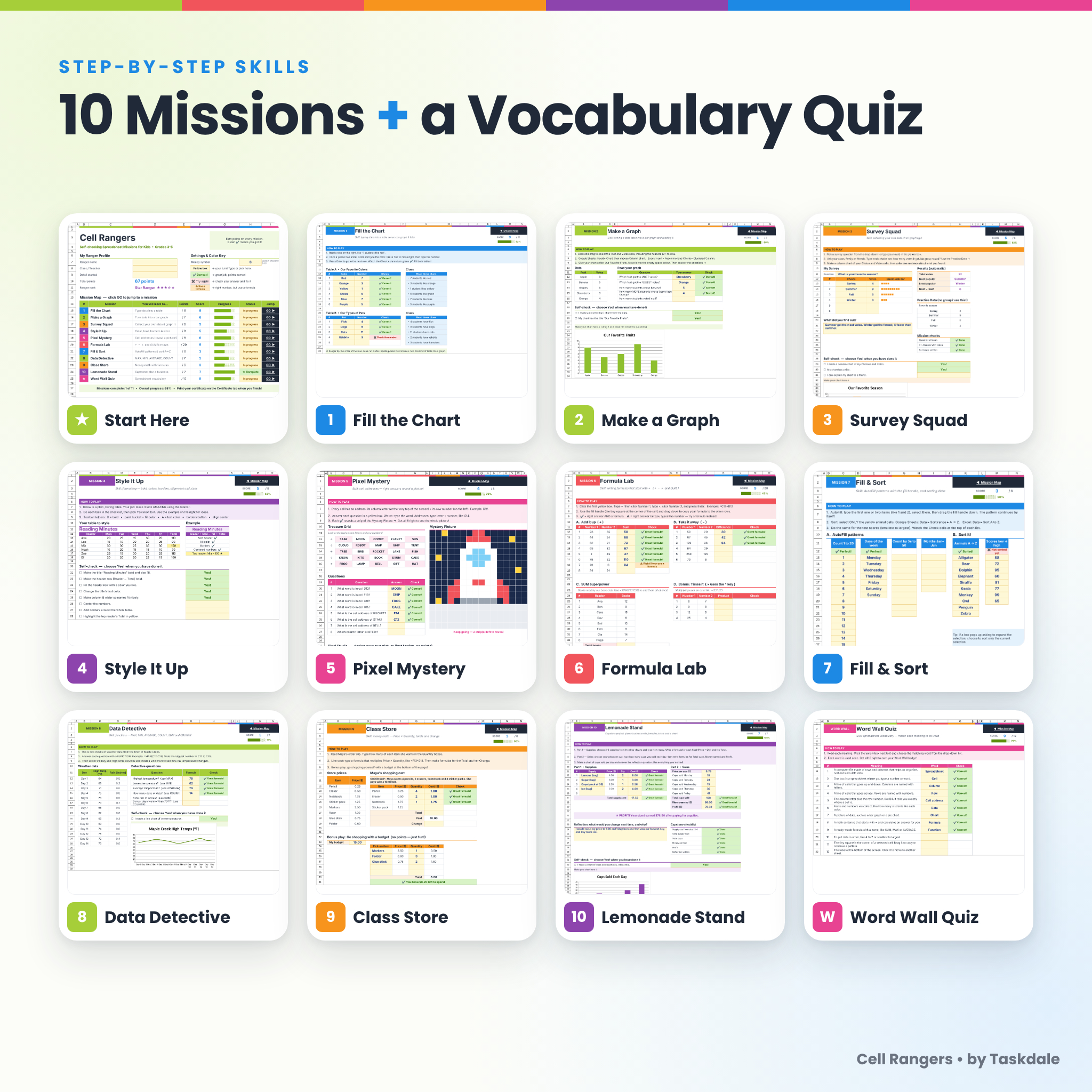
The 10 Missions
Foundations
- 1. Fill the Chart: type data from clues into tables.
- 2. Make a Graph: build a column chart and answer questions about it.
- 3. Survey Squad: collect your own survey data. Results such as total, most popular and ties fill in automatically.
- 4. Style It Up: bold, fill color, borders, alignment and column width.
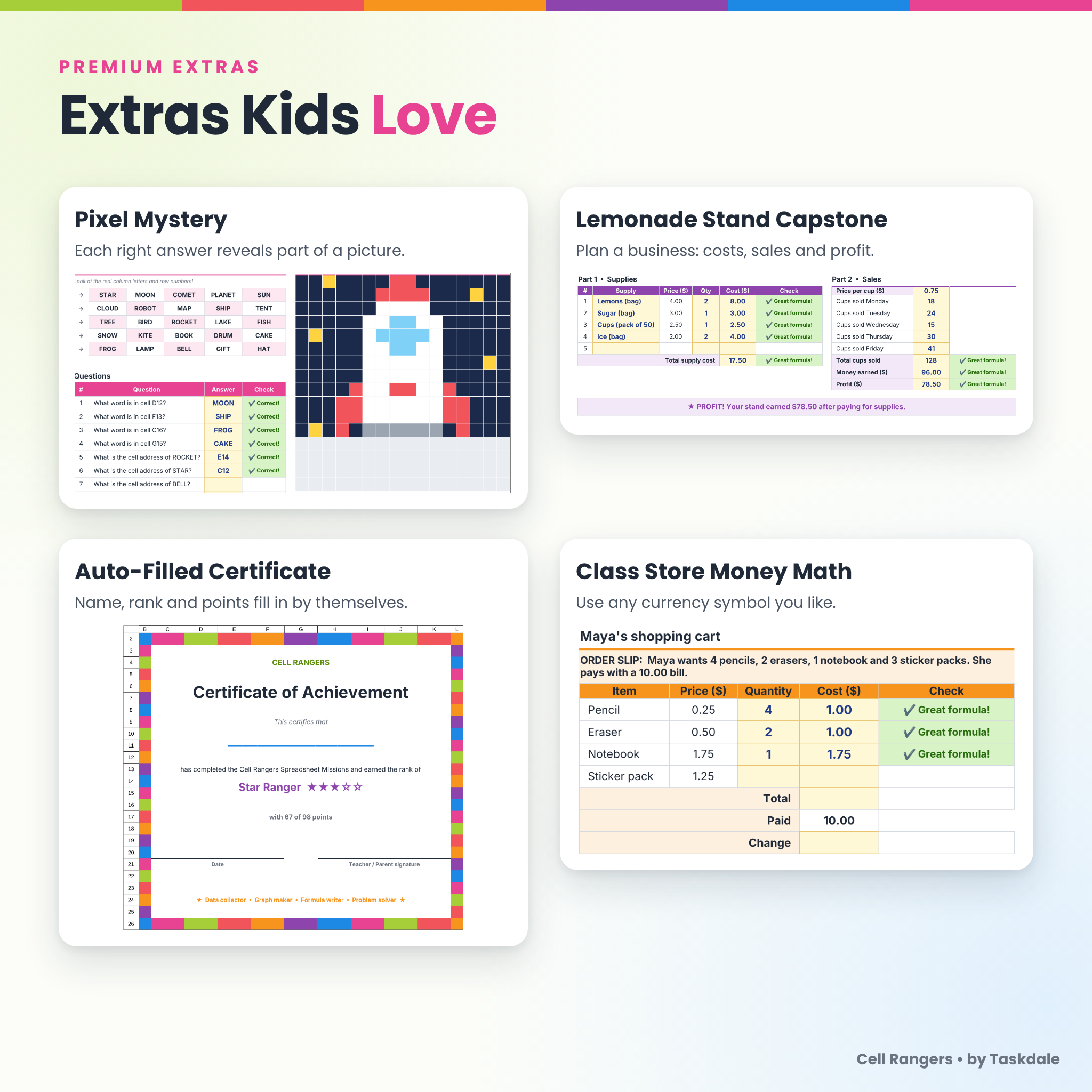
- 5. Pixel Mystery: answer cell-address questions. Each correct answer reveals part of a hidden pixel picture. Includes a free-draw Pixel Studio.
Formulas and data
- 6. Formula Lab: addition, subtraction, multiplication and SUM, plus the fill handle.
- 7. Fill & Sort: AutoFill patterns and sort lists A to Z.
- 8. Data Detective: MAX, MIN, AVERAGE, COUNT, SUM and COUNTIF with real-looking weather data, then a line chart.
- 9. Class Store: money math with Price × Quantity, totals and change, plus a just-for-fun budget shopping game.
- 10. Lemonade Stand: a capstone project where students plan supplies, track sales, find their profit, make a chart and reflect.
Bonus: Word Wall Quiz lets students match 12 spreadsheet words to their meanings, and it scores itself.
Features That Make It Easy
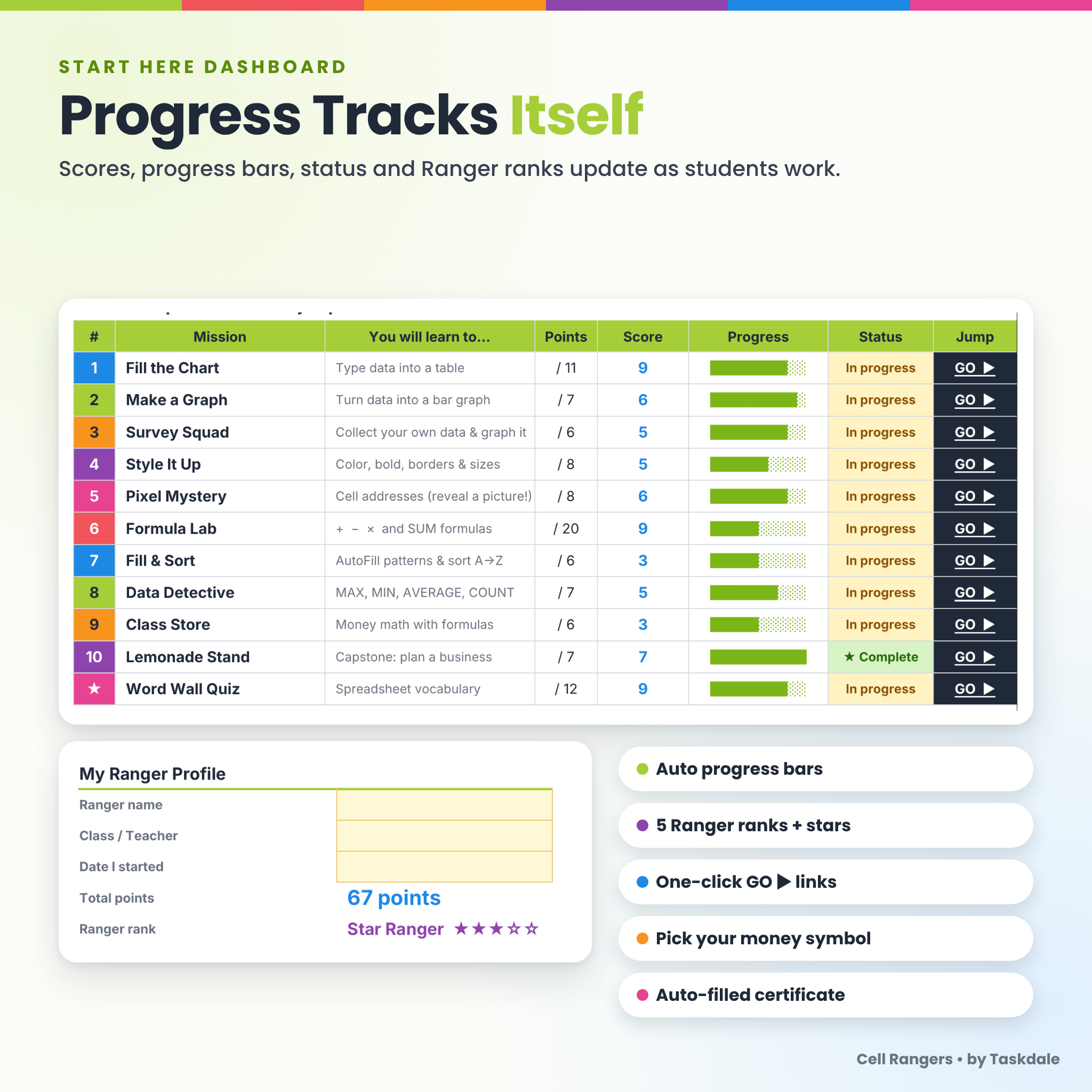
- Start Here dashboard: student profile, mission map with one-click GO ▶ links, scores, progress bars, status and five Ranger ranks with stars.
- How to Play box on every mission with short, numbered steps students can follow on their own.
- Yellow “your turn” boxes: students always know where to type. Instructions and checks are locked (no password), so they cannot be deleted by accident.
- Input limits: number boxes only accept sensible values, so typos are caught early.
- Money symbol setting: type any currency symbol once ($ by default) and the money missions use it everywhere.
- Auto-filled certificate: the student’s name, rank and points appear on a printable certificate.
- For Grown-Ups tab with setup notes right inside the workbook.
What’s Included
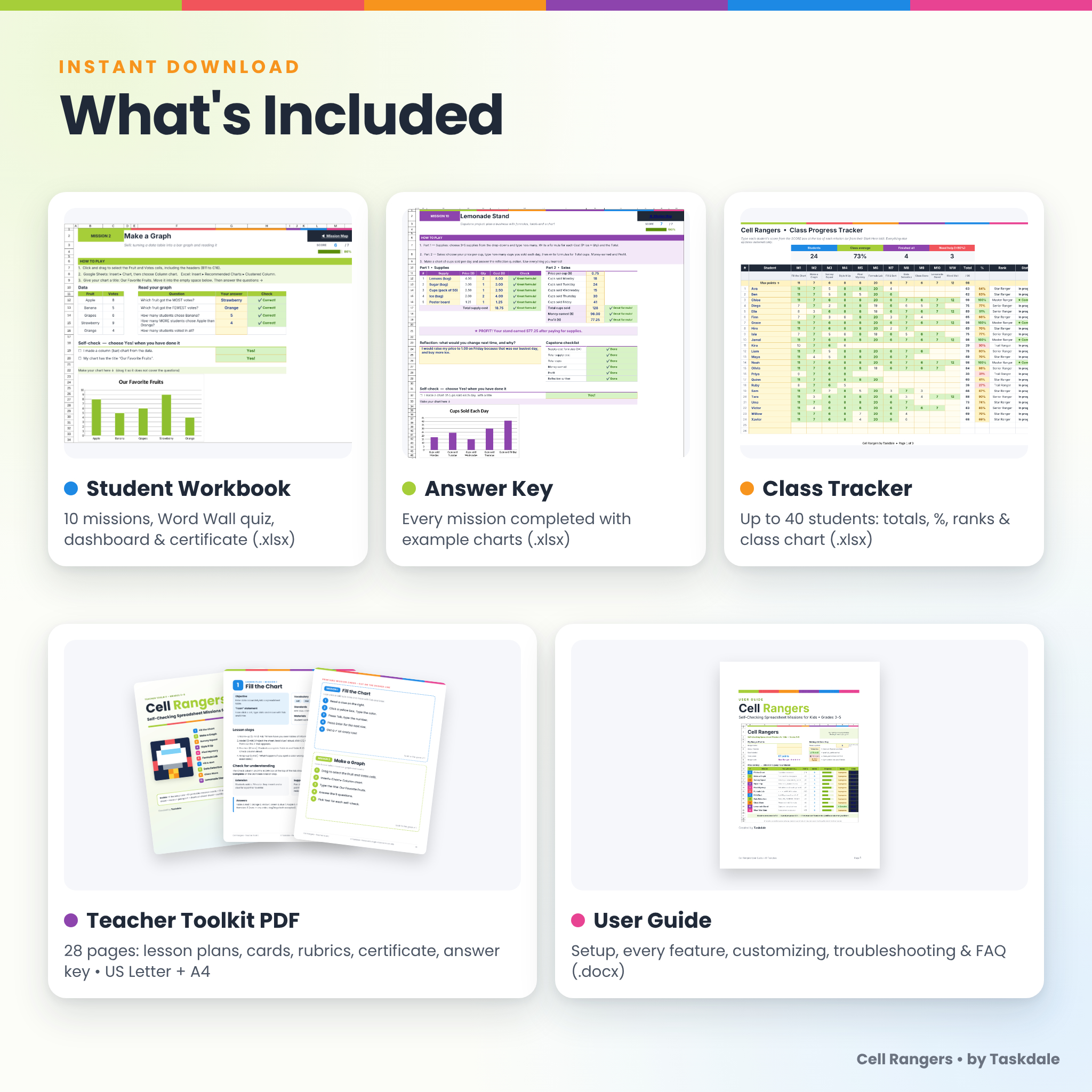
- Student Workbook (.xlsx): 10 missions, Word Wall quiz, dashboard, certificate and notes.
- Teacher Answer Key (.xlsx): every mission completed, with example charts and formatting.
- Class Progress Tracker (.xlsx): up to 40 students, with automatic totals, percentages, ranks, status colors, summary cards and a class-average chart.
- Teacher Toolkit PDF (28 pages, US Letter and A4): unit overview with ISTE and Common Core math codes, 10 one-page lesson plans, 10 printable mission cards, 12 word wall cards, two rubrics, a survey tally sheet, a Ranger Passport, a shortcut cheat sheet, a certificate and a one-page answer key.
- User Guide (.docx): setup, every feature, customizing, troubleshooting and FAQ.
- Complete Bundle (.zip): all files in one download.
How It Works
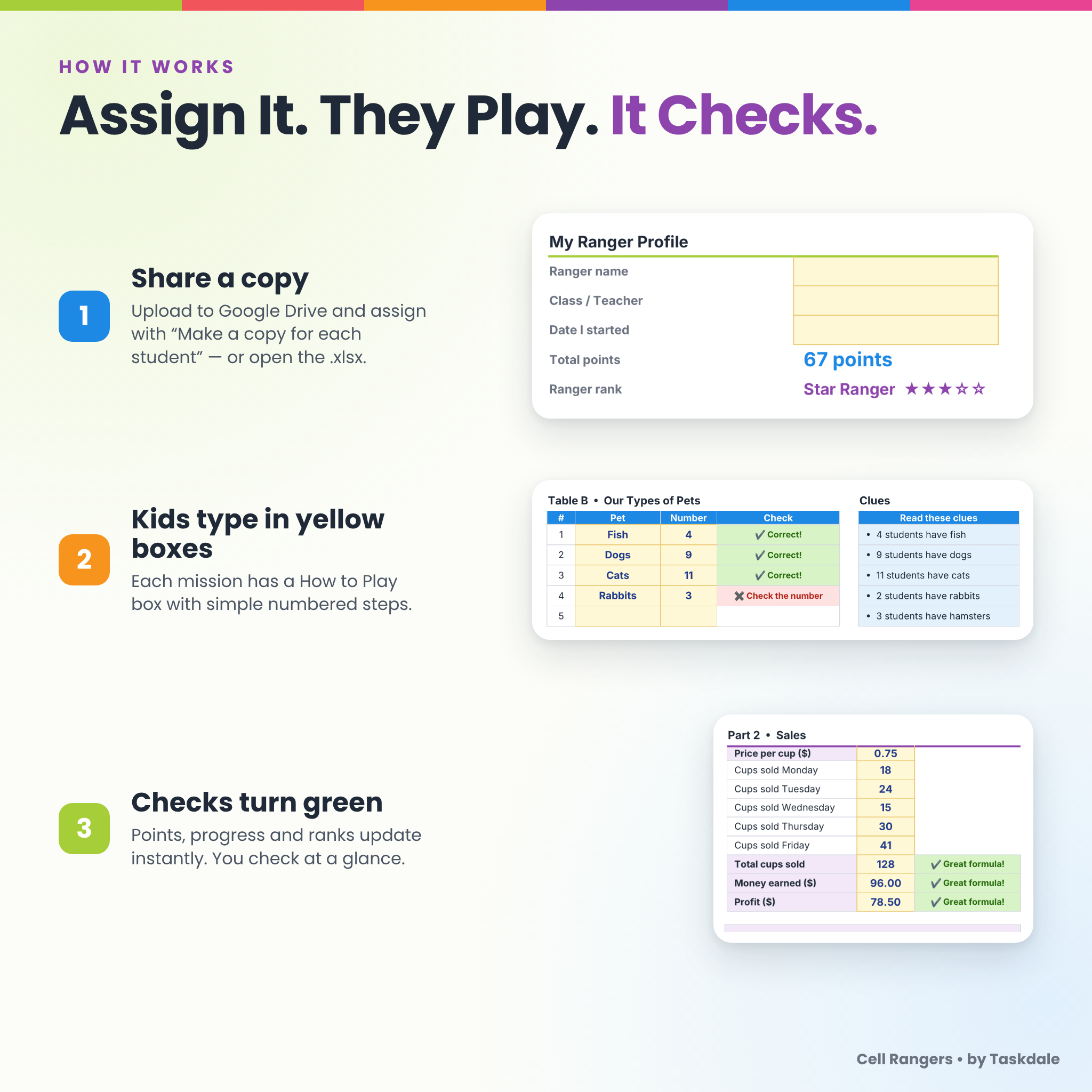
- Download the files and upload the Student Workbook to Google Drive. Choose File ▸ Save as Google Sheets.
- In Google Classroom, attach it and choose Make a copy for each student. You can also share it another way or open the .xlsx directly.
- Students type their name on Start Here, click GO ▶ and follow each How to Play box.
- Checks turn green, points add up, and you can copy scores into the Class Progress Tracker.
File Formats and Software
- Spreadsheets: .xlsx, designed for and tested in Google Sheets (free with a Google account). The files are standard .xlsx and were also checked in LibreOffice Calc. They use Excel-compatible features, and the formula checker needs Excel 2013 or newer.
- Printables: PDF in US Letter and A4, with fonts embedded. Print at 100%.
- Guide: .docx (standard Word document format).
- Use Google Sheets in a web browser on a laptop, desktop or Chromebook. A keyboard and mouse or trackpad make building charts easiest.
Customizing
Change the money symbol, colors and fonts freely. Hide any mission you don’t need, and the dashboard keeps working. Sheets unlock without a password if you want to edit clues, prices or practice data. The User Guide explains how to keep the checks matching.
Digital Download
This is an instant digital download. No physical product will be shipped. Your files are available right after checkout from your order confirmation and your account downloads page.
Great For
- A first spreadsheet unit in the computer lab or a 1:1 Chromebook classroom
- Sub plans that run themselves, because students get instant feedback
- Homeschool technology and math-integration lessons
- Math centers on graphing, money and data analysis
- Early finishers, coding clubs and summer camps
- Teaching data literacy with a real-world capstone project
FAQ
Do I need Google Classroom?
No. Google Classroom makes it easy to give each student a copy, but you can share copies any way you like.
Can homeschoolers use it without a class to survey?
Yes. Mission 3 includes Practice Data, and every other mission already has its data built in.
Is there an answer key?
Yes. You get a fully completed workbook and a one-page Quick Answer Key in the Teacher Toolkit.
What grade level is it for?
Grades 3–5 (ages 8–11). It also works for older beginners and for 2nd graders with support.
Does it work in Microsoft Excel?
It is a standard .xlsx file built with Excel-compatible features (Excel 2013 or newer). We tested it in Google Sheets and LibreOffice Calc.
Are videos included?
No. Each mission has a step-by-step How to Play box instead, and the Teacher Toolkit adds printable mission cards and lesson plans.
Can I use a currency other than dollars?
Yes. Change the money symbol once on the Start Here tab.
Can I share it with other teachers?
The license covers one teacher or family. Please buy an extra license for each colleague.
© Taskdale. For personal and single-classroom use only. Please do not resell, share or post publicly. Google Sheets and Google Classroom are trademarks of Google LLC. This product is not affiliated with Google.
Reviews
There are no reviews yet.