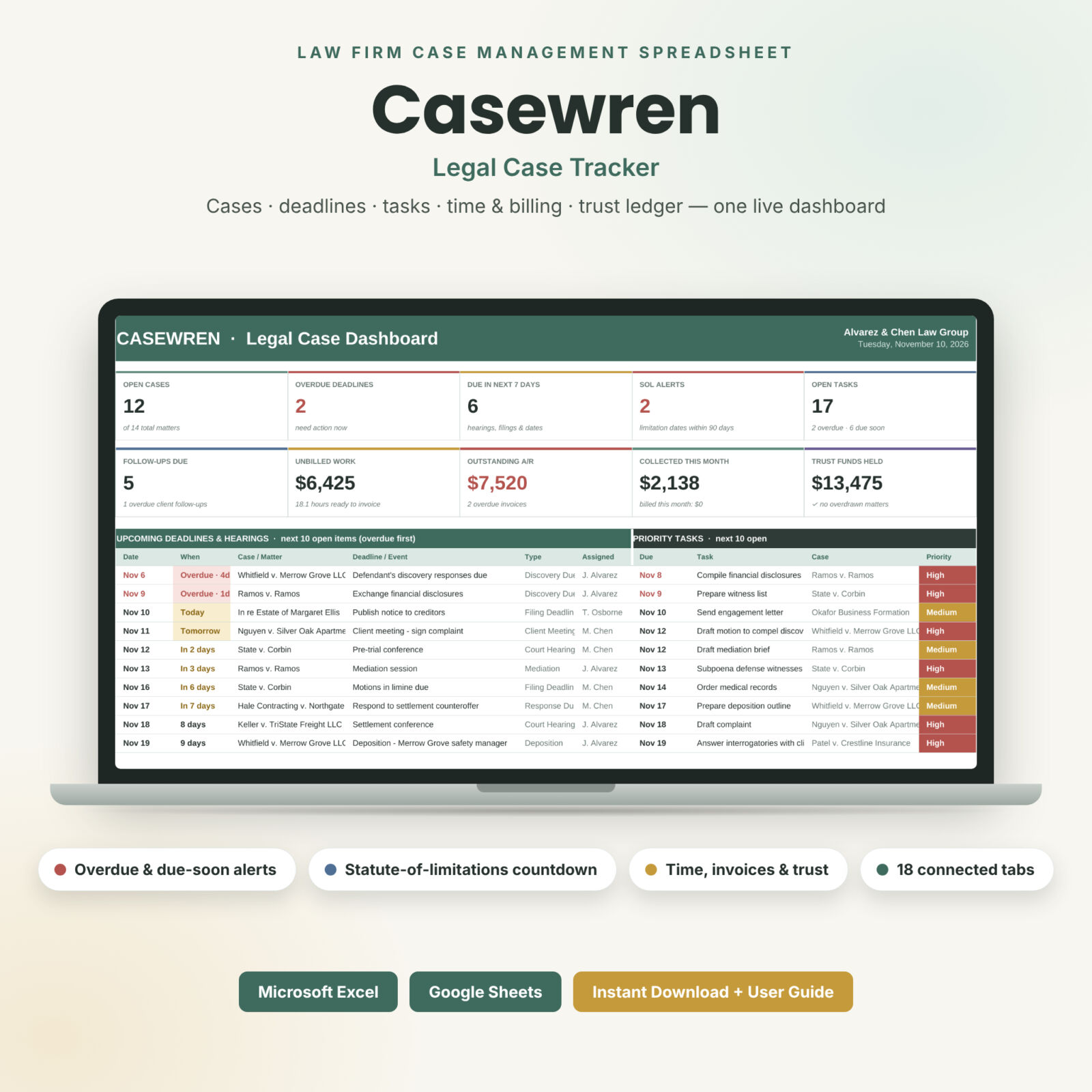
Casewren is a legal case tracker spreadsheet for Excel and Google Sheets that keeps every matter, deadline, task, billable hour, invoice and client trust dollar in one connected workbook. Open the live dashboard each morning and see what is overdue, what is due this week, which statute-of-limitations dates are getting close, how much work is unbilled and which invoices are unpaid — no formulas to write, no software subscription.
What this legal case tracker spreadsheet does
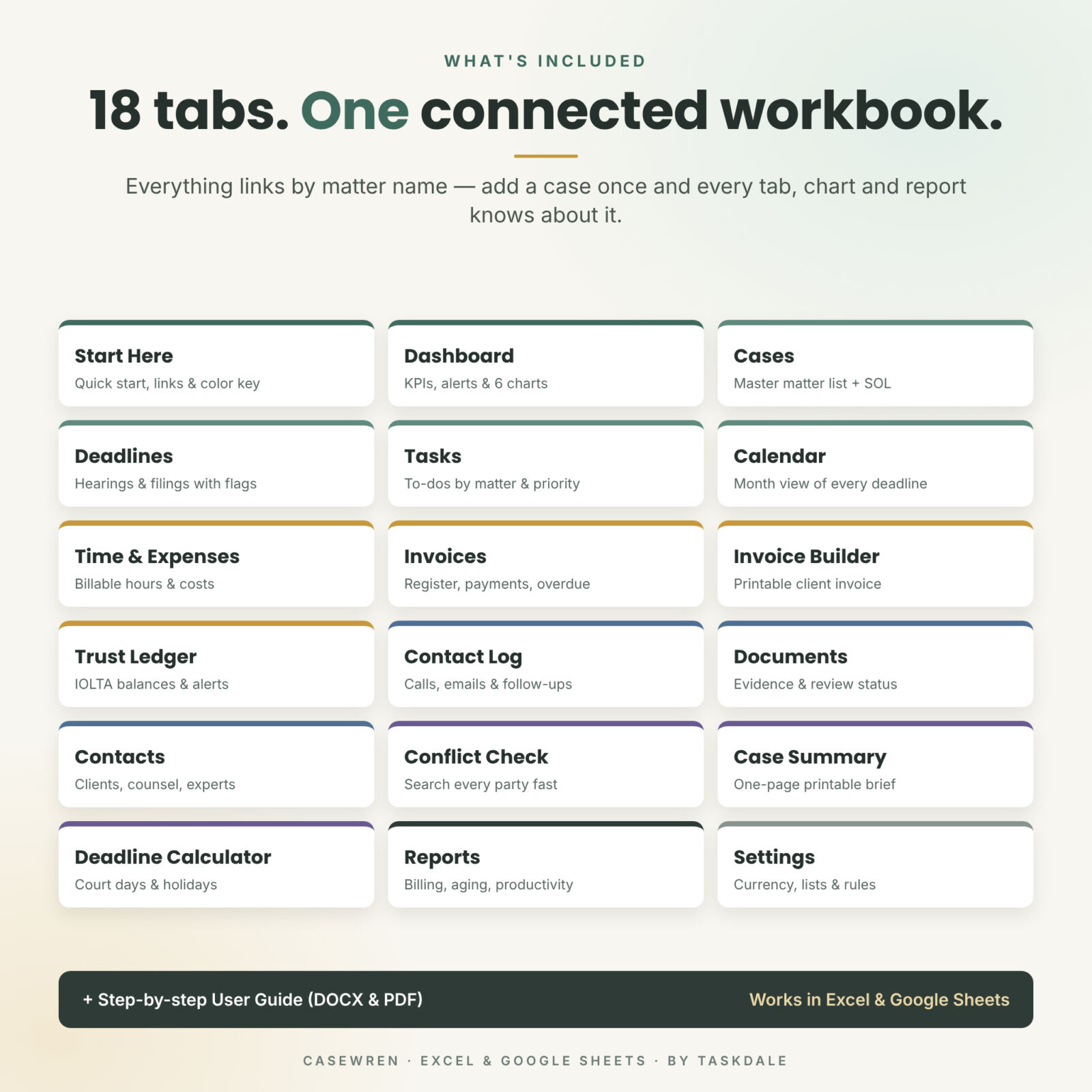
Add a matter once on the Cases tab and it appears in a dropdown on every other tab. Deadlines, tasks, time entries, invoices, trust transactions, client communications and documents all link back to the matter, so the dashboard, calendar, reports, one-page case summary and printable invoices fill themselves in.
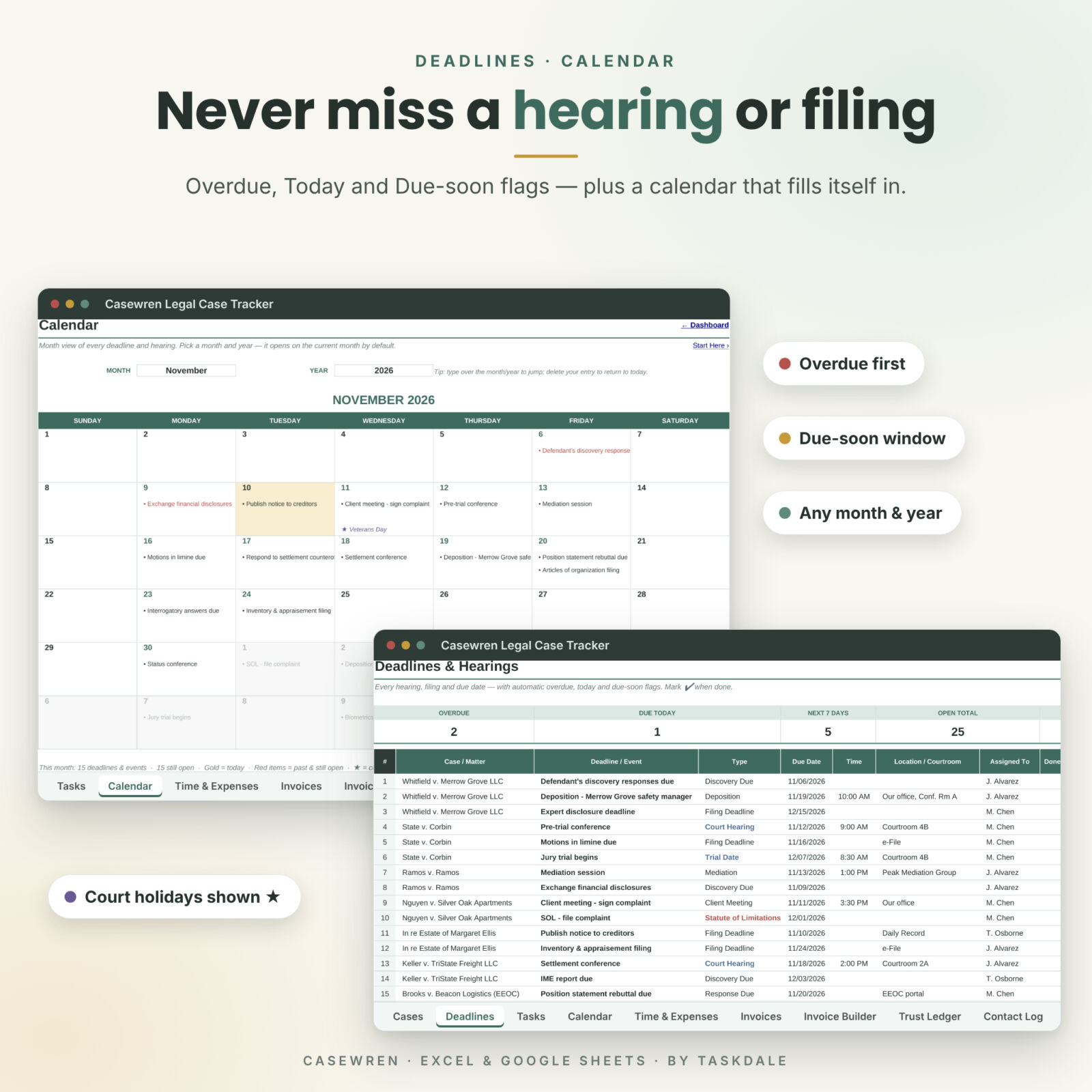
- Never miss a deadline: hearings, filings and discovery dates are flagged Overdue, Today, Tomorrow or Due soon, and the dashboard lists the next 10 open items with overdue ones first.
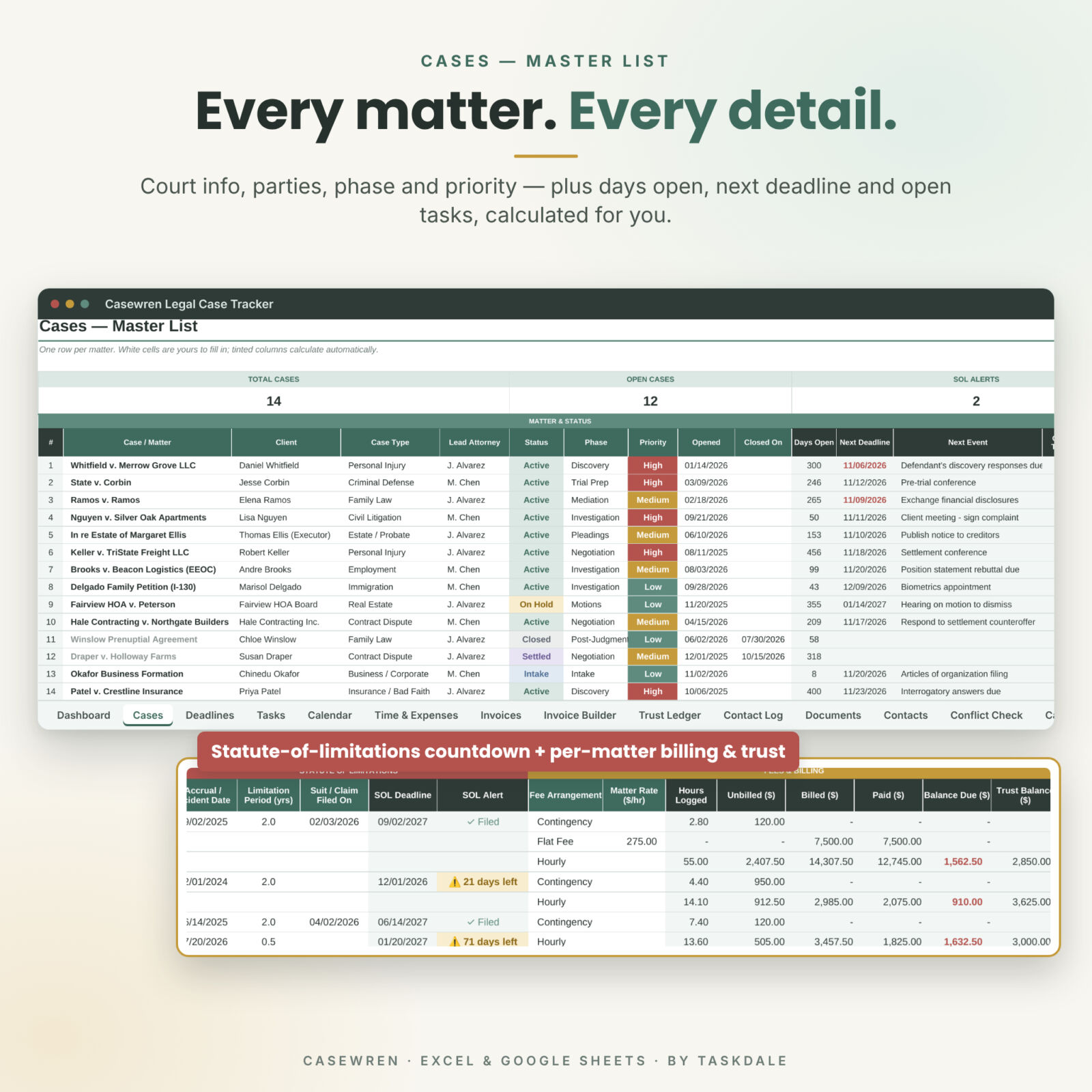
- Statute-of-limitations countdown: enter the accrual date and limitation period and Casewren shows the SOL date, days left and a warning inside your chosen window, then switches to “Filed” once the case is filed.
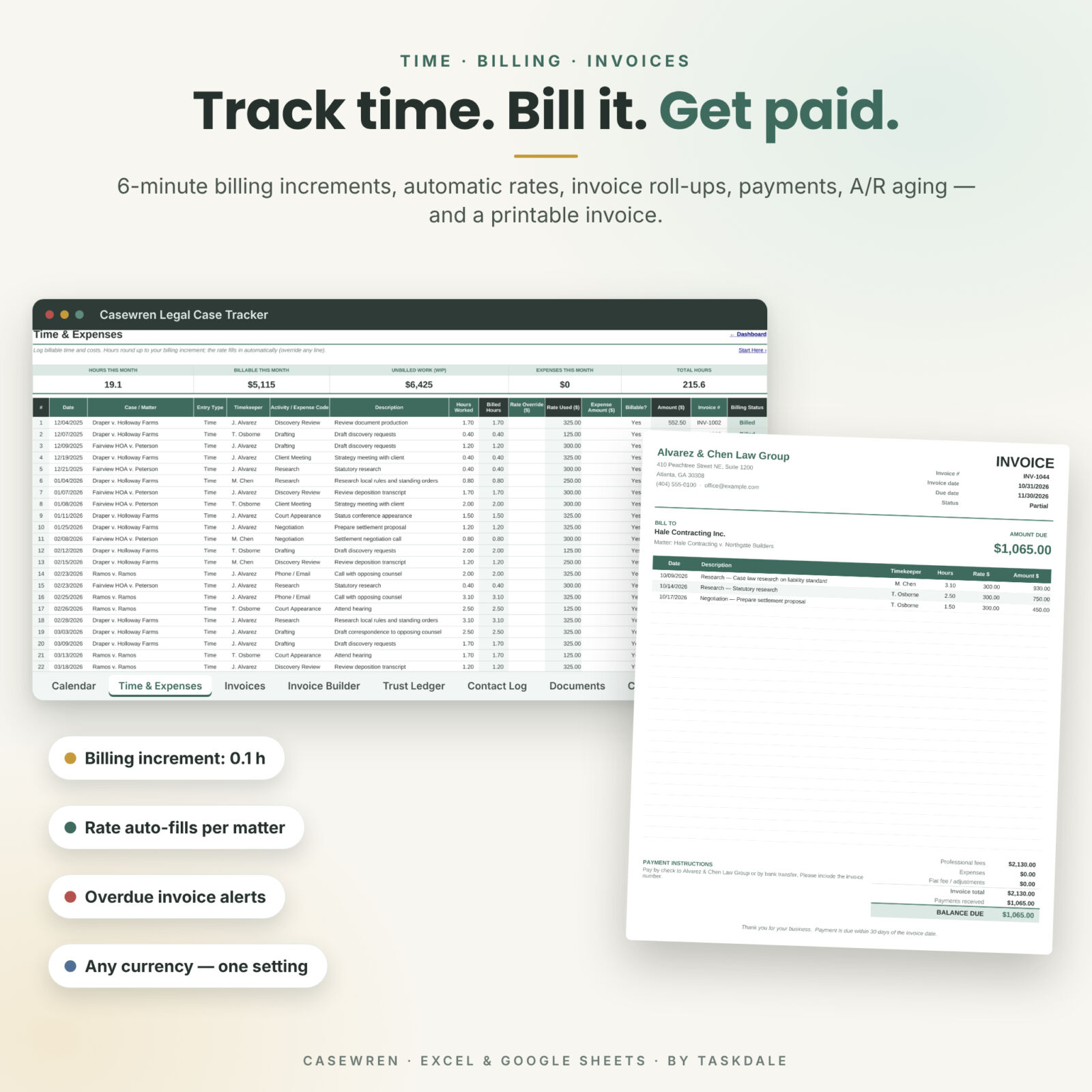
- Get paid for your time: log hours in 6-minute increments (or any increment you choose), let the right rate fill in automatically, roll entries into invoices and track payments and overdue balances.
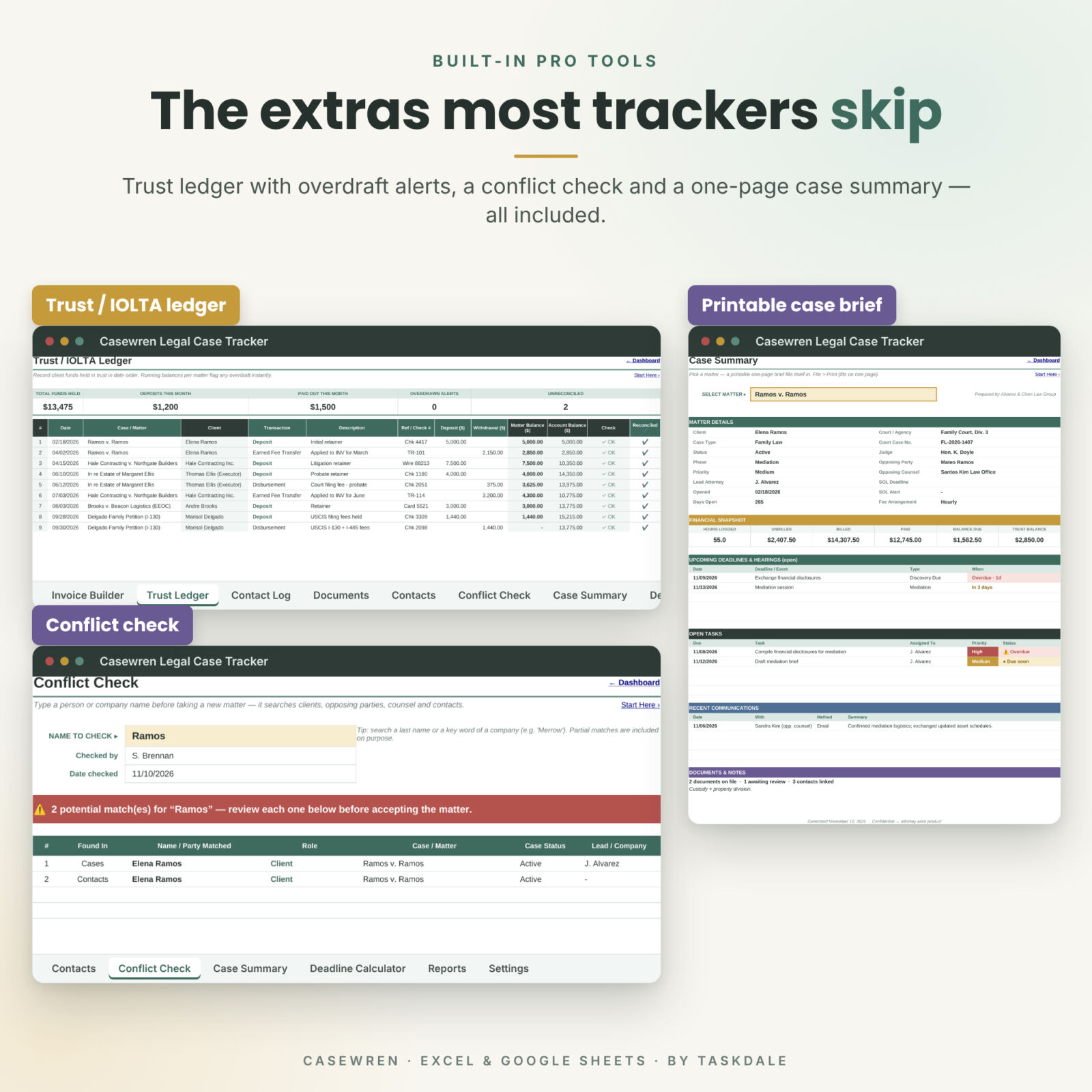
- Stay on top of client trust funds: a trust / IOLTA ledger keeps a running balance per matter and flags any overdraft immediately.
Who it is for
Solo attorneys, small law firms, paralegals and legal assistants who want a real case management system without paying monthly for software. It works for personal injury, family law, criminal defense, estate and probate, immigration, employment, real estate, contract and business disputes, insurance and general civil litigation — and every list can be renamed to match your practice.
Features
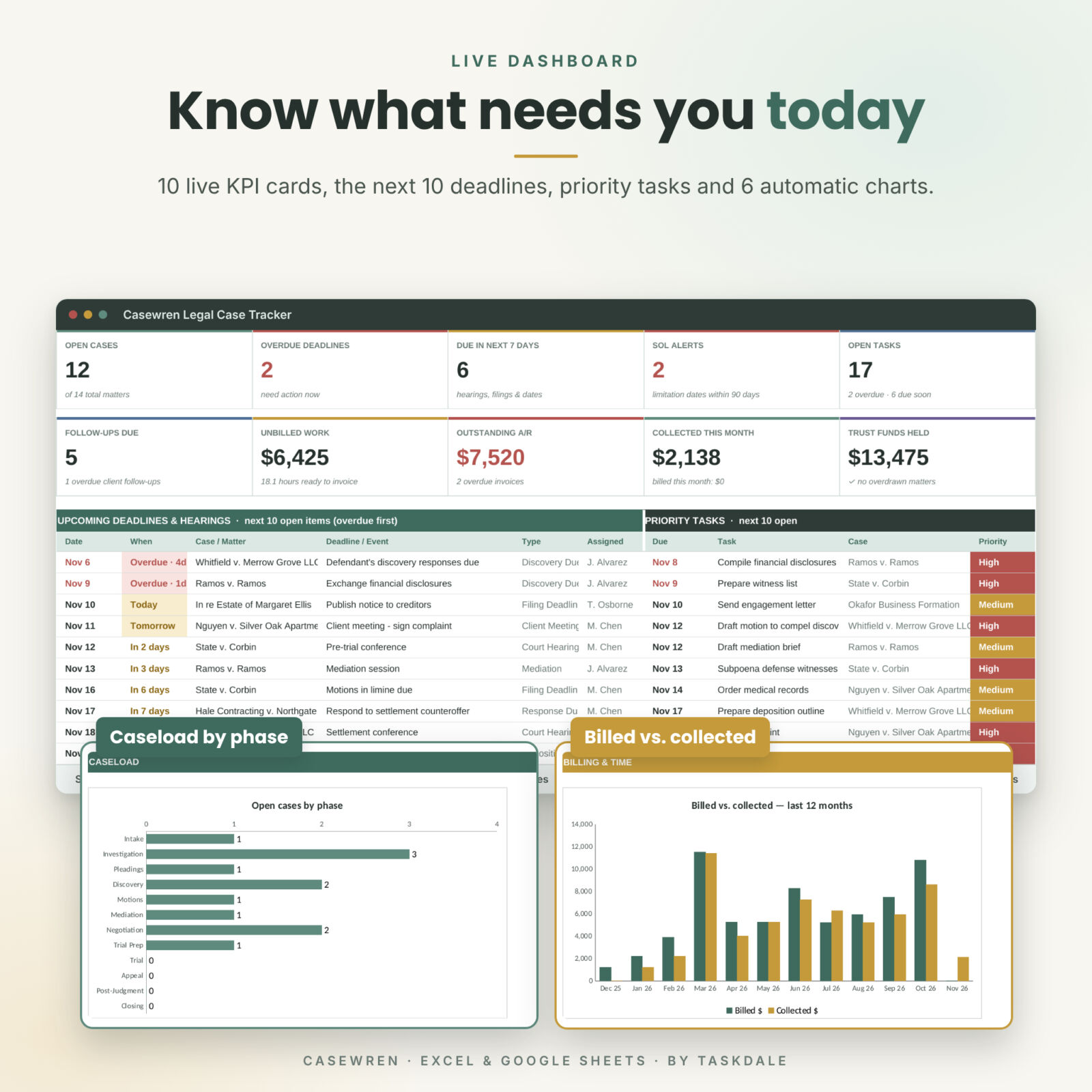
A dashboard that tells you what needs you today
- 10 live KPI cards: open cases, overdue deadlines, items due in your window, SOL alerts, open tasks, client follow-ups, unbilled work, outstanding receivables, collected this month and trust funds held
- Next 10 deadlines and hearings and next 10 priority tasks side by side
- 6 automatic charts: open cases by phase and by case type, billed vs. collected for the last 12 months, billed hours by timekeeper, task status and upcoming deadlines by type
Case management and deadline tracking
- Cases master list with client, case type, lead attorney, status, phase, priority, court, case number, judge, opposing party and opposing counsel
- Automatic days open, next deadline, next event, open tasks, hours logged, unbilled, billed, paid, balance due and trust balance for every matter
- Deadlines & hearings tracker with time, courtroom or location, assignee and done check-off
- Month calendar that fills itself in, highlights today, marks court holidays and lets you jump to any month
- Deadline calculator for calendar days or court days that rolls off weekends and holidays (US federal court holidays 2026–2028 included and editable)
- Task tracker by matter, owner and priority with automatic status
Attorney time tracking, billing and invoices
- Time & expense log with billing increments, rate override, matter rate, timekeeper rates and default rate
- Invoice register that totals fees and expenses by invoice number, adds flat fees or discounts, and tracks payments, balance and days overdue
- Invoice Builder: choose an invoice number and print a client-ready invoice with your firm details and every line item
- Reports: 12-month billing, timekeeper productivity and accounts-receivable aging
Client and file organization
- Client contact log with follow-up reminders
- Documents & evidence index with review status, exhibit numbers, privilege flags and review due dates
- Contacts directory for clients, counsel, experts, adjusters and court staff
- Conflict check that searches every client, opposing party, counsel and contact in seconds
- One-page printable Case Summary for client meetings and court prep
What is included
- Casewren Legal Case Tracker workbook (.xlsx) with 18 tabs: Start Here, Dashboard, Cases, Deadlines, Tasks, Calendar, Time & Expenses, Invoices, Invoice Builder, Trust Ledger, Contact Log, Documents, Contacts, Conflict Check, Case Summary, Deadline Calculator, Reports and Settings
- Step-by-step User Guide in Word (.docx) and PDF
- A ZIP bundle containing everything in one download
How it works
- Download the files and open the workbook in Excel, or upload it to Google Drive and open it with Google Sheets.
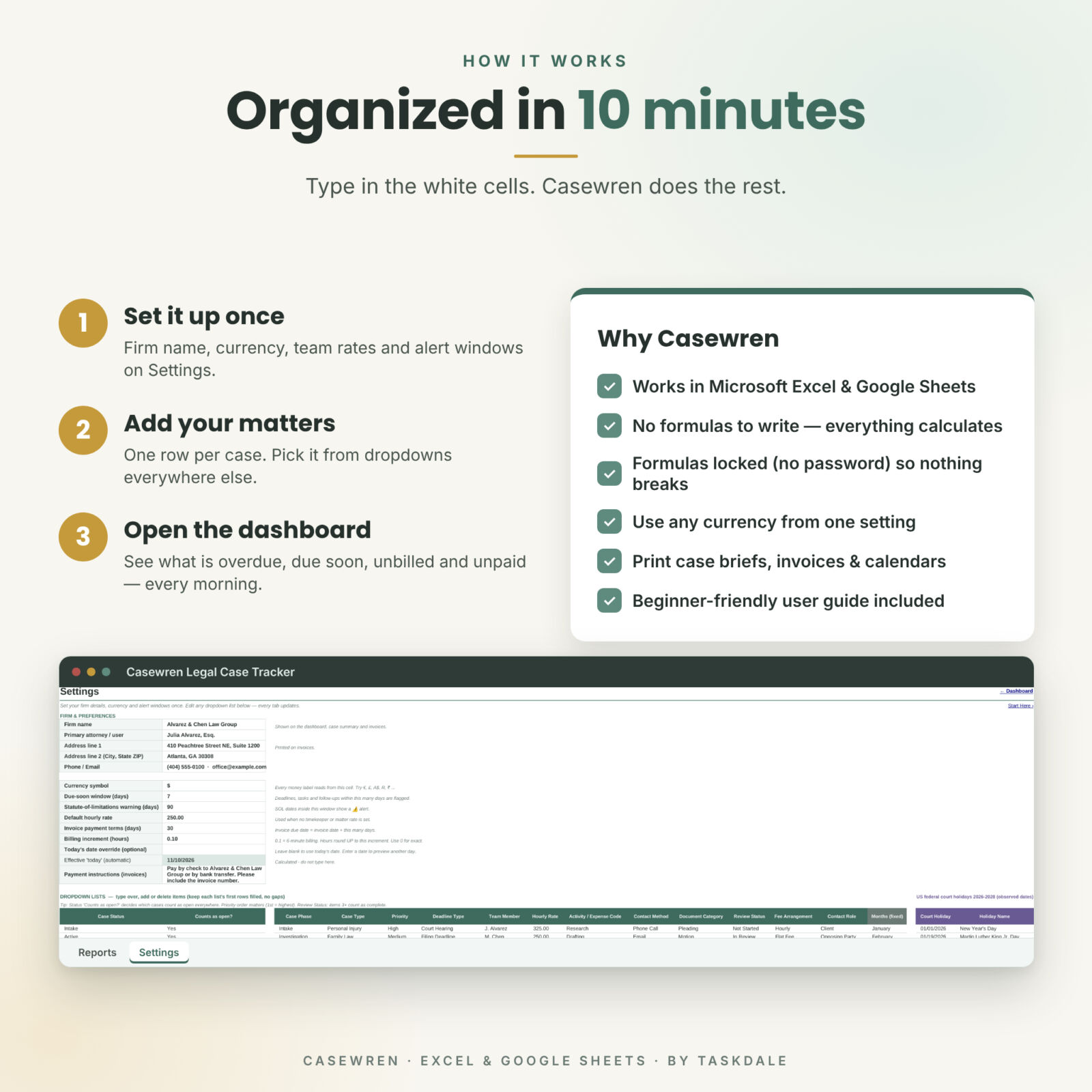
- On Settings, add your firm details, currency symbol, team members, hourly rates and alert windows.
- Add your matters on Cases, then add deadlines, tasks and time as you work. Everything else updates automatically.
File formats and requirements
- Format: .xlsx workbook, plus .docx and .pdf user guide
- Works in Microsoft Excel for Microsoft 365, 2021, 2019 and 2016 (Windows and Mac), Excel for the web and Google Sheets (free Google account)
- No macros, add-ons or internet connection required in Excel
- Not compatible with Apple Numbers
Customization
Change the currency once on Settings and every money label follows — dollars by default, or €, £, A$, C$ and more. Rename case types, phases, statuses, deadline types, activity codes, document categories and contact roles; add your own court holidays; set your due-soon window, SOL warning window, billing increment and payment terms. Formula cells are locked without a password so nothing breaks by accident, and you can unprotect any sheet in one click to change the layout.
Digital download
This is an instant digital download. No physical product will be shipped. Your files are available right after purchase. Licensed for personal use and use within your own firm or practice; resale, sharing or redistribution is not permitted.
Real ways firms use Casewren
- A solo personal injury attorney tracks statute-of-limitations dates for every intake so no claim is filed late.
- A family law paralegal runs the weekly calendar, assigns tasks and prints case summaries before mediations.
- A small litigation firm logs time in 0.1-hour increments, builds monthly invoices and watches overdue receivables.
- An estate and immigration practice keeps retainers and filing-fee deposits balanced on the trust ledger.
- Any firm runs a quick conflict check before accepting a new client.
FAQ
Does this legal case tracker work in Google Sheets?
Yes. Upload the .xlsx to Google Drive and open it with Google Sheets. Formulas, dropdowns, color alerts and charts all work.
Do I need Excel experience?
No. You only type in white cells or pick from dropdowns. The user guide walks you through setup in about 10 minutes.
Can I track billable hours and send invoices?
Yes. Log time and expenses, assign them to an invoice number and print a client-ready invoice from the Invoice Builder tab.
Does it calculate statute-of-limitations deadlines?
It counts forward from the accrual date by the period you enter and warns you as the date approaches. Always confirm the rule for your jurisdiction.
Can my team use it together?
Yes. Share it in Google Sheets, or store it in OneDrive or SharePoint to co-author in Excel.
Can I use a currency other than US dollars?
Yes. Change one currency setting and every money label, total and invoice follows.
Is there a monthly fee?
No. It is a one-time purchase with no subscription.
Casewren is an organizing tool and does not provide legal, accounting or trust-accounting advice.



Reviews
There are no reviews yet.