A free reading tracker spreadsheet is the easiest way to see what you read, how fast you read it and whether you are on pace for your reading goal. Paper journals are lovely, but a spreadsheet does the math for you: it counts your books, adds up your pages, averages your star ratings and draws the charts. This guide walks you through setting one up, what to track, and how to keep it going all year. You can also grab our ready-made template, the Shelfglow Lite reading tracker, for free.
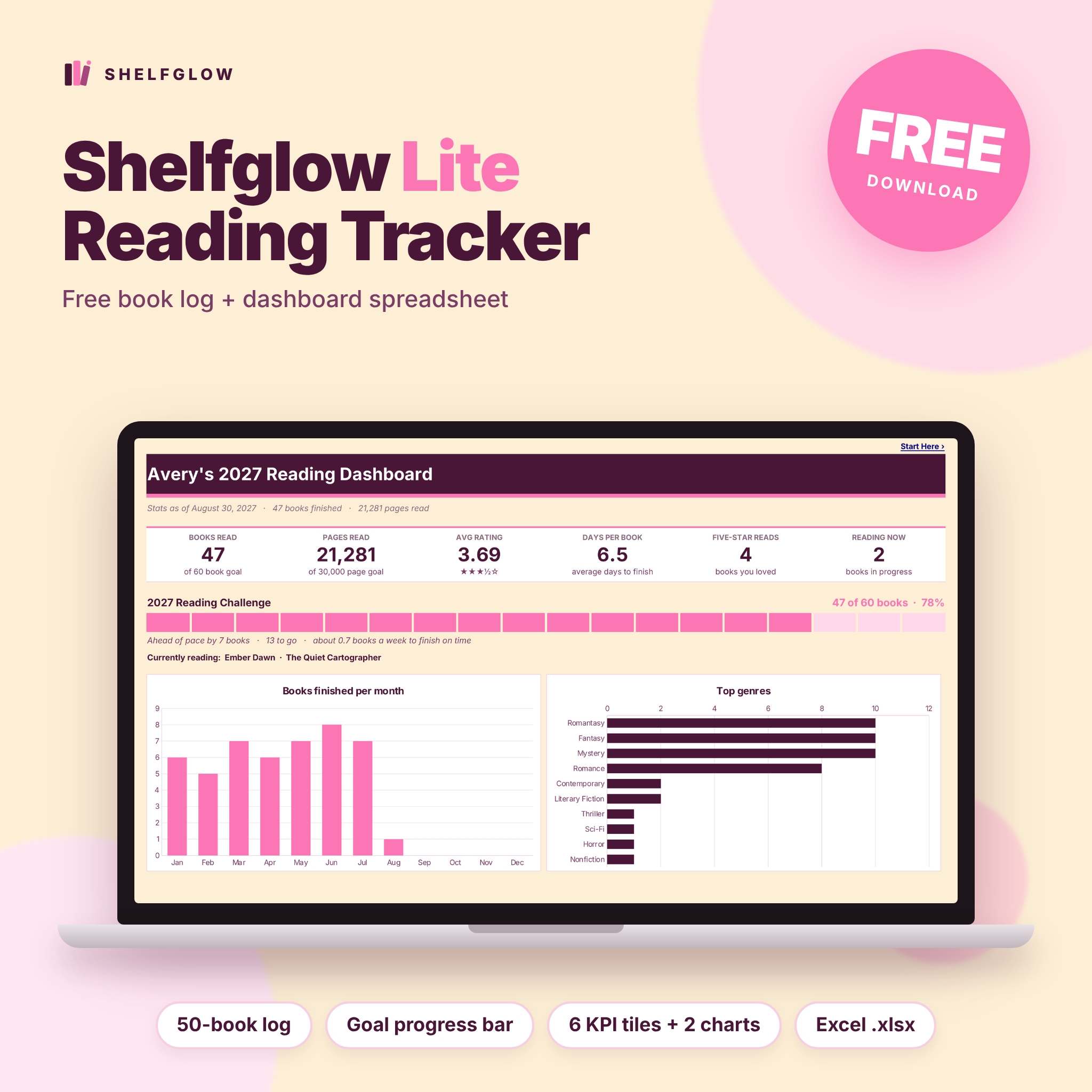
Download the free Shelfglow Lite reading tracker. Downloading needs a free Taskdale account, and free downloads are limited to 3 per day.
Why track your reading in a spreadsheet?
Reading apps are handy, but they decide what you can track and how your data looks. A spreadsheet is yours. You choose the columns, you keep the file, and nothing changes when an app updates. It is also fast: one row per book, a few dropdowns, and you are done.
Here is what a good book tracker spreadsheet gives you that a notes app or a list on your phone does not:
- Automatic totals. Books read, pages read and average rating update the moment you add a finish date.
- A goal you can see. A progress bar for your yearly reading challenge makes the goal feel real.
- Patterns. Charts show which genres you actually read, which months you read most and which formats you prefer.
- A reading history. Years from now you can still look up when you read a book and what you thought of it.
What to track in a reading log spreadsheet
Start simple. You can always add more later. These are the columns that matter most, and the ones the Shelfglow template uses:
The essentials
- Title and author. Keep the author spelling consistent so your “most-read authors” chart groups them correctly.
- Genre and format. Use dropdowns (paperback, hardcover, ebook, audiobook) so the charts stay clean.
- Pages. This powers your page totals and your pages-per-day pace.
- Start and finish dates. The finish date is what counts a book toward your goal. With both dates, the sheet can work out how many days each book took you.
- Status. Reading, finished, did not finish (DNF) or paused. DNF books should not count toward your goal.
The fun extras
- Star rating with half stars. A 4.5 is not a 4 and it is not a 5. A dropdown from 0.5 to 5.0 keeps it quick.
- Spice level. If you read romance or romantasy, a 0 to 5 spice scale is a favorite with BookTok and Bookstagram readers.
- Mood and tropes. Cozy, dark, funny, emotional; enemies to lovers, found family, slow burn. Great for recommending books later.
- Source. Bought, library, library app, gift, advance copy. It shows how much of your reading you actually paid for.
- A one-line review. Your future self will thank you.
How to set up your free reading tracker in 5 steps
- Download the template. Get the free Shelfglow Lite reading tracker and open it in Microsoft Excel, or upload it to Google Drive and open it with Google Sheets.
- Fill in Settings. Add your name, keep 2027 as the tracking year (or change it), and set your yearly book goal and page goal.
- Add the book you are reading now. Type the title and author, pick the genre and format, add a start date and set the status to Reading. It appears on the dashboard as “currently reading.”
- Add a finish date when you finish. Rate it, pick a spice level if you like, and watch your progress bar move.
- Check the dashboard once a week. The pace line tells you whether you are ahead of your goal, right on pace or a few books behind.
That is it. There are no formulas to write. White cells are for typing and the shaded cells calculate on their own, so you cannot accidentally break anything.
Setting a reading goal you will actually hit
A reading challenge is motivating when it is realistic. A few ways to pick your number:
- Look at last year. If you read 30 books, aim for 35 rather than 100.
- Count in pages, too. If you love 600-page fantasy, a page goal is fairer than a book goal. A good tracker shows both.
- Use weekly pace, not yearly totals. “About one book a week” is easier to act on than “52 books.” The Shelfglow dashboard turns your goal into books per week so you always know what is needed.
- Do not count DNFs against yourself. Quitting a book you do not enjoy is a good reading habit, not a failure.
Tips to keep your book log going all year
Log at the moment you finish
The hardest part of any tracker is remembering to use it. Add the finish date and rating the minute you close the book, while your feelings are fresh.
Keep dropdown lists short
Ten to fifteen genres is plenty. If every book gets its own genre, your charts become noise. You can rename or add options on the Settings tab at any time.
Use the same names every time
“J. Smith” and “Jane Smith” count as two authors. Pick one spelling and stick to it.
Make it part of a monthly ritual
At the end of each month, look at your books, pages and favorite read. It is the perfect base for a monthly wrap-up post.
Reuse it next year
Save a copy, change the tracking year and keep going. Because the stats only count books finished in the selected year, you can even keep one long reading history in a single file.
Free vs full: what the upgrade adds
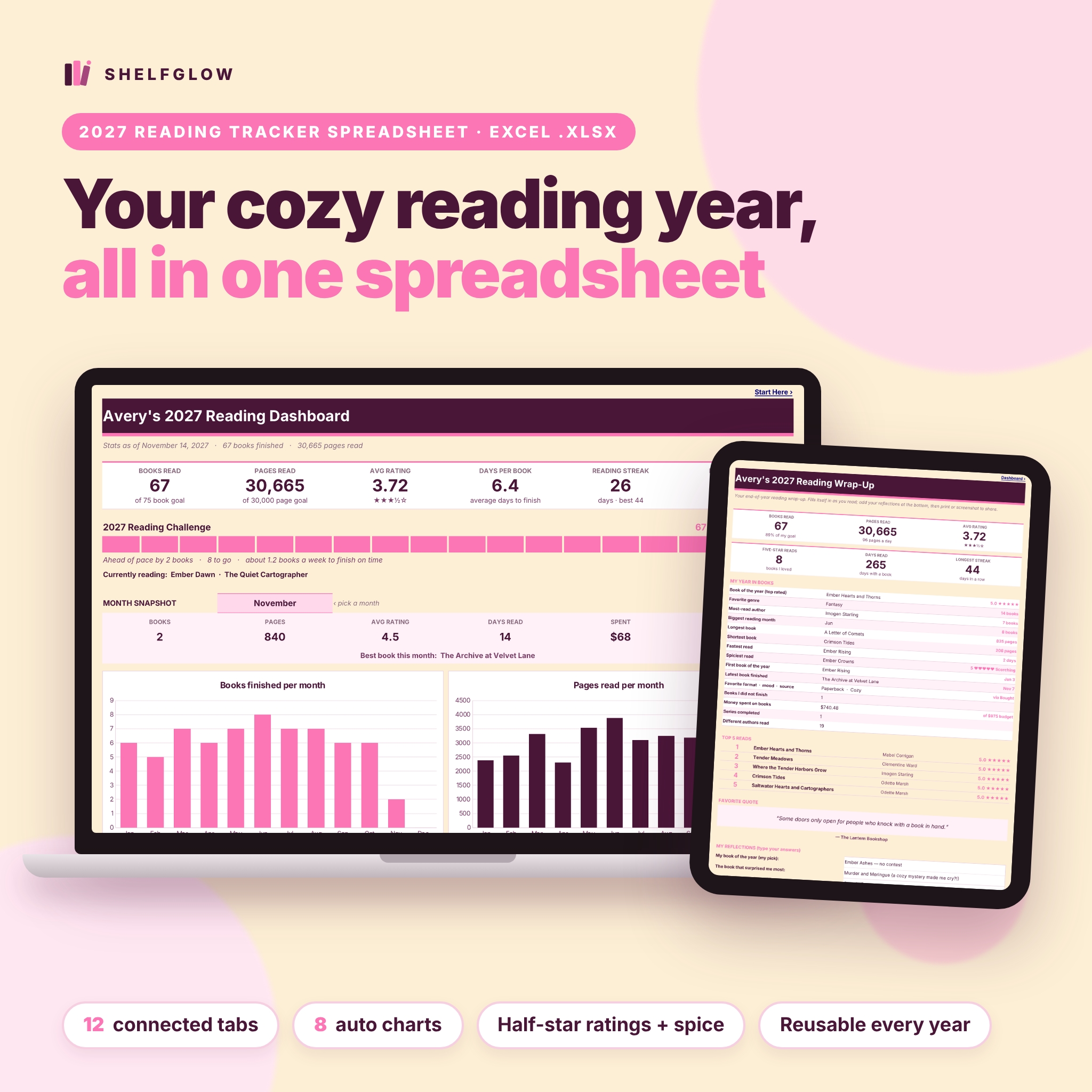
The free Lite version is a complete, working book log and dashboard. If you want the whole reading year in one place, the full Shelfglow Reading Tracker 2027 adds a streak heatmap, a TBR list, a series tracker, a book-buying budget, a quote vault and an automatic end-of-year wrap-up.
| Feature | Shelfglow Lite (free) | Shelfglow Full |
|---|---|---|
| Book log rows | 50 | 500 |
| Half-star ratings, spice levels, moods | Yes | Yes |
| Dashboard KPI tiles and goal progress bar | Yes | Yes |
| Dashboard charts | 2 | 6, plus a month snapshot |
| Reading calendar heatmap with streaks | No | Yes |
| Challenge tab with pace chart and 30 prompts | No | Yes |
| TBR list and series tracker | No | Yes |
| Book-buying budget in any currency | No | Yes |
| Quote vault and stats tables | No | Yes |
| Automatic year-end wrap-up | No | Yes |
| Illustrated user guide | No | Yes |
Features readers love in the full version
- Reading streak heatmap. Log pages or minutes each day and your year lights up, with your current and longest streak counted for you.
- TBR with priorities. Rank your to-be-read pile from “read next” to “someday,” and see how many days it would take to clear it at your current pace.
- Series tracker. Books read count automatically from your log, with progress bars and next-release dates.
- Book budget. Set a monthly budget, log every bookish purchase and see when you are close to your limit.
- Year-end wrap-up. Your top five reads, favorite genre, most-read author, longest and fastest reads, spiciest read and favorite quote, filled in automatically.
If that sounds like your kind of tracker, get the full Shelfglow Reading Tracker 2027. It is an Excel-format .xlsx for Microsoft Excel, tested in LibreOffice Calc, and built with standard functions that also work when you open it in Google Sheets.
Frequently asked questions
Is the reading tracker spreadsheet really free?
Yes. Shelfglow Lite is free to download and use for your own reading. You need a free Taskdale account to download it, and free downloads are limited to 3 per day.
Can I use it in Google Sheets?
The file is an Excel-format .xlsx for Microsoft Excel. It is built with standard functions that also work when you open it in Google Sheets: upload it to Google Drive and open it with Sheets.
How many books can I log in the free version?
The free version has 50 rows in the book log. The full version has 500, plus 200 TBR rows, 80 series and 300 purchase rows.
Can I use it for more than one year?
Yes. Change the tracking year on the Settings tab. Only books finished in that year are counted, so earlier books stay in your log as history.
Do audiobooks count?
Of course. Choose Audiobook as the format. In the full version you can log minutes instead of pages on the reading calendar.
What does “spice level” mean?
It is an optional 0 to 5 scale for how steamy a romance is, popular in the BookTok community. Leave it blank if it is not for you.
Ready to start? Download the free Shelfglow Lite reading tracker today, and when you want streaks, a TBR, series, a budget and a year-end wrap-up, upgrade to the full Shelfglow Reading Tracker 2027.